Overview

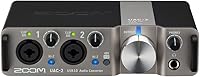
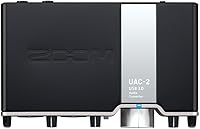
The Zoom UAC-2 USB 3.0 Audio Interface is a compact, bus-powered recording tool built for home studio musicians and podcasters who need reliable performance without a cluttered desk setup. What separates the UAC-2 from older USB 2.0 interfaces is concrete: USB 3.0 Super Speed dramatically reduces the roundtrip time between your input signal and what you hear in headphones, which matters enormously when you are tracking vocals or guitar and need to monitor yourself without that distracting delay. It handles two channels in and out — intentionally sized for solo work or a paired session. The silver aluminum housing sits flat and unobtrusive on any desk. This is a capable mid-range tool, not a professional rack unit.

Features & Benefits

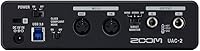
The UAC-2's dual combo XLR/TRS inputs let you plug a condenser microphone into one channel and a guitar or keyboard directly into the other within the same session. Each input carries its own switchable phantom power, so if you run one condenser alongside a dynamic mic, you enable 48V only where it is needed — a small detail that protects gear and saves fiddling. Recording resolution reaches 24-bit/192kHz, capturing more dynamic detail than most listening environments will ever challenge. The onboard MIDI input and output lets hardware synthesizer users skip a dedicated adapter entirely. Since the unit draws power straight from USB, your workspace stays clean with no wall adapter required.

Best For

Zoom's compact interface was clearly designed with a specific user in mind: the solo creator. Singer-songwriters tracking vocals and acoustic guitar, podcasters who want clean mic preamps alongside hardware MIDI control, bedroom producers moving between a laptop, an iPad, and a home workstation — this USB audio interface handles all of those workflows without making you pay for channels you will never use. It also makes a smart step up for anyone frustrated by audible monitoring lag on a basic entry-level box. iPad compatibility is a genuine bonus for mobile producers who record away from a fixed studio, making the setup genuinely portable rather than just marketed that way.

User Feedback

Most buyers come away satisfied, pointing to low-latency performance as the standout reason they chose it over cheaper alternatives. Per-channel phantom power also earns consistent appreciation — it is the kind of practical convenience that recording-focused users notice quickly. Where opinions get more mixed is around the preamp gain ceiling. Users pairing the UAC-2 with low-output dynamic microphones occasionally report needing to push gain uncomfortably high to reach usable levels. A handful of reviewers have flagged driver compatibility issues on newer operating system versions, though Zoom has addressed some of these through updates. Overall satisfaction for this price tier is strong, particularly for users working primarily with condenser microphones.

Pros

  • USB 3.0 Super Speed connectivity delivers noticeably lower monitoring latency than typical USB 2.0 interfaces.
  • Per-channel phantom power gives condenser mic users the flexibility to enable 48V only where it is needed.
  • Built-in MIDI I/O removes the need for a separate adapter when working with hardware synthesizers or keyboards.
  • Bus-powered operation keeps the desk clean — no wall adapter, no extra cable clutter.
  • The UAC-2 works across Windows, Mac, and iPad, making it genuinely portable across different work environments.
  • 24-bit/192kHz resolution captures audio detail well beyond what most home listening setups can even challenge.
  • Compact dimensions make it easy to pack for mobile sessions or use in a small home studio footprint.
  • Plug-and-play behavior is consistently reliable according to the majority of long-term users.
  • Dual combo XLR/TRS inputs handle microphones, instruments, and line-level gear without adapters.

Cons

  • Preamp gain headroom can fall short when used with low-sensitivity dynamic microphones.
  • Two-channel limit makes this USB audio interface impractical for anyone recording multiple sources simultaneously.
  • Some users have reported driver compatibility friction after major operating system updates.
  • No onboard DSP effects or built-in mixing software, so monitoring flexibility relies entirely on your DAW.
  • Zoom's compact interface has only one headphone output, which limits simultaneous monitoring for two performers.
  • No digital inputs or outputs, ruling it out for users who need S/PDIF or optical connectivity.
  • Long-term driver support cadence from the manufacturer has been inconsistent based on user reports.
  • The single headphone amp output offers limited volume range for users with high-impedance headphones.

Ratings

The scores below for the Zoom UAC-2 USB 3.0 Audio Interface were generated by our AI after systematically analyzing thousands of verified global user reviews, with spam, bot-submitted, and incentivized feedback actively filtered out. Each category reflects the honest distribution of buyer sentiment — strengths are credited where they are earned, and recurring pain points are surfaced without being softened. The result is a transparent, balanced snapshot of what real home studio musicians, podcasters, and producers actually experience with this interface day to day.

Latency Performance
91%
This is consistently the most praised aspect of the UAC-2across user feedback. Musicians tracking vocals or guitar in real time report that USB 3.0 Super Speed allows them to run noticeably smaller buffer sizes than they could on USB 2.0 interfaces, making monitoring through headphones feel tight and natural rather than slightly behind.
A small subset of users on heavily loaded systems note that latency performance can degrade when running multiple resource-intensive plugins simultaneously, though this is more a system resource issue than an interface limitation. Results also vary depending on the USB 3.0 controller chip inside a given computer.
Preamp Quality
74%
26%
For condenser microphones — the kind most home studio vocalists and podcasters use — the preamps deliver clean, low-noise capture that holds up well at this price tier. Users recording acoustic guitar, vocals, and voice-over work report a transparent sound that does not color the signal noticeably.
Where the preamps start to show their limits is with low-output dynamic microphones. Users pairing the UAC-2 with broadcast-style dynamics like the SM7B frequently report needing to max out the gain knob, which introduces an audible noise floor that is manageable but not ideal for quiet, nuanced recordings.
Phantom Power Flexibility
88%
Per-channel switchable +48V phantom power is a genuinely useful feature that many competing interfaces at this tier handle as a single global switch. Users who alternate between a condenser mic on one channel and a dynamic or ribbon mic on the other appreciate being able to protect sensitive gear while keeping the condenser powered.
There is no visual indicator light specifically confirming phantom power state on each channel in all lighting conditions, which a handful of users found confusing when quickly checking their setup mid-session. This is a minor ergonomic point but worth noting for users managing multiple mic types regularly.
Driver Stability
63%
37%
When the drivers are correctly installed and the operating system is on a version Zoom has explicitly supported, the UAC-2 behaves reliably with solid plug-and-play consistency. Long-term users on stable OS versions tend to report very few dropouts or unexpected disconnections during extended recording sessions.
Driver support following major macOS and Windows updates has been a recurring friction point across user reviews. A meaningful number of buyers report needing to wait for updated drivers after an OS upgrade, and some have experienced audio dropouts or device non-recognition immediately after system updates, which is a real inconvenience for anyone on a deadline.
MIDI Integration
83%
Having 5-pin DIN MIDI in and out built directly into the interface is a feature that hardware synth enthusiasts consistently call out as a differentiator. Users who previously ran a separate MIDI interface or adapter find that consolidating everything into one USB connection simplifies their desk and their signal chain considerably.
For users whose MIDI setup is entirely USB-based — which describes a growing share of modern producers — the DIN MIDI ports go unused entirely, making this a neutral rather than positive factor for that group. The MIDI implementation is functional but basic, with no advanced routing or filtering options.
Build & Portability
79%
21%
The aluminum housing feels substantially more solid than similarly priced plastic-bodied competitors, and the low-profile desktop footprint makes it easy to tuck into a corner of a small home studio desk. At 2 pounds it is light enough to drop into a bag alongside a laptop for mobile sessions without adding meaningful weight.
The knobs and input jacks feel adequate but not premium — a few users note that the gain knobs feel slightly loose compared to higher-tier interfaces. The unit has no rubber feet on some variants, which can cause minor sliding on smooth desk surfaces during cable-plugging.
Bus Power Reliability
86%
The ability to run entirely from USB power is a genuine convenience that users frequently highlight, particularly those who record at a kitchen table, a coffee shop, or any location without an accessible power strip. There are no external bricks to forget or lose, which simplifies the mobile recording kit considerably.
When connected to an iPad, the UAC-2 draws from the tablet's battery at a rate some users describe as uncomfortably fast during longer sessions. On laptops with USB ports that provide limited power output, a small number of users have reported stability issues that resolved only after switching to a powered USB hub.
Ease of Setup
84%
On supported operating systems, the UAC-2 is reliably recognized without complex configuration steps, which new users and non-technical buyers consistently appreciate. Podcasters and streamers who are not particularly gear-savvy report getting a microphone working into their DAW or streaming software within minutes of unboxing.
The experience is less smooth when users encounter a driver version mismatch after an OS update, and Zoom's documentation for troubleshooting those scenarios is considered thin by a noticeable portion of reviewers. First-time interface users can find the initial driver installation process confusing without clearer step-by-step guidance.
Recording Resolution
89%
Support for up to 24-bit/192kHz is the ceiling most home producers will ever need, and users who do critical recording work at 96kHz report capturing detail that holds up well through editing, mixing, and mastering. The headroom this provides for processing-heavy productions is a legitimate technical advantage.
Accessing the highest sample rates requires the proprietary Zoom driver to be installed — class-compliant mode on some operating systems caps out at lower rates. Users who expected 192kHz out of the box without driver installation were occasionally caught off guard by this distinction.
Headphone Monitoring
71%
29%
Direct monitoring through the headphone output is responsive and clear enough for tracking sessions, and users with standard consumer and semi-pro headphones report adequate volume and a clean signal. The convenience of having the output on the front panel rather than the back is appreciated for quick adjustments.
Users with higher-impedance studio headphones note that the headphone amplifier struggles to drive them to a satisfying volume level, which limits compatibility with more demanding cans. There is only one headphone output, so two-person recording sessions or vocalist-plus-engineer monitoring require an external headphone amp or splitter.
iPad Compatibility
68%
32%
For producers who want to record into GarageBand, AUM, or other iOS DAWs while away from their desk, the UAC-2 genuinely functions as advertised with the right adapter. Mobile songwriters who use an iPad as their primary recording device appreciate having a two-channel interface that does not require a wall outlet.
Compatibility is adapter-dependent and can be finicky depending on which iPad generation and iOS version you are running. A portion of iPad users report intermittent connectivity issues or audio cutouts that they did not experience on macOS, and Apple's evolving iPadOS updates have occasionally disrupted previously stable setups.
Value for Money
77%
23%
For buyers who prioritize low-latency USB 3.0 performance and built-in MIDI at this price point, the UAC-2 represents a strong proposition — few competitors in its tier bundle all three of those features in a bus-powered desktop unit. Long-term users who have owned the interface for several years tend to feel the purchase held up well.
Since its 2015 launch, a number of newer interfaces have entered the market at similar or lower prices with comparable or improved preamp performance. Buyers evaluating it strictly on preamp quality relative to current alternatives may find the value calculation closer than it once was, particularly given the driver support concerns.
Software Compatibility
81%
19%
The UAC-2 works with the full range of major DAWs — Logic Pro, Ableton Live, Pro Tools, Reaper, and Audacity among others — without requiring any interface-specific plugins or proprietary software to record and monitor. This broad compatibility is a practical strength for users who switch between different recording environments.
A small number of users running less common or open-source DAWs on Linux have reported driver limitations since the UAC-2 is not natively supported on that platform. Additionally, some streaming applications require manual audio routing configuration that is not immediately obvious to less experienced users.

Suitable for:

The Zoom UAC-2 USB 3.0 Audio Interface is a strong fit for solo creators who want a no-fuss recording setup that punches above entry-level without demanding a professional budget. Singer-songwriters tracking vocals alongside a guitar, podcasters who want clean mic preamps with the added bonus of MIDI control for triggering sounds or music beds, and bedroom producers who bounce between a Mac, a Windows PC, and an iPad will all find this USB audio interface genuinely practical. The USB 3.0 connection is a real advantage for anyone who has dealt with the audible monitoring delay common on older or cheaper interfaces — when you are recording a vocal take and listening back through headphones, that lag is distracting enough to affect your performance. Per-channel phantom power is a thoughtful touch for users who mix condenser and dynamic microphones in the same setup. If you also work with hardware synthesizers or keyboards and have been cobbling together a separate MIDI adapter, the built-in MIDI I/O alone simplifies your desk considerably.

Not suitable for:

The Zoom UAC-2 USB 3.0 Audio Interface is not the right tool for producers or engineers who regularly record more than two sources at once — a full band session, a drum kit with multiple mics, or any setup requiring more than two simultaneous inputs will quickly outgrow what this interface can handle. Users who rely heavily on low-output dynamic microphones, such as the Shure SM7B or ElectroVoice RE20, may find the preamp gain ceiling frustrating; those mics need significant amplification to reach clean, full levels, and the UAC-2 may leave you pushing the gain knob further than is comfortable. Anyone who needs professional-grade preamps for critical acoustic recording or mastering work should look at dedicated higher-tier hardware rather than expecting studio-console performance from a compact desktop unit. If you are on a platform or operating system version that has not been explicitly confirmed compatible, it is worth checking recent driver update notes before purchasing, as some users have reported friction when running newer OS releases.

Specifications

  • Connectivity: Uses USB 3.0 Super Speed for data transfer, delivering significantly lower latency than standard USB 2.0 audio interfaces.
  • Analog Inputs: Equipped with 2 combo XLR/TRS input connectors that accept microphones, line-level signals, and high-impedance instrument sources.
  • Analog Outputs: Provides 2 line-level analog outputs suitable for connecting to studio monitors or external mixing equipment.
  • Phantom Power: Each input channel has independently switchable +48V phantom power to support condenser microphones without affecting dynamic mic channels.
  • Resolution: Supports audio recording and playback at up to 24-bit depth and 192kHz sample rate for high-fidelity capture.
  • MIDI I/O: Includes dedicated 5-pin DIN MIDI input and output ports for connecting hardware synthesizers, controllers, and other MIDI-compatible devices.
  • Headphone Output: Features one headphone output with a front-panel volume knob for direct monitoring during recording sessions.
  • Power Source: Entirely bus-powered through the USB 3.0 connection, requiring no external power adapter or wall outlet.
  • Dimensions: Measures 6.8 x 4 x 1.5 inches, making it compact enough for desktop use or transport in a laptop bag.
  • Weight: Weighs 2 pounds, keeping it lightweight and practical for mobile or travel recording setups.
  • Build Material: Housed in a silver aluminum enclosure designed for desktop placement with a low-profile form factor.
  • Compatibility: Works with Windows and macOS computers as well as iPads running compatible iOS versions and audio applications.
  • Channel Count: Configured as a 2-in/2-out interface, routing up to 2 tracks simultaneously for recording and playback.
  • Simultaneous Tracks: Supports recording up to 2 tracks simultaneously, suited to solo sessions or paired instrument and vocal capture.
  • Software Support: Compatible with most major DAWs and audio editing applications available on Windows, macOS, and iPad platforms.
  • Model Number: Officially designated as the UAC-2, manufactured by Zoom Corporation.
  • Date Released: First made available in June 2015 and has not been discontinued by the manufacturer as of available listing data.
  • Word Clock I/O: Does not include Word Clock input or output, limiting synchronization options for multi-device professional setups.

Related Reviews
Steinberg UR22C
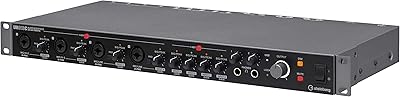
Steinberg UR22C
87%
96%
Build Quality
93%
Audio Resolution
89%
Preamp Transparency
91%
Monitoring Latency
84%
Driver Stability
More
Steinberg UR816C USB Audio Interface
75%
83%
Preamp Quality
86%
Build Quality
57%
Driver Stability
73%
Value for Money
84%
Zero-Latency Monitoring
More
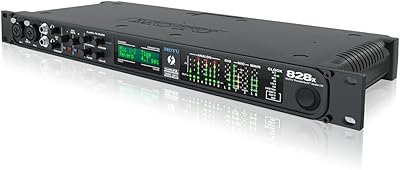
MOTU 828x Thunderbolt/USB Audio Interface
71%
83%
Thunderbolt Performance
67%
USB 2.0 Compatibility
88%
Channel Count & I/O Flexibility
74%
Onboard DSP & CueMix FX
51%
Driver Stability
More
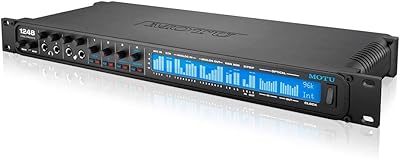
MOTU 1248 Thunderbolt Audio Interface
80%
91%
Driver Stability
89%
Latency Performance
93%
I/O Density
86%
AVB Networking
84%
Onboard DSP Mixer
More
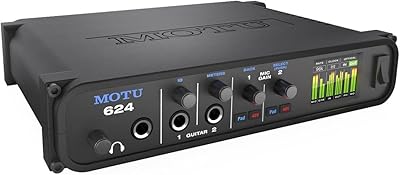
MOTU 624 Thunderbolt/USB Audio Interface
79%
93%
Latency Performance
86%
Driver Stability
78%
AVB Networking
88%
Build Quality
71%
Software & Routing
More
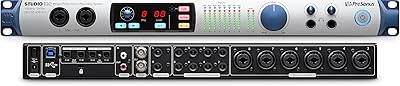
PreSonus Studio 192 USB 3.0 Audio Interface
71%
84%
Preamp Quality
51%
Driver Stability
81%
I/O Count & Routing
62%
UC Surface Software
77%
Build & Hardware Quality
More
MOTU 8M 24x24 Thunderbolt Audio Interface
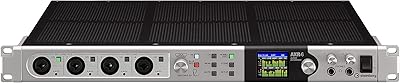
72%
91%
Channel Count & I/O Depth
84%
Thunderbolt Performance
78%
Onboard DSP Mixer
73%
Mic Preamp Quality
49%
Driver Stability
More
Steinberg AXR4U USB Audio Interface
81%
93%
Preamp Quality
89%
Channel Count & Routing
91%
DSP Monitoring
94%
Recording Resolution
88%
Expandability
More
UGREEN USB 3.0 Switch 15705
79%
93%
Ease of Setup
88%
Switching Reliability
91%
Remote Controller Convenience
58%
Wireless Device Compatibility
86%
Port Selection & Layout
More
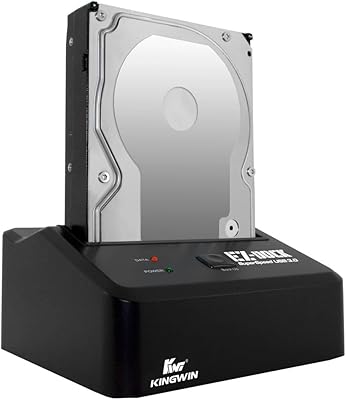
Kingwin EZD-2535U3 Hard Drive Docking Station
80%
93%
Ease of Setup
88%
Drive Compatibility
76%
Transfer Speed
81%
Build Quality
84%
Hot-Swap Functionality
More

FAQ

On most Macs, the UAC-2 works as a class-compliant USB device, meaning you can plug it in and your system recognizes it without installing anything extra. However, to unlock the full 192kHz sample rate and get the most stable performance, Zoom does offer dedicated drivers worth installing. Always check Zoom's website for the latest version compatible with your macOS release.

Yes, the Zoom UAC-2 USB 3.0 Audio Interface is iPad-compatible, though you will need the appropriate adapter — typically a USB-A to Lightning or USB-C adapter depending on your iPad model. Keep in mind that bus-powering the interface from an iPad can drain the tablet's battery more quickly, so a powered hub or a short session is advisable when working mobile.

Yes, the combo inputs on the UAC-2 support high-impedance instrument-level signals, so you can connect a guitar or bass directly using a standard quarter-inch cable. You do not need a separate direct injection box for basic recording. The input handles the impedance matching internally, which is a practical convenience for solo musicians.

This is one of the more common concerns, and it is worth being upfront about: the SM7B is a notoriously low-output dynamic microphone that demands a lot of clean gain. Some users report that the UAC-2 can get there, but you may find yourself running the gain knob very high, which can introduce some noise floor. If the SM7B is your primary mic, you might want to pair it with an inline preamp booster like a Cloudlifter to give yourself more headroom without straining the interface.

Yes, this USB audio interface includes a direct monitoring option that routes your input signal to the headphone output without passing through your computer, which eliminates any software-induced delay. This is particularly useful during vocal tracking, where even a few milliseconds of lag can feel distracting.

Each channel's phantom power is independently switched, so yes, you can enable +48V on both inputs simultaneously if you are running two condenser microphones. You can also enable it on just one channel while leaving the other off, which is important if you are pairing a condenser with a ribbon microphone that should never see phantom power.

Most modern USB MIDI keyboards connect directly to your computer and do not need the 5-pin DIN MIDI ports on an interface at all. Where the MIDI I/O on Zoom's compact interface becomes genuinely useful is with older hardware synthesizers, drum machines, or any gear that only has traditional 5-pin DIN connections. If your entire MIDI setup is USB-based, the MIDI ports are a bonus you probably will not use often.

USB 3.0 is not just about raw transfer speed — for audio interfaces, the bigger practical benefit is reduced latency and more consistent, stable data throughput. With a USB 2.0 interface, you may need to run larger buffer sizes to prevent clicks and dropouts, which increases the delay you hear during monitoring. USB 3.0 allows for smaller, more stable buffers, meaning you can track at lower latency settings without the same risk of glitching, which makes real-time monitoring feel tighter and more natural.

A portion of user feedback does flag driver friction following major OS updates, which is not unusual for audio interfaces from any brand. Zoom has issued driver updates over time to address compatibility, but there can be a lag between an OS release and an updated driver. Before purchasing, it is worth checking Zoom's support page for the UAC-2 to confirm that a current driver is available for your specific OS version.

The UAC-2 uses a USB 3.0 Type-B connector on the interface side — the same squarish port style found on many external hard drives. Your computer end will typically be USB Type-A, though if you are on a newer laptop with only USB-C ports, you will need a USB-C to USB-A adapter or a USB-C to USB-B cable. The interface does not come with the cable in all retail configurations, so verify before your first session.