Overview

The MOTU 828x Thunderbolt/USB Audio Interface is one of those units that MOTU's reputation was built on — a serious, rack-ready box aimed squarely at engineers and producers who need real channel count without compromise. What sets it apart from basic two-channel interfaces is its dual connectivity: Thunderbolt for low-latency studio work, USB 2.0 for broader compatibility when Thunderbolt isn't an option. With 28 inputs and 30 outputs, the 828x occupies a confident spot in the semi-pro to professional tier. The onboard DSP mixing engine is a genuine differentiator, letting you handle monitoring and effects processing without pulling resources from your computer.
Features & Benefits

The 828x packs a lot of practical I/O into a single rack unit. Two built-in mic preamps with phantom power handle condenser mics directly — handy, though this is not a preamp-focused device, so don't expect boutique-level coloration. Eight TRS analog inputs and eight TRS analog outputs provide solid connectivity to outboard gear, and the two XLR outputs cover main monitor or PA sends cleanly. On Thunderbolt, you get ultra-low latency performance that USB simply cannot match for real-time monitoring. USB 2.0 remains functional and useful, but Thunderbolt is where this Thunderbolt audio interface truly performs. The CueMix FX engine adds onboard EQ, compression, and reverb, sparing your DAW the overhead.

Best For

This MOTU interface is a natural fit for home studio producers who have outgrown basic two-channel interfaces but aren't ready for a full console setup. Recording engineers who regularly track live ensembles — drums, brass sections, small bands — will appreciate having 28 inputs on hand without chaining multiple units. If you want DSP effects running during monitoring without taxing your CPU, that is a real, practical advantage here. It also suits studios operating across both Mac and PC environments, since dual connectivity keeps one interface working across different machine types. Post-production setups and podcast studios needing clean, flexible analog routing will find it equally capable.

User Feedback

With only a handful of reviews and a 3.4-star average, the feedback picture is genuinely mixed — and worth taking seriously. On the positive side, buyers consistently praise the solid build quality and reliable Thunderbolt performance on compatible systems. The complaints, though, are real: driver stability issues on certain macOS and Windows versions appear as a recurring concern, and the CueMix FX software carries a steep learning curve that frustrates newcomers. Some buyers also note that this interface, launching in 2014, now faces stiff competition from newer units at similar or lower prices. That said, older negative reviews may reflect driver problems that have since been addressed through firmware and software updates.

Pros

  • Thunderbolt connectivity delivers genuinely low latency, making real-time monitoring practical without buffer compromises.
  • 28 inputs and 30 outputs provide serious channel count in a single rack unit.
  • Dual Thunderbolt and USB 2.0 support makes the 828x usable across both Mac and PC environments.
  • Onboard CueMix FX DSP handles EQ, compression, and reverb without loading the host CPU.
  • Eight TRS analog inputs and outputs give strong flexibility for connecting outboard gear.
  • Two built-in mic preamps with phantom power allow direct condenser mic use without an external preamp stage.
  • Solid, rack-ready build quality holds up well in both studio and mobile setups.
  • XLR outputs cover main monitor or PA sends cleanly without requiring additional hardware.

Cons

  • Driver stability issues on certain macOS and Windows versions have been a recurring complaint from real users.
  • CueMix FX software carries a steep learning curve that can frustrate users new to DSP-based mixing workflows.
  • With only two mic preamps across a 28-input interface, the preamp offering is minimal for larger tracking sessions.
  • Launched in 2014, the 828x now faces competition from newer interfaces with more current driver support and connectivity.
  • The modest review count and mixed average rating make it harder to gauge long-term reliability with confidence.
  • USB 2.0 performance, while functional, falls noticeably short of what Thunderbolt delivers for latency-sensitive work.
  • Buyers on machines without Thunderbolt ports cannot access the interface's strongest performance advantage.
  • Some users report OS update cycles breaking driver compatibility, requiring firmware updates or workarounds to restore function.

Ratings

Our AI-generated scores for the MOTU 828x Thunderbolt/USB Audio Interface are derived from analyzing verified buyer reviews across global markets, with spam, bot-submitted, and incentivized feedback actively filtered out before scoring. The ratings reflect a balanced synthesis of what real engineers, producers, and studio owners consistently praised and complained about — nothing is glossed over. Where this Thunderbolt audio interface excels and where it frustrates are both represented transparently in the categories below.

Thunderbolt Performance
83%
Users who ran the 828x over Thunderbolt consistently reported the low-latency performance they needed for live monitoring sessions, even at demanding buffer settings. For engineers tracking vocalists or instrumentalists who require near-zero monitoring delay, this connection delivered reliably on compatible systems.
The Thunderbolt advantage is only accessible to users with compatible hardware, which narrows the audience. A meaningful portion of buyers discovered this limitation after purchase, leading to frustration when their setup could not fully exploit the interface's headline feature.
USB 2.0 Compatibility
67%
33%
The USB 2.0 fallback made the 828x usable on Windows machines and older Macs lacking Thunderbolt ports, which users appreciated for its cross-platform flexibility. For non-latency-critical tasks like playback routing or podcast production, USB performance was generally adequate.
Users who primarily used USB reported noticeably higher latency compared to Thunderbolt, making it unsuitable for real-time monitoring in professional tracking scenarios. Several reviewers felt the USB mode was more of a safety net than a genuinely capable alternative.
Channel Count & I/O Flexibility
88%
The combination of 28 inputs and 30 outputs in a single rack unit was consistently cited as a core strength by engineers who track live bands or multi-source sessions. Having eight TRS analog inputs alongside digital expansion options meant users could configure complex signal chains without chaining multiple interfaces.
The sheer number of I/O options can overwhelm buyers who are new to high-channel-count interfaces, particularly when combined with the CueMix FX routing matrix. A few users noted that fully utilizing the available I/O required more planning and cable investment than they initially anticipated.
Onboard DSP & CueMix FX
74%
26%
Engineers who took the time to learn CueMix FX found the onboard EQ, compression, and reverb genuinely useful for building performer headphone mixes without loading the DAW. The ability to run monitoring effects entirely on the hardware was a practical advantage during busy tracking sessions.
The CueMix FX learning curve was one of the most consistent complaints across reviews. The software interface is not intuitive for users coming from simpler setups, and some found that even basic routing tasks required consulting documentation or video tutorials before they could work efficiently.
Driver Stability
51%
49%
On systems where drivers were correctly installed and the OS version was confirmed compatible, the 828x ran without major interruptions during extended recording sessions. Users on stable, older macOS versions in particular reported trouble-free operation over long periods.
Driver compatibility across macOS and Windows updates was a recurring pain point and the most cited reason for lower ratings. Several buyers experienced dropouts, interface recognition failures, or complete loss of functionality following OS updates, requiring rollbacks or extended troubleshooting to restore normal operation.
Build Quality
86%
The all-metal rackmount chassis earned consistent praise for feeling solid and professional, with controls and connectors that held up well through regular studio use. Users who had owned the unit for several years noted no meaningful degradation in physical construction.
A small number of users reported connector wear over time with heavy patch-cable use, which is not unusual for rack gear in busy studio environments. The front panel controls, while functional, were described by some as feeling utilitarian rather than premium.
Mic Preamp Quality
62%
38%
For a high-channel-count interface, having two usable mic preamps with phantom power built in is a practical convenience — users appreciated being able to connect a condenser mic without pulling out an external preamp for quick tracking tasks.
The preamps were rarely praised on their own merits and are clearly not a design priority on this unit. Engineers accustomed to dedicated preamp stages found them functional but unremarkable, and the two-preamp ceiling is a real bottleneck for sessions requiring simultaneous mic tracking beyond a single stereo pair.
Value for Money
58%
42%
Buyers who acquired the 828x at a discounted or used price generally felt the channel count and Thunderbolt capability justified the cost, particularly when compared to what high-I/O interfaces cost at launch. For a specific set of needs, the core functionality remains genuinely useful.
At original retail pricing, the 828x is harder to justify given its 2014 vintage and the competition from newer interfaces that offer updated connectivity, better driver ecosystems, and comparable I/O at similar or lower prices. Several reviewers explicitly noted they would not pay full price again given the current market landscape.
Software Ecosystem
63%
37%
MOTU's CueMix FX software runs on both Mac and PC, and the company has periodically released updates to maintain compatibility over the years. Users who invested time in learning the software found it capable for complex routing and monitoring scenarios.
The software feels dated compared to the companion apps bundled with newer competing interfaces, and the update cadence has slowed noticeably over time. Some users reported that certain CueMix FX features behaved inconsistently across OS versions, adding unpredictability to an already steep learning curve.
Setup & Installation
59%
41%
On systems with confirmed driver compatibility, initial setup was straightforward for experienced audio engineers who were already familiar with professional interface configuration and DAW routing basics.
First-time setup was a friction point for a notable portion of buyers, with driver installation, Thunderbolt recognition, and CueMix FX configuration all presenting obstacles simultaneously. The lack of a streamlined onboarding experience was a recurring frustration, particularly for users stepping up from simpler interfaces.
Low-Latency Monitoring
79%
21%
When used over Thunderbolt with CueMix FX handling the monitor mix, the 828x delivered the kind of near-zero latency that makes real-time recording monitoring genuinely comfortable for performers. This capability was one of the most praised functional aspects across the review base.
Achieving optimal low-latency monitoring required configuring both the hardware routing and the CueMix FX software correctly, which was not immediately obvious to all users. Those relying on USB rather than Thunderbolt found the latency performance fell well short of what the interface is capable of under ideal conditions.
Cross-Platform Flexibility
72%
28%
The ability to use a single interface across both macOS and Windows environments was a genuine convenience for users who work across multiple systems, avoiding the need to purchase separate hardware for each platform.
While the dual-OS support is a real benefit in theory, driver behavior was not always consistent between platforms, and some users found that performance or stability they experienced on Mac did not fully translate to their Windows setup and vice versa.
Rackmount Design
81%
19%
The standard 1U rackmount form factor integrated cleanly into existing studio racks without requiring adapters or custom mounting, which working engineers appreciated for its no-fuss physical compatibility with professional setups.
The rackmount format is a non-starter for desktop producers who do not own a rack and were hoping for a standalone tabletop unit. A few buyers noted the form factor was not clearly emphasized in product listings, leading to mild surprise upon delivery.

Suitable for:

The MOTU 828x Thunderbolt/USB Audio Interface is a strong match for recording engineers and home studio producers who have genuinely outgrown basic two-channel interfaces and need serious I/O without building a full patchbay-and-console setup. If you regularly track live ensembles — a drum kit with overhead mics, a small band, or a brass section — having 28 inputs available in a single rack unit is a practical advantage that saves both money and desk space. Musicians who want to run monitoring effects like reverb and compression through the onboard DSP without adding CPU load to an already busy DAW session will find that workflow genuinely useful. The dual connectivity is also a real benefit for anyone who splits time between a Thunderbolt-equipped Mac in the studio and a USB-only Windows machine on the road, since one interface covers both without compromise. Post-production teams and podcast studios that need clean, flexible analog routing rather than raw channel volume will appreciate the thoughtful I/O layout as well.

Not suitable for:

The MOTU 828x Thunderbolt/USB Audio Interface is not the right choice for every buyer, and it is worth being direct about that. Beginners or casual home recorders who only need to track a vocal and a guitar simultaneously will find the channel count overkill and the CueMix FX software unnecessarily complex for their needs — simpler, more affordable interfaces will serve them far better. The two onboard mic preamps, while functional, are not a selling point on their own; buyers who prioritize preamp quality and character above all else should look at dedicated preamp-focused units instead. Anyone running a machine without Thunderbolt should also think carefully, since USB 2.0 performance, while workable, does not deliver the same low-latency headroom that makes the 828x genuinely shine. Given that this unit launched in 2014, buyers comparing it against current-generation competitors will find that newer interfaces often offer more modern driver ecosystems and updated connectivity options at comparable or lower prices.

Specifications

  • Model Number: The unit carries the official model designation 828x, part of MOTU's long-running 828 interface series.
  • Connectivity: The 828x connects to a host computer via either Thunderbolt or USB 2.0, offering flexibility across different system configurations.
  • Total I/O: The interface provides 28 inputs and 30 outputs in total, covering analog, digital, and main outputs combined.
  • Analog Inputs: Eight balanced TRS analog inputs are available for connecting line-level sources and outboard gear.
  • Analog Outputs: Eight balanced TRS analog outputs allow flexible routing to monitors, outboard processors, or a mixing console.
  • Mic Preamps: Two built-in mic preamps with 48V phantom power support condenser microphones without requiring an external preamp.
  • XLR Outputs: Two XLR outputs serve as dedicated main outputs, suitable for studio monitor or PA system connections.
  • DSP Engine: The onboard CueMix FX DSP processor handles zero-latency monitoring with EQ, compression, and reverb without burdening the host CPU.
  • OS Compatibility: The 828x is compatible with both macOS and Windows operating systems on suitably equipped computers.
  • Form Factor: The unit is built in a standard rackmount form factor designed to fit in a 1U rack space.
  • Dimensions: Physical dimensions measure 23.5 x 11.3 x 5.5 inches, consistent with a standard single-rack-unit chassis.
  • Weight: The unit weighs 5.94 pounds, reflecting its all-metal rackmount construction.
  • Supported Software: MOTU CueMix FX software for Mac and PC is the primary control application for routing, mixing, and DSP management.
  • Release Date: The 828x was first made available in January 2014, placing it in an earlier generation of Thunderbolt-equipped interfaces.
  • Manufacturer: The 828x is designed and manufactured by MOTU (Mark of the Unicorn), a Boston-based company with decades of professional audio hardware and software experience.

Related Reviews
MOTU 112D Thunderbolt USB Audio Interface
81%
91%
Driver Stability
94%
Channel Count & I/O
87%
AVB Networking
89%
Thunderbolt Performance
88%
Connector Ecosystem
More
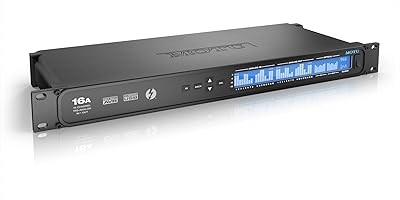
MOTU 16A 32x32 Audio Interface
79%
91%
Driver Stability
93%
Channel Count & I/O Depth
88%
Onboard DSP Mixer
86%
Connectivity Flexibility
74%
AVB Networking
More
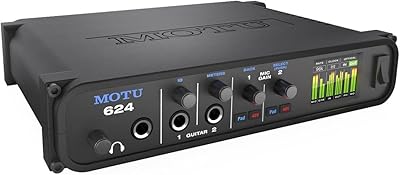
MOTU 624 Thunderbolt/USB Audio Interface
79%
93%
Latency Performance
86%
Driver Stability
78%
AVB Networking
88%
Build Quality
71%
Software & Routing
More
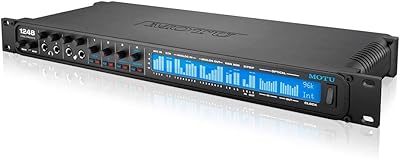
MOTU 1248 Thunderbolt Audio Interface
80%
91%
Driver Stability
89%
Latency Performance
93%
I/O Density
86%
AVB Networking
84%
Onboard DSP Mixer
More
MOTU 8M 24x24 Thunderbolt Audio Interface

72%
91%
Channel Count & I/O Depth
84%
Thunderbolt Performance
78%
Onboard DSP Mixer
73%
Mic Preamp Quality
49%
Driver Stability
More
MOTU 8pre USB Audio Interface
80%
86%
Preamp Quality
91%
Build Quality
88%
Channel Count & I/O
79%
Value for Money
61%
CueMix DSP Software
More
MOTU 4pre USB Audio Interface
68%
81%
Preamp Quality
63%
Driver Stability
58%
Connectivity Options
66%
Value for Money
77%
Build Quality
More
MOTU 24Ao USB AVB Audio Interface
80%
93%
Channel Density
87%
AVB Network Performance
79%
Driver Stability
58%
Setup & Configuration
74%
Value for Money
More
MOTU M2
MOTU M2
92%
96%
Audio Conversion Quality
98%
Visual Monitoring
93%
Build Construction
91%
Driver Stability
94%
Loopback Functionality
More
MOTU MicroBook IIc USB Audio Interface
70%
78%
Build Quality
83%
Sound Quality
58%
Mic Preamp Quality
54%
Ease of Setup
67%
Driver Stability
More

FAQ

It works with both. The 828x supports macOS and Windows, and you can connect via Thunderbolt on compatible Macs or via USB 2.0 on machines that lack Thunderbolt. Just make sure you download the correct drivers for your operating system from MOTU's website before plugging in.

It is a meaningful difference, especially for latency-sensitive work. Thunderbolt allows you to run at much lower buffer sizes without audio dropouts, which matters most if you are monitoring through the interface while recording. USB 2.0 works fine for most recording tasks but cannot match the low-latency headroom that Thunderbolt provides. If you are tracking vocalists or instrumentalists who need to hear themselves clearly while performing, Thunderbolt is the connection to use.

This is one of the more common concerns buyers raise, and it is a fair one. Because the 828x launched in 2014, there have been periods where macOS updates caused driver compatibility friction. MOTU has historically released driver updates to address these issues, but it is worth checking MOTU's support page for the latest compatible driver version before purchasing, especially if you are on a recent macOS release.

Only two. The 828x has two built-in mic preamps with XLR inputs, so you can connect two microphones directly. If you need to record more mics simultaneously, you would need to pair it with an external preamp that feeds into the eight TRS analog inputs.

Honest answer: yes, it has a learning curve. CueMix FX is a capable piece of software for managing routing, monitoring mixes, and DSP effects, but it is not immediately intuitive if you are coming from a simpler interface setup. Give yourself some time with the manual and MOTU's tutorial resources, and most users find their footing within a few sessions.

The 828x requires its own external power supply — it is not bus-powered. Given the channel count, DSP engine, and phantom power requirements, that is expected behavior for an interface at this level. Make sure you have a free power outlet in your rack or on your desk.

It can handle live scenarios, and some engineers do use it in that context for its flexible I/O and onboard mixing. That said, its strength is really in the studio. The CueMix FX monitoring setup and DSP tools are designed around recording workflows rather than front-of-house live mixing. Think of live use as a secondary capability rather than a core feature.

Up to 28 inputs are available simultaneously, though the practical channel count depends on what sources you are connecting. The eight TRS analog inputs handle line-level and instrument sources, the two mic preamps cover microphones directly, and the remaining inputs come from digital expansion options such as ADAT or S/PDIF. The total 28-input figure includes all input types combined.

That depends on what you need it for. The core functionality — high channel count, Thunderbolt connectivity, and onboard DSP — is still genuinely useful and holds up for most studio work. Where it shows its age is in driver ecosystem maturity and the fact that newer interfaces at similar prices now offer updated connectivity standards. If you find it at a good used or discounted price and your OS is confirmed compatible, it remains a capable unit. Buying it at full original retail when newer options exist is harder to justify.

The 828x includes ADAT optical and S/PDIF digital I/O, which means you can expand the channel count by connecting compatible external preamps or converters. This is one of the reasons the total I/O count reaches 28 inputs and 30 outputs — digital connections make up a significant portion of that figure beyond the eight analog TRS inputs.

Where to Buy