

Overview

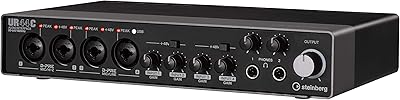
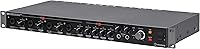
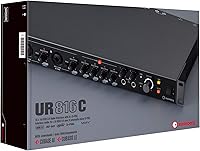
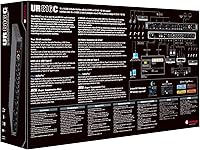
The Steinberg UR816C USB Audio Interface sits in an interesting spot — it's a rack-mount unit built for home studio owners and smaller recording facilities who've genuinely outgrown the typical two-in, two-out desktop box. Its 16-in/16-out configuration is a meaningful step up, giving you enough room to track a full drum kit or record a live band without compromising on channel count. The USB 3.1 Gen 1 Type-C connection is a practical upgrade over older USB 2.0 designs — faster, more stable, broadly compatible. It ships with a software bundle including Cubase AI and Cubasis LE, which adds real value for beginners. The overall rating sits at 3.8 out of 5 across a small pool of buyers, so expectations should be calibrated accordingly.

Features & Benefits

The UR816C's eight Class-A D-PRE preamps are worth discussing in plain terms: they run clean, handle gain well, and keep the noise floor low enough that you're not fighting hiss on quieter sources like acoustic instruments. The 32-bit/192kHz resolution ceiling is genuinely useful in professional post-production contexts, even if most sessions run comfortably at lower settings. What arguably matters more day-to-day is the DSPMixFX monitoring system — it lets you build zero-latency headphone mixes with effects applied, completely independent of whatever DAW you're running. The interface also supports ASIO, Core Audio, and WDM, so it's not locked into Cubase. The bundled Steinberg Plus library adds virtual instruments and loops, though new users should expect a real learning curve with Cubase AI itself.

Best For

Steinberg's 16-channel unit is purpose-built for situations where a two-channel interface just isn't enough anymore. If you're tracking drums and need eight or more mic inputs running simultaneously, this is a realistic option at the prosumer tier. Podcast and broadcast teams with multiple hosts or guests will also appreciate the simultaneous input count and reliable low-latency monitoring. The USB-C connection and iOS compatibility mean you can pair it with an iPad for mobile tracking sessions, adding flexibility if your workflow moves between locations. That said, the rack-mount chassis is essentially a commitment — it belongs in a fixed setup, not a backpack. Users deeply embedded in the Steinberg/Cubase ecosystem will find the native integration particularly smooth.

User Feedback

With only 17 ratings on Amazon, it's worth being careful about drawing broad conclusions from this sample. That said, the feedback that does exist points to preamp quality and the generous I/O count as genuine strengths — buyers at this level tend to notice when a preamp sounds notably cleaner than what they've used before. Build quality appears to be a plus; the metal rack chassis feels appropriately solid compared to plastic-bodied desktop alternatives. On the other side, a handful of buyers have flagged driver stability issues on certain Windows configurations, and some found Cubase AI a steep learning curve when coming from a different DAW. A few comparisons to Focusrite's competing units appear in the mix, often centering on software bundle preferences rather than hardware quality.

Pros

  • Sixteen simultaneous inputs and outputs make it practical for recording full bands or drum kits without external expansion.
  • Class-A D-PRE preamps deliver clean, low-noise gain that holds up well even on quieter acoustic sources and vocals.
  • USB-C via USB 3.1 Gen 1 provides fast, stable data transfer across both Mac and PC without needing adapters.
  • DSPMixFX allows zero-latency headphone monitoring with effects applied, running completely independently of your DAW buffer.
  • Full ASIO, Core Audio, and WDM support means this rack-mount interface works with virtually any major recording software.
  • iOS compatibility lets producers capture ideas on an iPad alongside their regular desktop setup.
  • The metal rack chassis feels meaningfully more solid than plastic-bodied desktop units competing at a similar tier.
  • Bundled Cubase AI and the Steinberg Plus library provide a real collection of instruments and loops for newcomers.

Cons

  • Only 17 Amazon ratings make it difficult to draw confident conclusions about long-term reliability across units.
  • A handful of buyers have flagged driver stability problems on specific Windows configurations that required extra troubleshooting.
  • Cubase AI presents a steep learning curve for producers migrating from a different DAW environment.
  • The rack-mount form factor is a permanent studio commitment at nearly 22 inches wide — portability is simply not an option.
  • macOS compatibility hiccups following major system updates have been noted, which can disrupt critical recording sessions.
  • The Steinberg Plus bundle offers little added value to producers who are already well-stocked with virtual instruments.
  • Those comparing the UR816C to rivals like the Focusrite Scarlett 18i20 often find the software ecosystem is the deciding factor, not the hardware.
  • The 32-bit/192kHz spec is promoted heavily but offers minimal practical benefit for most real-world home studio recording sessions.

Ratings

Our AI rating system analyzed verified buyer reviews worldwide for the Steinberg UR816C USB Audio Interface, applying active filters to exclude suspected spam, bot submissions, and incentivized feedback before scoring each category. The results reflect an honest picture of where this rack-mount interface genuinely delivers and where real buyers have run into friction. Both strengths and pain points carry equal weight in the scores below.

Preamp Quality
83%
The eight Class-A D-PRE preamps consistently draw praise for delivering clean, transparent gain that keeps vocals and acoustic instruments sounding natural without added coloration. Producers who track quieter sources — fingerpicked guitar, spoken word, room ambience — report a noticeably lower noise floor compared to the budget interfaces most of them were replacing.
Some buyers note the preamps lack the warmth or character of higher-end designs, which shows up on dense, layered mixes. A few users tracking loud electric guitar sources found the gain headroom tighter than ideal, occasionally requiring more conservative input levels to avoid clipping.
Build Quality
86%
The full metal rack-mount chassis is a tangible step above the plastic shells common at this price level — it feels like something built for permanent daily use, not a device that flexes when you press a button. Producers setting up fixed home studios particularly appreciate the solid front-panel controls and robust connector housing.
The weight — close to 10 pounds — and rack-only design disappoint buyers who expected desktop flexibility. A couple of users also noted that the rack ears require care during mounting to avoid placing stress on the USB-C port area over time.
Driver Stability
57%
43%
When drivers are installed correctly — which works cleanly for many users on macOS right out of the box — the interface runs reliably through long recording sessions with no dropouts or unexpected disconnections. Mac-based setups tend to report the most trouble-free initial configuration experiences overall.
Driver stability on Windows is a recurring pain point, with some users reporting crashes, connection drops, or the need to reinstall drivers after Windows updates. Given the limited review pool, the true scope is hard to measure, but it's a real enough concern to warrant checking Steinberg's driver release notes carefully before committing to a Windows-based rig.
Value for Money
73%
27%
For a home studio owner who genuinely needs 16-channel I/O and Class-A preamps in a single rack unit, the channel-count-to-dollar ratio is competitive compared to building an equivalent rig from separate components. The bundled software adds meaningful starting value for producers new to the ecosystem, even accounting for Cubase's learning curve.
Solo bedroom producers or two-track podcasters will feel like they're paying for capacity they'll never touch. Compared to alternatives like the Focusrite Scarlett 18i20 — which competes closely on specs and has a larger support community — the value case depends heavily on whether you're already invested in the Steinberg workflow.
Zero-Latency Monitoring
84%
DSPMixFX is a genuine practical strength — it lets tracking musicians hear themselves with reverb or compression in their headphones without perceptible delay, even when the DAW buffer is set high for complex sessions. Vocalists and guitarists who've struggled with latency on other interfaces mention this as a clear reason to recommend the unit.
The DSPMixFX software, while functional, has a steeper learning curve than simpler mixer apps bundled with competing units. Some users found the routing options initially confusing, particularly when configuring independent headphone mixes for multiple performers at the same time.
Software Bundle
66%
34%
For producers new to DAW recording or specifically looking to learn Cubase, the bundled package — Cubase AI, Cubasis LE, and the Steinberg Plus instrument library — represents a real starting toolkit rather than throwaway trialware. The virtual instruments cover basic synthesis, drums, and loop production without any additional purchase.
Buyers already working in Ableton, Logic, or Pro Tools will find the software bundle almost entirely redundant. Cubase AI also carries a notable learning curve — several reviewers mention feeling overwhelmed by its interface when coming from a more visually intuitive DAW environment.
Ease of Setup
69%
31%
On macOS in particular, the initial setup is relatively straightforward — plug in via USB-C, install the latest driver, and most buyers are recording within 30 minutes. The DSPMixFX app auto-detects the unit without requiring manual routing configuration for basic stereo recording sessions.
Windows setup is less consistent, with some users spending considerable time troubleshooting driver conflicts, ASIO configuration, or USB power delivery issues before getting a stable signal. The rack-mount form factor also adds physical installation complexity that desktop interface buyers simply do not face.
I/O Versatility
87%
Sixteen inputs and 16 outputs in a single rack unit — combining onboard analog channels with ADAT digital expansion — gives home studio owners room to record a full drum kit, a live band, or a complex synth rig without bolting on external gear. That depth of routing flexibility in one chassis is difficult to match at this price tier.
Reaching the full 16-channel input count requires an external ADAT-compatible device, which adds cost and setup complexity that some buyers do not anticipate. For users who only need the 8 onboard mic preamps, the additional I/O can feel like unused overhead they paid for but never deployed.
DAW Compatibility
78%
22%
Support for ASIO, Core Audio, and WDM means the interface integrates cleanly with virtually every major DAW without needing proprietary middleware. Ableton Live, Pro Tools, Reaper, and Logic users report reliable plug-and-play recognition in most setups, with no requirement to use Cubase to unlock any hardware functionality.
ASIO configuration on Windows can occasionally require manual buffer size and sample rate adjustments to prevent conflicts when DSPMixFX and a DAW are running simultaneously. Users new to audio interface routing sometimes need a few sessions of trial and error before everything runs cleanly together.
Sound Fidelity
82%
18%
The combination of clean converter design and up to 32-bit/192kHz resolution means recordings capture genuine dynamic detail — transient attack on acoustic instruments, subtle room ambience, and vocal breath sounds are preserved rather than smeared. In practical A/B comparisons, the converters hold up solidly against alternatives in the same price bracket.
The high-resolution ceiling is real, but the practical sonic difference between 32-bit/192kHz and standard 24-bit/48kHz is difficult to perceive in typical home studio mixing conditions. Some buyers felt the headline spec was oversold relative to the audible improvement it actually delivers in everyday tracking workflows.
Cross-Platform Support
74%
26%
Driver support for both macOS and Windows means producers who split time between a studio desktop and a secondary machine can run the same interface on both without reconfiguring routing or reinstalling software from scratch each time. For hybrid Mac-and-PC workflows, this kind of consistent cross-platform behavior is a genuine time-saver.
The Windows driver experience is where the cross-platform story frays, with some users needing to roll back driver versions or adjust system settings after OS updates. macOS compatibility has also occasionally lagged slightly after major Apple releases, creating a short window where the interface cannot be used reliably without a driver update.
Form Factor
62%
38%
For producers with a dedicated equipment rack, the all-metal chassis installs cleanly, keeps cables organized behind the rack, and stays fixed in place — there is no risk of the unit shifting during a session or being knocked off a surface. It brings a level of physical permanence that desktop interfaces simply cannot offer.
At nearly 22 inches long and close to 10 pounds, this rack-mount interface is entirely impractical for location recording or producers without a fixed studio space. Several buyers expressed disappointment after realizing the unit requires a rack enclosure to function as intended rather than sitting on a desk like a standard interface.
iOS Integration
71%
29%
iOS compatibility is a legitimate feature rather than a checkbox — Cubasis LE works reliably with the unit on iPad, and producers using an iPad Pro as a mobile tracking device find the USB-C connection stable enough for real multi-track recording, not just casual idea sketching. It genuinely extends the interface's usefulness beyond the desktop.
Connecting to older iPad models requires Apple's Camera Connection Kit adapter, which adds fragility and one more potential failure point to a mobile workflow. The physical size and weight of the rack-mount chassis also make any true on-the-go use impractical, even when the iOS connection itself performs well.

Suitable for:

The Steinberg UR816C USB Audio Interface is a strong match for home studio owners and small recording operations that have genuinely outgrown a standard two-channel interface. If your sessions regularly involve recording live bands, full drum kits, or any setup where you need eight or more microphones running at once, this rack-mount unit handles that without requiring additional preamp expansion hardware. Producers who split time between Mac and PC will find the USB-C connection and broad driver support — ASIO, Core Audio, and WDM — eliminate the usual platform-specific headaches. It's also a practical option for podcast networks or broadcast teams that need multiple simultaneous mic inputs with zero-latency monitoring for every participant. Musicians already working inside the Cubase ecosystem, or planning to learn it, will benefit from the tighter native integration and the bundled Steinberg Plus library, which provides a genuine set of instruments and loops without any additional purchase.

Not suitable for:

The Steinberg UR816C USB Audio Interface is a poor fit for buyers who need a portable or flexible recording rig. The rack-mount chassis — nearly 22 inches wide and close to 10 pounds — is built for permanent studio installation, and expecting it to travel between rehearsal spaces or client sessions is unrealistic. Solo artists, bedroom producers, or podcasters who only ever record one or two tracks simultaneously will be paying for a substantial amount of I/O they will rarely or never use, and there are far simpler, more cost-effective options better suited to that kind of workflow. Buyers with no interest in Cubase should also temper expectations around the software bundle — the learning curve for Cubase AI is real, and if you're committed to Pro Tools, Logic, or Ableton, the bundled software adds minimal day-to-day value. The modest review pool also means anyone hoping for a well-documented community of users to lean on for troubleshooting may find resources thinner than they'd like.

Specifications

  • I/O Configuration: Provides 16 simultaneous inputs and 16 simultaneous outputs, combining analog mic and line channels with digital expansion for full-band and multi-mic recording.
  • USB Standard: Connects via USB 3.1 Gen 1 using a USB-C connector, enabling fast and stable data transfer to compatible Mac, PC, and iOS devices.
  • Audio Resolution: Supports recording and playback at up to 32-bit depth and a 192 kHz sample rate.
  • Preamp Type: Equipped with eight Class-A D-PRE microphone preamps, engineered for clean gain and a low noise floor across all dedicated mic input channels.
  • Preamp Count: Eight dedicated mic preamp channels allow simultaneous recording from up to eight microphones without an external preamp unit.
  • Monitoring: The DSPMixFX application delivers zero-latency monitoring with onboard effects processing, running independently from any connected DAW or computer buffer settings.
  • DAW Compatibility: Compatible with all major recording software through ASIO on Windows, Core Audio on macOS, and WDM driver support.
  • OS Support: Officially supports Windows, macOS, and iOS operating systems.
  • Included Software: Bundled with Cubase AI for desktop production, Cubasis LE for iOS recording, and the Steinberg Plus collection of virtual instruments, loops, and sound libraries.
  • Form Factor: Rack-mount chassis designed for permanent installation in a standard 19-inch equipment rack.
  • Dimensions: Measures 21.85 x 12.99 x 5.12 inches (L x W x H).
  • Weight: Weighs 9.68 pounds, consistent with a solid metal rack-mount construction.
  • Color: Available in black.
  • Release Date: First made available for purchase on September 30, 2019.

Related Reviews
Steinberg UR44C
Steinberg UR44C
87%
94%
Build Quality
92%
Audio Resolution
89%
Driver Stability
87%
Microphone Preamps
83%
iOS Integration
More
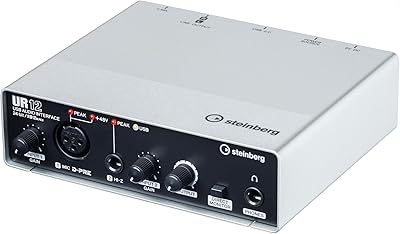
Steinberg UR12
Steinberg UR12
86%
94%
Build Quality
91%
Preamplifier Transparency
88%
Portability
87%
Value for Money
82%
iPad Integration
More
Steinberg UR22C
Steinberg UR22C
87%
96%
Build Quality
93%
Audio Resolution
89%
Preamp Transparency
91%
Monitoring Latency
84%
Driver Stability
More
Steinberg UR242 4-Channel USB Audio Interface
77%
88%
Preamp Quality
68%
Driver Stability
44%
Mac Compatibility
86%
MIDI Connectivity
76%
Value for Money
More
Steinberg UR22 MkII USB Audio Interface
78%
88%
Preamp Quality
91%
Build Quality
86%
Ease of Setup
83%
Value for Money
87%
Noise Floor
More
Steinberg AXR4U USB Audio Interface

81%
93%
Preamp Quality
89%
Channel Count & Routing
91%
DSP Monitoring
94%
Recording Resolution
88%
Expandability
More
M-Audio M-Track 2X2 USB Audio Interface

76%
84%
Build Quality
76%
Preamp Performance
82%
Ease of Setup
58%
Driver Stability
79%
Value for Money
More
Black Lion Audio Revolution 2x2 Audio Interface

75%
88%
Preamp Quality
91%
Audio Transparency
86%
Clocking Performance
87%
Build Quality
73%
Value for Money
More
M-Audio M-Track Duo
M-Audio M-Track Duo
83%
88%
Preamp Clarity
93%
Value for Money
62%
Build Quality
91%
Ease of Installation
87%
Portability
More
Antelope Audio Zen Go Synergy Core Interface
76%
93%
Preamp Quality
88%
Onboard Effects
54%
Software Experience
57%
Windows Stability
91%
Portability
More

FAQ

It works with all of them. The interface supports ASIO on Windows, Core Audio on Mac, and WDM, so virtually any DAW will recognize it without workarounds. The bundled Cubase AI is included as a bonus, but you are not required to use it.

The 8 D-PRE preamps handle your microphone connections, and the remaining input channels come from the unit's digital I/O — specifically ADAT optical ports, which allow you to add an external preamp or converter to expand your count. When you combine the onboard analog inputs with the digital channels, you reach the full 16-in total.

Yes, no adapter needed. The interface uses a USB-C connector natively via USB 3.1 Gen 1, so it connects directly to any modern MacBook or PC with a USB-C port right out of the box.

iOS compatibility is built in, and it pairs with the included Cubasis LE app for mobile tracking sessions. Depending on your iPad model, you may need Apple's USB-C cable or a Camera Connection Kit adapter to complete the physical connection.

A small number of buyers have mentioned driver stability concerns on specific Windows configurations, though with only 17 total ratings it is genuinely hard to judge how widespread this is. Downloading the latest driver directly from Steinberg's website before your first session, and confirming your Windows version is listed as officially supported, tends to head off most of the reported issues. Keeping drivers current is good practice with any audio interface.

Steinberg generally releases driver updates to maintain macOS compatibility, but there can be a short gap after Apple ships a major OS update before a compatible driver is ready. It's worth checking Steinberg's official support page before upgrading your Mac's operating system mid-project to avoid any unexpected interruptions.

It's one of the more practical options for home studio drum recording at this tier. With 8 onboard mic preamp inputs and additional channels available through ADAT expansion, you can mic a complete kit — kick, snare, toms, overheads, and room mics — without hitting a channel ceiling.

The DSPMixFX application runs on the interface's own internal processor rather than routing audio through your computer, which is what eliminates the delay. It can send a mix of your mic and instrument signals to headphones with effects applied — reverb, compression, and so on — in real time, completely independent of your DAW buffer size. Singers and guitarists who find standard software monitoring distracting will notice the difference immediately.

Both units sit in the same market tier and offer comparable channel counts and preamp performance. The deciding factor for most buyers comes down to the software ecosystem: this rack-mount interface integrates most naturally with Cubase, while the Scarlett 18i20 comes with Focusrite's bundle and draws on a larger established user community for troubleshooting support. If you are not already working in Cubase, the Focusrite may offer a smoother onboarding experience.

The unit is built to fit a standard 19-inch rack, but whether mounting hardware is included can vary by retailer and regional bundle — it's worth confirming with the seller before purchasing if rack installation is a priority for your setup. Once mounted, it occupies a standard rack footprint.