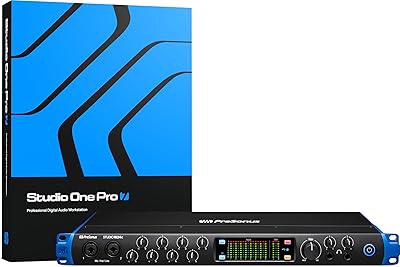
PreSonus Studio 192 USB 3.0 Audio Interface



Overview
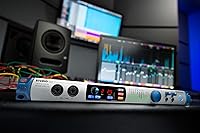
The PreSonus Studio 192 USB 3.0 Audio Interface arrived in 2015 with an ambitious pitch: pack the I/O density of a much larger rig into a single 1U rack space and double as a studio command center at the same time. That combination still makes sense for project studio owners who have not made the jump to Thunderbolt and are not in a rush to. What you get on paper is genuinely impressive. What you get in practice depends heavily on your willingness to live inside the PreSonus ecosystem — UC Surface, Studio One, and all. Driver and software stability have been points of contention since launch, so going in with clear expectations matters.
Features & Benefits
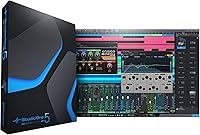
The Studio 192 runs 26 inputs and 32 outputs simultaneously at standard sample rates — enough to track a full band without reaching for an expander box. Drop to 192 kHz and that shrinks to 8x14, a real trade-off worth understanding before you buy. The 8 recallable XMAX preamps are a highlight: they sound clean, handle high-gain sources well, and can be adjusted remotely through UC Surface rather than by physically twisting knobs mid-session. Burr-Brown converters delivering 118 dB of dynamic range put this interface in competitive territory for its tier. Add dual headphone outputs, 16 Fat Channel DSP slots for zero-latency monitoring, and an included Studio One Artist license, and the value picture gets genuinely interesting.
Best For
This rack-mount audio interface makes the most sense for project studio owners who need eight or more mic inputs in a single unit — no external preamp stage required. If you are already recording in Studio One and comfortable routing through UC Surface, the integration between hardware and software is tight and well-considered. It also shines for producers who track live bands and need talkback routing, multiple headphone mixes, and monitor control all handled from one box. Where it struggles to fit is with engineers who are Mac-centric and would rather have Thunderbolt reliability, or anyone whose workflow is built around a DAW other than Studio One. The ecosystem dependency is real and worth factoring in honestly before purchasing.
User Feedback
With a 3.6 out of 5 average across 68 reviews, the Studio 192 lands below where you would hope. The honest read is that the divide runs mostly along setup experience. Users who got through the initial configuration generally praise the preamp quality and I/O density for what the unit costs — those are consistent positives. The complaints dragging the rating down are equally consistent: driver instability on certain Windows builds, a UC Surface learning curve that trips up newcomers, and occasional firmware headaches. A handful of users also note the unit runs noticeably warm and that the internal fan is audible enough to matter in a quiet tracking room. Long-term owners tend to report satisfaction, but the early friction is real.
Pros
- Eight recallable XMAX preamps in a single rack unit is a genuine value proposition for band-tracking studios.
- Burr-Brown converters with 118 dB dynamic range deliver clean, professional-grade audio quality.
- 26x32 simultaneous I/O at standard sample rates gives serious headroom for complex sessions.
- Remote preamp control via UC Surface is a real time-saver for recall-heavy recording workflows.
- Sixteen simultaneous Fat Channel DSP instances allow zero-latency monitoring with EQ and compression during tracking.
- Dual headphone outputs and full monitor control — mute, mono, dim, and talkback — are handled from one box.
- Studio One Artist and the Studio Magic Plug-in Suite add genuine software value right out of the box.
- The 1U rack-mount form factor keeps the footprint compact relative to the I/O count it delivers.
Cons
- Driver instability on certain Windows versions has been a recurring complaint since the unit launched.
- UC Surface has a steep learning curve that catches out engineers unfamiliar with software-based routing.
- The unit runs noticeably warm during extended sessions, which may be a concern in enclosed rack setups.
- The internal fan is audible enough to matter in quiet tracking rooms or small vocal booths.
- Full I/O count drops sharply to 8x14 at 192 kHz, limiting high-resolution recording flexibility.
- Deep integration with Studio One becomes a liability rather than an asset for engineers working in other DAWs.
- Firmware update processes have caused headaches for a meaningful portion of users, particularly during initial setup.
- The 3.6 out of 5 average rating across nearly 70 reviews signals that early ownership friction is not isolated to a few edge cases.
- Mac users report less consistent USB 3.0 performance compared to Thunderbolt alternatives in the same price range.
Ratings
The scores below reflect our AI-driven analysis of verified buyer reviews for the PreSonus Studio 192 USB 3.0 Audio Interface, sourced globally and filtered to remove incentivized, bot-generated, and outlier feedback. Each category is scored on real-world ownership experience, not manufacturer claims — so both the genuine strengths and the frustrating pain points are reflected honestly in the numbers.
Preamp Quality
Driver Stability
I/O Count & Routing
UC Surface Software
Build & Hardware Quality
Studio One Integration
Value for Money
Zero-Latency Monitoring
Mac Compatibility
Headphone Output Performance
Setup & Initial Configuration
Expandability
Monitor Control Features
Long-Term Reliability
Suitable for:
The PreSonus Studio 192 USB 3.0 Audio Interface is built for the serious project studio owner who needs a high channel count without stacking multiple pieces of gear in the rack. If you are regularly tracking full bands — drums, bass, guitars, and vocals all at once — having eight recallable XMAX preamps and 26 inputs available in a single 1U unit removes a lot of logistical headaches. It is also a strong fit for engineers who have already built their workflow around Studio One, since the DAW and hardware communicate in ways that genuinely save time during recall-heavy sessions. Producers who need flexible monitor control, talkback routing, and dual headphone outputs handled from one box will find this rack-mount audio interface covers a lot of ground that typically requires separate hardware. Those who mostly record at 44.1 or 48 kHz will get the full benefit of the I/O count without hitting the channel reduction that kicks in at higher sample rates.
Not suitable for:
The PreSonus Studio 192 USB 3.0 Audio Interface is a harder sell the moment you step outside the PreSonus software world. UC Surface is central to how this unit operates at its best, and engineers who prefer to work in Pro Tools, Ableton, or Logic without diving into a secondary control application will find the experience more frustrating than freeing. Mac users who have grown accustomed to the stability of Thunderbolt-based interfaces should also pause before committing — USB 3.0 performance on macOS has historically been less predictable with this unit, and the driver complaints in user reviews skew heavily toward setup friction rather than long-term failure, but that early friction is real. If you are a solo musician or podcaster with modest input needs, the Studio 192 is simply more hardware than the situation calls for. And anyone shopping with the expectation of plug-and-play simplicity out of the box should look elsewhere — this is a unit that rewards patience and familiarity with audio routing concepts.
Specifications
- Connectivity: The unit connects to a host computer via USB 3.0, though it remains backward compatible with USB 2.0 ports at reduced performance.
- Simultaneous I/O: At standard sample rates, the interface supports 26 inputs and 32 outputs running simultaneously in a single session.
- High-Rate I/O: At 192 kHz, available simultaneous I/O is reduced to 8 inputs and 14 outputs due to USB bandwidth constraints.
- Mic Preamps: Eight recallable XMAX mic preamps are built in, with gain and phantom power adjustable remotely via UC Surface software.
- Converters: Burr-Brown analog-to-digital and digital-to-analog converters deliver a dynamic range of 118 dB across the signal chain.
- Bit Depth: All recording and playback operates at up to 24-bit resolution for full professional-grade audio fidelity.
- Sample Rate: Maximum supported sample rate is 192 kHz, with full I/O capacity available at 44.1 kHz and 48 kHz.
- Line I/O: Six balanced 1/4-inch TRS line inputs and eight balanced 1/4-inch TRS line outputs are provided on the rear panel.
- Headphone Outputs: Two independent headphone outputs are included, each rated at 150 mW per channel for driving most studio headphones.
- DSP Processing: Up to 16 simultaneous Fat Channel DSP instances can run during tracking for zero-latency monitoring with EQ and compression.
- Monitor Control: Integrated monitor control includes main mute, mono, dim, and speaker switching, manageable from the front panel or UC Surface.
- Talkback: Talkback routing supports selectable inputs or the onboard built-in microphone for communicating with performers in the tracking space.
- Form Factor: The chassis occupies a single 1U rack space, making it practical for standard 19-inch studio racks without consuming excessive real estate.
- Dimensions: Physical dimensions measure 19 x 5.5 x 1.75 inches, consistent with standard 1U rack-mount equipment sizing.
- Weight: The unit weighs 4.9 pounds, which is typical for a metal-chassis 1U rack interface of this I/O density.
- Included Software: Studio One Artist DAW and the Studio Magic Plug-in Suite are included, providing a functional production environment without additional purchase.
- Control Surface: The unit can be operated via front panel hardware controls or through the UC Surface software application on Mac or Windows.
- OS Compatibility: The interface is officially supported on both Windows and macOS, though driver stability reports have varied across specific OS versions.
Related Reviews
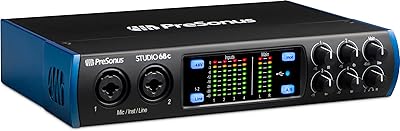
PreSonus Studio 68c USB Audio Interface
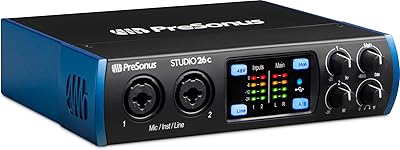
PreSonus Studio 26c USB Audio Interface
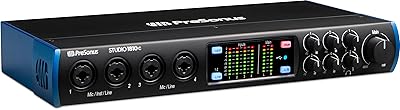
PreSonus Studio 1810c USB Audio Interface
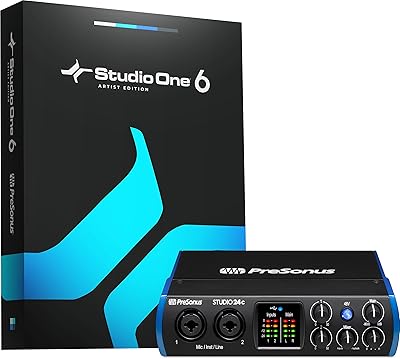
PreSonus Studio 24c
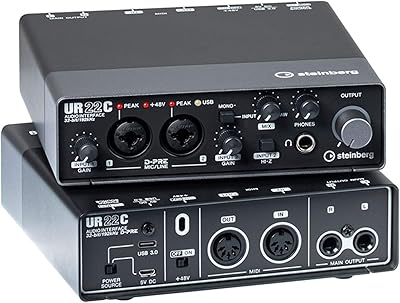
Steinberg UR22C
Steinberg UR816C USB Audio Interface
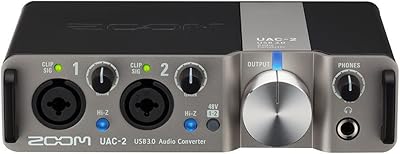
Zoom UAC-2 USB 3.0 Audio Interface
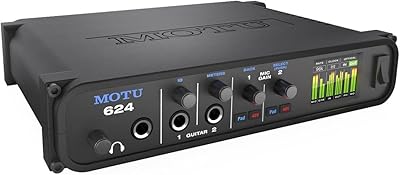
MOTU 624 Thunderbolt/USB Audio Interface
Steinberg AXR4U USB Audio Interface