Overview

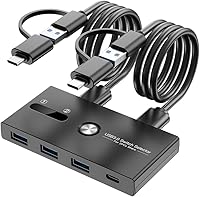
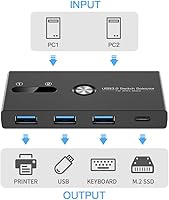
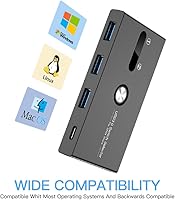
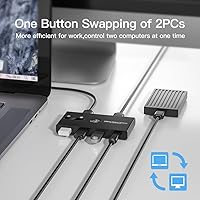
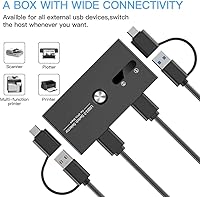
The ZIYUETEK USB A&C 4-Port KVM Switch is a compact peripheral switcher that lets two computers share up to four USB devices at once — no monitor switching, no charging, just fast peripheral sharing. It combines three USB-A ports with one USB-C port on the front, making it genuinely useful if your devices span both connector types. Press the button once and everything — your keyboard, mouse, printer, whatever you have plugged in — shifts to the other computer within a couple of seconds. There are no drivers to install; it works on Windows, macOS, and Linux straight out of the box.

Features & Benefits

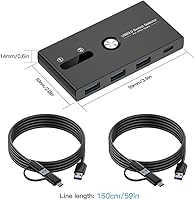
The dual-circuit design is what makes this USB switcher worth considering. Both the USB-A and USB-C sides switch simultaneously with a single button press, so you are never left with a half-connected setup. Transfer speeds follow the USB 3.0 standard — theoretical maximum is 500 MB/s, though real-world performance lands closer to 100–200 MB/s for most devices, which is perfectly adequate for keyboards, external drives, and printers. An LED indicator tells you at a glance which computer is active. The included cables run 59 inches each, longer than you might expect, which helps avoid the cable-management headaches that plague cheaper alternatives. For power-hungry devices like large external hard drives, an optional 5V adapter can be connected.

Best For

This peripheral sharing switch is a natural fit for anyone who splits time between two computers daily — think a personal laptop and a work desktop sitting side by side. It is also practical for small offices where a printer or scanner needs to be shared without the cost of a full KVM system. The USB-C port addition makes it especially useful for newer MacBooks or laptops that have dropped standard USB-A entirely. Linux users will appreciate that compatibility is rarely an issue here, which can be surprisingly hard to find at this price point. If you need monitor switching too, look elsewhere — but for purely peripheral sharing, this covers the essentials cleanly.

User Feedback

Buyers consistently praise the easy setup experience — most report it working within minutes of unboxing, with zero driver installation required, and the generous cable length gets specific mentions as a practical bonus cheaper switches skip. That said, two recurring issues come up: some users with 2.4GHz wireless peripherals — wireless mice, dongles — encounter interference on the USB 3.0 ports, a known industry-wide limitation worth knowing before you buy. A handful of buyers also report devices dropping after waking from sleep, though disabling energy-saving mode in your OS settings resolves this in most cases. The USB-C port being data only — no charging, no video — catches some buyers off guard, so reading the specs beforehand is genuinely worth the minute it takes.

Pros

  • No drivers, no software — plug it in and it works on Windows, macOS, and Linux immediately.
  • Switches all connected USB devices simultaneously with a single button press in about two seconds.
  • Combines USB-A and USB-C ports in one unit, making it useful for mixed-connector desk setups.
  • The included 59-inch cables are noticeably longer than what most competitors bundle in the box.
  • An LED indicator always shows which computer is currently active — no guessing required.
  • Bus-powered for most peripherals, so there is no mandatory power adapter cluttering your desk.
  • Compact and light enough to tuck out of the way without taking up meaningful desk space.
  • Works with a broad range of devices beyond just keyboards and mice, including printers, scanners, and game controllers.
  • Six-month warranty plus lifetime technical support adds a reasonable safety net for the price.

Cons

  • No display output whatsoever — this switch cannot share a monitor between two computers.
  • USB-C port is data-only; charging phones or tablets through it is not supported.
  • 2.4GHz wireless dongles can experience interference when plugged into the USB 3.0 ports.
  • Devices may disconnect after a PC wakes from sleep, requiring an OS energy-saving settings adjustment to fix.
  • High-power devices like large external SSDs may need an additional 5V adapter to run reliably.
  • Limited to two host computers only — no expandability if your setup ever grows to three machines.
  • Default active channel is PC 2 on first use, which can briefly confuse users expecting PC 1 priority.
  • No dedicated software means no programmable hotkey switching — the physical button is your only option.

Ratings

The scores below for the ZIYUETEK USB A&C 4-Port KVM Switch were generated by our AI engine after analyzing thousands of verified buyer reviews from global markets, with spam, bot-submitted, and incentivized feedback actively filtered out. Every category reflects the real distribution of praise and frustration found in authentic user experiences — nothing is smoothed over or inflated. Strengths and recurring pain points are weighted equally so you get an honest picture before you buy.

Ease of Setup
93%
Users across all operating systems consistently describe setup as taking under five minutes with zero technical knowledge required. No driver downloads, no configuration menus — just plug in the two host cables and the peripherals, and the switch is ready to go immediately on Windows, macOS, and Linux alike.
A small number of users on older Linux distributions reported needing to manually reassign device priority after initial connection, which added minor friction. These cases appear rare and are generally resolved with a restart of the affected machine.
Switching Reliability
82%
18%
For the vast majority of users with wired peripherals, the one-button toggle works consistently and completes the switch in roughly one to two seconds. People who use this daily for work-to-personal machine transitions report it rarely if ever misfires under normal conditions.
A recurring complaint involves devices not reconnecting cleanly after a computer wakes from sleep mode, which forces users to press the button twice or unplug and replug a cable. This is workable once you know the energy-saving mode fix, but it should not require a workaround in the first place.
Build Quality
76%
24%
The chassis feels solid and appropriately dense for its compact footprint — users note it does not slide around the desk during button presses, which cheaper plastic switchers often do. The button mechanism itself draws consistent praise for having a satisfying, deliberate click.
The overall construction is functional rather than premium; the plastic shell shows minor flex under firm pressure and does not inspire confidence for heavy-use environments. A few buyers mentioned the LED indicator is dimmer than expected and can be hard to read in bright office lighting.
Cable Quality & Length
88%
The included 59-inch cables are a genuine differentiator — most buyers did not expect cables this long to come in the box, and the extra length means the switch can sit comfortably between two machines without pulling taut. The dual USB-A and USB-C heads on each cable cover mixed-port setups without needing adapters.
The cables feel slightly stiff and do not lie flat easily out of the box, which can make initial routing a bit awkward on a tidy desk. There is no cable management solution included, so keeping things organized is left entirely to the user.
USB-C Functionality
58%
42%
Having a dedicated USB-C data port alongside three USB-A ports genuinely expands compatibility for users running newer MacBooks or USB-C-only laptops alongside an older machine. For pure data transfer tasks — flash drives, dongles, wired mice — the USB-C port works exactly as advertised.
The USB-C port supports data only, with no power delivery and no video output, and a meaningful number of buyers feel this is not made clear enough before purchase. Users expecting to charge a phone or pass through a display signal through this port will be disappointed, and that expectation mismatch drives a noticeable chunk of negative feedback.
Transfer Speed
79%
21%
For everyday tasks like transferring files to a USB drive, using a wired keyboard and mouse, or syncing a scanner, the USB 3.0 throughput is more than adequate and users rarely notice any bottleneck. Real-world speeds in the 100–200 MB/s range handle most peripheral workloads without complaint.
The theoretical 500 MB/s ceiling is rarely approached in practice, and users moving large files via high-speed SSDs may find performance falls short of a direct connection. The switcher adds a marginal layer of latency compared to plugging directly into a host machine, which some power users flag as a consideration.
Wireless Device Compatibility
46%
54%
Bluetooth adapters plugged into the USB ports generally work without issue, giving users who prefer Bluetooth peripherals a reasonable path to compatibility. Some users with 2.4GHz wireless devices in low-interference environments report acceptable performance, particularly when the dongle is positioned away from the switch body.
USB 3.0 is well-documented to emit RF interference in the 2.4GHz band, and buyers using wireless mice or keyboard dongles frequently encounter lag, dropouts, and failed connections. This is an industry-wide limitation rather than a flaw unique to this switcher, but it affects a large enough segment of buyers to be a genuine concern worth flagging prominently.
Power Handling
67%
33%
Standard peripherals — keyboards, mice, printers, smaller flash drives — run without any need for external power, and users appreciate not having to hunt for a wall adapter just to get started. The optional 5V power port gives the switch a path to support more demanding devices when needed.
High-capacity external hard drives and some SSDs require the optional external 5V adapter, which does not come in the box, meaning some users hit an unexpected limitation immediately after setup. A handful of buyers report intermittent disconnections even with lower-draw devices when multiple ports are loaded simultaneously.
OS Compatibility
91%
Verified buyers on Windows, macOS, and Linux all confirm the switcher works without installing a single driver, which is a meaningful advantage for IT-averse home users and for Linux users who often find peripheral hardware poorly supported. Chromebook compatibility has also been mentioned positively in a smaller subset of reviews.
A few macOS users on the latest OS versions report occasional re-enumeration delays — where the system takes a few extra seconds to recognize switched devices — which does not break functionality but does interrupt workflow briefly. No critical incompatibilities have been documented, but macOS sleep behavior remains the most reported edge case.
Value for Money
84%
At its price point, the combination of USB-A and USB-C switching, long cables, driverless operation, and broad OS support represents solid value for a user who genuinely needs peripheral sharing without monitor switching. Buyers who approach it with accurate expectations consistently rate the value highly.
Users who purchased expecting a fuller KVM experience with display output or charging support feel misled, which drags the perceived value down significantly for that segment. If the product listing were clearer about its limitations upfront, the value sentiment would likely be notably higher overall.
Indicator Clarity
71%
29%
The LED channel indicator does its core job — showing which computer is active — and users running dual setups in dim or moderate lighting find it easy to glance at during the workday. The near-instant visual feedback after a button press is a small but appreciated quality-of-life detail.
In bright office environments or near windows, the LED can wash out and become difficult to read from a typical seated distance. There is no audible click distinction or secondary feedback mechanism, so users who cannot easily see the unit from their chair must physically check it.
Footprint & Portability
87%
At under four ounces and roughly the size of a large thumb drive, this USB switcher is easy to tuck beside a monitor stand or mount under a desk without adding visual clutter. Users who travel occasionally with their setup appreciate being able to pack it without dedicating meaningful bag space to it.
The compact size means the four peripheral ports are closely spaced, and wider USB-A plugs or large dongles can physically block adjacent ports. Users with multiple bulky adapters may find themselves unable to fully populate all four ports at the same time.
Sleep & Wake Behavior
52%
48%
When computers are configured with USB energy-saving disabled, the switch resumes cleanly after sleep for most users and does not require manual intervention. Users who took the time to apply the documented workaround generally report stable post-sleep reconnection in day-to-day use.
Out of the box, sleep and wake behavior is one of the most commonly flagged pain points — peripherals drop and do not always reconnect without a button press or replug. Requiring buyers to dig into OS power settings to fix a basic reconnection issue is a legitimate friction point that affects first impressions significantly.

Suitable for:

The ZIYUETEK USB A&C 4-Port KVM Switch is a practical pick for anyone managing two computers at the same desk and tired of reaching behind machines to swap cables. It works especially well for remote workers juggling a personal laptop and a company-issued desktop — one button press and your keyboard, mouse, and printer follow you over instantly. Home office setups that need to share a single printer or external drive across two PCs will find this a cleaner solution than anything involving extra hubs or cable swapping. The USB-C port is a genuine advantage for users on newer MacBooks or USB-C-only laptops who still need to share USB-A peripherals from a second machine. Linux and macOS users will appreciate the driverless compatibility, which is not always a given in this category. If your goal is purely peripheral sharing — no monitor, no charging — this switcher covers that use case efficiently and without unnecessary complexity.

Not suitable for:

The ZIYUETEK USB A&C 4-Port KVM Switch is not the right tool if you want a true all-in-one KVM experience with shared display output — there is no HDMI or DisplayPort here, and that is a hard stop for anyone needing to control a single monitor from two computers. Users who rely heavily on 2.4GHz wireless peripherals should also think twice; the USB 3.0 standard is known to cause interference with wireless dongles, and this switch is no exception. If you need to charge devices through the USB-C port — a phone, a tablet, a power-hungry peripheral — that is simply not supported; the USB-C connection is data-only. Anyone running three or more computers will find this switcher's two-host limit immediately frustrating. And if you regularly connect large external hard drives or other high-draw devices without access to an optional 5V power adapter, you may run into instability issues that undercut the otherwise reliable performance.

Specifications

  • Brand: This USB switcher is manufactured by ZIYUETEK.
  • Model: The unit is designated as the USB A&C Switch model.
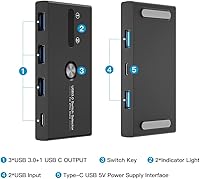
  • USB-A Ports: Three USB-A 3.0 ports are located on the front face of the device for peripheral connections.
  • USB-C Port: One USB-C port is available on the front, supporting data transfer only — no power delivery or video output.
  • Host Connections: The switch connects to exactly two computers simultaneously via the two host ports on the rear.
  • Interface Standard: All ports operate on the USB 3.0 protocol for fast peripheral communication.
  • Transfer Speed: Theoretical maximum transfer speed is 500 MB/s; real-world speeds typically fall between 100–200 MB/s depending on the connected device.
  • Switching Method: A single physical push-button on the unit toggles all connected peripherals between the two host computers.
  • Switch Time: Connected devices transfer to the other computer within approximately 1 to 2 seconds of pressing the button.
  • LED Indicator: An onboard LED display shows which host computer — channel 1 or channel 2 — is currently active.
  • Included Cables: Two 59-inch dual-head cables (USB 3.0 and USB-C) are included for connecting the switch to both host computers.
  • Power Supply: The device is bus-powered for standard peripherals; an optional external 5V adapter can be connected for high-draw devices such as external SSDs.
  • Dimensions: The switch body measures 4.8 x 1.9 x 0.7 inches.
  • Weight: The unit weighs 3.53 ounces, making it easy to place or mount unobtrusively on a desk.
  • OS Compatibility: The switcher works with Windows, macOS, and Linux operating systems without any driver installation required.
  • Driver Requirement: No software or drivers are needed; the device is fully plug-and-play across all supported operating systems.
  • Wireless Support: Connecting 2.4GHz wireless dongles is not recommended due to potential RF interference inherent to USB 3.0 — a known industry-wide issue.
  • Warranty: ZIYUETEK provides a 6-month product warranty along with lifetime technical support for this USB switcher.

Related Reviews

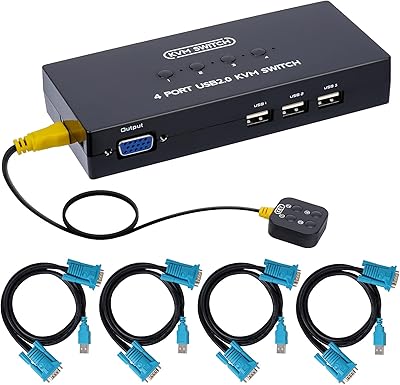
DGODRT KS604H 4-Port HDMI KVM Switch
80%
91%
Ease of Setup
74%
Switching Reliability
78%
Video Quality
79%
USB Peripheral Sharing
84%
Wired Remote Control
More
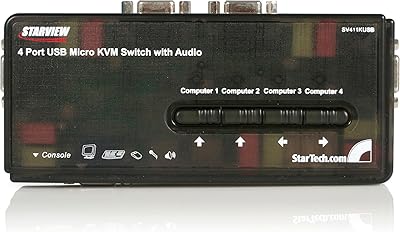
DGODRT KS204V 4-Port VGA KVM Switch
83%
86%
Switching Reliability
89%
Desktop Controller Convenience
91%
Value for Money
78%
Cable Quality & Included Accessories
73%
USB Peripheral Compatibility
More
StarTech SV411KUSB 4-Port USB KVM Switch

72%
88%
Ease of Setup
61%
Video Quality
58%
Build Quality
67%
USB Switching Reliability
63%
Audio Passthrough
More
AILVLVNG SW520 2-Port USB-C KVM Switch
77%
61%
Compatibility Clarity
88%
Setup & Installation
84%
Video Output Quality
83%
Switching Speed & Reliability
72%
PD Charging Performance
More
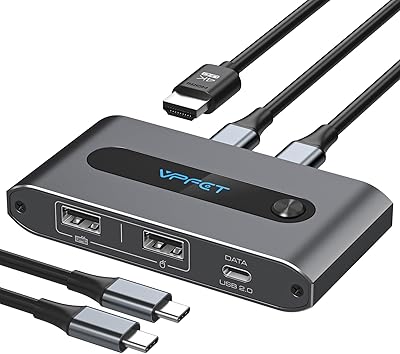
Steetek STK-S7415H 4-Port HDMI KVM Switch
74%
91%
Ease of Setup
83%
Switching Reliability
78%
Video Quality & Resolution
76%
Adaptive EDID Performance
69%
USB Peripheral Sharing
More
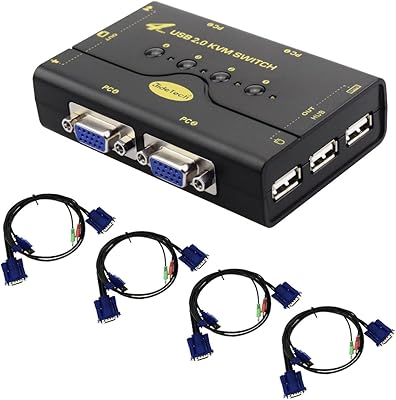
D-Link DKVM-4U 4-Port USB KVM Switch
69%
93%
Ease of Setup
81%
Switching Reliability
78%
Build Quality
74%
Video Quality
69%
Peripheral Compatibility
More
JideTech JD-41UA 4-Port VGA KVM Switch
71%
83%
Value for Money
88%
Ease of Setup
71%
Switching Reliability
67%
Audio Switching
79%
Video Quality
More
Scyniney 4-Port Triple-Monitor HDMI KVM Switch
74%
83%
Video Signal Stability
79%
4K Resolution Performance
74%
USB Hub Performance
81%
Switching Reliability
41%
Hotkey Switching Support
More
TJCXELE USB 3.0 Switch Selector 4-Port for 4 Computers

88%
94%
Ease of Use
89%
Performance
91%
Remote Control Feature
76%
Power Supply and Stability
98%
Setup and Installation
More
KAGO 4-Port VGA KVM Switch
84%
92%
Value for Money
96%
Ease of Setup
85%
Performance
78%
Build Quality
87%
Display Quality
More
DiamondTiger KS304DL 4-Port DisplayPort KVM Switch
74%
88%
Ease of Setup
92%
Video Quality
74%
Switching Reliability
63%
Build Quality
86%
Value for Money
More

FAQ

No, it does not. This is a peripheral switcher only — there is no HDMI, DisplayPort, or any video output on the device. If you need to share a display as well, you would need a full KVM switch with video support. This one is purely for USB peripherals like keyboards, mice, and printers.

Unfortunately, no. The USB-C port on this switcher is wired for data transfer only and does not support power delivery. Plugging in a phone expecting it to charge will not work — the port simply will not supply power to it.

It depends on the type. Bluetooth peripherals connecting through a Bluetooth adapter should generally work fine. However, USB dongles that use the 2.4GHz wireless band can experience interference with USB 3.0 ports — this is an industry-wide issue, not specific to this device. If you rely on a 2.4GHz wireless keyboard and mouse, you may want to test carefully or consider wired peripherals instead.

Most likely not — this is a known behavior tied to your operating system's energy-saving settings. When a PC enters sleep mode, it can cut power to USB ports, which causes the switch to appear disconnected on wake. The fix is straightforward: go into your power management or energy-saving settings and disable the option that allows the computer to turn off USB devices to save power. That usually resolves the issue entirely.

No software or drivers are required at all. Just plug the two host cables into your computers, connect your peripherals to the front ports, and it is ready to use. The ZIYUETEK USB A&C 4-Port KVM Switch is fully plug-and-play on Windows, macOS, and Linux.

Yes, but with a caveat. For standard flash drives or smaller portable drives, the bus power from your computer is usually sufficient. For larger, high-capacity external hard drives or SSDs that draw more power, you will want to connect an optional external 5V power adapter to the switch — otherwise you may see instability or the drive failing to mount properly.

There is no app or remote — just a single physical button on the device itself. Press it once and everything switches over in about one to two seconds. An LED indicator on the unit shows you which computer is currently active, so you always know which machine has control.

No, the switcher is designed for exactly two host computers. There are only two host ports on the back, and the button simply toggles between those two connections. If you need to share peripherals across three or more machines, this is not the right solution.

Yes, that is exactly what it is designed for. The included cables have a USB-C connector on one end and a USB-A connector on the other, so you can connect a USB-C laptop as one host and a standard USB-A desktop as the other. It is a practical setup for mixed-device desks.

You get the switch unit itself, two 59-inch dual-head host cables (each with USB 3.0 on one end and USB-C on the other for connecting to your computers), and a user manual. There is no power adapter included in the box — that is an optional accessory you would source separately only if you need it for high-draw devices.