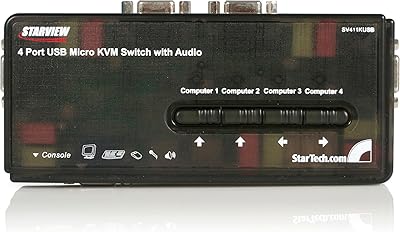
DGODRT KS204V 4-Port VGA KVM Switch


Overview
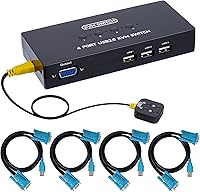
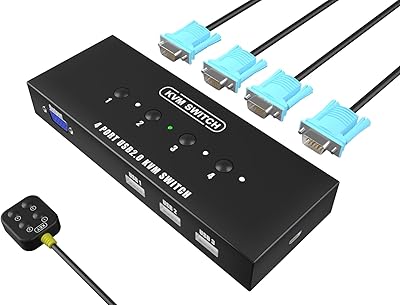
The DGODRT KS204V 4-Port VGA KVM Switch is a straightforward, affordable solution for anyone juggling multiple computers from a single desk. It handles up to four PCs through one VGA monitor while sharing three USB peripherals across all connected machines. Four combo cables come included — VGA and USB bundled together — so you can set everything up without hunting for extra accessories. Resolution support reaches 1920x1440, covering virtually every legacy VGA display still in service. No drivers, no external power brick required; just plug in and start switching. For home offices and small businesses still running VGA-output hardware, this desktop switcher hits a genuinely practical price point.
Features & Benefits
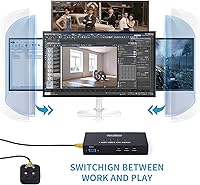
Switching between connected machines takes just a button press — either on the front panel or via the included wired desktop controller, which sits conveniently within reach without requiring you to lean across the desk. Three shared USB 2.0 ports handle your keyboard, mouse, and a third device like a printer or scanner simultaneously. The built-in DDC auto-identification means the monitor handshake happens cleanly whenever you switch, with no blank screens or re-detection delays in normal use. LED indicators make it immediately obvious which computer is active. The switch draws power directly from the host machine over USB, so there is no wall adapter to deal with and it works across Windows XP through to current Mac and Linux setups without installing anything.
Best For
This KVM switch makes the most sense for anyone still working with VGA-equipped hardware — and that covers more desks than you might expect. IT support staff managing several older workstations, small business offices that share peripherals across multiple machines, and home lab builders running test environments are all natural fits. Educators running multi-PC demo setups will appreciate the clean switching without needing to mess with software. If you are comparing this against newer HDMI-based switches, know that VGA is exactly what this is designed for — not a compromise. The one caveat: illuminated mechanical keyboards can exceed the USB power budget, so standard keyboards and mice are the better pairing here.
User Feedback
Buyer sentiment around the 4-port VGA switcher skews positive, with the desktop controller drawing consistent praise for making switching practical without getting up. The included cables also get mentioned as a genuine time-saver. On the flip side, two recurring issues show up across reviews. First, USB 2.0 is the ceiling here — anyone using external hard drives for file transfers will notice the speed limitation. Second, a handful of buyers report that connectors can feel a little loose over time, sometimes requiring a cable re-seat after switching. Neither issue has tanked the overall rating, and most criticism points to use-case mismatch rather than build defects. Buyers who go in with the right expectations — VGA, USB 2.0, basic peripherals — tend to come away satisfied.
Pros
- No drivers or external power supply needed — setup takes minutes, not an afternoon.
- Four combo VGA and USB cables are included, so you are ready to connect from day one.
- The wired desktop controller lets you switch machines without leaving your chair.
- DDC support means the monitor re-syncs cleanly after switching, with no blank-screen fumbling.
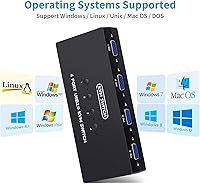
- Works across Windows XP through 10, Mac, and Linux without compatibility headaches.
- LED indicators make it immediately obvious which machine is currently in control.
- The 4-port VGA switcher handles keyboard, mouse, and a third USB device all at once.
- Compact footprint fits neatly on a desk without dominating the workspace.
- Reliable core switching performance earns consistently positive feedback from everyday office users.
- Priced accessibly for small offices or home labs that need a practical, no-frills solution.
Cons
- USB 2.0 is the speed ceiling — external drive transfers between machines feel noticeably sluggish.
- Some connectors develop looser fit over time, occasionally requiring a cable reseat to restore signal.
- High-draw peripherals like illuminated mechanical keyboards can cause USB power instability.
- No hotkey switching support — you must physically press a button or use the desktop controller.
- Controller cable length is fixed, limiting placement flexibility on larger or deeper desks.
- Mac users occasionally report USB devices needing a replug after switching back from a Windows machine.
- Build materials reflect the budget tier — the plastic enclosure and ports feel adequate rather than durable.
- No audible feedback when switching, which can be disorienting in eyes-busy work situations.
Ratings
The DGODRT KS204V 4-Port VGA KVM Switch has been evaluated using an AI-driven analysis of verified global buyer reviews, with spam, bot-submitted, and incentivized feedback actively filtered out before scoring. The ratings below reflect what real users experience day-to-day — the genuine strengths and the friction points that show up repeatedly across hundreds of purchases. Nothing has been smoothed over: where buyers ran into consistent issues, those are scored and explained honestly.
Switching Reliability
Desktop Controller Convenience
Value for Money
Cable Quality & Included Accessories
USB Peripheral Compatibility
Monitor Compatibility & Resolution
Ease of Setup
Build Quality & Durability
LED Indicator Clarity
OS & Platform Compatibility
Footprint & Desk Presence
Power Draw & Passive Operation
Switching Speed
Suitable for:
The DGODRT KS204V 4-Port VGA KVM Switch is a strong fit for anyone still running VGA-output hardware who needs to manage multiple machines without the overhead of multiple monitors and peripheral sets. IT support staff maintaining four workstations in a small office will appreciate being able to switch between machines from a single seat, especially with the wired desktop controller keeping things within arm's reach. Home lab builders and test bench enthusiasts running several older desktop systems will find the driver-free setup refreshingly frictionless — just plug in and it works across Windows, Mac, and Linux without any configuration. Educators running multi-PC demo setups in a classroom or training room also benefit considerably, since the clean LED indicators and reliable switching keep demonstrations moving without technical interruptions. If your peripherals are standard — a regular keyboard, a mouse, and perhaps a printer — and your displays are VGA-based, this desktop switcher covers the daily workflow without asking you to spend significantly more than necessary.
Not suitable for:
Buyers who have already moved to modern HDMI or DisplayPort monitors should look elsewhere; the DGODRT KS204V 4-Port VGA KVM Switch is built specifically for VGA, and there is no adapter workaround that preserves the full feature set reliably. Anyone relying on fast external storage will run into the USB 2.0 ceiling immediately — transferring large files between machines through the shared USB ports is noticeably slow, and that friction adds up quickly in production environments. Users with high-end backlit mechanical keyboards should also be cautious, since the bus-powered USB hub does not supply enough current for power-hungry peripherals, which can cause instability or non-recognition. If you need to switch between more than four machines, or if your workflow demands hotkey-based switching without touching a physical button, this switcher does not offer that functionality. Finally, buyers expecting premium connector build quality or planning to frequently reconfigure which machines are connected may find the physical ports less durable under repeated use than higher-priced alternatives.
Specifications
- Brand: Manufactured and sold under the DGODRT brand.
- Model Number: The unit carries model designation KS204V.
- Dimensions: The main switch unit measures 3.07 x 7.01 x 7.4 inches.
- Connection Type: All computer and monitor connections use the VGA interface exclusively.
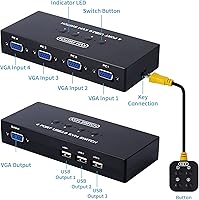
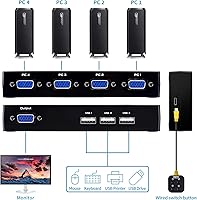
- PC Ports: Four VGA input ports allow up to four computers to be connected simultaneously.
- Monitor Output: One VGA output port connects to a single shared monitor.
- Max Resolution: Supports display resolutions up to 1920x1440 pixels over VGA.
- USB Ports: Three USB 2.0 ports are shared across all connected computers for peripherals.
- USB Standard: All USB ports operate at USB 2.0 speeds, with a maximum theoretical throughput of 480 Mbps.
- Switching Methods: Users can switch between computers via a front panel push button or the included wired desktop controller.
- Cables Included: Four 2-in-1 combo cables, each combining a VGA and USB connection in a single run, are included in the box.
- DDC Support: Built-in DDC (Display Data Channel) support enables automatic monitor identification when switching between connected computers.
- LED Indicators: One LED indicator per port illuminates to show which computer is currently active.
- Driver Required: No software drivers or additional applications are required for operation on any supported platform.
- External Power: The unit draws operating power directly from connected host computers over USB, requiring no external power adapter.
- Operating Voltage: The switch operates at 5 Volts DC supplied via the USB bus.
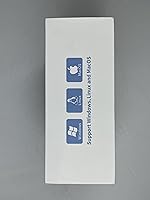
- OS Compatibility: Compatible with Windows XP, Vista, 7, 8, 8.1, and 10, as well as Mac OS and Linux distributions.
- DDC Auto-ID: DDC auto-identification is supported to ensure consistent monitor handshake behavior across switching events.
Related Reviews
KAGO 4-Port VGA KVM Switch

DGODRT KS604H 4-Port HDMI KVM Switch
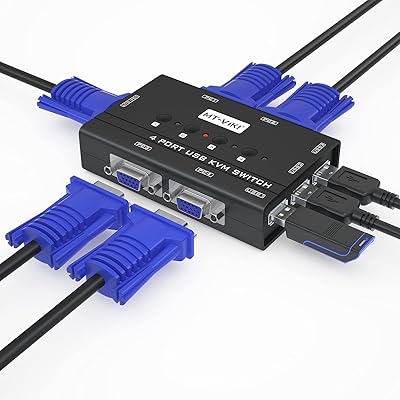
MT-VIKI 460KL 4-Port VGA KVM Switch
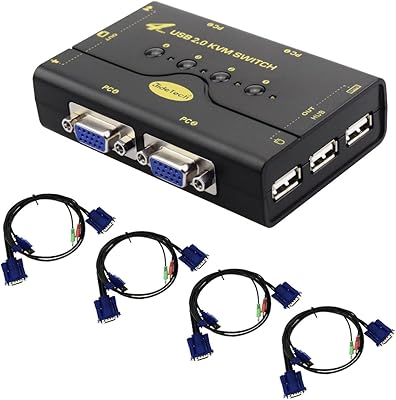
JideTech JD-41UA 4-Port VGA KVM Switch

DiamondTiger KS304DL 4-Port DisplayPort KVM Switch
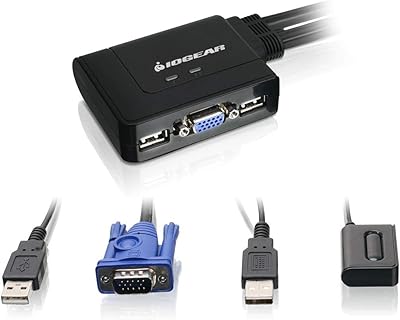
IOGEAR 2-Port USB VGA KVM Switch
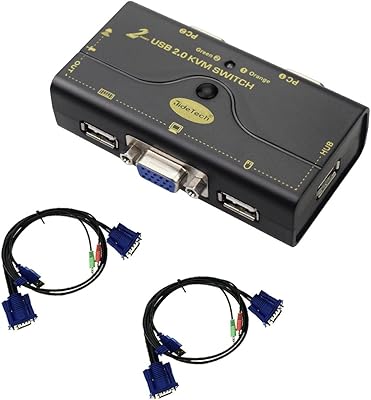
JideTech JD-21UA 2-Port VGA KVM Switch

StarTech SV431HDU3A2 4-Port HDMI KVM Switch

ANXQQ ANQ-8401B 4-Port HDMI KVM Switch