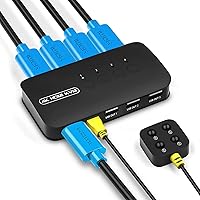

Overview
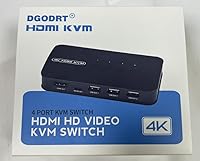
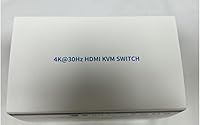
The DGODRT KS604H 4-Port HDMI KVM Switch is a straightforward, budget-friendly solution for anyone tired of physically swapping cables every time they need to hop between computers. At this price point, you're not getting a metal-clad powerhouse — the plastic build is honest about what it is. What makes it worthwhile is the box contents: four KVM cables included means you can set everything up without an extra trip to the store. It's built for home offices and small workstations, not for high-refresh-rate gaming rigs or demanding 4K@60Hz creative workflows. Manage your expectations accordingly and it's a capable little box.
Features & Benefits
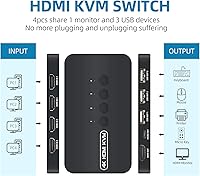
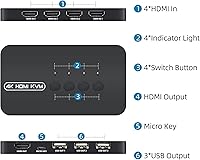
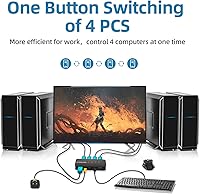
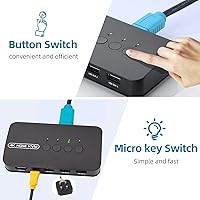
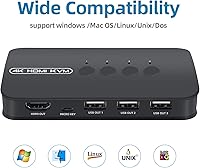
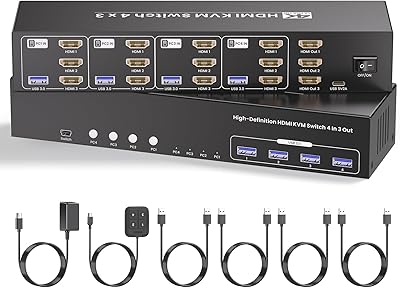
The DGODRT switcher handles up to four computers through a single monitor and three USB peripherals — think keyboard, mouse, and a shared printer — all without installing a single driver. It works across Windows, Mac, Linux, and even Unix right out of the box. The display output tops out at 4K at 30Hz, which is sharp and detailed for spreadsheets, documents, or casual video streaming, though it won't satisfy anyone chasing smooth high-frame-rate visuals. Switching between machines is done either via the front-panel buttons or a wired remote control, so you don't have to reach across your desk every time. Small LED indicators tell you exactly which PC is live.
Best For
This 4-port switch box is a natural fit for home office workers running a personal machine alongside a work-issued laptop and needing both on the same screen without constantly replugging things. IT folks managing a small lab, or teachers cycling through demo machines in a classroom, will also get real mileage out of it. The USB sharing feature is particularly handy if you want a printer accessible from multiple computers without setting up network printing. If you're a budget-conscious buyer who wants basic, reliable KVM functionality without spending on enterprise hardware, this switcher lands in a practical sweet spot.
User Feedback
Across nearly 730 reviews, this KVM switch holds a 4.1-star rating — a solid score that reflects genuine satisfaction from a broad range of buyers. People consistently praise the ease of setup and appreciate that the cables are already in the box. The wired remote gets positive mentions too. On the downside, a handful of users report occasional switching lag or moments where a USB device doesn't register immediately after a switch. Build quality draws fair criticism — it's plastic, and it feels like it. A small but vocal group with 4K@60Hz monitors found the 30Hz cap limiting. Long-term reliability is a bit of a mixed bag, so checking the return policy before buying is a reasonable precaution.
Pros
- All four KVM cables are included in the box, so setup requires zero extra purchases.
- Switching between machines takes seconds using either the front-panel button or the wired remote.
- Works plug-and-play across Windows, Mac, Linux, and Unix — no driver headaches at all.
- The wired remote means you never have to reach across your desk to change inputs.
- LED indicators clearly show which machine is active, eliminating accidental input confusion.
- Backward compatible with 1080p and 720p monitors, making it flexible for mixed desk setups.
- Bus-powered operation keeps your power strip free from yet another wall adapter.
- At this price point, four-port KVM functionality with cables included is genuinely hard to beat.
- Cross-platform compatibility makes this KVM switch a smart fit for mixed-OS environments.
Cons
- Switching lag and occasional USB device drop-outs are recurring complaints, not isolated incidents.
- The plastic chassis feels lightweight and basic — longevity is a legitimate concern for daily users.
- Only three USB ports available, which is limiting if you use more than a keyboard, mouse, and one other device.
- Long-term reliability reports are inconsistent enough that checking the return policy before buying is a smart move.
- The wired remote cable is short, restricting how far from the unit you can comfortably sit.
- 4K output is capped at 30Hz with no workaround, which is a hard dealbreaker for high-resolution workflows.
- LED indicators can be hard to read in brightly lit rooms or from any distance.
- Some older or non-standard USB peripherals take noticeably longer to register after a machine switch.
Ratings
The DGODRT KS604H 4-Port HDMI KVM Switch has been evaluated using AI-driven analysis of verified global buyer reviews, with spam, bot-generated, and incentivized feedback actively filtered out before scoring. The ratings below reflect an honest cross-section of real-world experiences — from smooth daily use to recurring frustrations — so you can make a fully informed decision. Both what this switcher does well and where it falls short are represented transparently across every category.
Ease of Setup
Switching Reliability
Video Quality
USB Peripheral Sharing
Wired Remote Control
Build Quality
Value for Money
Cable Inclusion & Packaging
OS Compatibility
LED Indicator Clarity
Power Requirements
Long-Term Reliability
Compact Footprint
Suitable for:
The DGODRT KS604H 4-Port HDMI KVM Switch is a strong practical pick for anyone managing two to four computers from a single desk without wanting to deal with cable swapping every time they switch tasks. Home office workers who run a personal machine alongside a company-issued laptop will get immediate, tangible value from this setup — one monitor, one keyboard, one mouse, and the ability to hop between machines in seconds. IT technicians and lab administrators who need to cycle through several machines during testing or troubleshooting will also find the four-port capacity genuinely useful rather than just a spec-sheet feature. Students sharing a workstation between a school machine and a personal build, or small business teams using a shared desk in a meeting room, fit squarely in the target audience too. If you need a printer or scanner accessible from multiple computers without setting up network sharing, this 4-port switch box solves that problem quietly and without any software involved.
Not suitable for:
The DGODRT KS604H 4-Port HDMI KVM Switch is the wrong tool if your monitor operates at 4K and you expect smooth, high-refresh-rate output — the 30Hz ceiling is a hardware constraint, not a setting you can adjust, and users with 4K@60Hz monitors have consistently found the experience underwhelming. Gamers who need fast, responsive display performance should look elsewhere entirely, as this switcher was clearly designed with office productivity in mind, not frame rates. If you rely on more than three USB peripherals simultaneously, you will hit a wall fast, since the three USB ports cannot be expanded. Anyone who needs industrial-grade reliability for mission-critical tasks — think server management or broadcast environments — should invest in a more robust, enterprise-grade solution rather than expecting this budget-tier switch box to perform beyond its design intent. Finally, buyers who tend to keep hardware for several years without a backup plan should factor in the mixed long-term reliability reports before committing.
Specifications
- Brand: Manufactured and sold under the DGODRT brand, model number KS604H.
- HDMI Inputs: Accepts up to 4 HDMI input sources, allowing four separate computers to be connected simultaneously.
- HDMI Output: Provides a single HDMI output port to connect one monitor, TV, or projector.
- Max Resolution: Supports a maximum video output of 4K (3840×2160) at 30Hz over HDMI.
- Compatibility: Backward compatible with lower resolutions including 1080p and 720p for use with older monitors.
- USB Ports: Includes 3 USB-A peripheral ports for sharing devices such as a keyboard, mouse, printer, or scanner across all connected computers.
- Switching Methods: Offers two input-switching methods: physical push buttons on the front panel and a bundled wired remote control.
- OS Support: Works driver-free with Windows 10, 8.1, 8, and 7, as well as Mac OS, Linux, Unix, and DOS.
- Cables Included: Ships with four 2-in-1 HDMI KVM cables, one for each computer input, eliminating the need for separate cable purchases.
- Power Source: Bus-powered through the connected host computers — no external power adapter or wall outlet connection is required.
- Dimensions: The unit measures 6.3 × 5.51 × 3.74 inches, making it suitable for placement on a standard desktop without occupying excessive space.
- Weight: Weighs 1.28 pounds, light enough to reposition easily but substantial enough to stay put during normal use.
- LED Indicators: Four LED lights on the front panel indicate which of the connected computers is currently the active input source.
- Protection Rating: Rated IP54, offering basic resistance to dust ingress and splash water from any direction.
- Color: Available in black, with an all-plastic chassis construction.
- Wattage: Operates at a maximum of 5 watts, drawing power directly from connected host machines.
- Operating Voltage: Requires 5 volts DC operating voltage, supplied via the connected computer USB bus.
- Mounting Type: Designed for plug-in desktop placement with no rack-mounting or wall-mounting hardware included.
Related Reviews

ANXQQ ANQ-8401B 4-Port HDMI KVM Switch
DGODRT KS204V 4-Port VGA KVM Switch

StarTech SV431HDU3A2 4-Port HDMI KVM Switch
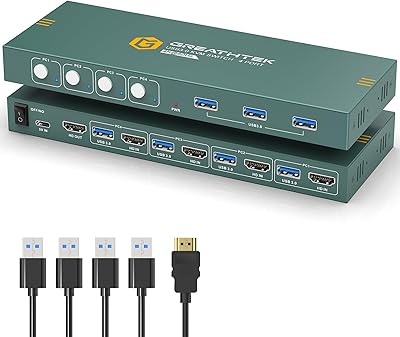
GREATHTEK 4-Port HDMI KVM Switch
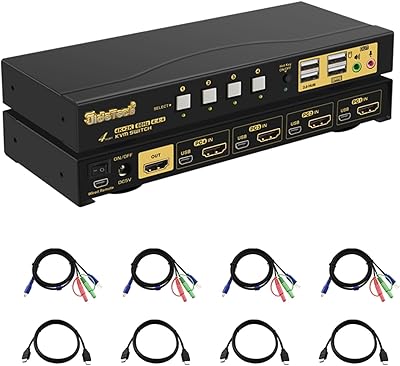
JideTech 64H2UA 4-Port HDMI KVM Switch
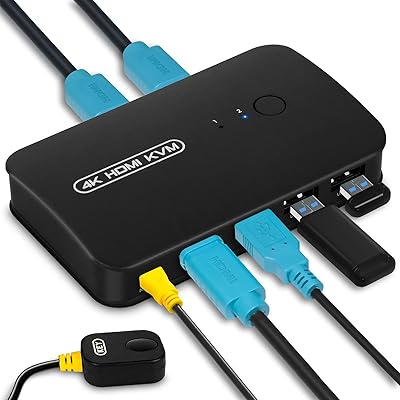
DGODRT KS602H 2-Port HDMI KVM Switch

Steetek STK-S7415H 4-Port HDMI KVM Switch
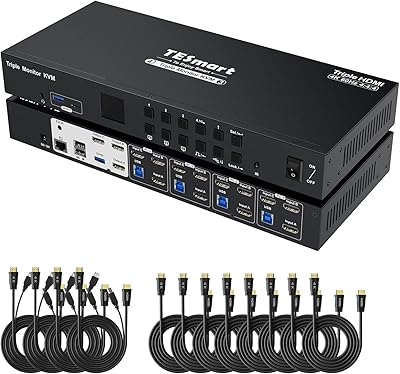
TESmart HKS403-P23 4-Port Triple Monitor KVM Switch
Scyniney 4-Port Triple-Monitor HDMI KVM Switch
