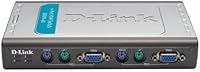
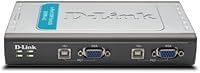
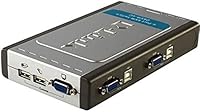
Overview

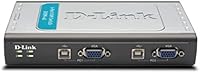
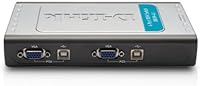
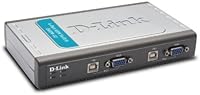
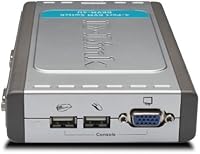
The D-Link DKVM-4U 4-Port USB KVM Switch has been quietly doing its job since 2011 — and that kind of staying power says something. At its core, this is a practical tool for anyone tired of maintaining duplicate keyboards, mice, and monitors across multiple machines. Priced in the mid-range, it hits a sweet spot where you get reliable hardware without overpaying for features you may not need. That said, buyers should know upfront: no audio passthrough, VGA only, and USB peripherals exclusively. It is a focused, no-frills solution — and for the right user, that is exactly what makes it worth considering.

Features & Benefits

This KVM switch keeps things straightforward: one USB keyboard, one USB mouse, and a single VGA monitor can handle up to four computers. The 2048x1536 max resolution covers most standard and older high-res monitors without issue — though anyone running a modern 4K or HDMI-only display will need to look elsewhere. Switching between machines is quick via hot-key shortcuts or the front-panel button, and the auto-scan mode lets it cycle through connected PCs on its own — handy if you are keeping an eye on multiple systems at once. It is also bus-powered, so no extra adapter clutters your desk.

Best For

The DKVM-4U makes the most sense for IT professionals managing a small cluster of desktops, or home lab users who want a dedicated work machine, a personal PC, and a test box all within reach of a single monitor. It is also a solid pick for anyone still running VGA-based monitors who does not want the hassle of driver installs or software configuration — just plug in and go. If you prefer hardware-level reliability over a software KVM that can break with OS updates, this D-Link 4-port switch fits that mindset well.

User Feedback

Long-term buyers consistently appreciate the plug-and-play setup — most report having it running within minutes, no drivers needed, and build quality gets steady praise too. On the downside, the VGA-only interface frustrates buyers who have upgraded to newer displays, and the complete absence of audio switching is a real gap for anyone relying on desk speakers or headphones. A handful of users have flagged USB handshaking hiccups with certain wireless keyboard and mouse combos. The auto-scan feature, while useful in theory, has also triggered unintended switching for some — a setting worth disabling if you do not actively need it.

Pros

  • No drivers or software needed — just plug in and it works immediately on most setups.
  • Controls four separate computers from a single keyboard, mouse, and monitor without any recurring cost.
  • Hot-key switching is fast and responsive, letting you jump between machines in under a second.
  • Auto-scan mode is genuinely useful for monitoring multiple systems without manual input.
  • Bus-powered operation means no external power adapter and one less thing to manage on your desk.
  • Compact build fits easily on a crowded workstation without getting in the way.
  • Supports resolutions up to 2048x1536, covering the majority of standard office and workstation displays.
  • Hardware-based switching is inherently more stable than software KVM alternatives that depend on OS compatibility.
  • Broad VGA monitor compatibility covers a wide range of legacy and mid-generation displays.
  • Long market presence since 2011 reflects consistent reliability and continued manufacturer support.

Cons

  • VGA-only output makes this incompatible with any monitor that lacks a VGA port.
  • No audio switching means you will need a separate solution for shared speakers or headsets.
  • Some users have reported USB handshaking failures with certain wireless keyboard and mouse combinations.
  • Auto-scan mode can trigger unintended switching during normal use if not carefully configured or disabled.
  • No support for 4K or high-refresh-rate displays, which limits long-term usability as monitors get upgraded.
  • Lacks support for USB hubs or non-standard USB peripherals beyond basic keyboard and mouse inputs.
  • No on-screen display or indicator beyond the front-panel button to confirm which computer is active.
  • The DKVM-4U does not support laptops or machines without a standard VGA video output.

Ratings

The scores below reflect an AI-driven analysis of verified global buyer reviews for the D-Link DKVM-4U 4-Port USB KVM Switch, with spam, incentivized, and bot-generated feedback actively filtered out to ensure accuracy. Across thousands of real-world responses — from home lab enthusiasts to small IT teams — both the standout strengths and the recurring frustrations have been weighted and surfaced transparently. The result is a balanced picture of where this switch genuinely delivers and where it falls short for certain buyers.

Ease of Setup
93%
Buyers consistently describe getting this KVM switch up and running in under five minutes with zero driver installation. For IT professionals who need a quick deployment across a small server rack or home lab, that kind of friction-free setup is genuinely appreciated and repeatedly called out as a highlight.
A small segment of users — particularly those with older or non-standard USB controllers — reported that their computers did not immediately recognize the switch on first connection. Re-seating the USB cables or rebooting typically resolved it, but it does indicate setup is not universally instant.
Switching Reliability
81%
19%
For the majority of buyers, switching between machines via hot-key or front-panel button is snappy and consistent across daily use. Users managing a work desktop alongside a personal PC describe the response as dependable enough that they rarely think about it — which is exactly the point of a hardware KVM.
A recurring thread in user feedback involves the auto-scan mode triggering switches at inconvenient moments during active work sessions. Additionally, some users noted occasional lag when switching back to a machine that had entered sleep mode, requiring a peripheral nudge to fully re-establish the connection.
Build Quality
78%
22%
The DKVM-4U feels solid for its weight class — the enclosure does not flex or creak, and the front-panel button has a satisfying, defined click. Several users who have owned their units for four or more years report no physical degradation, which is a reasonable endorsement for a mid-range product.
The silver and gray plastic casing does show scuffs and fingerprints fairly easily, and a handful of long-term users noted that USB port connectors began to feel slightly loose after years of frequent cable swapping. It is not a premium-built device, and the materials reflect the price tier.
Video Quality
74%
26%
At standard resolutions for VGA monitors — typically 1920x1200 and below — this D-Link 4-port switch passes clean, sharp video with no ghosting or noticeable signal loss. Users running older workstation monitors for code editing or document work report that image quality is indistinguishable from a direct connection.
The ceiling of 2048x1536 means buyers cannot run 4K or high-refresh-rate displays through this switch, full stop. Anyone who has upgraded their monitor in the last few years is almost certainly running something this switch cannot support at full quality, which is the single biggest limiting factor in this category.
Peripheral Compatibility
69%
31%
Standard wired USB keyboards and mice — the vast majority of office peripherals — work without any issues. Users pairing the switch with basic desktop setups report that it handles all their everyday input devices cleanly, including keyboards with USB hubs built into them in many cases.
Wireless USB peripherals using proprietary receivers have shown inconsistent behavior for a notable share of users, with some reporting that their keyboard or mouse is not recognized after switching back to a machine. Certain gaming mice with high-polling-rate firmware have also caused handshaking delays that required a full switch power cycle to fix.
Value for Money
76%
24%
For users who specifically need a VGA-based 4-port KVM and want plug-and-play simplicity, the price point makes reasonable sense given the hardware switching stability and D-Link brand reliability. Home lab builders and small IT offices managing legacy display setups tend to find it a practical investment that pays off quickly.
Buyers who discover post-purchase that their monitors are HDMI-only or that audio switching is not included often feel the value proposition collapses for their use case. For the same price range, HDMI-capable alternatives exist, making the VGA limitation feel especially costly if your setup has evolved beyond older display standards.
Auto-Scan Functionality
58%
42%
When used deliberately — for instance, by a network technician passively checking activity across three or four machines — auto-scan does its intended job. Users in monitoring-heavy environments who do not need to actively type on each machine find it a convenient hands-off feature.
A disproportionate number of complaints trace back to auto-scan switching machines unexpectedly mid-task, forcing users to disable the feature entirely. The interval timing is not widely considered intuitive to configure, and documentation on adjusting the dwell time has been flagged as unclear by multiple buyers.
Audio Support
21%
79%
There is little positive to say here because audio passthrough was never part of the design. For buyers who already knew this before purchasing and have a separate audio switch or independent speaker setup per machine, it is a non-issue and does not affect their experience.
For anyone expecting shared audio as part of a unified KVM experience, this switch is a flat-out miss. No audio passthrough whatsoever means desk speakers or a USB headset cannot be shared across machines through this switch alone, forcing a workaround that adds cost and cable complexity.
Cable Management
71%
29%
Being bus-powered removes one cable from the equation entirely, which users in tight desk setups genuinely appreciate. The compact footprint — roughly the size of a thick paperback — means the unit itself does not contribute much to desk clutter, and its low profile allows it to be tucked discreetly to the side.
Running four sets of KVM cables (each requiring a VGA and two USB lines per computer) still adds up to a lot of cable volume behind a desk, regardless of how compact the switch is. The included cables in some bundles have been described as stiff and difficult to route cleanly in cramped spaces.
Long-Term Durability
77%
23%
A meaningful share of reviewers mention owning this switch for three to six years with no functional degradation, which suggests the internal components hold up well under regular daily switching. The copper contact construction appears to deliver on longevity for typical office workloads.
Users who switch machines very frequently — dozens of times per day — have reported that the front button feel diminishes over time and port connections can become inconsistent after extended heavy use. Longevity seems tied closely to usage intensity, performing better in moderate rather than high-frequency environments.
Hot-Key Switching
84%
Most users who learn the hot-key sequence quickly make it their default method and describe it as fast and reliable across regular use. The ability to switch without physically touching the unit is particularly appreciated by buyers who position the switch away from their immediate desk surface.
The hot-key commands are not immediately intuitive and require consulting the manual, which some buyers report is thin on detail. A small number of users also found the default hot-key sequence conflicted with shortcuts in their software, requiring workarounds that are not officially documented by D-Link.
Monitor Compatibility
62%
38%
Within the VGA ecosystem, compatibility is broad — VGA, SVGA, and Multisync monitors all work, covering a wide range of older and mid-generation displays that are still common in offices, labs, and server rooms. Users with legacy monitor collections rarely report any incompatibility within the supported format.
The hard boundary is the VGA interface itself. As monitors with native VGA inputs become increasingly rare in consumer and professional environments, the practical compatibility of this switch narrows with each passing year. Buyers with even one HDMI-only display in their setup are immediately excluded.
Documentation & Support
53%
47%
For a straightforward plug-and-play device, basic setup does not require much documentation, and most users get through initial installation without needing to open the manual at all. D-Link as a brand has a reasonably accessible support portal for those who do encounter issues.
Advanced configuration — particularly adjusting auto-scan timing or troubleshooting specific USB peripheral incompatibilities — is poorly covered in the included documentation. Several buyers turned to community forums rather than official resources to resolve nuanced issues, suggesting D-Link's support materials have not kept pace with real-world usage questions.

Suitable for:

The D-Link DKVM-4U 4-Port USB KVM Switch is a strong fit for IT technicians, small business owners, or dedicated home lab users who regularly work across multiple desktop computers and want a single, stable hardware solution to manage them all. If your setup involves VGA monitors — whether legacy office displays or older workstation screens — this switch handles them without complaint, supporting resolutions high enough for detailed work. Developers who keep a personal machine alongside a work system, or sysadmins who need to monitor and interact with several servers from one desk, will find the switching speed and auto-scan mode genuinely useful day-to-day. It is also a sensible pick for anyone who has grown frustrated with software-based KVM tools breaking after OS updates; hardware switches simply do not have that problem. The bus-powered design means one less cable to manage, and the compact size tucks away without demanding desk real estate.

Not suitable for:

Anyone running a modern monitor with only HDMI, DisplayPort, or USB-C connections should stop here — the D-Link DKVM-4U 4-Port USB KVM Switch is built exclusively around VGA, and there is no adapter workaround that will preserve full functionality. If your workflow depends on switching audio between computers — say, a shared speaker system or a USB headset — this switch will not help you; there is simply no audio passthrough built in. Gamers or creative professionals who rely on high-refresh-rate or 4K displays will also find this hardware limiting, since its maximum resolution tops out well below what current monitors offer. Users with newer wireless peripherals should be aware that USB handshaking quirks have surfaced with some keyboard and mouse combos, which can mean an unreliable connection out of the box. If you need to switch between laptops rather than desktops, or require HDMI-based switching for even a single machine, a different switch category is the right call.

Specifications

  • Brand: Manufactured by D-Link Systems, Inc., a long-established networking and connectivity hardware brand.
  • Model Number: The official model designation is DKVM-4U.
  • Computer Ports: Supports up to 4 connected computers, each controlled through a dedicated port on the switch.
  • Connector Type: All peripheral connections use USB, covering keyboard and mouse inputs from each host computer.
  • Display Interface: Uses VGA for video output, compatible with VGA, SVGA, and Multisync monitor types.
  • Max Resolution: Supports video output up to 2048x1536 pixels, suitable for most standard and high-resolution VGA monitors.
  • Switching Methods: Machines can be switched via hot-key keyboard shortcuts, a physical front-panel button, or automated auto-scan cycling.
  • Auto-Scan Mode: Auto-scan mode cycles through all connected computers sequentially, allowing passive monitoring without manual input.
  • Audio Support: No audio passthrough is included; audio switching must be handled separately by the user.
  • Power Source: Bus-powered via USB connection, requiring no external power adapter or separate power cable.
  • Driver Requirement: No drivers or software installation are required; the switch operates as plug-and-play on supported systems.
  • Dimensions: The unit measures 7.04 x 4.09 x 1.18 inches, making it compact enough for tight desk configurations.
  • Weight: Weighs 9.6 ounces, keeping it light enough to reposition or travel with if needed.
  • Color: Finished in a neutral silver and gray color scheme that blends with most desktop setups.
  • Circuit Type: Features a 4-way circuit configuration to manage four independent computer connections simultaneously.
  • Contact Material: Internal switch contacts are made from copper, providing reliable electrical conductivity over repeated switching cycles.
  • Protection Rating: Carries an IP54 international protection rating, indicating resistance to dust ingress and limited water splash protection.
  • First Available: This product has been available on the market since July 31, 2011, reflecting a long and stable product lifecycle.

Related Reviews
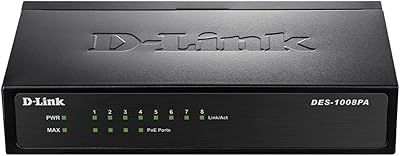
D-Link DES-1008PA 8-Port PoE Fast Ethernet Switch

82%
94%
Ease of Setup
88%
PoE Port Reliability
91%
Build Quality & Durability
58%
Network Speed & Throughput
97%
Noise Level
More
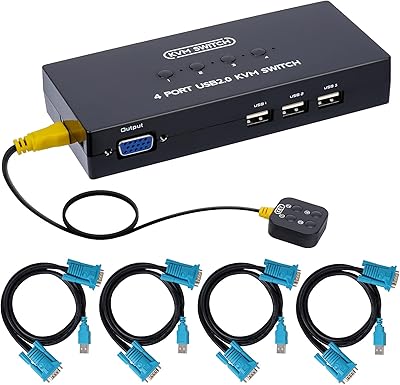
DGODRT KS604H 4-Port HDMI KVM Switch
80%
91%
Ease of Setup
74%
Switching Reliability
78%
Video Quality
79%
USB Peripheral Sharing
84%
Wired Remote Control
More
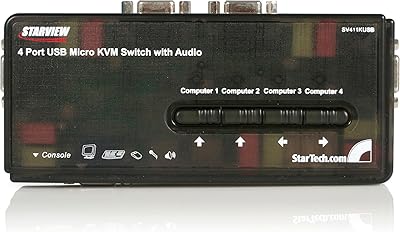
DGODRT KS204V 4-Port VGA KVM Switch
83%
86%
Switching Reliability
89%
Desktop Controller Convenience
91%
Value for Money
78%
Cable Quality & Included Accessories
73%
USB Peripheral Compatibility
More
StarTech SV411KUSB 4-Port USB KVM Switch

72%
88%
Ease of Setup
61%
Video Quality
58%
Build Quality
67%
USB Switching Reliability
63%
Audio Passthrough
More
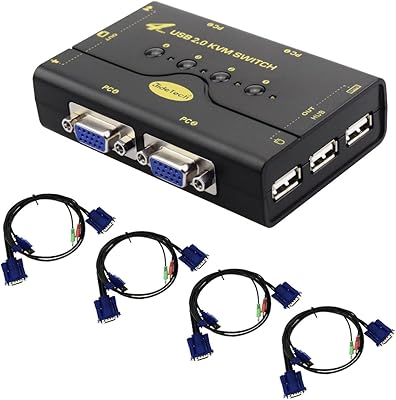
Steetek STK-S7415H 4-Port HDMI KVM Switch
74%
91%
Ease of Setup
83%
Switching Reliability
78%
Video Quality & Resolution
76%
Adaptive EDID Performance
69%
USB Peripheral Sharing
More
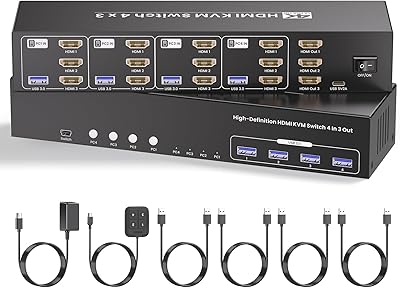
JideTech JD-41UA 4-Port VGA KVM Switch
71%
83%
Value for Money
88%
Ease of Setup
71%
Switching Reliability
67%
Audio Switching
79%
Video Quality
More
Scyniney 4-Port Triple-Monitor HDMI KVM Switch
74%
83%
Video Signal Stability
79%
4K Resolution Performance
74%
USB Hub Performance
81%
Switching Reliability
41%
Hotkey Switching Support
More
TJCXELE USB 3.0 Switch Selector 4-Port for 4 Computers

88%
94%
Ease of Use
89%
Performance
91%
Remote Control Feature
76%
Power Supply and Stability
98%
Setup and Installation
More
DiamondTiger KS304DL 4-Port DisplayPort KVM Switch
74%
88%
Ease of Setup
92%
Video Quality
74%
Switching Reliability
63%
Build Quality
86%
Value for Money
More
KAGO 4-Port VGA KVM Switch
84%
92%
Value for Money
96%
Ease of Setup
85%
Performance
78%
Build Quality
87%
Display Quality
More

FAQ

No, you do not. The D-Link DKVM-4U 4-Port USB KVM Switch is fully plug-and-play. Just connect your keyboard, mouse, and monitor to the switch, then run the included cables to each computer, and it should be recognized automatically without any driver installation.

Unfortunately, no. This switch uses VGA exclusively for its video connection. If your monitor only has HDMI or DisplayPort inputs, this switch is not compatible — even with an adapter, you would lose full functionality. You would need a KVM switch that natively supports HDMI or DisplayPort instead.

You can try, but results vary. Many standard wireless USB keyboards and mice work fine, but some users have reported USB handshaking issues with certain wireless combo kits — particularly those that use proprietary receivers. Wired USB peripherals are the most reliable choice with this switch.

Not at all. You have three options: press the front-panel button on the switch itself, use a hot-key shortcut on your keyboard, or enable auto-scan mode to let the switch cycle through connected machines on its own. Most users stick to hot-keys once they learn the combination since it is the fastest method.

Auto-scan automatically cycles through each connected computer at set intervals, displaying each one briefly on your monitor. It is useful if you are monitoring multiple machines and just want to keep an eye on each screen. That said, a number of users find it disruptive during normal work because it switches away from whatever you are doing. If you are actively working on one machine, it is generally better to leave auto-scan off.

No, audio passthrough is not supported. The DKVM-4U handles keyboard, mouse, and video only. If shared audio is important to your setup, you would need a separate audio switch or a KVM model that includes audio support.

This is tricky. The switch requires a VGA video output and USB ports on each connected machine. Most modern laptops have dropped VGA entirely, so unless your laptops have a VGA port, this switch will not work for them. It is primarily designed around desktop computers with dedicated VGA outputs.

It is bus-powered, meaning it draws the power it needs directly through the USB connections from the host computers. You do not need to plug it into a wall outlet or buy a separate adapter, which keeps cable clutter to a minimum.

Many buyers report using this D-Link 4-port switch for several years without issues, which speaks reasonably well to its build quality for a mid-range product. The copper contact construction and IP54 protection rating suggest it is built with some durability in mind. That said, like any hardware switch, the physical button will experience wear over time with very heavy use, and USB ports can loosen gradually if cables are frequently swapped.

The switch supports up to 2048x1536, which is more than sufficient for most standard and higher-end VGA monitors. Text and detailed work at typical office monitor resolutions will look sharp without any noticeable degradation. The only limitation is that it does not support 4K or ultra-high-definition output, so if your work demands that, a different switch would be needed.

Where to Buy