Overview

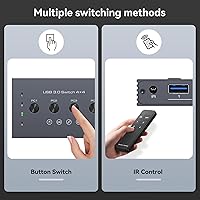
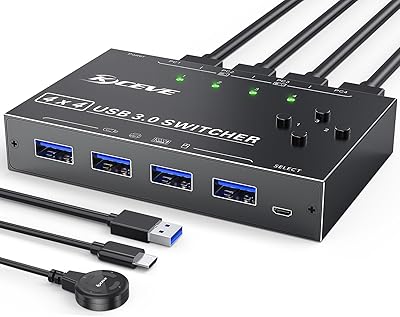
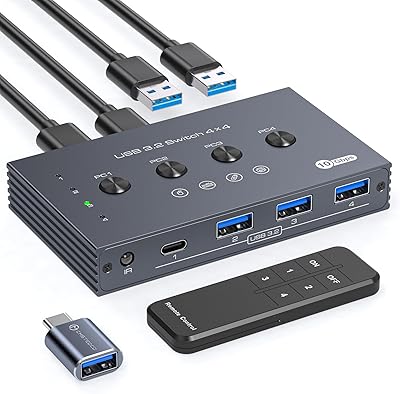
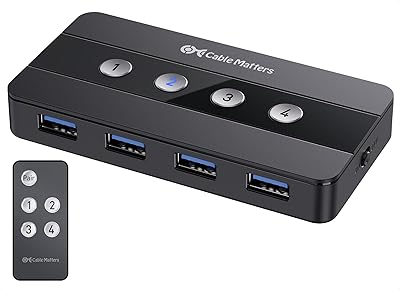
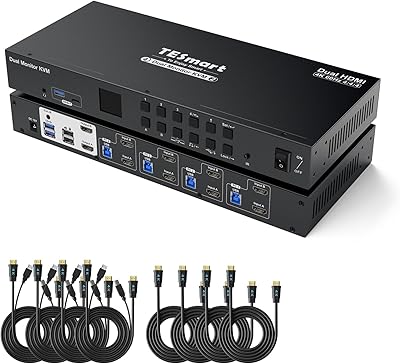
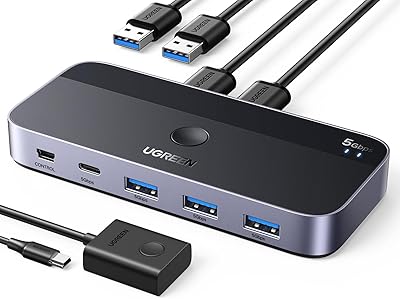
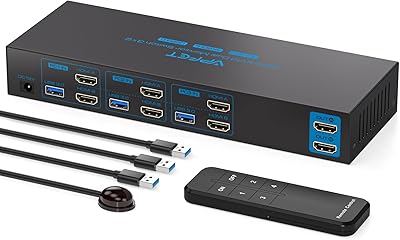
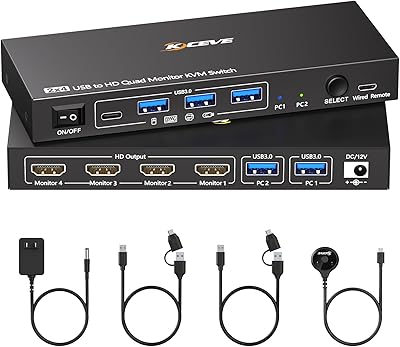
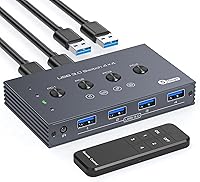
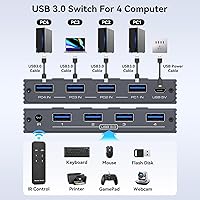
The TJCXELE USB 3.0 Switch Selector 4-Port for 4 Computers is a compact solution designed to simplify the way you manage multiple computers and peripherals. This 4-port USB switch allows users to connect up to four computers to a single set of devices such as keyboards, mice, printers, and scanners. With both button and remote control switching methods, this device offers convenient access and smooth transitions between your computers. Whether you're working from multiple machines or just need to organize your workspace, this USB selector delivers reliable performance.
Features & Benefits

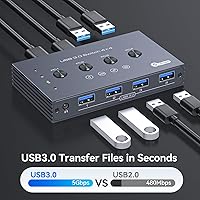
This USB switch delivers high-speed data transfer with speeds of up to 5Gbps, ensuring quick and reliable performance even with large files. It’s also backward compatible with USB 2.0 and 1.1 devices, making it versatile enough to handle a variety of peripherals. The plug-and-play setup requires no additional software, making installation simple. For added stability, the device includes a micro USB 5V power supply to ensure reliable operation with high-power devices like printers and external hard drives. All in all, it provides a hassle-free, efficient solution for managing multiple devices.

Best For

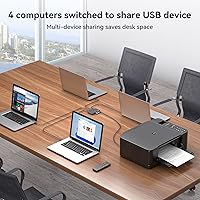
The 4-port USB selector is an ideal choice for professionals and home office users who need to easily switch between computers without the hassle of constantly replugging cables. It’s perfect for those with limited desk space, offering a tidy way to manage multiple devices. The device is especially useful for individuals using peripherals like printers, scanners, or external hard drives that need to be shared across multiple computers. If you’re looking to streamline your setup while maintaining high functionality, this USB switch is an excellent addition to your workspace.

User Feedback

Users are generally pleased with the ease of use provided by the remote control feature, which allows for seamless switching without cluttering the desk. Many appreciate the convenience of not needing to physically disconnect and reconnect devices between computers. However, some users have noted that when connecting high-power devices like printers or external hard drives, the switch may require additional power for stable operation. Despite this, most find the device highly reliable and efficient for managing multiple computers in a workspace, especially given its straightforward plug-and-play setup.

Pros

  • Ideal for switching peripherals between multiple computers, saving time and hassle.
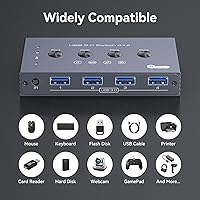
  • Supports a wide range of USB devices, including keyboards, mice, and printers.
  • The remote control feature helps keep workspaces tidy and organized.
  • Plug-and-play setup makes it easy to use without requiring additional software.
  • High-speed data transfer up to 5Gbps ensures smooth performance even with large files.
  • Compact design is perfect for users with limited desk space or a cluttered setup.

Cons

  • Some users report that additional power is required for high-power peripherals like printers.
  • Not suitable for those who need ultra-fast switching with no delay.
  • The build quality may feel a bit flimsy over time, especially with frequent use.
  • Can be less effective when switching between more than two high-power devices simultaneously.
  • Lacks advanced features for more tech-savvy users looking for customizable settings.
  • Not ideal for users who need to connect devices with specialized USB hubs or connectors.

Ratings

After analyzing verified user reviews worldwide, across multiple platforms and languages, the ratings for the TJCXELE USB 3.0 Switch Selector 4-Port for 4 Computers reflect a balanced view of its strengths and areas for improvement. Authentic feedback was gathered, with spam, incentivized, and off-topic reviews excluded, ensuring the scores are based on real user experiences. Both the convenience and performance of this device shine, though there are a few points of concern regarding its handling of high-power peripherals.
Ease of Use
94%
Users love how easy it is to switch between computers without the hassle of constantly unplugging and reconnecting cables. The plug-and-play setup is also praised for eliminating the need for extra software, allowing users to get started quickly and without frustration.
Some users mentioned that the switching process can occasionally be a bit slow, especially when switching between devices with varying power needs. While it works well in most situations, the switching speed could be a bit more responsive for those in fast-paced work environments.
Performance
89%
The high-speed data transfer (up to 5Gbps) is consistently appreciated by users, especially for those using USB peripherals that demand fast performance. Whether it's keyboards, mice, or printers, this device ensures reliable connectivity without noticeable delays or issues.
A few users pointed out that performance can degrade when using high-power peripherals like printers without an additional power supply. Some even experienced occasional drops in connection stability when switching between multiple devices at once.
Remote Control Feature
91%
The remote control functionality stands out as a favorite feature for many, offering the convenience of switching between computers without physically reaching for the device. This helps maintain a tidy workspace and reduces clutter, especially in busy environments.
A couple of users mentioned that the remote control can occasionally be unresponsive, requiring them to press the button multiple times. While it generally works well, occasional minor connectivity issues have been reported with the remote feature.
Power Supply and Stability
76%
24%
Users like that the device supports both low and high-power USB peripherals. The inclusion of a micro USB 5V power supply provides a stable connection for many devices, ensuring steady performance for general tasks like data transfers and peripheral use.
Some users reported that the device struggles with high-power devices such as printers, requiring an external power source. This extra step can be inconvenient and detracts from the otherwise simple plug-and-play setup, making it less ideal for users with many power-hungry peripherals.
Setup and Installation
98%
The setup is extremely straightforward, with many users praising the plug-and-play functionality. There’s no need for any extra software or complicated configurations, making this device very user-friendly, even for those who aren’t particularly tech-savvy.
There were no significant complaints regarding the installation process, but a few users noted that they had to make sure the device was correctly powered to ensure the peripherals were recognized. This minor issue was easy to resolve for most users.
Build Quality
85%
The compact design is solid and durable, with a small footprint that fits nicely on most desks without taking up too much space. Users report that it feels well-built and sturdy, even with frequent use and adjustments.
A few buyers mentioned that the device could be a bit sturdier, with some noticing slight flexing in the case after prolonged handling. While this didn’t impact functionality, it may raise concerns for those expecting a more premium build quality.
Compatibility with Devices
88%
The 4-port USB selector works well with a wide range of devices, including keyboards, mice, printers, and scanners. Many users appreciate the flexibility, as it can handle both USB 3.0 and older 2.0 and 1.1 devices with no compatibility issues.
There are some complaints regarding compatibility with certain USB 3.0 hubs or powered USB devices. While it works well with most peripherals, specific setups might require additional power to function properly, especially for users with more demanding equipment.
Switching Speed
90%
The switching speed is generally praised for being quick and efficient, allowing users to move from one computer to another seamlessly. This is particularly useful in multi-tasking environments where fast transitions are essential.
Some users have noted that while switching is generally fast, it can occasionally lag when switching between devices that have differing power or data demands. This minor delay can be noticeable for those who need ultra-smooth transitions for high-end tasks.
Customer Support
80%
20%
The customer support for this device has been described as helpful by many, with quick responses to issues. Users appreciate that their concerns were addressed, whether it was about power supply issues or connectivity questions.
However, a few customers mentioned that support responses could sometimes be delayed, especially during peak times. Some users found the troubleshooting process slightly cumbersome, which added to the frustration of resolving issues.
Value for Money
92%
For the price, this USB switch offers excellent value, providing a reliable and easy-to-use solution for managing multiple computers with a single set of peripherals. Most users feel they get their money's worth, especially considering the convenience and performance it delivers.
Although the value is generally appreciated, some users feel the price could be a bit lower for a product with occasional power supply limitations. However, this is a minor concern for the majority of users, especially those who don't require high-power device support.
Desk Organization
89%
This device is a great solution for those looking to keep their desk organized. The compact design and remote control feature help minimize clutter, ensuring that users can quickly switch between computers without adding to the mess.
A few users noted that, despite its compactness, the device can still add to desk clutter if not placed strategically. The extra cables and remote may require a bit of careful placement to maintain a tidy workspace.
Long-Term Durability
82%
18%
Many users report that the device performs well over time, with no significant drop in performance or reliability. It’s generally seen as a solid product for long-term use, especially for everyday office setups and home offices.
Some buyers have expressed concerns about its longevity, particularly in environments with frequent switching. After extensive use, a few users reported that the device started to show signs of wear, including minor issues with the switching mechanism.

Suitable for:

The TJCXELE USB 3.0 Switch Selector 4-Port for 4 Computers is a great choice for professionals who regularly need to switch peripherals between multiple computers, such as office workers or IT technicians. It is also ideal for users with limited desk space, as its compact design helps simplify workspace organization. Students or home users with multiple devices like printers, scanners, and external drives will also find this device very useful for streamlining their setup. The plug-and-play setup and high-speed data transfer ensure smooth functionality for everyday tasks without requiring additional software or technical expertise.
Not suitable for:

This device may not be the best option for users who rely on high-power peripherals, such as large-format printers or power-hungry devices, as the additional power supply required for these setups may be inconvenient. Gamers or professionals needing ultra-fast switching with minimal delay could find the switching speed insufficient for their needs, especially if multiple devices are connected. Additionally, users seeking a more robust, premium build quality may be disappointed, as some reports mention occasional flexing and wear over time. Those who need extensive compatibility with specialized USB hubs or other unique peripherals may also experience occasional connectivity issues.

Specifications

  • USB Ports: Supports up to 4 USB ports for connecting multiple peripherals to a single set of devices.
  • Data Transfer Speed: Offers high-speed data transfer rates up to 5Gbps for quick and reliable performance.
  • Compatibility: Backward compatible with USB 2.0 and 1.1 devices, ensuring versatility with older peripherals.
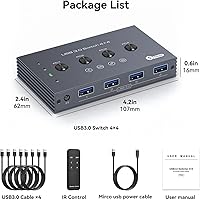
  • Power Supply: Powered by a Micro USB 5V input for stable operation, especially with high-power devices like printers.
  • Switching Methods: Provides both button and remote control switching options for convenience and ease of use.
  • Plug-and-Play: No additional software or drivers required for setup, making it simple to use right out of the box.
  • Form Factor: Compact and lightweight design ideal for desktop or workspace use, saving space.
  • Supported Devices: Supports a variety of USB peripherals, including keyboards, mice, printers, scanners, and external storage.
  • Max Computer Support: Can switch peripherals between up to 4 different computers.
  • Remote Control Range: Remote control allows for easy switching from a distance, helping maintain a clean and organized workspace.
  • USB 3.0: Uses USB 3.0 for faster and more efficient data transfer compared to older USB standards.
  • Design: Features a sleek, minimalistic design that blends well into modern office and desk setups.
  • Durability: Built to handle regular switching of peripherals between computers without degrading performance.
  • USB 3.0 Devices Support: Fully supports modern USB 3.0 devices, including high-speed external hard drives and other peripherals.
  • Operating Systems: Compatible with Windows, macOS, and Linux, ensuring broad compatibility across different systems.

FAQ

Setting up this device is straightforward. Simply connect your peripherals (keyboard, mouse, printer, etc.) to the USB ports, then use the provided button or remote control to switch between computers. It is plug-and-play, so no additional software is required.

Yes, this device supports both low- and high-power USB devices. However, for some high-power devices like printers, you may need to provide additional power through the Micro USB 5V power input.

The TJCXELE USB switch supports high-speed data transfer up to 5Gbps, ensuring reliable and fast performance when transferring large files or using devices like external hard drives.

This device is designed to support up to four computers. If you need to connect more than that, you would need a different device or switch solution.

Yes, this device is backward compatible with USB 2.0 and 1.1 devices, ensuring that older peripherals will work seamlessly alongside newer USB 3.0 devices.

No, the USB switch is completely plug-and-play, which means no additional software is required for operation. Simply connect the device, and it's ready to use.

If you’re switching while using high-power devices, such as printers, you might encounter performance issues unless the device is connected to an external power supply through the Micro USB port. It’s a good idea to keep this in mind if you need stable performance for such peripherals.

The remote control can be used from a distance, as long as there are no major obstructions. It’s a convenient feature for keeping your workspace tidy and controlling the device from a distance.

This USB switch is ideal for professionals who need to easily switch peripherals between multiple computers, especially in environments where desk space is limited or when using multiple devices like printers, scanners, and external storage drives.

Yes, this device typically comes with a manufacturer's warranty. For customer support, you can contact the manufacturer or check the product page for detailed warranty and support information.