AILVLVNG SW520 2-Port USB-C KVM Switch


Overview
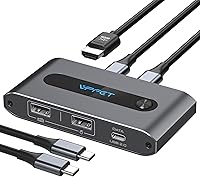
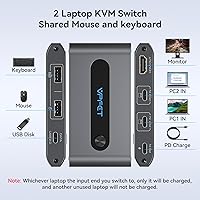
The AILVLVNG SW520 2-Port USB-C KVM Switch solves a specific desk problem: two laptops, one monitor, and zero desire to keep swapping cables. Before anything else, though, there is one thing worth checking — your USB-C port must support video output, not just data or charging. That distinction trips up a surprising number of buyers. If both machines clear that bar, setup is straightforward: connect each laptop via the included USB-C cables, run an HDMI 2.0 cable to your monitor (bring your own), plug in a USB power adapter (also not included), and you are ready to go.
Features & Benefits
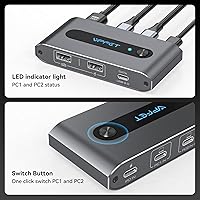
Day-to-day, the SW520 holds up well. The 4K at 60Hz output is genuinely crisp on a sharp monitor — text stays clear, and there is no noticeable lag when switching between machines. A front-mounted LED tells you instantly which laptop is live, and the physical button click is satisfying and deliberate. The three USB 2.0 ports on the front handle a keyboard, mouse, and flash drive without complaint. One practical bonus: the 100W PD charging port keeps whichever laptop you are actively using topped up — just know it only powers one machine at a time, not both.
Best For
This two-port switcher is a natural fit for anyone running a personal and a work laptop on the same desk who wants a single, uncluttered monitor setup. It is particularly useful when your display has an HDMI port but no USB-C input — a common situation with older or budget monitors. Remote workers and travelers will appreciate how compact and light it is; it disappears into a laptop bag without adding noticeable bulk. That said, if you need hotkey switching, multi-monitor support, or USB 3.0 speeds for external storage, this switcher is not the right tool.
User Feedback
Buyers largely rate the SW520 well, pointing to its clean, reliable switching and small footprint as consistent strengths. The setup process draws praise for being genuinely plug-and-play. On the critical side, the most common frustration comes from compatibility — users whose USB-C ports only handle data, not video, find themselves stuck after purchase. A few reviewers also noted that 4K stability depends heavily on cable quality and length; the included cables work fine, but a longer third-party cable sometimes caused flickering. The single-laptop charging behavior surprises some buyers who assumed both machines would charge simultaneously.
Pros
- Completely driver-free — both laptops are recognized instantly without installing anything.
- 4K at 60Hz output is genuinely sharp, making it viable for design and detailed document work.
- The physical button switch is quick, reliable, and gives satisfying tactile confirmation.
- Slim enough to slide into a laptop bag pocket alongside your cables without adding real bulk.
- Up to 100W PD charging keeps the active laptop powered throughout the workday.
- The LED indicator removes any guesswork about which machine currently controls the display.
- Included USB-C cables are functional quality — most users do not need to replace them immediately.
- Bridges the gap between HDMI-only monitors and USB-C-only laptops without a separate adapter.
- No moving parts or ventilation noise — runs completely silent and stays cool under normal use.
Cons
- Compatibility is a real risk — data-only USB-C ports will not work, and the manual does not explain this clearly enough for non-technical buyers.
- No power adapter or HDMI cable in the box, so you need to source both before the switcher is usable.
- Only the currently active laptop charges — the idle machine loses power while you are switched away.
- USB 2.0 peripheral ports rule out fast external drives and high-bandwidth accessories entirely.
- No hotkey or software switching means you must physically press the button every time you change machines.
- Signal flickering has been reported when using longer or lower-quality HDMI cables beyond roughly 3 feet.
- The closely spaced front ports can make it awkward to connect bulky USB-A adapters or wide dongles side by side.
- No cable management features — the unit itself has no clip or mount, so cable routing can get messy quickly.
Ratings
The AILVLVNG SW520 2-Port USB-C KVM Switch has been evaluated by our AI system after analyzing verified global buyer reviews, with spam, bot-generated, and incentivized feedback actively filtered out. The scores below reflect a balanced picture — what real users genuinely praise and where frustrations consistently surface. Both strengths and pain points are represented transparently so you can make an informed decision before buying.
Compatibility Clarity
Setup & Installation
Video Output Quality
Switching Speed & Reliability
PD Charging Performance
Build Quality & Durability
USB Peripheral Support
Portability & Form Factor
Included Accessories
Value for Money
Cable Management
Thermal Performance
Documentation & Support
Suitable for:
The AILVLVNG SW520 2-Port USB-C KVM Switch is a practical pick for anyone who regularly works from two laptops — say, a company-issued machine and a personal one — and wants a single monitor, keyboard, and mouse to serve both without constant cable swapping. Home office professionals with a tidy-desk philosophy will appreciate how much clutter it eliminates. It also fits well for remote workers and frequent travelers who want a lightweight hub they can tuck into a bag and deploy quickly at any desk. If your monitor is HDMI-only and you have been frustrated that newer laptops lack HDMI ports directly, this switcher bridges that gap cleanly. The one firm prerequisite: both of your laptops must have USB-C ports that support video output, so confirm that before buying — check your laptop specs or the manufacturer site for DisplayPort Alt Mode or Thunderbolt support.
Not suitable for:
The AILVLVNG SW520 2-Port USB-C KVM Switch is not the right tool if either of your computers relies on a USB-C port that handles only data or charging, since the switcher will simply not transmit video in that scenario. Power users who want to switch machines from the keyboard using hotkeys, or who manage more than two computers, will find this switcher too limited for their workflow. If you need USB 3.0 speeds for an external SSD or a high-bandwidth webcam, the USB 2.0 ports here will create a real bottleneck. Anyone expecting both laptops to charge simultaneously will be disappointed — only the active machine receives power at any given time. And if you are running a multi-monitor setup or need video output beyond a single HDMI display, you will need to look at more capable and more expensive KVM hardware.
Specifications
- Brand & Model: Manufactured by AILVLVNG under the model designation SW520.
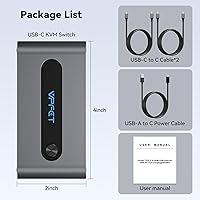
- Dimensions: The unit measures 4 x 2 x 0.67 inches, making it compact enough to sit flat on a desk or slip into a laptop bag.
- Weight: The switcher weighs 9.14 oz, light enough for daily portable use without adding meaningful bag weight.
- Computer Inputs: Two USB-C input ports are provided, one dedicated to each connected computer, using USB-C to C cables.
- Video Output: A single HDMI 2.0 output port delivers the signal from the active computer to the connected display.
- Max Resolution: Supports up to 4K at 60Hz; also backward compatible with 4K at 30Hz, 2K, 1080p, and lower resolutions.
- USB Peripherals: Three front-facing USB 2.0 ports are included: two USB-A and one USB-C, supporting keyboards, mice, and flash drives.
- PD Charging: A dedicated Power Delivery port supports up to 100W charging for the currently active laptop only; the idle laptop does not charge.
- Switching Method: Machine switching is performed exclusively via a physical push button on the unit; no hotkeys, software, or remote control are supported.
- Power Input: The unit requires external power through a USB to USB-C cable; a power adapter is not included and must be sourced separately.
- HDMI Cable Length: For stable 4K signal transmission, an HDMI 2.0 cable of no more than 3.3 feet is recommended.
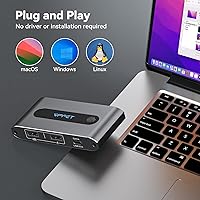
- Driver Requirement: The switcher is fully plug-and-play and requires no driver installation on either connected computer.
- USB-C Compatibility: Both connected computers must have USB-C ports that support video output via DisplayPort Alt Mode or Thunderbolt; data-only USB-C ports will not work.
- Included Cables: The package includes two USB-C to C cables and one USB to USB-C power cable; an HDMI cable and power adapter are not included.
- LED Indicator: An onboard LED indicator shows which of the two connected computers is currently active and in control of the display and peripherals.
- USB-C Peripheral Port: The front USB-C port supports data transfer to USB-C flash drives only and cannot be used for video output.
- High-Power USB: High-power USB devices such as external hard drives and SSDs are not supported through the peripheral ports.
- Operating Voltage: The unit operates at 5 volts with a current rating of 1 amp for its onboard circuitry.
- Package Contents: Box includes the KVM switch, two USB-C to C cables, one USB to USB-C power cable, and a printed user manual.
- Warranty & Support: AILVLVNG provides email-based after-sales support reachable via the order number, with a stated response time of within 24 hours.
Related Reviews
IOGEAR 2-Port USB VGA KVM Switch
IOGEAR 2-Port USB DisplayPort KVM Switch
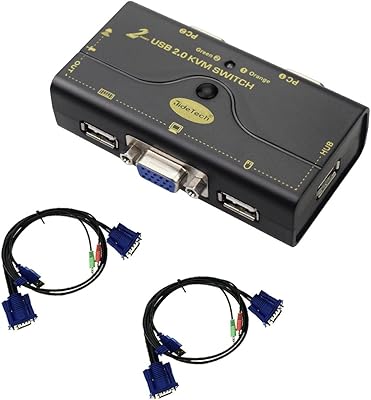
JideTech JD-21UA 2-Port VGA KVM Switch
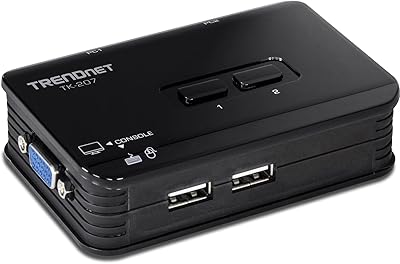
TRENDnet TK-207K 2-Port USB KVM Switch
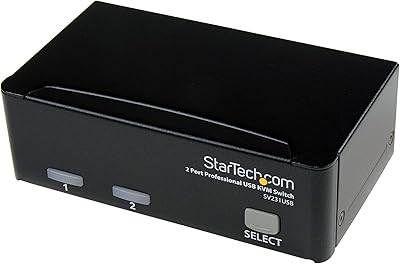
StarTech SV231USB 2-Port VGA USB KVM Switch
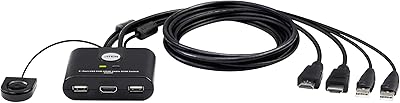
ATEN CS22HF 2-Port HDMI KVM Switch
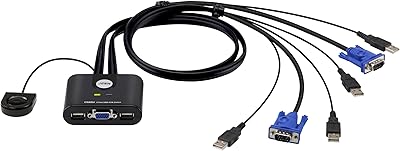
ATEN CS22U 2-Port VGA KVM Switch
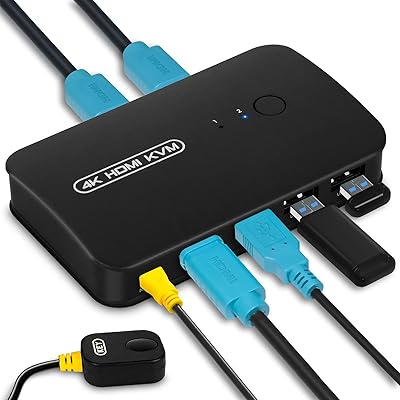
DGODRT KS602H 2-Port HDMI KVM Switch
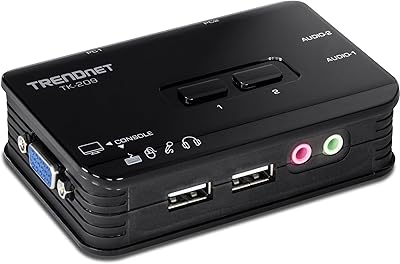
TRENDnet TK-209K 2-Port USB KVM Switch