Overview

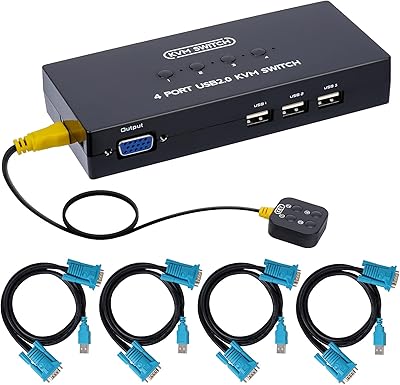
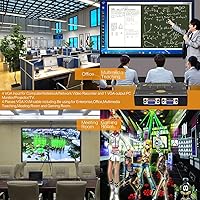
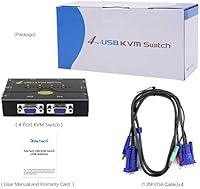
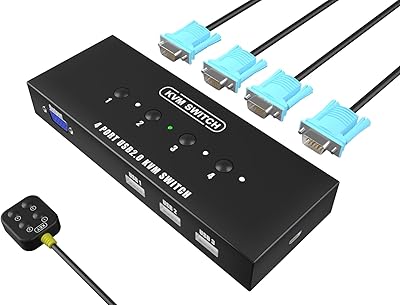
The JideTech JD-41UA 4-Port VGA KVM Switch is a practical, no-frills solution for anyone juggling multiple computers on a single desk. For the price, you get a compact box that lets one keyboard, mouse, and monitor serve up to four machines — all without installing drivers or hunting for adapters. This desktop switcher ships with four KVM cables included, which is a small but appreciated detail that saves a trip to the accessories drawer. It also handles audio and microphone switching, meaning your headset or speakers follow whichever PC you are currently using. Simple, functional, and honest about what it is.

Features & Benefits

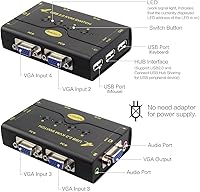
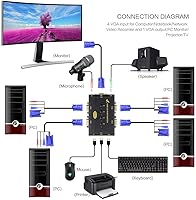
One of the more useful aspects of this KVM switch is that it does not stop at video. The built-in USB hub means you can plug in a shared printer or external hard drive and access it from any connected machine without replugging cables every time. Video resolution tops out at 2048x1536, which is more than enough for any VGA monitor in active use today, and DDC support ensures the display is recognized automatically rather than requiring manual configuration. The front-panel push buttons are satisfyingly tactile, and the switch also supports wireless USB receivers, so you are not forced to use wired peripherals. Cross-platform support across Windows, Linux, and macOS rounds things out well.

Best For

This desktop switcher makes the most sense for home office users who operate two or more computers — say, a personal laptop docked alongside a work desktop — and do not want to maintain separate monitors and peripherals for each. It also suits small labs, classrooms, or repair shops where several machines need occasional access from a single workstation. One important caveat: the JideTech 4-port switch is built around VGA output only, so if your monitor runs HDMI or DisplayPort, it is simply not the right fit. For anyone still running an older VGA display or a monitor with a VGA fallback port, this is a practical and cost-effective answer to a real desk-space problem.

User Feedback

Buyers consistently point to easy initial setup as a highlight — most report having everything running within minutes of unboxing, which lines up with the plug-and-play design intent, and the overall value for the price tier draws positive remarks from users who needed a quick solution without a heavy investment. On the downside, a recurring concern is cable quality; several buyers note the included KVM cables feel thin, with a few reporting connection issues after extended use. Audio switching draws mixed reactions — it works reliably for many, but some find it inconsistent between machines. A handful also mention occasional switching lag, and compatibility with certain wireless dongles is not guaranteed.

Pros

  • Plug-and-play setup means most users are up and running in under ten minutes with no drivers needed.
  • Four KVM cables are included in the box, saving an immediate extra purchase.
  • The built-in USB hub lets you share a printer or external drive across all connected PCs without replugging.
  • Audio and microphone switching keeps your headset tied to whichever machine is active.
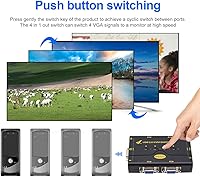
  • Push-button switching is tactile and straightforward — no software menus or hotkey sequences to memorize.
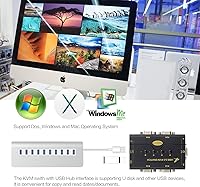
  • Works across Windows, Linux, and macOS, making it genuinely useful in mixed-OS setups.
  • Wireless USB keyboard and mouse receivers are supported, so you are not forced to use wired peripherals.
  • The compact footprint takes up minimal desk space compared to running separate peripherals per machine.
  • DDC support means the connected monitor is identified automatically without manual configuration.
  • At its price point, the combination of audio switching and a USB hub in one unit represents solid value.

Cons

  • VGA-only output is a hard limitation — there is no HDMI or DisplayPort support whatsoever.
  • The included cables feel thin and cheap to many buyers, with some reporting signal issues after extended use.
  • Audio switching has been reported as inconsistent by a meaningful number of users, occasionally requiring manual toggling.
  • Switching lag between machines is a recurring complaint, particularly noticeable during rapid back-and-forth use.
  • Compatibility with certain wireless keyboard and mouse dongles is unreliable and not guaranteed.
  • Long-term durability is a concern, with some buyers noting degraded performance after several months of daily use.
  • Auto-switching behavior can be unpredictable if multiple connected PCs are powered on simultaneously.
  • No hotkey switching support means you must physically reach for the front-panel button every time.
  • The one-year warranty is limited, and relying on email-based support can be slow for time-sensitive issues.
  • No indicator lights or display to confirm which port is currently active, which can cause brief confusion during use.

Ratings

The scores below reflect an AI-driven analysis of verified global buyer reviews for the JideTech JD-41UA 4-Port VGA KVM Switch, with spam, incentivized feedback, and bot activity actively filtered out before scoring. Each category captures both what users genuinely appreciated and where frustration consistently surfaced, giving you a transparent, balanced picture of real-world ownership.

Value for Money
83%
For buyers who needed a basic multi-PC solution on a tight budget, this desktop switcher delivered a surprisingly complete package — four cables, audio support, and a USB hub all included. Most users felt they got more functionality per dollar than competing options at this price tier.
A vocal minority felt the value equation shifted after cable degradation set in within the first year, effectively turning a one-time purchase into a recurring accessory cost. Those who needed rock-solid reliability found themselves wishing they had spent more upfront.
Ease of Setup
88%
The plug-and-play experience was one of the most consistently praised aspects across buyer feedback. Home office users reported having all four machines connected and switching correctly within ten to fifteen minutes, with no driver hunting or configuration menus involved.
A subset of users with newer operating systems or unconventional hardware configurations hit unexpected snags during initial setup, particularly around wireless dongle recognition. The lack of any printed setup guide means troubleshooting falls entirely on the buyer when things do not just work.
Switching Reliability
71%
29%
For straightforward desktop-to-desktop switching, the front-panel push buttons performed well in daily use — most users described the switching action as responsive and predictable when machines were already running and stable. The tactile button feel was a small but appreciated detail.
Switching lag was a recurring complaint, especially when toggling quickly between active machines. Some users also reported that the auto-switch feature would occasionally select the wrong port on startup, requiring a manual button press to correct — a minor but consistent annoyance in multi-machine environments.
Audio Switching
67%
33%
When it worked, having a single headset follow the active computer was genuinely convenient for people who split their day between work and personal machines. Users in small home offices praised the elimination of replugging as a real daily time saver.
Audio switching was inconsistent enough to generate a notable volume of negative feedback. Some users found the microphone port particularly unreliable, requiring them to toggle ports or reconnect the headset after switching — undermining the main convenience it was supposed to provide.
Video Quality
79%
21%
For standard office workloads on VGA monitors — document editing, spreadsheets, web browsing — the image quality was clean and stable with no noticeable signal degradation introduced by the switch itself. DDC support meant resolution was detected automatically without manual adjustment.
VGA is an analog standard, and the inherent ceiling is real. Users who pushed toward higher resolutions or longer cable runs reported soft edges and mild sharpness loss. Anyone expecting the crispness of a direct digital connection will be disappointed regardless of the switch's performance.
Cable Quality
54%
46%
The fact that four KVM cables come in the box at all is a genuine convenience — most buyers were able to connect everything immediately without ordering accessories separately. For light users with short cable runs, the included cables functioned adequately.
Cable quality was the single most cited complaint across reviews. Multiple buyers described the cables as thin and flimsy, with reported failures including loose connectors and intermittent signal loss after a few months of daily use. Several users recommended budgeting for third-party replacement cables from the start.
USB Hub Performance
74%
26%
Sharing a printer or external hard drive across machines without replugging was a practical win for users in small offices. The hub handled standard peripherals like laser printers and USB drives reliably for the majority of buyers who tested it.
The USB hub showed limitations with power-hungry peripherals and certain device types, with some users reporting that external hard drives were not recognized consistently across all ports. It functions well as a convenience feature but should not be mistaken for a dedicated powered USB hub.
Wireless Peripheral Support
66%
34%
Users running mainstream wireless keyboard and mouse combos from major brands generally had no issues with their USB receivers through the switch. The freedom to avoid a wired peripherals requirement was a practical plus for cleaner desk setups.
Compatibility was inconsistent enough that several buyers with less common wireless dongles or gaming-grade wireless peripherals reported failed recognition or erratic behavior. There is no published compatibility list, so buyers are essentially testing their setup blind.
Build Quality
61%
39%
The unit itself is compact and light enough to tuck out of the way on a desk, and the plastic housing showed no obvious defects for most buyers in the short term. The push buttons had a satisfying click that users noticed positively.
The plastic shell feels budget-grade to the touch, and several long-term owners reported scuffing and minor structural wear after repeated daily use. For a device that sits on a desk and gets handled multiple times a day, the build does not inspire confidence over a multi-year horizon.
OS Compatibility
77%
23%
Broad operating system support was a genuine asset for buyers running mixed environments — a Windows work machine alongside a Linux media server, for example. Most cross-platform setups worked without any extra configuration steps.
A minority of users on more recent macOS versions or bleeding-edge Linux distributions encountered recognition issues with the switch or specific peripherals. The listed compatibility references older OS versions in the product documentation, which creates uncertainty for buyers on current systems.
Long-Term Durability
58%
42%
Buyers who used the switch in low-intensity environments — powering it on once a day and switching a handful of times — generally reported stable performance over the first six to twelve months with no hardware failures.
Durability beyond the one-year warranty window was a concern raised by a consistent segment of reviewers. The combination of thin cables, budget-grade internal components, and plastic housing suggests this is a product that performs adequately for a year or two but may not hold up as a permanent fixture.
Compact Footprint
86%
At under ten ounces and barely three inches square, the JideTech 4-port switch sits unobtrusively on any desk. Buyers with crowded workstations specifically called out its size as a reason they chose it over bulkier alternatives.
The compact size comes with a trade-off: there are no mounting options included, so the unit can slide around if cables are tugged. A couple of users also noted that the small form factor makes the rear port labeling hard to read when the unit is tucked behind a monitor stand.
Warranty & Support
63%
37%
The combination of a one-year warranty and lifetime technical support via Amazon messaging gave cautious buyers a reasonable safety net. A portion of users who contacted support reported receiving helpful responses without excessive delays.
Support quality was described as inconsistent by buyers who needed real troubleshooting assistance. Response times varied widely, and some users found the email-only support channel frustrating when dealing with time-sensitive hardware failures, particularly outside the covered warranty period.

Suitable for:

The JideTech JD-41UA 4-Port VGA KVM Switch is a strong fit for home office workers who routinely switch between a personal machine and a work computer and simply do not want two separate monitors, keyboards, and mice cluttering the desk. It also works well in small labs, repair shops, or classroom settings where a technician or instructor needs occasional access to several machines without maintaining dedicated peripherals for each. Users still running older VGA monitors — whether by preference or because an upgrade is not yet in the budget — will appreciate that this switch does not force them to buy new display hardware just to consolidate their setup. Cross-platform households, where one desk hosts a Windows PC alongside a Linux box or older Mac, get real utility from the broad OS compatibility. The included audio switching is a genuine convenience for anyone who wants their headset to follow their active machine without manually replugging it.

Not suitable for:

Buyers with modern monitors that only offer HDMI, DisplayPort, or USB-C inputs should stop here — the JideTech JD-41UA 4-Port VGA KVM Switch outputs analog VGA exclusively, and no adapter will change the fact that you are working with a legacy video standard. Anyone running high-refresh-rate displays or depending on sharp color accuracy for design, video editing, or gaming will find VGA a frustrating bottleneck regardless of the switch itself. Power users who need near-instant switching with zero lag between machines — common in trading or live production environments — may find the switching behavior inconsistent enough to be disruptive. If your peripherals rely on proprietary USB protocols or complex drivers, compatibility is not guaranteed, particularly with certain wireless dongle setups. Finally, buyers expecting premium build quality or heavy-duty cables should calibrate their expectations; this desktop switcher is priced as a functional budget tool, not a long-term workhorse.

Specifications

  • Video Standard: Uses analog VGA (HD-15) exclusively; HDMI and DisplayPort connections are not supported.
  • Computer Ports: Accepts up to four computers via individual VGA input ports on the rear panel.
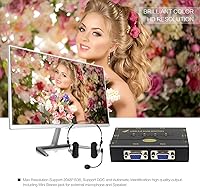
  • Max Resolution: Supports video output up to 2048x1536 pixels with DDC for automatic monitor identification.
  • Switching Method: Front-panel push buttons allow manual port selection; automatic switching activates when a connected PC powers on.
  • Audio Support: Includes a 3.5mm stereo speaker output and a 3.5mm microphone input that switch in sync with the active PC.
  • USB Hub: Provides shared USB peripheral passthrough so devices like printers or external drives are accessible from any connected machine.
  • Wireless Support: Accepts wireless keyboard and mouse USB receivers via the passthrough USB ports without requiring wired peripherals.
  • Cables Included: Ships with four KVM combination cables covering VGA, USB, and audio connections for all four computer ports.
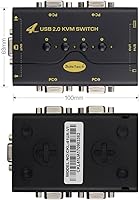
  • Dimensions: Measures 1.96 x 3.15 x 3.15 inches, making it compact enough to sit beside a monitor base or in a corner of the desk.
  • Weight: The unit weighs 9.6 oz, light enough that it does not require any mounting or anchoring to stay in place.
  • Operating Voltage: Draws power at 5V DC, supplied through the connected computer USB ports with no external power adapter needed.
  • Current Rating: Rated at 2A maximum current draw across all active USB and hub connections.
  • DDC Support: Built-in DDC (Display Data Channel) allows the switch to relay monitor capability data to each connected PC automatically.
  • OS Compatibility: Compatible with Windows (98SE through Vista and beyond), Linux distributions, and macOS without requiring driver installation.
  • Mounting Type: Designed as a plug-in desktop unit that sits flat on a surface; no rack-mount or under-desk bracket is included.
  • Warranty: Backed by a one-year manufacturer warranty and lifetime technical support via Amazon seller messaging.
  • Manufacturer: Produced by Shenzhen Gentlen Technology Development Co., Limited and sold under the JideTech brand.
  • Model Number: Identified by the official model code JD-41UA, which distinguishes it within the JideTech KVM product line.

Related Reviews
KAGO 4-Port VGA KVM Switch
84%
92%
Value for Money
96%
Ease of Setup
85%
Performance
78%
Build Quality
87%
Display Quality
More
DGODRT KS204V 4-Port VGA KVM Switch
83%
86%
Switching Reliability
89%
Desktop Controller Convenience
91%
Value for Money
78%
Cable Quality & Included Accessories
73%
USB Peripheral Compatibility
More
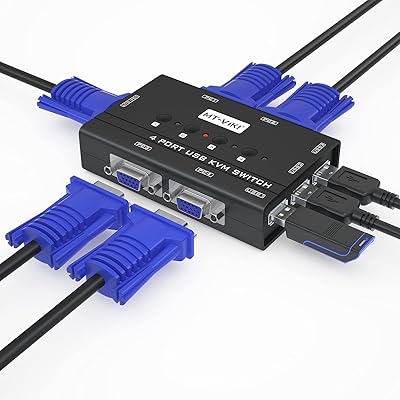
MT-VIKI 460KL 4-Port VGA KVM Switch
80%
91%
Value for Money
93%
Ease of Setup
84%
Switching Reliability
78%
Build Quality
76%
Video Output Quality
More
JideTech 2-Port USB VGA KVM Switch
83%
88%
Ease of Use
90%
Video and Audio Performance
92%
Setup and Installation
85%
Build Quality
89%
Compatibility
More
JideTech 64H2UA 4-Port HDMI KVM Switch

73%
84%
Video Output Quality
79%
EDID Emulation Reliability
81%
Switching Methods & Flexibility
62%
USB Hub Performance
77%
Audio Switching
More
DiamondTiger KS304DL 4-Port DisplayPort KVM Switch
74%
88%
Ease of Setup
92%
Video Quality
74%
Switching Reliability
63%
Build Quality
86%
Value for Money
More
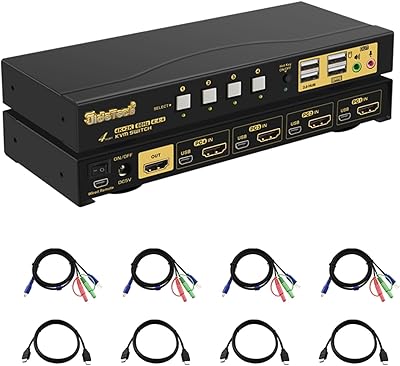
StarTech SV431HDU3A2 4-Port HDMI KVM Switch
73%
74%
Switching Reliability
69%
Video Quality
66%
USB 3.0 Hub Performance
71%
Audio Switching
83%
Setup & Installation
More
DGODRT KS604H 4-Port HDMI KVM Switch
80%
91%
Ease of Setup
74%
Switching Reliability
78%
Video Quality
79%
USB Peripheral Sharing
84%
Wired Remote Control
More
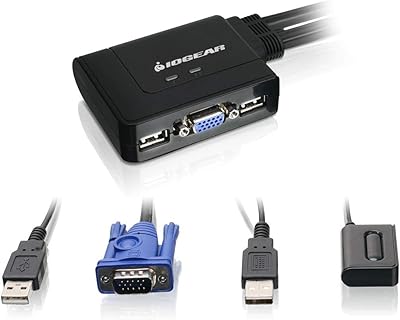
IOGEAR 2-Port USB VGA KVM Switch

85%
89%
Ease of Use
72%
Video Quality
85%
Build Quality
92%
Value for Money
95%
Setup/Installation
More
ANXQQ ANQ-8401B 4-Port HDMI KVM Switch

77%
91%
Ease of Setup
88%
Display Switching Reliability
86%
EDID Performance
67%
USB Device Recognition
61%
8K Resolution Capability
More

FAQ

No, this KVM switch is fully plug-and-play on Windows, Linux, and macOS. Just connect the included KVM cables to each computer and your peripherals to the switch, and it should be recognized automatically without any software installation.

Unfortunately, no. The JideTech JD-41UA 4-Port VGA KVM Switch only supports VGA (analog) video output. If your monitor has no VGA input port, this switch is not compatible — not even with an HDMI-to-VGA adapter on the monitor side, as signal integrity and handshaking can cause issues.

Yes, you can plug the USB receiver for a wireless keyboard and mouse set into one of the USB ports on the switch, and it should work across all connected machines. That said, compatibility is not guaranteed for every wireless dongle, so it is worth testing before committing to the setup.

The audio is designed to switch in sync with the active video and USB port when you press the front-panel button. In practice, most users find it works reliably, but a small number report occasional audio lag or the need to toggle the port twice to get the audio to follow. It is not a universal issue, but worth knowing before you rely on it heavily.

Yes, that is one of the more practical uses of the built-in USB hub. Plug your printer into the switch and it will be available on whichever PC is currently active. Keep in mind that only one PC can use the printer at a time — it is not a network-style sharing solution, just a physical passthrough.

Switching is done using the physical push buttons on the front panel of the switch, one button per computer port. There is no hotkey or keyboard shortcut switching built into this desktop switcher, so you will need to reach over and press the button each time you want to change machines.

The switch supports up to 2048x1536 pixels, which covers virtually every VGA monitor still in active use. For standard 1080p or older 1280x1024 displays, you will have no resolution-related issues at all.

The cables that come in the box are functional for most setups, but they are a common point of criticism from buyers. They are on the thin side, and some users report signal degradation or loose connections after months of daily use. If you are running longer cable runs or need reliability over the long haul, investing in a set of aftermarket KVM cables is a reasonable precaution.

Yes, macOS is supported and most users report no compatibility issues for standard keyboard, mouse, and display functions. The main limitation is that your Mac must have a VGA output port or a VGA adapter, which is less common on newer Apple hardware. If your Mac only has Thunderbolt or HDMI outputs, you would need to verify adapter compatibility separately.

The switch will default to the lowest-numbered active port unless you manually select a different one. The auto-switching feature is triggered by power detection, so if multiple machines boot simultaneously, the behavior can occasionally be unpredictable — most users find it settles on the first powered port, but manually pressing the desired button is the more reliable approach in a multi-machine environment.

Where to Buy