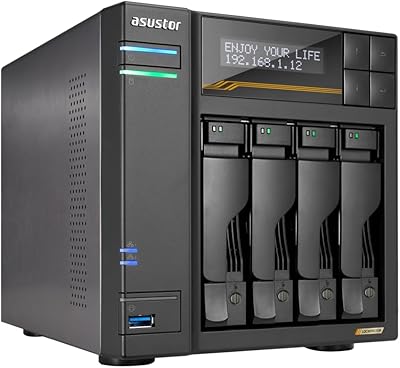
QNAP TS-464 4-Bay NAS
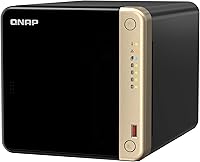
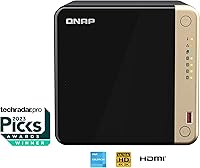

Overview
The QNAP TS-464 4-Bay NAS sits firmly in the mid-to-high-end desktop NAS market, built for power users, small teams, and home media enthusiasts who want serious on-premise storage without going full server-rack. Worth noting upfront: this unit is diskless, meaning you supply your own drives — a flexibility perk, but factor that into your total budget. Under the hood, an Intel Celeron quad-core processor (N5105/N5095, bursting to 2.9GHz) puts it well ahead of ARM-based alternatives at this tier, and the 8GB DDR4 RAM pre-installed gives you real breathing room for multitasking and light virtualization right out of the box. Launched in late 2022, it has held its ground well in an increasingly competitive category.
Features & Benefits
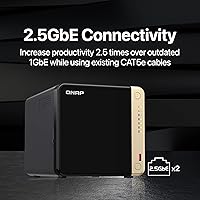
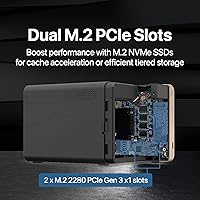
What really separates this 4-bay NAS from entry-level options is the combination of networking and storage speed. The dual 2.5GbE ports support link aggregation and simultaneous high-speed connections to multiple workstations — large file transfers that used to crawl become noticeably faster. The two M.2 PCIe Gen3 x2 NVMe slots are equally compelling: use them for SSD cache to boost spinning-disk performance, or configure a dedicated SSD storage pool. USB 3.2 Gen 2 ports handle fast external drives and expansion enclosures without fuss. QNAP's QTS operating system brings Docker containers, virtual machines, and a broad app library, while backup tools cover both Windows and Mac natively. Remote access through MyQNAPCloud requires no complex firewall work, though experienced users may prefer a self-hosted VPN for tighter control.
Best For
This desktop NAS unit makes the most sense for a specific type of buyer. Home users running Plex or building a personal media archive with years of growth ahead will find the four bays and NVMe slots give them real headroom. Creative professionals — photographers shooting RAW files, videographers working in 4K or 8K — benefit directly from fast local transfers and cache performance gains. Small businesses sharing files across multiple workstations will appreciate link aggregation and the reliability of an x86 platform. It also suits anyone running self-hosted apps or containers without wanting to invest in dedicated server hardware, and anyone ready to move away from recurring cloud storage fees toward owning their data outright.
User Feedback
Across nearly 400 ratings, the QNAP TS-464 holds a 4.4-star average — solid, but not without caveats. Owners consistently praise the build quality and depth of the QTS ecosystem, and many report meaningful speed improvements once NVMe cache is properly configured. That said, QTS is not beginner-friendly. First-time NAS users frequently cite a steep learning curve, and a handful of reviewers have flagged occasional firmware updates causing temporary instability — checking QNAP's release notes before updating is genuinely practical advice. In community comparisons with Synology at a similar price point, the TS-464 typically wins on raw specs, though Synology still holds an edge on software polish. Noise and heat under sustained loads are rarely dealbreakers, but worth considering in a quiet home office setup.
Pros
- Intel Celeron quad-core processor handles Plex transcoding and Docker containers simultaneously without breaking a sweat.
- Dual 2.5GbE ports deliver fast local file transfers and support link aggregation for multi-device studio or office setups.
- Two M.2 NVMe slots let you add SSD cache that meaningfully speeds up access to frequently used files on spinning drives.
- Ships with 8GB DDR4 RAM pre-installed, giving real headroom for multitasking from day one.
- USB 3.2 Gen 2 ports make connecting external drives or expansion enclosures fast and practical.
- Supports Docker, LXC containers, and lightweight VMs — turning this 4-bay NAS into a multi-purpose home server.
- Native Time Machine and NetBak Replicator support covers Mac and Windows backups without extra software purchases.
- Solid physical build quality earns consistent praise from long-term owners across hundreds of reviews.
- Holds the number five spot in its Amazon category with a 4.4-star average across nearly 400 verified ratings.
- MyQNAPCloud remote access works without complex firewall or port-forwarding configuration for most home setups.
Cons
- QTS has a steep learning curve that regularly overwhelms first-time NAS buyers during initial setup.
- Sold diskless — drives are not included, and total cost rises sharply once storage and optional NVMe SSDs are added.
- Firmware updates have caused temporary instability for some users; waiting before applying new releases is practical but inconvenient.
- Fan noise climbs noticeably during sustained heavy workloads like large RAID rebuilds or extended transcoding sessions.
- MyQNAPCloud routes traffic through QNAP servers, which raises privacy concerns for security-conscious users.
- QNAP has had past security vulnerabilities that make some IT professionals cautious about exposing the unit to the internet.
- Simultaneous 4K transcoding to multiple clients pushes the processor close to its limit faster than most buyers expect.
- Unlocking full 2.5GbE performance requires a compatible network switch, an infrastructure cost many buyers overlook upfront.
- The QTS interface can feel cluttered and inconsistent compared to Synology DSM, particularly for less technical users.
- Running containers and virtual machines alongside active NAS duties competes for RAM and CPU, limiting headroom under combined workloads.
Ratings
The QNAP TS-464 4-Bay NAS earns a nuanced scorecard built from AI analysis of verified global buyer reviews, with spam, bot-generated, and incentivized feedback actively filtered out before scoring. Across hundreds of real-world experiences — from home media enthusiasts to small business IT managers — this unit draws consistent praise in several areas while surfacing genuine friction points that prospective buyers deserve to know upfront. Both the strengths and the frustrations are reflected honestly in the category scores below.
Processing Performance
Network Speed & Connectivity
NVMe SSD Cache & Storage Flexibility
Software Ecosystem (QTS)
Build Quality & Hardware Design
RAM & Multitasking Headroom
Backup & Data Protection
Remote Access (MyQNAPCloud)
USB Expansion & Peripheral Support
Noise & Thermal Management
Value for Money
Plex & Media Server Performance
Containerization & Virtualization
Setup & Initial Configuration
Long-Term Reliability & Firmware Stability
Suitable for:
The QNAP TS-464 4-Bay NAS is genuinely well-suited for technically confident buyers who want a capable, expandable on-premise storage platform without jumping to enterprise hardware. Home media enthusiasts building a Plex library will appreciate the Intel Celeron processor's hardware transcoding support and the four bays that leave room for capacity to grow over time. Creative professionals — photographers working with large RAW archives or video editors handling 4K footage — will get real mileage out of the dual 2.5GbE ports and NVMe SSD cache slots, especially in a small studio where multiple workstations share the same storage. Small businesses looking to centralize file sharing, automate backups across mixed Mac and Windows environments, and host lightweight containers or applications without a dedicated server will find this desktop NAS unit punches well above its weight class. It also makes strong sense for anyone actively moving away from cloud storage subscriptions and wanting full ownership and control over their data long-term.
Not suitable for:
The QNAP TS-464 4-Bay NAS is not the right call for buyers who want a simple, plug-and-play storage box with minimal setup friction. QNAP's QTS operating system is feature-rich precisely because it is complex, and first-time NAS users consistently report a steep learning curve that can turn initial setup into a multi-hour ordeal. The diskless design also means the unit's purchase price is only part of the equation — you still need to budget for drives, and optionally NVMe SSDs if you plan to use cache acceleration, which can push the total investment considerably higher than the box price suggests. Buyers who need to transcode several simultaneous 4K streams, or run multiple memory-intensive virtual machines in parallel, will find the quad-core Celeron hits its limits faster than expected in those scenarios. Finally, buyers who prioritize software polish and a guided, approachable user experience over raw hardware capability would likely be better served by a Synology equivalent, where the software experience is broadly considered more accessible for non-technical users.
Specifications
- Processor: Powered by an Intel Celeron N5105 or N5095 quad-core processor with 4 threads, bursting up to 2.9GHz for responsive multitasking and hardware-accelerated transcoding.
- RAM: Comes pre-installed with 8GB DDR4 memory, providing solid headroom for running containers, virtual machines, and active file-sharing sessions simultaneously.
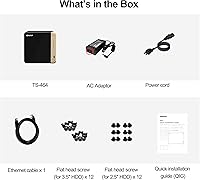
- Drive Bays: Features 4 x 3.5-inch SATA hard drive bays; the unit ships diskless, meaning drives must be purchased and installed separately by the buyer.
- M.2 NVMe Slots: Includes 2 x M.2 PCIe Gen3 x2 NVMe slots that can be configured for SSD cache acceleration or set up as a dedicated all-flash storage pool.
- Network Ports: Equipped with dual 2.5GbE RJ45 ports supporting 2.5G, 1G, and 100M speeds, with link aggregation support for increased throughput or failover redundancy.
- USB Ports: Multiple USB 3.2 Gen 2 Type-A ports deliver transfer speeds up to 10Gb/s, supporting fast external drives, expansion enclosures, and peripheral accessories.
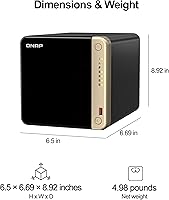
- Form Factor: Desktop tower design intended for placement on a desk or shelf, with dimensions of 10 x 12 x 13 inches and a diskless weight of approximately 4.97 pounds.
- Operating System: Runs QNAP QTS, a Linux-based NAS operating system featuring a browser-based interface, app center, Docker container support, and virtual machine management.
- Remote Access: MyQNAPCloud provides cloud-relay remote access to files and services without requiring manual port forwarding or VPN configuration on the user's router.
- Backup Support: Supports Windows PC backup via QNAP NetBak Replicator software and native macOS Time Machine backup over the network without additional software.
- Drive Interface: All four HDD bays use Serial ATA (SATA) interface, compatible with standard 3.5-inch desktop hard drives and 2.5-inch SSDs using appropriate trays.
- Virtualization: Supports running lightweight virtual machines via QNAP Virtualization Station and Linux or Windows containers through Container Station (Docker and LXC).
- RAM Expandability: The 8GB DDR4 RAM is not permanently soldered and can be upgraded to higher capacity modules, though buyers should verify compatible QNAP-approved RAM specifications before purchasing.
- Availability Date: This desktop NAS unit was first made available in December 2022 and continues to be actively sold and supported with firmware updates as of the current date.
- Market Ranking: Ranked number 5 in the Network Attached Storage (NAS) Devices category on Amazon, with a 4.4-star average rating across 388 verified customer ratings.
- Encryption Support: QTS supports AES 256-bit volume and folder encryption, allowing sensitive data stored on the unit to be protected at rest against unauthorized physical access.
- RAID Support: Supports JBOD, RAID 0, RAID 1, RAID 5, RAID 6, and RAID 10 configurations, giving users flexibility to balance between performance, capacity, and redundancy.
- Power: Uses an internal power supply; exact wattage varies by drive configuration and workload, but typical idle consumption is low enough for always-on home or office deployment.
- Security Features: QTS includes a built-in firewall, IP blocking, two-factor authentication, and automatic security advisory alerts to help users stay informed about potential vulnerabilities.
- App Ecosystem: The QNAP App Center offers over 100 installable applications covering media serving, surveillance, productivity, development tools, and network management functions.
Related Reviews
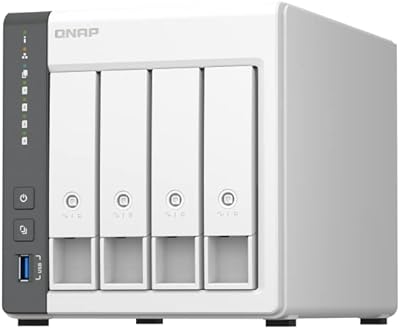
QNAP TS-433-4G 4-Bay NAS
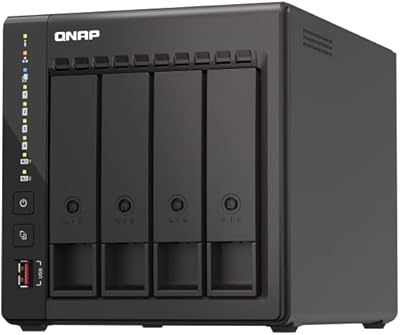
QNAP TS-453E 4-Bay NAS

QNAP TS-435XeU-4G 4-Bay Rackmount NAS
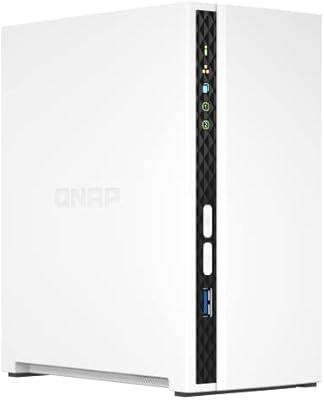
QNAP TS-233 2-Bay NAS Drive

QNAP TR-004U 4-Bay Rackmount NAS Expansion
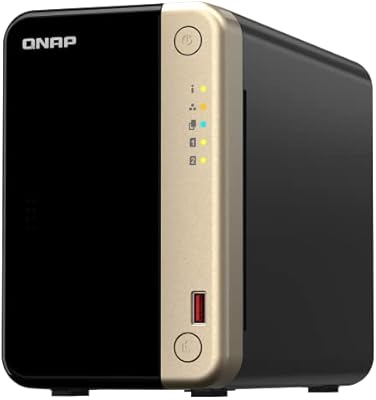
QNAP TS-264 8G 2-Bay Desktop NAS
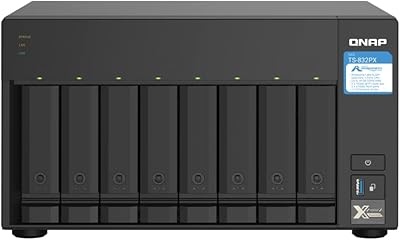
QNAP TS-832PX-4G 8-Bay NAS
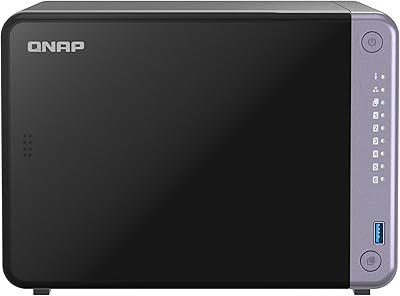
QNAP TS-632X 6-Bay Desktop NAS
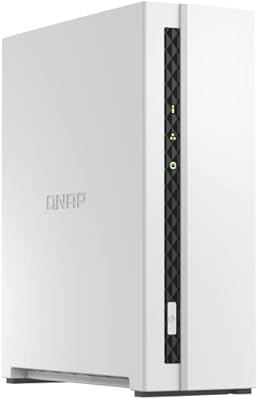
QNAP TS-133 1-Bay Desktop NAS Drive

Asustor Drivestor 4 Pro AS3304T 4-Bay NAS