

Overview
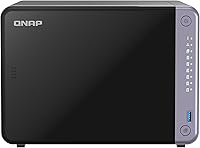
The QNAP TS-632X 6-Bay Desktop NAS sits firmly in prosumer and small business territory — capable enough for serious workloads, but not overbuilt to enterprise excess. It ships without drives, which gives you flexibility to populate the six bays with whatever storage suits your needs, though that adds meaningful cost on top of the unit itself. Under the hood, the ARM-based Alpine AL524 quad-core chip handles everyday NAS tasks competently, though it trades raw compute power for energy efficiency compared to x86-based rivals at similar price points. The all-metal chassis feels solid at around five pounds, and the desktop form factor keeps it manageable on a shelf or desk. Just know upfront: this is not a beginner appliance.
Features & Benefits
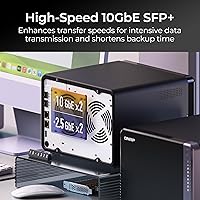
The networking story here is genuinely strong. A 10GbE SFP+ port means you can saturate a local network connection moving large RAW photo libraries or uncompressed video files without sitting around watching a progress bar crawl. The dual 2.5GbE ports add bandwidth headroom for teams where multiple users are hitting the NAS simultaneously, and link aggregation can push throughput further. The PCIe Gen 3 x4 slot is where this unit earns its longevity — drop in an M.2 SSD card for caching or upgrade your networking interface down the road without buying a new device. RAM starts at 4 GB but scales to 16 GB, with ECC support available for environments where data integrity is non-negotiable.
Best For
This six-bay NAS is built for people who know what they need and have the technical confidence to configure it. Video editors and photographers working with high-resolution files will appreciate fast local networking — pulling 4K footage from shared storage over 10GbE is a fundamentally different experience than fighting over a gigabit connection. Small offices looking to reclaim control of their data from cloud subscriptions will find it a credible on-premises alternative. For the IT-minded home user building a private media server or self-hosted cloud, the combination of six bays, PCIe expandability and QNAP's software platform covers a lot of ground. The key qualifier: plan to invest real time in setup and ongoing management.
User Feedback
Across more than 260 ratings, the TS-632X holds a 4.2-star average — a respectable score that reflects genuine satisfaction alongside some honest frustrations. Buyers consistently praise the 10GbE throughput in real-world use, and several note the enclosure feels properly built, not hollow or flimsy. The QNAP QTS interface draws a split response: experienced NAS users appreciate its depth, while those newer to QNAP find the initial configuration steep. Fan noise under sustained load comes up fairly often, worth considering if the unit will live in a quiet room. A handful of reviewers flag the total cost after adding drives — this is a diskless unit, so that number climbs. A few Synology loyalists tried it and found QNAP's software ecosystem more complex but ultimately capable.
Pros
- The single 10GbE SFP+ port delivers local transfer speeds that make a tangible difference when moving large files across a network daily.
- Six drive bays with mixed HDD and SSD support give you genuine flexibility to balance capacity, speed, and redundancy.
- The PCIe Gen 3 x4 expansion slot lets you add M.2 SSD caching or upgraded networking without buying a new device.
- Dual 2.5GbE ports allow link aggregation or simultaneous multi-device access, adding useful bandwidth headroom.
- RAM is upgradeable to 16 GB with optional ECC support, a meaningful advantage for data-integrity-sensitive environments.
- The all-metal chassis feels durable and well-built, not like a consumer-grade plastic enclosure.
- One Touch Copy via dual USB 3.2 ports makes direct device backups practical without needing a connected PC.
- QNAP QTS is a feature-rich platform with a wide app ecosystem, covering surveillance, virtualization, and cloud sync.
- Ranked among the top NAS devices on a major retail platform, with a solid 4.2-star average across hundreds of real buyer ratings.
Cons
- Ships without drives, so the real cost of ownership is significantly higher than the unit price alone suggests.
- QNAP QTS has a steep learning curve that genuinely frustrates buyers who are new to the NAS ecosystem.
- The ARM-based processor lacks the raw compute headroom of x86 alternatives, limiting heavy transcoding and virtualization workloads.
- Fan noise under sustained load is a recurring complaint — not ideal for quiet home or shared office environments.
- Only one 10GbE port is included; adding a second requires purchasing and installing a PCIe expansion card separately.
- QNAP's firmware update history has drawn some criticism for security patch timing, which matters for internet-exposed deployments.
- The desktop form factor, while manageable, is not rack-mountable without an additional adapter bracket.
- Setup complexity means ongoing maintenance falls on the owner — there is no meaningful hand-holding for non-technical users.
Ratings
The scores below were generated by our AI review engine after analyzing verified buyer feedback for the QNAP TS-632X 6-Bay Desktop NAS from global sources, with spam, bot submissions, and incentivized reviews actively filtered out. This six-bay NAS draws a clear divide between enthusiastic power users and frustrated newcomers, and that tension is reflected honestly across every category. Both the real strengths and the recurring pain points you see scored here come directly from what verified buyers consistently reported worldwide.
Network Performance
Build Quality
Software Experience
Value for Money
Expandability
Setup Experience
Processor Performance
Storage Flexibility
RAM & Memory
Noise Level
USB & Backup
Security & Firmware
Multi-user Performance
Power Efficiency
Community & Support
Suitable for:
The QNAP TS-632X 6-Bay Desktop NAS is a strong fit for technically confident users who need serious local storage performance without stepping into full enterprise hardware. Creative professionals — video editors pulling 4K footage across a local network, photographers managing multi-terabyte RAW libraries — will genuinely notice the difference that 10GbE connectivity makes in daily workflow. Small offices with four to eight users who need reliable shared storage, centralized backups, and the ability to expand over time will find the six bays and PCIe slot give them room to adapt without replacing the device. IT-savvy home users looking to run a private cloud, self-hosted media server, or local backup solution will appreciate the depth of the QTS software platform. This unit also makes practical sense for businesses actively moving away from recurring cloud storage costs and toward on-premises data control, provided someone on the team is comfortable managing a NAS environment.
Not suitable for:
Anyone expecting a plug-and-play experience should look elsewhere — the QNAP TS-632X 6-Bay Desktop NAS demands a meaningful time investment in setup, configuration, and ongoing maintenance that casual or first-time NAS buyers often underestimate. The ARM-based processor, while capable for typical NAS workloads, is not the right choice for compute-heavy tasks like real-time video transcoding or running multiple resource-intensive virtual machines simultaneously, where an x86-based unit would hold a clear advantage. The diskless design means you are buying an enclosure and networking platform — the drives themselves are an additional and often substantial cost, so budget-conscious buyers should calculate the true all-in price before committing. Users in quiet environments should also be aware that fan noise under sustained load has been a recurring complaint, making this a less comfortable choice for a living room or open office setting. If you are a Synology user already comfortable in DSM and not willing to relearn a new ecosystem, the transition to QNAP QTS carries a real adjustment period that not everyone finds worthwhile.
Specifications
- Processor: Powered by an AnnapurnaLabs Alpine AL524 ARM quad-core processor running at 2.0 GHz.
- RAM: Includes 4 GB DDR4 non-ECC RAM, upgradeable to a maximum of 16 GB, with ECC memory also supported.
- Drive Bays: Six drive bays accommodate 3.5″ or 2.5″ HDDs and SSDs in mixed configurations.
- 10GbE Port: A single SFP+ port delivers 10 Gigabit Ethernet connectivity for high-throughput local network transfers.
- LAN Ports: Two RJ45 2.5GbE ports support 2.5G, 1G, and 100M speeds and can be configured for link aggregation.
- Expansion Slot: One PCIe Gen 3 x4 slot supports installation of M.2 SSD caching cards or additional network interface cards.
- USB Ports: Two USB 3.2 Gen 1 ports (5 Gbps each) include One Touch Copy support for direct backup from USB devices.
- Form Factor: Desktop enclosure designed for shelf or desk placement; rack mounting requires a separately purchased adapter bracket.
- Chassis Material: The outer enclosure is constructed from metal, contributing to structural rigidity and passive heat management.
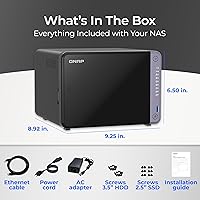
- Weight: The unit weighs approximately 5 pounds without any drives installed.
- Drive Config: Sold diskless — no hard drives or SSDs are included, and all six bays ship empty.
- Operating System: Runs QNAP QTS, a Linux-based NAS platform with a broad app center covering backup, virtualization, surveillance, and cloud sync.
- Storage Support: Compatible with standard 3.5″ HDDs, 2.5″ HDDs, and 2.5″ SSDs across all six bays.
- Color: Available exclusively in black.
- Availability: This product first became available for purchase in August 2024.
Related Reviews
QNAP TS-453E 4-Bay NAS
QNAP TS-233 2-Bay NAS Drive
QNAP TS-433-4G 4-Bay NAS
QNAP TS-264 8G 2-Bay Desktop NAS

QNAP TS-435XeU-4G 4-Bay Rackmount NAS
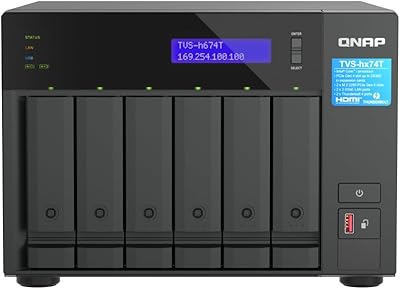
QNAP TVS-h674T i5 6-Bay Desktop NAS
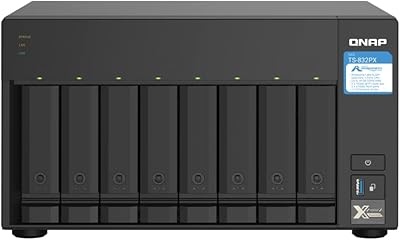
QNAP TS-832PX-4G 8-Bay NAS
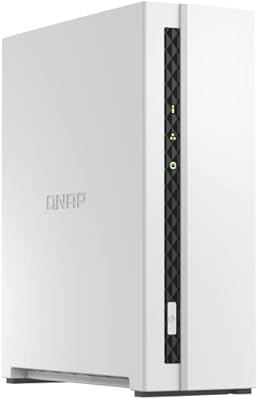
QNAP TS-133 1-Bay Desktop NAS Drive
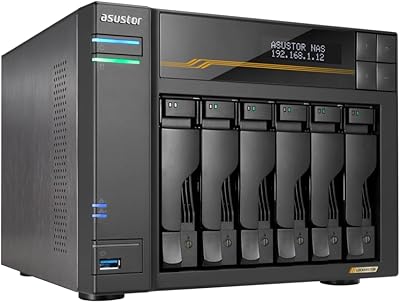
Asustor Lockerstor 6 Gen3 AS6806T 6-Bay NAS