Overview

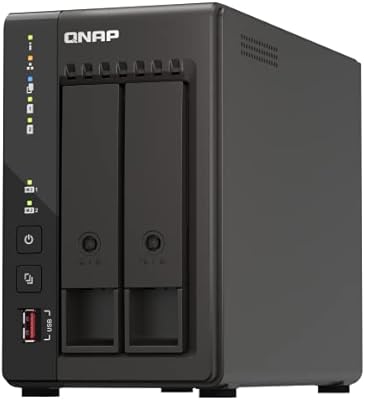
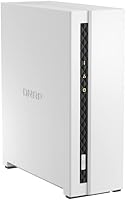
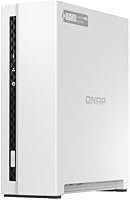
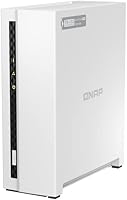
The QNAP TS-133 1-Bay Desktop NAS Drive is one of the more sensible ways to get started with home network storage without over-spending or committing to hardware you don't yet need. It ships diskless — meaning you supply your own drive — which keeps the upfront cost down but does require that additional purchase before anything works. The ARM Cortex-A55 quad-core processor and 2 GB of DDR4 RAM are modest but appropriate for the workload this unit is designed to handle. What separates this home NAS unit from a plain external hard drive is QNAP's QTS platform, a genuinely capable operating system that transforms simple storage into something far more functional.

Features & Benefits

The snapshot-based protection built into QTS is one of the more practical security features here — it periodically captures the state of your files, so if ransomware or accidental deletion strikes, you can roll back without losing everything. Backup setup is refreshingly straightforward: Mac users get Time Machine support, and Windows machines work with QNAP's NetBak Replicator, both running automatically once configured. MyQNAPCloud handles remote file access without requiring you to fiddle with port forwarding or VPN configs. The single bay accepts mechanical drives up to 18 TB, so most households won't outgrow the storage capacity for a long time, even as photo and video libraries expand.

Best For

This single-bay NAS is a natural fit for anyone moving away from scattered external drives or over-reliance on cloud subscriptions. Families looking to consolidate photos, home videos, and music into one always-accessible location will get genuine value here. Mixed Mac-and-Windows households benefit particularly, since both platforms are covered for automated local backups without extra software hunting. Home office users with modest file-sharing or light media streaming needs will find the performance adequate, though heavy multi-user workloads are a stretch. It also appeals to anyone who wants a private, self-managed alternative to monthly cloud storage fees, without the complexity of a multi-bay setup.

User Feedback

Across more than 300 ratings and a 4.0-star average, the QNAP TS-133 lands in solidly positive territory, though buyers are candid about its limitations. The most consistent praise centers on ease of initial setup and how capable the QTS software feels relative to the price point. The compact metal chassis gets mentioned favorably too. The recurring criticism is the lack of drive redundancy — one bay means one point of failure, which is a real data-safety consideration that prospective buyers shouldn't overlook. Non-technical users flag the QTS interface as having a noticeable learning curve. A smaller number of reviewers mention keeping an eye on fan noise and heat in tighter spaces over time.

Pros

  • QTS operating system turns basic storage into a genuinely capable home server platform
  • Automated backup works for both Mac and Windows without hunting for third-party software
  • Snapshot technology offers a practical safety net against ransomware and accidental file deletion
  • MyQNAPCloud makes remote file access workable without complicated network configuration
  • Single bay supports mechanical drives up to 18 TB, so capacity headroom is substantial
  • Compact metal chassis fits comfortably on a desk without demanding much real estate
  • Strong value for first-time NAS buyers who want real software features at an entry-level price
  • Gigabit Ethernet keeps local transfers fast enough for everyday home use
  • Holds a 4.0-star average across more than 300 real-world buyer ratings
  • Initial hardware setup is consistently praised as approachable, even by less technical users

Cons

  • No drive redundancy whatsoever — a single drive failure means total data loss if no external backup exists
  • Ships diskless, so the true cost of ownership is higher than the unit price alone suggests
  • 2 GB of RAM cannot be upgraded, limiting long-term flexibility as software demands grow
  • QTS interface has a noticeable learning curve that frustrates non-technical users early on
  • Single USB 3.2 Gen 1 port limits expansion and simultaneous peripheral connectivity
  • ARM processor struggles with heavier workloads like video transcoding or multi-user access
  • No built-in Wi-Fi — requires a wired Ethernet connection to your router
  • Some users report fan noise and heat buildup in enclosed or poorly ventilated spaces
  • Lack of RAID support makes this unsuitable for anyone requiring enterprise-grade data protection
  • App ecosystem on QTS, while broad, can feel overwhelming and poorly documented for beginners

Ratings

The QNAP TS-133 1-Bay Desktop NAS Drive has been evaluated by our AI rating system after analyzing hundreds of verified global purchases, actively filtering out incentivized reviews, bot activity, and spam to surface what real buyers actually experience day-to-day. Scores reflect both the genuine strengths that keep users satisfied and the honest pain points that cause frustration — nothing is glossed over. This single-bay NAS earns solid marks in several key areas while showing real limitations that deserve equal attention before you commit.

Value for Money
83%
For buyers stepping into NAS storage for the first time, the price-to-capability ratio here is genuinely hard to argue with. You get a full QTS operating system, ransomware protection, remote access, and dual-platform backup support at a price point that undercuts most competing options with comparable software depth.
The diskless design means your actual out-of-pocket cost is meaningfully higher once you factor in a compatible hard drive. Buyers who overlook this often feel the value proposition shifts once they see the total spend at checkout.
Software & Ecosystem
81%
19%
QTS is the real selling point here, and experienced NAS users consistently highlight how much functionality it unlocks compared to simpler plug-and-play alternatives. The app center, snapshot scheduling, and MyQNAPCloud integration make this home NAS unit behave like a far more premium device in daily use.
Non-technical users frequently describe the QTS dashboard as dense and initially confusing, with some reporting a multi-hour learning curve just to configure basic shares and backup jobs. Documentation and in-app guidance could be considerably clearer for newcomers.
Ease of Setup
74%
26%
The physical installation is quick — slot in a drive, connect an Ethernet cable, power it on, and QTS walks you through initialization via a browser. Most users report having the device online and accessible within 30 to 45 minutes, which is respectable for a NAS product.
Beyond the initial hardware setup, configuring remote access, user permissions, and scheduled backups requires patience and some comfort with network concepts. Users who expected a completely plug-and-play experience tend to hit frustrating walls early in the software configuration stage.
Build Quality
78%
22%
The all-metal chassis feels noticeably more solid than the plastic-bodied competitors sitting at a similar price, and buyers consistently note that the unit feels premium relative to what they paid. The compact footprint means it sits unobtrusively on a desk or shelf without drawing attention.
The drive bay mechanism and internal plastic tray feel less refined compared to the exterior shell, and a handful of users mention slight flex when inserting or removing drives. At this tier it's acceptable, but it's not the same experience as handling a Synology or higher-end QNAP model.
Performance
62%
38%
For its intended workload — automated backups, file sharing across a home network, and light media access — the ARM Cortex-A55 processor handles things without obvious bottlenecks. Local Gigabit Ethernet transfers are fast enough that everyday file access feels responsive.
Push beyond simple storage tasks and the hardware starts to show its ceiling quickly. Video transcoding is effectively off the table, multi-user simultaneous access causes noticeable slowdowns, and running several QTS apps concurrently with only 2 GB of non-expandable RAM creates real performance drag.
Backup Reliability
86%
Time Machine on Mac and NetBak Replicator on Windows work consistently once configured, and multiple users report months of uninterrupted automated backups without intervention. The snapshot feature adds a meaningful safety layer by capturing point-in-time file states that can be restored after accidental changes or malware events.
Since there is only one drive bay with no redundancy, the backup system protects against software-level threats but does nothing to safeguard against a physical drive failure. Users who rely on this as their only backup copy are operating with a significant single point of failure.
Remote Access
77%
23%
MyQNAPCloud removes the traditional complexity of remote NAS access — no port forwarding, no static IP required — and users who travel or work away from home regularly appreciate being able to pull files from their phone or laptop without any technical setup drama.
Remote transfer speeds are bounded entirely by home upload bandwidth, which becomes a real frustration for users on slower internet plans trying to access large video files remotely. A small number of users also report occasional MyQNAPCloud connectivity hiccups that require a service restart to resolve.
Noise & Heat
66%
34%
Under light to moderate load, the cooling fan runs quietly enough that users in living rooms or open home offices rarely notice it. The metal chassis does a reasonable job dissipating heat during standard backup windows and overnight file transfers.
Several users who placed the unit in enclosed media cabinets or poorly ventilated home office corners report audible fan spin-up and warmth buildup during sustained read/write activity. Long-term thermal behavior under continuous heavy use is a legitimate concern flagged in a notable subset of reviews.
Storage Capacity
88%
Support for drives up to 18 TB means a family can store an enormous volume of photos, 4K video, and system backups in a single bay before ever worrying about running out of space. Most home users will not feel capacity-constrained for years after initial setup.
The single-bay design means capacity is hard-capped — when you fill the drive, your only option is to swap it out entirely, which involves a full data migration rather than simply adding another bay. Planning ahead on drive size at purchase time is genuinely important.
Data Redundancy
31%
69%
There is genuinely nothing to critique from a positive angle here in terms of redundancy features — which itself communicates the limitation honestly. Buyers who understand this going in and maintain a separate off-device backup can still use this single-bay NAS responsibly.
With one bay and no RAID capability, a drive failure results in complete data loss with no automated recovery path. This is the single biggest concern raised across user reviews, and it is a fundamental architectural limitation of the product rather than a fixable flaw.
App Ecosystem
73%
27%
The QTS App Center offers a broad selection of add-on applications covering media servers, download managers, surveillance tools, and productivity utilities, giving the QNAP TS-133 surprising versatility for a budget-tier device. Users who explore the ecosystem often discover functionality they did not expect to find.
App quality across the QTS store is inconsistent — some apps are well-maintained while others feel outdated or poorly documented. The sheer volume of options can also overwhelm first-time NAS users who just want a simple, guided experience without sorting through dozens of unfamiliar tools.
Compatibility
84%
Cross-platform support is a genuine strong suit — the unit works smoothly with Windows and Mac simultaneously, and QTS supports standard protocols like SMB, AFP, and NFS, meaning it integrates into most existing home network setups without requiring special hardware or software on client devices.
Linux and Chromebook users tend to have a slightly rougher experience, with fewer dedicated tools and less community documentation to lean on. Mobile app support via Qfile is functional but lacks some of the polish users expect from modern file-access applications.
Long-term Reliability
69%
31%
A meaningful portion of long-term owners report running the QNAP TS-133 continuously for a year or more without hardware issues, and QNAP's track record on firmware updates is better than many competitors at this price tier, with QTS receiving regular security and stability patches.
A smaller but consistent group of reviewers mention firmware updates occasionally introducing minor bugs or requiring a manual reboot to stabilize. Fan longevity under continuous always-on operation is a recurring concern for users planning to run the unit 24/7 over multiple years.

Suitable for:

The QNAP TS-133 1-Bay Desktop NAS Drive makes the most sense for individuals and families who want a step up from scattered external drives without diving into complex, expensive multi-bay territory. If your household has accumulated years of photos, home videos, and music spread across multiple devices, this home NAS unit gives you one organized, always-on location to consolidate everything. It works especially well in mixed Mac-and-Windows homes, since both platforms get solid automated backup support out of the box with no extra software required. Renters or small home office workers who want private remote file access — without paying ongoing cloud subscription fees — will find the MyQNAPCloud setup refreshingly manageable. First-time NAS buyers who want real storage software features, not just a glorified hard drive plugged into a router, will appreciate what the QTS platform brings to the table.

Not suitable for:

The QNAP TS-133 1-Bay Desktop NAS Drive is not the right call for anyone whose primary concern is data redundancy or protection against drive failure. A single bay means there is no RAID option — if the drive inside fails, your data is gone unless you maintain a separate backup, which somewhat undermines the convenience promise. Power users or small teams expecting to run multiple apps, transcode video on the fly, or handle heavy simultaneous workloads will quickly feel the limits of the ARM processor and 2 GB of RAM. The RAM is not user-upgradeable, so what you see is what you get for the life of the device. Anyone who prefers a fully plug-and-play experience should also know this unit ships without a drive, adding both cost and a setup step that may feel daunting to less technical buyers. If your data is irreplaceable and a single point of failure is unacceptable, a two-bay unit with mirrored drives is the more responsible choice.

Specifications

  • Processor: Powered by an ARM Cortex-A55 quad-core chip running at 1.8 GHz, which handles typical home storage and backup tasks without issue.
  • RAM: Comes with 2 GB of DDR4 RAM soldered onboard, which is sufficient for light workloads but cannot be upgraded after purchase.
  • Drive Bays: Houses a single 3.5-inch or 2.5-inch SATA drive bay, accommodating one internal hard drive or SSD at a time.
  • Max Capacity: Supports mechanical hard drives up to 18 TB, giving households substantial room to grow their storage over time.
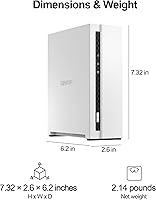
  • Dimensions: The metal chassis measures 6.2 x 6.2 x 7.4 inches, making it compact enough to sit on a desk without dominating the space.
  • Weight: Weighs 2.77 pounds without a drive installed, keeping it light enough to reposition easily if needed.
  • Chassis Material: Built with a metal enclosure that provides better heat dissipation and physical durability compared to all-plastic alternatives.
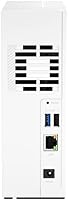
  • Network Interface: Equipped with one Gigabit Ethernet port for wired connection to a home router or network switch.
  • USB Connectivity: Includes one USB 3.2 Gen 1 port, suitable for connecting an external drive for additional backup or storage expansion.
  • Operating System: Runs QNAP's QTS operating system, a full-featured NAS platform with an app ecosystem, file management, and security tools.
  • Remote Access: MyQNAPCloud service enables secure remote file access from outside the home network without requiring manual port forwarding.
  • Backup Support: Natively supports Mac Time Machine and Windows NetBak Replicator for automated, scheduled local backups on both platforms.
  • Snapshot Tech: QNAP's storage snapshot technology captures point-in-time copies of data, allowing recovery from ransomware or accidental deletion.
  • Drive Included: Ships diskless — no internal drive is included, and one must be purchased separately before the unit can store any data.
  • Color: Available in black with a clean, understated design that blends into most home office or living room setups.
  • Form Factor: Desktop orientation only, intended to sit upright on a flat surface near a router or workstation.
  • RAID Support: With only one drive bay, no RAID configuration is possible, meaning there is no built-in protection against drive failure.

Related Reviews
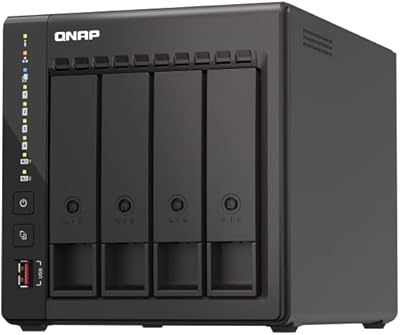
QNAP TS-453E 4-Bay NAS
79%
91%
Network Performance
87%
Processor Performance
68%
Software & OS (QTS)
89%
Build Quality
73%
Value for Money
More
QNAP TS-233 2-Bay NAS Drive
77%
83%
Ease of Setup
78%
Software & App Ecosystem
76%
Performance for File Sharing
87%
Backup Reliability
58%
Media Streaming
More
QNAP TS-433-4G 4-Bay NAS
73%
89%
Network Speed
91%
Storage Capacity
77%
Value for Money
62%
Processor Capability
68%
QTS Software
More
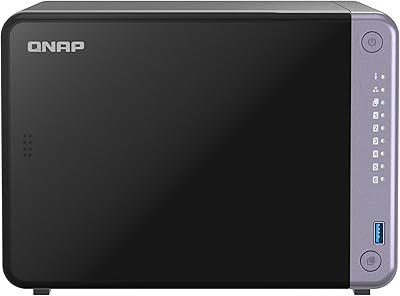
QNAP TS-435XeU-4G 4-Bay Rackmount NAS
74%
88%
Network Performance
91%
Build Quality & Physical Design
72%
Software & OS Flexibility
61%
Setup & Initial Configuration
67%
M.2 NVMe Cache Performance
More
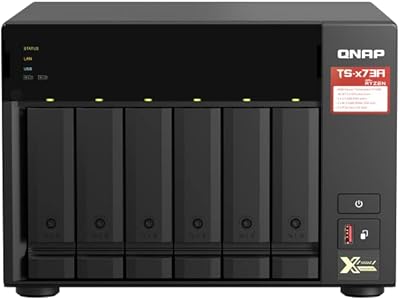
QNAP TS-264 8G 2-Bay Desktop NAS
79%
91%
Network Performance
88%
Processor Performance
84%
Software Ecosystem
72%
Value for Money
61%
Ease of Setup
More
QNAP TS-632X 6-Bay Desktop NAS
76%
91%
Network Performance
86%
Build Quality
72%
Software Experience
68%
Value for Money
89%
Expandability
More
QNAP TS-832PX-4G 8-Bay NAS with 10GbE SFP+ and 2.5GbE
85%
91%
Performance
94%
Network Connectivity
89%
Ease of Setup
85%
Expandability (RAM)
88%
Data Security (Encryption)
More
KCMconmey NAS-411 4+1 Bay DIY NAS Case
84%
85%
Ease of Setup
80%
Build Quality
70%
Cooling Performance
90%
Customization Options
88%
Drive Compatibility
More
QNAP TS-253E 2-Bay Desktop NAS
75%
91%
Network Performance
54%
Ease of Use
88%
Build Quality
67%
Value for Money
83%
Processor Performance
More
QNAP TS-932PX-4G 9-Bay NAS
79%
93%
Network Performance
88%
Storage Flexibility
74%
Software Ecosystem (QTS)
71%
Value for Money
86%
Build Quality & Hardware
More

FAQ

No, it ships completely diskless. You will need to purchase a compatible 3.5-inch SATA hard drive separately before the unit can store anything. Most buyers pair it with a NAS-rated drive from WD or Seagate for better reliability in an always-on environment.

The hardware side is straightforward — you slot in a drive, plug in an Ethernet cable, and power it on. The QTS software setup walks you through initialization with a browser-based interface. That said, some users find the full QTS dashboard a bit overwhelming at first, so expect a small learning curve before you feel comfortable navigating all the options.

Yes, that's actually one of its stronger points. Mac computers can use it as a Time Machine backup destination, while Windows machines work with QNAP's NetBak Replicator software. Both can access shared folders on the network simultaneously without any special configuration.

This is the most important limitation to understand before buying. Because there is only one bay, there is no RAID mirror to protect you. If the drive fails, you lose everything stored on it unless you have a separate backup somewhere else. For irreplaceable data, it's wise to also back up to an external drive or cloud service as an additional safety layer.

Yes, QNAP's MyQNAPCloud service handles remote access without requiring you to configure port forwarding on your router. You register the device, install the mobile or desktop app, and can reach your files from anywhere with an internet connection. Performance over remote access depends on your home internet upload speed.

The single bay supports mechanical hard drives up to 18 TB. That's plenty of headroom for most home users, even those storing large photo libraries, 4K video collections, or complete system backups from multiple computers.

Unfortunately, no. The 2 GB of DDR4 RAM is soldered to the motherboard and cannot be replaced or expanded. For basic home storage, backup, and light multimedia use, 2 GB is adequate, but it does set a ceiling on how many apps or simultaneous users the device can comfortably handle.

It has a small internal fan that runs continuously. Under normal light use it's relatively quiet, but some users have noted it becomes more audible during heavy read/write operations or in warmer environments. Placing it in a well-ventilated spot helps keep noise down. For a bedroom, it might be noticeable enough to be slightly bothersome for light sleepers.

It works entirely on your local network without an internet connection for day-to-day file access and backups. You only need internet access if you want to use remote features like MyQNAPCloud or download updates. Local transfers over Gigabit Ethernet are fast and completely independent of your internet service.

It can run the Plex Media Server app through QTS, but with realistic expectations. The ARM processor and 2 GB of RAM can handle direct-play streaming to one or two devices reasonably well. Video transcoding — where the NAS converts a file format on the fly — is largely beyond what this hardware handles comfortably. If transcoding is a priority, a more powerful NAS would serve you better.

Where to Buy