Overview

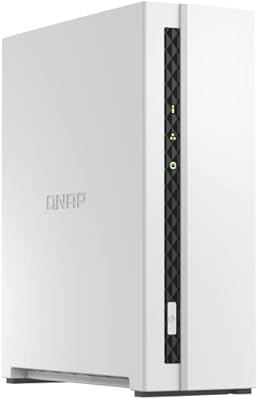
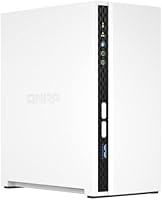
The QNAP TS-233 2-Bay NAS Drive is QNAP's entry-level answer to home users who want real network storage without spending a fortune. Built around an ARM Cortex-A55 quad-core processor and 2 GB DDR4 RAM, it sits firmly in the budget NAS segment — capable enough for everyday tasks, but not trying to be something it isn't. It ships diskless, which means you pick and install your own hard drives. That adds upfront cost but gives you control over capacity and drive quality. The whole thing runs on QNAP's QTS operating system, which is far more capable than you'd expect at this price tier.
Features & Benefits

The quad-core processor punches above its weight for a home unit — you can have multiple family members pulling files while something else streams to a TV, and it keeps pace without drama. Storage snapshots are a genuinely useful safeguard; if ransomware hits or someone accidentally wipes a folder, you can roll back to an earlier state quickly. Windows households get automated backups via NetBak Replicator, while Mac users get native Time Machine support — both work with minimal configuration. Two USB 2.0 ports let you attach a printer or external drive directly. And through the QTS app center, you can push this home NAS unit into cloud sync or basic surveillance territory if you need it.

Best For

The TS-233 makes the most sense for home users who want one central place to keep photos, videos, and music — accessible from any device on the network. It's particularly well-suited to mixed Windows and Mac households, since both backup systems are supported natively. Small home offices that want reliable, local, subscription-free backups will also find this unit a solid fit. If you're currently juggling a few external hard drives and losing track of what's stored where, moving to a two-bay NAS with RAID redundancy is a logical upgrade. Just be prepared to source your own drives — that's part of the trade-off with a diskless setup.

User Feedback

Owners regularly praise how approachable the QTS setup process is, and the web interface holds up well even for people who've never touched a NAS before. The compact metal chassis and quiet operation also earn consistent positive mentions — it doesn't sound like a server room. That said, a recurring frustration is the 2 GB RAM ceiling, which starts to show when you run several QTS apps simultaneously. The ARM processor is another honest sticking point: it handles basic file serving and backup tasks without complaint, but Plex transcoding is largely off the table. Some users have also flagged uneven firmware update experiences, though overall drive compatibility appears broad.

Pros

  • Native Time Machine and Windows NetBak Replicator support makes whole-household backup genuinely straightforward.
  • QTS setup is approachable enough for first-time NAS owners, with a guided web interface.
  • Storage snapshots add a practical safety net against ransomware and accidental file deletions.
  • Runs quietly — unobtrusive enough to live in a living room or home office without distraction.
  • Solid metal chassis feels more durable than plastic-bodied alternatives at this price tier.
  • The QTS app ecosystem is surprisingly deep, extending into cloud sync, basic surveillance, and more.
  • Diskless design lets you choose drives that match your capacity needs and budget.
  • Compact footprint takes up minimal desk or shelf space alongside other home networking gear.
  • QNAP actively maintains QTS with security patches, giving the platform genuine long-term staying power.
  • RAID redundancy protects your data if one drive fails — a significant upgrade over a single external drive.

Cons

  • Hardware transcoding for Plex is effectively unsupported — direct-play-only use cases are the realistic ceiling.
  • 2 GB RAM is not upgradeable, so running multiple QTS apps simultaneously causes noticeable slowdowns.
  • USB ports are 2.0 only, making large external drive transfers considerably slower than modern standards.
  • Some users experience post-firmware-update issues requiring manual reconfiguration of backup jobs or app settings.
  • Total ownership cost is higher than the unit price alone, once compatible NAS drives are factored in.
  • Remote access performance degrades noticeably on home connections with limited upload bandwidth.
  • Occasional myQNAPcloud connectivity dropouts require a device restart to restore remote access.
  • Consumer-grade drives not on QNAPs compatibility list can cause intermittent recognition issues.
  • Sustained disk-intensive workloads cause the unit to run warm, requiring adequate clearance around it.
  • No drive bay locking mechanism, which is a minor but real omission for a unit storing irreplaceable family data.

Ratings

The QNAP TS-233 2-Bay NAS Drive has been scored by our AI engine after processing hundreds of verified global user reviews, with spam, bot activity, and incentivized submissions actively filtered out. The ratings below reflect the honest consensus of real buyers — covering everything from daily setup experiences to longer-term performance frustrations. Both where this home NAS unit genuinely delivers and where it falls short are represented transparently in every category score.
Ease of Setup
83%
Most buyers report getting the TS-233 up and running within 30 to 45 minutes, even without prior NAS experience. The QTS web interface walks users through drive installation, RAID configuration, and network mapping in a guided sequence that feels approachable rather than intimidating.
A small but consistent group of users found the initial QTS firmware update process slow and occasionally confusing, particularly when the device needed to download a large update before the setup wizard would proceed. First-timers on older routers also reported minor network discovery hiccups.
Software & App Ecosystem
78%
22%
QTS is genuinely deep for a budget device — users frequently express surprise at the breadth of available apps, from cloud sync with Google Drive and Dropbox to basic IP camera monitoring. The interface is polished enough that non-technical family members can navigate shared folders without hand-holding.
Running more than two or three QTS apps simultaneously pushes the 2 GB RAM noticeably, leading to sluggish app switching and occasional interface lag. Several power users noted that some advanced QTS features feel constrained on ARM hardware compared to their experience on Intel-based QNAP models.
Performance for File Sharing
76%
24%
For everyday file serving — streaming a movie to a smart TV, accessing shared documents from a laptop, or syncing photos across devices — the TS-233 handles the workload without hiccups. Transfer speeds over a gigabit network are consistent and adequate for a household with moderate simultaneous demands.
Under heavier load, such as multiple users pulling large video files at the same time, throughput drops more noticeably than on x86-based alternatives. The ARM architecture prioritizes efficiency over raw speed, which is the right trade-off for light use but becomes apparent when demands scale up.
Backup Reliability
87%
Windows PC backup through NetBak Replicator and Mac Time Machine support both work reliably once configured, and users consistently report that scheduled backups run quietly in the background without interrupting daily use. Recovery tests from snapshot restore points have drawn positive feedback for their straightforward execution.
A handful of users experienced issues after major QTS firmware updates where backup jobs needed to be manually reconfigured. The USB 2.0 ports, while useful for external drive backups, are a bottleneck for anyone trying to move large backup archives quickly.
Media Streaming
58%
42%
Direct-play streaming of common video formats to smart TVs and media players works acceptably well — files in H.264 at standard bitrates stream without buffering on a local network. Users running Plex in direct-play-only mode generally report a functional experience.
Hardware transcoding is effectively off the table with this processor. Users who expected to run Plex with on-the-fly transcoding for remote access or format conversion were frequently disappointed, with choppy playback or failed streams reported widely. This is one of the most cited frustrations across the review pool.
Build Quality
81%
19%
The metal chassis feels solid for a device in this price bracket, and the drive trays slot in securely without wobbling. Buyers who have owned plastic-bodied NAS units from other brands at a similar price point tend to comment positively on the TS-233s more substantial construction.
The drive bay doors lack a locking mechanism, which is a minor but noticeable omission. A few users also noted the unit runs slightly warm during sustained workloads, though not to a level that raised reliability concerns — adequate ventilation around the unit appears to mitigate this.
Noise Level
89%
Acoustic performance is a consistent highlight in user feedback. The TS-233 runs quietly enough to live in a home office or living room without being noticeable, and the cooling fan rarely spins up to an audible level under typical household workloads. Drive noise is almost entirely dependent on the hard drives you install.
Under sustained disk-intensive operations — large file transfers or full drive scrubs — the installed drives themselves can introduce audible noise that some users initially attributed to the unit. Choosing NAS-rated, low-vibration drives helps significantly, but that is an additional consideration buyers should plan for.
Value for Money
82%
18%
Within the budget NAS segment, the TS-233 offers a compelling combination of capable hardware, a mature software platform, and a trusted brand name. Buyers transitioning from unmanaged external drives consistently feel they are getting meaningful functionality gains for the investment.
The diskless nature means the real total cost is higher than the unit price alone suggests, and buyers who factor in two NAS-compatible hard drives sometimes feel the overall spend edges into territory where more capable x86 alternatives become worth considering.
RAM Adequacy
52%
48%
For purely basic use — a single user accessing files, running one or two light QTS apps, and handling scheduled backups — 2 GB is sufficient to keep things running without obvious strain. The memory management in QTS is reasonably efficient for these constrained scenarios.
Two gigabytes is a real ceiling that users bump into fairly quickly once they start exploring the QTS app ecosystem more seriously. Running a download manager, a cloud sync agent, and an active backup job simultaneously causes noticeable performance degradation, and RAM is not user-upgradeable on this model.
Drive Compatibility
79%
21%
QNAP maintains a broad hardware compatibility list, and most major NAS-rated drives from Seagate, WD, and Toshiba work without issue. Users report that drive recognition during setup is straightforward, and the device correctly identifies drive health through its monitoring tools.
A small number of users have reported compatibility quirks with certain consumer-grade drives not on the official list, including one-off recognition failures that required a power cycle to resolve. Sticking to drives on QNAPs validated compatibility list is strongly advised to avoid these edge cases.
Ransomware & Data Protection
84%
The storage snapshot feature works as advertised and has been explicitly credited by users who recovered from accidental file deletions or malware incidents without data loss. Configuring automatic snapshot schedules is straightforward within QTS and adds a meaningful safety layer for family file collections.
Snapshots consume additional drive space proportional to how frequently they run and how much data changes, which can quietly eat into usable capacity on smaller drives. Users with only two modestly sized drives should plan snapshot retention policies carefully to avoid unpleasant surprises.
Firmware & Update Experience
67%
33%
QNAP actively maintains QTS with security patches and feature updates, which is reassuring for a device that sits permanently on your home network. Users on the whole appreciate that the platform feels supported and does not go stale after purchase.
Firmware updates have a mixed reputation in the review pool — while most go smoothly, a recurring subset of users report post-update issues ranging from app incompatibilities to needing manual drive rescans. The update process also requires the device to restart, briefly interrupting access for everyone on the network.
Remote Access
71%
29%
QNAP's myQNAPcloud service makes setting up remote file access reasonably straightforward without needing to configure port forwarding manually. Users who primarily want to reach their files from a phone or laptop while away from home find this feature functional and reliable under normal conditions.
Remote access performance is heavily dependent on the users home upload bandwidth, and the ARM processor adds latency when handling encrypted external connections under load. A few users reported myQNAPcloud connectivity dropouts that required a NAS restart to restore, which is frustrating when you are trying to access files remotely.
Physical Footprint
88%
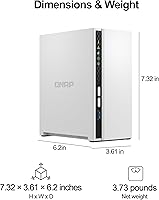
The compact desktop form factor fits neatly on a bookshelf, router cabinet, or corner of a desk without dominating the space. At just over two pounds without drives, it is light enough to relocate easily, which several users mentioned as a practical plus when rearranging home office setups.
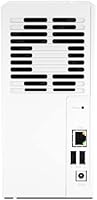
The physical footprint is almost entirely positive in user feedback, with only minor complaints about the placement of the power button being easy to accidentally press. Cable management at the rear can get slightly cluttered when both USB ports, the power connector, and the Ethernet cable are all occupied simultaneously.

Suitable for:

The QNAP TS-233 2-Bay NAS Drive is an excellent fit for home users and families who want a proper, centralized place to store and access photos, videos, music, and documents — without paying for a cloud subscription every month. If your household runs a mix of Windows PCs and Macs, the built-in backup support for both platforms means everyone is covered with minimal configuration. It works particularly well for people who are tired of juggling multiple external hard drives and want the security of RAID redundancy without jumping into enterprise-level complexity. Small home offices that need reliable, automated local backups on a set schedule will find this home NAS unit hits a practical sweet spot. Buyers who want to choose and install their own drives — tailoring capacity to their actual needs — will also appreciate the diskless design, provided they budget for compatible NAS-rated drives from the outset.
Not suitable for:

The QNAP TS-233 2-Bay NAS Drive is the wrong tool for anyone whose primary goal is running a Plex media server with active transcoding — the ARM processor simply cannot handle real-time format conversion reliably, and users who try will run into choppy or failed streams. Power users who plan to run several QTS applications simultaneously — a download manager, a surveillance feed, cloud sync, and a backup agent all at once — will hit the 2 GB RAM ceiling faster than they expect, and since the memory is not upgradeable, there is no workaround. If you need raw throughput for a busy small business or a multi-user creative environment pulling large video files constantly, the TS-233 will feel underpowered compared to x86-based NAS alternatives in a similar or slightly higher price bracket. Anyone expecting a plug-and-play experience straight out of the box should also note that this unit ships without drives, so additional research and spending are required before it becomes functional.
Specifications

  • Processor: Powered by an ARM Cortex-A55 quad-core CPU running at 2.0GHz, designed for energy-efficient home NAS workloads.
  • RAM: Comes with 2 GB of DDR4 RAM soldered to the board; this is not user-upgradeable.
  • Drive Bays: Houses two 3.5″ or 2.5″ SATA hard drives or SSDs; no drives are included in the box.
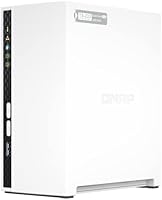
  • Form Factor: Compact desktop unit intended for placement on a desk, shelf, or router cabinet in a home environment.
  • Dimensions: Measures 10.43″ long by 8.74″ wide by 3.94″ tall, making it one of the smaller two-bay desktop NAS units available.
  • Weight: Weighs approximately 2.2 pounds without drives installed, which is light enough to relocate easily.
  • Chassis Material: Constructed with a metal chassis that provides better heat dissipation and durability than plastic alternatives at this price tier.
  • Operating System: Runs QNAP QTS, a Linux-based NAS operating system with a browser-based interface and an extensive downloadable app library.
  • USB Ports: Equipped with two USB 2.0 Type-A ports for connecting external drives, printers, or USB storage devices directly to the unit.
  • Network Interface: Features a single Gigabit Ethernet port for wired LAN connectivity; Wi-Fi is not built in and requires a USB adapter via QTS.
  • RAID Support: Supports JBOD, RAID 0, and RAID 1 configurations through the QTS storage manager, allowing for either combined capacity or mirrored redundancy.
  • Backup Software: Includes QNAP NetBak Replicator for Windows PC backups and supports Apple Time Machine natively for Mac users.
  • Snapshot Protection: QTS storage snapshot technology allows users to capture point-in-time images of shared folders, enabling recovery from ransomware or accidental deletions.
  • Cloud Sync: QTS supports cloud synchronization with major services including Google Drive, Dropbox, and OneDrive through the downloadable Cloud Drive Sync app.
  • Power Consumption: Designed for low power consumption typical of ARM-based NAS units, making it practical to leave running continuously without significant energy cost.
  • Model Number: The official model designation is TS-233-US, with the US suffix indicating the North American market variant.
  • Platform Support: Compatible with Windows, macOS, Linux, iOS, and Android for file access, with dedicated mobile apps available through QNAP.
  • Security Features: Supports folder-level permissions, two-step verification for QTS login, and network access controls to restrict unauthorized connections.
  • Warranty: QNAP typically provides a two-year limited hardware warranty on the TS-233, covering manufacturing defects but not installed hard drives.
  • In the Box: The unit ships with the NAS chassis, a power adapter, one Ethernet cable, and quick-start documentation; no hard drives or drive screws are included.

Related Reviews

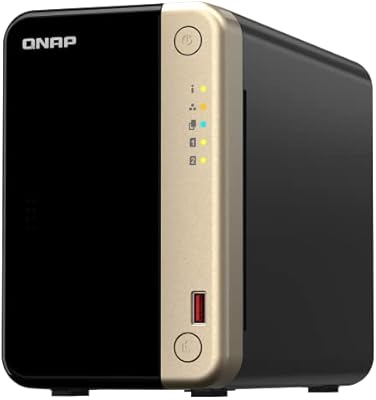
QNAP TS-264-8G-US 2-Bay NAS
87%
89%
Performance
92%
Setup/Installation
86%
Build Quality/Durability
90%
File Transfer Speed
85%
Software/Firmware/App Experience
More
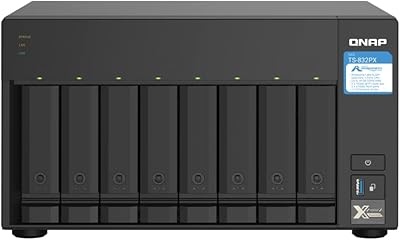
QNAP TS-832PX-4G 8-Bay NAS with 10GbE SFP+ and 2.5GbE
85%
91%
Performance
94%
Network Connectivity
89%
Ease of Setup
85%
Expandability (RAM)
88%
Data Security (Encryption)
More
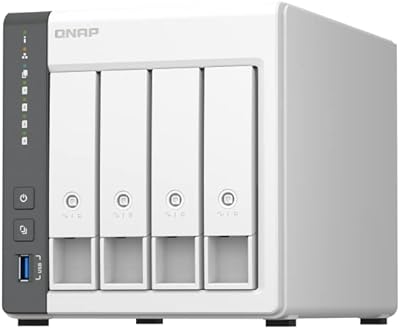
QNAP TS-433-4G 4-Bay NAS
83%
87%
Value for Money
82%
Performance
91%
Ease of Setup
85%
Build Quality
88%
Connectivity
More
QNAP TS-435XeU-4G 4-Bay Rackmount NAS
74%
88%
Network Performance
91%
Build Quality & Physical Design
72%
Software & OS Flexibility
61%
Setup & Initial Configuration
67%
M.2 NVMe Cache Performance
More
QNAP TS-453E 4-Bay NAS
79%
91%
Network Performance
87%
Processor Performance
68%
Software & OS (QTS)
89%
Build Quality
73%
Value for Money
More
QNAP TS-632X-4G 6-Bay NAS with 10GbE and Quad-Core Processor
85%
91%
Performance
94%
Network Connectivity
88%
Expandability
82%
Ease of Setup
85%
Reliability
More
QNAP TS-133 1 Bay NAS with ARM Cortex-A55 Quad-core Processor and 2GB RAM
84%
82%
Performance
91%
Setup and Installation
88%
Ease of Use
92%
Value for Money
85%
Storage Flexibility
More
Asustor Drivestor 2 Lite AS1102TL NAS
76%
88%
Ease of Setup
83%
Build Quality
74%
Performance for Everyday Use
71%
Software (ADM OS) Usability
69%
4K Media Streaming
More
KCMconmey NAS-812 8+2 Bay DIY NAS Case
84%
86%
Build Quality
62%
Cooling Performance
88%
Ease of Use
90%
Compatibility with PSU Types
91%
Customization Options
More
Asustor Drivestor 2 Pro Gen2 2-Bay NAS
76%
83%
Setup & Initial Configuration
89%
Network Performance (2.5GbE)
71%
4K Transcoding Performance
67%
Software & ADM Ecosystem
86%
Build Quality & Physical Design
More

FAQ

You need to buy drives separately — the TS-233 ships completely diskless. This is actually common in the NAS world because it lets you choose the capacity and drive type that fits your needs. QNAP maintains a hardware compatibility list on their website, and sticking to NAS-rated drives from brands like Seagate IronWolf or WD Red is strongly recommended for reliability.

You can install the Plex Media Server app through QTS, but there is an important limitation: the ARM processor cannot handle transcoding. If every device on your network can play files in their original format without conversion, direct play will work fine. However, if you rely on Plex to transcode video on the fly — for remote access or incompatible devices — this unit will struggle and produce choppy or failed streams. For Plex transcoding, you would need an x86-based NAS.

Unfortunately, no. The 2 GB DDR4 RAM is soldered directly to the motherboard and cannot be replaced or expanded. This is worth factoring in before purchasing — if you plan to run multiple QTS apps simultaneously, you will likely notice the ceiling fairly quickly.

It is genuinely one of the more beginner-friendly NAS setups available. After inserting your drives and connecting the unit to your router, the QTS web interface walks you through formatting, RAID selection, and basic configuration with a guided wizard. Most first-time users report completing setup within about 30 to 45 minutes.

Yes, and this is one of its stronger practical selling points. Windows users can back up their computers automatically using QNAP's NetBak Replicator software, while Mac users connect through Apple Time Machine — both protocols are supported natively without additional software purchases or workarounds.

That depends on how you configure your drives. If you set them up in RAID 1, the NAS mirrors your data across both drives, so a single drive failure does not result in data loss — you swap the failed drive, and the system rebuilds. If you use RAID 0 for maximum storage space, a drive failure would mean data loss, so it is worth thinking carefully about which mode suits your needs before you start adding files.

Yes, QNAP's myQNAPcloud service lets you reach your files from a phone, tablet, or laptop outside your home network without needing to configure port forwarding manually. Performance over remote connections depends heavily on your home internet upload speed, and some users have reported occasional connectivity dropouts that require a device restart to clear.

The QNAP TS-233 2-Bay NAS Drive supports standard 3.5″ and 2.5″ SATA hard drives and SSDs. You can technically mix brands and sizes — QTS handles mismatched drives — but RAID 1 mirroring will be limited to the smaller of the two drive capacities. Checking QNAP's official compatibility list before purchasing drives helps avoid the intermittent recognition issues some users have experienced with untested models.
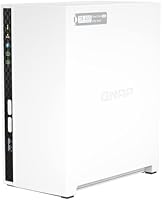
Most users find it quiet enough to live comfortably in a living room or home office. The unit's own fan rarely spins to an audible level under typical household workloads. The noise level is more dependent on the hard drives you install — NAS-rated drives with vibration dampening tend to run noticeably quieter than budget consumer drives.

When you enable storage snapshots in QTS, the system periodically captures a frozen image of your shared folders at that point in time. If ransomware encrypts your files or someone accidentally deletes a folder, you can roll back to a previous snapshot and restore the unaffected versions. The key is setting snapshots to run on a regular schedule — ideally multiple times a day — so the recovery window is small. Just keep in mind that snapshots consume additional drive space, so factor that into your total storage planning.

Where to Buy

NAS Headquarters
In stock $835.00