Overview

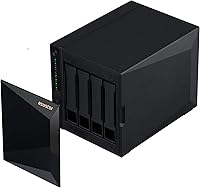
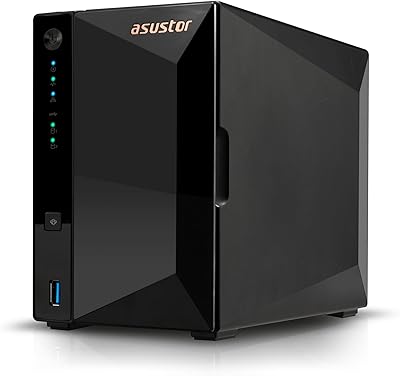
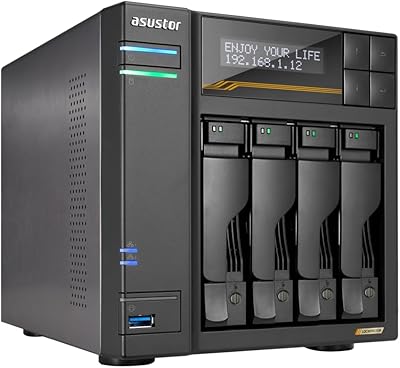
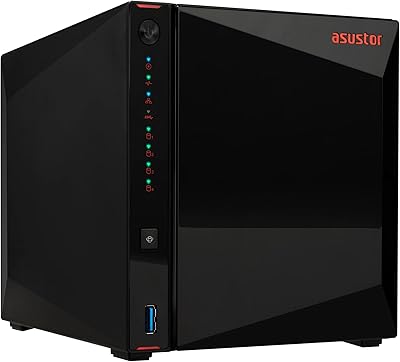
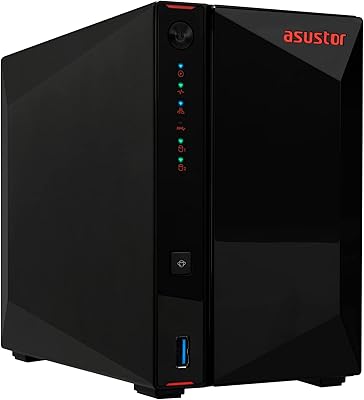
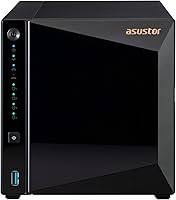
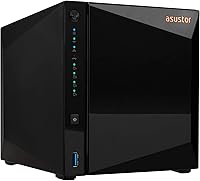
The Asustor Drivestor 4 Pro AS3304T 4-Bay NAS sits in a comfortable mid-range position, targeting home users and small offices that want real network storage without paying premium x86 prices. Powering it is a Realtek RTD1296 ARM64 quad-core chip at 1.4GHz, paired with 2GB DDR4 RAM — sufficient for everyday NAS duties. One thing to flag upfront: this unit ships completely diskless, so you will need to budget for your own SATA drives. The metal chassis is compact enough to sit on a shelf without dominating the room, and the 2.5GbE network port is what genuinely separates it from similarly priced gigabit-only alternatives.
Features & Benefits

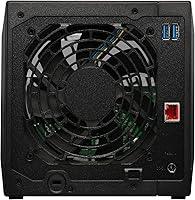
The 2.5 Gigabit Ethernet connection is the standout here — local transfers move noticeably faster than on standard gigabit NAS units, which matters when you regularly shift large video files or full backups across the network. This Asustor NAS also handles hardware-decoded 4K H.265 10-bit video, keeping playback smooth without leaning hard on the CPU for most content. Plex Media Server is natively supported, so setting up a home media hub requires minimal effort. Three USB 3.2 Gen 1 ports cover external drives or a shared printer, and the four SATA bays support up to 72TB raw capacity, giving you plenty of room to expand over time.

Best For

The Drivestor 4 Pro makes the most sense for home users who are tired of paying recurring cloud storage fees and want to bring everything local on a mid-range budget. Small offices where a few team members need shared file access and occasional remote connectivity will find it handles that workload comfortably. Plex enthusiasts on a budget will appreciate hardware-assisted transcoding for 1080p content, though 4K performance depends heavily on the source file bitrate and your client device — so keep expectations calibrated. Anyone who wants a quiet, low-power box running around the clock without much fuss will find this 4-bay unit fits that role well.

User Feedback

Sitting at 4.2 out of 5 stars across more than 340 ratings, the Drivestor 4 Pro earns its marks through consistent praise for straightforward ADM setup and a genuinely responsive web interface. Buyers regularly highlight the 2.5GbE port as a real differentiator at this price tier. On the other side, two recurring frustrations stand out: the 2GB of non-expandable RAM starts feeling cramped when several apps run simultaneously, and the ARM architecture locks out a handful of x86-only applications entirely. Plex users report solid 1080p streams but more inconsistent results with high-bitrate 4K files. Not a dealbreaker for most, but worth factoring in if heavy multitasking is central to how you plan to use it.

Pros

  • The 2.5GbE port delivers meaningfully faster local transfers than standard gigabit NAS alternatives at a similar price.
  • Hardware H.265 10-bit decoding handles 1080p Plex streams smoothly without taxing the processor.
  • ADM setup is genuinely accessible — most users are up and running within an hour of first boot.
  • Over 200 apps via App Central cover backup, sync, surveillance, and productivity without side-loading.
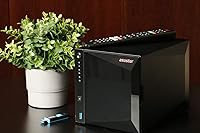
  • The metal build feels solid and well-suited for a device intended to run continuously for years.
  • Four SATA bays support both 3.5-inch and 2.5-inch drives, giving flexibility when sourcing storage.
  • ARM-based power consumption stays low, keeping ongoing electricity costs reasonable for an always-on appliance.
  • Three USB 3.2 Gen 1 ports make it easy to attach external drives or a shared printer directly.
  • Remote file access via the mobile app works reliably for everyday use cases like retrieving documents while traveling.
  • A 4.2-star average across hundreds of verified reviews reflects genuine, consistent buyer satisfaction.

Cons

  • The 2GB RAM ceiling is fixed — there is absolutely no slot or upgrade path to add more later.
  • ARM processor architecture blocks a meaningful number of popular x86-only applications and Docker images.
  • 4K transcoding on the fly is unreliable for high-bitrate source files, particularly over remote connections.
  • Only a single network port is included, ruling out link aggregation or failover without additional hardware.
  • No M.2 NVMe cache slots means users cannot accelerate random read performance with a fast SSD tier.
  • The official support community is considerably smaller than Synology or QNAP, making niche troubleshooting slower.
  • Drive trays require screws for secure mounting rather than offering a true tool-free installation experience.
  • ADM firmware updates have occasionally introduced minor instability, according to a subset of long-term users.
  • Buyers on tight budgets should account for the added cost of four drives, which is not a small consideration.
  • Advanced network configurations like HTTPS setup or VPN access require patience and some prior networking knowledge.

Ratings

The Asustor Drivestor 4 Pro AS3304T 4-Bay NAS scores below are generated by AI after systematically analyzing verified global user reviews, actively filtering out incentivized submissions, duplicate accounts, and bot-driven feedback. What remains is a clear-eyed picture of where this 4-bay unit genuinely delivers and where real buyers have run into friction. Both strengths and frustrations are reflected transparently so you can make a confident purchase decision.
Network Performance
88%
The 2.5GbE port is consistently praised as the headline feature, with users reporting local transfer speeds that feel genuinely faster compared to older gigabit NAS units. Buyers copying large video archives or running nightly backups over their home network noticed a real difference in throughput during everyday use.
The unit ships with only a single 2.5GbE port, so users with more demanding multi-client setups wish there were a second port for redundancy or link aggregation. A handful of buyers also noted that getting full 2.5G speeds requires a compatible switch, which adds to overall setup cost.
Software & ADM Interface
83%
Asustor's ADM operating system draws frequent compliments for its clean layout and relatively painless initial setup — most users had the unit online and sharing files within an hour of powering it on. The web interface loads quickly and navigating between storage pools, user permissions, and app installations feels intuitive even for first-time NAS owners.
Occasional firmware update hiccups and minor UI inconsistencies surface in longer-term reviews, with some users reporting that certain settings menus feel buried. A small segment of buyers coming from Synology found the ADM ecosystem less polished in edge-case configuration scenarios.
Media Playback & Transcoding
74%
26%
Hardware-decoded H.265 10-bit playback works reliably for most 1080p Plex streams, and users watching standard home media collections report smooth, stutter-free playback without the NAS breaking a sweat. The dedicated decoding engine handling video processing frees up the CPU for other concurrent tasks.
4K transcoding results are noticeably inconsistent — high-bitrate 4K files from Blu-ray remuxes frequently stutter or fail to transcode in real time on the ARM chip. Users expecting a full 4K Plex server should understand that direct play from a capable client is the more reliable path here.
App Ecosystem
76%
24%
With over 200 apps available through ADM App Central, the Drivestor 4 Pro covers a wide range of practical use cases — from Plex and Jellyfin to cloud sync tools, surveillance station, and multiple backup solutions. Most home and small-office workflows are well covered without needing to venture outside the official repository.
The ARM architecture creates a meaningful compatibility gap, as several popular x86-only applications simply will not install or run. Power users who rely on Docker containers with x86 images or specific third-party packages will hit walls that a more expensive Intel-based NAS would clear without issue.
RAM & Multitasking
57%
43%
For single-purpose use — file sharing, basic backup, or running Plex alone — 2GB of DDR4 RAM is adequate and the system stays responsive. Light home users who keep the app count low are unlikely to notice any memory pressure during normal operation.
Running three or more apps simultaneously, such as Plex alongside active surveillance and a cloud sync job, causes noticeable slowdowns and occasional service restarts. The RAM is not expandable under any circumstances, so buyers planning to grow their workload over time cannot remedy this limitation without replacing the unit entirely.
Build Quality
84%
The metal chassis feels solid and well-assembled, with drive trays that slide in with satisfying precision. For a unit intended to run continuously, the construction inspires confidence that it will hold up reliably on a shelf or in a home office cabinet over several years.
The external finish can show fingerprints easily, and a few users noted the drive trays lack tool-free locking mechanisms, meaning drives rely on screws for secure mounting. Nothing feels flimsy, but the physical refinement does not quite match that of higher-end NAS brands at comparable weight.
Noise & Thermals
81%
19%
Under typical file-serving loads the Drivestor 4 Pro runs quietly enough to live in a home office or living room without becoming an annoyance. The single system fan adjusts speed sensibly, staying near-silent at idle and only spinning up audibly during intensive transfers or heavy transcoding.
With high-RPM mechanical drives spinning in all four bays, the cumulative drive noise can become noticeable in quiet rooms at night. A small number of users in warmer climates reported that the fan runs more aggressively than expected during summer months, which slightly undermines the quiet appeal.
Setup & Initial Configuration
85%
Getting the unit onto a network and creating the first shared folder is a genuinely accessible process, with Asustor's setup wizard walking new users through disk initialization, RAID selection, and user creation in a logical sequence. Even buyers with no prior NAS experience report completing the core setup without consulting the manual.
Advanced configurations — like setting up VPN access, fine-grained user permissions, or VLAN tagging — require meaningful patience and some network knowledge. The documentation online is adequate but not always current, and community forums are smaller than those supporting Synology or QNAP devices.
Value for Money
79%
21%
At its price point, the inclusion of a 2.5GbE port, hardware video decoding, and a generous app platform gives the Drivestor 4 Pro a competitive feature-to-cost ratio that is difficult to match with x86-based alternatives. For buyers whose workloads align with its strengths, the unit delivers solid returns on investment.
Once you factor in the cost of four drives to fill the bays, the total outlay climbs substantially, which makes the non-expandable RAM and ARM processor limitations feel more consequential. Buyers who push against those boundaries quickly may find themselves eyeing a pricier x86 NAS sooner than expected.
Plex Media Server Experience
77%
23%
Native Plex Media Server support installs cleanly from App Central, and the unit handles libraries of several thousand titles without sluggish metadata loading. For households streaming 1080p content to two or three clients simultaneously over a local network, the experience is largely trouble-free.
Remote streaming and transcoding to mobile clients on cellular connections is where the ARM chip shows its limits most clearly, as the CPU cannot reliably transcode high-quality streams on the fly. Users who travel frequently and want robust remote Plex access may find themselves adjusting quality settings more often than they would like.
Remote Access
78%
22%
Asustor's EZ-Connect and the companion mobile app make setting up remote access reasonably straightforward, letting users reach their files from a smartphone or laptop while away from home. Basic remote file browsing and downloads work reliably once the initial configuration is complete.
Connection reliability over remote access can vary depending on router configuration and ISP restrictions, and a few users reported that setting up secure HTTPS access without a static IP required more troubleshooting than expected. The mobile app, while functional, lacks some of the polish found in competing platforms.
Drive Compatibility & Capacity
87%
Support for both 3.5-inch and 2.5-inch SATA drives — including SSDs — gives buyers flexibility when sourcing storage, and the four-bay layout allows a sensible range of RAID configurations from simple mirroring to RAID 5. Scaling up to 72TB raw capacity means the unit will not run out of room for most realistic home or small-office needs.
There are no M.2 NVMe slots for cache acceleration, which is a gap that competing units at similar price points have started to address. Users with SSD-heavy builds looking to squeeze maximum random read performance will notice the absence of a caching tier.
Power Consumption
86%
The ARM-based platform sips power efficiently compared to Intel Celeron NAS units, which translates to meaningfully lower electricity costs when the device runs around the clock. Buyers operating the unit as an always-on home server appreciate that the energy draw stays modest even under moderate load.
Actual power consumption rises noticeably once all four bays are populated with mechanical hard drives spinning simultaneously. Users who assumed the low processor TDP meant the whole system would be ultra-efficient sometimes found their electricity savings less dramatic than anticipated once drives were accounted for.
Documentation & Support
62%
38%
Asustor provides a reasonable base of online documentation, video tutorials, and a community forum that covers the most common setup scenarios. For straightforward questions, most users can find a workable answer without waiting for official support.
The official support community is considerably smaller than those of Synology or QNAP, meaning niche troubleshooting questions sometimes go unanswered for days. Several reviewers noted that support ticket response times felt slow, and the knowledge base has not kept pace with newer firmware features.

Suitable for:

The Asustor Drivestor 4 Pro AS3304T 4-Bay NAS is a strong fit for home users who have outgrown cloud storage subscriptions and want a centralized, always-on file server that does not require a dedicated IT background to set up and maintain. Households with growing photo, video, and document libraries will appreciate having four bays to build out a proper RAID configuration, giving them both usable capacity and data redundancy under one roof. The 2.5GbE port makes it particularly well-suited for anyone who has already upgraded their home network switch, since the faster local transfers pay off immediately when moving large video files or running nightly backups. Small offices with a handful of employees needing shared folder access, basic remote connectivity, and a reliable backup destination will find this 4-bay unit covers those bases without overcomplicating administration. Plex users whose libraries consist primarily of 1080p content — and who plan to stream to clients capable of direct play — will get a smooth media server experience without needing to spend significantly more on an x86 platform.
Not suitable for:

The Asustor Drivestor 4 Pro AS3304T 4-Bay NAS is not the right choice for power users who plan to run several resource-intensive applications simultaneously, since the 2GB of non-expandable DDR4 RAM becomes a genuine bottleneck once Plex, a cloud sync service, and a backup job are all competing for memory at the same time. Anyone heavily invested in Docker workflows or dependent on x86-only software packages will run into the ARM architecture wall repeatedly, and there is no hardware upgrade path that resolves it short of buying a different unit. Users whose primary goal is true 4K transcoding on demand — especially for high-bitrate remux files streamed to mobile devices on a cellular connection — should look at an Intel Celeron-based NAS instead, where the CPU headroom is considerably more forgiving. IT administrators managing larger teams, complex permission structures, or enterprise-grade backup policies will likely find the ADM ecosystem and support community too limited compared to what Synology or QNAP offer at comparable or slightly higher price points. Finally, buyers who expect drives to be included should know upfront that this is a diskless enclosure, meaning the full cost of populating all four bays must be factored into the purchase decision from day one.
Specifications

  • Processor: The unit runs on a Realtek RTD1296 ARM64 64-bit quad-core CPU clocked at 1.4GHz, handling file serving, app workloads, and media decoding simultaneously.
  • RAM: 2GB of DDR4 SDRAM is soldered directly to the board and cannot be upgraded or expanded under any circumstances.
  • Drive Bays: Four SATA3 6Gb/s bays accept both 3.5″ hard drives and 2.5″ SSDs or HDDs, giving flexibility when selecting storage media.
  • Max Raw Capacity: With four drives installed at the highest currently available single-drive capacity, the unit supports up to 72TB of total raw storage.
  • Network Port: A single 2.5 Gigabit Ethernet port supports 2.5G, 1G, and 100M link speeds depending on the connected switch or router.
  • USB Ports: Three USB 3.2 Gen 1 Type-A ports are located on the chassis for attaching external drives, USB printers, or other peripherals.
  • Media Decoding: Dedicated hardware decoding supports 4K H.265 10-bit video, offloading playback processing from the main CPU for smoother media streaming.
  • OS Flash Storage: 8MB of onboard flash memory stores the NAS firmware, keeping the operating system independent of the installed hard drives.
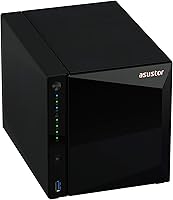
  • Dimensions: The enclosure measures 9.06″ deep by 6.85″ wide by 6.69″ tall, making it compact enough for a desk shelf or home office cabinet.
  • Weight: The unit weighs 4.84 pounds without drives installed, reflecting its all-metal construction while remaining easy to position or relocate.
  • Build Material: The outer chassis is constructed from metal, contributing to structural rigidity and passive heat dissipation during continuous operation.
  • App Ecosystem: Asustor's ADM App Central offers over 200 installable applications spanning backup, media, surveillance, productivity, and cloud synchronization categories.
  • Plex Support: Plex Media Server is officially supported and installable directly from App Central without requiring manual package sideloading.
  • Remote Access: Remote file access is available through Asustor's EZ-Connect service and the companion mobile app for iOS and Android devices.
  • Diskless Design: The unit ships without any hard drives or SSDs included; buyers must purchase compatible SATA drives separately before the NAS can store data.
  • Power Requirement: A CR123A battery is required for the real-time clock module, which maintains accurate system time during power interruptions.
  • RAID Support: The ADM operating system supports standard RAID configurations including JBOD, RAID 0, RAID 1, RAID 5, and RAID 6 across the four bays.
  • Amazon Rating: The product holds a 4.2 out of 5 star rating based on 343 verified customer ratings on Amazon as of the time of this review.

Related Reviews

Asustor Drivestor 2 Pro Gen2 2-Bay NAS
76%
83%
Setup & Initial Configuration
89%
Network Performance (2.5GbE)
71%
4K Transcoding Performance
67%
Software & ADM Ecosystem
86%
Build Quality & Physical Design
More
Asustor Lockerstor 4 Gen3 AS6804T 4-Bay NAS
84%
91%
Performance
88%
Build Quality
94%
Network Speed
87%
Storage Expandability
89%
Ease of Setup
More
Asustor AS5404T 4-Bay NAS Enclosure
80%
88%
Build Quality
82%
Processing Performance
93%
NVMe Storage Flexibility
87%
Network Throughput
76%
Software Ecosystem (ADM OS)
More
Asustor Lockerstor 10 Pro AS7110T 10-Bay NAS
83%
92%
Performance
96%
Storage Capacity
89%
Connectivity
62%
Setup and Installation
90%
Build Quality
More
Asustor Drivestor 2 Lite AS1102TL NAS
76%
88%
Ease of Setup
83%
Build Quality
74%
Performance for Everyday Use
71%
Software (ADM OS) Usability
69%
4K Media Streaming
More
Asustor Flashstor 12 Pro Gen2 NAS
76%
93%
Read/Write Performance
61%
SSD Compatibility
89%
Noise & Thermal Management
47%
USB4 / Thunderbolt Connectivity
84%
Build Quality & Design
More
KCMconmey NAS-411 4+1 Bay DIY NAS Case
84%
85%
Ease of Setup
80%
Build Quality
70%
Cooling Performance
90%
Customization Options
88%
Drive Compatibility
More
Asustor AS5402T 2-Bay NAS Enclosure
78%
88%
Hardware Value
82%
Processing Performance
86%
Network Throughput
84%
Thermal Management
63%
Software & OS Experience
More
TerraMaster F4-212 4-Bay NAS Enclosure
70%
76%
Value for Money
83%
Setup & Initial Configuration
61%
Software & OS Experience
67%
Performance & Responsiveness
42%
RAM & Expandability
More
Asustor Lockerstor 8 AS6508T 8-Bay NAS
77%
91%
Network Performance
84%
Value for Money
88%
Build Quality
62%
Software (ADM)
83%
SSD Caching
More

FAQ

You will need to buy drives separately — the Asustor Drivestor 4 Pro AS3304T 4-Bay NAS ships as a completely diskless enclosure. This is standard practice for NAS units at this level, as it lets you choose the drive brand, capacity, and RAID configuration that fits your needs and budget. Most buyers pair it with 3.5-inch NAS-rated hard drives from Seagate IronWolf or WD Red lines.
Yes, Plex Media Server installs cleanly from the built-in App Central. For 1080p content, performance is reliably smooth. For 4K, the results depend heavily on the source file — lower-bitrate 4K files often direct-play without issue, but high-bitrate Blu-ray remuxes can struggle with real-time transcoding on the ARM chip. If your TV or client device can direct-play the file without transcoding, 4K works fine.

For single-purpose use like file sharing or running Plex alone, 2GB holds up reasonably well. The problem is that the RAM is soldered and non-expandable, so if you later decide to run Plex alongside a cloud sync job and a backup task simultaneously, you will likely notice slowdowns or occasional app restarts. It is worth being realistic about your workload before buying.

Docker is supported through the ADM platform, but the ARM64 architecture means only ARM-compatible container images will run. A large number of popular Docker images are built for x86 only, so if your workflow depends on specific containers, check compatibility before committing to this unit. Virtual machines are not supported on this hardware.

With all four bays populated you can configure RAID 0, RAID 1, RAID 5, RAID 6, or JBOD. RAID 5 is the most popular choice for this bay count — it gives you usable capacity across three drives while the fourth protects against a single drive failure. The ADM setup wizard walks you through the options during initial configuration.

Yes, the 2.5GbE port only runs at its full potential if your router or network switch also supports 2.5G speeds. If your existing switch is standard gigabit, the NAS will negotiate down to 1Gbps automatically — it will still work, you just will not see the speed advantage. A 2.5G-capable switch is an additional purchase to factor in if you want the full benefit.

ADM is genuinely accessible for newcomers — the interface is clean and initial setup takes most people under an hour. That said, Synology's DSM has a longer track record, a larger user community, and more polished third-party integrations. For typical home use cases like file sharing, backup, and Plex, ADM handles everything well. If you expect to do heavy customization or rely on community tutorials, Synology's ecosystem is richer.

The NAS itself is relatively quiet — the system fan runs near-silent at idle and only becomes audible during sustained heavy transfers or prolonged transcoding. The bigger noise contributor is the mechanical hard drives spinning in the bays. If you fill all four bays with 7200 RPM drives, the cumulative drive noise is noticeable in a quiet room, especially at night. Using NAS-rated drives designed for quiet operation helps considerably.

Yes, Asustor's EZ-Connect service makes remote access setup straightforward without requiring manual port forwarding in most cases. You can browse and download files through the mobile app or a web browser. Performance over remote access is adequate for document retrieval and light file management, though transferring large video files over a slow upload connection will obviously be limited by your home internet speed.

That depends on the RAID configuration you chose during setup. If you set up RAID 1, 5, or 6, the system can survive a drive failure and keep running while you replace the faulty drive. If you used RAID 0 or JBOD for maximum raw capacity, a single drive failure means data loss on that drive. Choosing a redundant RAID level is strongly recommended for any data you care about keeping safe.