Overview

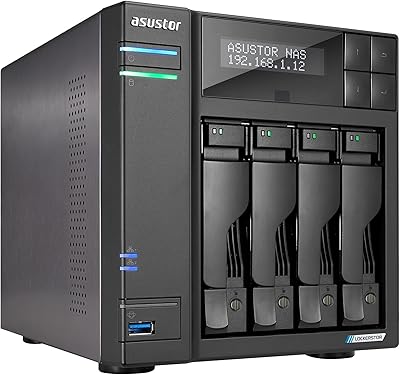
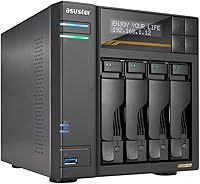
The Asustor Lockerstor 4 Gen3 AS6804T NAS represents a meaningful step up from its predecessors, bringing a proper AMD Ryzen embedded processor and DDR5 memory to a form factor that used to feel underpowered for serious work. Gen3 is not just a marketing label here — the platform change genuinely shifts what this unit can handle day-to-day. Worth noting upfront: it ships diskless, so your real spend climbs once you factor in drives. At this price tier, it is not aimed at someone who wants simple plug-and-play backup. It rewards buyers who know exactly what they need and are prepared to configure it thoughtfully.
Features & Benefits

The quad-core AMD Ryzen CPU inside this four-bay unit can actually transcode 4K video streams, run lightweight virtual machines, and handle simultaneous file transfers without choking — something previous ARM-based NAS hardware in this class could not reliably do. The ECC DDR5 memory matters more than people realize: ECC detects and corrects random memory errors, critical when storing irreplaceable footage or client work. Four M.2 NVMe slots running on PCIe 4.0 — an interface that roughly doubles the bandwidth of the older standard — let you build a serious cache layer or go all-flash entirely. The dual 10GbE ports mean multiple editors can pull large files at the same time without queuing up.

Best For

This Asustor NAS hits a clear sweet spot for video editors and photographers working with large RAW files or 4K and 8K footage who need fast on-premises access without paying cloud egress fees monthly. Small creative teams of three to six people sharing storage over a local network will get genuine value from the multi-gigabit connectivity. Homelab builders who want ECC memory and 10GbE without buying rack equipment will find it compelling too. That said, if you just want to back up family photos or stream movies at home, this is real overkill. Setup demands technical engagement, and adding drives pushes the total cost well past what casual users should spend.

User Feedback

Across more than 670 ratings at 4.4 stars, the Lockerstor 4 Gen3 earns consistent praise for its real-world throughput and a metal build that feels properly engineered rather than cost-cut. Buyers frequently highlight the performance headroom — it handles workloads that would stall comparable units. The recurring frustration centers on USB4: those ports currently support only external storage and direct NAS-to-NAS connections, not general peripherals, and some owners felt that limitation was not communicated clearly at purchase. Fan noise and initial configuration complexity surface occasionally in reviews. On the positive side, firmware cadence gets mentioned often as a trust signal for long-term reliability, and most buyers feel the unit holds its own against Synology and QNAP alternatives at this tier.

Pros

  • The AMD Ryzen quad-core CPU handles real 4K transcoding and light virtual machines without breaking a sweat.
  • ECC DDR5 memory catches random data errors automatically, protecting irreplaceable files over the long haul.
  • Four NVMe slots on PCIe 4.0 allow a fast cache layer or full all-flash configuration for demanding workflows.
  • Dual 10GbE ports let multiple users pull large files simultaneously without one connection hogging all the bandwidth.
  • The metal chassis feels solid and purpose-built, not like a cost-cut plastic enclosure.
  • RAM is user-upgradeable up to 64GB, giving the unit a long useful life as workloads grow.
  • The Lockerstor 4 Gen3 ranks in the top 30 NAS enclosures on Amazon with over 670 ratings, signaling broad real-world validation.
  • ASUSTOR ADM offers a capable app ecosystem including snapshot protection and remote access without requiring third-party subscriptions.
  • Wake on LAN and Wake on WAN support means the unit does not need to run around the clock, saving on electricity.
  • Buyers switching from Synology or QNAP consistently note competitive performance at this network tier.

Cons

  • Sold diskless — drives are a significant additional cost that the headline price does not reflect.
  • USB4 ports currently support only external storage and direct NAS-to-NAS links, not general USB-C peripherals.
  • Initial configuration requires real technical knowledge; this is not a plug-and-play appliance.
  • Fan noise has been flagged by multiple buyers, which matters if the unit lives in a quiet home office.
  • The ASUSTOR ADM software ecosystem is smaller and less mature than Synology DSM, with fewer third-party app integrations.
  • Four-bay SATA capacity ceiling is a genuine constraint for users whose storage needs grow quickly beyond 4 drives.
  • USB4 driver limitations stem from AMD platform choices and may or may not improve with future firmware updates.
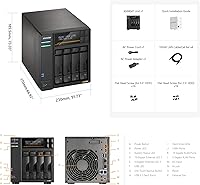
  • At this price point, buyers expecting a full accessory bundle — cables, drives, mounting hardware — will find the box sparse.

Ratings

The Asustor Lockerstor 4 Gen3 AS6804T NAS earns an overall strong reception across hundreds of verified global reviews, and our AI-driven scoring model has analyzed that feedback while actively filtering out incentivized, bot-generated, and low-quality submissions to surface what real buyers actually experience. Scores below reflect both the genuine strengths that make this unit a standout in its class and the friction points that have frustrated a meaningful portion of owners — nothing is glossed over.
Raw Performance
93%
Users running simultaneous 4K file transfers while a second workstation pulls footage report the AMD Ryzen quad-core holds up without perceptible lag — a scenario where previous ARM-based NAS hardware would visibly stall. The CPU boost headroom to 3.8 GHz makes transcoding and background indexing feel like background noise rather than a bottleneck.
A small number of power users who pushed virtualization workloads aggressively alongside heavy RAID rebuilds noted occasional thermal throttling during extended sessions. This is an edge case, but buyers planning continuous heavy multi-tasking should factor in ambient temperature and ventilation.
Network Throughput
91%
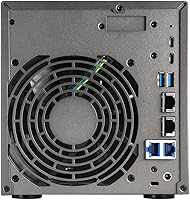
Having both 10GbE and 5GbE ports on a four-bay desktop unit is genuinely rare, and reviewers who work in multi-client studio environments consistently praise the ability to give different machines different bandwidth allocations without a managed switch. Real-world transfer speeds in 10GbE direct-attach setups regularly hit the practical ceiling of connected storage.
Getting full throughput requires a compatible 10GbE switch or direct-attach cable, which adds cost most buyers do not anticipate. Users on standard gigabit home networks reported no tangible benefit from the high-speed ports until they upgraded their network infrastructure.
Memory & Data Integrity
89%
The ECC DDR5 memory resonates strongly with photographers and archivists who have lost files to silent data corruption in the past — knowing the RAM layer is actively self-correcting offers genuine peace of mind for critical long-term storage. Expandability to 64GB means the unit will not be memory-constrained as workloads grow over the next several years.
ECC memory compatibility is stricter than standard DDR5, and a handful of buyers who sourced third-party RAM upgrades reported compatibility hiccups requiring specific validated module brands. ASUSTOR does not publish an exhaustive compatibility list, which has caused frustration during upgrades.
NVMe Cache Flexibility
87%
Four M.2 NVMe slots running on PCIe 4.0 give this four-bay unit a performance ceiling that competing devices with one or two slower slots simply cannot match. Video editors who configured a dedicated NVMe cache volume reported dramatically snappier random read performance when scrubbing through large footage libraries.
The NVMe slots use the same physical space pool as potential all-flash configurations, so buyers need a clear strategy upfront about how they intend to use them. There is no hot-swap capability for the M.2 drives, meaning reconfiguration requires powering down the unit.
Build Quality
88%
The all-metal chassis draws repeated praise from buyers who have owned cheaper plastic NAS enclosures — it feels deliberately engineered rather than value-engineered. Drive trays are sturdy and the overall assembly inspires confidence that this unit will run unattended in a closet or rack shelf for years without structural issues.
The unit is noticeably heavier and larger than many rivals, which matters if desk or shelf space is tight. A few reviewers noted that cable management around the rear port cluster is awkward given how densely the connectors are packed together.
Fan Noise
63%
37%
Under light loads — basic file serving, overnight backups, or low-traffic Plex streaming — the fans run quietly enough that the unit can share a home office without becoming a distraction. The thermal management is competent and the fans do not spin up unnecessarily during idle periods.
Under sustained heavy loads such as RAID rebuilds, simultaneous multi-stream transcoding, or large bulk transfers, the fans become clearly audible from several feet away. This is a recurring complaint in reviews from buyers who placed the unit in open-plan work areas or bedrooms, and it is worth taking seriously.
USB4 Functionality
41%
59%
The physical USB4 ports are a forward-looking design choice that positions the hardware well for future driver improvements, and users who specifically want NAS-to-NAS direct transfers with another Gen3 or Flashstor Gen2 unit get genuinely useful 40 Gbps throughput from them today.
The AMD USB4 driver limitation — which restricts these ports to external storage and inter-NAS connections only — has generated more buyer disappointment than any other single feature. Multiple reviewers expressed feeling misled, having expected standard USB-C functionality for docks or displays, and this remains an unresolved platform-level constraint rather than a quick firmware fix.
Software Ecosystem (ADM)
74%
26%
ASUSTOR ADM covers the practical daily-use bases well: SMB file sharing, snapshot scheduling, remote access via EZ Connect, and a functional media server app all work reliably. Long-term ASUSTOR owners upgrading from older units consistently note that ADM has matured meaningfully and firmware updates arrive on a predictable schedule.
Compared to Synology DSM, the ADM app library is smaller and some third-party integrations require workarounds that DSM handles natively. First-time NAS buyers unfamiliar with either ecosystem will find the initial learning curve steeper than expected, and community support resources are thinner than what Synology users enjoy.
Setup Experience
66%
34%
The initial web-based setup wizard is straightforward for buyers with basic networking knowledge — drive installation is tool-assisted and the ADM first-run configuration guides you through essential choices without being overwhelming if you know what RAID means.
Buyers with no prior NAS experience have posted notably frustrated reviews about the volume of decisions required at setup: RAID type, network configuration, NVMe cache setup, and user permissions all need deliberate choices upfront. There is no meaningful hand-holding mode for true beginners.
Value for Money
72%
28%
Among four-bay NAS units with dual 10GbE, NVMe PCIe 4.0 slots, and ECC DDR5 memory, the Lockerstor 4 Gen3 is priced competitively — buyers who have spec-compared against QNAP and Synology equivalents consistently note it punches above its price point on hardware alone. For the target buyer, the per-feature cost is defensible.
The diskless design means the advertised price is not the real price — adding four quality NAS-grade hard drives can push total spend significantly higher, which catches value-focused buyers off guard. Casual users or those with modest storage needs will find the hardware overkill and the overall investment hard to justify.
Thermal Management
77%
23%
Drive temperatures reported by owners running high-capacity HDDs stay within safe operating ranges under normal workloads, and the internal airflow design does a reasonable job keeping both the SATA drives and the M.2 slots from running excessively hot during long transfers.
In warmer ambient environments — home offices without air conditioning during summer, for example — some reviewers noted elevated drive temperatures that triggered thermal warnings. Buyers in hot climates should ensure the unit has adequate ventilation clearance on all sides.
Long-term Reliability
83%
Owners who have run ASUSTOR units continuously for two or more years frequently cite steady firmware support and hardware longevity as key reasons they returned to the brand for this Gen3 upgrade. The ECC memory layer adds a meaningful reliability buffer that pure-performance rivals without ECC cannot claim.
The platform is still relatively new as of this review cycle, so multi-year reliability data is still accumulating. A small number of early adopters reported needing firmware updates to resolve initial stability quirks, which is not unusual for a new platform generation but is worth noting.
Multi-Client Scalability
86%
Small studios running three to six simultaneous clients over 10GbE or aggregated 5GbE connections report that this four-bay unit handles concurrent workloads without noticeable degradation — a real differentiator compared to single-port NAS alternatives in the same physical size class.
Beyond six to eight concurrent heavy users, the four-bay storage ceiling and single CPU core count start to show limits, particularly if each client is running bandwidth-intensive tasks simultaneously. Larger teams should look at six- or eight-bay alternatives from the same Gen3 lineup.
Connectivity Range
84%
The combination of USB 3.2 Gen 2 Type-A ports running at 10 Gbps, dual-speed Ethernet options, and Wake on WAN gives power users a flexible connectivity toolkit that covers most real-world scenarios — from attaching a fast external backup drive to waking the unit remotely from a hotel room.
The USB4 port limitation (covered elsewhere) drags down what could have been an exceptional connectivity score. Without full USB4 peripheral support, buyers who planned to use those ports for display output or USB-C docks are left using the slower Type-A ports for those needs instead.

Suitable for:

The Asustor Lockerstor 4 Gen3 AS6804T NAS is built for people whose storage needs have genuinely outgrown consumer-grade solutions. Video editors working with 4K or 8K footage will appreciate the ability to stream large files directly from the NAS to an editing workstation at full speed, without waiting on slow transfers. Small creative agencies or home studios with several people pulling from shared storage simultaneously will benefit from the dual 10-gigabit Ethernet ports, which allow multiple high-bandwidth connections at once rather than everyone fighting over a single pipe. Photographers managing deep RAW archives and needing reliable, error-checked storage will find the ECC memory — which quietly catches and corrects random data errors before they become corruptions — a meaningful safeguard. Homelab enthusiasts who want a serious, expandable platform with enterprise-grade memory and multi-gig networking, but without committing to rack-mount hardware, will also find this unit punches well above its size.
Not suitable for:

If you want a NAS that you can set up in under an hour without consulting documentation, the Asustor Lockerstor 4 Gen3 AS6804T NAS is probably not the right fit. The platform rewards buyers who understand what they are configuring — network settings, RAID choices, NVMe cache setup — and is not designed to hand-hold first-time NAS owners through the process. The diskless design means your actual investment is meaningfully higher once you purchase hard drives or SSDs separately, which can surprise buyers focused only on the unit price. Anyone expecting the two USB4 ports to work like standard USB-C connections for keyboards, displays, or general peripherals will be frustrated — currently those ports only support external storage and direct connections to other compatible ASUSTOR units. Casual home users who simply want automated backups of a family computer or basic media streaming at home would be overpaying significantly for capabilities they will never use, and a simpler two-bay NAS would serve them just as well at a fraction of the cost.

Specifications

  • CPU: The unit runs an AMD Ryzen Embedded V3C14 quad-core processor clocked at 2.3 GHz base with a boost ceiling of 3.8 GHz, providing enough headroom for transcoding and virtualization tasks.
  • Memory: 16GB of ECC DDR5-4800 SO-DIMM RAM is installed by default in a single slot, with the second slot free for expansion up to a total of 64GB.
  • Drive Bays: Four drive bays accept 3.5-inch SATA HDDs, 2.5-inch SATA HDDs, or 2.5-inch SATA SSDs interchangeably without adapters.
  • M.2 Slots: Four M.2 2280 NVMe slots connect via PCIe 4.0, allowing high-speed SSD caching or a fully flash-based storage configuration alongside or instead of spinning drives.
  • 10GbE Network: Two 10-Gigabit Ethernet ports support speeds of 10G, 2.5G, 1G, and 100M, enabling high-throughput connections to compatible switches or direct-attach workstations.
  • 5GbE Network: Two additional 5-Gigabit Ethernet ports support 5G, 2.5G, 1G, and 100M speeds, allowing link aggregation or simultaneous connections to multiple clients.
  • USB4 Ports: Two USB4 Type-C ports operate at 40 Gbps but are currently limited by AMD driver support to external storage devices and direct connections to other compatible ASUSTOR units only.
  • USB 3.2 Ports: Three USB 3.2 Gen 2 Type-A ports deliver 10 Gbps each and support standard external drives, USB hubs, and peripherals without restriction.
  • Dimensions: The enclosure measures 13.78″ deep by 9.84″ wide by 12.01″ tall, making it a substantial desktop unit that requires dedicated shelf or desk space.
  • Weight: The unit weighs 7.04 pounds without drives installed, reflecting its all-metal construction.
  • Material: The chassis is constructed from metal throughout, contributing to structural rigidity and passive heat dissipation.
  • Operating System: ASUSTOR Data Master (ADM) is the built-in NAS operating system, offering a browser-based interface, an app library, snapshot protection, and remote access capabilities.
  • Power Source: The unit runs on standard alternating current (AC) mains power and does not require a proprietary power supply.
  • Wake Support: Both Wake on LAN and Wake on WAN are supported, allowing the unit to remain powered down until remotely triggered, reducing idle power consumption.
  • Drive Compatibility: Compatible drive types include 3.5-inch SATA HDD, 2.5-inch SATA HDD, 2.5-inch SATA SSD, and M.2 2280 NVMe SSD; no drives are included with purchase.
  • Memory Type: The DDR5-4800 memory uses Error-Correcting Code (ECC) technology, which detects and corrects single-bit memory errors automatically to protect data integrity.
  • ASIN: The Amazon Standard Identification Number for this unit is B0DBYXXH9M.
  • BSR Ranking: This unit holds a Best Sellers Rank of approximately #30 in the Network Attached Storage Enclosures category on Amazon.
  • Availability Date: The product was first made available on Amazon on August 2, 2024.
  • Manufacturer: This unit is designed and sold by ASUSTOR, a subsidiary of ASUS focused exclusively on NAS hardware and software.

Related Reviews

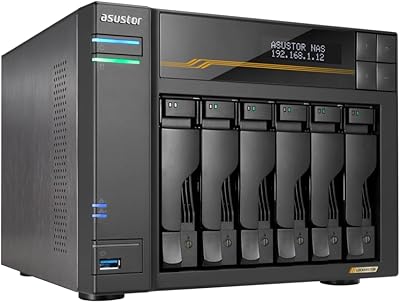
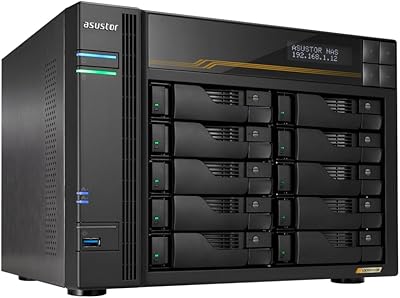
Asustor Lockerstor 10 Gen3 AS6810T 10-Bay NAS
87%
95%
Network Performance
92%
Drive Flexibility
93%
CPU & Processing Speed
90%
Memory Reliability
78%
Setup & Installation
More
Asustor Lockerstor 6 Gen3 AS6806T 6-Bay NAS
79%
93%
Raw Throughput Performance
91%
NVMe Cache Flexibility
89%
Network Connectivity
88%
CPU & Processing Headroom
86%
Build Quality & Chassis
More
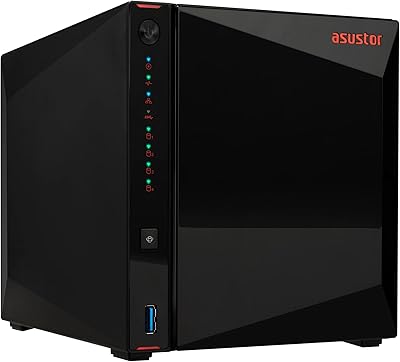
Asustor Drivestor 4 Pro AS3304T 4-Bay NAS
78%
88%
Network Performance
83%
Software & ADM Interface
74%
Media Playback & Transcoding
76%
App Ecosystem
57%
RAM & Multitasking
More
Asustor Lockerstor 4 Gen2 4-Bay NAS
76%
83%
Processing Performance
88%
NVMe Cache & M.2 Flexibility
81%
Network Throughput
91%
Build Quality & Chassis
62%
Fan Noise & Thermal Management
More
Asustor AS5404T 4-Bay NAS Enclosure
80%
88%
Build Quality
82%
Processing Performance
93%
NVMe Storage Flexibility
87%
Network Throughput
76%
Software Ecosystem (ADM OS)
More
Asustor Lockerstor 8 AS6508T 8-Bay NAS
77%
91%
Network Performance
84%
Value for Money
88%
Build Quality
62%
Software (ADM)
83%
SSD Caching
More
Asustor Lockerstor 10 Pro AS7110T NAS
77%
91%
Raw Throughput Performance
88%
Processor & Compute Power
86%
Build Quality
89%
Network Flexibility
83%
NVMe SSD Caching
More
KCMconmey NAS-411 4+1 Bay DIY NAS Case
84%
85%
Ease of Setup
80%
Build Quality
70%
Cooling Performance
90%
Customization Options
88%
Drive Compatibility
More
Asustor AS5402T 2-Bay NAS Enclosure
78%
88%
Hardware Value
82%
Processing Performance
86%
Network Throughput
84%
Thermal Management
63%
Software & OS Experience
More
TerraMaster F4-212 4-Bay NAS Enclosure
70%
76%
Value for Money
83%
Setup & Initial Configuration
61%
Software & OS Experience
67%
Performance & Responsiveness
42%
RAM & Expandability
More

FAQ

No, it does not. The unit ships completely diskless, meaning you will need to purchase drives separately. Budget for at least two drives if you plan to run any form of RAID for redundancy, which adds meaningfully to the total cost.

Not currently. This is one of the most important things to understand before buying. The Asustor Lockerstor 4 Gen3 AS6804T NAS uses an AMD platform whose USB4 driver, at the time of writing, only supports external storage devices and direct connections to other Lockerstor Gen3 or Flashstor Gen2 units. General USB-C peripherals like displays, docks, or keyboards will not work on those ports. The three standard USB 3.2 Type-A ports on the back work normally for external drives and accessories.

It is more involved than a consumer device. You will need to install drives, walk through initial ADM setup via a browser, choose a RAID configuration, and understand basic network settings. ASUSTOR provides setup guides, but if you have never configured a NAS before, expect to spend a few hours and do some reading. It is not a plug-and-play appliance.

Yes, the RAM is user-upgradeable. The unit comes with one 16GB DDR5-4800 SO-DIMM installed and has a second slot available, allowing you to expand to a maximum of 64GB total using two 32GB modules.

ECC stands for Error-Correcting Code. All RAM experiences occasional random bit errors due to electrical noise or cosmic radiation — it is rare, but it happens. ECC memory detects and silently corrects these errors before they can corrupt your data. For most home users this is overkill, but if you are storing client work, financial files, or footage that cannot be recreated, ECC is a meaningful safeguard.

Yes, it supports link aggregation. In plain terms, link aggregation lets you combine multiple Ethernet ports into a single logical connection to increase total bandwidth or add redundancy. For example, combining two 10GbE ports can push more aggregate throughput to a compatible switch, which helps when several clients are accessing large files simultaneously. You will need a switch that also supports link aggregation to take advantage of it.

Fan noise comes up in user reviews with some regularity. Under light loads the unit is reasonably quiet, but during heavy sustained workloads — big file transfers, RAID rebuilds, or transcoding — the fans spin up noticeably. If the unit will live in a quiet room or home office, this is worth considering before purchasing.

The Lockerstor 4 Gen3 generally outpaces the DS923+ in raw CPU performance and network connectivity, particularly because of the 10GbE ports and NVMe slots on PCIe 4.0. Where Synology maintains an edge is in software polish, app ecosystem depth, and general ease of use. If workflow integration and a mature software library matter more than peak hardware specs, Synology may suit you better. If raw throughput and hardware expandability are the priority, this four-bay unit competes very well.

Yes, both can be used simultaneously. The four M.2 slots and the four SATA drive bays operate independently, giving you flexibility to use the NVMe drives as a high-speed cache for the SATA drives, or to configure them as a separate storage volume altogether.

ADM has been in active development for over a decade and covers the essentials well — file sharing, snapshots, remote access, media apps, and virtualization support. It is not as polished or as deeply integrated with third-party services as Synology DSM, but it is genuinely capable and receives regular firmware updates. Buyers who have owned ASUSTOR units for several years frequently cite consistent firmware support as a positive factor in long-term satisfaction.

Where to Buy