
Overview
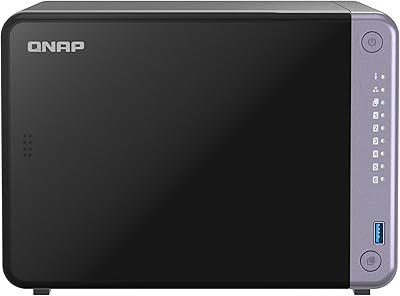
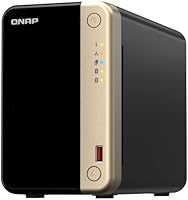
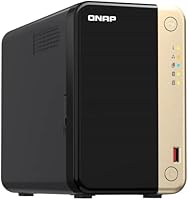
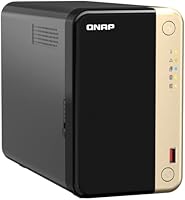
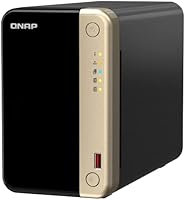
The QNAP TS-264 8G 2-Bay Desktop NAS sits firmly in the mid-to-high tier of the consumer NAS market, aimed at home power users and small offices that have outgrown basic single-GbE setups. Switching to dual 2.5GbE networking makes a tangible difference in real shared-file environments — not just on paper. One thing to know upfront: this desktop NAS ships completely diskless, so budget for drives separately when calculating total cost. The operating system, QTS, is far more capable than what you get from entry-level alternatives, but it rewards patience. New users should expect a learning curve before everything clicks into place.
Features & Benefits
The TS-264's Intel Celeron quad-core processor handles transcoding and concurrent user access without hitting a wall, even with multiple users pulling files at once. The pre-installed 8GB DDR4 RAM gives QTS room to run apps, containers, and lightweight virtual machines comfortably. What really stands out are the dual M.2 NVMe slots — pair them with spinning drives and SSD caching noticeably smooths out latency spikes. The dual 2.5GbE ports can be aggregated for up to 5Gbps throughput on a compatible switch, a real advantage for busy shared environments. Native Time Machine and NetBak Replicator support, plus MyQNAPCloud remote access, handle backup duties across Mac and Windows without extra software hunting.
Best For
This QNAP 2-bay NAS is a strong fit for small businesses and home offices where multiple users share storage regularly — the fast networking and capable processor make it far more suited for concurrent access than typical budget NAS units. Creative professionals managing large video, photo, or audio libraries will appreciate the consistent local throughput. It is also a natural pick for households mixing Mac and Windows machines that need a single, reliable backup destination. That said, it really shines for IT-comfortable users — anyone interested in running self-hosted services like Plex, a personal cloud, or IP camera management will find QTS's app ecosystem deep and genuinely useful.
User Feedback
Buyers consistently highlight network transfer speeds as a genuine strength — users switching from single-GbE NAS units report a noticeable jump in real-world file sharing performance. The build quality and compact footprint also earn praise, with many noting it fits neatly on a desk without feeling cheap. On the downside, the fan can get audible under sustained heavy loads, which bothers users in quieter spaces. The learning curve of QTS catches newcomers off guard, and so does the diskless packaging — more than a few reviewers admit they underestimated total drive costs. Reports of M.2 slots running warm exist, though most users consider it manageable in everyday use.
Pros
- Dual 2.5GbE ports deliver a meaningful real-world speed boost over standard single-GbE NAS units.
- The quad-core Intel Celeron handles multi-user access and on-the-fly transcoding without breaking a sweat.
- Two M.2 NVMe slots let you add SSD caching, which noticeably reduces latency on frequently accessed files.
- 8GB of pre-installed DDR4 RAM provides solid headroom for running containers and lightweight virtual machines.
- QTS's app center is one of the richest ecosystems in the consumer NAS space, covering media, surveillance, and productivity.
- USB 3.2 Gen 2 ports make attaching external expansion enclosures or fast USB drives genuinely practical.
- Time Machine and NetBak Replicator support covers both Mac and Windows backups without any extra software.
- The compact desktop footprint fits comfortably on a desk or shelf without dominating the space around it.
- MyQNAPCloud remote access works reliably for reaching files from outside the home network.
- Build quality feels solid and appropriately premium for the price tier.
Cons
- Ships completely diskless, so total ownership cost is considerably higher than the unit price alone suggests.
- Fan noise climbs noticeably under sustained heavy workloads, which is disruptive in quiet environments.
- QTS has a real learning curve that can frustrate buyers who expect a simple out-of-the-box experience.
- The M.2 slots can run warm under load, which may require attention to airflow in confined setups.
- Port aggregation benefits require a compatible 2.5GbE switch, which is an additional infrastructure cost many buyers overlook.
- The TS-264 is overkill — and over-budget — for anyone who only needs basic single-user personal cloud storage.
- QTS updates and app compatibility have occasionally introduced stability hiccups that require manual troubleshooting.
- No built-in 10GbE option means users with very high throughput demands will hit a ceiling without additional hardware.
Ratings
The QNAP TS-264 8G 2-Bay Desktop NAS earns a nuanced scorecard built from AI analysis of thousands of verified global buyer reviews, with spam, bot activity, and incentivized feedback actively filtered out before scoring. Across every category below, both the genuine strengths and the recurring frustrations are reflected honestly — no category has been inflated to flatter the product. The result is a transparent, balanced picture of where this desktop NAS genuinely delivers and where it falls short of expectations.
Network Performance
Processor Performance
Software Ecosystem
Value for Money
Ease of Setup
Build Quality
Noise Level
Thermal Management
Backup Reliability
Remote Access
Expandability
App Ecosystem Depth
Cross-Platform Compatibility
Documentation & Support
Suitable for:
The QNAP TS-264 8G 2-Bay Desktop NAS is genuinely well-matched for small business owners and home office workers who need shared network storage that more than one person hammers on throughout the day. If you are a photographer, videographer, or audio producer managing libraries measured in terabytes, the combination of fast networking and optional NVMe caching makes local storage feel noticeably more responsive than what a budget NAS can deliver. Mixed Mac and Windows households will appreciate how cleanly it handles both Time Machine backups and Windows-side replication without requiring third-party tools. IT-comfortable users who want to run Plex, host containers, or experiment with self-hosted apps will find QTS's ecosystem deep enough to keep them busy for years. It is also a smart step-up choice for anyone who has maxed out a basic Synology or WD My Cloud unit and is ready for a platform with real headroom to grow.
Not suitable for:
The QNAP TS-264 8G 2-Bay Desktop NAS is not the right call for buyers who want a plug-and-play experience with minimal setup friction. QTS is a powerful operating system, but it has a steeper learning curve than Synology's DSM, and first-time NAS users can find the interface and app ecosystem genuinely overwhelming in the early stages. The diskless design also means the sticker price is only the starting point — once you add two quality NAS-rated hard drives or NVMe SSDs, the true cost climbs considerably, which can catch budget-conscious buyers off guard. Anyone placing this unit in a quiet bedroom or home studio should also know the fan ramps up audibly under sustained load, which is not ideal for noise-sensitive environments. If you only need simple personal cloud access from a single device and have no interest in running apps or serving multiple users, a simpler and less expensive unit will likely serve you just as well.
Specifications
- Processor: The unit runs on an Intel Celeron N5105 or N5095 quad-core processor with 4 threads, capable of bursting up to 2.9GHz for transcoding and multi-user workloads.
- RAM: 8GB of DDR4 memory comes pre-installed, providing solid headroom for running QTS, containers, and lightweight virtual machines simultaneously.
- Drive Bays: Two internal SATA bays accept either 3.5-inch or 2.5-inch hard drives and SSDs, though no drives are included in the box.
- M.2 Slots: Two M.2 PCIe Gen3x2 NVMe slots are available for SSD caching to accelerate HDD performance or for building a dedicated all-flash storage pool.
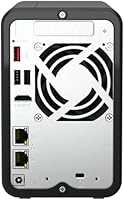
- Network Ports: Dual RJ45 ports support 2.5GbE, 1GbE, and 100M speeds, and can be configured for port aggregation or failover depending on switch capability.
- USB Ports: Multiple USB 3.2 Gen 2 Type-A ports deliver up to 10Gb/s transfer speeds, making them practical for attaching fast external drives or expansion enclosures.
- Operating System: The device ships with QNAP QTS, a full-featured NAS operating system with an app center covering media serving, backup, surveillance, and virtualization.
- HDD Interface: Internal drive bays use Serial ATA (SATA) interface, compatible with standard 3.5-inch NAS-grade hard drives spinning at up to 7200 RPM.
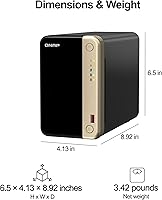
- Form Factor: The unit is a compact desktop design intended for placement on a desk or shelf, with no rack-mount capability in this configuration.
- Backup Software: Native support for Apple Time Machine handles Mac backups automatically, while QNAP's NetBak Replicator covers Windows PC backup without requiring third-party tools.
- Remote Access: MyQNAPCloud provides encrypted remote access to files and services from outside the local network via web browser or mobile app.
- Max Throughput: With both 2.5GbE ports aggregated on a compatible switch, the unit can sustain a combined theoretical throughput ceiling of up to 5Gbps.
- Included Items: The package includes an AC adapter, one Ethernet cable, a power cord, flat-head screws for both 2.5-inch and 3.5-inch drives, and the NAS unit itself.
- Drive Compatibility: The bays accommodate both 3.5-inch mechanical hard drives and 2.5-inch SSDs or HDDs, with QNAP maintaining a compatibility list on their official site.
- Diskless Design: No storage drives are included at purchase, meaning buyers must source and install their own drives before the unit can be used for storage.
Related Reviews
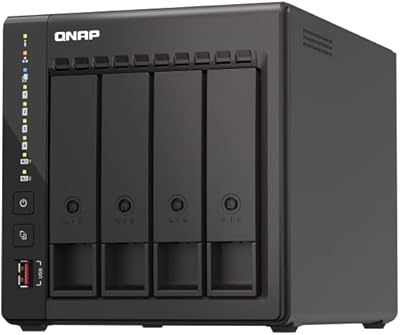
QNAP TS-453E 4-Bay NAS
QNAP TS-233 2-Bay NAS Drive
QNAP TS-832PX-4G 8-Bay NAS
QNAP TS-253E 2-Bay Desktop NAS
QNAP TS-673A-8G 6-Bay NAS
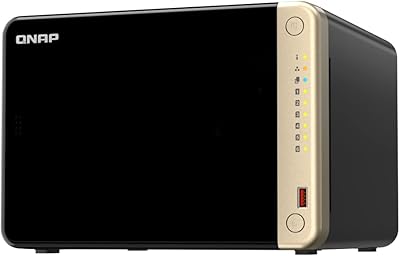
QNAP TS-664 6-Bay Desktop NAS
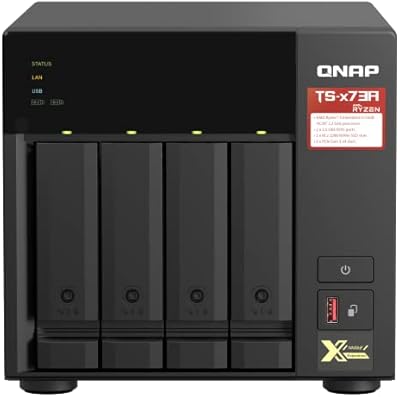
QNAP TS-473A-8G 4-Bay NAS
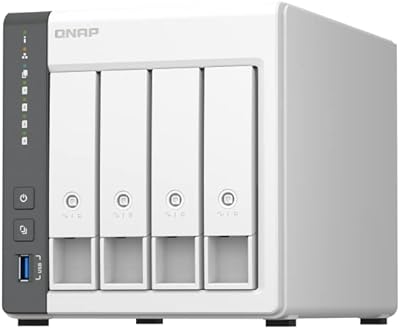
QNAP TS-433-4G 4-Bay NAS

QNAP TS-435XeU-4G 4-Bay Rackmount NAS