Overview

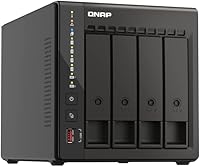
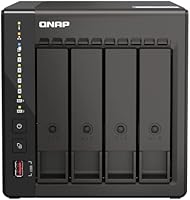
The QNAP TS-453E 4-Bay NAS sits in a sweet spot between entry-level home storage and full business-grade infrastructure — capable enough for power users, but not so complex that it requires an IT department. One thing worth knowing upfront: it ships diskless, so your total investment includes whatever drives you install. The network jump from standard gigabit to dual 2.5GbE is genuinely meaningful in day-to-day use, not just a spec-sheet talking point. QNAP's QTS operating system is feature-rich and flexible, though it demands more from new users than Synology's DSM. Sitting at #16 in Amazon's NAS category with a 4.5-star rating, this QNAP unit has built a quiet, solid reputation among buyers who know what they need.
Features & Benefits

The Intel Celeron J6412 processor handles multiple simultaneous tasks without bottlenecking — think concurrent file transfers, Plex transcoding, and a Docker container running quietly in the background. The dual M.2 NVMe slots are a genuine differentiator; you can configure them as an SSD cache to speed up frequently accessed data or build a dedicated all-flash pool entirely separate from your spinning drives. Those USB 3.2 Gen 2 ports round things out nicely for fast external backups or connecting expansion enclosures. With 8GB of DDR4 RAM onboard, this 4-bay desktop NAS handles virtualization workloads and heavier app deployments that would easily choke a cheaper, lower-spec device.

Best For

This QNAP unit is a strong fit for creative professionals — photographers, video editors, and small studio teams — who routinely move large files and need storage that can keep pace. Home lab enthusiasts will appreciate having enough headroom to run virtual machines or containers without constantly hitting resource limits. If you are coming from an older NAS with a single gigabit port, the move to 2.5GbE will feel like a real upgrade, provided your router or switch can match it. The TS-453E also suits anyone building a storage setup incrementally, since four bays let you start lean and grow capacity as actual needs develop.

User Feedback

Buyers who land on this 4-bay desktop NAS tend to be satisfied with the hardware itself — the build feels solid, fan noise levels are described as acceptable during normal operation, and the 2.5GbE throughput draws consistent praise from users whose network gear supports it. The recurring sticking point is QTS. Those arriving from Synology often find QNAP's interface denser and less welcoming at first, and there is a real learning curve before advanced features click into place. A handful of reviewers flag that total ownership cost, once drives are factored in, tightens the value equation. That said, experienced NAS buyers consistently rate the TS-453E as a capable, well-constructed unit worth the investment.

Pros

  • Dual 2.5GbE ports deliver a real throughput upgrade for teams and offices with compatible network hardware.
  • The Intel Celeron J6412 handles simultaneous transcoding, containers, and multi-user transfers without falling over.
  • Dual M.2 NVMe slots allow SSD caching that noticeably speeds up access to frequently used files.
  • Starting at 8GB DDR4 RAM gives this QNAP unit meaningful headroom over entry-level 4GB competitors.
  • Four drive bays and USB expansion support make scaling storage capacity straightforward over time.
  • Solid, well-constructed chassis with firmly seating drive trays that feel built to last.
  • Native Time Machine and Windows backup compatibility covers mixed-OS households and small offices cleanly.
  • QNAP's app ecosystem extends the TS-453E well beyond storage into surveillance, cloud sync, and productivity tools.
  • Fan noise stays unobtrusive during normal file-serving workloads, making desk placement practical.
  • Sits at #16 in its Amazon category with a 4.5-star rating, reflecting a broad base of satisfied experienced buyers.

Cons

  • QTS has a steep learning curve that regularly frustrates buyers coming from simpler NAS interfaces.
  • The unit ships diskless, so the true ownership cost is significantly higher than the hardware price alone.
  • Onboard RAM cannot be upgraded, capping virtualization potential as workloads grow over time.
  • The 2.5GbE advantage is completely wasted if your existing network switch only supports standard gigabit.
  • Some third-party QTS apps feel inconsistently maintained and can break after OS updates.
  • Fan noise ramps up audibly during sustained heavy workloads like long RAID rebuilds or intensive transcoding.
  • Initial MyQNAPCloud remote access setup is confusing and has caused connectivity issues for some buyers.
  • NVMe cache configuration inside QTS is not beginner-friendly, leaving some users with unused slots they paid for.
  • USB drive compatibility occasionally requires manual troubleshooting before QTS properly recognizes the device.

Ratings

The QNAP TS-453E 4-Bay NAS earned its scores after our AI system processed verified purchase reviews from buyers worldwide, actively filtering out incentivized, bot-generated, and low-quality submissions to surface genuine hands-on experiences. Both the hardware strengths and the real frustrations — especially around software complexity and total cost — are reflected transparently in every category below. The result is an honest picture of where this 4-bay desktop NAS genuinely excels and where it asks more of its owner than some buyers expect.
Network Performance
91%
Buyers who upgraded from older gigabit NAS units consistently describe the dual 2.5GbE ports as a noticeable, practical improvement during large file transfers across a team. Link aggregation support gives small offices an extra layer of throughput and redundancy that genuinely earns its place in a working environment.
The 2.5GbE advantage only materializes if your switch and client machines also support 2.5G — a requirement several home users overlooked at purchase. Those running standard gigabit infrastructure reported no real-world speed difference and felt the feature was wasted on their current setup.
Processor Performance
87%
The Intel Celeron J6412 handles concurrent workloads — simultaneous Plex transcoding, a running Docker container, and active file transfers — without the sluggishness that plagues cheaper entry-level NAS processors. Home lab users and small creative teams found it responsive enough for daily multi-user access without noticeable queuing.
Heavy virtualization with multiple active VMs can push the processor toward its ceiling, and buyers expecting true server-grade compute were occasionally disappointed. It is a capable quad-core chip, but it is still a Celeron, and demanding workloads will remind you of that fairly quickly.
Software & OS (QTS)
68%
32%
QTS is genuinely powerful — its app ecosystem covers backup, surveillance, cloud sync, and container management in ways that give the TS-453E a flexibility few competitors match at this price tier. Power users who invested the time to learn it tend to become loyal advocates, citing the depth of customization as a key reason they chose QNAP over Synology.
New users, particularly those migrating from Synology DSM, routinely flag QTS as dense and less intuitively organized. The initial configuration experience can be frustrating, and some buyers reported spending hours troubleshooting settings that a simpler interface would have surfaced in minutes.
Build Quality
89%
The enclosure feels substantial and well-engineered — drive trays seat firmly, the chassis has no flex, and the overall finish is consistent with what you would expect at this price point. Buyers who have owned multiple NAS units over the years specifically called out the build as a step above budget alternatives they had used before.
A few buyers noted the plastic front panel feels slightly less premium than the metal body behind it, which is a minor but noticeable inconsistency. Drive tray latches work reliably but lack the tool-free elegance found on some competing units in the same category.
Value for Money
73%
27%
For buyers who actually use the dual 2.5GbE ports, NVMe cache slots, and container capabilities, the TS-453E delivers a strong return relative to its asking price — you are getting hardware that would have cost significantly more just a few years ago. Those who max out its feature set feel the investment is well justified.
The diskless configuration means the sticker price is only the beginning, and once quality NAS-rated drives are added across four bays, the total outlay climbs steeply. Buyers looking for a straightforward, plug-and-play home backup box often felt they were paying for capabilities they had no intention of using.
M.2 NVMe Cache & Storage
84%
Having two M.2 PCIe Gen3x2 slots for SSD cache or a dedicated flash pool is a feature that genuinely accelerates random read performance on frequently accessed data. Video editors working with proxy workflows and photographers batch-processing large RAW libraries noticed tangible responsiveness improvements after configuring SSD caching.
The NVMe slots require separate drive purchases that many buyers did not budget for initially, and configuring cache pools correctly in QTS is not a beginner-friendly process. Without proper setup, some users never realized any performance benefit and questioned the value of the feature entirely.
RAM & Multitasking
82%
18%
Starting at 8GB DDR4 rather than the 4GB found on many competing units gives the TS-453E meaningful headroom for running multiple applications simultaneously without memory pressure slowing things down. Container and VM users in particular appreciated not having to immediately consider a RAM upgrade after unboxing.
The RAM is onboard and not user-upgradeable, which frustrates buyers who want to push virtualization further down the road. For users running several resource-heavy applications concurrently, 8GB can become a ceiling rather than a comfort, and there is no workaround once you hit it.
USB Connectivity
78%
22%
The USB 3.2 Gen 2 Type-A ports are fast enough to make external drive backups genuinely practical rather than an overnight affair. Buyers using the TS-453E for studio or archival workflows found direct-attached storage and expansion enclosures connected and performed without driver headaches.
The number of USB ports is adequate but not generous, and buyers wanting to connect multiple peripherals simultaneously found themselves reaching for a hub. A few users also noted that USB drive compatibility with QTS required occasional manual troubleshooting before a device was properly recognized.
Remote Access
77%
23%
MyQNAPCloud works reliably for securely reaching files from outside the home network, and the mobile app handles basic access tasks without requiring any port-forwarding configuration for most users. Buyers who travel frequently and need occasional remote file retrieval found it dependable enough for real use.
Initial MyQNAPCloud setup confused several users, and some reported intermittent connectivity issues that required account re-linking to resolve. Those wanting true enterprise-grade remote access reliability found the experience inconsistent compared to dedicated cloud storage services.
Backup Capabilities
83%
Native support for Windows backup via NetBak Replicator and Mac Time Machine compatibility means the TS-453E handles the most common household and small-office backup scenarios without any third-party software. Buyers using it as a household backup hub for mixed Windows and Mac environments specifically praised how little ongoing maintenance it required once configured.
Setting up more advanced backup schedules and versioning in QTS requires navigating several nested menus that are not clearly documented. A handful of buyers reported confusion when restoring from backup, particularly around version management, which undermined confidence in the system during exactly the moments it matters most.
Fan Noise & Thermal Management
74%
26%
Under normal file-serving loads, the cooling system operates quietly enough that the unit can sit on a desk without becoming an irritant. Buyers running it in home offices noted that ambient noise from HVAC or other equipment easily masks it during typical workday usage.
Under sustained heavy workloads — prolonged RAID rebuilds, intensive transcoding, or large batch transfers — the fan audibly ramps up in ways that some users found distracting in quiet environments. A few buyers wished QTS offered more granular manual fan curve controls rather than relying solely on automatic thermal profiles.
Setup & Initial Configuration
61%
39%
The physical hardware setup is quick and tool-free for basic drive installation, and QNAP's web-based setup wizard walks through the initial QTS installation clearly enough for technically inclined buyers. Those with prior NAS experience reported being fully operational within an hour of unboxing.
Users without prior NAS exposure frequently described the initial configuration as overwhelming, with too many unfamiliar options presented at once without sufficient contextual guidance. Several buyers with simpler storage needs felt the setup process was disproportionately complex for what they actually wanted the device to do.
App Ecosystem
79%
21%
The QNAP app center covers a wide range of use cases — media servers, cloud sync, surveillance, productivity tools — that extend the TS-453E well beyond basic file storage. Buyers who explored the ecosystem found it significantly deeper than they expected, with active app development adding new capabilities over time.
App quality varies noticeably across the ecosystem, and some third-party QTS apps feel underdeveloped or inconsistently maintained. A handful of buyers reported apps failing after QTS updates, which introduced instability at moments that disrupted workflows they had come to rely on.
Expandability & Future-Proofing
86%
Four drive bays, dual M.2 slots, and USB expansion enclosure support give this 4-bay desktop NAS a genuine upgrade path rather than a hard ceiling. Buyers who started with two drives found adding capacity later to be straightforward, and the 2.5GbE infrastructure positions the hardware ahead of where most home networks are today.
The non-expandable onboard RAM is a meaningful constraint for buyers planning to grow their workloads significantly over time. Once you are running near the memory ceiling, there is no upgrade path short of replacing the unit entirely, which tempers the otherwise solid expandability story.

Suitable for:

The QNAP TS-453E 4-Bay NAS is built for buyers who already know what a NAS is and want more than basic file storage — specifically people who are ready to put that hardware to work. Creative professionals like photographers and video editors will find it well-suited to centralizing large RAW files and media libraries across a team, especially once the 2.5GbE network advantage is paired with compatible switching gear. Home lab enthusiasts who want to run Docker containers, experiment with lightweight virtualization, or self-host applications will appreciate having a processor and RAM allocation that does not immediately hit a wall under moderate workloads. Small offices handling regular file sharing across several users will also benefit, particularly those upgrading from older single-gigabit setups where transfer bottlenecks have become a daily frustration. If you are the kind of buyer who wants a 4-bay enclosure you can grow into over several years — starting with two drives and expanding as storage demands increase — the TS-453E is a sensible long-term investment rather than a purchase you will outgrow quickly.
Not suitable for:

The QNAP TS-453E 4-Bay NAS is a poor match for buyers who want a simple, low-maintenance box that just works out of the box without a learning curve. If your goal is straightforward automatic backup for a couple of home computers and nothing more, the complexity of QTS and the cost of the hardware are both disproportionate to that need — a more affordable, beginner-focused NAS from a competing brand would serve you better and frustrate you far less. The diskless nature of the unit also means this is not the right choice for anyone on a tight total budget, since four quality NAS-rated drives will add considerably to the final price. Buyers who expect the 2.5GbE benefit immediately should also be realistic: if your router or network switch tops out at gigabit, that feature contributes nothing until you upgrade your infrastructure. Anyone who values RAM expandability for future workload growth should note that the onboard memory is fixed and cannot be upgraded, which limits where you can take the device over time.
Specifications

  • Processor: Powered by an Intel Celeron J6412 quad-core, 4-thread CPU that bursts up to 2.9GHz for handling transcoding and multi-application workloads.
  • RAM: Ships with 8GB of onboard DDR4 memory that cannot be expanded or replaced by the user.
  • Drive Bays: Accommodates up to four 3.5-inch or 2.5-inch SATA hard drives or SSDs via Serial ATA interface.
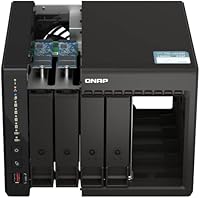
  • M.2 Slots: Includes two M.2 PCIe Gen3x2 NVMe slots that can be configured for SSD cache acceleration or a dedicated all-flash storage pool.
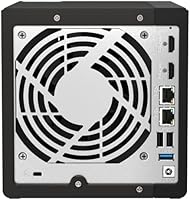
  • Network Ports: Equipped with dual 2.5GbE RJ45 ports supporting 2.5G, 1G, and 100M speeds, with link aggregation and failover capability.
  • USB Ports: Features multiple USB 3.2 Gen 2 Type-A ports offering transfer speeds up to 10Gb/s for external drives and expansion enclosures.
  • Operating System: Runs QNAP QTS, a Linux-based NAS operating system with an app center, container station, and remote access management built in.
  • Drive Included: Ships as a diskless unit — no hard drives or SSDs are included and must be purchased separately before the unit can store data.
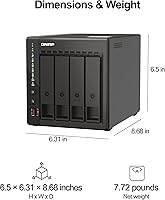
  • Dimensions: Measures 21 x 13 x 14 inches (L x W x H), making it a full desktop-footprint enclosure rather than a compact tower.
  • Weight: Weighs 7.56 pounds without drives installed, which increases meaningfully once four populated drive trays are seated.
  • Hard Drive Interface: Uses Serial ATA (SATA) as the primary drive interface for all four mechanical or solid-state bay drives.
  • Windows Backup: Supports automated Windows PC backup natively through QNAP's NetBak Replicator software at no additional cost.
  • Mac Backup: Compatible with Apple Time Machine, allowing macOS users to back up directly to the NAS over the local network.
  • Remote Access: Provides secure remote file access via MyQNAPCloud, QNAP's cloud relay service, without requiring manual port-forwarding configuration.
  • Color & Finish: Available in black with a predominantly metal chassis and a plastic front panel housing the drive bay doors.
  • Category Ranking: Holds a #16 bestseller rank in the Amazon NAS Devices category with an average rating of 4.5 stars from verified purchasers.
  • Platform Support: Compatible with both Windows and macOS environments for backup, file access, and administration tasks.
  • Expansion Support: Supports external storage expansion via USB-connected enclosures, extending raw capacity beyond the four internal bays.

Related Reviews
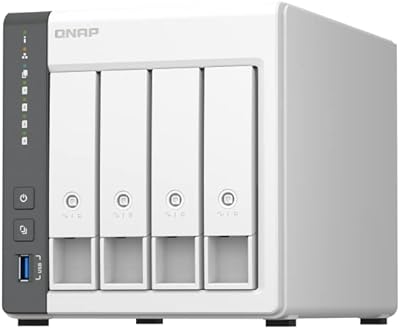
QNAP TS-433-4G 4-Bay NAS

83%
87%
Value for Money
82%
Performance
91%
Ease of Setup
85%
Build Quality
88%
Connectivity
More
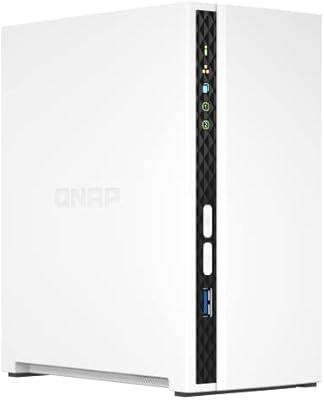
QNAP TS-435XeU-4G 4-Bay Rackmount NAS
74%
88%
Network Performance
91%
Build Quality & Physical Design
72%
Software & OS Flexibility
61%
Setup & Initial Configuration
67%
M.2 NVMe Cache Performance
More
QNAP TS-233 2-Bay NAS Drive
77%
83%
Ease of Setup
78%
Software & App Ecosystem
76%
Performance for File Sharing
87%
Backup Reliability
58%
Media Streaming
More
QNAP TS-264-8G-US 2-Bay NAS
87%
89%
Performance
92%
Setup/Installation
86%
Build Quality/Durability
90%
File Transfer Speed
85%
Software/Firmware/App Experience
More
QNAP TR-004U 4 Bay Rackmount NAS Expansion
82%
88%
Performance & Reliability
91%
Ease of Setup
85%
Value for Money
87%
Build Quality
80%
RAID Configuration & Flexibility
More
QNAP TS-632X-4G 6-Bay NAS with 10GbE and Quad-Core Processor
85%
91%
Performance
94%
Network Connectivity
88%
Expandability
82%
Ease of Setup
85%
Reliability
More
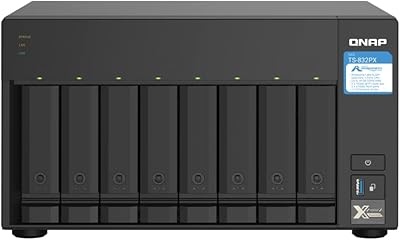
QNAP TS-832PX-4G 8-Bay NAS with 10GbE SFP+ and 2.5GbE
85%
91%
Performance
94%
Network Connectivity
89%
Ease of Setup
85%
Expandability (RAM)
88%
Data Security (Encryption)
More
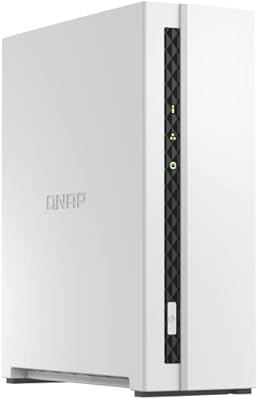
QNAP TS-133 1 Bay NAS with ARM Cortex-A55 Quad-core Processor and 2GB RAM
84%
82%
Performance
91%
Setup and Installation
88%
Ease of Use
92%
Value for Money
85%
Storage Flexibility
More
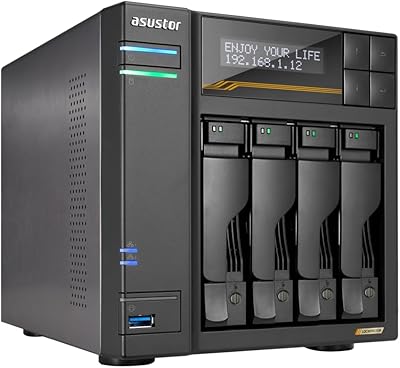
Asustor Drivestor 4 Pro AS3304T 4-Bay NAS
78%
88%
Network Performance
83%
Software & ADM Interface
74%
Media Playback & Transcoding
76%
App Ecosystem
57%
RAM & Multitasking
More
Asustor Lockerstor 4 Gen3 AS6804T 4-Bay NAS
84%
91%
Performance
88%
Build Quality
94%
Network Speed
87%
Storage Expandability
89%
Ease of Setup
More

FAQ

No, it does not. The unit ships completely diskless, which means you will need to budget for and purchase compatible NAS-rated drives separately. QNAP maintains a compatibility list on their website where you can confirm which drive models are officially supported before buying.

Yes, and this is something buyers frequently overlook. If your router or network switch only supports standard gigabit, the dual 2.5GbE ports on the TS-453E will fall back to 1G automatically. To actually realize faster transfer speeds, both the switch and the client machines connecting to it need to support 2.5G as well.

Unfortunately not. The 8GB DDR4 is soldered directly onto the board and cannot be replaced or expanded. If you anticipate running memory-heavy workloads like multiple virtual machines down the road, this is worth factoring into your decision now rather than later.

It depends on your comfort level with networking and storage concepts. QTS is a genuinely powerful operating system, but its interface is dense compared to alternatives like Synology DSM, which tends to be more beginner-friendly. If you are completely new to NAS devices, expect to spend some time learning the layout and terminology before things feel intuitive.

Yes, you can configure the M.2 NVMe slots as an independent SSD storage pool rather than exclusively as cache. This means you could run a fast all-flash volume for frequently accessed data alongside spinning drives in the main bays — a useful setup for video editors or anyone dealing with latency-sensitive workloads.

During typical file-serving and light workloads, most users describe the fan noise as quiet enough to sit comfortably on a desk in a home office. That said, during sustained heavy operations like a full RAID rebuild or extended transcoding sessions, the fan does ramp up noticeably. It is not disruptively loud, but it is audible in a quiet room.

It depends on what you prioritize. The TS-453E generally offers more raw hardware for the price — particularly with dual 2.5GbE and NVMe slots — while Synology typically edges ahead on software polish and ease of use. If you are a hands-on user who values hardware capability and flexibility, QNAP is a strong choice. If you just want things to work with minimal fuss, Synology's ecosystem may suit you better.

Absolutely, and that is actually one of the more practical aspects of this 4-bay design. You can populate two bays initially and add drives later as your storage needs grow, which helps spread the total cost over time. Just make sure you plan your RAID configuration with expansion in mind from the start.

Yes, Time Machine backup is natively supported. Once configured in QTS, your Mac will recognize the NAS as a backup destination just like an external drive. It works reliably for most users and requires no third-party software on the Mac side.

The 4-bay desktop NAS handles Plex media transcoding, multiple simultaneous user file access, Docker containers, and lightweight virtual machines without significant strain under normal conditions. Running several resource-intensive tasks at the same time will push the processor and RAM closer to their limits, but for a home lab or small office environment, the hardware is genuinely capable for the price tier it occupies.