
Overview

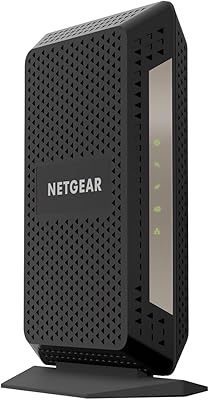
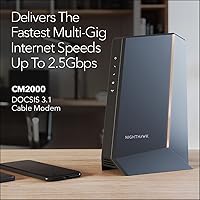
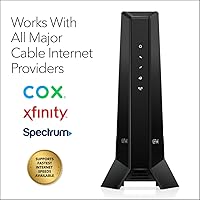
The NETGEAR CM2000 DOCSIS 3.1 Cable Modem sits at the high end of the consumer modem market, built for households that are serious about maximizing their cable internet speed. One critical caveat upfront: this device works exclusively with cable providers — Xfinity, Spectrum, Cox, and similar services. If you're on Verizon, AT&T, a DSL plan, or have a bundled voice or TV package, this simply isn't the right fit. For everyone else on a gigabit-or-above cable plan, the CM2000 makes a compelling case. Beyond raw speed, it also eliminates the monthly rental fee your ISP charges — a cost that adds up to real savings over two or three years.

Features & Benefits

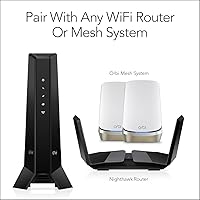
The CM2000's headline spec is its 2.5 Gbps Ethernet port — genuinely uncommon at the consumer level, and well-positioned for the faster cable tiers that major ISPs are beginning to roll out. Underneath that, DOCSIS 3.1 with 32x8 channel bonding means the modem pulls from multiple downstream channels simultaneously, which translates to more consistent throughput during peak usage hours — not just ideal conditions. Worth stating clearly: this is a modem-only device with no built-in Wi-Fi, so you will need to connect your own router to that Ethernet port. That is actually an advantage for anyone who wants a modular network setup. IPv6 support also keeps it ready for next-generation networking standards.

Best For

This multi-gig cable modem makes the most sense for Xfinity, Spectrum, or Cox subscribers already on — or planning to move to — a plan at 1 Gbps or faster. Home offices juggling simultaneous video calls, large uploads, and cloud backups will feel a clear difference over rented gear. It also suits households thinking ahead: if your ISP rolls out faster tiers in your area, the CM2000 won't be the bottleneck. That said, it's not a budget purchase, and the value proposition weakens if you're on a standard 300–500 Mbps plan. One firm boundary: no DSL, fiber, or bundled voice services — always check your ISP's compatibility list before ordering.

User Feedback

Across nearly 3,000 ratings, this DOCSIS 3.1 modem holds a solid 4.2-star average — respectable for networking hardware where expectations run high. The most consistent praise centers on fast ISP provisioning and a noticeable speed improvement over whatever the provider had been renting out. Build quality also draws favorable comments; it feels sturdier than its compact size suggests. On the downside, a handful of buyers report friction during initial activation, particularly with certain Xfinity account configurations. Heat during extended use comes up occasionally, so ventilation matters where you place it. A fair share of low ratings trace back to ISP incompatibility mismatches — buyers who ordered without confirming their provider was on the supported list.

Pros

  • Eliminates the ISP monthly equipment rental fee, recovering the purchase cost over two to three years.
  • The 2.5 Gbps Ethernet port future-proofs your setup as cable providers gradually push faster plan tiers.
  • DOCSIS 3.1 with 32x8 channel bonding delivers noticeably more consistent speeds during peak household usage.
  • Fully router-agnostic — pairs with any third-party router or mesh system without ecosystem lock-in.
  • Fast and straightforward provisioning reported by the majority of Xfinity, Spectrum, and Cox subscribers.
  • Standalone form factor keeps your network stack modular, so you can upgrade modem and router independently.
  • IPv6 support ensures the hardware stays compatible with modern and evolving network infrastructure.
  • Build quality draws consistent praise from long-term owners; feels substantially sturdier than typical ISP-provided gear.

Cons

  • Premium price is difficult to justify for households on cable plans running below 1 Gbps.
  • Initial ISP activation can involve friction, especially with certain Xfinity account configurations.
  • Only one Ethernet port on the unit — connecting multiple wired devices requires a separate network switch.
  • Runs noticeably warm during extended use; airflow and placement around the unit genuinely matter.
  • No built-in Wi-Fi means budgeting for a separate router on top of an already steep purchase price.
  • Some cable providers still require a customer service call to complete modem provisioning, adding setup time.
  • A meaningful share of low ratings traces back to buyer error — ordering without confirming ISP compatibility first.
  • Larger physical footprint than entry-level modems; may be awkward to fit in compact media cabinet setups.

Ratings

Our scores for the NETGEAR CM2000 DOCSIS 3.1 Cable Modem were generated by AI after analyzing thousands of verified owner reviews from buyers worldwide, with spam, bot submissions, and incentivized feedback actively filtered out. The result is a transparent breakdown that reflects both where this multi-gig modem genuinely excels and where real buyers have encountered friction. Strengths and pain points carry equal weight, so every score here tells an honest story.

Performance & Speed
91%
On a gigabit or multi-gig cable plan, the CM2000 consistently delivers speeds that match or exceed what the ISP advertises, with noticeably fewer dips during peak evening hours compared to older DOCSIS 3.0 hardware. Users upgrading from ISP-rented modems frequently report the improvement as immediate and meaningful.
On sub-gigabit plans the performance advantage over cheaper alternatives is essentially invisible in everyday use. A handful of owners also note occasional speed inconsistencies during the first few weeks of service, which typically resolved after the ISP completed full provisioning on their account.
Setup & Activation
72%
28%
Most Spectrum and Cox subscribers report a clean, self-guided activation using their provider's online portal, with the modem pulling a signal and registering within minutes. Xfinity users on standard residential accounts also generally have a positive first experience when following the activation steps carefully.
A persistent subset of Xfinity customers encounters provisioning delays or authentication errors that require a customer service call to resolve, stretching setup time to an hour or more. The modem provides no onscreen feedback during activation, making it genuinely difficult to tell whether a delay originates from the device or the ISP side.
Build Quality
84%
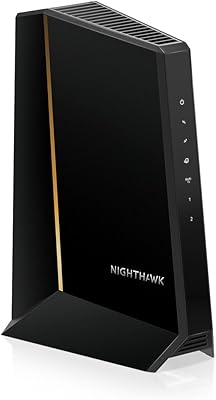
The housing feels denser and more substantial than typical ISP-supplied equipment, with a matte black finish that holds up without scuffing or yellowing after extended use. Indicator lights are clearly spaced and readable from across a room, making at-a-glance status checks effortless.
A small number of long-term owners report unit failures after two to three years of continuous operation, though hardware fatigue at that interval is not unusual for networking equipment at any price point. The ventilation slots are modest for a device that runs noticeably warm under sustained high-throughput load.
ISP Compatibility
78%
22%
For subscribers on Xfinity, Spectrum, or Cox, compatibility is solid and well-documented, with NETGEAR maintaining active approval status across all three providers. The CM2000 also works with several smaller regional cable operators that run DOCSIS infrastructure, broadening its practical reach beyond the headline names.
The compatibility boundary is absolute — Verizon, AT&T, DSL, and fiber users cannot use this modem regardless of configuration, and a significant portion of negative reviews come from buyers who skipped the compatibility check before purchasing. Cable subscribers with bundled voice or TV services face the same hard incompatibility wall.
Value for Money
69%
31%
For households already paying monthly ISP equipment rental fees on a gigabit or faster cable plan, this DOCSIS 3.1 modem pays for itself within roughly two years and continues delivering savings beyond that point. The 2.5 Gbps port adds genuine long-term relevance as faster cable tiers roll out more broadly.
At its current price, the CM2000 is a difficult justification for anyone on a plan below 1 Gbps, where a far less expensive modem would deliver identical real-world speeds. Compared to capable 1 Gbps alternatives, the multi-gig premium is steep for buyers who are not yet on a plan that can actually use it.
Heat Management
63%
37%
Under typical household load — streaming, browsing, and moderate downloads running simultaneously — the modem stays warm but within normal operating range. Owners who place it on an open shelf or in a well-ventilated space rarely flag heat as an issue affecting performance or uptime.
Several owners note that the device runs surprisingly hot during sustained high-throughput use, particularly when placed in enclosed media cabinets or stacked near other equipment. A few long-term users suspect heat contributed to early hardware degradation, though the absence of active cooling is a standard characteristic of this product category.
Long-term Reliability
77%
23%
The majority of owners who have used the CM2000 for one to three years report consistent, uninterrupted performance without needing reboots or ISP re-provisioning. Its DOCSIS 3.1 foundation means it is unlikely to become technically outdated before it physically wears out under normal household use.
A minority of owners report unexplained disconnection events after extended use, which in several cases traced back to heat buildup rather than firmware issues. NETGEAR's track record on long-term firmware support for this model is positive, but post-warranty software maintenance is never guaranteed indefinitely.
Provisioning Speed
83%
When purchased for a fully compatible cable plan, most users report that the modem is recognized and provisioned by their ISP within minutes of powering on, with no extended wait or multiple reboots required. Spectrum subscribers in particular consistently highlight how friction-free the initial registration process is.
Xfinity accounts with non-standard configurations — business accounts, addresses with prior service history, or accounts mid-plan-change — tend to experience longer provisioning windows requiring direct support interaction. The modem offers no diagnostic feedback during these delays, leaving users uncertain whether the device or the ISP is responsible for the holdup.
Router Compatibility
93%
The CM2000 connects to virtually any router or mesh system via its Ethernet port without requiring special configuration, making it genuinely brand-agnostic in practice. Users pairing it with everything from basic single-router setups to multi-node Orbi or Eero mesh systems consistently report clean, plug-and-play connectivity.
A small number of users with older routers lacking a 2.5 Gbps port find the connection negotiates down to 1 Gbps, technically leaving multi-gig performance untapped. This reflects a router limitation rather than a modem flaw, but buyers targeting true multi-gig throughput should verify their router's port specifications before purchasing.
Future-proofing
94%
With its 2.5 Gbps Ethernet port and DOCSIS 3.1 architecture, this modem is well-positioned for the faster cable tiers that major ISPs are gradually expanding across more markets. Buyers who purchase it today on a 1 Gbps plan can upgrade their internet tier later without needing to swap hardware.
The only realistic ceiling is DOCSIS 3.1 itself — if DOCSIS 4.0 deployment accelerates meaningfully over the next five to seven years, the CM2000 will eventually need replacement. That scenario remains distant for most consumer markets and is not a near-term purchase concern for the overwhelming majority of buyers.
Ease of Use
81%
19%
Once activated, the CM2000 requires zero day-to-day interaction — no app, no management interface, no routine maintenance. For users who want networking hardware that stays invisible and just works, it delivers exactly that kind of dependable, hands-off experience over the long term.
The initial activation process carries a steeper learning curve than fully plug-and-play devices, requiring users to locate the MAC address and serial number, navigate the ISP's portal, and sometimes wait on hold with customer support. No guided setup tools or status indicators are built into the modem itself to ease the process.
Documentation & Support
67%
33%
NETGEAR's online knowledge base includes step-by-step activation guides for the major supported ISPs, and the physical packaging clearly lists ISP compatibility before the box is even opened. Community forums also provide useful peer troubleshooting for common activation edge cases that official docs do not cover.
The included printed documentation is sparse, and users who encounter activation problems with less common ISP configurations often find official support responses slow or overly generic. A notable share of frustrated reviewers describe feeling underserved when their specific setup issue fell outside the standard troubleshooting script.
Physical Design
74%
26%
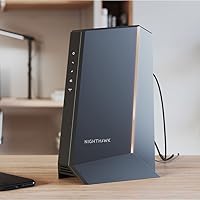
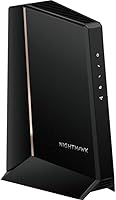
The vertical tower format keeps the footprint compact on open shelving, and the neutral matte black finish blends unobtrusively into most home office or entertainment setups. LED indicators are well-labeled and informative enough for quick visual diagnostics without needing a companion app.
At 9.9 inches tall, the CM2000 is noticeably larger than entry-level modems and can be awkward to fit in tight media cabinets or utility closets where vertical clearance is limited. The single rear Ethernet port also means anyone wanting to wire multiple devices directly will need a separate network switch.

Suitable for:

The NETGEAR CM2000 DOCSIS 3.1 Cable Modem is purpose-built for cable internet subscribers — specifically those on Xfinity, Spectrum, or Cox — who are already paying for gigabit-tier speeds or plan to upgrade within the next couple of years. If your ISP charges a monthly equipment rental fee, this modem pays for itself over time, making it a genuinely smart long-term investment rather than just a hardware upgrade. Home office workers who push large file transfers, run persistent cloud backups, or sustain multiple simultaneous video calls will appreciate having real headroom beyond what a standard rented modem delivers. It is also an excellent fit for technically inclined users who prefer a modular network setup — pairing a dedicated modem with a separate router or mesh system of their choosing, rather than depending on ISP-supplied all-in-one equipment. Households that stream heavily across multiple rooms, game online, and work from home at the same time will notice the improved consistency under load compared to older DOCSIS 3.0 hardware.

Not suitable for:

The NETGEAR CM2000 DOCSIS 3.1 Cable Modem is a firm no for anyone not on a traditional cable internet connection. Verizon Fios, AT&T, CenturyLink, and all DSL or fiber-based services are fundamentally incompatible — no configuration will change that, and this is the root cause of many frustrated one-star reviews. Cable subscribers with bundled voice or TV service should also steer clear, as this modem has no telephone port and cannot support those packages. At its price point, it is also difficult to justify for households sitting comfortably on mid-tier plans around 300–500 Mbps — a more affordable DOCSIS 3.1 modem capped at 1 Gbps would serve them equally well for less money. Finally, buyers hoping for a single box that handles both internet and Wi-Fi need to know upfront that this is a modem-only device, meaning a separate router is a required additional expense.

Specifications

  • Model Number: The official model identifier is CM2000-100NAS, manufactured by NETGEAR.
  • Modem Standard: Built on DOCSIS 3.1, the current top-tier cable modem specification for consumer internet service.
  • Max Plan Speed: Supports cable internet plans delivering up to 2.5 Gbps of downstream throughput.
  • WAN Port: Includes one 2.5 Gbps multi-gig Ethernet port for connecting a router or directly to a compatible device.
  • Channel Bonding: Features 32x8 channel bonding, aggregating 32 downstream and 8 upstream channels for improved throughput consistency.
  • OFDM Technology: Incorporates OFDM(A) 2x2, which improves spectral efficiency and signal resilience compared to older modulation methods.
  • IPv6 Support: Fully supports IPv6, ensuring compatibility with current and next-generation internet addressing standards.
  • Wi-Fi: This is a modem-only device with no integrated Wi-Fi; a separate router is required for wireless connectivity.
  • Compatible ISPs: Works with major U.S. cable providers including Xfinity, Spectrum, Cox, and other DOCSIS-based cable services.
  • Incompatible Services: Not compatible with Verizon, AT&T, CenturyLink, DSL, DirecTV, DISH, or any bundled voice or TV service.
  • Dimensions: Physical dimensions measure 9.9″ long by 8.8″ wide by 4.7″ high.
  • Weight: Weighs 1.02 pounds, making it easy to position or reposition in most home network setups.
  • Color: Finished in black with a matte housing suited to standard home and office environments.
  • Release Date: First made available to consumers in September 2020.
  • Market Rank: Ranked number 2 in Computer Networking Modems on Amazon at the time of publication.

Related Reviews
NETGEAR CM1000 DOCSIS 3.1 Cable Modem
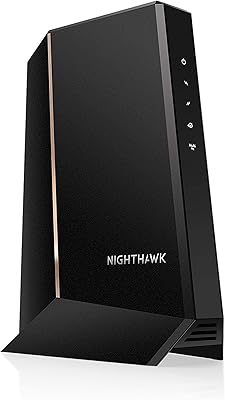
76%
88%
Connection Stability
84%
Speed Performance
76%
Compatibility & ISP Support
61%
Setup & Provisioning Experience
82%
Value for Money
More
NETGEAR Nighthawk CM3000
79%
88%
Upload Speed Performance
91%
Download Speed Delivery
79%
ISP Compatibility
66%
Setup & Activation Experience
74%
Value for Money
More
NETGEAR CM2500 DOCSIS 3.1 Cable Modem
77%
83%
Setup & Provisioning
88%
Upload Speed Performance
81%
Download Speed Consistency
76%
ISP Compatibility
79%
Build Quality & Design
More
NETGEAR Nighthawk 32x8 DOCSIS 3.1 Cable Modem
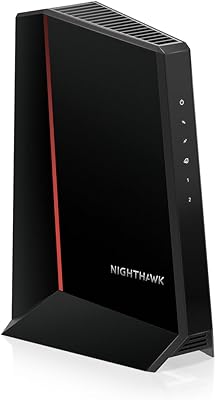
78%
88%
Internet Speed Performance
83%
Setup & Activation
79%
Build Quality & Durability
91%
Value for Money
74%
ISP Compatibility
More
Hitron CODA DOCSIS 3.1 Cable Modem
76%
83%
Connection Stability
78%
Ease of Setup
74%
ISP Compatibility
86%
Value for Money
81%
Performance at Rated Speeds
More
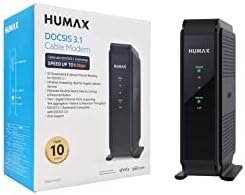
Humax HGD310 DOCSIS 3.1 Cable Modem
76%
88%
Internet Speed Performance
83%
Setup & Installation
79%
ISP Compatibility
91%
Value for Money
67%
Build Quality & Durability
More
Arris CM8200A DOCSIS 3.1 Cable Modem
74%
88%
Internet Speed Performance
79%
Ease of Setup & Activation
74%
ISP Compatibility
83%
Build Quality & Durability
71%
Thermal Management
More
NETGEAR CM500 DOCSIS 3.0 Cable Modem
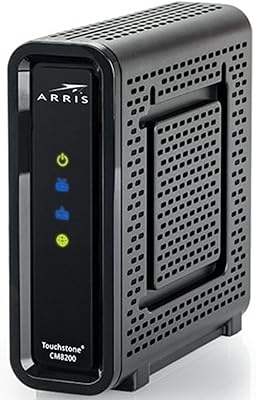
77%
91%
Value for Money
88%
Setup & Activation
84%
Connection Stability
63%
Refurbished Condition Consistency
72%
ISP Compatibility
More
Motorola MB8611 DOCSIS 3.1 Cable Modem
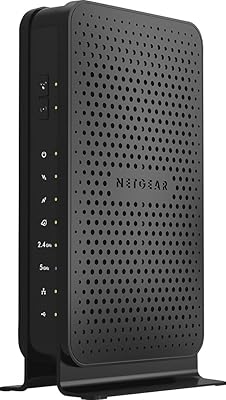
81%
88%
Speed Performance
91%
Reliability & Uptime
74%
Setup & Activation
83%
ISP Compatibility
86%
Latency & Gaming
More
NETGEAR C3700 N600 Cable Modem Router
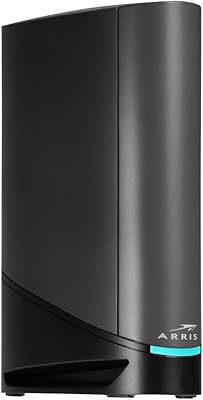
73%
91%
Ease of Setup
88%
Connection Reliability
58%
WiFi Speed & Performance
61%
WiFi Range & Coverage
83%
Modem Speed & Throughput
More
ARRIS SURFboard G36
ARRIS SURFboard G36
72%
83%
Setup & Activation
76%
Wi-Fi Speed & Throughput
61%
Wi-Fi Range & Coverage
58%
Connection Stability
88%
DOCSIS 3.1 Modem Performance
More

FAQ

No Wi-Fi is included — the CM2000 is a standalone modem only. You will need to connect a separate router or mesh system to its Ethernet port to get wireless coverage throughout your home. The upside is that you can choose any router you like and upgrade each component of your network independently down the road.

Unfortunately, no. The NETGEAR CM2000 DOCSIS 3.1 Cable Modem is designed exclusively for cable internet services that use the DOCSIS standard, and Verizon Fios runs on a fiber network with its own proprietary equipment. The same incompatibility applies to AT&T fiber, CenturyLink, and all DSL providers — this modem simply cannot communicate with those networks.

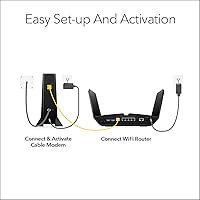
The process is fairly consistent across major cable providers. You connect the modem to your coaxial cable outlet, then plug your router into its Ethernet port. After powering it on, you will need to call your ISP or use their online activation portal to register the new device using its MAC address and serial number, both printed on the bottom label. Most users report a smooth experience, though Xfinity sometimes requires a phone call rather than allowing full online self-activation.

Honestly, probably not at this price point. This modem is built for multi-gig cable plans, and on a 500 Mbps subscription you would never use the headroom you are paying for. A less expensive DOCSIS 3.1 modem capped at 1 Gbps would perform identically for your current needs and cost significantly less. That calculation changes if you are seriously planning to upgrade to a gigabit or faster tier in the near future.

Most major cable providers charge between ten and fifteen dollars per month in equipment rental fees. Over two to three years, that adds up to somewhere between $240 and $540 — often more than the cost of this modem. For most buyers the break-even point lands around 18 to 24 months, after which every month is pure savings.

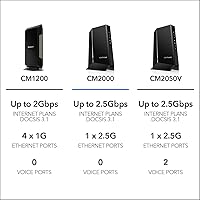
The core difference is the speed ceiling and the Ethernet port that backs it up. The CM1000 tops out at 1 Gbps with a standard gigabit port, while this modem reaches 2.5 Gbps and includes a matching 2.5 Gbps multi-gig port. If your current cable plan is at or below 1 Gbps, the CM1000 delivers essentially identical real-world performance for less money. The CM2000 only earns its premium when you are on — or actively planning to move to — a multi-gig cable tier.

It does run noticeably warm during extended operation, which is normal for high-performance cable modems in this class. There is no safety concern, but placement genuinely matters. Avoid enclosed cabinets or shelves with no airflow; an open surface or a spot with a few inches of clearance on all sides is ideal. Owners who pay attention to ventilation consistently report better long-term reliability.

No — the CM2000 has no telephone ports and cannot support voice-over-cable services. If your cable package bundles a home phone line, you will need to keep your ISP's equipment for that service, or ask your provider whether the voice and internet portions of your account can be separated so you can use your own modem for internet only.

It might. The CM2000 is compatible with most traditional cable internet providers that run on the DOCSIS standard, not just the three big names. The safest move before buying is to visit your ISP's official modem compatibility page or call their support line with the model number CM2000-100NAS. Several smaller regional cable companies do support it, but confirming beforehand saves a frustrating return process.

A well-maintained cable modem at this performance level can last five to seven years or longer under normal conditions. DOCSIS 3.1 is still the current standard, so there is no near-term technical obsolescence to worry about. The more practical risks are ISP-side deprecation of older registered devices — which is rare — and hardware failure after the warranty period expires. Keeping it in a ventilated spot is the single best thing you can do to extend its lifespan.

Where to Buy