
Overview

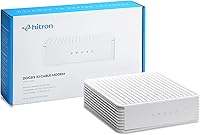
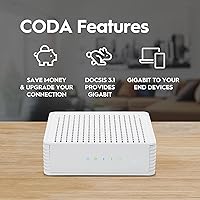
The Hitron CODA DOCSIS 3.1 Cable Modem is a no-frills standalone modem built for cable internet subscribers who want to stop paying monthly rental fees to their ISP. One thing to be absolutely clear about upfront: no WiFi is included. You will need a separate router to get wireless connectivity in your home. On the technology side, DOCSIS 3.1 is the current standard for cable internet, meaning this standalone modem is well-positioned to handle today's speeds without becoming obsolete quickly. It works with major providers like Xfinity, Spectrum Residential, and Cox, but it is strictly for cable internet service only — fiber, DSL, satellite, and Spectrum Business are all incompatible.

Features & Benefits

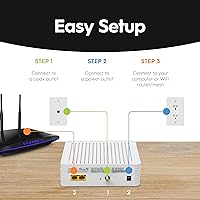
This cable modem supports cable internet plans up to 1 Gbps, which covers the vast majority of residential speed tiers available today. It has a single Gigabit Ethernet port, so you plug your router straight in and you are set. The physical footprint is surprisingly compact — roughly 6.7 inches square and under 2 inches tall — so it tucks away easily on a shelf or entertainment unit. Provider compatibility is broad, covering Xfinity, Spectrum Residential, Cox, Astound, RCN, Grande, Wave, and Zito Media. Setup follows a simple sequence: coax cable in, power on, Ethernet to your router, then a call to your ISP for activation. Over time, avoiding rental fees can meaningfully offset the purchase cost depending on your provider's pricing.

Best For

The Hitron CODA is a strong fit for cable internet customers on Xfinity, Spectrum Residential, or Cox who already own a router or are planning to buy one separately. If you are a renter or homeowner frustrated by paying a monthly equipment fee just to use internet you are already paying for, this standalone modem addresses that directly. It is well-suited for households on plans up to 1 Gbps who want something reliable without unnecessary extras. That said, self-install comfort matters here — you will likely need to call your ISP for activation, which some people find annoying. Anyone on fiber, DSL, satellite, or Spectrum Business should look elsewhere entirely.

User Feedback

Across more than 2,300 ratings, the Hitron CODA holds a 4.1 out of 5 — solid, though not without legitimate complaints. Buyers frequently praise how straightforward the setup is and how stable the connection remains over months of use. The value argument resonates strongly with long-term owners who have effectively recouped the cost through avoided rental fees. On the other side, some users report frustration during ISP activation calls, particularly when dealing with slower provider support. A smaller number mention occasional connectivity drops or initial compatibility confusion — usually tied to not verifying plan eligibility beforehand. Customer support from Hitron is weekday-only, which has left some weekend troubleshooters feeling stranded.

Pros

  • Eliminates monthly ISP modem rental fees, which can add up substantially over one to two years of ownership.
  • DOCSIS 3.1 support keeps this cable modem aligned with current cable infrastructure for years to come.
  • Broad provider compatibility covers Xfinity, Spectrum Residential, Cox, and several regional carriers.
  • Physical setup takes most users under ten minutes with no special tools or technical skills required.
  • Compact, low-profile design sits unobtrusively next to any router without adding visual clutter.
  • Delivers reliable throughput on cable plans up to 1 Gbps, matching advertised ISP speeds in most tested conditions.
  • Works cleanly with virtually any consumer or prosumer router via standard Gigabit Ethernet handoff.
  • Long-term owners frequently report stable, consistent performance well beyond the first year of use.

Cons

  • ISP activation call is required after physical setup and can be a slow, frustrating process with some providers.
  • Single Gigabit Ethernet port means households upgrading to multi-gig plans will need a different modem entirely.
  • Customer support is weekday-only, leaving buyers with weekend setup issues completely on their own until Monday.
  • Rental fee savings vary by provider — some ISPs have reduced or dropped modem fees, narrowing the financial upside.
  • A visible cluster of user reviews reports unexpected performance drops or failures in the 12 to 24 month ownership window.
  • LED indicator lights offer limited diagnostic information, making self-troubleshooting difficult for non-technical users.
  • Compatibility confusion generates a disproportionate share of returns — buyers must verify plan eligibility with their ISP before purchasing.
  • The plastic casing runs noticeably warm under sustained heavy load, raising questions about long-term thermal durability.

Ratings

The Hitron CODA DOCSIS 3.1 Cable Modem has been scored across 12 performance and usability categories using AI analysis of verified buyer reviews worldwide, with spam, bot-generated, and incentivized feedback actively filtered out. Ratings reflect the full spectrum of real ownership experiences — from households that have run this standalone modem reliably for years to buyers who hit friction during setup or faced ISP compatibility surprises. Both the genuine strengths and the recurring pain points are represented transparently below.

Connection Stability
83%
The majority of long-term users report rock-solid uptime once the modem is properly provisioned by their ISP. Households streaming 4K video and running multiple devices simultaneously consistently describe the connection as dependable over months of continuous use.
A meaningful subset of buyers report intermittent drops, particularly in the first few weeks of ownership. It is difficult to isolate whether these are modem-specific issues or ISP provisioning artifacts, which adds frustration to troubleshooting.
Ease of Setup
78%
22%
The physical installation side — coax in, power on, Ethernet to router — is genuinely straightforward and takes most users under ten minutes. Many buyers with no technical background describe completing it without consulting the manual.
The ISP activation call that follows is where experience diverges sharply. Some providers complete activation quickly, but others leave buyers on hold for extended periods or require multiple attempts, which sours an otherwise simple process.
ISP Compatibility
74%
26%
Coverage across major residential cable providers is broad — Xfinity, Spectrum Residential, Cox, Astound, RCN, Grande, Wave, and Zito Media are all supported, which covers a large portion of the US cable internet market comfortably.
Confusion around what is and is not supported generates a disproportionate share of negative reviews. Spectrum Business, fiber, DSL, satellite, and fixed wireless customers are explicitly excluded, and buyers who miss this detail before purchasing feel misled.
Value for Money
86%
For cable internet subscribers paying monthly modem rental fees, the math tends to work in this modem's favor within the first year or two of ownership. Buyers who have owned it for 18 months or more frequently cite it as one of the smarter household purchases they have made.
The value equation depends heavily on your provider still charging meaningful rental fees — some ISPs have reduced or eliminated these charges, which narrows the financial upside and makes the purchase feel less compelling for those customers.
Performance at Rated Speeds
81%
19%
On plans up to 1 Gbps, this standalone modem consistently delivers speeds that match or closely approach what the ISP advertises, which is more than can be said for many rental units that degrade over time. Gamers and remote workers on high-tier plans report clean throughput.
The single Gigabit Ethernet port becomes a bottleneck for anyone eyeing multi-gigabit plans in the future. Users who have since upgraded to 2 Gbps or higher tiers have had to replace this modem entirely, which undercuts the long-term value argument somewhat.
Build Quality
71%
29%
The chassis feels reasonably solid for a device in this category, and the compact square footprint — just under 6.7 inches on each side and barely 2 inches tall — makes it easy to tuck behind a router without adding visual clutter.
The casing uses lightweight plastic that does not inspire confidence compared to some competitors. A handful of buyers have reported the unit running noticeably warm during heavy sustained use, raising questions about long-term thermal management.
Router Compatibility
88%
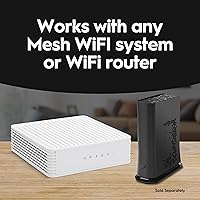
Because the connection to a router is a standard Gigabit Ethernet handoff, this cable modem works with virtually any consumer or prosumer router on the market. Buyers pairing it with Eero, Asus, TP-Link, and Netgear units all report clean interoperability.
A small number of users report needing to reboot either the modem or their router after initial pairing to get a stable DHCP lease. This is typically a one-time issue, but it catches less experienced users off guard.
Customer Support
52%
48%
When Hitron support staff are reachable, buyers describe them as knowledgeable and capable of walking through provisioning issues step by step. For straightforward problems during business hours, the experience is generally acceptable.
Weekday-only support hours are a genuine limitation. Buyers who encounter issues on Friday evenings or weekends have no recourse until Monday, and several reviews specifically call out this gap as a significant frustration during the critical setup window.
Physical Footprint & Design
76%
24%
The low-profile square design stacks neatly or sits unobtrusively on a shelf, and the lack of protruding antennas or aggressive styling means it fits into any home setup without drawing attention. LEDs are present but not aggressively bright.
The indicator lights, while functional, offer limited diagnostic information to non-technical users trying to self-troubleshoot a connectivity issue. A few buyers wished the LED behavior was better documented in the included materials.
Long-Term Reliability
79%
21%
A notable portion of reviews come from buyers who have owned the unit for a year or longer and report no significant degradation in performance. This kind of sustained positive feedback over extended ownership is a meaningful signal for a device expected to run 24 hours a day.
There is a visible cluster of reviews from buyers who experienced failures or significant performance drops between the 12 and 24 month marks. Whether this reflects a production batch issue or normal attrition is unclear, but it is worth tracking warranty terms before purchasing.
Documentation & Packaging
63%
37%
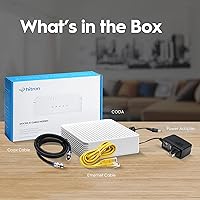
The box includes the essentials — coax cable, Ethernet cable, and power adapter — so most buyers can complete installation without a trip to the store. The included quick-start guide covers the physical steps adequately for confident self-installers.
The documentation does a poor job of preparing buyers for the ISP activation call and the provider-specific steps that follow. Several frustrated reviewers indicate that clearer guidance on what to expect from their provider would have prevented confusion and negative experiences.
DOCSIS 3.1 Future-Proofing
82%
18%
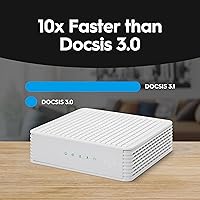
Choosing DOCSIS 3.1 over older 3.0 hardware means this cable modem is aligned with the current infrastructure most US cable providers are deploying. Buyers appreciate not having to think about replacing it simply because the underlying cable standard has moved on.
The single 1 Gbps Ethernet port limits practical future-proofing to plans at or below that tier. As multi-gig residential cable plans expand, this modem will hit a ceiling that the hardware cannot overcome regardless of firmware updates.

Suitable for:

The Hitron CODA DOCSIS 3.1 Cable Modem is a practical, well-matched choice for residential cable internet subscribers on Xfinity, Spectrum Residential, Cox, or a handful of other supported providers who are tired of paying a recurring equipment rental fee month after month. It makes particular sense for households already running a separate router — whether a standalone unit or a mesh system — since this modem slots in cleanly as the connection handoff point without requiring any additional hardware beyond what most people already own. Renters who move frequently will appreciate having a modem they control outright, especially since ISP-supplied equipment can vary wildly in quality from one address to the next. Anyone on a cable internet plan up to 1 Gbps will find that this standalone modem handles the load without breaking a sweat, making it a genuinely capable option for busy households with multiple streaming devices, a gaming console, and remote workers all running simultaneously. If you are comfortable making an ISP activation call and doing a basic self-install, the setup barrier is low enough that prior technical experience is not really a requirement.

Not suitable for:

The Hitron CODA DOCSIS 3.1 Cable Modem is simply the wrong tool for a significant slice of potential buyers, and getting this wrong is an expensive mistake. Anyone on a fiber, DSL, satellite, or fixed wireless connection cannot use it — full stop, regardless of provider brand or speed tier. Spectrum Business customers are also explicitly unsupported, a detail that catches some small business owners off guard when they assume residential Spectrum compatibility carries over. Buyers who want an all-in-one solution with built-in WiFi will need to look elsewhere entirely, since there is no wireless functionality here whatsoever — not even a basic access point. Households eyeing multi-gigabit internet plans in the near future should also think twice, because the single Gigabit Ethernet port means this modem tops out at 1 Gbps and cannot be upgraded beyond that ceiling. Finally, anyone who relies on weekend technical support should factor in that Hitron's customer service operates on weekday hours only, which is a real limitation if issues surface on a Friday night.

Specifications

  • Modem Type: This is a DOCSIS 3.1 cable modem, the current standard for residential cable internet connections in North America.
  • Max Speed: Supports cable internet plans delivering up to 1 Gbps download speeds when provisioned by a compatible ISP.
  • Ethernet Ports: Includes one Gigabit Ethernet port for connecting directly to a separate router or a single wired device.
  • WiFi: No wireless functionality is built in — a separate WiFi router is required for any wireless connectivity in the home.
  • Dimensions: The unit measures 6.73″ long by 6.73″ wide by 2.03″ tall, making it a compact, low-profile square form factor.
  • Weight: The modem weighs 1.02 pounds, light enough to mount or tuck behind other equipment without any structural concerns.
  • Connection Type: Accepts a standard coaxial cable input from your wall outlet and outputs internet connectivity via the Gigabit Ethernet port.
  • Compatible ISPs: Works with Xfinity, Spectrum Residential, Cox, Astound, RCN, Grande, Wave, and Zito Media cable internet services.
  • Incompatible Services: Explicitly not compatible with fiber, DSL, satellite, fixed wireless, or Spectrum Business internet service plans.
  • Router Required: A separate router must be purchased and connected via Ethernet — none is included in the box.
  • Brand: Manufactured by Hitron Technologies, a networking hardware company with a broad portfolio of cable modem and gateway products.
  • Model Number: The official model designation is CODA, which distinguishes it from higher-tier models such as the CODA56 with multi-gig capability.
  • In the Box: Package typically includes the modem unit, a coaxial cable, an Ethernet cable, and a power adapter.
  • Amazon Rating: Holds a 4.1 out of 5 star average across more than 2,300 verified ratings on Amazon as of available data.
  • Market Rank: Ranked number 3 in the Computer Networking Modems category on Amazon, reflecting consistently strong sales volume.
  • Availability: First listed for sale in June 2021, giving it a multi-year track record of real-world user ownership and feedback.

Related Reviews
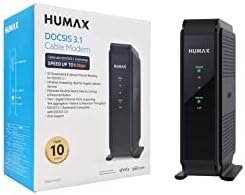
Humax HGD310 DOCSIS 3.1 Cable Modem
76%
88%
Internet Speed Performance
83%
Setup & Installation
79%
ISP Compatibility
91%
Value for Money
67%
Build Quality & Durability
More
Arris CM8200A DOCSIS 3.1 Cable Modem
74%
88%
Internet Speed Performance
79%
Ease of Setup & Activation
74%
ISP Compatibility
83%
Build Quality & Durability
71%
Thermal Management
More
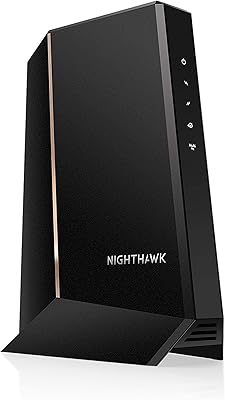
NETGEAR Nighthawk 32x8 DOCSIS 3.1 Cable Modem
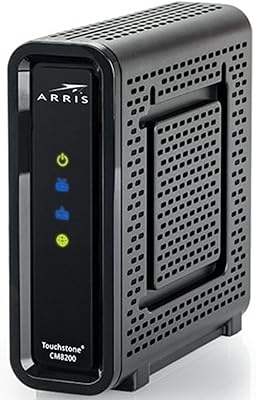
78%
88%
Internet Speed Performance
83%
Setup & Activation
79%
Build Quality & Durability
91%
Value for Money
74%
ISP Compatibility
More
NETGEAR CM2500 DOCSIS 3.1 Cable Modem
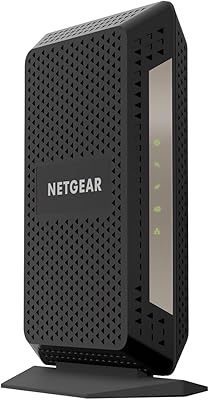
77%
83%
Setup & Provisioning
88%
Upload Speed Performance
81%
Download Speed Consistency
76%
ISP Compatibility
79%
Build Quality & Design
More
NETGEAR CM1000 DOCSIS 3.1 Cable Modem
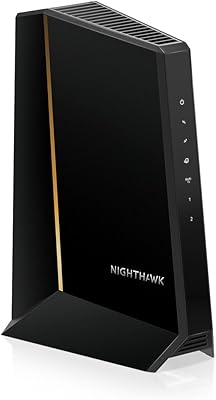
76%
88%
Connection Stability
84%
Speed Performance
76%
Compatibility & ISP Support
61%
Setup & Provisioning Experience
82%
Value for Money
More
NETGEAR Nighthawk CM3000
79%
88%
Upload Speed Performance
91%
Download Speed Delivery
79%
ISP Compatibility
66%
Setup & Activation Experience
74%
Value for Money
More
Motorola MB8611 DOCSIS 3.1 Multi-Gig Cable Modem
85%
92%
Performance & Speed
85%
ISP Compatibility
88%
Setup & Installation
90%
Latency for Gaming/Streaming
80%
Reliability
More
ARRIS SURFboard G36
ARRIS SURFboard G36
72%
83%
Setup & Activation
76%
Wi-Fi Speed & Throughput
61%
Wi-Fi Range & Coverage
58%
Connection Stability
88%
DOCSIS 3.1 Modem Performance
More
Motorola MG8702 DOCSIS 3.1 Cable Modem + Wi-Fi Router
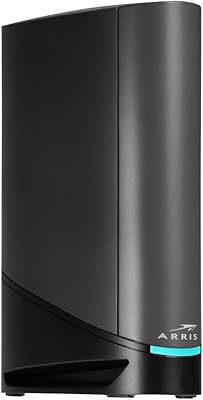
83%
92%
Value for Money
89%
Wi-Fi Performance
88%
Ease of Setup
85%
ISP Compatibility
82%
Mobile App Experience
More
ARRIS SURFboard SBG8300 DOCSIS 3.1 Cable Modem Router Combo
84%
91%
Performance & Speed
88%
Wi-Fi Coverage & Stability
80%
Ease of Setup
84%
Compatibility with ISPs
92%
Value for Money
More

FAQ

No, it does not. The Hitron CODA DOCSIS 3.1 Cable Modem is a standalone modem only — it handles the connection between your coaxial cable line and your router, but it has no built-in wireless capability whatsoever. You will need to connect a separate WiFi router to its Ethernet port to get wireless internet in your home.

It depends on which Spectrum plan you have. This modem is certified for Spectrum Residential cable internet, so if you are a standard home subscriber, you should be fine. However, it is explicitly not compatible with Spectrum Business accounts, so if you have a business-grade plan through Spectrum, this is not the right modem for you. Always confirm with Spectrum directly before purchasing.

The physical setup is straightforward: connect the coaxial cable from your wall to the modem, plug in the power adapter, then run an Ethernet cable from the modem to your router. Once everything is connected and the modem powers on, you will need to call your ISP to activate it on your account — this step cannot be skipped, and the wait time varies by provider.

Unfortunately, no. All cable ISPs, including Xfinity, require you to call or use their app to register and activate a new modem on your account before it will work. The good news is that once activation is complete, the modem typically works without any further provider involvement.

No, it will not. This is a cable modem and only functions with coaxial cable-based internet services. Fiber connections use completely different infrastructure, so this modem is simply incompatible with fiber plans regardless of the provider.

Any router with a standard Gigabit Ethernet WAN port will work — there is no proprietary pairing requirement. Popular choices include routers from Asus, TP-Link, Netgear, and Eero mesh systems. If your plan is close to 1 Gbps, make sure your router's WAN port is also rated for Gigabit speeds so it does not become a bottleneck.

It depends on your ISP and their current rental fee structure. Some providers charge a monthly equipment fee that adds up meaningfully over time, making a purchased modem pay for itself within a year or two. However, some ISPs have reduced or eliminated rental fees in recent years, so the savings are not guaranteed — check your current bill or call your provider to find out what you are actually paying before assuming a specific payback period.

No. The single Gigabit Ethernet port caps practical throughput at 1 Gbps, so if you are on or planning to upgrade to a 1.2 Gbps, 2 Gbps, or higher plan, this modem will be a bottleneck. Hitron makes a higher-tier model called the CODA56 that is designed for multi-gig speeds if that is your situation.

First, check that the coaxial cable connection is tight on both ends and that there are no visible signal splitters between the wall and the modem that could be degrading the cable signal. If the hardware looks fine, call your ISP — provisioning issues on their end are a common cause of early instability with newly activated modems. Hitron's own support line is available Monday through Friday if the ISP cannot resolve it.

Yes, the Hitron CODA is listed as compatible with Cox including Cox Gigablast tier plans up to 1 Gbps. That said, ISP-approved device lists do get updated periodically, so it is always worth confirming with Cox directly that this specific model is still on their approved modem list for your specific service address before purchasing.

Where to Buy