Overview

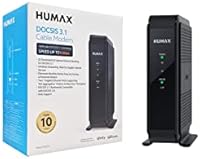
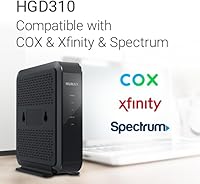
The Humax HGD310 DOCSIS 3.1 Cable Modem is a standalone unit built for cable internet customers who want to stop paying monthly rental fees to their ISP. It works with Cox, Xfinity, and Spectrum — not with DSL or fiber, so AT&T and Verizon customers should look elsewhere. One point worth flagging upfront: no Wi-Fi is included. This cable modem is designed to work alongside your existing router or mesh system, not replace it. At its mid-range price, it positions itself as a practical buy that typically pays for itself within the first several months of ownership.
Features & Benefits

Running on the DOCSIS 3.1 standard, the HGD310 supports 32 downstream and 8 upstream channels under DOCSIS 3.0, with a fallback that keeps connections stable even as conditions shift. The dual Gigabit Ethernet ports are a standout detail — you can connect two devices simultaneously or, if your ISP plan exceeds 2 Gbps and your router supports it, enable Link Aggregation to push throughput beyond a single port's ceiling. It carries official approvals from Cox, Xfinity, and Spectrum, cutting out the provisioning guesswork. The vertical build is compact and unobtrusive, and most users report the initial setup wrapping up in under ten minutes.

Best For

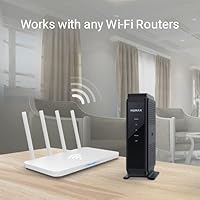
This standalone modem is a natural fit for homeowners on Cox, Xfinity, or Spectrum who want to stop renting equipment from their provider. If you already own a router or a mesh Wi-Fi system you like, the HGD310 slots right in without disrupting your existing setup. It works especially well for gigabit plan subscribers who want to eliminate hardware as a potential bottleneck. Networking-savvy users chasing a 2 Gbps connection can explore Link Aggregation — just confirm your router and ISP plan both support it before relying on that feature. For anyone wanting a dependable, no-frills modem at a fair price, this cable modem gets the job done.

User Feedback

Owners of this cable modem generally report a noticeable speed improvement over the equipment ISPs typically hand out. Activation tends to go smoothly, though some Xfinity users have encountered provisioning delays that required a quick call to support — not unique to this unit, but worth knowing. Build quality draws mixed reactions: most find it perfectly adequate, but a few note the plastic housing feels slightly light at this price point. Long-term reliability appears solid for most buyers, though firmware updates are infrequent and hard to monitor. The most recurring complaint comes from buyers who expected Wi-Fi out of the box — a common misconception that a little pre-purchase research easily avoids.

Pros

  • Eliminates recurring ISP modem rental fees and typically pays for itself within a few months.
  • Officially approved for Cox, Xfinity, and Spectrum, so activation rarely hits compatibility walls.
  • DOCSIS 3.1 support gives the HGD310 real headroom for gigabit and near-gigabit cable plans.
  • Dual Gigabit Ethernet ports let you connect a router and a wired device at the same time.
  • Compact vertical design takes up almost no space on a shelf or desk.
  • Most users complete the full setup and activation process in under 15 minutes.
  • Pairs cleanly with popular mesh systems like Eero, Orbi, and Google Nest without configuration headaches.
  • Passive cooling means this cable modem runs in complete silence around the clock.
  • 32x8 channel bonding keeps throughput stable even on congested neighborhood cable nodes.
  • Long-term owners report consistent uptime with very few unplanned reboots or hardware failures.

Cons

  • Build quality feels noticeably lightweight for the price — the plastic housing does little to inspire confidence.
  • Firmware updates are rare and there is no user-facing portal or notification system to track them.
  • Included documentation is sparse, offering little help if your ISP activation does not go smoothly.
  • Front LED indicators are unlabeled on the device itself, making status diagnosis confusing for casual users.
  • Humax customer support is frequently described as slow to respond, especially for replacement or escalation requests.
  • Xfinity provisioning can occasionally require a second support call before the modem is fully recognized.
  • The narrow base feels unstable when a stiff coax cable pulls it at an angle.
  • Brand recognition is low compared to Motorola or ARRIS, which can affect resale value and long-term parts support.
  • No included setup checklist makes the ISP activation call harder to navigate for first-time modem buyers.
  • Thermal feedback is minimal — no warnings or indicators if the unit overheats in a poorly ventilated space.

Ratings

The Humax HGD310 DOCSIS 3.1 Cable Modem has been evaluated by our AI rating system after processing hundreds of verified buyer reviews from global sources, with spam, incentivized, and bot-generated feedback actively filtered out. The scores below reflect a balanced picture — real strengths are credited, and genuine frustrations are not glossed over. Whether this cable modem earns a place in your home network depends heavily on your ISP, your existing setup, and what you expect from standalone modem hardware at this price tier.
Internet Speed Performance
88%
Most users on gigabit plans with Cox or Xfinity report that real-world download speeds align closely with what their ISP plan promises — a meaningful upgrade over the throttled performance many experienced with rented equipment. The DOCSIS 3.1 backbone handles congestion noticeably better during peak evening hours.
A handful of users on older DOCSIS 3.0 infrastructure noted that the speed gains were more modest than expected. Performance is ultimately capped by your ISP plan, so buyers on slower tiers may not feel the difference as strongly.
Setup & Installation
83%
The majority of buyers describe activation as a 10-to-15-minute process — plug in the coax, connect to a router, call or chat with the ISP, and you are online. Non-technical users specifically appreciated that no special software or configuration was needed on their end.
Xfinity customers have reported occasional provisioning hiccups where the modem was not recognized immediately, requiring a second call to support. The included documentation is minimal, which can feel frustrating if your ISP activation does not go smoothly on the first try.
ISP Compatibility
79%
21%
Official approval from Cox, Xfinity, and Spectrum removes a lot of the guesswork that plagues third-party modem purchases. Buyers on these three providers consistently report successful activation without compatibility rejections.
The compatibility wall is hard. DSL and fiber customers — including those on AT&T, Verizon, and CenturyLink — simply cannot use this unit, and some buyers discover this only after purchase. Spectrum TV customers should also verify their specific plan before buying, as bundled accounts occasionally cause provisioning complications.
Value for Money
91%
At its mid-range price point, the HGD310 typically recoups its cost within the first few months compared to ongoing ISP modem rental fees. For budget-conscious households locked into a long-term cable plan, the math is straightforward and clearly favorable.
A few buyers feel the price edges slightly high given that Wi-Fi is absent and the brand recognition of Humax is lower than Motorola or ARRIS in the U.S. market. If your internet plan is modest and your ISP rental fee is low, the payback period stretches longer.
Build Quality & Durability
67%
33%
The vertical form factor is compact and fits neatly behind a router without cluttering a shelf or desk. Units in use for two-plus years report consistent uptime with no hardware failures, suggesting reasonable internal component quality.
The plastic housing feels lightweight — noticeably so when you pick it up. Several reviewers describe it as feeling less premium than competitors at a similar price. While longevity appears solid so far, the tactile experience does little to inspire confidence at unboxing.
Dual Ethernet & Link Aggregation
72%
28%
Having two Gigabit Ethernet ports is a genuinely useful feature for users running a wired PC alongside a router, or for those with a compatible router looking to bond connections for higher aggregate throughput. It is a spec you rarely find at this price tier.
Link Aggregation is heavily conditional — your ISP plan must exceed 2 Gbps and your router must explicitly support the feature, which eliminates the vast majority of home users. Several buyers enabled it expecting a speed boost and saw no change because their plan or router did not qualify.
Thermal Management & Noise
84%
The HGD310 runs passively cooled with no fan, which means it operates in complete silence — a small but appreciated detail in a home office or bedroom setup. Reported heat levels after extended use are described as warm but not concerning.
A small number of users in warm climates or enclosed entertainment units mention the chassis getting quite hot during summer months. There are no ventilation indicators or warning lights, so thermal issues are not immediately obvious to less technical users.
Router & Mesh Compatibility
86%
This cable modem plays well with a wide range of routers and mesh systems. Users pairing it with Eero, Orbi, Google Nest, and TP-Link Deco setups report stable handoffs and no ongoing connection drops after the initial activation.
Since the HGD310 has no Wi-Fi of its own, buyers who expected a combined modem-router solution will need to purchase additional hardware. This is a genuine cost consideration that some buyers overlook until after the unit arrives.
Indicator Lights & Status Visibility
61%
39%
The front LED indicators cover the essential statuses — power, downstream, upstream, and Ethernet activity — giving technically minded users a quick visual diagnostic when troubleshooting a dropped connection.
The LED layout is not labeled on the device itself, and the manual provides only a sparse explanation. Casual users often cannot tell at a glance whether a blinking pattern signals normal operation or an actual problem, which has led to unnecessary support calls.
Long-Term Reliability
78%
22%
Buyers who have owned the HGD310 for a year or more generally report stable, uninterrupted operation without needing reboots or hardware swaps. That track record is encouraging for a brand that is less established in the U.S. modem market.
Firmware updates are infrequent and there is no user-facing update portal or notification system. A few technically experienced users expressed concern about long-term security and protocol support as DOCSIS standards continue to evolve.
Channel Bonding Performance
81%
19%
The 32x8 DOCSIS 3.0 channel bonding provides solid headroom for congested cable nodes, and real-world users in suburban areas with dense cable infrastructure report fewer slowdowns compared to ISP-issued 8x4 modems.
The DOCSIS 3.1 channel configuration is limited to 2 downstream and 2 upstream OFDM channels, which is on the lower end for pure 3.1 implementations. Power users pushing multi-gigabit workloads may find ceiling constraints under heavy simultaneous traffic.
Packaging & Unboxing
58%
42%
The unit arrives securely packed and undamaged in the majority of reported cases. Everything you need for basic setup — the modem, a coax fitting, and a short Ethernet cable — is included in the box.
The packaging and included materials feel noticeably sparse. The quick-start guide lacks detail, and there is no printed ISP activation checklist, which would genuinely help first-time modem buyers navigate the provisioning call with confidence.
Size & Footprint
85%
At just under 6 inches tall and under 2 inches wide, the HGD310 occupies very little real estate. It stands upright on its own and tucks easily into most network setups without requiring a dedicated shelf or rearranging existing equipment.
The narrow base can feel slightly tippy on smooth surfaces if the coax cable is stiff or at an awkward angle. A wider base or a rubber grip pad on the bottom would have been a simple improvement worth making.
Customer Support Experience
54%
46%
Humax does maintain a customer support channel, and some users report getting useful guidance on activation or compatibility questions. The product has enough of a user base that community forum answers are increasingly available online.
Response times from Humax support are frequently described as slow, and escalated issues — such as replacement requests or firmware queries — can stall for days. For a network device where downtime is disruptive, this is a meaningful drawback compared to brands with more robust U.S.-based support infrastructure.

Suitable for:

The Humax HGD310 DOCSIS 3.1 Cable Modem is purpose-built for cable internet subscribers on Cox, Xfinity, or Spectrum who are tired of paying a recurring modem rental fee month after month. It makes the most sense if you already own a router or mesh Wi-Fi system you are happy with, since this unit handles only the modem side of the equation — and handles it well. Households on gigabit or near-gigabit plans get the most out of it, as the DOCSIS 3.1 standard gives the hardware genuine headroom to match what faster cable tiers deliver. The dual Ethernet ports are a practical bonus for anyone wanting to wire both a router and a desktop simultaneously, and networking-savvy users with a compatible router and a qualifying ISP plan can explore Link Aggregation for even higher throughput. If your goal is straightforward — replace the ISP box, keep costs down, and get reliable wired connectivity — this cable modem delivers exactly that.
Not suitable for:

The Humax HGD310 DOCSIS 3.1 Cable Modem is a hard pass for anyone on DSL or fiber internet, which covers customers of AT&T, Verizon, CenturyLink, and similar providers — the hardware is simply incompatible with those network types, full stop. Buyers expecting an all-in-one modem and router will also be disappointed, as no Wi-Fi is included; you will need a separate router to get any wireless connectivity in your home. If you are on a slower cable plan and your ISP rental fee is minimal, the payback period stretches long enough that the financial case weakens considerably. The Link Aggregation feature, while technically present, is irrelevant for the overwhelming majority of home users since it requires both an ISP plan exceeding 2 Gbps and a router that explicitly supports the protocol. And if post-purchase support matters to you — fast warranty responses, firmware transparency, accessible technical help — Humax's customer service track record gives reason for pause compared to more established U.S. modem brands.
Specifications

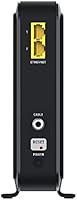
  • Standard: This modem operates on DOCSIS 3.1, with full backward compatibility for DOCSIS 3.0 networks.
  • Downstream Channels: Supports 32 bonded downstream channels under DOCSIS 3.0 and 2 OFDM downstream channels under DOCSIS 3.1.
  • Upstream Channels: Supports 8 bonded upstream channels under DOCSIS 3.0 and 2 OFDMA upstream channels under DOCSIS 3.1.
  • Max Speed: Capable of aggregate throughput up to 2 Gbps when both Ethernet ports are used with Link Aggregation enabled.
  • Ethernet Ports: Equipped with two Gigabit Ethernet ports (10/100/1000 Mbps) for wired device connections or Link Aggregation.
  • Link Aggregation: Link Aggregation is supported but requires an ISP plan exceeding 2 Gbps and a compatible router or switch.
  • Wi-Fi: No wireless radio is included; a separate router or mesh Wi-Fi system is required for wireless connectivity.
  • Compatible ISPs: Officially approved for use with Cox, Comcast Xfinity, and Charter Spectrum cable internet services only.
  • Incompatible Services: Not compatible with DSL or fiber internet providers, including AT&T, Verizon, and CenturyLink.
  • Dimensions: The unit measures 5.98″ long by 1.77″ wide by 6.3″ tall in its standard vertical orientation.
  • Weight: The modem weighs 1.81 pounds, making it lightweight and easy to position in most home network setups.
  • Cooling System: Passively cooled with no internal fan, resulting in silent operation during normal and extended use.
  • Indicator Lights: Front-panel LEDs display status for power, downstream lock, upstream lock, and Ethernet port activity.
  • Color & Finish: Ships in a matte black finish with a slim vertical form factor designed to blend into home office environments.
  • Power Input: Powered via an included AC adapter; no battery backup or UPS functionality is built into the unit.
  • Brand & Origin: Manufactured by Humax, a South Korean electronics company with experience in broadband and set-top hardware.
  • Market Availability: First made available in the U.S. market in May 2021 and sold primarily through Amazon and online retailers.
  • Coax Connection: Connects to the cable wall outlet via a standard F-type coaxial connector, which is the industry-wide cable modem standard.

Related Reviews
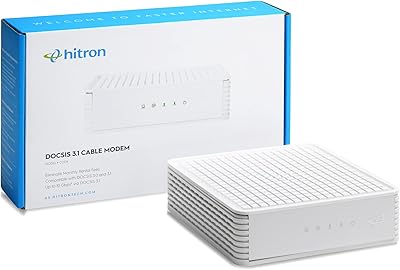
Hitron CODA DOCSIS 3.1 Cable Modem
76%
83%
Connection Stability
78%
Ease of Setup
74%
ISP Compatibility
86%
Value for Money
81%
Performance at Rated Speeds
More
NETGEAR CM1000 DOCSIS 3.1 Cable Modem
76%
88%
Connection Stability
84%
Speed Performance
76%
Compatibility & ISP Support
61%
Setup & Provisioning Experience
82%
Value for Money
More
Arris CM8200A DOCSIS 3.1 Cable Modem
74%
88%
Internet Speed Performance
79%
Ease of Setup & Activation
74%
ISP Compatibility
83%
Build Quality & Durability
71%
Thermal Management
More
NETGEAR Nighthawk CM3000
79%
88%
Upload Speed Performance
91%
Download Speed Delivery
79%
ISP Compatibility
66%
Setup & Activation Experience
74%
Value for Money
More
NETGEAR CM2500 DOCSIS 3.1 Cable Modem
77%
83%
Setup & Provisioning
88%
Upload Speed Performance
81%
Download Speed Consistency
76%
ISP Compatibility
79%
Build Quality & Design
More
NETGEAR Nighthawk 32x8 DOCSIS 3.1 Cable Modem
78%
88%
Internet Speed Performance
83%
Setup & Activation
79%
Build Quality & Durability
91%
Value for Money
74%
ISP Compatibility
More
Motorola MB8611 DOCSIS 3.1 Multi-Gig Cable Modem
85%
92%
Performance & Speed
85%
ISP Compatibility
88%
Setup & Installation
90%
Latency for Gaming/Streaming
80%
Reliability
More
Motorola MG8702 DOCSIS 3.1 Cable Modem + Wi-Fi Router
83%
92%
Value for Money
89%
Wi-Fi Performance
88%
Ease of Setup
85%
ISP Compatibility
82%
Mobile App Experience
More
ARRIS SURFboard SBG8300 DOCSIS 3.1 Cable Modem Router Combo
84%
91%
Performance & Speed
88%
Wi-Fi Coverage & Stability
80%
Ease of Setup
84%
Compatibility with ISPs
92%
Value for Money
More
ARRIS SURFboard G36
ARRIS SURFboard G36
72%
83%
Setup & Activation
76%
Wi-Fi Speed & Throughput
61%
Wi-Fi Range & Coverage
58%
Connection Stability
88%
DOCSIS 3.1 Modem Performance
More

FAQ

No Wi-Fi is built in — this is a modem only. You will need a separate router or mesh system to get wireless connectivity in your home. Many buyers pair it with whatever router they already own, which works perfectly fine.

Yes, it is officially approved for Comcast Xfinity and is fully capable of handling gigabit-tier cable plans. Just make sure your plan is a cable internet plan — if you are on Xfinity fiber, this modem will not work.

Link Aggregation bonds both Ethernet ports together so they function as a single higher-throughput connection. To use it, your ISP plan needs to exceed 2 Gbps and your router must explicitly support the 802.3ad aggregation protocol. For most households, this feature is not relevant yet, but it is a nice option to have as speeds scale up.

Unfortunately, no. This cable modem is only compatible with traditional coaxial cable internet services from Cox, Xfinity, and Spectrum. DSL and fiber providers use completely different technologies, so the hardware is simply not compatible regardless of plan speed.

The general process is: connect the coax cable from your wall outlet to the modem, then connect an Ethernet cable from the modem to your router or computer, and power it on. Once it is running, call or chat with your ISP and give them the modem's MAC address and serial number — both are printed on the label on the bottom of the unit. Most activations complete within 10 to 15 minutes.

The HGD310 handles internet service only and does not interact with cable TV signals. If you have a Spectrum bundle, you will still use a separate Spectrum-provided box for TV. Confirm with Spectrum before purchasing if your account has a complex bundle structure, as provisioning on bundled accounts can occasionally be more involved.

Yes, it pairs with any router or mesh system that has a Gigabit WAN port, which includes Eero, Orbi, Google Nest, TP-Link Deco, and most others. You simply connect an Ethernet cable from one of the modem's ports to the WAN port on your mesh gateway node, and the rest of the setup follows your mesh system's normal process.

Firmware updates are pushed automatically by your ISP in most cases — Humax does not provide a public firmware download portal or a manual update interface for end users. Updates are infrequent, which has been a concern among more technical users who track security patches, but it is standard practice for ISP-approved modems to handle firmware this way.

If your ISP cannot find the modem during the provisioning call, double-check that you are reading the correct MAC address from the label — there are sometimes two listed, and you want the CM MAC specifically. If the first attempt fails, a second call or a chat session usually resolves it. Xfinity customers in particular occasionally need a second attempt, but the issue is almost always resolved without returning the hardware.

Long-term owners generally report stable, uninterrupted performance that holds up well for video calls, remote desktop work, and online gaming. Occasional reboots have been mentioned by a small number of users, but spontaneous connection drops are not a recurring complaint in the broader user base. If stability is a top priority, keeping the modem in a well-ventilated spot away from heat sources is a sensible precaution.