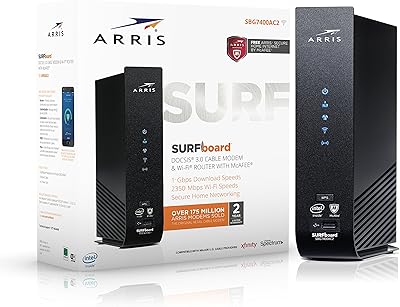
ARRIS SURFboard G36




Overview
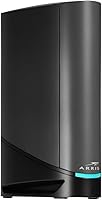
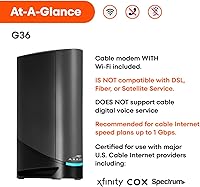
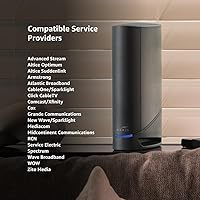
The ARRIS SURFboard G36 sits at a thoughtful middle point in the SURFboard lineup — more capable than the entry-level G18 and G20, but without the advanced BE features of the G54. Built for households and small businesses tired of paying modem rental fees, this modem-router combo runs on DOCSIS 3.1, a genuine technical step forward from the older 3.0 standard — not just a marketing label. It works with major ISPs including Xfinity, Cox, and Spectrum, though activation still requires a call or online registration with your provider. At its premium price, you are paying for a capable modem and a Wi-Fi 6 router in one compact box.
Features & Benefits
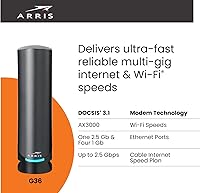
The G36 brings AX3000 dual-band Wi-Fi 6 (802.11ax) to environments where many devices compete for bandwidth simultaneously — think 20-plus phones, laptops, and smart home gadgets all active at once. Wi-Fi 6 handles that congestion measurably better than Wi-Fi 5, though real-world gains depend on whether your devices actually support the standard. Four Gigabit Ethernet ports cover wired desktops, NAS drives, or gaming consoles without needing a separate switch. The DOCSIS 3.1 modem side supports up to 1.2 Gbps downstream, relevant if your ISP plan is approaching a gigabit. Extras like QoS, Beamforming, Guest Mode, Parental Controls, and Alexa compatibility round out a feature set that justifies the single-box approach.
Best For
This all-in-one gateway makes the most sense for Xfinity, Cox, or Spectrum subscribers ready to stop paying a monthly equipment charge. It is also a strong fit for tech-forward households running 20 or more connected devices, where Wi-Fi 6 handles dense loads more reliably than older standards. Gamers and heavy streamers will find QoS controls useful for keeping priority traffic smooth during peak hours. Home-office users who need a few solid wired drops — for a workstation, a NAS, or a VoIP adapter — will appreciate those four Ethernet ports. Anyone upgrading from a DOCSIS 3.0 combo can expect a noticeable speed improvement without managing two separate devices.
User Feedback
With over 5,600 ratings and a 3.7-star average, this modem-router combo scores noticeably lower than ARRIS typically earns elsewhere in its lineup — and that gap deserves an honest look. Positive reviewers consistently highlight easy self-installation and a clear speed boost over older equipment. Criticism clusters around a few recurring themes: intermittent disconnections affecting a subset of users, Wi-Fi range that can feel limited in larger two-story homes, and some firmware-related instability. Worth noting — a portion of negative reviews likely reflect ISP provisioning issues rather than hardware defects. Before buying, check whether ARRIS has released a recent firmware update; their track record suggests post-launch patches have addressed several early stability complaints.
Pros
- Eliminating the monthly ISP equipment rental fee can recover the purchase cost within roughly two years.
- DOCSIS 3.1 modem performance closely matches advertised gigabit plan speeds in real-world conditions.
- Wi-Fi 6 handles 20-plus simultaneous device connections far more gracefully than older combo units.
- Four Gigabit Ethernet ports accommodate wired desktops, consoles, and NAS drives without an extra switch.
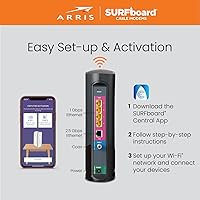
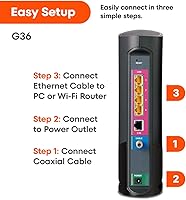
- Self-installation is straightforward — most Xfinity and Cox users are online within 30 minutes.
- QoS controls let you prioritize gaming or streaming traffic during busy household network hours.
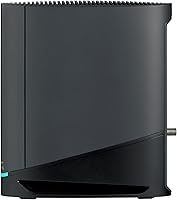
- The compact vertical design takes up minimal shelf space compared to running separate modem and router hardware.
- Beamforming and Guest Mode add practical day-to-day utility beyond basic connectivity.
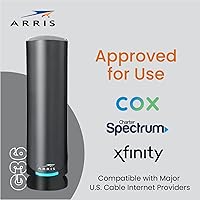
- The G36 is approved by the major U.S. cable ISPs, covering the vast majority of potential buyers.
- Firmware update history suggests ARRIS actively addresses stability issues post-launch.
Cons
- Intermittent random disconnections affect a meaningful subset of users, requiring periodic reboots.
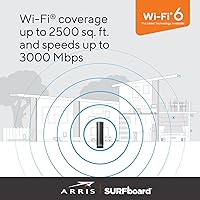
- Wi-Fi coverage drops off noticeably in two-story homes or layouts beyond roughly 2,000 square feet.
- Firmware maturity at launch was poor — early adopters experienced more instability than they should have.
- ISP activation is not always instant; some providers require a manual provisioning call that adds delay.
- The companion app feels dated compared to what dedicated router brands offer at this price tier.
- Upstream channel configuration is less competitive than some rival DOCSIS 3.1 units, limiting upload headroom.
- The plastic casing runs warm during extended heavy use, particularly in enclosed spaces with limited airflow.
- At its premium price point, competing combo units deliver comparable modem performance for less money.
- Advanced router configuration options are thin, leaving power users to rely on community forums for guidance.
- Wi-Fi 6 speed gains are negligible in homes where most devices are still running older wireless standards.
Ratings
The ARRIS SURFboard G36 has been scored by our AI system after analyzing thousands of verified buyer reviews worldwide — filtering out incentivized, duplicate, and bot-generated feedback to surface what real users actually experience day to day. Scores reflect both the genuine strengths this all-in-one gateway delivers and the recurring pain points that prevent it from earning a clean recommendation across the board. You will find both sides represented honestly here.
Setup & Activation
Wi-Fi Speed & Throughput
Wi-Fi Range & Coverage
Connection Stability
DOCSIS 3.1 Modem Performance
Wired Ethernet Performance
Value for Money
Build Quality & Design
Smart Home & App Features
ISP Compatibility
Firmware & Long-Term Support
Heat Management
Package & Documentation
Suitable for:
The ARRIS SURFboard G36 is a well-matched choice for cable internet subscribers on Xfinity, Cox, or Spectrum who are ready to stop paying a monthly equipment rental fee and want a single device that handles both modem and router duties competently. It makes particular sense for households running a dense mix of connected devices — smartphones, laptops, smart TVs, streaming sticks, and smart home gadgets — where the Wi-Fi 6 radio's ability to handle simultaneous connections is a genuine practical advantage over older standards. Gamers and frequent video callers will appreciate the QoS controls that let you prioritize latency-sensitive traffic without needing a separate router. Small home-office setups benefit from the four Gigabit Ethernet ports, which can accommodate a wired workstation, a NAS drive, and a VoIP adapter without requiring an extra switch. If you are upgrading from a DOCSIS 3.0 combo unit and your ISP plan is approaching or at a gigabit tier, the modem side of this device is where you will feel the most immediate and meaningful difference.
Not suitable for:
The ARRIS SURFboard G36 is a harder sell for buyers who live in larger homes — think two stories or layouts over roughly 2,000 square feet — because Wi-Fi range limitations surface quickly in those environments and may push you toward adding an extender or mesh node anyway, eroding the convenience of the all-in-one format. Anyone who depends on rock-solid, uninterrupted connectivity for critical work — think constant video conferencing, remote desktop sessions, or VPN-heavy workflows — should weigh the intermittent disconnection reports seriously before committing. Renters or anyone likely to switch ISPs within the next year or two should check compatibility carefully, since modem approval is provider-specific and does not transfer automatically. Budget-conscious buyers can find capable DOCSIS 3.1 combo units at meaningfully lower prices that cover the modem fundamentals just as well; the premium here is largely justified by Wi-Fi 6 and the four Ethernet ports, so if you do not need both, the value equation weakens. Households where most devices are still on Wi-Fi 5 or older should also temper expectations — the wireless upgrade benefit is real, but only when the client hardware can actually take advantage of it.
Specifications
- Cable Standard: The G36 uses DOCSIS 3.1, the current cable modem standard that supports multi-gigabit downstream speeds and improved upstream efficiency over the older DOCSIS 3.0 technology.
- Wi-Fi Generation: Wi-Fi 6 (802.11ax) is built in, providing improved throughput, lower latency under load, and better handling of many simultaneously connected devices compared to Wi-Fi 5.
- Speed Class: The wireless radio is rated AX3000 dual-band, combining a 2.4 GHz band and a 5 GHz band for a combined theoretical maximum of 3,000 Mbps.
- Max Downstream: The DOCSIS 3.1 modem supports up to 1.2 Gbps downstream, making it compatible with most residential gigabit cable internet plans currently offered in the U.S.
- Frequency Bands: The unit broadcasts on both 2.4 GHz for wider range and 5 GHz for faster short-range throughput, operating these as two separate wireless networks simultaneously.
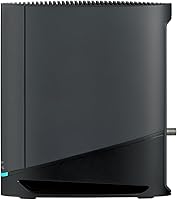
- Ethernet Ports: Four Gigabit Ethernet LAN ports are included, allowing direct wired connections for devices such as desktop computers, gaming consoles, smart TVs, or network-attached storage drives.
- Dimensions: The unit measures 10 x 3 x 8 inches in its vertical standing orientation, giving it a slim footprint suitable for a shelf, desk corner, or entertainment center.
- Weight: The G36 weighs 2 pounds, making it light enough to reposition easily and compatible with most standard cable shelf mounts if needed.
- ISP Compatibility: The modem is officially approved for use with Xfinity, Cox, and Spectrum, as well as several regional cable providers, covering the majority of U.S. cable internet subscribers.
- Special Features: Built-in features include Quality of Service (QoS) traffic prioritization, Beamforming, Guest Mode, Parental Controls, WPS, LED indicators, Access Point Mode, and Alexa voice assistant compatibility.
- Security: The device includes built-in internet security features alongside WPA3 wireless encryption support, providing a baseline layer of protection for home and small-business networks.
- Box Contents: Each unit ships with the modem-router itself, a power supply adapter, a Quick Start Guide, and a Warranty Card — no Ethernet cable is included in the retail package.
- Model Number: The official model designation is G36, part of the ARRIS SURFboard product family, manufactured by CommScope under the ARRIS brand.
- Color: The unit is finished in matte black, a neutral color that blends into most home and office environments without drawing attention.
- Wireless Standard: Wireless communication follows the IEEE 802.11ax specification, which is backward compatible with 802.11a/b/g/n/ac devices, so older hardware can still connect without any configuration changes.
- OFDM Configuration: The modem uses a 2x2 OFDM channel configuration on the DOCSIS 3.1 side, supporting the downstream capacity needed for residential multi-gig cable plans now being rolled out by major ISPs.
- Manufacturer: The G36 is designed and sold under the ARRIS brand, a product division of CommScope, a company with deep roots in cable infrastructure with products deployed in hundreds of millions of homes globally.
- User Rating: As of the most recent data available, the product carries a 3.7 out of 5 star average across 5,652 ratings on Amazon, a notably lower score than other models in the SURFboard lineup.
Related Reviews
ARRIS SBG7400AC2 Modem Router Combo
ARRIS SURFboard SB8200
ARRIS SURFboard SBV3202 DOCSIS 3.0 Cable Modem

ARRIS SB6141 DOCSIS 3.0 Cable Modem
ARRIS SBG7600AC2 Cable Modem Router Combo
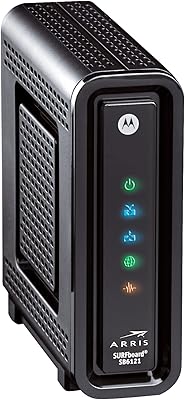
ARRIS SBG6580 DOCSIS 3.0 Cable Modem Router
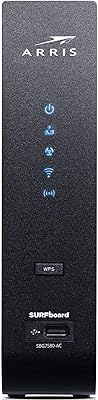
ARRIS SURFboard SBG7580AC Cable Modem Router
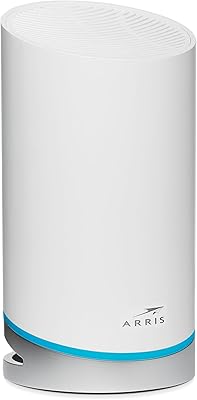
ARRIS SURFboard mAX W21 WiFi 6 Router
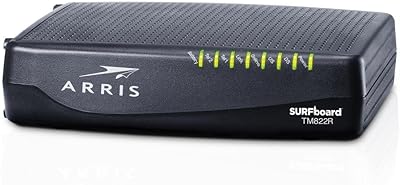
ARRIS TM822R DOCSIS 3.0 Cable Modem