Overview

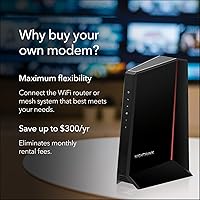
The NETGEAR CM2500 DOCSIS 3.1 Cable Modem is built for households that are tired of paying monthly rental fees for equipment they'll never own. It sits firmly in the premium tier — designed for cable internet plans pushing 500Mbps and beyond, all the way up to 2Gbps. It works with major providers including Xfinity, Spectrum, Cox, and Optimum, but there's an important caveat: Xfinity Voice plans are not supported, so landline users need to look elsewhere. The modem ships with two Gigabit Ethernet ports, which enables link aggregation when paired with compatible networking gear. Think of this as a future-ready investment, not a quick fix for today's speeds.
Features & Benefits

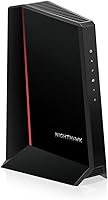
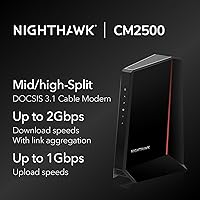
What sets this Nighthawk modem apart from older DOCSIS 3.0 hardware is its mid/high-split architecture. That's not just marketing language — it means the modem is built to handle faster upload tiers as cable providers roll them out, which most current modems simply can't do. Download speeds can reach 2Gbps through link aggregation across its two LAN ports, though you'll need a router and switch that support multi-gig connections to actually see those numbers. Upload throughput up to 1Gbps is where things get genuinely interesting for remote workers and heavy uploaders. No voice port is included, which keeps the hardware focused. Rental fee savings over a few years make the upfront cost easier to rationalize.

Best For

The CM2500 makes the most sense for households already subscribed to — or planning to upgrade to — a high-speed cable plan from Xfinity, Spectrum, or Cox in the 500Mbps to 2Gbps range. Remote workers and creators who upload large files regularly will notice the difference in upload capacity most acutely. It's also a strong fit for anyone running a NAS or home server alongside multiple gaming or streaming devices. That said, this cable modem is not the right call for Xfinity Voice subscribers, or for anyone on DSL or fiber infrastructure. If you're building a long-term home network and want hardware that won't be obsolete when your ISP upgrades its infrastructure, this is a logical anchor.

User Feedback

With roughly 80 ratings at the time of writing, the review pool for this Nighthawk modem is still relatively small — so take aggregate sentiment with that in mind. Buyers who have posted tend to speak positively about setup and provisioning, noting that ISP approval went smoothly in most cases. The real-world upload speed improvement is mentioned repeatedly as a standout experience. On the critical side, a handful of reviewers flagged confusion around link aggregation — specifically, realizing after purchase that they needed additional hardware to fully use the top-tier download speeds. A few also noted provisioning delays. Build quality generally draws praise, and most buyers consider the long-term value reasonable given what they'd otherwise pay in annual rental fees.

Pros

  • Eliminates ISP modem rental fees, with payback typically achieved within a couple of years on most cable plans.
  • Mid/high-split DOCSIS 3.1 architecture supports significantly faster upload speeds as ISPs upgrade their networks.
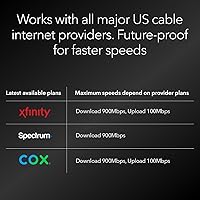
  • Approved and compatible with all major US cable providers including Xfinity, Spectrum, Cox, and Optimum.
  • Dual Gigabit Ethernet ports support link aggregation for households with the right router setup.
  • Consistent download speeds under real household load, even with multiple devices running simultaneously.
  • Buyers report smooth ISP provisioning in most cases, with connections going live quickly after activation.
  • The CM2500 pairs cleanly with modern Wi-Fi 6E and Wi-Fi 7 routers for a fully capable network stack.
  • Solid build quality gives most buyers confidence this hardware will last through several years of heavy use.
  • Upload performance improvements are noticeable and meaningful for remote workers, streamers, and power users.
  • Future-ready design means it won't need replacing when your ISP rolls out higher-tier service in your area.

Cons

  • Link aggregation requires a compatible multi-gig router and switch — hardware most buyers don't already own.
  • Top-end upload gains depend entirely on whether your local cable plant has been upgraded by your ISP.
  • Xfinity Voice incompatibility is not clearly flagged during the buying process and catches many shoppers off guard.
  • Provisioning delays on Spectrum have been reported by multiple buyers, sometimes requiring repeated calls to resolve.
  • The quick-start guide does a poor job of explaining link aggregation requirements in plain, accessible language.
  • At around 80 ratings, the review pool is still thin — long-term reliability data is limited.
  • The tall tower form factor doesn't fit neatly in enclosed media cabinets or tight AV shelf spaces.
  • Runs noticeably warm under sustained heavy load, which may concern buyers with limited ventilation in their setup.
  • Hard to justify the premium price point if you're not on a high-speed cable plan that actually demands this hardware.
  • Firmware update notifications are not proactive, meaning users may miss important updates without actively checking.

Ratings

The NETGEAR CM2500 DOCSIS 3.1 Cable Modem scores here reflect AI-driven analysis of verified buyer reviews sourced globally, with spam, bot-generated, and incentivized feedback actively filtered out. Ratings capture the full picture — what real users genuinely praised and where they ran into friction — so you can make an informed call before spending premium money on home networking hardware.
Setup & Provisioning
83%
Most buyers report a straightforward activation experience, particularly with Xfinity and Cox. The modem is recognized quickly by ISP systems, and several users noted their connection was live within minutes of calling in the MAC address.
A recurring frustration involves provisioning delays on Spectrum, where some users waited hours or needed multiple calls to get fully activated. The process isn't always as plug-and-play as the packaging implies.
Upload Speed Performance
88%
This is where the CM2500 earns the most genuine enthusiasm from buyers. Remote workers uploading large project files and streamers pushing high-bitrate content to the cloud noticed real, measurable improvements compared to older DOCSIS 3.0 hardware.
The high upload ceiling is only accessible if your ISP has actually rolled out mid/high-split service in your area — which many haven't yet. Some users were disappointed to find their upload gains were modest because their local cable plant hadn't been upgraded.
Download Speed Consistency
81%
19%
Buyers on high-tier cable plans report that the CM2500 delivers consistent throughput throughout the day, with far less congestion-related slowdown than the rental modems they replaced. Multi-device households in particular noticed the difference.
Reaching the top-end download figures requires link aggregation, which in turn demands a compatible multi-gig router and switch — hardware most buyers don't already own. Without that setup, the theoretical ceiling is out of reach.
ISP Compatibility
76%
24%
Works reliably with the major US cable providers — Xfinity, Spectrum, Cox, and Optimum. Buyers on these networks generally had no trouble getting the modem approved and onto their account without needing technician visits.
The Xfinity Voice incompatibility catches people off guard more often than it should. There are also scattered reports of the modem not being on certain ISPs' approved lists in specific regional markets, requiring buyers to contact support before purchasing.
Build Quality & Design
79%
21%
The unit feels solid and purposeful — not flashy, but built with some heft to it. Users who've owned multiple NETGEAR products say the CM2500 feels on par or better than previous generations in terms of physical construction.
At its footprint — nearly 8 inches tall — it takes up meaningful shelf or desk space. A few buyers mentioned the ventilation runs warmer than expected under sustained heavy load, which raised minor long-term reliability questions.
Value for Money
74%
26%
Over a two-to-three year ownership window, the math works out clearly in the buyer's favor against ongoing ISP rental charges. For households on premium cable plans, the payback period is relatively short and the hardware doesn't become obsolete quickly.
The upfront cost is steep enough that budget-conscious buyers hesitate, especially if they're not yet on a plan that takes full advantage of the modem's capabilities. Buying this for a 200Mbps plan is genuinely hard to justify.
Link Aggregation Support
71%
29%
Having two Gigabit Ethernet ports that support link aggregation is a forward-thinking inclusion. Buyers who already own a compatible router and managed switch appreciated being able to push combined bandwidth beyond a single-port ceiling.
The dual-port setup creates confusion for buyers who assume they can simply plug in two devices and get double the speed independently. The aggregation use case requires specific router support that isn't explained well in the packaging or quick-start guide.
Heat & Thermal Management
68%
32%
Under typical household workloads — streaming, browsing, moderate gaming — the unit stays at a manageable temperature and doesn't require any special placement considerations beyond basic airflow clearance.
Under sustained heavy uploads or prolonged multi-gig throughput testing, several users noted the casing gets noticeably warm. It hasn't translated into reported failures, but it's something buyers with enclosed entertainment centers should factor in.
Firmware & Software Stability
77%
23%
Day-to-day stability is well-regarded, with buyers running the modem for months without unexpected reboots or dropped connections. NETGEAR's firmware track record on its modem line is generally considered reliable among networking enthusiasts.
There's limited user control over firmware settings compared to some competing brands, and a few buyers flagged that update notifications aren't proactive. If a firmware issue arises, users may not know until they go looking.
Compatibility with Third-Party Routers
86%
The CM2500 pairs cleanly with a wide range of third-party routers. Buyers using high-end Wi-Fi 6E systems from NETGEAR, ASUS, and TP-Link all reported smooth handoffs with no unusual configuration required.
A small number of users experienced intermittent handshake issues with older routers during initial setup. This typically resolved after a power cycle, but it added an unnecessary troubleshooting step on day one.
Future-Proofing
91%
Mid/high-split DOCSIS 3.1 is the architecture that cable providers are actively upgrading toward, meaning this modem is positioned to handle faster upload tiers as they roll out in more markets over the next several years. That longevity is genuinely rare at this tier.
The modem's ceiling is ultimately tied to what cable infrastructure your ISP has deployed. In markets where upgrades are years away, the future-proofing argument is real but abstract — you're paying for potential you can't access yet.
Physical Size & Placement
63%
37%
The vertical tower form factor fits neatly in most media cabinet setups and keeps a modest footprint on a flat surface. It's not designed to be hidden, but it doesn't draw attention either.
At over 8 inches tall, it doesn't fit behind most televisions or inside tight AV rack shelves. Buyers in smaller apartments or those wanting a cleaner aesthetic found it harder to place discreetly than expected.
Documentation & Packaging
66%
34%
The box includes the basics — a short Ethernet cable, power adapter, and quick-start guide. For users familiar with modem setup, this is perfectly adequate to get started without any online research.
The quick-start guide doesn't adequately explain link aggregation requirements or clarify the Xfinity Voice limitation in plain language. Several buyers felt misled not by the product itself, but by the lack of clear pre-purchase guidance in the included materials.
Long-Term Reliability
78%
22%
Buyers who've had the unit running for several months report no significant degradation in speed or stability. NETGEAR's support history on its modem line gives most buyers reasonable confidence in the product's longevity.
The review pool is still relatively small — around 80 ratings at the time of analysis — so long-term failure rate data is thin. Conclusions here carry more uncertainty than they would for a product with years of market history behind it.

Suitable for:

The NETGEAR CM2500 DOCSIS 3.1 Cable Modem is a strong fit for households that are serious about their home network and want to stop handing money to their ISP every month for rental equipment. If you're on a high-speed cable plan from Xfinity, Spectrum, Cox, or Optimum — particularly anything in the 500Mbps and above range — this modem is built to handle it without bottlenecking your connection. Remote workers who regularly upload large files, participate in video calls, or need reliable throughput in both directions will find the improved upload architecture especially relevant as ISPs continue rolling out faster upstream tiers. It also makes a lot of sense for households running NAS drives, home servers, or multiple gaming systems simultaneously, where consistent high-throughput connectivity matters more than peak theoretical numbers. Anyone planning to stay put on cable internet for the next four to six years and wants hardware that won't be made obsolete by ISP infrastructure upgrades is exactly the buyer this modem was designed for.
Not suitable for:

The NETGEAR CM2500 DOCSIS 3.1 Cable Modem is simply the wrong tool if you rely on Xfinity Voice for your home phone service — it has no voice port, and that is not a workaround situation, it is a hard incompatibility. Fiber internet subscribers, whether on Google Fiber, Verizon Fios, or AT&T Fiber, should stop here entirely, since DOCSIS modems are cable-only technology and won't function on fiber infrastructure at all. DSL users are in the same boat. Budget-conscious buyers on entry-level cable plans of 100–300Mbps will struggle to justify the premium price, because the hardware's strengths are largely irrelevant at those speed tiers — a much less expensive modem will deliver the same real-world experience. Finally, buyers who don't already own — or aren't willing to invest in — a multi-gig capable router and switch should understand that the top-end download performance requires additional hardware to unlock, which adds to the total cost of ownership.

Specifications

  • Modem Standard: Uses DOCSIS 3.1 Mid/high-split technology, the current standard for high-speed cable internet with enhanced upstream capacity.
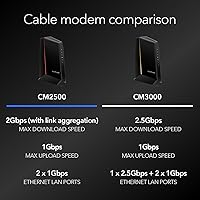
  • Max Download Speed: Supports download throughput up to 2.0Gbps when link aggregation is active across both Ethernet ports with a compatible router.
  • Max Upload Speed: Delivers upstream speeds up to 1Gbps, a substantial improvement over standard DOCSIS 3.0 and legacy mid-split cable modems.
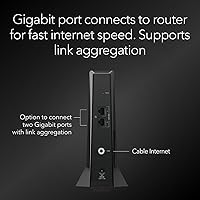
  • Ethernet Ports: Equipped with two Gigabit Ethernet LAN ports that support link aggregation for combined throughput to a compatible router or switch.
  • Voice Support: No voice ports are included; this modem does not support VoIP or landline phone services, including Xfinity Voice plans.
  • ISP Compatibility: Certified for use with Xfinity, Spectrum, Cox, and Optimum; not compatible with DSL, fiber, or satellite internet infrastructure.
  • Dimensions: Measures 6.8″ in length, 3.7″ in width, and 8.2″ in height, making it a tall vertical unit that requires open shelf space.
  • Weight: Weighs 1.09 pounds, making it a lightweight unit despite its taller-than-average physical footprint.
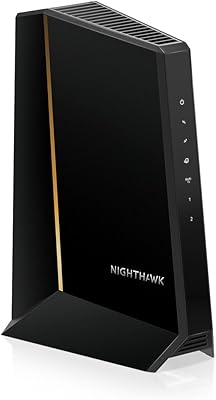
  • Color: Available in Black only, with a matte finish that suits most home networking and media cabinet environments.
  • Brand & Model: Manufactured by NETGEAR under the Nighthawk modem lineup; model designation is CM2500.
  • Release Date: First made available in May 2024, positioning it as one of the more recent mid/high-split DOCSIS 3.1 modems on the consumer market.
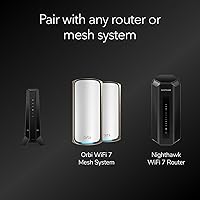
  • Router Pairing: Designed to pair with Wi-Fi 6E or Wi-Fi 7 routers for a fully modern home network stack capable of handling multi-gig throughput.
  • Connectivity Type: Connects to your home network exclusively via Ethernet; no built-in Wi-Fi, requiring a separate wireless router for wireless coverage.
  • Link Aggregation: Supports 802.3ad link aggregation across its two Gigabit Ethernet ports, enabling combined bandwidth delivery to a compatible multi-gig router.
  • Amazon Rating: Holds a 4.3 out of 5 star rating based on approximately 80 verified ratings at the time of publication.
  • Market Ranking: Ranked #39 in Computer Networking Modems and #5,421 in Computers and Accessories on Amazon at the time of review.
  • Rental Fee Savings: Owning this modem instead of renting from your ISP can save households an estimated several hundred dollars annually depending on provider and plan.
  • Warranty: NETGEAR typically offers a one-year limited hardware warranty on its consumer modem products; buyers should confirm current terms directly with NETGEAR.

Related Reviews
NETGEAR Nighthawk CM3000
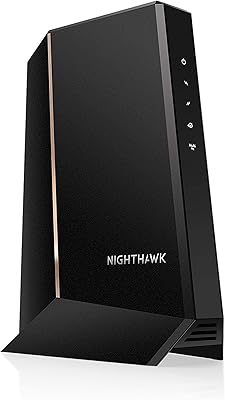
79%
88%
Upload Speed Performance
91%
Download Speed Delivery
79%
ISP Compatibility
66%
Setup & Activation Experience
74%
Value for Money
More
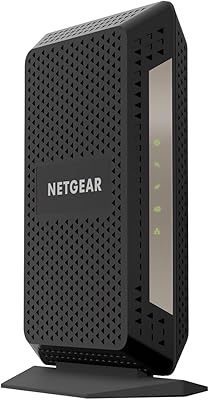
NETGEAR CM1000 DOCSIS 3.1 Cable Modem
76%
88%
Connection Stability
84%
Speed Performance
76%
Compatibility & ISP Support
61%
Setup & Provisioning Experience
82%
Value for Money
More
NETGEAR Nighthawk 32x8 DOCSIS 3.1 Cable Modem
78%
88%
Internet Speed Performance
83%
Setup & Activation
79%
Build Quality & Durability
91%
Value for Money
74%
ISP Compatibility
More
Humax HGD310 DOCSIS 3.1 Cable Modem
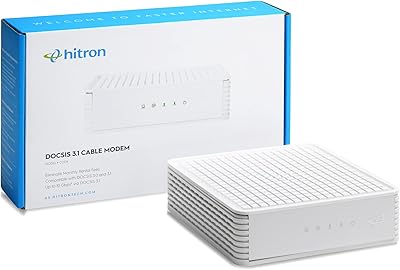
76%
88%
Internet Speed Performance
83%
Setup & Installation
79%
ISP Compatibility
91%
Value for Money
67%
Build Quality & Durability
More
Hitron CODA DOCSIS 3.1 Cable Modem
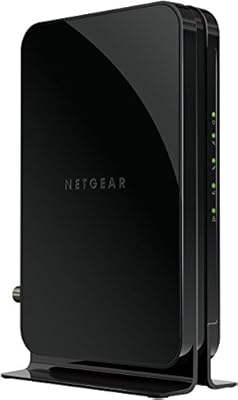
76%
83%
Connection Stability
78%
Ease of Setup
74%
ISP Compatibility
86%
Value for Money
81%
Performance at Rated Speeds
More
NETGEAR CM500 DOCSIS 3.0 Cable Modem
77%
91%
Value for Money
88%
Setup & Activation
84%
Connection Stability
63%
Refurbished Condition Consistency
72%
ISP Compatibility
More
Arris CM8200A DOCSIS 3.1 Cable Modem
74%
88%
Internet Speed Performance
79%
Ease of Setup & Activation
74%
ISP Compatibility
83%
Build Quality & Durability
71%
Thermal Management
More
Motorola MB8611 DOCSIS 3.1 Multi-Gig Cable Modem
85%
92%
Performance & Speed
85%
ISP Compatibility
88%
Setup & Installation
90%
Latency for Gaming/Streaming
80%
Reliability
More
NETGEAR C3700 N600 Cable Modem Router
73%
91%
Ease of Setup
88%
Connection Reliability
58%
WiFi Speed & Performance
61%
WiFi Range & Coverage
83%
Modem Speed & Throughput
More
ARRIS SURFboard G36
ARRIS SURFboard G36
72%
83%
Setup & Activation
76%
Wi-Fi Speed & Throughput
61%
Wi-Fi Range & Coverage
58%
Connection Stability
88%
DOCSIS 3.1 Modem Performance
More

FAQ

Yes, it is fully compatible with Xfinity cable internet plans — but there is one critical exception. If you have Xfinity Voice, meaning you use a landline through Xfinity, this modem will not support that service. It has no voice ports whatsoever, so you would need to keep a separate Xfinity-provided device or switch to a VoIP alternative before making the swap.

No, link aggregation is not required to use the CM2500 — it will function as a standard high-performance modem without it. Link aggregation only becomes relevant if you want to push combined download throughput beyond what a single Gigabit port can deliver, which requires a compatible multi-gig router and a managed switch. Most households will get excellent results from a single Ethernet connection to their router.

Yes, the CM2500 is approved for use on Spectrum's cable network. Spectrum activation typically involves calling in your modem's MAC address, and most buyers report the process going smoothly, though some have experienced longer-than-expected wait times during provisioning. It is worth having your account information ready when you call.

For everyday use, any modern router with a Gigabit WAN port will work fine. If you want to take full advantage of the modem's link aggregation capability, you will need a router with a 2.5G or higher WAN port — something like a Wi-Fi 6E or Wi-Fi 7 router with multi-gig support. NETGEAR's own Orbi systems are optimized to work well with this modem, but it is not locked to any brand.

Most major cable ISPs charge between ten and fifteen dollars a month in modem rental fees. Over two to three years, that adds up to somewhere between two hundred and five hundred dollars depending on your provider. The CM2500 pays for itself within that window for most users on eligible plans, and continues saving money for as long as you use it.

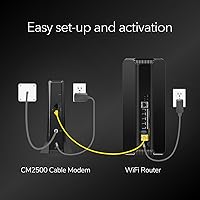
Generally, no. The setup process involves connecting the modem to your coaxial cable outlet and Ethernet router, then calling or going online to activate it with your ISP by providing the modem's MAC address and serial number. Most buyers complete activation within fifteen to thirty minutes. The quick-start guide covers the basics, though it does not go into detail about link aggregation setup.

That depends on your ISP and whether your local cable infrastructure has been upgraded to support mid/high-split uploads. If your ISP has upgraded the plant in your area and you are on a plan with faster upload tiers, yes — you should notice a meaningful improvement. If your local cable system has not been upgraded yet, your upload speeds will be capped by the infrastructure, not the modem.

No, it does not. The CM2500 is a standalone cable modem with no wireless capability — you will need a separate Wi-Fi router to create a wireless network in your home. This is actually a design choice many networking enthusiasts prefer, since it lets you choose your router independently and upgrade either device without replacing the whole setup.

Yes, Cox is one of the supported ISPs for this modem. Cox typically maintains an approved modem list on its website, and the CM2500 appears on it for compatible plans. As with any ISP, it is worth double-checking Cox's current approved device list before purchasing, particularly if you are in a region where Cox is rolling out faster upload speeds.

Under typical household use — streaming, video calls, browsing — it runs warm but not concerning. A handful of buyers noted it gets noticeably hotter during sustained heavy uploads or extended high-throughput sessions. The modem does not have a fan, so passive airflow matters; avoid placing it in enclosed cabinets with no ventilation, and give it a few inches of clearance on the sides and top.

Where to Buy