Overview

The NETGEAR Nighthawk 32x8 DOCSIS 3.1 Cable Modem is built for households on fast cable internet plans who are tired of paying a monthly fee to rent hardware from their ISP. It's compatible with Xfinity, Cox, and Spectrum, but if you're on Verizon, AT&T, CenturyLink, or any DSL or fiber service, this modem simply won't work — that incompatibility is non-negotiable. Before purchasing, there's one critical thing to understand: this is modem only. No Wi-Fi is included, so a separate router is required for wireless connectivity. That detail catches more buyers off guard than anything else about this Nighthawk modem, so it's worth internalizing before you add it to your cart.
Features & Benefits

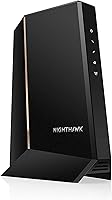
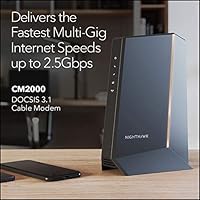
The engineering centers on DOCSIS 3.1 technology with 32x8 channel bonding and OFDM(A) 2x2, which provides considerably more throughput headroom and connection stability than older DOCSIS 3.0 hardware. The single Ethernet port operates at 2.5Gbps, so if your cable plan supports multi-gig speeds, you won't hit a hardware bottleneck right at the modem. This cable modem works with any third-party router, though pairing it with a Wi-Fi 6 router gets you the most out of the setup. The physical footprint is reasonably compact given the performance tier. Over time, avoiding the monthly ISP modem rental fee adds up noticeably, making ownership a financially sensible choice for anyone on a long-term cable contract.

Best For

This Nighthawk modem makes the most sense for cable internet subscribers on plans above 1Gbps who want to actually receive the speeds they're paying for. Remote workers managing large file transfers, frequent video calls, or multi-device home offices will appreciate the 2.5Gbps wired connection. It's also an ideal match for anyone who already owns a solid Wi-Fi 6 router and simply needs a capable standalone modem to complete the setup. If your current DOCSIS 3.0 modem is showing its age — slower speeds, erratic connections during peak hours — this is a meaningful upgrade. Xfinity, Cox, and Spectrum customers planning to stay with their provider long-term will find ownership versus rental works strongly in their favor.

User Feedback

Most buyers who upgraded from ISP-supplied hardware report noticeably faster and more consistent speeds shortly after activation, with the setup process described as straightforward in the majority of cases. That said, a recurring complaint involves ISP provisioning delays — some users waited longer than expected for their provider to approve the new modem, which is worth anticipating. The modem-only design continues to generate frustrated reviews from buyers who overlooked the spec, reinforcing why reading before buying matters here. Longer-term users note the unit runs warm under sustained load, though outright failures remain rare. Feedback on NETGEAR's support and firmware update frequency is genuinely mixed — some find it responsive, while others describe the experience as underwhelming.

Pros

  • DOCSIS 3.1 with 32x8 channel bonding handles peak-hour congestion far better than older modem generations.
  • The 2.5Gbps Ethernet port removes a bottleneck that standard 1Gbps modems impose on multi-gig cable plans.
  • Eliminating the monthly ISP rental fee recovers the upfront cost within a reasonable timeframe on most cable contracts.
  • Activation on Xfinity, Cox, and Spectrum is straightforward for the majority of users who verify compatibility first.
  • Works with any third-party router, giving you full control over your Wi-Fi hardware without restrictions.
  • Long-term owners report stable, consistent performance with very few spontaneous reboots or connection failures.
  • Compact physical size makes placement easy on a shelf or in a networking closet without dominating the space.
  • Pairs especially well with Wi-Fi 6 routers, allowing the full network stack to perform at a modern standard.
  • Holding a DOCSIS 3.1 modem at this spec level provides headroom for ISP speed tier upgrades without a hardware swap.

Cons

  • No built-in Wi-Fi means an additional router purchase is mandatory — a cost some buyers overlook entirely.
  • ISP provisioning can take longer than expected with certain regional Xfinity offices, frustrating users eager to get online quickly.
  • The unit runs warm during sustained heavy use, requiring deliberate ventilation planning in enclosed media setups.
  • Firmware updates are infrequent and inconsistently timed, leaving some users on older software for extended periods.
  • Customer support experiences are hit-or-miss, with complex ISP-specific issues often going unresolved through official channels.
  • Buyers who switch to a non-compatible provider after purchase lose their investment with no recourse.
  • The 2.5Gbps port delivers minimal real benefit unless your router and network switch also support that standard.
  • Users on lower-speed cable plans will see little practical improvement over a cheaper, lower-spec modem.
  • No mounting option is included, which complicates clean cable management in tighter or wall-mounted networking setups.

Ratings

The NETGEAR Nighthawk 32x8 DOCSIS 3.1 Cable Modem earned its scores through AI-driven analysis of verified buyer reviews across multiple global platforms, with spam, bot-generated, and incentivized submissions actively filtered out before scoring. Ratings reflect the full spectrum of real-world ownership — from the users who replaced their ISP rental hardware on day one and never looked back, to those who ran into provisioning headaches or expected built-in Wi-Fi. Both the strengths and the friction points are represented honestly here.
Internet Speed Performance
88%
Users upgrading from older DOCSIS 3.0 hardware or ISP-supplied modems consistently reported faster, more stable throughput — especially on Xfinity and Cox plans above 500Mbps. The 32x8 channel bonding appears to handle peak-hour congestion noticeably better than entry-level alternatives.
Real-world speeds still depend heavily on the ISP plan tier and the router paired with this cable modem. A handful of users on mid-tier plans reported that the speed gains were marginal compared to their previous hardware, suggesting the modem's ceiling exceeds what many residential plans can actually deliver.
Setup & Activation
83%
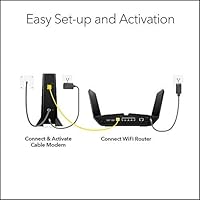
The majority of buyers on Xfinity, Cox, and Spectrum found the activation process straightforward — plug in, call or use the ISP app, and the modem is provisioned within minutes. Users who had already done their homework on compatibility rarely hit obstacles.
A recurring frustration involves provisioning delays, particularly with certain Xfinity regional offices that require additional manual steps or extended wait times. A smaller subset reported needing multiple calls to get the modem fully recognized on their account, which adds friction to an otherwise simple process.
Build Quality & Durability
79%
21%
The chassis feels solid for a device in this category, and long-term owners — some running the unit continuously for two or more years — report no physical degradation or port failures. The design is utilitarian but well-constructed.
The unit runs noticeably warm under sustained heavy use, which concerns some users who keep their networking equipment in enclosed spaces or media cabinets. While thermal failures remain rare in reported feedback, the heat output is consistent enough that adequate ventilation is worth planning for.
Value for Money
91%
For households on long-term cable contracts, avoiding the monthly ISP modem rental fee makes the upfront cost recover itself within a reasonable timeframe. Users who calculated their annual rental savings found ownership compelling, especially given the modem's multi-gig capability at this price tier.
The value proposition weakens considerably for users on lower-speed plans or shorter contract commitments, where the savings timeline stretches out. Buyers who later switched ISPs to a non-compatible provider also noted the investment felt less justified in hindsight.
ISP Compatibility
74%
26%
Coverage across Xfinity, Cox, and Spectrum — three of the largest US cable providers — means this modem works for a substantial portion of American households without any compatibility concerns. Most users on those networks confirmed straightforward approval.
The incompatibility with Verizon, AT&T, CenturyLink, DSL, and bundled voice services is a hard cutoff that catches some buyers off guard, particularly those planning to switch providers in the near future. This remains the single biggest driver of negative reviews — not the hardware itself, but the compatibility mismatch.
Multi-Gig Ethernet Performance
86%
Users with multi-gig cable plans and a 2.5Gbps-capable router reported that the Ethernet port delivered on its promise, eliminating the bottleneck that a standard 1Gbps port would have introduced. Home lab users and power users in particular praised this as a forward-thinking specification.
The benefit is largely theoretical for anyone without a router and switch infrastructure that also supports 2.5Gbps. Most households running standard Gigabit equipment will not see a meaningful difference compared to a modem with a standard 1Gbps port.
Router Compatibility
82%
18%
Works with any third-party router via the single Ethernet port, giving users full freedom to choose their own Wi-Fi hardware. Pairing with a Wi-Fi 6 router produced consistently positive feedback in terms of overall network performance.
Because this cable modem has no built-in Wi-Fi, buyers must budget for and manage a separate router, which adds complexity and cost. Users who expected an all-in-one device and missed the modem-only specification were predictably disappointed.
No Built-in Wi-Fi (Design Transparency)
58%
42%
For experienced users who already own a quality router, the modem-only design is a deliberate and appreciated choice — it allows independent upgrading of each network component without replacing the entire setup.
This is the most polarizing aspect of the product by a wide margin. A significant number of buyers did not realize until after purchase that no Wi-Fi is included. The frustration is understandable, but it speaks to a product listing clarity issue as much as a hardware one.
Long-Term Reliability
81%
19%
Users who have owned this Nighthawk modem for 18 months or longer generally report stable, uninterrupted operation. Spontaneous reboots and connection drops are not a dominant theme in long-term feedback, which builds confidence in the hardware's longevity.
A minority of users reported gradual performance degradation after extended use, particularly in units housed in poorly ventilated areas. Heat management over multi-year operation appears to be the primary long-term risk factor worth monitoring.
Firmware & Software Updates
63%
37%
Some technically inclined users appreciated that firmware updates have been pushed over the product's lifespan, addressing known compatibility and stability issues. Updates have generally been non-disruptive when they occur.
The update cadence is inconsistent, and a notable portion of users reported going long stretches without any firmware activity. NETGEAR's track record here is mixed — some product lines receive more attention than others, and this modem does not appear to be among the most actively maintained.
Customer Support Experience
57%
43%
Users who engaged with NETGEAR support for initial setup questions or ISP provisioning guidance occasionally reported helpful interactions, particularly through chat-based channels. Basic troubleshooting documentation is reasonably accessible online.
Longer or more technical support interactions drew consistent criticism for slow response times and agents with limited knowledge of ISP-specific provisioning requirements. Several users ultimately resolved their issues by consulting third-party forums rather than official support channels.
Physical Design & Size
77%
23%
The modem's relatively compact dimensions make it easy to place on a shelf or mount behind other equipment without dominating the space. The indicator lights are informative without being excessively bright in a home environment.
The vertical form factor requires either a flat surface with adequate depth or a deliberate placement decision. A few users noted the unit lacks a mounting option, which limits clean cable management in tighter networking setups.
DOCSIS 3.1 Future-Proofing
89%
Purchasing a DOCSIS 3.1 modem at this specification level positions users well for ISP speed tier upgrades over the next several years. Users on plans that are still scaling up found the headroom reassuring rather than wasteful.
The pace at which residential cable plans are actually reaching multi-gig speeds varies significantly by region. In markets where top-tier plans remain below 1Gbps, the full DOCSIS 3.1 capability sits largely unused, which reduces the immediacy of the upgrade argument for some buyers.

Suitable for:

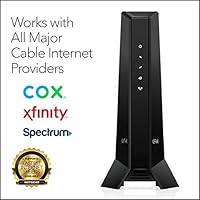
The NETGEAR Nighthawk 32x8 DOCSIS 3.1 Cable Modem is the right call for cable internet subscribers on Xfinity, Cox, or Spectrum who are tired of paying a monthly equipment rental fee and want hardware that can actually keep pace with their current or future speed tier. It makes the most sense for households on plans at or above 500Mbps — and especially those pushing into multi-gig territory — where the 32x8 channel bonding and 2.5Gbps Ethernet port have room to deliver real-world impact. Remote workers running bandwidth-intensive tasks from a home office, or tech-savvy users who already own a quality Wi-Fi 6 router and just need a capable standalone modem, will find this a natural and well-matched choice. It also suits anyone upgrading from aging DOCSIS 3.0 hardware that's showing signs of congestion during peak hours — the generational leap in throughput stability is noticeable in those situations. If you're planning to stay with a compatible cable provider for at least a couple of years, the math on ownership versus renting tends to work out clearly in your favor.
Not suitable for:

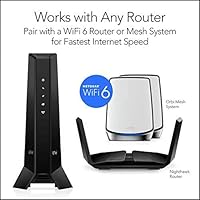
The NETGEAR Nighthawk 32x8 DOCSIS 3.1 Cable Modem is a poor fit for anyone on a DSL, fiber, or satellite internet connection — it is designed exclusively for cable infrastructure, and it will not function on Verizon, AT&T, CenturyLink, DirecTV, DISH, or any bundled voice service, full stop. Buyers expecting an all-in-one gateway with built-in Wi-Fi will also be disappointed; this is a modem only, and a separate router purchase is required to get wireless coverage, which adds both cost and setup complexity. If you're on a basic cable plan well below 500Mbps, the hardware's capability significantly outpaces what your plan can deliver, making the value proposition harder to justify. Households that may switch ISPs within the next year — whether due to moving or changing providers — face the real risk of landing on an incompatible service and losing their investment. Renters or users without a clear multi-year commitment to a compatible cable provider are better served by continuing to rent or choosing a more flexible networking solution.
Specifications

  • Standard: This modem operates on the DOCSIS 3.1 standard, the current generation for cable internet, supporting both OFDM and OFDMA channel types alongside legacy DOCSIS 3.0 compatibility.
  • Channel Bonding: Configured with 32 downstream and 8 upstream channels, enabling high-throughput connections that handle congestion significantly better than older 8x4 or 16x4 DOCSIS 3.0 modems.
  • OFDM Technology: Equipped with OFDM(A) 2x2, which provides wider channel utilization and improved spectral efficiency compared to traditional SC-QAM channels alone.
  • Max Supported Speed: Rated to support cable internet plans delivering speeds up to 2.5Gbps, though actual throughput is determined by the subscribed ISP plan and connected router capabilities.
  • Ethernet Port: Features one 2.5Gbps Multi-Gig Ethernet port for connecting directly to a router or a 2.5Gbps-capable network switch.
  • Wi-Fi: This unit contains no built-in wireless radio — it is a modem only, and a separate Wi-Fi router must be connected via the Ethernet port to enable wireless networking.
  • Compatible ISPs: Approved for use with Xfinity (Comcast), Cox, and Spectrum cable internet services in the United States.
  • Incompatible Services: Not compatible with Verizon, AT&T, CenturyLink, any DSL provider, DirecTV, DISH, or any service that includes bundled voice (VoIP) over cable.
  • Ethernet Standard: The 2.5Gbps Ethernet port supports backward compatibility with standard Gigabit (1Gbps) and 100Mbps Ethernet devices, so it works with older routers at their native speeds.
  • Dimensions: The unit measures 10.28 x 8.19 x 4.61 inches, designed for vertical or shelf placement in a home networking setup.
  • Weight: Weighs 2.31 pounds, making it lightweight enough to reposition easily without permanent mounting infrastructure.
  • Manufacturer: Designed and produced by NETGEAR, a US-based networking hardware company with an established portfolio of consumer and prosumer modem and router products.
  • Release Date: First made available in March 2021, placing it among the mid-generation DOCSIS 3.1 products that emerged as multi-gig residential cable plans began rolling out.
  • Number of Ports: The device includes exactly one external data port — the single 2.5Gbps Ethernet jack — with no additional LAN, USB, or phone ports present on the unit.
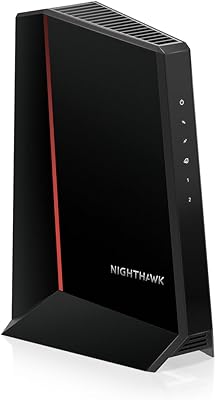
  • Form Factor: Vertical tower design with LED status indicators on the front face for power, downstream, upstream, and internet connection activity monitoring.
  • Power Input: Powered via an included AC power adapter; the modem does not support Power over Ethernet (PoE) and requires its own dedicated power outlet.
  • Category Rank: Ranked #46 in Computer Networking Modems on Amazon as of the available data snapshot, indicating strong sustained market relevance in a competitive category.

Related Reviews
NETGEAR CM2500 DOCSIS 3.1 Cable Modem
77%
83%
Setup & Provisioning
88%
Upload Speed Performance
81%
Download Speed Consistency
76%
ISP Compatibility
79%
Build Quality & Design
More
NETGEAR Nighthawk CM3000
79%
88%
Upload Speed Performance
91%
Download Speed Delivery
79%
ISP Compatibility
66%
Setup & Activation Experience
74%
Value for Money
More
NETGEAR CM1000 DOCSIS 3.1 Cable Modem
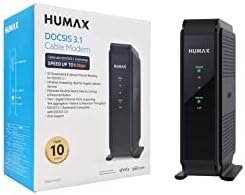
76%
88%
Connection Stability
84%
Speed Performance
76%
Compatibility & ISP Support
61%
Setup & Provisioning Experience
82%
Value for Money
More
Hitron CODA DOCSIS 3.1 Cable Modem
76%
83%
Connection Stability
78%
Ease of Setup
74%
ISP Compatibility
86%
Value for Money
81%
Performance at Rated Speeds
More
Humax HGD310 DOCSIS 3.1 Cable Modem
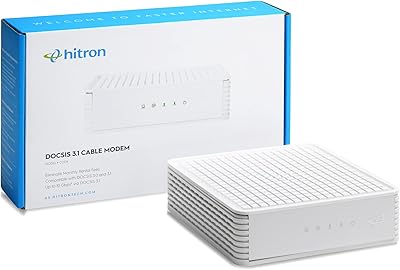
76%
88%
Internet Speed Performance
83%
Setup & Installation
79%
ISP Compatibility
91%
Value for Money
67%
Build Quality & Durability
More
Arris CM8200A DOCSIS 3.1 Cable Modem
74%
88%
Internet Speed Performance
79%
Ease of Setup & Activation
74%
ISP Compatibility
83%
Build Quality & Durability
71%
Thermal Management
More
NETGEAR CM500 DOCSIS 3.0 Cable Modem
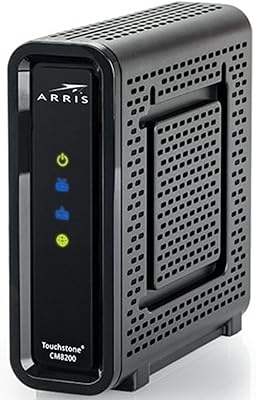
77%
91%
Value for Money
88%
Setup & Activation
84%
Connection Stability
63%
Refurbished Condition Consistency
72%
ISP Compatibility
More
Motorola MB8611 DOCSIS 3.1 Multi-Gig Cable Modem
85%
92%
Performance & Speed
85%
ISP Compatibility
88%
Setup & Installation
90%
Latency for Gaming/Streaming
80%
Reliability
More
NETGEAR C3700 N600 Cable Modem Router
73%
91%
Ease of Setup
88%
Connection Reliability
58%
WiFi Speed & Performance
61%
WiFi Range & Coverage
83%
Modem Speed & Throughput
More
ARRIS SURFboard SBG8300 DOCSIS 3.1 Cable Modem Router Combo
84%
91%
Performance & Speed
88%
Wi-Fi Coverage & Stability
80%
Ease of Setup
84%
Compatibility with ISPs
92%
Value for Money
More

FAQ

No Wi-Fi is included — this is a modem only. You will need a separate router connected to the 2.5Gbps Ethernet port to get wireless coverage in your home. This is the single most common source of buyer confusion, so it is worth confirming before purchasing.

Yes, it is approved for use on Xfinity's cable internet service. After connecting it, you will need to activate it through Xfinity either via their app, website, or by calling their support line. Most activations go smoothly, though some regional offices can take longer to provision the device.

Unfortunately, no. Verizon Fios runs on a fiber network, and this Nighthawk modem is built exclusively for cable infrastructure. It will not work on Fios, AT&T, CenturyLink, or any DSL or fiber-based service.

Honestly, yes, for now. The hardware is more than capable enough for a 200Mbps plan, and it will work fine, but you would not be utilizing anywhere near its full potential. A less expensive DOCSIS 3.1 modem would deliver the same real-world experience at that speed tier. The value here is strongest for households on faster plans or those planning to upgrade soon.

Check your ISP account portal or call your provider and ask specifically whether your address is eligible for plans above 1Gbps. Multi-gig availability varies significantly by region — even within the same ISP — so it is worth verifying before assuming the 2.5Gbps port will be fully utilized.

No, this cable modem does not support bundled voice services. If your cable plan includes a home phone line through your ISP, you will need to keep your current ISP-supplied gateway or switch to a modem that includes an embedded multimedia terminal adapter (eMTA). Replacing a bundled-voice gateway with this modem would cause your phone service to stop working.

Yes, some warmth during operation is normal for a DOCSIS 3.1 modem running at sustained load. That said, you should make sure the unit has adequate airflow around it and is not enclosed in a tight cabinet without ventilation. Persistent overheating beyond warm-to-the-touch levels is worth investigating, but users running the modem in open, ventilated spaces rarely report heat-related problems.

It depends on what your ISP charges monthly for modem rental, but most providers charge somewhere between $10 and $15 per month. At that rate, the upfront purchase cost typically pays for itself within roughly one to two years. After that point, you are effectively getting your connection hardware for free compared to continued renting.

Yes, the 2.5Gbps Ethernet port is backward compatible with standard Gigabit and 100Mbps devices. Your existing Gigabit router will connect and function normally — you just will not benefit from the full 2.5Gbps throughput until you upgrade to a router that also supports that standard.

Firmware updates have been released for this modem since launch, but the cadence is irregular. NETGEAR does not follow a predictable update schedule for this product line, and some users go extended periods without seeing new firmware. Checking the NETGEAR support page for your specific model number is the most reliable way to find and apply any available updates.

Where to Buy