
Overview

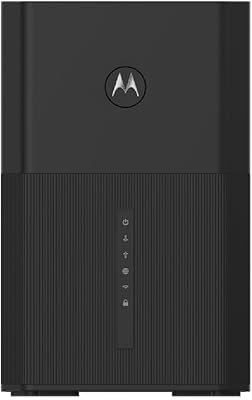
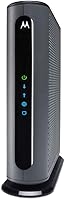
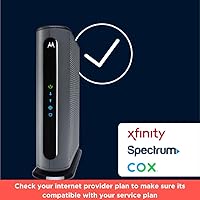
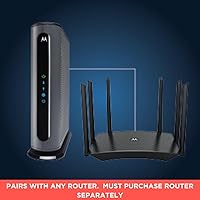
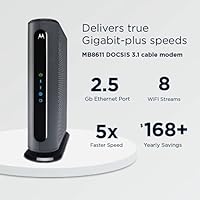
The Motorola MB8611 DOCSIS 3.1 Cable Modem is built for one purpose: squeezing every bit of performance out of a gigabit or multi-gig internet plan. DOCSIS 3.1 isn't just marketing — it's a meaningful leap over older DOCSIS 3.0 hardware, capable of handling the kind of bandwidth that most households will be chasing for years. This Motorola modem works with major providers including Comcast Xfinity, Cox, and Spectrum, and owning it outright can save you well over a hundred dollars annually in rental fees. One thing to know upfront: no Wi-Fi is included. You'll need a separate router.

Features & Benefits

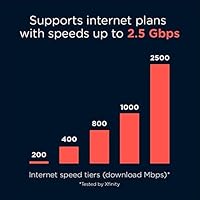
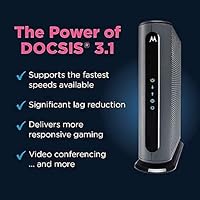
The 2.5 Gbps Ethernet port is what separates the MB8611 from budget DOCSIS 3.1 options — it means the connection between your modem and router won't bottleneck your multi-gig plan. On supported plans, downstream throughput can approach 2,500 Mbps, with upstream hitting up to 800 Mbps. This standalone cable modem is also backward compatible with DOCSIS 3.0, so it works fine even if your ISP hasn't fully rolled out DOCSIS 3.1 in your area yet. Active Queue Management keeps latency in check during heavy traffic, which matters if your household mixes 4K streaming with video calls or online gaming. The compact footprint and a solid two-year warranty round out a well-thought-out package.

Best For

This Motorola modem makes the most sense for anyone on a gigabit or faster internet plan who wants their hardware to keep pace with their subscription. Remote workers and streamers benefit most, since the combination of high throughput and low latency directly affects video call quality and buffer-free 4K playback. If you're already paying monthly modem rental fees to your ISP, the math on buying the MB8611 works out quickly — typically within the first year. It's also a natural fit for Xfinity, Cox, or Spectrum subscribers who want an ISP-approved third-party modem without the guesswork of checking compatibility lists.

User Feedback

Across nearly 30,000 Amazon ratings, the MB8611 sits at 4.3 stars, which is a strong showing for networking hardware. Most buyers highlight easy activation and a clear improvement in real-world speeds compared to the equipment their ISP shipped them. Long-term owners frequently note it runs stably for months without needing a reboot — not a small thing when your home depends on a reliable connection. That said, some users report frustrating delays during initial provisioning, particularly with Xfinity, where the activation process can involve multiple calls to support. A handful of reviews flag early hardware failures, and a few note the MB8611 losing ground to rivals like the Arris S33 in raw upstream performance on specific plans.

Pros

  • Supports true multi-gig throughput thanks to a 2.5 Gbps Ethernet port that won't bottleneck fast routers.
  • DOCSIS 3.1 compatibility future-proofs the hardware well beyond what most current home plans require.
  • Active Queue Management measurably reduces latency during peak household usage periods.
  • Approved by Comcast Xfinity, Cox, Spectrum, and RCN, covering the majority of U.S. cable subscribers.
  • Long-term ownership saves most users well over a hundred dollars per year in ISP rental fees.
  • Setup is straightforward for the majority of users, with most activations completing without a support call.
  • Owners consistently report stable uptime over months of continuous use with very few spontaneous reboots.
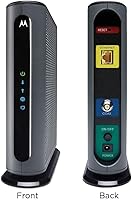
  • Compact vertical design takes up minimal shelf or desk space compared to ISP-provided gateway boxes.
  • A two-year warranty backed by US-based support adds meaningful peace of mind for a networking device.
  • At nearly 30,000 Amazon ratings with a 4.3-star average, the track record here is unusually well-documented.

Cons

  • No built-in Wi-Fi means you must budget for and manage a separate router purchase.
  • Some Xfinity customers report frustrating activation delays that require multiple calls to ISP support.
  • A small but recurring pattern of early unit failures appears across long-term user reviews.
  • Upstream speeds, while adequate, trail certain competing models on specific high-upload ISP plans.
  • Incompatible with fiber, DSL, satellite, and any non-cable internet infrastructure entirely.
  • Overkill for anyone on a mid-tier plan, making the price harder to justify without a gigabit subscription.
  • No VoIP or telephone port rules it out for households that still rely on a cable-based home phone line.
  • ISP compatibility is limited to a short list of providers, creating risk for users in less common service areas.

Ratings

The Motorola MB8611 DOCSIS 3.1 Cable Modem has been scored by our AI after analyzing thousands of verified global buyer reviews, with spam, bot-generated, and incentivized submissions actively filtered out before any score was calculated. The ratings below reflect both what this standalone cable modem genuinely does well and where real users have run into frustration — nothing is glossed over.

Speed Performance
88%
Users on gigabit and multi-gig Xfinity or Cox plans consistently report hitting speeds well above what their previous ISP-provided modem could achieve. The 2.5 Gbps Ethernet port removes the physical link as a bottleneck, which matters most when connecting to a capable router on a fast plan.
Actual throughput is entirely dependent on what your ISP plan and local infrastructure can deliver — the modem cannot conjure speeds your plan doesn't support. A handful of users on mid-tier plans noticed no meaningful improvement over their older DOCSIS 3.0 hardware.
Reliability & Uptime
91%
Long-term owners are the MB8611's most vocal advocates, with many reporting months of continuous operation without a single unplanned reboot. For households where the internet connection is mission-critical — remote work, home security, smart home devices — this kind of quiet consistency is exactly what you want.
A recurring minority of reviews describe units that began dropping connection or running warm after six to twelve months of use. These cases appear to represent early hardware failures rather than a systemic design flaw, but they are common enough to be worth noting.
Setup & Activation
74%
26%
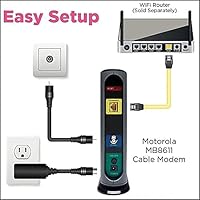
For the majority of buyers, getting the MB8611 up and running is a straightforward process: connect the coax cable, plug in power, attach the router, and call your ISP to register the MAC address. Most Spectrum and Cox activations reportedly complete within twenty to thirty minutes.
Xfinity activations draw the most complaints, with a meaningful share of users describing provisioning delays that required multiple calls to customer support before the modem was fully recognized on the network. The modem itself is not at fault, but the friction is real and worth anticipating.
ISP Compatibility
83%
Approval across Comcast Xfinity, Cox, Charter Spectrum, and RCN covers the vast majority of U.S. cable internet subscribers, and users report the compatibility claims hold up accurately in practice. Buyers specifically praise having a reliable, ISP-sanctioned alternative to the overpriced rental gateway.
Outside the approved provider list, this modem is simply unusable — it will not work on fiber, DSL, or satellite networks, and it lacks support for some smaller regional cable operators. Buyers in less common service areas need to verify compatibility carefully before purchasing.
Latency & Gaming
86%
The built-in Active Queue Management makes a noticeable difference for gamers and households running video calls alongside heavy downloads simultaneously. Several buyers specifically switched to the MB8611 after experiencing bufferbloat issues with their ISP modem and reported a clear improvement in ping stability.
The latency improvements are most evident when the modem is paired with a quality router that also supports traffic management. Users running older or budget routers downstream may not fully realize the latency benefits the modem itself is capable of delivering.
Value for Money
89%
The financial case for owning this Motorola modem rather than renting from your ISP is compelling — most buyers recoup the cost within the first twelve to eighteen months and then enjoy pure savings after that. For households on gigabit plans who planned to stay with their ISP long-term, the math is particularly favorable.
The upfront purchase price is meaningfully higher than budget DOCSIS 3.1 alternatives, which can give pause to buyers on slower or lower-cost plans where the advanced specs provide diminishing returns. If you move frequently or switch ISPs, the value calculation becomes less clear-cut.
Build Quality
79%
21%
The unit feels solid and purposeful in hand — not flashy, but clearly built to run continuously without issues. The compact vertical form factor fits neatly on a shelf or behind a router without demanding much real estate.
The plastic casing, while functional, feels average for the price point, and some users note the unit runs warmer than expected under sustained heavy load. Ventilation around the device matters more than the marketing materials suggest.
Upstream Performance
72%
28%
For most households, the upstream capability is more than sufficient for video conferencing, cloud backups, and simultaneous uploads across multiple devices. Remote workers running consistent video calls report noticeably more stable upload speeds compared to ISP gateway modems.
Head-to-head comparisons with the Arris S33 put the MB8611 at a disadvantage on upload-heavy workloads on specific plan types. Users who upload large files regularly or run a home server may find the upstream ceiling limiting on certain ISP configurations.
Compatibility with Routers
93%
Buyers report clean, trouble-free pairing with a wide range of third-party routers — from budget TP-Link models to high-end Asus and Netgear flagships — with no configuration quirks or firmware conflicts encountered in the majority of setups. The single Ethernet handoff keeps things simple.
With only one Ethernet port, users who want to connect multiple wired devices directly to the modem cannot do so without adding a router or switch. This is by design, but buyers coming from an ISP gateway that offered multiple LAN ports sometimes find it an adjustment.
Warranty & Support
77%
23%
A two-year warranty is above average for networking hardware at this tier, and US-based support is a genuine differentiator compared to competitors that route all support through overseas call centers. Several buyers mention positive experiences resolving issues quickly.
Some users report that warranty claim processing is slower than expected, with replacement turnaround times that can leave a household without internet for several days. Support quality appears consistent, but the logistics of the RMA process draw occasional frustration.
Documentation & Packaging
68%
32%
The included quick-start guide covers the basic setup steps clearly enough for most users to get oriented without consulting additional resources. Packaging is protective and appropriately minimal for a networking device.
More technically involved scenarios — like configuring the modem for a non-standard ISP setup or troubleshooting a failed activation — are not well covered in the included materials, pushing users toward online forums or ISP support calls for answers.
Thermal Management
71%
29%
Under normal household usage loads, the MB8611 runs at temperatures that most users describe as warm but not concerning. The vertical design does assist passive airflow enough to keep it stable during typical daily operation.
In confined spaces or enclosed entertainment cabinets, heat buildup becomes a real issue that some users connect directly to instability or shortened hardware lifespan. The modem genuinely needs open air around it to perform reliably over the long term.

Suitable for:

The Motorola MB8611 DOCSIS 3.1 Cable Modem is an excellent fit for households that have already upgraded to a gigabit or multi-gig internet plan and want their hardware to actually deliver on that investment. Remote workers who depend on rock-solid upload speeds for video conferencing, and heavy streamers running multiple 4K feeds simultaneously, will notice a real difference compared to the underpowered modems ISPs typically hand out. Gamers who care about latency — not just raw speed — also stand to benefit, since the built-in Active Queue Management keeps traffic prioritized even when the network is under load. It makes particular sense for Comcast Xfinity, Cox, and Spectrum subscribers who are currently paying a monthly modem rental fee; the savings over two or three years alone can more than justify the purchase price. Anyone who already owns a quality standalone router and simply wants a capable, ISP-approved modem to sit behind it will find this Motorola modem a natural, low-hassle upgrade.

Not suitable for:

The Motorola MB8611 DOCSIS 3.1 Cable Modem is the wrong choice for anyone expecting an all-in-one solution — it has no built-in Wi-Fi and no VoIP capability, so if you rely on your ISP for a home phone line or want a single box handling everything, look elsewhere. Renters or anyone who moves frequently between ISP service areas should be cautious, since the MB8611 is only approved for a handful of major cable providers and won't work on fiber, DSL, or satellite connections at all. If your current internet plan tops out at 200 or 300 Mbps, this standalone cable modem is genuine overkill; a less expensive DOCSIS 3.0 modem would serve you just as well and save you money upfront. Budget-focused buyers who want the cheapest path to owning their modem should also consider that the initial cost is meaningful, and the payoff takes time if your ISP charges lower rental fees. Finally, anyone who finds networking setup intimidating should be aware that ISP activation, while usually straightforward, can occasionally require patience and a support call to get provisioned correctly.

Specifications

  • Modem Standard: The MB8611 operates on DOCSIS 3.1, the current top-tier cable internet standard, and is backward compatible with DOCSIS 3.0 at 32x8 channel bonding.
  • Max Downstream: Under ideal conditions on a supported ISP plan, downstream throughput can reach approximately 2,500 Mbps.
  • Max Upstream: Upstream speeds reach up to 800 Mbps when the subscriber's internet plan and local infrastructure support it.
  • Ethernet Port: A single 2.5 Gbps Ethernet port connects the modem to a router or computer, preventing the physical link from becoming a bottleneck on multi-gig plans.
  • Wi-Fi: This modem has no built-in wireless radio; a separate Wi-Fi router is required to provide wireless connectivity to devices.
  • VoIP Support: The MB8611 does not include a telephone port and cannot support cable-based home phone or VoIP services.
  • ISP Compatibility: Approved for use on Comcast Xfinity, Cox Communications, Charter Spectrum, and RCN cable networks.
  • Latency Management: Active Queue Management is built in to reduce bufferbloat and keep latency stable during periods of high concurrent network usage.
  • Dimensions: The unit measures 7.25″ in length, 2.25″ in width, and 7.88″ in height in its upright vertical orientation.
  • Weight: The modem weighs 1.1 pounds, making it light enough to mount or reposition without any special hardware.
  • Warranty: Motorola includes a two-year limited warranty covering manufacturing defects from the date of purchase.
  • Customer Support: Technical support is provided by a US-based team of Motorola technicians reachable by phone or online channels.
  • Model Number: The official model designation is MB8611, manufactured by MTRLC LLC under the Motorola brand.
  • Availability Date: This modem was first made available for purchase in July 2020, giving it a meaningful real-world reliability track record.
  • User Rating: As of the time of review, the MB8611 holds a 4.3-star average rating across approximately 29,405 Amazon customer ratings.

Related Reviews
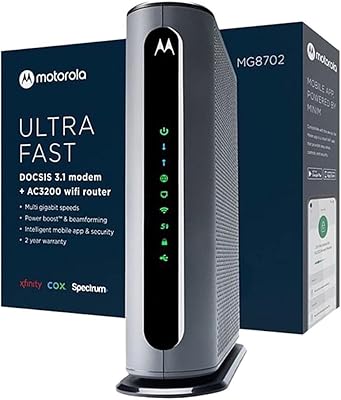
Motorola MG8702 DOCSIS 3.1 Cable Modem + Wi-Fi Router
83%
92%
Value for Money
89%
Wi-Fi Performance
88%
Ease of Setup
85%
ISP Compatibility
82%
Mobile App Experience
More
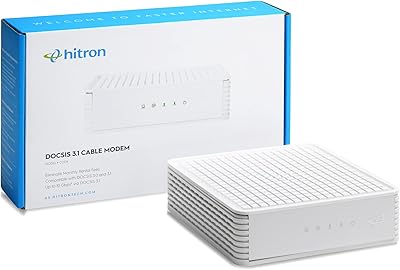
Hitron CODA DOCSIS 3.1 Cable Modem
76%
83%
Connection Stability
78%
Ease of Setup
74%
ISP Compatibility
86%
Value for Money
81%
Performance at Rated Speeds
More
Motorola MB7420 16x4 Cable Modem
77%
86%
Connection Stability
88%
Setup & Activation
79%
Speed Performance
91%
Value for Money
74%
Build Quality & Design
More
Humax HGD310 DOCSIS 3.1 Cable Modem
76%
88%
Internet Speed Performance
83%
Setup & Installation
79%
ISP Compatibility
91%
Value for Money
67%
Build Quality & Durability
More
NETGEAR CM1000 DOCSIS 3.1 Cable Modem
76%
88%
Connection Stability
84%
Speed Performance
76%
Compatibility & ISP Support
61%
Setup & Provisioning Experience
82%
Value for Money
More
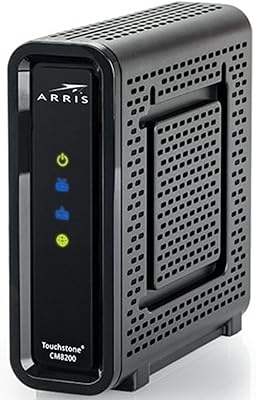
Arris CM8200A DOCSIS 3.1 Cable Modem
74%
88%
Internet Speed Performance
79%
Ease of Setup & Activation
74%
ISP Compatibility
83%
Build Quality & Durability
71%
Thermal Management
More
NETGEAR Nighthawk CM3000
79%
88%
Upload Speed Performance
91%
Download Speed Delivery
79%
ISP Compatibility
66%
Setup & Activation Experience
74%
Value for Money
More
NETGEAR Nighthawk 32x8 DOCSIS 3.1 Cable Modem
78%
88%
Internet Speed Performance
83%
Setup & Activation
79%
Build Quality & Durability
91%
Value for Money
74%
ISP Compatibility
More
NETGEAR CM2500 DOCSIS 3.1 Cable Modem
77%
83%
Setup & Provisioning
88%
Upload Speed Performance
81%
Download Speed Consistency
76%
ISP Compatibility
79%
Build Quality & Design
More
Motorola MG8725 WiFi 6 Cable Modem Router
77%
83%
WiFi Performance
89%
Wired Connectivity
86%
Setup Experience
67%
App Quality
78%
Range & Coverage
More

FAQ

No, it does not. The MB8611 is a standalone cable modem only, so you will need to connect a separate Wi-Fi router to the 2.5 Gbps Ethernet port to get wireless coverage in your home. This is worth knowing before you buy, since many ISP-provided gateways combine both functions in one box.

Yes, it is officially approved by Comcast Xfinity and appears on their list of compatible devices. That said, the activation process with Xfinity can occasionally take longer than expected, and some users have needed to call Xfinity support to complete provisioning, so have a little patience ready if your first attempt stalls.

No. This is a cable modem built specifically for coaxial cable-based internet infrastructure. It will not work with fiber optic, DSL, or satellite internet services, regardless of the speeds those services offer.

It depends on your provider's rental fee, but many major ISPs charge between ten and fifteen dollars per month for a modem. Over two to three years, the savings from owning this Motorola modem can comfortably exceed the original purchase price, making it a straightforward long-term financial decision for most people.

Not necessarily, but the 2.5 Gbps Ethernet port and DOCSIS 3.1 capability shine most when paired with a gigabit or faster plan. On plans below 500 Mbps, a less expensive DOCSIS 3.0 modem would likely perform just as well for everyday use.

Most buyers find the setup relatively approachable — you connect the coaxial cable, plug in power, connect your router via Ethernet, and then call your ISP to have them register the modem's MAC address on your account. The majority of activations are complete within thirty minutes, though ISP wait times vary.

All three are solid DOCSIS 3.1 modems with 2.5 Gbps Ethernet ports targeting the same audience. The Arris S33 has a slight edge in upstream performance on some plans, while the Netgear CM2000 is sometimes preferred for its ISP support breadth. The MB8611 competes closely on reliability and long-term stability based on user feedback across all three.

After the two-year warranty window, repairs or replacements would be out of pocket. That said, networking hardware at this level tends to have a long useful life — many users run modems for four to six years without issues — so the risk after warranty is relatively low compared to other electronics.

The MB8611 has only one Ethernet port, so it is designed to connect to a single router, which then distributes the connection to all your devices wirelessly or via a switch. If you need multiple wired devices, you would connect them through your router or an Ethernet switch, not directly to this standalone cable modem.

Like most cable modems, it generates some heat during operation, particularly under sustained heavy loads. Motorola designed it with a vertical orientation to aid passive airflow, so avoid laying it on its side or placing it inside an enclosed cabinet where heat could build up over time.

Where to Buy