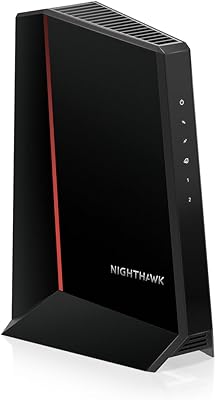
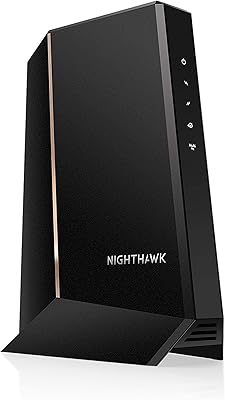
Overview

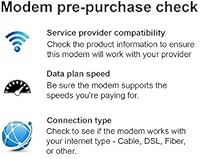
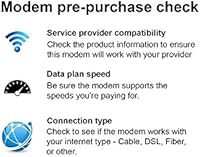
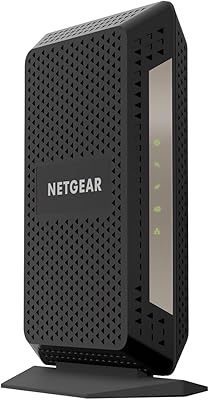
The NETGEAR CM500 DOCSIS 3.0 Cable Modem is a certified refurbished unit aimed squarely at cable internet subscribers who are tired of paying their ISP a monthly rental fee for hardware they will never own. That fee adds up — often well over a hundred dollars a year — and this standalone cable modem is a practical way to reclaim it. Certified refurbished from Netgear means the unit has been inspected and tested, not just pulled from a return bin. One thing to confirm before buying: the CM500 works with Xfinity, Cox, and compatible cable providers, but it is not compatible with Verizon, AT&T, CenturyLink, or bundled voice services.
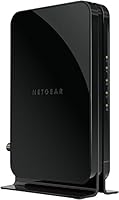
Features & Benefits

The CM500's 16x4 channel bonding handles cable plans up to 200 Mbps — enough for HD streaming, video calls, and general household browsing without complaint. Keep in mind that 200 Mbps is the ceiling this modem supports, not a speed it generates on its own; your actual connection depends entirely on your ISP plan. The single Gigabit Ethernet port connects to your router with auto-sensing technology, so there is no fiddling with settings on arrival. Speaking of routers — this refurbished modem has no built-in Wi-Fi, which is actually a plus for people who already own a solid router or want to choose their own. The compact footprint tucks away neatly, and running on DOCSIS 3.0 keeps it well ahead of older hardware still circulating on the used market.

Best For

This standalone cable modem is a natural fit for Xfinity or Cox subscribers on plans at or below 200 Mbps who want to cut the rental line from their monthly bill. Small households — one to three people streaming, browsing, or working from home — will find the performance more than adequate for day-to-day use. It also suits buyers who already own a router and simply need a dependable modem to pair with it. If you are comfortable purchasing refurbished and understand what that entails, the value here is hard to argue with. That said, it is the wrong pick for Verizon, AT&T, or CenturyLink customers, or anyone who requires bundled phone service through their internet provider.

User Feedback

Most owners report that setup is genuinely straightforward — plug it in, call your ISP to activate, and you are online within minutes. Connection stability gets consistent praise, with many users noting reliable performance for streaming and everyday browsing over extended periods. The mixed feedback tends to center on the refurbished condition: most units arrive in solid shape, but a handful of buyers have received hardware showing more wear than expected, so knowing your return window beforehand is worthwhile. A few users also ran into ISP activation issues, usually because they skipped the compatibility check — a problem easily avoided by confirming with your provider first. For most, long-term reliability appears strong, with many reporting years of trouble-free use.

Pros

  • Eliminates ISP modem rental fees, typically recovering the purchase cost within a few months.
  • Setup is genuinely quick — most users are online within 20 minutes of unboxing.
  • Works cleanly with a wide range of third-party routers without configuration headaches.
  • Stable day-to-day performance for streaming, video calls, and remote work on plans up to 200 Mbps.
  • Compact size fits comfortably in tight network setups, closets, or crowded media shelves.
  • Certified refurbished status means the hardware has been tested, not simply returned and reshipped.
  • DOCSIS 3.0 with 16x4 channel bonding keeps it well ahead of older DOCSIS 2.0 hardware still in circulation.
  • Many buyers report years of reliable, uninterrupted service from this refurbished modem.
  • Runs quietly and stays cool enough under normal use that placement is rarely a concern.

Cons

  • Refurbished unit condition varies — some buyers receive hardware with visible scratches or worn housings.
  • The 200 Mbps speed cap becomes a real limitation if you upgrade to a higher-tier internet plan later.
  • No Wi-Fi built in, so buyers without an existing router face an additional purchase to get online.
  • ISP activation snags are more common than they should be, particularly for less mainstream cable providers.
  • Documentation included with refurbished units is sometimes incomplete or generic rather than product-specific.
  • Early failure rates appear slightly higher than comparable new hardware, based on buyer review patterns.
  • Netgear support for refurbished devices can feel limited compared to the experience new-device buyers receive.
  • Incompatibility with bundled voice services is a dealbreaker that catches some buyers off guard after purchase.

Ratings

The NETGEAR CM500 DOCSIS 3.0 Cable Modem scores below reflect AI-driven analysis of thousands of verified global buyer reviews, with spam, bot activity, and incentivized feedback actively filtered out before scoring. The CM500 earns strong marks where it counts most for budget-focused cable subscribers, but the data also surfaces real friction points — particularly around refurbished unit consistency and ISP compatibility confusion — and those are reflected here without sugar-coating.
Value for Money
91%
For buyers on Xfinity or Cox who have been quietly paying a monthly modem rental fee, this standalone cable modem typically pays for itself within a few months. At its price point, refurbished or not, very few competing options offer this combination of brand credibility and functional performance.
The value calculus shifts if you receive a unit in noticeably worn condition or experience early hardware failure, since replacement and return shipping costs can quietly erode the savings. Buyers expecting new-product quality at a refurbished price sometimes feel the deal is less clear-cut than advertised.
Setup & Activation
88%
The vast majority of users describe the initial setup as refreshingly quick — plug in the coax and Ethernet, call your ISP to register the MAC address, and most people are online within 20 minutes. No drivers, no software installs, no cryptic configuration screens to navigate.
A recurring minority of buyers hit activation snags, almost always because they skipped the ISP compatibility check beforehand. Xfinity and Cox activations tend to go smoothly, but edge-case providers can require longer hold times with customer support to push the registration through.
Connection Stability
84%
Day-to-day reliability is where the CM500 genuinely earns its reputation. Users running it for streaming, video conferencing, and general household browsing consistently report weeks and months of uninterrupted service without needing to power-cycle the unit.
A smaller share of users report intermittent drops after extended periods of use, which some attribute to the refurbished nature of the hardware rather than a design flaw. It is difficult to separate normal aging from unit-specific variability without more controlled data.
Refurbished Condition Consistency
63%
37%
Many buyers receive units that look nearly indistinguishable from new, with clean housings and no cosmetic damage to speak of. For those buyers, certified refurbished feels like a genuinely smart call rather than a compromise.
Condition variability is the single most common complaint in negative reviews. Some units arrive with visible scratches, scuffed labels, or packaging that feels haphazardly assembled, which understandably rattles buyers who were expecting a more curated refurbishment process. This inconsistency is the primary risk factor for this purchase.
ISP Compatibility
72%
28%
For Xfinity and Cox subscribers — which together represent a large portion of US cable internet customers — compatibility is solid and well-documented. The modem is on both providers official approved device lists, which matters for activation and long-term support.
The incompatibility with Verizon, AT&T, CenturyLink, and voice-bundled plans is clearly stated, yet it still generates a consistent stream of frustrated reviews from buyers who did not check beforehand. This is a buyer research failure more than a product flaw, but it does affect overall satisfaction scores in the aggregate.
Speed Performance
79%
21%
For households on 100–200 Mbps cable plans, the CM500 handles the load without bottlenecking. Users running simultaneous 4K streams and video calls report the modem holding its end of the connection reliably under typical daily traffic conditions.
The 200 Mbps ceiling is a real limitation for anyone looking to upgrade their internet plan down the road. Users who later moved to gigabit or higher-tier plans found themselves needing a different modem entirely, which somewhat undermines the long-term cost-saving argument.
Build Quality
68%
32%
The physical construction is sturdy enough for a device that sits stationary on a shelf indefinitely. The casing does not feel flimsy, and the single Gigabit Ethernet port is well-seated with no wobble reported in typical use.
Given the refurbished nature, some units show wear that suggests the housing took cosmetic hits during prior use or the refurbishment process. It is not a premium-feeling device even when new, and refurbished examples can feel a step further removed from polished.
Longevity & Durability
74%
26%
A notable number of verified buyers report running the CM500 for two to four years without hardware failure, which is a meaningful data point for a refurbished unit at this price tier. For many users, it simply works and keeps working.
Early failure rates do appear somewhat elevated compared to equivalent new hardware, as might be expected from refurbished stock. Users who hit problems within the first six months tend to leave sharply negative reviews, pulling the longevity score down from what an otherwise favorable long-term trend would suggest.
Compatibility with Routers
86%
Because the CM500 has no built-in Wi-Fi, pairing it with a third-party router is the intended workflow — and it handles that cleanly. Users report zero issues connecting it to a wide range of routers from various brands without any configuration headaches.
The lack of Wi-Fi is occasionally flagged as a drawback by buyers who assumed the modem would handle wireless on its own. This is a expectations management issue rather than a technical one, but it catches enough buyers off guard to be worth noting.
Size & Form Factor
83%
The compact footprint is genuinely appreciated by users in tight setups — apartment cable boxes, crowded media shelves, or closet-based network nooks. It stands upright without a base and takes up minimal real estate wherever it lands.
There is no mounting option or integrated stand beyond the vertical orientation, which a small number of users found limiting in specific installation scenarios. Not a serious issue, but worth noting for anyone with an unconventional setup.
Documentation & Support
61%
39%
Netgear's brand recognition means there is a reasonable depth of community support, forum threads, and third-party tutorials available online. For most users, setup questions can be answered with a quick search without ever contacting official support.
The documentation included with refurbished units is sometimes incomplete or generic, and Netgear's official support for refurbished hardware can feel arms-length compared to what new-device buyers receive. Users who run into non-standard activation issues report mixed experiences getting timely help.
Noise & Heat
81%
19%
The CM500 runs quietly and stays warm rather than hot under sustained use. Users who keep their networking hardware in confined spaces or closets appreciate that it does not generate the kind of heat that raises concerns about long-term component wear.
A handful of users report the unit running warmer than expected after extended uptime, though no widespread overheating failures appear in the verified review data. Adequate ventilation around the unit is a basic precaution worth taking regardless.
Energy Efficiency
77%
23%
As a single-function modem without a built-in router or wireless radio, the CM500 draws modest power during normal operation. Users running home energy monitors report it as a negligible contributor to their electricity consumption over time.
There is no energy-saving mode or automatic sleep function, so it draws its standard load continuously around the clock. For most households this is inconsequential, but it is a minor missed opportunity compared to some newer modem designs.

Suitable for:

The NETGEAR CM500 DOCSIS 3.0 Cable Modem is a practical pick for Xfinity or Cox subscribers who are currently renting a modem from their ISP and want to stop paying that recurring fee without spending much upfront. It fits naturally into smaller households — a single person, a couple, or a family of three — running internet plans at or below 200 Mbps for everyday activities like streaming, video calls, and remote work. If you already own a router you are happy with and just need a reliable modem to sit behind it, this standalone cable modem slots right into that gap without asking you to rethink your whole network setup. Buyers who are comfortable with certified refurbished electronics and understand that the hardware has been tested and restored — rather than simply returned and reboxed — will find the value proposition genuinely compelling here. For anyone renting in an apartment or setting up a no-frills home office on a budget, the CM500 does the job cleanly and without drama.
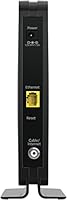
Not suitable for:

The NETGEAR CM500 DOCSIS 3.0 Cable Modem is a hard pass for anyone whose internet service runs through Verizon, AT&T, or CenturyLink — it simply will not activate on those networks, and no amount of troubleshooting will change that. If your ISP plan is bundled with home phone service, this modem cannot support the voice component, so you would either lose that feature or need entirely different hardware. Households that have recently upgraded or are planning to upgrade to gigabit internet plans will hit the 200 Mbps ceiling quickly and find themselves needing to replace this modem sooner than they expected. Buyers who are uncomfortable with any variability in cosmetic condition — or who would be frustrated receiving a unit that shows visible prior use — should probably invest in a new modem instead and factor the price difference accordingly. Finally, anyone who needs built-in Wi-Fi and does not already own a router should budget for one separately, since this standalone cable modem does not handle wireless on its own.
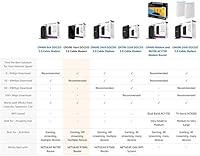
Specifications

  • Standard: This modem operates on the DOCSIS 3.0 standard, which is the current baseline for cable internet compatibility across major US providers.
  • Channel Bonding: 16x4 channel bonding means 16 downstream and 4 upstream channels are bonded simultaneously, enabling efficient handling of higher-bandwidth cable plans.
  • Max Speed: The modem supports cable internet plans up to 200 Mbps downstream — the actual speed delivered depends entirely on the subscriber's ISP plan.
  • Ethernet Port: One Gigabit Ethernet port with auto-sensing technology connects the modem to a router or directly to a single wired device.
  • Wi-Fi: No wireless radio is built in; a separate router is required for any Wi-Fi connectivity in the home.
  • Condition: The unit is sold as certified refurbished, meaning it has been inspected and tested by the manufacturer or an authorized refurbisher before resale.
  • Compatible ISPs: Confirmed compatible with Xfinity (Comcast) and Cox cable internet services, as well as select other cable providers that use the DOCSIS standard.
  • Incompatible ISPs: Not compatible with Verizon, AT&T, or CenturyLink internet services, nor with any ISP plan that bundles home voice service.
  • Dimensions: The modem measures 4.88 x 7.28 x 2.36 inches, making it compact enough to stand upright on a shelf or tuck into a media cabinet.
  • Weight: At 1.59 pounds, the unit is light enough to mount or reposition without any specialized hardware.
  • Color: The housing is black, which blends neutrally with most home networking and entertainment equipment.
  • Manufacturer: Designed and sold by Netgear Inc, a US-based networking hardware company with an established presence in the consumer and small business modem and router market.
  • OS Compatibility: Works with any device running a TCP/IP network stack, including Windows (7 through 10), macOS, and other operating systems without additional drivers.
  • DOCSIS vs Prior Gen: DOCSIS 3.0 delivers download speeds up to 16 times faster than the older DOCSIS 2.0 standard, making this modem a meaningful upgrade from legacy hardware.
  • Power Input: The modem uses a standard AC power adapter; no battery backup is included, so an uninterruptible power supply would need to be added separately if desired.
  • Voice Support: This is a data-only modem and does not support VoIP or bundled telephone services of any kind.
  • ASIN: The Amazon Standard Identification Number for this specific listing is B07QW42BTY, which can be used to verify the exact variant before purchasing.

Related Reviews
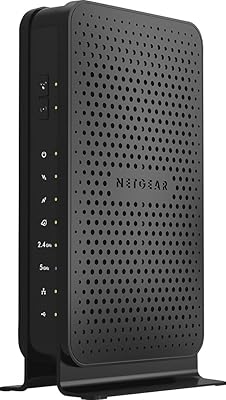
NETGEAR C3700 N600 Cable Modem Router
73%
91%
Ease of Setup
88%
Connection Reliability
58%
WiFi Speed & Performance
61%
WiFi Range & Coverage
83%
Modem Speed & Throughput
More
Motorola MB7420 DOCSIS 3.0 Cable Modem
87%
94%
Connection Stability
91%
Download Speed Performance
89%
Setup & Installation
92%
Provider Compatibility
85%
Build Quality
More
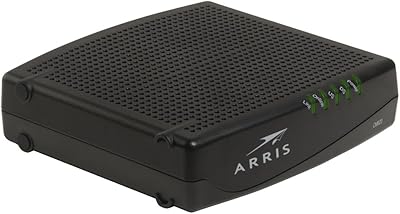
ARRIS CM820A DOCSIS 3.0 Cable Modem
74%
83%
Connection Stability
78%
Ease of Setup
74%
ISP Compatibility
81%
Long-Term Reliability
88%
Value for Money
More
NETGEAR CM2500 DOCSIS 3.1 Cable Modem
77%
83%
Setup & Provisioning
88%
Upload Speed Performance
81%
Download Speed Consistency
76%
ISP Compatibility
79%
Build Quality & Design
More
NETGEAR Nighthawk CM3000
79%
88%
Upload Speed Performance
91%
Download Speed Delivery
79%
ISP Compatibility
66%
Setup & Activation Experience
74%
Value for Money
More
NETGEAR CM1000 DOCSIS 3.1 Cable Modem
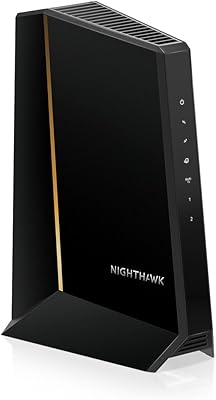
76%
88%
Connection Stability
84%
Speed Performance
76%
Compatibility & ISP Support
61%
Setup & Provisioning Experience
82%
Value for Money
More
NETGEAR Nighthawk 32x8 DOCSIS 3.1 Cable Modem
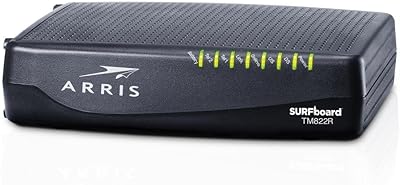
78%
88%
Internet Speed Performance
83%
Setup & Activation
79%
Build Quality & Durability
91%
Value for Money
74%
ISP Compatibility
More
ARRIS TM822R DOCSIS 3.0 Cable Modem
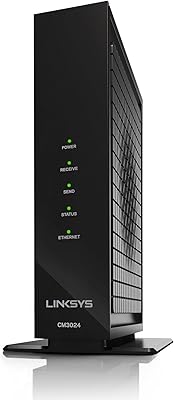
75%
93%
Xfinity Compatibility
88%
Value for Money
74%
VoIP Phone Performance
81%
Internet Speed Performance
86%
Setup & Installation
More
Linksys CM3024 DOCSIS 3.0 Cable Modem
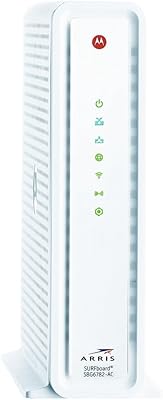
75%
88%
Value for Money
84%
Setup & Installation
79%
Download Speed Performance
53%
Latency & Ping Stability
86%
ISP Compatibility
More
ARRIS SBG6782 DOCSIS 3.0 Cable Modem Router
78%
88%
Value for Money
91%
Setup & Installation
86%
Connection Stability
69%
Wi-Fi Performance
63%
Wi-Fi Range
More

FAQ

Yes, the CM500 is on Xfinity's approved modem list and activates without issues for the vast majority of subscribers. Just make sure your plan speed does not exceed 200 Mbps, since that is the ceiling this modem can handle. When you are ready to set it up, call Xfinity with the modem's MAC address handy and they will provision it on your account.

Once your new modem arrives, call your ISP's customer support line and tell them you want to use your own equipment. They will ask for the MAC address printed on the label of the new unit, register it on your account, and walk you through the swap. After that, you can return the rental hardware to your ISP — in person or by mail depending on the provider — and the rental fee should drop off your next bill.

No, it does not. This is a standalone cable modem only, which means you will need a separate router to create a wireless network in your home. If you already own a router, just connect it to the modem's Ethernet port and you are set. If you do not own one yet, budget for a router alongside this purchase.

Certified refurbished means the modem has been returned, inspected, tested, and confirmed to be in working order before being repackaged for resale — it is not simply a return that was taped back up. The hardware should function the same as a new unit. Cosmetically, some light wear is possible, but functionally it should meet the same standard. That said, condition can vary between units, so knowing your return window before you buy is always a smart move.

Unfortunately, no. This modem is not compatible with AT&T, Verizon, or CenturyLink internet services, and there is no workaround for that limitation — it is a fundamental network standard mismatch. If your internet comes from one of those providers, you will need a different device designed specifically for their infrastructure.

Absolutely — the CM500 handles plans well below its 200 Mbps ceiling without any issues, and 100 Mbps plans are well within its comfort zone for streaming, browsing, and light remote work. The extra headroom just means you have some flexibility if you upgrade your plan slightly in the future without needing new hardware.

Connect the coaxial cable from your wall outlet to the modem's coax port, then run an Ethernet cable from the modem to your router. Plug in the power adapter and wait for the modem to fully boot — the indicator lights will stabilize when it is ready. From there, call your ISP's customer service line, provide the MAC address from the sticker on the unit, and they will activate it on your account, usually within 10 to 20 minutes.

No, this is a data-only modem and cannot support voice or telephone services of any kind. If your cable plan includes a home phone line, you would either need to keep the ISP's equipment for the phone service or switch to a modem that includes a telephone port, which this one does not have.

Many buyers report two to four years of reliable service, which is a solid lifespan for a device at this price point. That said, because the unit is refurbished, there is slightly more variability in longevity than you would expect from new hardware. If something goes wrong within the first few months, that is the time to use your warranty or return window — most problems surface early if they are going to surface at all.

No drivers or software are required. The modem works at the network hardware level, so as long as your router or computer has a functioning Ethernet port and a standard TCP/IP network configuration — which covers virtually every modern device — you are good to go straight out of the box.

Where to Buy