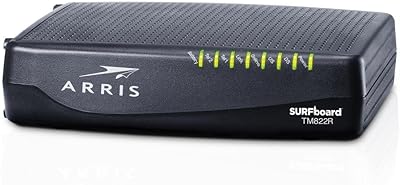
Overview

The NETGEAR CM600 DOCSIS 3.0 Cable Modem is a standalone modem — no built-in WiFi, no router — designed specifically to replace the equipment your ISP charges you to rent every month. If you're on Xfinity, Cox, Charter, Time Warner, or Cablevision, this cable modem is built to work right out of the box. One thing worth clarifying upfront: it only works with cable internet. DSL and fiber providers like Verizon, AT&T, and CenturyLink are not supported. With DOCSIS 3.0 and 24x8 channel bonding, it delivers reliability and throughput that older hardware simply cannot match, and most households recoup the cost within a year of ditching their rental fee.
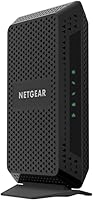
Features & Benefits

The CM600 uses 24x8 channel bonding to support download speeds theoretically up to 960Mbps — but real-world performance depends entirely on your ISP plan and local network conditions. More practically, it handles plans up to 500Mbps without issue, giving you comfortable headroom if you upgrade your tier down the road. There is a single Gigabit Ethernet port on the back, which means you will need a separate router for WiFi — that is not a flaw, just how modem-only hardware works. Setup is straightforward because this standalone modem carries certification from all the major cable providers, so your ISP activation should go smoothly without extra hassle.

Best For

This cable modem makes the most sense for anyone still paying a monthly rental fee to their cable provider. If you are on a plan between 100 and 500Mbps with Xfinity, Cox, or Charter, the CM600 covers you comfortably. It is also a natural fit for homes that already own a separate router, since you are simply replacing the modem half of the setup. Heavy streamers, remote workers on video calls, and online gamers will appreciate the stable, consistent connection it sustains under load. If you are coming off an aging DOCSIS 2.0 device and noticing sluggish speeds, this standalone modem is one of the more practical upgrades you can make.

User Feedback

Across thousands of reviews, the overall picture is positive. Buyers most often praise easy self-installation and quick provider activation — many mention being online in under 15 minutes. Noticeable speed improvements over rented equipment are another common theme. That said, there is one honest concern worth flagging: some owners report units failing after two to three years, which feels earlier than expected. A handful of users also encountered compatibility hiccups during initial setup on certain ISP speed tiers. And if you plan to connect multiple wired devices directly, keep in mind that one Ethernet port is all you get — a router becomes a necessity, not just a nice-to-have.

Pros

  • Eliminates the monthly ISP modem rental fee, typically paying for itself within 12 months.
  • 24x8 channel bonding delivers headroom well beyond most current residential plan speeds.
  • Certified by all major U.S. cable providers, so activation is rarely a complicated process.
  • Compatible with Xfinity, Cox, Charter, Time Warner, and Cablevision out of the box.
  • The Gigabit Ethernet port ensures your wired connection is not the bottleneck on fast plans.
  • Build quality feels solid, and the unit runs cool and quietly during extended use.
  • Compact footprint takes up minimal space near your router or networking shelf.
  • Buyers consistently report noticeable speed improvements when coming from ISP-provided or older equipment.
  • Universal voltage support makes it a flexible pick for varied home electrical setups.

Cons

  • Some owners report unit failure within two to three years, which is shorter than ideal for networking hardware.
  • Only one Ethernet port means you must use a separate router for any multi-device wired setup.
  • Initial setup can involve ISP compatibility hiccups depending on your specific service tier or account type.
  • Not suitable for internet plans exceeding 500Mbps, limiting its longevity as speeds continue to rise.
  • Completely incompatible with DSL, fiber, or any non-cable internet service provider.
  • No WiFi capability whatsoever — first-time buyers sometimes miss this and expect a combined device.
  • Customer support experiences are inconsistent, with some users reporting difficulty troubleshooting activation issues.
  • Older product design means it lacks DOCSIS 3.1 support, which is increasingly relevant for gigabit-tier plans.

Ratings

The scores below reflect an AI-driven analysis of verified global user reviews for the NETGEAR CM600 DOCSIS 3.0 Cable Modem, with spam, bot-generated, and incentivized submissions actively filtered out to surface genuine buyer experiences. Ratings are calibrated to reflect both the strengths that keep this standalone modem consistently well-regarded and the real pain points that prospective buyers deserve to know about before purchasing.

Ease of Setup
88%
Most buyers get the CM600 online within 15 minutes of unboxing. The certification across major ISPs like Xfinity and Cox means the activation process rarely runs into unexpected roadblocks, and users frequently describe the physical installation as straightforward enough for anyone comfortable following basic steps.
A subset of users hit snags during ISP-side activation, particularly on certain higher-speed service tiers or when switching from a provider-owned modem mid-contract. These cases are a minority, but they tend to generate the most frustrated feedback in review threads.
Connection Stability
84%
Under sustained load — extended gaming sessions, simultaneous 4K streams, or all-day video calls — the CM600 holds its connection without the random dropouts that tend to plague cheaper or aging modems. Many remote workers specifically mention it as a dependable foundation for their home office setup.
A small but consistent portion of owners report occasional disconnects during peak usage hours, which most attribute to ISP-side congestion rather than hardware failure, though it is difficult to isolate the cause without advanced diagnostics.
Long-Term Reliability
61%
39%
For the first year or two of ownership, the vast majority of users report zero hardware issues, and the unit runs cool and quietly in typical home environments without any noticeable degradation in performance during that period.
The most recurring long-term concern is unit failure in the two-to-three year range, which feels premature for networking hardware in this price tier. Enough owners have experienced this pattern that it genuinely warrants consideration when weighing the total cost of ownership.
Value for Money
86%
For anyone paying a monthly modem rental fee, the math works out favorably within roughly 12 months of purchase, and the CM600 delivers performance that outpaces most ISP-provided equipment. Buyers on mid-range cable plans consistently call it one of the smarter networking purchases they have made.
The value equation softens somewhat when factoring in the potential for earlier-than-expected hardware failure, since a replacement within two to three years effectively raises the true cost. Users on gigabit-tier plans also find the value less compelling given the modem's 500Mbps practical ceiling.
Speed Performance
79%
21%
On plans up to 400–500Mbps, the CM600 consistently delivers speeds that match or exceed what users were getting from rented equipment, and the 24x8 channel bonding means it handles bandwidth-heavy households — multiple streamers, gamers, and video callers — without obvious throughput degradation.
The advertised 960Mbps maximum is a theoretical ceiling that no real-world residential plan will approach, and on plans above 500Mbps, users begin to notice the hardware becoming a limiting factor. The single-channel Ethernet port also means any speed testing requires a direct laptop connection rather than routing through a switch.
ISP Compatibility
83%
Out-of-the-box certification with the largest U.S. cable providers gives the CM600 broad appeal, and most buyers on Xfinity, Cox, Charter, or Time Warner report that their ISP recognized the device immediately without requiring manual provisioning.
Compatibility is exclusively limited to cable infrastructure, which means anyone on fiber or DSL — a growing segment of internet users — simply cannot use this modem. Additionally, compatibility with newer or less common regional cable ISPs is not always guaranteed without checking their approved device list first.
Build Quality
77%
23%
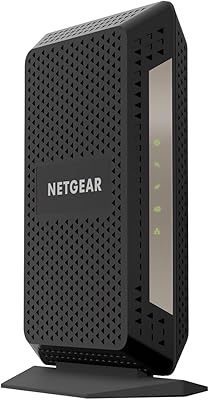
The black enclosure feels solid for a consumer networking device, with no creaking or flex in the housing, and the unit stays cool during continuous operation. Most users report it looking and functioning like a quality piece of equipment when first unboxed.
The build quality concern is tied more to long-term durability than initial impressions — the hardware feels fine early on, but the reported failure rate after a couple of years suggests the internal components may not be built to the same standard as the outer shell implies.
Port & Connectivity Options
53%
47%
The single Gigabit Ethernet port provides a fast, reliable wired handoff to a router, and for users who already own a capable router, this connection is everything they need to get the most out of their internet plan.
One port is the only wired option on the entire device, which feels limiting compared to some competing modems that include USB ports or additional LAN headers. If your router fails and you need a temporary direct wired connection to multiple computers, you are stuck without a switch.
Indicator Lights & Status Feedback
71%
29%
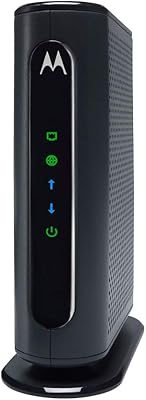
The status LEDs on the front of the unit give a useful at-a-glance view of coaxial signal lock, downstream and upstream bonding, and Ethernet activity, which helps users quickly confirm whether a connectivity issue is on the modem side or somewhere else in the chain.
Some users find the indicator arrangement less intuitive than competing modems, and there is no dedicated mobile app or web interface to provide deeper diagnostics without logging into the modem's admin panel directly via browser.
Physical Footprint
82%
18%
At under 2.3 pounds with a compact rectangular profile, the CM600 fits easily on a shelf, behind a TV cabinet, or in a closet alongside a router without demanding much real estate. The black finish is neutral enough to blend into most home setups.
The unit is designed to stand upright but does not include a wall-mount option or any integrated cable management feature, which is a minor but noticeable omission for users trying to keep a tidy networking corner.
Documentation & Support Resources
64%
36%
NETGEAR includes a basic quick-start guide, and their online support portal covers most common setup and troubleshooting scenarios well enough that technically comfortable users can resolve most issues without calling anyone.
Users who do need to contact NETGEAR's customer support describe mixed experiences, with some reporting slow response times and unhelpful scripted answers. The printed documentation that ships with the unit is minimal and not particularly helpful for less experienced users.
Upgrade Path & Longevity
58%
42%
For most households on plans under 500Mbps today, the CM600 handles current demands without issue, and buyers can often get two or more solid years of use before needing to reconsider their hardware situation.
DOCSIS 3.0 is increasingly a legacy standard as ISPs expand gigabit and multi-gigabit offerings, and the CM600 has no upgrade path — when your plan outgrows it, the entire unit needs replacing. Buyers who anticipate upgrading to faster plans within a few years may find a DOCSIS 3.1 modem a smarter long-term investment.

Suitable for:

The NETGEAR CM600 DOCSIS 3.0 Cable Modem is an excellent fit for cable internet subscribers who are tired of paying their ISP a monthly equipment rental fee and want a reliable, one-time hardware investment instead. It works particularly well for households on Xfinity, Cox, Charter, Time Warner, or Cablevision plans up to 500Mbps — which covers the vast majority of residential internet tiers in the U.S. If you already own a separate WiFi router, swapping in the CM600 as your modem is about as straightforward as home networking gets. Streamers running multiple 4K devices, remote workers on all-day video calls, and online gamers who need a steady, low-latency connection will all get solid performance from this standalone modem. It is also a smart upgrade for anyone still running DOCSIS 2.0 hardware and wondering why their speeds feel sluggish even on a decent plan.

Not suitable for:

The NETGEAR CM600 DOCSIS 3.0 Cable Modem is simply not an option if your internet service comes from Verizon Fios, AT&T, or CenturyLink — it is built exclusively for cable infrastructure and will not work with DSL or fiber connections, full stop. Buyers expecting an all-in-one solution should also look elsewhere, since there is no built-in WiFi radio; you will need a separate router to get wireless coverage in your home. If you want to connect multiple wired devices directly without a router, the single Ethernet port becomes a real bottleneck. Users on cable plans above 500Mbps may want to evaluate newer DOCSIS 3.1 modems that are better equipped to handle gigabit-tier speeds long-term. Finally, if you are the type to buy hardware and forget about it for five or more years without replacement, the reliability reports from some long-term owners suggest you should factor in a potential mid-cycle replacement.

Specifications

  • Brand: Manufactured by NETGEAR, a well-established U.S.-based networking hardware company.
  • Model Number: The exact model designation is CM600-100NAS.
  • Standard: Uses DOCSIS 3.0, the widely adopted cable internet standard that supports multi-channel bonding for faster throughput.
  • Channel Bonding: Features 24x8 channel bonding, meaning 24 downstream and 8 upstream channels for balanced high-speed data transfer.
  • Max Download Speed: Theoretical maximum download speed reaches 960Mbps under ideal conditions, though actual speeds depend on your ISP plan.
  • Plan Support: Officially recommended for cable internet plans up to 500Mbps, covering the majority of current residential service tiers.
  • Ethernet Port: Equipped with one Gigabit Ethernet port (10/100/1000 Mbps) for wired connection to a router or computer.
  • WiFi: This is a modem-only device and includes no built-in wireless radio; a separate router is required for WiFi.
  • ISP Compatibility: Certified for use with Xfinity by Comcast, Cox, Charter, Time Warner Cable, and Cablevision, among other cable providers.
  • Incompatible Services: Does not work with Verizon, AT&T, CenturyLink, or any DSL or fiber-based internet service.
  • Dimensions: The unit measures 8.47 x 9.97 x 3.78 inches (L x W x H), making it compact enough for a shelf or cable box.
  • Weight: Weighs 2.27 pounds, light enough to mount or reposition without difficulty.
  • Color: Available in a matte black finish that blends with most home networking setups.
  • Voltage: Supports universal voltage input of 100–240V, compatible with standard U.S. household electrical outlets.
  • First Available: This product was first made available to consumers in October 2015 and remains in active production.
  • Warranty: NETGEAR provides a one-year limited hardware warranty on the CM600 from the date of purchase.

Related Reviews
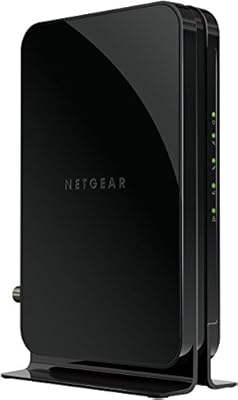
NETGEAR CM500 DOCSIS 3.0 Cable Modem
77%
91%
Value for Money
88%
Setup & Activation
84%
Connection Stability
63%
Refurbished Condition Consistency
72%
ISP Compatibility
More
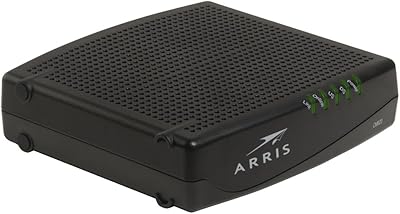
NETGEAR C3700 N600 Cable Modem Router
73%
91%
Ease of Setup
88%
Connection Reliability
58%
WiFi Speed & Performance
61%
WiFi Range & Coverage
83%
Modem Speed & Throughput
More
Motorola MB7420 DOCSIS 3.0 Cable Modem
87%
94%
Connection Stability
91%
Download Speed Performance
89%
Setup & Installation
92%
Provider Compatibility
85%
Build Quality
More
ARRIS CM820A DOCSIS 3.0 Cable Modem
74%
83%
Connection Stability
78%
Ease of Setup
74%
ISP Compatibility
81%
Long-Term Reliability
88%
Value for Money
More
NETGEAR Nighthawk 32x8 DOCSIS 3.1 Cable Modem
78%
88%
Internet Speed Performance
83%
Setup & Activation
79%
Build Quality & Durability
91%
Value for Money
74%
ISP Compatibility
More
NETGEAR CM2500 DOCSIS 3.1 Cable Modem
77%
83%
Setup & Provisioning
88%
Upload Speed Performance
81%
Download Speed Consistency
76%
ISP Compatibility
79%
Build Quality & Design
More
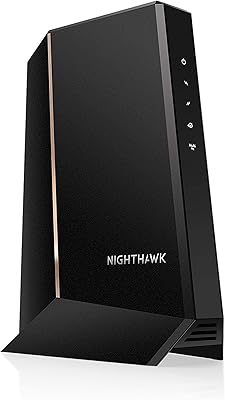
NETGEAR CM1000 DOCSIS 3.1 Cable Modem
76%
88%
Connection Stability
84%
Speed Performance
76%
Compatibility & ISP Support
61%
Setup & Provisioning Experience
82%
Value for Money
More
NETGEAR Nighthawk CM3000
79%
88%
Upload Speed Performance
91%
Download Speed Delivery
79%
ISP Compatibility
66%
Setup & Activation Experience
74%
Value for Money
More
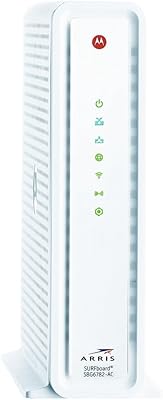
ARRIS TM822R DOCSIS 3.0 Cable Modem
75%
93%
Xfinity Compatibility
88%
Value for Money
74%
VoIP Phone Performance
81%
Internet Speed Performance
86%
Setup & Installation
More
Linksys CM3024 DOCSIS 3.0 Cable Modem
75%
88%
Value for Money
84%
Setup & Installation
79%
Download Speed Performance
53%
Latency & Ping Stability
86%
ISP Compatibility
More
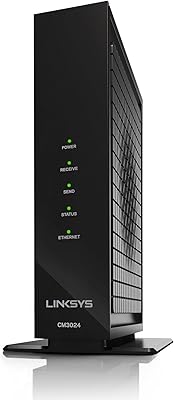
ARRIS SBG6782 DOCSIS 3.0 Cable Modem Router
78%
88%
Value for Money
91%
Setup & Installation
86%
Connection Stability
69%
Wi-Fi Performance
63%
Wi-Fi Range
More

FAQ

Yes, absolutely. This is a modem-only device, which means it handles the connection between your home and your ISP but does not broadcast WiFi on its own. You will need a separate wireless router to get WiFi in your home. If you already own a router, just plug its WAN port into the modem's Ethernet port and you are set.

In most cases, yes. The NETGEAR CM600 DOCSIS 3.0 Cable Modem is certified by Comcast Xfinity and works well with plans up to 500Mbps. Before buying, it is worth double-checking Xfinity's current approved modem list online, as ISP compatibility lists do occasionally get updated.

After connecting the coaxial cable and Ethernet, you typically call your ISP's activation line or visit their activation portal online and provide the modem's MAC address and serial number, both printed on the label on the bottom of the unit. Most activations take under 15 minutes, and many users report it going smoothly on the first try.

No. This modem is built exclusively for cable internet infrastructure and will not work with fiber or DSL services from providers like Verizon Fios, AT&T, or CenturyLink. If your home uses one of those services, you will need a different type of equipment entirely.

The CM600 comfortably handles plans up to 500Mbps in real-world conditions, and NETGEAR recommends it for all speed tiers up to that ceiling. The theoretical maximum of 960Mbps is a hardware spec, not a guaranteed performance figure — your actual speed will always be capped by whatever plan you pay for with your ISP.

Yes, it is certified for Cox and works reliably across their standard residential plans. Just make sure to check Cox's approved device list for your specific service tier, particularly if you are on a higher-speed gigabit plan, where a DOCSIS 3.1 modem might serve you better.

That is an honest question worth asking. Most networking hardware lasts three to five years under normal use, but some CM600 owners have reported failures after two to three years, which is a bit shorter than expected. Keeping it in a well-ventilated spot and avoiding heat buildup can help extend its lifespan.

Not really. The CM600 has a single Ethernet port, so you can only connect one device directly — typically a router. If you want multiple wired or wireless devices on your network, a router is not optional, it is essential.

If you stay within the 500Mbps range, yes, you should be fine upgrading without replacing the modem. If you eventually move to a gigabit plan, however, you may want to consider a DOCSIS 3.1 modem at that point, since the CM600 was not designed with those speeds in mind.

Not at all. You connect the coaxial cable from the wall, plug in power, run an Ethernet cable to your router, and then call your ISP to activate it. The physical setup takes about five minutes. The activation call is the only step that sometimes trips people up, but ISP support lines walk you through it.