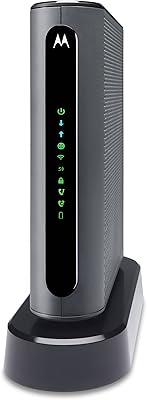
Overview

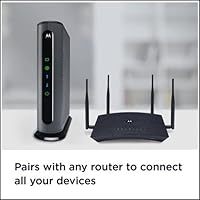
The Motorola MB7420 16x4 Cable Modem is a solid mid-range DOCSIS 3.0 device built for households tired of paying monthly rental fees to their ISP. The 16x4 refers to channel bonding — the modem combines 16 downstream and 4 upstream channels simultaneously, which translates to more consistent speeds during peak usage hours. It works with major cable providers including Comcast Xfinity, Cox, Spectrum, and Suddenlink, making it broadly accessible. One thing to know upfront: this Motorola modem has a single Gigabit Ethernet port and no built-in Wi-Fi, so you will need a separate router. It is best matched to internet plans running up to around 300–375 Mbps.
Features & Benefits

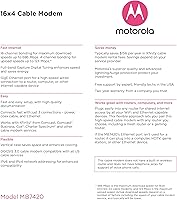
The MB7420's headline spec is its 16x4 channel bonding, which supports downstream throughput up to 686 Mbps — though real-world speeds always depend on your ISP plan and home setup. What actually sets it apart from older hardware is the Full-Band Capture Digital Tuner, which locks onto signal more efficiently and reduces the kind of intermittent drops that plague cheaper modems. The single Gigabit Ethernet port connects cleanly to any router you already own. Physically, it is compact and well-ventilated, which matters for a device running around the clock. A two-year warranty and built-in surge protection round things out, and USA-based support is available in both English and Spanish if setup throws you a curveball.

Best For

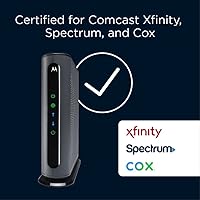
This standalone cable modem is a natural fit for anyone on a cable plan in the 200–375 Mbps range who is ready to stop paying their ISP monthly for rented equipment. It works especially well for households that already own a router or want to choose one independently — that flexibility is a genuine advantage. Small to medium homes doing a mix of streaming, video calls, and online gaming will find the performance more than adequate. Subscribers on Comcast Xfinity, Cox, or Spectrum benefit from official certification, which simplifies activation considerably. If you are chasing true gigabit speeds, though, a higher-tier model is worth considering instead.

User Feedback

Across several thousand ratings, the MB7420 holds a strong 4.4-star average, and the praise is fairly consistent: buyers appreciate straightforward activation and report meaningful savings once the monthly rental fee disappears from their bill. Stability over long stretches is another recurring theme, with many users running this Motorola modem reliably for two or three years. That said, not every experience is smooth. A portion of reviews flag trouble following ISP firmware updates or during initial provisioning with certain providers. Some less technical buyers were caught off guard by the absence of Wi-Fi, expecting an all-in-one device. And while not common, a subset of users do report hardware failure after a couple of years of continuous use.

Pros

  • Eliminates monthly modem rental fees, which adds up to real savings over the course of a year or two.
  • Official certification with major cable providers like Xfinity, Cox, and Spectrum makes activation straightforward.
  • The 16x4 channel bonding handles moderate-to-heavy household internet use without breaking a sweat.
  • Compact and well-ventilated design means it runs cool and takes up minimal shelf space.
  • A two-year warranty is stronger than what many competing modems in this tier offer.
  • Built-in surge and lightning protection adds a layer of hardware security most buyers do not think about until it matters.
  • USA-based customer support in English and Spanish is available by phone and web if setup gets complicated.
  • Pairs cleanly with any router that has a standard Ethernet WAN port, giving you full control over your network setup.
  • Thousands of verified buyers report stable, consistent connections running for multiple years without incident.
  • The MB7420 handles ISP provisioning quickly, with most users reporting activation in under 30 minutes.

Cons

  • Not suitable for internet plans above 375 Mbps — higher-tier subscribers will need a more capable device.
  • No built-in Wi-Fi means you must purchase and manage a separate router, which surprises some buyers.
  • A subset of users have reported connectivity issues or the need for a reset following ISP-pushed firmware updates.
  • Hardware failure has been noted by some owners after two to three years of continuous use.
  • Activation hiccups have been documented with certain regional ISP configurations, occasionally requiring a call to the provider.
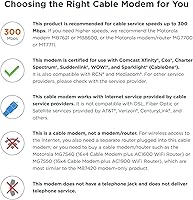
  • Not compatible with fiber, DSL, or satellite connections — coaxial cable infrastructure only.
  • Only one Ethernet port is included, so direct wired connections beyond the router require a switch.
  • The modem has been on the market since late 2015, which means it is aging hardware in a category that has since advanced.

Ratings

The Motorola MB7420 16x4 Cable Modem has been scored by our AI system after analyzing thousands of verified global user reviews, with spam, bot-submitted, and incentivized feedback actively filtered out before any scoring was applied. The result is a transparent, balanced assessment that captures both the genuine strengths this modem delivers in everyday home use and the real friction points that have frustrated a meaningful share of buyers. No category has been softened or inflated — what you see reflects the actual spread of user experience.
Connection Stability
86%
The majority of users report rock-solid, consistent connections over extended periods — often years — without needing to reboot or troubleshoot. Households running simultaneous streaming, remote work video calls, and gaming routinely praise the MB7420 for holding steady even during peak evening hours when network congestion is at its worst.
A recurring minority of reviews flag instability specifically following ISP-pushed firmware updates, which can introduce unexpected drops or require a manual reboot to restore normal operation. Users on certain regional cable networks report slightly higher rates of intermittent disconnections compared to those on the major certified providers.
Setup & Activation
88%
Most buyers describe the initial setup process as genuinely painless — connecting the coaxial cable, plugging in power, and calling the ISP to register the MAC address typically takes under 30 minutes. Xfinity and Cox subscribers in particular report smooth, friction-free provisioning with minimal hold times or confusion.
A subset of users, particularly those on smaller regional cable providers or certain Spectrum markets, encountered activation delays requiring multiple calls or escalations to ISP technical support. A few buyers also noted that having to call their provider at all felt unnecessarily tedious in an era when self-activation is increasingly expected.
Speed Performance
79%
21%
For households on plans between 100 and 375 Mbps, the 16x4 channel bonding delivers real-world speeds that closely match what their ISP promises — a significant step up from older 8x4 modems that struggled under heavier household loads. Users doing 4K streaming across multiple devices simultaneously report noticeably smoother performance compared to their previous ISP-rented equipment.
Buyers who upgraded to gigabit or near-gigabit internet plans quickly discovered this modem cannot keep pace and creates a speed ceiling well below what their plan offers. Actual throughput also varies depending on signal quality from the cable line itself, so users in older buildings with aging coaxial infrastructure sometimes see speeds lower than expected.
Value for Money
91%
The cost-recovery math consistently works in buyers' favor — owners who were previously paying monthly rental fees to their ISP frequently note that this modem paid for itself within the first several months. For a mid-range device that reliably handles the speed tiers most households actually use, the overall value proposition is hard to argue with.
Buyers who later upgraded their internet plan beyond 375 Mbps found themselves needing to replace this modem sooner than expected, which undercut the long-term savings calculation. The lack of built-in Wi-Fi also means additional router costs that some buyers did not fully factor in when making the initial purchase decision.
Build Quality & Design
74%
26%
The compact vertical tower design earns consistent praise for fitting neatly on crowded shelves or entertainment center corners without drawing attention. The ventilation slots are well-positioned to prevent heat buildup, and most buyers note that the unit runs cool even after months of continuous 24-7 operation.
The all-plastic construction feels utilitarian rather than premium, and some users note the unit feels lightweight in a way that reads as slightly cheap. A subset of reviews mention hardware failure — internal component issues rather than physical damage — surfacing after two to three years of continuous use, which raises some durability questions for buyers expecting five-plus years of service.
ISP Compatibility
83%
Official certification with Comcast Xfinity, Cox, Spectrum, Suddenlink, and Sparklight means the MB7420 covers a large share of the US cable internet market without compatibility guesswork. Buyers on these certified networks overwhelmingly report that the modem was recognized immediately by their ISP during activation with no special configuration needed.
Users on smaller, non-listed cable providers occasionally discover compatibility issues only after purchase, since the modem's compatibility list has not expanded significantly since the product launched in 2015. A small number of Spectrum customers also report that their local market's network configuration required extra provisioning steps not documented in the included setup guide.
Longevity & Reliability
71%
29%
A large share of buyers report using this standalone cable modem reliably for two to four years without any hardware intervention, which is a reasonable lifespan for always-on networking equipment in this price tier. Many users specifically mention switching from ISP-rented equipment that needed replacement more frequently, framing the MB7420 as a more durable alternative.
A notable minority of reviews — enough to register as a pattern rather than isolated incidents — report unit failure between the two and three year mark, occasionally just outside the two-year warranty window. This creates some concern about whether the hardware is built to last beyond the warranty period for buyers who prefer not to replace networking equipment frequently.
Ease of Use
89%
Beyond initial setup, day-to-day use requires essentially zero interaction — the modem simply runs in the background without demanding attention, which is exactly what most users want from networking hardware. The Quick Start guide included in the box is clear enough that non-technical buyers consistently report completing setup without needing to contact support.
Less technically experienced buyers sometimes struggle with the concept of needing a separate router, occasionally connecting devices directly to the modem and wondering why they have no Wi-Fi signal. The user interface for troubleshooting — accessed via a browser-based admin page — is functional but dated and not particularly intuitive for first-time modem owners.
Wi-Fi Capability
42%
58%
For buyers who specifically want a modem-only device so they can pair it with a high-performance router of their choice, the absence of built-in Wi-Fi is actually a feature rather than a limitation. Experienced users consistently appreciate not being locked into a combined unit where the modem and router components cannot be independently upgraded.
A recurring complaint across reviews is that a meaningful number of buyers did not realize this modem has no wireless capability until after unboxing — the product listing can be easy to misread for shoppers not accustomed to the modem-only vs. modem-router distinction. This single oversight has generated a disproportionate share of negative reviews from buyers who needed to purchase an additional router unexpectedly.
Firmware & Software Stability
67%
33%
Under normal operating conditions with no ISP firmware intervention, the modem runs its internal software without any user-facing issues — most buyers never encounter a firmware-related problem throughout their ownership. The underlying software handles channel bonding and signal management invisibly, which is the intended experience.
When ISPs push mandatory firmware updates remotely — something cable providers do without notifying subscribers — a documented subset of MB7420 units have responded with connection instability, loop reboots, or reduced speeds until power-cycled. This vulnerability feels outside the user's control and has generated frustration particularly among buyers who rely on a stable connection for remote work.
Customer Support
77%
23%
USA-based support available in both English and Spanish is a genuine differentiator in a category where many competing brands route support calls overseas with inconsistent results. Users who contacted Motorola's support team report that representatives were knowledgeable about the specific modem model and could walk through diagnostics efficiently.
Some buyers note that reaching a live support agent can involve meaningful hold times, particularly during periods of high demand. A portion of users also found that ISP-specific activation or firmware issues fell into a gray area where both Motorola and the ISP directed them to the other party, leaving the buyer caught in the middle.
Surge & Lightning Protection
82%
18%
The inclusion of built-in surge and lightning protection circuits is a feature buyers frequently mention appreciating in hindsight — particularly those who have lost modem hardware to electrical events in the past. It provides a reasonable layer of hardware protection without requiring a separate surge protector specifically for the modem.
The onboard protection is a supplement to, not a replacement for, a quality whole-home surge protector — something not clearly communicated in the product documentation. A few buyers who experienced nearby lightning strikes report the built-in protection was insufficient on its own, though this represents a relatively small fraction of feedback.
Packaging & Unboxing
73%
27%
The modem arrives well-protected and includes the necessary components — power adapter, Ethernet cable, and a readable Quick Start guide — so most buyers can begin setup immediately without hunting for additional materials. The compact packaging is efficient and does not include excessive filler materials.
Some buyers note that the included Ethernet cable is short and of basic quality, requiring an upgrade for setups where the modem and router need to be positioned more than a foot or two apart. The documentation does not clearly flag the absence of built-in Wi-Fi on the exterior packaging in a way that would prevent buyer confusion before opening the box.

Suitable for:

The Motorola MB7420 16x4 Cable Modem is an excellent pick for households that are actively subscribed to a cable internet plan in the 100–375 Mbps range and want to stop paying monthly equipment rental fees to their provider. It is particularly well-suited to people who already own a standalone Wi-Fi router or who want the freedom to choose their own — pairing this modem with a quality router of your choice often results in a more capable home network than any ISP-provided combo unit. Families doing a steady mix of 4K streaming, video conferencing, and online gaming across several devices will find the 16x4 channel bonding keeps things running smoothly even during peak evening hours. Subscribers on Comcast Xfinity, Cox, Spectrum, or Suddenlink benefit from official certification, which typically means faster, smoother activation with fewer customer service headaches. If you are the type of person who sets up hardware once and expects it to run quietly in the background for years, this standalone cable modem has a strong track record of doing exactly that.
Not suitable for:

The Motorola MB7420 16x4 Cable Modem is not the right tool if your internet plan exceeds 375 Mbps or if you are on a gigabit tier — the hardware simply was not built for those speeds, and you will be leaving performance on the table. Anyone expecting an all-in-one device with built-in Wi-Fi should look elsewhere entirely; this modem requires a separate router, which adds cost and setup steps that not every buyer anticipates. It is also not compatible with fiber-optic, DSL, or satellite internet services — it works exclusively over a coaxial cable connection, so if your provider uses a different infrastructure, this will not work at all. Renters in buildings where the ISP does not allow customer-owned equipment, or where the provider is not on the certified compatibility list, may run into activation walls. Finally, if you have already experienced hardware issues or firmware-related instability with an older modem and are on a provider with a history of aggressive firmware updates, it is worth reading recent user reviews for your specific ISP before committing.

Specifications

  • DOCSIS Version: This modem uses DOCSIS 3.0, the standard that supports bonded channel connections for faster and more reliable cable internet.
  • Channel Bonding: It supports 16x4 channel bonding, meaning 16 downstream and 4 upstream channels are combined for improved throughput and stability.
  • Max Download Speed: The maximum theoretical downstream throughput is 686 Mbps, though real-world speeds depend on your ISP plan and network conditions.
  • Recommended Speed Tier: Motorola recommends this modem for cable internet service plans up to 375 Mbps for optimal performance.
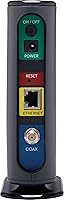
  • Ethernet Port: One Gigabit Ethernet port is included for connecting to a router, computer, or other wired network device.
  • Built-in Wi-Fi: This modem does not include a built-in wireless router; a separate Wi-Fi router is required for wireless connectivity.
  • Compatible ISPs: Officially certified for use with Comcast Xfinity, Cox, Spectrum, Suddenlink, and Sparklight, and typically works with other major cable providers.
  • Dimensions: The unit measures 4.9″ long by 2″ wide by 6.1″ tall, making it compact enough to fit on most shelves or entertainment centers.
  • Weight: The modem weighs 9.3 ounces, making it lightweight and easy to reposition during initial setup.
  • Color: Available in black with a vertical tower form factor designed to minimize desk or shelf footprint.
  • Surge Protection: Built-in lightning and power surge protection circuits help safeguard the hardware against electrical damage.
  • Warranty: Motorola includes a two-year limited warranty covering manufacturing defects from the date of purchase.
  • Customer Support: USA-based technical support is available by phone and web in both English and Spanish.
  • Telephone Port: This modem has no telephone port and does not support VoIP or cable telephone services.
  • Manufacturer: The MB7420 is manufactured by MTRLC LLC under the Motorola brand license.
  • First Available: This model was first made available in December 2015 and has not been discontinued as of the latest available data.

Related Reviews
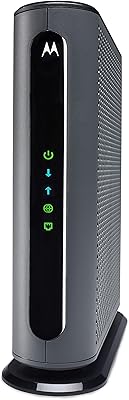
Motorola MB7621 DOCSIS 3.0 Cable Modem
79%
91%
Value for Money
88%
Setup & Installation
89%
Connection Stability
86%
Speed Performance
87%
ISP Compatibility
More
Motorola B12
Motorola B12
81%
93%
Connection Speed & Throughput
88%
ISP Compatibility
91%
Installation & Setup
86%
Latency & Gaming Performance
79%
Long-Term Reliability
More
Motorola MT7711 Cable Modem Router with Phone Ports
71%
81%
Ease of Setup
76%
Wi-Fi Performance
84%
Modem Speed & Reliability
69%
Voice Port Functionality
41%
ISP Compatibility
More
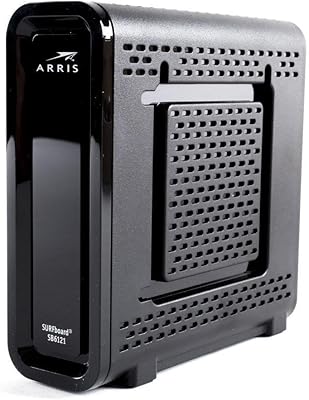
Motorola SURFboard SB6121 Cable Modem

71%
91%
Ease of Installation
88%
Connection Stability
93%
Value for Money
62%
ISP Compatibility
74%
Speed Performance
More
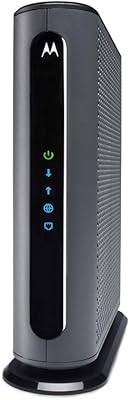
ARRIS SB6141 DOCSIS 3.0 Cable Modem
78%
91%
Value for Money
88%
Connection Stability
93%
Ease of Setup
74%
Speed Performance
86%
ISP Compatibility
More
Motorola MB8611 DOCSIS 3.1 Cable Modem
81%
88%
Speed Performance
91%
Reliability & Uptime
74%
Setup & Activation
83%
ISP Compatibility
86%
Latency & Gaming
More
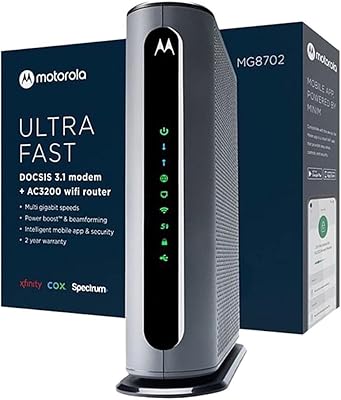
Motorola MG8702 DOCSIS 3.1 Cable Modem + Wi-Fi Router
83%
92%
Value for Money
89%
Wi-Fi Performance
88%
Ease of Setup
85%
ISP Compatibility
82%
Mobile App Experience
More
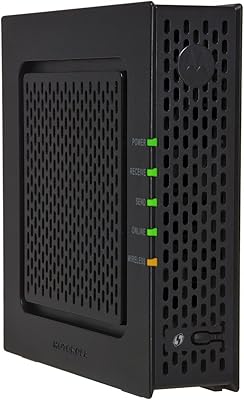
Motorola SBG901 Cable Modem Router
71%
88%
Ease of Setup
54%
Wi-Fi Range & Coverage
58%
Internet Speed Performance
61%
Provider Compatibility
79%
Build Quality & Durability
More
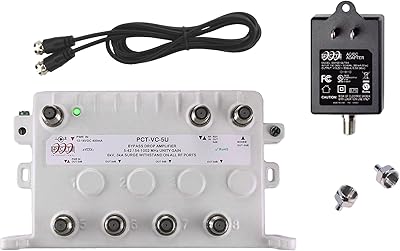
Reliable Cable RCP-PCT-5UN-KIT 5-Port Cable TV Amplifier
73%
78%
Signal Stability Improvement
41%
Compatibility Clarity
74%
Build Quality
81%
Installation Experience
77%
Active Return Path Performance
More
ARRIS SB6190
ARRIS SB6190
73%
91%
Value for Money
88%
Ease of Installation
74%
ISP Compatibility
72%
Connection Stability
79%
Throughput Performance
More

FAQ

Yes, the MB7420 is officially certified by Comcast Xfinity, which means activation is generally straightforward. You call or chat with Xfinity, give them your modem's MAC address (printed on the label), and they provision it remotely. Most users are up and running within 20 to 30 minutes.

Yes, and this is the most important thing to know before purchasing. This standalone cable modem has one Ethernet port and no wireless capability built in. You will need to connect a separate Wi-Fi router to that port to get wireless internet in your home. If you already own a router, you are all set.

It works best for cable plans in the 100 to 375 Mbps range. The hardware can handle up to 686 Mbps on paper, but Motorola officially recommends it for plans up to 375 Mbps. If your plan is pushing into gigabit territory, this modem will bottleneck your speeds and you should look at a higher-tier model.

Yes, it is certified for Spectrum and activation is generally smooth. Just be aware that Spectrum sometimes requires you to call in to complete the provisioning process rather than doing it online. Keep your modem's MAC address and serial number handy when you call.

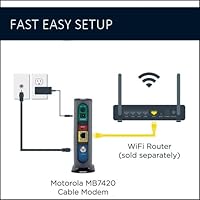
Setup is about as simple as this category gets. You connect the coaxial cable from your wall to the modem, run an Ethernet cable from the modem to your router, plug in power, and call your ISP to activate. Most people complete the whole process without needing technical help.

Yes to both. Cox and Suddenlink are on the official compatibility list, and users on both providers have reported successful activations. That said, it is always worth double-checking the current approved modem list on your ISP's website, as compatibility lists can change with network upgrades.

Most buyers report reliable operation for two to four years. A portion of users do mention hardware failure in the two-to-three year range, which is not unusual for always-on network equipment. The included two-year warranty provides some coverage if problems show up early.

Most firmware updates go unnoticed, but a small number of users have reported temporary connection drops or the need to reboot the modem after an ISP-initiated update. If that happens, a quick power cycle usually resolves it. Persistent issues after an update are less common but have been reported, particularly on certain provider networks.

No. This is a cable modem designed specifically for coaxial cable-based internet connections. It will not work with fiber-optic, DSL, or satellite internet services. If you are unsure what type of connection your home has, check with your ISP before purchasing.

Motorola designed it to stand vertically, and the ventilation slots are positioned with that orientation in mind. Running it horizontally could restrict airflow and cause it to run warmer than intended. Vertical placement on a flat, open surface is the safest approach for long-term reliability.

Where to Buy