Overview

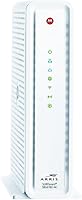
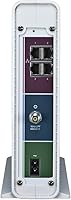
The ARRIS SBG6782 DOCSIS 3.0 Cable Modem Router is a two-in-one device that combines a cable modem and a dual-band Wi-Fi router into a single box — a straightforward way to cut the monthly rental fee most cable providers tack onto your bill. It works with major U.S. cable ISPs: Xfinity, Spectrum, Cox, Optimum, and Cablevision. Before you buy, though, be clear on what it is not: this combo modem-router is strictly for cable internet subscribers. Verizon Fios, AT&T, and CenturyLink users are out of luck entirely. For everyone else on a cable plan, it sits comfortably in the mid-range tier — capable hardware without an inflated price.
Features & Benefits

The SBG6782 runs on DOCSIS 3.0 with 16x4 channel bonding, supporting download speeds up to 343 Mbps — enough headroom for the vast majority of residential cable plans. Its AC1750 dual-band Wi-Fi broadcasts on both 2.4 GHz and 5 GHz simultaneously, so bandwidth-hungry devices can ride the faster 5 GHz band while phones and smart-home gadgets stay on 2.4 GHz. The four Gigabit Ethernet ports on the back mean a desktop, gaming console, or TV can get a wired connection without any throughput compromise. Guest network access and pre-configured Wi-Fi security are ready from the start, so you don't have to dig into settings just to get online safely. A two-year warranty is included.

Best For

This ARRIS unit makes the most sense for cable internet subscribers who want to stop paying a monthly modem fee. Depending on what your ISP charges for equipment rental, this combo modem-router can recoup its cost in under a year — and save you money every month after that. It's a natural fit for households with moderate internet demands: streaming, general browsing, and light gaming on cable plans up to roughly 300 Mbps. Single-device simplicity is part of the appeal too — one box, one power cable, less clutter. Where it falls short is in sprawling homes that need blanket Wi-Fi coverage, and it's a poor match for anyone expecting built-in VoIP or advanced network controls.

User Feedback

Among verified buyers, the standout compliments are for easy initial setup and connection stability — most people say they were online within minutes of unboxing. Long-term durability also earns points; several owners report running this ARRIS unit for two or three years without a single dropout. On the downside, the 2.4 GHz band's 802.11n standard draws criticism from users in crowded apartment buildings where older Wi-Fi tech struggles with interference. A handful of reviewers flag the ISP activation call required by some providers — Xfinity being a common example — as an unexpected step. Worth calling out clearly: no VoIP support whatsoever, so if you were counting on this to handle your cable phone line, it simply cannot.

Pros

  • Eliminates the ISP modem rental fee, which can realistically pay back the purchase price within a year.
  • Easy setup process — most users report being online within minutes of connecting the hardware.
  • Stable, consistent connection quality is a recurring theme across long-term owner reviews.
  • Dual-band Wi-Fi lets devices automatically sort themselves across 2.4 GHz and 5 GHz bands.
  • Four Gigabit Ethernet ports give wired devices a fast, interference-free connection.
  • Guest network access is ready out of the box without any advanced configuration required.
  • Backed by a two-year limited warranty and direct manufacturer tech support.
  • Energy Efficient Ethernet lowers power consumption when wired ports are idle.
  • Certified compatibility with the largest U.S. cable ISPs reduces activation headaches.
  • Compact enough to tuck onto a shelf without dominating the space around it.

Cons

  • The 2.4 GHz band uses the older 802.11n standard, which struggles in dense apartment environments with heavy Wi-Fi congestion.
  • Wi-Fi range may be insufficient for larger homes, leaving back rooms or upper floors with weak signal.
  • Some ISPs, including Xfinity, require a phone call or online activation step that catches new buyers off guard.
  • No VoIP or telephone passthrough support, which rules it out for anyone using cable-based phone service.
  • The 343 Mbps speed cap makes it incompatible with gigabit or near-gigabit cable internet plans.
  • Advanced networking features like detailed QoS controls or custom firmware are not available.
  • Only compatible with cable internet — fiber and DSL subscribers cannot use this device at all.
  • The physical footprint at nearly 12 inches tall is bulkier than some newer all-in-one alternatives.
  • DOCSIS 3.0 is an older standard; ISPs pushing faster tiers may eventually phase out support for it.

Ratings

Our AI rating system analyzed thousands of verified owner reviews for the ARRIS SBG6782 DOCSIS 3.0 Cable Modem Router from across the globe, actively filtering out incentivized, bot-generated, and duplicate submissions to surface what real cable subscribers actually experience. The scores below reflect both where this combo modem-router genuinely delivers and where it falls short — no glossing over the friction points that matter to everyday buyers.
Value for Money
88%
For cable internet subscribers still paying a monthly modem rental fee, this ARRIS unit typically recoups its purchase price within 10 to 14 months — after that, every month is pure savings. Owners consistently call it one of the smartest financial moves they made for their home network setup.
If you are on a higher-tier cable plan pushing above 300 Mbps, or if you need a separate VoIP-capable device on top of this one, the overall cost equation becomes less compelling. The value story is strongest for moderate-speed cable plans only.
Setup & Installation
91%
A large portion of reviewers describe having their internet up and running within 10 to 15 minutes of unboxing — connect the coax, power it on, call the ISP, done. The factory-preset Wi-Fi credentials printed on the label remove the usual headache of configuring a new network from scratch.
A recurring frustration is the ISP activation call that catches first-time buyers off guard, particularly Xfinity customers who expected a fully automatic process. A small subset of users also reports confusion distinguishing the modem coax port from other rear-panel connections.
Connection Stability
86%
Long-term owners are among the most vocal supporters here — many report running this combo modem-router for two to three years without a single unplanned dropout or reboot. For households that rely on steady connectivity for video calls or streaming, that track record carries real weight.
A minority of users report occasional disconnections that require a manual power cycle, typically after extended uptime. Whether this reflects a hardware quirk or ISP-side interference is hard to pin down, but it appears often enough to be worth noting.
Wi-Fi Performance
69%
31%
For apartments and smaller homes, the dual-band AC1750 Wi-Fi handles simultaneous streaming across several devices without obvious bottlenecks. The 5 GHz band performs reliably for devices within a reasonable distance, covering the needs of most average households with moderate usage.
The 2.4 GHz band relies on the older 802.11n standard, which struggles noticeably in dense apartment buildings packed with competing networks. Power users expecting strong throughput at the edges of a mid-size home will likely feel the limitation, and the overall Wi-Fi spec is showing its age against newer alternatives.
Wi-Fi Range
63%
37%
In compact living spaces — one-bedroom apartments, small townhouses, or single-floor homes — the coverage is generally adequate for keeping phones, laptops, and smart TVs connected without dead zones. Users in these situations rarely raise range as a concern.
In homes larger than roughly 1,500 square feet, or anywhere with multiple floors and thick interior walls, owners regularly report weak signal in distant rooms. This is not a mesh system and was never designed to be one, but buyers with larger spaces should factor in the likely need for a range extender.
Modem Speed Performance
84%
The 16x4 channel bonding on DOCSIS 3.0 delivers consistently solid real-world speeds for cable plans in the 100–300 Mbps range. Users on Xfinity Performance and Cox Preferred plans in particular report speeds that closely match what their ISP advertises.
The hard ceiling of 343 Mbps means anyone whose ISP upgrades them to a gigabit or near-gigabit tier will be left looking for new hardware. DOCSIS 3.0 is also an aging standard, and some ISPs are beginning to phase out support in certain markets.
Wired Connectivity
89%
The four Gigabit Ethernet ports are a genuine asset, letting users connect a desktop PC, gaming console, smart TV, and a network switch simultaneously with no throughput compromise. Wired connections through this unit are rated very highly for speed and stability by owners who use them daily.
Four ports is enough for most households but can feel tight in a home office setup with multiple wired devices. There is no USB port for network-attached storage, which some buyers in this product category expect.
ISP Compatibility
78%
22%
Certification across Xfinity, Cox, Spectrum, Optimum, and Cablevision covers the majority of U.S. cable internet subscribers, making compatibility a non-issue for most buyers shopping in this category. Owners on these providers report smooth activation with no hardware rejection.
The complete incompatibility with Verizon Fios, AT&T, and CenturyLink is a hard cutoff that frustrates buyers who did not verify their ISP before purchasing. Return rates from this segment are notable, and it is the single most common reason for one-star reviews on this device.
Build Quality
74%
26%
The unit feels solid enough for a piece of hardware that sits on a shelf and rarely gets touched. The vertical design keeps it from taking up much desk footprint, and owners generally report no physical issues like cracking, overheating, or port degradation over multi-year use.
The white plastic chassis attracts dust and can yellow slightly with age under certain lighting conditions. It lacks the premium feel of dedicated standalone routers in a similar price range, though for a combo device this is largely an expected trade-off.
Heat Management
72%
28%
Under normal operating conditions — browsing, streaming, a few wired devices — the unit stays warm but not alarmingly hot. Most owners never raise heat as a concern in day-to-day use, which suggests the thermal design handles typical household loads well.
During sustained heavy network usage, particularly when both Wi-Fi bands and multiple Ethernet ports are active simultaneously, the chassis gets noticeably warm to the touch. Owners who keep it in enclosed entertainment centers or poorly ventilated shelves occasionally report performance dips that correlate with heat buildup.
Admin Interface
61%
39%
The web-based admin panel covers the basics — password changes, guest network toggling, and a status page for connection diagnostics — which is sufficient for the average user who just wants to verify things are working correctly.
Anyone with more advanced networking needs will find the interface limited and the available settings sparse compared to standalone routers. There is no mobile app, no real-time traffic monitoring, and customization options are minimal by modern standards.
Warranty & Support
77%
23%
A two-year limited warranty is above average for this product category, and ARRIS provides direct technical support rather than routing customers through third-party service centers. Owners who have needed to use the warranty report a generally positive resolution experience.
Some users find phone-based support wait times frustrating, and online self-service resources for this specific model are not as comprehensive as those offered by newer ARRIS product lines. Replacement unit timelines under warranty can stretch to a week or more.
Ease of Use
83%
Once activated, this ARRIS unit essentially runs itself — there are no routine firmware updates to manage manually, no complex configuration required, and the network stays up without regular intervention. Less tech-savvy buyers specifically call this out as a major comfort factor.
The initial ISP activation step, which is mandatory and not clearly communicated in the box documentation, trips up a meaningful number of first-time buyers. A more explicit quick-start guide addressing this step would reduce a lot of the early setup frustration visible in reviews.

Suitable for:

The ARRIS SBG6782 DOCSIS 3.0 Cable Modem Router is a strong pick for cable internet subscribers who are tired of paying their ISP a recurring equipment rental fee every single month. If you're on Xfinity, Cox, Spectrum, Optimum, or Cablevision with a plan delivering speeds up to around 300 Mbps, this combo modem-router covers that ground without overcomplicating things. It works especially well for small-to-medium households where the daily routine involves streaming video, video calls, general browsing, and occasional online gaming — nothing that demands cutting-edge Wi-Fi throughput. People who value simplicity will appreciate having a single box to manage instead of juggling a separate modem and router with two power cables and two sets of firmware updates. The plug-and-play setup also makes it a practical choice for less tech-savvy users who just want reliable internet without a steep learning curve.

Not suitable for:

The ARRIS SBG6782 DOCSIS 3.0 Cable Modem Router is a poor fit for anyone outside the cable internet ecosystem — if your service comes from Verizon Fios, AT&T, or CenturyLink, this device simply will not work on your network, full stop. Power users chasing gigabit speeds or running demanding multi-device households will find the 343 Mbps ceiling and aging Wi-Fi standard limiting compared to newer DOCSIS 3.1 alternatives. If you live in a large home or a multi-story house, the Wi-Fi coverage may leave dead zones that a dedicated mesh system or a more capable standalone router would handle far better. Anyone expecting this to replace a cable telephone line is out of luck — VoIP passthrough is not supported, and there is no workaround. Networking enthusiasts who rely on advanced features like VPN passthrough, detailed QoS controls, or custom firmware should also look elsewhere.

Specifications

  • Model Number: The unit is officially designated as the SBG6782-AC, manufactured by ARRIS General Instruments.
  • DOCSIS Version: This combo modem-router uses DOCSIS 3.0, the standard required by most major U.S. cable internet providers.
  • Channel Bonding: It supports 16x4 channel bonding, meaning 16 downstream and 4 upstream channels for more consistent throughput.
  • Max Download Speed: The modem is rated for download speeds up to 343 Mbps, suitable for most residential cable internet plans.
  • Wi-Fi Standard: Wireless connectivity runs on 802.11a/b/g/n/ac, commonly marketed as AC1750 dual-band.
  • Wi-Fi Bands: The device broadcasts simultaneously on both 2.4 GHz and 5 GHz bands to accommodate a range of devices and distances.
  • Ethernet Ports: Four Gigabit Ethernet ports are available on the rear panel for wired device connections.
  • Dimensions: The unit measures 11.75 x 4 x 10.5 inches, designed to stand vertically on a shelf or desk.
  • Weight: The device weighs 2 pounds, making it light enough to reposition or wall-mount with minimal effort.
  • Power Source: It operates on standard AC power using the included power adapter.
  • Compatible ISPs: Certified for use with Xfinity, Cox, Spectrum, Optimum, and Cablevision cable internet services.
  • Incompatible ISPs: This device does not work with Verizon Fios, AT&T, or CenturyLink, as those networks use different infrastructure.
  • Guest Network: A dedicated guest Wi-Fi network can be enabled, keeping visitor traffic separate from your main network.
  • Wi-Fi Security: Pre-set Wi-Fi security credentials are configured at the factory, so the network is protected right out of the box.
  • VoIP Support: The SBG6782 does not include telephone or VoIP passthrough functionality of any kind.
  • Energy Efficiency: Energy Efficient Ethernet support reduces power consumption on wired ports that are connected but not actively transferring data.
  • Warranty: ARRIS includes a 2-year limited warranty along with access to their direct customer and technical support channels.
  • Color: The unit ships in white and is available in standard retail packaging.

Related Reviews
ARRIS SURFboard SVG2482AC Cable Modem Router Combo
74%
72%
ISP Compatibility
81%
Internet Performance
63%
Wi-Fi Coverage
79%
Setup Experience
76%
Build Quality
More
ARRIS CM820A DOCSIS 3.0 Cable Modem
74%
83%
Connection Stability
78%
Ease of Setup
74%
ISP Compatibility
81%
Long-Term Reliability
88%
Value for Money
More
ARRIS TM822R DOCSIS 3.0 Cable Modem
75%
93%
Xfinity Compatibility
88%
Value for Money
74%
VoIP Phone Performance
81%
Internet Speed Performance
86%
Setup & Installation
More
NETGEAR C3700 N600 Cable Modem Router
73%
91%
Ease of Setup
88%
Connection Reliability
58%
WiFi Speed & Performance
61%
WiFi Range & Coverage
83%
Modem Speed & Throughput
More
ARRIS SURFboard G36
ARRIS SURFboard G36
72%
83%
Setup & Activation
76%
Wi-Fi Speed & Throughput
61%
Wi-Fi Range & Coverage
58%
Connection Stability
88%
DOCSIS 3.1 Modem Performance
More
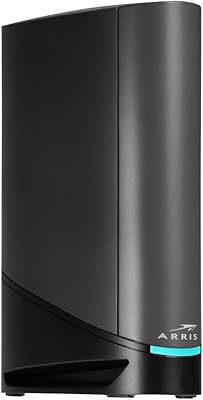
ARRIS SURFboard SBG8300 DOCSIS 3.1 Cable Modem Router Combo
84%
91%
Performance & Speed
88%
Wi-Fi Coverage & Stability
80%
Ease of Setup
84%
Compatibility with ISPs
92%
Value for Money
More
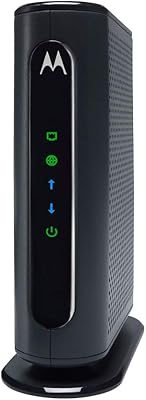
Motorola MB7420 DOCSIS 3.0 Cable Modem
87%
94%
Connection Stability
91%
Download Speed Performance
89%
Setup & Installation
92%
Provider Compatibility
85%
Build Quality
More
ARRIS TM822G DOCSIS 3.0 Telephony Modem
75%
88%
Value for Money
78%
Internet Performance
84%
Voice Call Quality
58%
Setup & Activation
86%
Long-Term Reliability
More
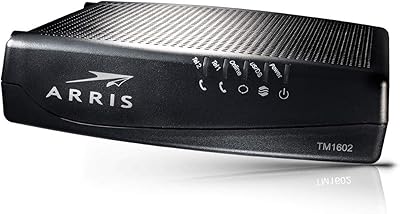
ARRIS Touchstone TM1602A 16x4 DOCSIS 3.0 Modem
82%
88%
Performance
91%
Ease of Setup
93%
ISP Compatibility
85%
Connection Stability
80%
Latency/Buffering
More
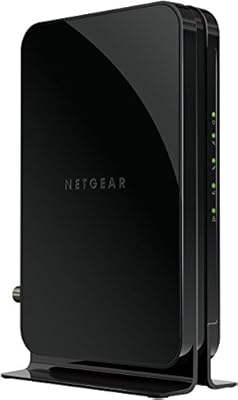
NETGEAR CM500 DOCSIS 3.0 Cable Modem
77%
91%
Value for Money
88%
Setup & Activation
84%
Connection Stability
63%
Refurbished Condition Consistency
72%
ISP Compatibility
More

FAQ

Yes, the SBG6782 is certified for Xfinity. That said, you will need to call Xfinity or activate it through their website before it goes live — just swapping the hardware without notifying them first usually results in no connection.

No, unfortunately it cannot. Verizon Fios runs on a fiber-optic network that requires completely different hardware. This combo modem-router is strictly designed for coaxial cable internet service.

No. The ARRIS SBG6782 DOCSIS 3.0 Cable Modem Router does not include any VoIP or telephone port. If your cable plan includes a home phone line, you will need a separate device that supports MTA functionality to keep that service running.

The basic process is: connect the coaxial cable from your wall to the modem port, plug in the power, then connect your device via Ethernet or Wi-Fi using the credentials printed on the label. After that, contact your ISP to activate the new modem on your account — activation is a required step most people overlook.

The modem side is rated up to 343 Mbps downstream, so it comfortably handles plans in the 100–300 Mbps range. If your ISP offers a gigabit tier, this unit would be the bottleneck and you would want a DOCSIS 3.1 device instead.

It depends on the size of your home. For a typical apartment or a small-to-medium house, the AC1750 Wi-Fi handles everyday streaming and browsing without issues. In larger or multi-story homes, you may notice weaker signal in rooms farther from the unit, and a Wi-Fi extender or mesh node might be worth considering.

Yes, within reason. The dual-band setup helps by spreading devices across two frequencies. A household with three or four people watching HD video simultaneously should be fine, assuming the underlying internet plan has enough bandwidth to support it.

Yes — the unit ships with pre-configured Wi-Fi security, so your network has a password and encryption active from the moment you power it on. You can log into the admin interface to change the default credentials, which is always a good idea.

Based on real owner feedback, many users run this ARRIS unit for two to four years without any hardware issues. The bigger concern long-term is whether your ISP will eventually stop supporting DOCSIS 3.0 as they roll out faster infrastructure, which is worth keeping an eye on.

Not really. If you can connect a coaxial cable and follow a short activation process with your ISP, you can install this yourself. The setup is about as straightforward as home networking hardware gets, and ARRIS provides direct tech support if you hit a snag.

Where to Buy