Overview

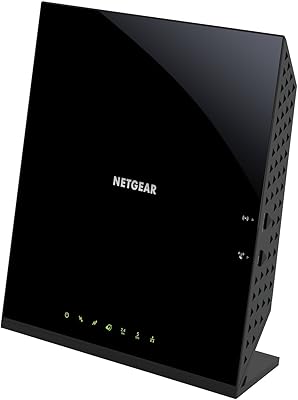
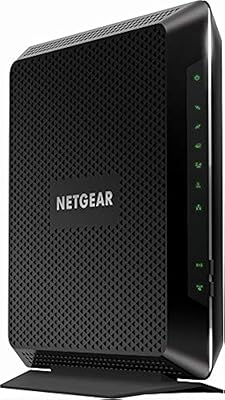
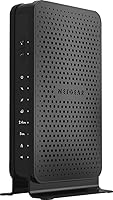
The NETGEAR C3700 N600 Cable Modem Router is one of those purchases that makes immediate sense for anyone paying a monthly modem rental fee to their cable provider. This combo modem-router has been around since early 2014, which tells you something about its staying power in a crowded market. It is DOCSIS 3.0 certified and works with major U.S. providers including Xfinity, Spectrum, and Cox — though always confirm your specific plan is on their approved device list before buying. Solid and dependable for light-to-moderate households, this NETGEAR unit is not designed for multi-gig internet plans, but for most cable subscribers, it covers the bases well.
Features & Benefits

The C3700 runs on DOCSIS 3.0 with 8x4 channel bonding, which in practical terms means it can handle download speeds up to 340Mbps — plenty for streaming, video calls, and casual gaming happening at the same time. Its dual-band N600 WiFi splits traffic across 2.4GHz and 5GHz bands, which helps when multiple devices compete for bandwidth. Two Gigabit Ethernet ports cover wired connections, and a USB 2.0 port allows basic shared storage. A WPS button makes adding new devices painless for less tech-savvy users. Built-in DoS attack protection provides a solid security baseline, and over time, skipping the monthly rental charge adds up to meaningful savings.

Best For

This combo modem-router suits renters and homeowners in apartments or smaller houses who are tired of paying their ISP for hardware they do not own. If your household streams video, joins the occasional video call, and plays games online across a handful of devices, the C3700 handles that routine comfortably. It starts to feel limited on cable plans above 340Mbps or inside larger multi-story homes where N600 WiFi range falls short. Anyone on a gigabit plan should look elsewhere — this hardware was not built for those tiers. For moderate users wanting a single consolidated device, it remains a practical and dependable option.

User Feedback

Across thousands of reviews, easy setup and activation is the most repeated compliment — many buyers report getting online in under thirty minutes without calling their provider. Long-term reliability is another strong theme, with plenty of users running this NETGEAR unit for several years without a hitch. Criticism tends to cluster around two areas: the aging N600 wireless speeds, which can feel underwhelming after upgrading to a faster cable plan, and limited range in larger or multi-floor homes. A smaller number of buyers hit compatibility snags after switching ISP tiers. Overall sentiment skews positive, but the WiFi ceiling is a real factor worth weighing.

Pros

  • Eliminates the monthly ISP modem rental fee, which adds up to real savings over one to two years of use.
  • Setup and ISP activation are consistently fast and straightforward, even for users with no networking background.
  • Dual-band WiFi lets you separate older and newer devices across 2.4GHz and 5GHz bands to reduce interference.
  • DOCSIS 3.0 with 8x4 channel bonding handles cable plans up to around 340Mbps without breaking a sweat.
  • Certified compatibility with Xfinity, Spectrum, Cox, and other major U.S. cable providers removes guesswork.
  • Long-term reliability is a genuine strength — many owners report years of uninterrupted performance.
  • The single-device form factor cuts down on cable clutter compared to running a separate modem and router.
  • Built-in DoS attack prevention provides a meaningful baseline of network security out of the box.
  • Two Gigabit Ethernet ports and a USB 2.0 port cover wired connectivity and basic shared storage needs.
  • WPS support makes adding new wireless devices quick and painless for non-technical household members.

Cons

  • N600 WiFi is a dated 802.11n standard that falls noticeably behind modern AC or WiFi 6 routers in throughput.
  • Wireless range is limited, making this unit a poor choice for larger or multi-floor homes.
  • No support for internet plans above roughly 340Mbps, locking out users on faster cable tiers.
  • Some buyers have reported compatibility hiccups after their ISP updated approved device lists or changed service tiers.
  • Only two Ethernet ports available, which is restrictive for setups with several wired devices.
  • The USB port is USB 2.0, limiting its practical usefulness for network-attached storage in terms of transfer speed.
  • Advanced router features like robust parental controls or integrated VPN are absent from this unit.
  • Being a 2014-era device, it will not receive firmware updates indefinitely, which raises long-term security questions.
  • Occasional user reports of difficulty reactivating the device after switching ISP plans or moving to a new address.
  • Households adding smart home devices rapidly may find the older wireless standard creates connectivity bottlenecks.

Ratings

The NETGEAR C3700 N600 Cable Modem Router has been rated by our AI system after analyzing thousands of verified global user reviews, with spam, bot-generated, and incentivized feedback actively filtered out. The scores below reflect an honest, balanced picture — covering where this combo modem-router genuinely delivers and where real buyers have run into frustration. Both strengths and limitations are represented transparently so you can make a confident, informed decision.
Ease of Setup
91%
Getting online with the C3700 is one of the most consistently praised aspects across buyer reviews. Most users — including those with little to no networking experience — report completing the full ISP activation process in under thirty minutes, often without needing to call their provider for help.
A small number of users encountered friction during activation, typically when switching ISP plans mid-contract or moving to a new address. In these edge cases, the reactivation process required a support call, which some found more involved than expected.
Connection Reliability
88%
Day-to-day connection stability is a standout strength for this unit. Owners frequently describe months — and in many cases years — of uninterrupted service, with no unexpected drops during streaming sessions, video calls, or casual gaming. That kind of quiet dependability builds real confidence.
A portion of users noted occasional disconnections after firmware updates or ISP-side plan changes. These incidents were not widespread but were frustrating enough to appear consistently in longer-term owner feedback, particularly from users who had upgraded their service tier.
WiFi Speed & Performance
58%
42%
For light household use — a few phones, a laptop, and a smart TV — the dual-band N600 WiFi covers the basics without issue. The 5GHz band gives a meaningful speed boost for devices that are in close proximity to the unit, which helps during HD video streaming or video calls.
The 802.11n standard is genuinely showing its age here. Buyers coming from newer AC or WiFi 6 routers notice the performance gap immediately, especially when multiple devices are active at once. Throughput on the 2.4GHz band in particular feels sluggish by current standards.
WiFi Range & Coverage
61%
39%
In compact living spaces — studios, one-bedroom apartments, or small office setups — the C3700 provides adequate coverage without needing extenders. Users in these environments rarely complain about dead spots, and the dual-band setup helps manage interference from neighboring networks.
In larger homes, multi-floor townhouses, or anywhere with thick walls, range becomes a genuine problem. Numerous buyers in these situations report weak signal in rooms more than one or two walls away from the unit, ultimately forcing them to add a separate access point or extender.
Modem Speed & Throughput
83%
The DOCSIS 3.0 modem core with 8x4 channel bonding holds its own on most standard and mid-tier cable plans. Users on plans up to around 300Mbps report consistently hitting near their subscribed speeds on wired connections, which is exactly what you want from a modem.
The hard ceiling of around 340Mbps means anyone upgrading to a faster cable tier will quickly outgrow this hardware. Users who moved to gigabit plans found the modem became the weakest link in their setup, forcing an earlier-than-expected replacement.
ISP Compatibility
74%
26%
Out of the box, the C3700 works reliably with the largest U.S. cable providers including Xfinity, Spectrum, and Cox. Most buyers confirm compatibility within minutes of checking their ISP's approved device list, and activation across these carriers is generally smooth and well-documented.
ISP-approved modem lists evolve over time, and some users have discovered the C3700 was quietly removed from their provider's supported devices after a plan change or ISP infrastructure upgrade. This is an inherent risk with any older modem and is not entirely NETGEAR's fault, but it is a real concern.
Value for Money
86%
Eliminating a monthly modem rental fee is the core financial argument for this unit, and it holds up well. For subscribers who would otherwise keep renting indefinitely, the device pays for itself within a reasonable timeframe, making it an appealing long-term investment for budget-conscious households.
As newer combo modem-routers with DOCSIS 3.1 and AC or WiFi 6 capabilities have come down in price, the value proposition of the C3700 has narrowed. Buyers evaluating it purely on specs relative to current market alternatives may find more capable options at a comparable price point.
Build Quality & Durability
84%
The physical construction of this NETGEAR unit inspires quiet confidence. The plastic casing feels solid, runs at reasonable temperatures under sustained load, and the overall form factor holds up well over years of continuous use. Long-term owners frequently note the hardware never gave them a reason to worry.
A small number of users reported unit failures after two to three years of use, primarily related to overheating in poorly ventilated spaces. The vertical standing design can limit airflow if placed inside a cabinet or against a wall, which appears to accelerate hardware degradation in some cases.
Wired Connectivity
79%
21%
Two Gigabit Ethernet ports handle wired connections cleanly, providing low-latency, full-speed links for a desktop, smart TV, or gaming console. Users who rely on wired connections for work or gaming consistently report stable, reliable performance from these ports across extended sessions.
Two ports is simply not enough for households with more than two wired devices. Users who need to connect a desktop, NAS, gaming console, and smart TV simultaneously have to add an external switch, which adds cost and undermines the all-in-one appeal of the device.
USB Storage Sharing
47%
53%
The USB 2.0 port allows basic network-attached storage functionality, which some users appreciate for sharing documents or media files across a small home network without investing in a dedicated NAS device.
USB 2.0 transfer speeds are a significant bottleneck — file transfers feel painfully slow for anything beyond small documents. Most buyers who tried this feature for media storage or backups quickly abandoned it and considered the port to be largely decorative in practical terms.
Security Features
72%
28%
Built-in Denial of Service attack prevention provides a meaningful layer of protection that most users never have to think about — it just works quietly in the background. WPS support also makes it easy to add trusted devices without digging into router settings, which many households appreciate.
Beyond DoS protection and WPS, the security feature set is fairly thin compared to modern routers. Advanced options like per-device traffic inspection, automatic threat monitoring, or integrated security subscriptions are absent, which may disappoint users who prioritize network security.
Parental Controls
54%
46%
Basic website blocking and access scheduling are available through the router interface, which is functional enough for households that need simple content restrictions for younger users on a small number of devices.
The parental control tools feel dated and require manual configuration through a browser-based interface that is not particularly intuitive. Parents used to modern app-controlled, per-device parental control systems will find the experience cumbersome and limited in flexibility.
Router Interface & Management
67%
33%
The web-based management interface is clean enough for basic tasks — changing the WiFi password, checking connected devices, or adjusting a few settings. Users who just want to set it and forget it will rarely need to interact with it after the initial setup.
The interface has not been meaningfully updated in years and lacks the polished, mobile-friendly design that newer routers offer. Power users who want granular control over QoS settings, guest networks, or detailed traffic monitoring will find the options limited and the layout outdated.
Physical Design & Footprint
77%
23%
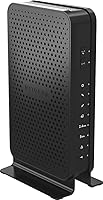
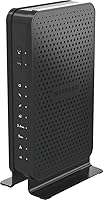
The vertical black casing has a low-profile, unobtrusive look that fits naturally on a shelf or desk without drawing attention. Consolidating modem and router into one unit reduces cable clutter noticeably, which owners in smaller living spaces particularly appreciate.
The unit is larger than it might appear from product photos, measuring over ten inches tall and eleven inches wide, which can be awkward in tight spaces. Some users also note there is no built-in mounting system for wall or surface installation.

Suitable for:

The NETGEAR C3700 N600 Cable Modem Router is a practical fit for cable internet subscribers in apartments, condos, or smaller single-story homes who are tired of paying a monthly rental fee for hardware they will never own. If your household runs a handful of devices — laptops, phones, a smart TV, maybe a gaming console — and your cable plan tops out somewhere in the 200–340Mbps range, this combo modem-router handles that load without complaint. It is particularly well-suited to renters who move between properties and want a reliable, self-owned device that activates quickly on major providers like Xfinity, Spectrum, or Cox. Less tech-savvy users will appreciate the straightforward setup process, which many buyers complete in under thirty minutes. For anyone whose priority is dependable day-to-day connectivity — not pushing the bleeding edge of wireless performance — the C3700 has a long track record of delivering exactly that.
Not suitable for:

The NETGEAR C3700 N600 Cable Modem Router is a poor match for households that have upgraded to gigabit or near-gigabit internet plans, since its DOCSIS 3.0 architecture and N600 WiFi simply cannot keep pace with those speeds in real-world conditions. Larger homes with multiple floors will likely find the wireless range frustrating, especially as N600 is a dated standard that newer AC or WiFi 6 routers outperform significantly. Power users who run a dense network of smart home devices, 4K streams on several screens simultaneously, or latency-sensitive competitive gaming will quickly feel the ceiling. Anyone who needs more than two wired Ethernet connections or advanced router features like robust parental controls or VPN passthrough built in will also find this unit limiting. If your ISP has removed the C3700 from its approved device list — which does happen as providers update their hardware requirements — the purchase becomes a non-starter, so checking compatibility before buying is essential.

Specifications

  • Modem Standard: The C3700 uses DOCSIS 3.0, the third generation of the cable modem standard, which offers significantly faster and more stable speeds than the older DOCSIS 2.0 specification.
  • Channel Bonding: It supports 8x4 channel bonding, meaning eight downstream and four upstream channels are bonded together to maximize throughput and improve connection stability.
  • Max Modem Speed: The modem is rated for download speeds up to 340Mbps, making it compatible with most standard and mid-tier cable internet plans available in the U.S.
  • WiFi Standard: Wireless connectivity runs on 802.11n (N600 Dual-Band), an older but widely compatible standard that supports combined theoretical speeds of up to 600Mbps across both bands.
  • Frequency Bands: The unit broadcasts simultaneously on both 2.4GHz and 5GHz bands, allowing users to assign devices to the band that best suits their speed and range needs.
  • Ethernet Ports: Two Gigabit Ethernet LAN ports are included for wired device connections, supporting up to 1Gbps per port for low-latency, high-speed wired networking.
  • USB Port: One USB 2.0 port is available on the rear of the unit, enabling basic shared storage or printer sharing across the local network.
  • Security Features: Built-in Denial of Service (DoS) attack prevention and WPS (Wi-Fi Protected Setup) support are included to provide baseline network security and easy wireless device pairing.
  • ISP Compatibility: The C3700 is certified for use with major U.S. cable providers including Xfinity from Comcast, Spectrum, and Cox, though buyers should verify their specific plan is currently supported.
  • Dimensions: The unit measures 10.08 x 11.26 x 3.15 inches, giving it a moderately compact footprint suitable for placement on a shelf or desk.
  • Weight: At 1.8 pounds, the C3700 is lightweight enough to mount or reposition without difficulty.
  • Color: The device is finished in black and has a vertical standing form factor that blends into most home or office setups without drawing attention.
  • Model Number: The official model number is C3700-100NAS, which is the designation to use when verifying compatibility on ISP-approved device lists.
  • OS Compatibility: The C3700 is compatible with Microsoft Windows (XP through 8), Mac OS, and any device running a standard TCP/IP network stack, including Linux-based systems.
  • First Available: This combo modem-router was first made available in February 2014, making it a mature product with a well-documented real-world performance history.
  • Connectivity Type: The primary connectivity method is Wi-Fi (802.11n) combined with a DOCSIS 3.0 cable connection, with no support for fiber, DSL, or satellite internet services.
  • Power Requirements: The unit requires an external power adapter (included in the box) and one lithium ion battery for memory backup of certain settings during brief power interruptions.

Related Reviews
NETGEAR C6230 AC1200 Cable Modem Router
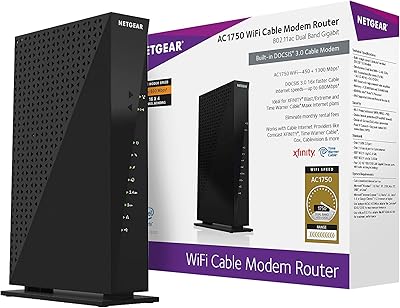
73%
83%
Connection Stability
61%
WiFi Range & Coverage
78%
Setup & Activation
86%
Value for Money
69%
WiFi Speed Performance
More
NETGEAR C6300 Cable Modem Router Combo
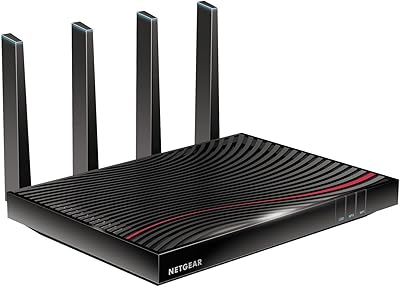
69%
83%
Value for Money
88%
Setup & Installation
71%
WiFi Performance
91%
Wired Connectivity
62%
Long-Term Reliability
More
NETGEAR Nighthawk C7800 Cable Modem WiFi Router Combo
84%
88%
Wi-Fi Performance
75%
Ease of Setup
92%
Speed and Reliability
85%
Compatibility with ISPs
90%
Value for Money
More
NETGEAR C6250 AC1600 Modem Router Combo
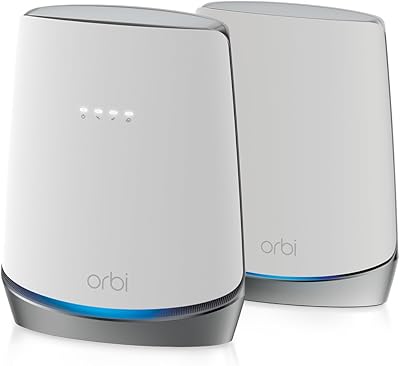
74%
84%
Value for Money
88%
Ease of Setup
71%
Wi-Fi Performance
82%
Modem Speed & Reliability
73%
Provider Compatibility
More
NETGEAR Nighthawk C7100V Cable Modem WiFi Router Combo with Voice
86%
92%
Ease of Setup
85%
WiFi Performance
91%
Value for Money
89%
Stability for Gaming & Streaming
88%
VoIP Feature
More
NETGEAR Orbi CBK752 Mesh Modem Router Combo
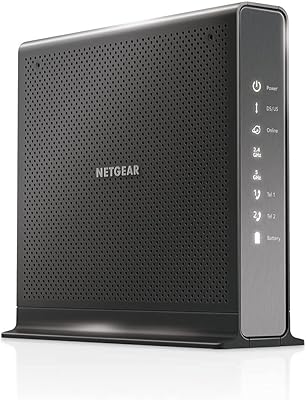
74%
88%
WiFi Speed & Throughput
78%
Whole-Home Coverage
71%
Modem Compatibility & ISP Provisioning
66%
Satellite Connection Stability
82%
Setup & Initial Configuration
More
NETGEAR Nighthawk C6900-100NAS Dual Band AC1900 Cable Modem Router
85%
91%
Wi-Fi Performance
89%
Gaming and Streaming Speed
87%
Setup and Installation
92%
Value for Money
80%
Reliability and Stability
More
NETGEAR CM700 Cable Modem
75%
88%
Value for Money
79%
Connection Stability
91%
Ease of Installation
83%
Speed Performance
62%
Build Quality & Thermal Management
More
NETGEAR C7500 AC3200 Cable Modem Router Combo
66%
78%
Wi-Fi Performance
71%
Modem Reliability
74%
Setup Experience
55%
ISP Compatibility
63%
Value for Money
More
NETGEAR CM400 DOCSIS 3.0 Cable Modem
78%
91%
Value for Money
84%
Ease of Setup
87%
Connection Stability
78%
ISP Compatibility
73%
Build Quality
More

FAQ

Most standard and mid-tier cable plans from Xfinity, Spectrum, and Cox are supported, but ISP-approved device lists do change over time. Before buying, go to your provider's website and search their approved modem list for the model number C3700-100NAS to confirm it is still accepted on your specific plan.

No. The C3700 combines a cable modem and a dual-band WiFi router into a single unit, so there is no need to buy or manage separate hardware. Just plug in the coaxial cable, connect power, and activate with your ISP.

The process varies slightly by ISP but is generally straightforward. Most providers let you activate online by logging into your account and registering the device using its MAC address, which is printed on the label on the bottom of the unit. Some providers may ask you to call in. Either way, most buyers report being online within thirty minutes.

Yes, for typical household use it handles streaming, video calls, and general browsing without issue. Where it starts to feel limited is if you are running many simultaneous 4K streams or are on a cable plan that exceeds around 340Mbps — in those cases, the hardware starts to become the bottleneck.

Honest answer: it is adequate for apartments and smaller single-story homes, but it struggles in larger spaces or multi-floor setups. The N600 standard is older technology, and if you have dead zones or weak signal areas in your home, you may need a WiFi extender or a separate access point.

Technically yes — the USB 2.0 port supports basic file sharing across the network. That said, USB 2.0 transfer speeds are a real limitation here, so do not expect fast file transfers. It works fine for occasional document access but is not a replacement for a proper NAS device.

Unfortunately, no. This combo modem-router tops out at around 340Mbps under real-world conditions, and its older WiFi standard cannot deliver gigabit speeds wirelessly regardless. If you are upgrading to a gigabit plan, you will want a newer DOCSIS 3.1 modem to get full value from that service tier.

This is actually one of the unit's strong points based on owner feedback. Many buyers report using the C3700 for four or five years without hardware failure. That said, as an older design it may eventually be dropped from ISP-approved lists, which is the more likely reason for replacement than physical breakdown.

Basic parental control features are available through the router's web interface, including the ability to block specific websites or restrict internet access by device. They are functional but fairly limited compared to what dedicated modern routers offer, so if parental controls are a top priority, a more recent router might serve you better.

You will need to reactivate the device with your new provider, which typically involves calling them or going through their online activation process again. Not all providers support this unit, so it is worth checking the new ISP's approved device list before assuming it will work. If the new provider does support it, activation is usually quick.

Where to Buy