Overview

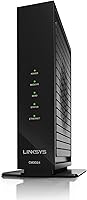
The Linksys CM3024 DOCSIS 3.0 Cable Modem arrived in 2016 and has quietly held its ground as a practical option for cable internet subscribers tired of paying monthly rental fees. One thing to understand upfront: this is a modem-only device — there is no built-in WiFi or router functionality, so you will need a separate router to create a wireless network. It runs on the DOCSIS 3.0 standard with 24 downstream and 8 upstream channels, and it is certified for major providers including Xfinity, Cox, Spectrum, and Cablevision. If your service runs over fiber or DSL — Verizon FiOS, AT&T, or CenturyLink — this cable modem simply will not work.
Features & Benefits

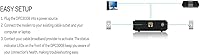
The CM3024's 24x8 channel bonding supports downstream speeds up to 300 Mbps, which covers most household needs — HD streaming, online gaming, and several connected devices running simultaneously. Setup is refreshingly straightforward: plug in the coaxial cable, connect ethernet to your router, and call your ISP to activate. The unit is compact enough to sit unobtrusively on any shelf. Financially, owning this modem instead of renting pays off within a year for most users. One caveat worth knowing: it runs on the Intel Puma 6 chipset, which has a documented latency issue affecting a subset of users — particularly those doing competitive gaming or VoIP calls.

Best For

This cable modem is a natural fit for cable internet subscribers — specifically those on Xfinity, Cox, Spectrum, Optimum, or Cablevision — who already own a router and simply want to stop paying rental charges. It works well for households that stream HD video, juggle multiple devices, or game casually online. If you are a competitive gamer who demands consistent low-ping performance, the Puma 6 latency issue is genuinely worth researching before committing. For everyone else — including renters and frequent movers who switch between supported cable ISPs — the broad compatibility and simple activation process make the CM3024 a sensible, no-fuss upgrade from ISP-supplied equipment.

User Feedback

Across more than 1,400 ratings, this Linksys modem holds a 4.2-out-of-5 average — a respectable score reflecting a broadly satisfied user base with some consistent gripes. Buyers regularly praise easy activation, noticeably faster speeds compared to ISP-issued hardware, and a sturdy physical build. The recurring complaint is the Intel Puma 6 latency spike, which surfaces in ping tests and affects real-time applications more than routine browsing. Some users also note that ISP activation took longer than expected — not a dealbreaker, but worth planning for. A smaller cohort flags performance degrading after two or three years of continuous use, so long-term reliability is not a certainty.

Pros

  • Eliminates the monthly ISP modem rental fee, typically paying for itself within a year.
  • Certified for use with Xfinity, Cox, Spectrum, Optimum, and Cablevision out of the box.
  • 24x8 channel bonding comfortably supports HD streaming, casual gaming, and multi-device households.
  • Setup takes under an hour for most users — coaxial in, ethernet out, one activation call.
  • Compact footprint means it tucks away on a shelf without demanding dedicated space.
  • Broad ISP compatibility makes the CM3024 a reusable asset when moving between supported providers.
  • No software or drivers required — works with Mac, PC, and Windows systems immediately.
  • Noticeable real-world speed improvement reported by buyers switching from ISP-supplied rental hardware.
  • Modem-only design gives users complete freedom to pair it with any router they prefer.

Cons

  • The Intel Puma 6 chipset has a known latency issue that Linksys has never fully resolved via firmware.
  • Hard speed ceiling of 300 Mbps makes this cable modem a bottleneck on high-speed or gigabit plans.
  • Completely incompatible with fiber and DSL services — a costly mistake if purchased without checking.
  • No built-in web interface or diagnostic portal makes self-troubleshooting unnecessarily difficult.
  • ISP activation can stretch to several hours, with some users needing multiple support calls to complete.
  • A recurring pattern of hardware failure or connection instability emerging after two to three years of use.
  • Warranty and customer support resolution have been slow and unsatisfying for multiple buyers with hardware issues.
  • Status indicator lights are bright enough to be disruptive in dark bedrooms or media rooms.
  • No DOCSIS 3.1 support means the hardware is increasingly mismatched with ISPs pushing higher-tier plans.

Ratings

The scores below were generated by AI after analyzing thousands of verified buyer reviews for the Linksys CM3024 DOCSIS 3.0 Cable Modem worldwide, with spam, bot-submitted, and incentivized feedback actively filtered out. The result is an honest snapshot of what real cable internet subscribers experience day-to-day — strengths and frustrations alike, nothing papered over.
Value for Money
88%
For households paying a monthly modem rental fee to their ISP, this cable modem typically pays for itself within 10 to 14 months. Buyers consistently call it one of the smarter long-term purchases they have made for their home network setup.
A small number of users who experienced hardware failure within two years felt the value equation flipped — paying out of pocket for a replacement stings when the rental fee model suddenly looks more insured. Warranty support has drawn criticism for being slow.
Setup & Installation
84%
The physical installation is genuinely straightforward: coaxial cable in, ethernet out, then a call or online chat with the ISP to register the MAC address. Most users reported being online within 30 minutes of opening the box.
ISP activation is the friction point. Several Xfinity and Spectrum subscribers reported waiting anywhere from one to several hours for provisioning to complete, and a handful needed multiple calls before the modem was recognized on the network.
Download Speed Performance
79%
21%
Users upgrading from ISP-supplied rental modems frequently reported a measurable speed improvement, with several hitting speeds closer to their plan's advertised ceiling for the first time. The 24x8 channel bonding handles multi-device households well under typical conditions.
The CM3024 tops out at 300 Mbps downstream, which feels limiting for households on gigabit or near-gigabit plans. If your ISP has upgraded you to a high-speed tier in recent years, this modem is a bottleneck you will actually feel.
Latency & Ping Stability
53%
47%
Under standard browsing, video streaming, and casual gaming conditions, most users report latency that is perfectly acceptable. For everyday internet use, the connection feels stable and responsive enough that the underlying chipset issue goes unnoticed.
The Intel Puma 6 chipset carries a documented and widely discussed bufferbloat and latency spike problem. Competitive gamers, VoIP users, and anyone running latency-sensitive applications have flagged real, reproducible performance inconsistencies that firmware updates have never fully resolved.
ISP Compatibility
86%
Certified coverage across Xfinity, Cox, Spectrum, Optimum, and Cablevision is a genuine advantage for renters or anyone who has switched ISPs. Users moving between supported providers report a smooth re-provisioning process with no hardware changes needed.
The compatibility list has hard walls. Fiber and DSL subscribers on Verizon FiOS, AT&T, or CenturyLink cannot use this modem at all, and a frustrating number of negative reviews come from buyers who missed this distinction and had to return the unit.
Build Quality & Durability
74%
26%
The CM3024 has a solid, no-nonsense construction that feels appropriately sturdy for a device meant to sit undisturbed for years. Users who have run it continuously for two-plus years without incident describe it as dependably quiet and cool to the touch.
A recurring thread in longer-term reviews points to gradual performance degradation — dropped connections, slower sync times, or full hardware failure — starting around the two to three year mark. It does not affect everyone, but it appears consistently enough to be a real pattern.
Upload Speed Performance
71%
29%
The 8 upstream channels handle typical upload tasks — video calls, cloud backups, file sharing — without obvious strain. Users on standard residential plans rarely report upload as a bottleneck under normal household workloads.
Eight upstream channels is middle-of-the-road by current standards. Power users uploading large files regularly or running home servers noted that newer DOCSIS 3.1 modems offer a noticeably wider upstream ceiling, making the CM3024 feel dated for heavy upload scenarios.
Heat Management
76%
24%
Under typical residential loads the unit stays comfortably warm rather than hot, and users who position it with some airflow around it report no heat-related issues even after months of continuous operation.
A handful of buyers who placed the modem in enclosed entertainment cabinets or stacked it under other equipment reported intermittent disconnections they traced back to heat buildup. Ventilation placement matters more than the industrial design suggests.
Plug-and-Play Simplicity
82%
18%
There is no software to install, no driver to hunt down, and no app to configure. The CM3024 is compatible with Mac, PC, and Windows systems out of the box, which makes it accessible to users who are not comfortable digging into network settings.
The simplicity is also a limitation — there is no web-based management interface or diagnostic portal to speak of. Users who wanted to check connection stats or troubleshoot signal levels had no built-in tool to turn to and had to rely on ISP-provided diagnostics.
Physical Footprint & Design
77%
23%
At just over 1.77 inches wide and weighing around 2 pounds, the CM3024 fits easily on a shelf, behind a TV stand, or inside a network closet without demanding attention. Its low-profile black casing blends into most home setups without issue.
The design is purely functional and has not aged with any particular style. The status indicator lights, while useful for basic troubleshooting, are bright enough to be distracting in dark rooms — a minor but real complaint from bedroom or media room setups.
Long-Term Reliability
61%
39%
A solid share of buyers report years of uninterrupted service — some pushing three or four years with zero issues. For users in stable ISP environments without heavy upload demands or latency-sensitive workloads, the CM3024 can simply disappear into the background.
The reliability picture is inconsistent enough to be a legitimate concern. A notable minority of reviewers describe unit failure or connection instability emerging after 18 to 36 months, which makes it hard to confidently project a long ownership lifespan without some risk.
Modem-Router Pairing Flexibility
83%
Because this modem has no built-in router or WiFi, buyers have full freedom to pair it with any router they choose — a high-end mesh system, a gaming router, or a basic wireless unit. That flexibility is specifically why many networking-aware buyers seek out modem-only devices.
For buyers who were not aware this was modem-only before purchasing, the lack of WiFi is a surprise that has driven a notable number of returns. The product description is clear, but expectations management remains a real issue in the review pool.
Customer Support Experience
55%
45%
Users who contacted Linksys support for straightforward activation questions generally found adequate guidance. The product has been on the market long enough that community forums and third-party troubleshooting guides are widely available.
Multiple reviewers who experienced hardware failures or the Puma 6 latency issue reported that Linksys support offered limited recourse beyond basic troubleshooting steps. Warranty resolution was described by several buyers as slow and unsatisfying.

Suitable for:

The Linksys CM3024 DOCSIS 3.0 Cable Modem is a practical choice for cable internet subscribers — specifically those on Xfinity, Cox, Spectrum, Optimum, or Cablevision — who are tired of paying a monthly modem rental fee and already own a standalone router. If your household streams HD video across multiple TVs, has kids gaming online, and runs a dozen or more connected devices without requiring gigabit-tier speeds, the CM3024 handles that load without complaint. It is also a smart pick for renters who move between apartments and switch ISPs periodically, since the broad certification list means you are unlikely to land somewhere the modem will not work. Budget-conscious buyers who want a meaningful upgrade over the generic hardware their ISP ships out — without overpaying for bleeding-edge specs they will never use — will find the value proposition genuinely solid. Anyone who simply wants to plug in a reliable modem, activate it with one phone call, and forget it exists for a few years is the core audience this device was built for.
Not suitable for:

The Linksys CM3024 DOCSIS 3.0 Cable Modem is a hard pass for anyone whose internet service runs over fiber or DSL infrastructure — if you are on Verizon FiOS, AT&T, or CenturyLink, this modem is physically incompatible with your connection type and will not function. Competitive online gamers or households that rely heavily on VoIP calls should think carefully before buying: the Intel Puma 6 chipset has a well-documented latency and bufferbloat issue that firmware updates have never fully corrected, and those users will feel it. If your ISP plan delivers speeds above 300 Mbps, the CM3024 becomes a bottleneck — you will be paying for a gigabit plan and actually receiving a fraction of it. Buyers who want an all-in-one solution with built-in WiFi will also be disappointed; this is strictly a modem, and a separate router purchase is non-negotiable. Finally, anyone prioritizing long-term hardware reliability above all else should take note that a meaningful subset of owners report performance degradation starting around the two to three year mark.
Specifications

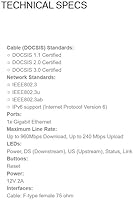
  • DOCSIS Standard: Operates on DOCSIS 3.0, the cable internet standard that supports bonded channel connections for faster and more stable throughput than older DOCSIS 2.0 hardware.
  • Channel Bonding: Supports 24 downstream and 8 upstream bonded channels, allowing the modem to aggregate multiple cable channels simultaneously for higher sustained speeds.
  • Max Download Speed: Rated for downstream speeds up to 300 Mbps under optimal signal conditions, suitable for most residential internet plans below gigabit tier.
  • Chipset: Powered by the Intel Puma 6 chipset, which has a publicly documented bufferbloat and latency inconsistency issue affecting a subset of real-time applications.
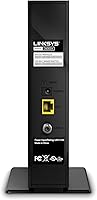
  • Coaxial Port: Features a single F-type female 75-ohm coaxial port, which is the standard connector used by all major North American cable internet providers.
  • Ethernet Port: Includes one Ethernet port for connecting directly to a router or a single wired device; WiFi is not built in and requires a separate router.
  • WiFi: This is a modem-only device with no integrated wireless radio — a standalone router must be paired with it to create a WiFi network.
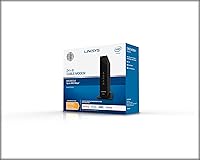
  • Dimensions: Measures 1.77 x 6.97 x 8.03 inches (L x W x H), offering a slim, upright form factor that fits easily on a shelf or inside a network cabinet.
  • Weight: Weighs 2.1 pounds, making it light enough to mount or reposition without tools and easy to pack when moving between residences.
  • Compatible ISPs: Certified and approved for use with Xfinity, Cox, Spectrum, Optimum, and Cablevision cable internet services in the United States.
  • Incompatible ISPs: Not compatible with fiber-optic or DSL-based services, including Verizon FiOS, AT&T Internet, and CenturyLink — this modem requires a coaxial cable connection.
  • OS Compatibility: Works with Mac and PC systems running Windows 7 or later, requiring no proprietary drivers or software installation beyond standard ISP activation.
  • Color & Finish: Available in a matte black finish with a clean, unobtrusive design intended to blend into home office or entertainment center setups.
  • Manufacturer: Designed and sold by Linksys, a networking hardware brand with a long history in consumer and small business internet equipment.
  • Model Number: Carries the model designation CM3024, part of Linksys's LKSCM3024 series of standalone cable modems.
  • Release Date: First made available in June 2016 and remains listed as an active product, with Linksys confirming it has not been discontinued by the manufacturer.
  • User Rating: Holds a 4.2-out-of-5 average rating based on over 1,400 verified customer reviews, reflecting broadly positive reception with some documented recurring concerns.

Related Reviews

ARRIS CM820A DOCSIS 3.0 Cable Modem
74%
83%
Connection Stability
78%
Ease of Setup
74%
ISP Compatibility
81%
Long-Term Reliability
88%
Value for Money
More
Motorola MB7420 DOCSIS 3.0 Cable Modem
87%
94%
Connection Stability
91%
Download Speed Performance
89%
Setup & Installation
92%
Provider Compatibility
85%
Build Quality
More
NETGEAR CM500 DOCSIS 3.0 Cable Modem
77%
91%
Value for Money
88%
Setup & Activation
84%
Connection Stability
63%
Refurbished Condition Consistency
72%
ISP Compatibility
More
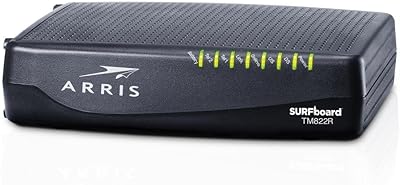
ARRIS TM822R DOCSIS 3.0 Cable Modem
75%
93%
Xfinity Compatibility
88%
Value for Money
74%
VoIP Phone Performance
81%
Internet Speed Performance
86%
Setup & Installation
More
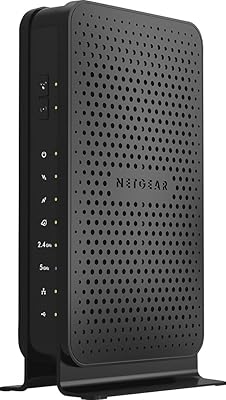
NETGEAR C3700 N600 Cable Modem Router
73%
91%
Ease of Setup
88%
Connection Reliability
58%
WiFi Speed & Performance
61%
WiFi Range & Coverage
83%
Modem Speed & Throughput
More
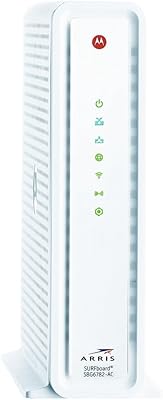
ARRIS SBG6782 DOCSIS 3.0 Cable Modem Router
78%
88%
Value for Money
91%
Setup & Installation
86%
Connection Stability
69%
Wi-Fi Performance
63%
Wi-Fi Range
More
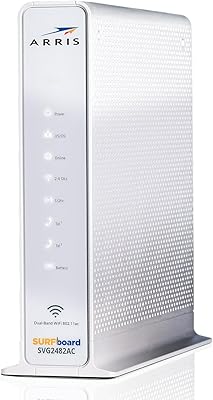
ARRIS SURFboard SVG2482AC Cable Modem Router Combo
74%
72%
ISP Compatibility
81%
Internet Performance
63%
Wi-Fi Coverage
79%
Setup Experience
76%
Build Quality
More
Hitron CODA DOCSIS 3.1 Cable Modem
76%
83%
Connection Stability
78%
Ease of Setup
74%
ISP Compatibility
86%
Value for Money
81%
Performance at Rated Speeds
More
Humax HGD310 DOCSIS 3.1 Cable Modem
76%
88%
Internet Speed Performance
83%
Setup & Installation
79%
ISP Compatibility
91%
Value for Money
67%
Build Quality & Durability
More
ARRIS TM822G DOCSIS 3.0 Telephony Modem
75%
88%
Value for Money
78%
Internet Performance
84%
Voice Call Quality
58%
Setup & Activation
86%
Long-Term Reliability
More

FAQ

It is modem-only — there is no built-in wireless radio whatsoever. You will absolutely need a separate router to create a WiFi network. If you already own a router, just connect it to the Ethernet port on the back and you are good to go.

Yes, the CM3024 is officially certified for Xfinity. That said, make sure your Xfinity plan does not exceed 300 Mbps, since that is the modem's downstream ceiling. If you are on a gigabit or near-gigabit Xfinity plan, this modem will bottleneck your speeds.

This is worth taking seriously. The Intel Puma 6 chipset inside the Linksys CM3024 DOCSIS 3.0 Cable Modem has a known and well-documented bufferbloat issue that causes periodic latency spikes. For general browsing, streaming, and casual use, most people will never notice it. If you play competitive online games or rely on VoIP calls for work, it is a legitimate concern that firmware updates have not fully fixed — and you may want to consider an alternative modem with a different chipset.
The physical setup is simple: screw in the coaxial cable, connect your router via Ethernet, and power it on. Then you need to call your ISP or use their website to register the modem's MAC address — this is printed on the label on the bottom of the unit. Most activations complete within 30 minutes, though some users report waiting longer depending on their ISP.

Yes, and this is one of the CM3024's real strengths. It is certified across multiple major cable ISPs, so if you move or switch providers, you can typically just call the new ISP, give them the MAC address, and re-provision without buying new hardware. Just confirm your new provider is on the supported list before assuming compatibility.

No. This modem is designed exclusively for traditional coaxial cable internet. Verizon FiOS, AT&T Fiber, and CenturyLink use fiber-optic infrastructure that is fundamentally incompatible with a DOCSIS cable modem. If you have fiber service, this is not the right device for you.

Plenty of owners have run theirs for three or four years without any issues. That said, a recurring theme in longer-term reviews is gradual performance degradation — dropped connections, slower sync times, or occasional reboots needed — starting around the two to three year mark. It is not universal, but it is consistent enough to be worth knowing about before you commit.

For most households on plans up to 300 Mbps, yes — the 24x8 channel bonding handles simultaneous HD streaming and online gaming without strain. The caveat is the Puma 6 latency issue: casual or co-op gaming is generally fine, but competitive multiplayer games that are sensitive to ping fluctuations may be affected for some users.

None at all. There are no drivers to download, no apps to install, and no account to create. As long as your ISP has provisioned the modem on their end, it works transparently with any Mac or Windows PC. The only configuration needed is whatever you set up on your separate router.

It depends heavily on your internet plan. If your cable plan is 300 Mbps or below, the CM3024 is still a functional, certified device that will save you the rental fee. Where it shows its age is with higher-speed plans and the lack of DOCSIS 3.1 support — if your ISP is nudging you toward gigabit speeds, you would be better served by a newer modem. For moderate-speed households just looking to stop renting, it remains a reasonable value.

Where to Buy