

Overview
The MOTU Audio Express USB Audio Interface comes from a company with serious professional credentials — MOTU has been building recording hardware since the early 1980s, long before USB audio interfaces became a commodity. Launched in 2011 and still active in the manufacturer's lineup, the Audio Express occupies a thoughtful middle ground between entry-level gear and full studio hardware. It targets home studio owners, singer-songwriters, and small-room producers who want more than basic I/O without buying a rack-mounted unit. With a 3.4-star rating across 29 reviews, expectations should be calibrated carefully — this is a nuanced picture, not a landslide verdict either way.
Features & Benefits
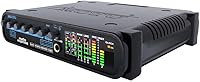
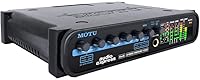
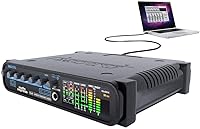
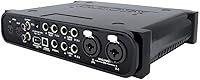
The Audio Express packs a surprising amount of hardware capability into its modest footprint. The two combo XLR/TRS inputs each carry a switchable 20 dB pad, handy when recording a loud guitar cabinet or overhead cymbal mic that would otherwise clip the preamp. Switchable 48V phantom power covers condenser microphones without putting ribbon mics at risk. A dedicated high-impedance input lets you plug in a guitar or bass directly — no DI box required. The independent headphone output with its own volume knob is a small but genuinely useful detail for late-night sessions. The onboard analysis suite — FFT display, oscilloscope, and correlation meter — gives a real-time visual read on frequency content and phase health without opening a plugin.
Best For
This hybrid audio interface makes the most sense for Mac-based home studios where the bundled AudioDesk sequencer software can actually be put to work — Windows users receive the CueMix FX monitoring application, but the full DAW bundle is Mac-only, so factor that in early. Singer-songwriters who record vocals and acoustic guitar simultaneously will appreciate having two solid preamp channels with phantom power on tap. If you occasionally want to plug a guitar in directly, the high-Z input handles that cleanly without extra gear. Producers who care about phase relationships or frequency buildup between tracks will get real mileage from the onboard analysis tools, which typically live behind a paywall in plugin form.
User Feedback
With only 29 ratings on record, the feedback picture for this MOTU interface is narrow, so no single trend should be taken as gospel. Recurring themes do emerge, though. On the positive side, buyers tend to praise the preamp transparency and physical build quality, with the chassis feeling more substantial than many competitors of a similar size. The analysis tools also draw favorable mentions from users who put them to practical use. The rougher edges show up around driver compatibility — several reviewers have flagged problems on newer versions of both Windows and macOS, and the setup process has drawn criticism from those expecting something more plug-and-play. The Mac-only software bundle remains a notable sticking point for Windows users.
Pros
- Two combo XLR/TRS inputs with switchable 20 dB pads handle loud sources cleanly without overloading the preamps.
- Switchable 48V phantom power protects ribbon mics while fully supporting condenser microphones.
- The dedicated high-Z instrument input lets guitarists and bassists record directly without a separate DI box.
- An independent headphone output with its own volume knob makes late-night tracking genuinely practical.
- Built-in FFT display, oscilloscope, and correlation meter offer analysis tools rarely found at this hardware tier.
- MOTU's CueMix FX software enables zero-latency hardware monitoring and flexible signal routing.
- Build quality consistently earns praise from users — the chassis feels durable and more substantial than the price might suggest.
- Preamp transparency is a recurring positive in user feedback, with sources reported to sound clean and uncolored.
- Mac users receive a full bundled DAW in AudioDesk, adding real software value on top of the hardware.
- Six channels of I/O give small project studios enough flexibility for most everyday recording scenarios.
Cons
- Driver stability on newer versions of Windows and recent macOS releases has been a documented pain point for multiple users.
- The bundled AudioDesk sequencer software is Mac-only, leaving Windows buyers without the full software package.
- Setup complexity has frustrated users who expected a more straightforward, plug-and-play installation experience.
- Only 29 Amazon ratings make it hard to assess long-term reliability with any real confidence.
- The desktop-oriented design and 4.4-pound weight make it less practical for musicians who record in multiple locations.
- Two mic preamp inputs is a hard ceiling — anyone needing more simultaneous inputs will outgrow this interface quickly.
- The 2011 launch date means OS compatibility is an active concern and worth verifying before purchase.
- No bus power via USB — the Audio Express requires a dedicated power connection, adding a cable to your setup.
- Windows users receive a noticeably smaller software bundle compared to what Mac users get out of the box.
- The relatively small review pool means isolated complaints about driver issues carry outsized weight and are difficult to contextualize.
Ratings
The scores below reflect our AI-assisted analysis of verified buyer reviews for the MOTU Audio Express USB Audio Interface, collected from multiple global sources with spam, bot-generated, and incentivized submissions actively filtered out. Each category is scored independently to give you an honest, granular picture — including the pain points that other review summaries tend to gloss over. Strengths and frustrations are weighted equally so you can make a genuinely informed decision.
Preamp Quality
Build Quality
Driver Stability
Setup Experience
Software Bundle
Phantom Power
Input Flexibility
Headphone Output
Onboard Analysis Tools
Windows Compatibility
Value for Money
Low-Latency Monitoring
Mac Ecosystem Integration
Suitable for:
The MOTU Audio Express USB Audio Interface is a strong match for Mac-based home studio owners who want professional-grade features without stepping up to a full rack system. Singer-songwriters who track vocals and acoustic guitar at the same time will appreciate having two clean preamp channels with switchable phantom power readily available. Musicians who record guitar or bass directly into their interface will find the dedicated high-impedance input handles that job cleanly, removing the need for a separate DI box. Producers who are serious about mix quality and want to monitor phase relationships or frequency buildup in real time — without paying extra for analysis plugins — get genuine value from the onboard FFT display, oscilloscope, and correlation meter. If you are already working inside the Mac ecosystem and want to take advantage of the bundled AudioDesk sequencer, the software inclusion adds meaningful value that budget-tier alternatives simply do not offer.
Not suitable for:
Windows-first users should think carefully before committing to the MOTU Audio Express USB Audio Interface, because driver stability on Windows has been a recurring complaint among reviewers, and the bundled DAW software is Mac-only — Windows buyers receive only the CueMix FX monitoring application. Musicians who expect a truly plug-and-play experience out of the box may find the setup process more involved than they anticipated compared to simpler, consumer-oriented alternatives. With only two mic preamp inputs, this hybrid audio interface is not a practical choice for anyone who needs to record a full band or a multi-mic drum kit simultaneously. Given that the unit launched in 2011, buyers running the latest versions of macOS should check for confirmed driver compatibility before purchasing, as OS updates have introduced friction for some users. If your workflow leans heavily on portability — recording on a laptop at different locations — the 4.4-pound weight and desktop-oriented design make it less convenient than compact bus-powered competitors.
Specifications
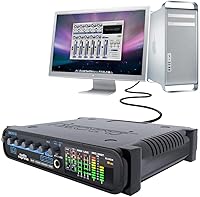
- Connectivity: The interface connects to a host computer via USB, with no FireWire adapter required for standard operation.
- Mic Inputs: Two combo XLR/TRS inputs accept both balanced microphone signals and line-level sources through a single socket.
- Input Pad: Each combo input features a switchable 20 dB pad to accommodate high-output sources without clipping the preamp stage.
- Phantom Power: 48V phantom power is available for condenser microphones and can be switched off independently to protect ribbon mics.
- Instrument Input: A dedicated high-impedance input allows direct connection of electric guitar or bass without requiring an external DI box.
- Headphone Output: One headphone output is included, fitted with its own dedicated volume knob independent of the main output level.
- Channel Count: The unit provides 6 channels of total I/O, covering microphone, line, instrument, and headphone signal paths.
- Analysis Tools: Onboard metering includes an FFT frequency display, a phase correlation meter, and an oscilloscope for real-time signal monitoring.
- Bundled Software: Included software comprises MOTU AudioDesk sequencer for Mac and the CueMix FX hardware monitoring application for both platforms.
- OS Support: The Audio Express is listed as compatible with both Mac and Windows operating systems, though driver behavior varies by OS version.
- Compatible Devices: The unit is designed for use with desktop computers and is not optimized for bus-powered laptop use.
- Weight: The interface weighs 4.4 pounds, reflecting a solid, desktop-grade chassis construction.
- Dimensions: Physical dimensions measure 14.9″ x 11.4″ x 5.4″, making it a compact but non-portable desktop unit.
- Model Number: The manufacturer model identifier is AUDIO EXPRESS, used across MOTU's official product documentation and support resources.
- Brand: The Audio Express is manufactured by MOTU (Mark of the Unicorn), a Boston-based company with a professional audio heritage dating to the early 1980s.
- Launch Date: The product was first made available in March 2011 and remains listed as an active, non-discontinued item by the manufacturer.
- Monitoring App: CueMix FX provides zero-latency hardware monitoring and flexible signal routing on both Mac and Windows systems.
- Pad Switchability: The 20 dB input pad is independently switchable per channel, allowing one input to be padded while the other remains at full gain.
Related Reviews

MOTU 8pre USB Audio Interface
MOTU M2
MOTU 4pre USB Audio Interface
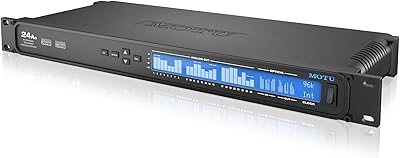
MOTU 24Ao USB AVB Audio Interface
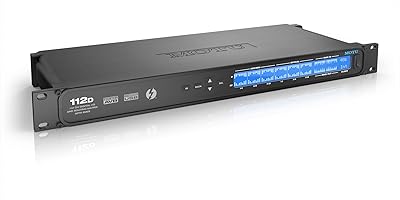
MOTU 112D Thunderbolt USB Audio Interface
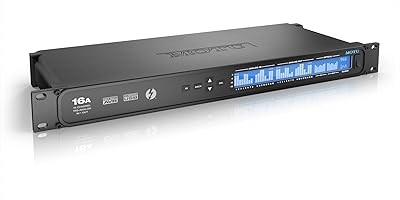
MOTU 16A 32x32 Audio Interface
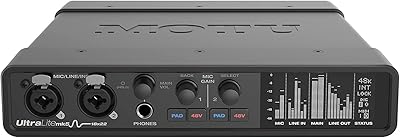
MOTU UltraLite-mk5
MOTU M4
MOTU MicroBook IIc USB Audio Interface
MOTU Micro Express USB MIDI Interface
