
Overview

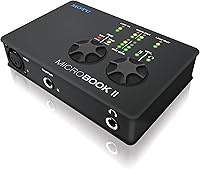
The MOTU MicroBook IIc USB Audio Interface is a compact recording tool from a brand that serious audio engineers have trusted for decades. Launched in 2015, this MOTU interface still holds its own as a practical option for musicians who need portability without abandoning quality. It packs 8 channels into a chassis that fits easily in a laptop bag, and it runs entirely off USB power — no wall adapter required. Compatible with Mac, PC, iPad, and even Linux, it covers more ground than many rivals at this size. The bundled CueMix FX software handles onboard DSP mixing, giving you real control over your signal chain.

Features & Benefits

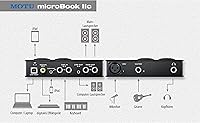
The MicroBook IIc's most practical asset is its dedicated guitar input, which lets you plug in and record without hunting down a separate DI box. There is also a mic preamp on board, handy for capturing vocals or a dynamic microphone in a pinch. Stereo line-level inputs mean keyboards and mixers connect cleanly. The whole unit is bus powered over USB, so your cable bag stays lighter on travel days. CueMix FX adds low-latency monitoring, which matters a lot when you are tracking a performance and need to hear yourself without noticeable delay. It is a focused, no-frills toolset that covers the essentials well.

Best For

This compact audio interface suits solo musicians and singer-songwriters who record at home or need something reliable they can toss in a bag for a session elsewhere. Guitar players especially benefit from that direct input — it removes a step from the chain. If you shift between a MacBook, a Windows machine, and an iPad depending on the day, the broad OS compatibility is genuinely useful. Podcasters or voice-over artists who just need one clean mic input and minimal complexity will also find it workable. It is less suited to anyone needing multiple mic inputs simultaneously or professional-grade preamp headroom.

User Feedback

With 28 reviews and a 3.6 out of 5 average, reception for this MOTU interface is genuinely mixed — and worth taking seriously. Positive reviewers tend to praise the build quality, MOTU driver reliability, and clean sound output, which tracks with the brand's broader reputation. On the other side, recurring frustrations include setup complexity, limited mic preamp gain, and iOS compatibility issues that appear to have worsened as Apple updated its mobile OS over the years. Several negative reviews read more like setup friction than hardware failure, but that distinction matters less when you are troubleshooting at midnight. With such a small sample, treat the overall score as a rough signal, not a verdict.

Pros

  • MOTU is a genuinely respected pro audio brand, not a budget no-name manufacturer.
  • Bus-powered over USB, so no power brick cluttering your bag or desk.
  • Dedicated guitar input lets you record direct without a separate DI box.
  • Eight channels packed into a unit that weighs under two pounds is impressive.
  • CueMix FX provides real DSP mixing and low-latency monitoring, not just basic passthrough.
  • Compatible with Mac, Windows, Linux, and iPad — unusually broad for a unit this size.
  • Build quality is consistently praised by long-term owners who have used it for years.
  • Stereo line-level inputs handle keyboards and mixers cleanly without extra adapters.
  • MOTU has not discontinued the unit, so driver updates and support remain available.
  • A strong brand reputation provides peace of mind that cheaper alternatives cannot match.

Cons

  • Only one mic preamp input is a real ceiling for anyone whose needs grow beyond solo recording.
  • A 3.6 out of 5 average rating from buyers is below what you would hope for at this price tier.
  • iOS compatibility has become inconsistent as Apple has updated its mobile operating system over the years.
  • Mic preamp gain is reported as limited, which can be a problem with lower-sensitivity microphones.
  • Initial driver setup has frustrated a meaningful number of users, particularly on first install.
  • With only 28 reviews total, there is not enough data to confidently assess long-term reliability trends.
  • The hardware design has not been refreshed since 2015, so it lacks modern connectivity options like USB-C.
  • No phantom power details are prominently confirmed, which matters for condenser microphone users.
  • CueMix FX adds power but also adds a learning curve that casual users may not want to deal with.
  • Customer support experiences, positive or negative, are difficult to evaluate given the thin review volume.

Ratings

Our AI-generated scores for the MOTU MicroBook IIc USB Audio Interface are built by analyzing verified buyer reviews from multiple global sources, with spam, incentivized feedback, and bot activity actively filtered out before any scoring begins. The results reflect a genuinely mixed reception — this compact audio interface earns real praise in several areas while showing clear weaknesses that informed buyers deserve to know about upfront. Both the strengths and the friction points are weighted transparently in every category below.

Build Quality
78%
22%
Long-term owners consistently note that the physical unit holds up well over time, with a solid chassis that does not feel flimsy despite its compact footprint. For a device that gets tossed in a laptop bag regularly, that durability earns genuine appreciation from mobile musicians.
A handful of reviewers mention that the knobs and connectors feel slightly less premium than expected from a MOTU product, and the overall construction does not quite match the brand's higher-end gear. It is solid but not exceptional.
Sound Quality
83%
Users who focus on audio output consistently describe the signal as clean and accurate, with low noise floor performance that holds up well against similarly priced competitors. Guitar players recording direct report a natural, transparent tone that does not color the signal unnecessarily.
At higher gain settings the mic preamp introduces some noise, which becomes noticeable when recording quiet acoustic sources in an untreated room. The preamp is serviceable but falls short of true studio-grade transparency at its limits.
Mic Preamp Quality
58%
42%
For casual vocal recording or capturing a dynamic mic in a reasonably quiet space, the built-in preamp gets the job done without requiring an outboard preamp. Podcasters recording close to the mic in a treated room tend to report acceptable results.
Limited gain headroom is one of the most consistently cited complaints across reviews — low-output microphones like ribbons or certain dynamics simply do not get enough clean gain from this unit. This is a real constraint that affects recording quality in real sessions.
Ease of Setup
54%
46%
Users who follow MOTU's driver installation process carefully and stick to supported OS versions generally get up and running without major issues. On macOS in particular, experienced users report a relatively predictable installation path.
A disproportionate share of negative reviews trace back to setup frustration — confusing driver steps, conflicts with existing audio software, and unclear documentation. For beginners or less technically confident buyers, the initial configuration experience is a genuine pain point.
Driver Stability
67%
33%
MOTU has a long-standing reputation for taking driver maintenance seriously, and the MicroBook IIc has seen continued support updates since its 2015 launch. Windows and macOS users who keep their drivers current generally report stable, reliable performance over extended use.
Driver issues spike noticeably after major OS updates, with some users experiencing audio dropouts or device recognition failures until MOTU releases a patch. The gap between an Apple or Microsoft update and MOTU's corresponding fix can be frustrating for users who update immediately.
iOS Compatibility
43%
57%
When iOS compatibility works, it opens up a genuinely useful mobile workflow — recording guitar ideas directly into GarageBand on an iPad without needing a separate interface is a compelling convenience for gigging musicians.
This is arguably the weakest area in real-world use. Multiple reviewers report that iOS compatibility has degraded over the years as Apple updated iPadOS, and the 2015 hardware was not designed with current Apple connectivity norms in mind. Buyers planning heavy iPad use should verify support carefully before purchasing.
Guitar Input Performance
84%
The dedicated high-impedance instrument input is one of the MicroBook IIc's clearest practical advantages — plug in and record with no DI box, no extra cables, no signal mismatch. Guitar and bass players consistently call this out as a feature they use every single session.
While the input performs well for clean and lightly driven tones, a small number of users note that very high-output active pickups can push the input harder than ideal, occasionally introducing clipping at the top of the gain range.
Value for Money
61%
39%
Buyers who primarily need a guitar input, one mic preamp, and cross-platform flexibility get reasonable value from a brand name that carries real weight in professional audio circles. Paying a premium for MOTU reliability has historically been a defensible choice.
The competitive landscape has shifted significantly since 2015, and several newer interfaces now offer comparable or better specs at similar or lower prices. The MicroBook IIc's age makes it harder to justify on pure value grounds without a meaningful discount.
Software & DSP
72%
28%
CueMix FX is a legitimately capable onboard mixing application that gives users real control over routing, monitoring, and EQ without adding CPU load to the host computer. For users who invest time learning it, it adds meaningful depth to the recording workflow.
The learning curve on CueMix FX is steeper than the interface's compact size might suggest, and users who just want to plug in and record often find the software layer more complex than they need. Documentation quality has been a minor but recurring complaint.
Portability
87%
At under two pounds and roughly the footprint of a hardback book, this compact audio interface slips into a laptop bag without adding meaningful weight or bulk. Bus-powered USB operation means one less cable and no adapter to forget at home.
The physical port layout can make cable management slightly awkward in cramped setups, and the USB-A connection shows its age in a world increasingly standardized around USB-C. It is portable, but the cable situation is not as clean as it could be.
Cross-Platform Support
69%
31%
Genuine macOS, Windows, and Linux support in a single compact unit is uncommon at this size, and users who work across multiple operating systems appreciate not needing a separate interface for each environment. Linux support in particular is a differentiator few competitors match.
Cross-platform support in theory and in practice are not always the same thing — Linux users in particular note that setup requires more manual effort, and the iOS situation, as noted elsewhere, is inconsistent enough to warrant caution for iPad-first users.
Low-Latency Monitoring
76%
24%
The onboard DSP in CueMix FX handles monitoring at the hardware level, which means singers and guitarists can hear themselves in real time without the delay that software monitoring introduces. This is a feature that genuinely matters during a tracking session.
Achieving optimal low-latency performance requires configuring buffer settings correctly in both CueMix FX and the host DAW, which adds a setup step that casual users sometimes skip — resulting in the latency complaints that appear occasionally in reviews.
Long-Term Reliability
74%
26%
Owners who have used this MOTU interface for several years without issue tend to rate it highly, citing consistent performance and no hardware degradation over time. MOTU's track record in professional audio gives long-term buyers reasonable confidence.
The sample of 28 reviews is too small to draw statistically confident conclusions about long-term failure rates, and the age of the product means some units in the used or older-stock market may have more wear than expected. Reliability reports skew positive but remain inconclusive.

Suitable for:

The MOTU MicroBook IIc USB Audio Interface is a solid pick for solo musicians and singer-songwriters who want a capable, portable recording setup without carrying a bag full of extra gear. If you play guitar and record at home or in small sessions, the dedicated direct input alone removes a real friction point from your workflow. It also appeals to users who jump between operating systems — Mac one day, Windows the next, iPad on the road — since the cross-platform driver support genuinely covers those bases better than many compact rivals. Podcasters and voice-over artists who need a single clean mic input and straightforward software will find this MOTU interface approachable without being underpowered. The bus-powered USB design is a quiet but meaningful advantage for anyone who records away from a fixed desk setup.

Not suitable for:

The MOTU MicroBook IIc USB Audio Interface is a harder sell for anyone who needs to record multiple microphones at once, since it only provides a single mic preamp input. If your sessions regularly involve a full band, a drum kit, or even just two vocalists recording simultaneously, this unit simply cannot accommodate that without workarounds. The mic preamp gain has been flagged by real users as limited, which means it may struggle with low-output ribbon mics or dynamic microphones in untreated, noisy rooms. Buyers who plan to use it primarily with an iPad should research current iOS compatibility carefully before purchasing — this is a 2015 device, and Apple's OS changes have caused friction for some users over time. Anyone expecting a plug-and-play experience with zero driver configuration may also find the initial setup more involved than anticipated.

Specifications

  • Brand: Manufactured by MOTU (Mark of the Unicorn), a professional audio company with a long track record in studio and live sound equipment.
  • Model: MicroBook IIc, the second-generation compact interface in MOTU's MicroBook line, released in October 2015.
  • Connectivity: Connects to host computers and tablets via USB 2.0, which is backward and forward compatible with USB 3.0 ports.
  • Total Channels: Offers 8 channels in total, combining analog, guitar, and microphone inputs across a compact form factor.
  • Mic Preamp: Includes one built-in microphone preamp input for recording vocals or instruments via a standard microphone.
  • Guitar Input: Features one dedicated high-impedance instrument input designed for direct guitar or bass recording without a DI box.
  • Line Input: Accepts stereo line-level analog input, suitable for connecting keyboards, mixers, or other line-level audio sources.
  • Bus Power: Draws power directly from the USB connection, eliminating the need for an external power adapter in most standard setups.
  • Compatible OS: Officially supports macOS, Windows, Linux, and iOS, though iOS compatibility should be verified against current Apple OS versions before purchase.
  • Software Included: Ships with CueMix FX for onboard DSP mixing and low-latency monitoring, plus AudioDesk Workstation recording software.
  • Dimensions: Measures 7.87 x 5.91 x 3.94 inches, compact enough to fit in a laptop bag alongside a notebook computer.
  • Weight: Weighs 1.65 pounds, making it one of the lighter options available from a professional audio brand.
  • Hardware Interface: Uses USB as its sole hardware interface; there is no Thunderbolt, FireWire, or Ethernet option on this model.
  • Voltage Rating: Rated at 240 volts, indicating broad international power compatibility when used with appropriate USB power sources.
  • Discontinued Status: This unit is not discontinued by the manufacturer, meaning driver updates and official support remain available as of the current date.

Related Reviews

MOTU 8pre USB Audio Interface
80%
86%
Preamp Quality
91%
Build Quality
88%
Channel Count & I/O
79%
Value for Money
61%
CueMix DSP Software
More
MOTU 112D Thunderbolt USB Audio Interface
81%
91%
Driver Stability
94%
Channel Count & I/O
87%
AVB Networking
89%
Thunderbolt Performance
88%
Connector Ecosystem
More
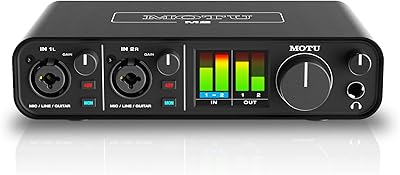
MOTU M2
MOTU M2
92%
96%
Audio Conversion Quality
98%
Visual Monitoring
93%
Build Construction
91%
Driver Stability
94%
Loopback Functionality
More
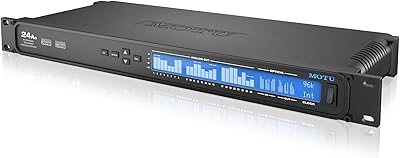
MOTU 24Ao USB AVB Audio Interface
80%
93%
Channel Density
87%
AVB Network Performance
79%
Driver Stability
58%
Setup & Configuration
74%
Value for Money
More
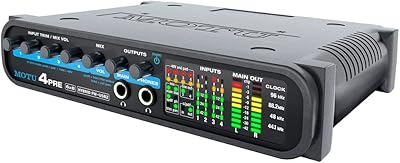
MOTU 4pre USB Audio Interface
68%
81%
Preamp Quality
63%
Driver Stability
58%
Connectivity Options
66%
Value for Money
77%
Build Quality
More
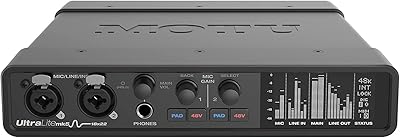
MOTU UltraLite-mk5
MOTU UltraLite-mk5
89%
96%
Audio Conversion Quality
92%
Preamp Transparency
94%
Driver Stability
91%
Latency Performance
88%
Software Interface (CueMix 5)
More
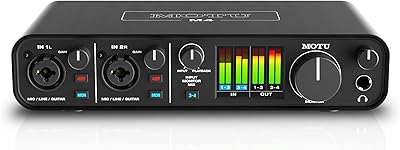
MOTU M4
MOTU M4
89%
96%
Audio Conversion Quality
94%
Visual Monitoring
92%
Latency Performance
89%
Build Quality
93%
Loopback Functionality
More
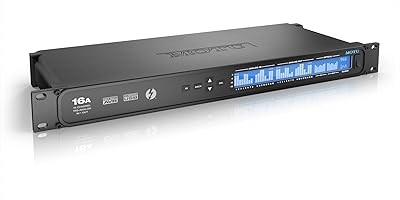
MOTU 16A 32x32 Audio Interface
79%
91%
Driver Stability
93%
Channel Count & I/O Depth
88%
Onboard DSP Mixer
86%
Connectivity Flexibility
74%
AVB Networking
More
MOTU 624 Thunderbolt/USB Audio Interface
79%
93%
Latency Performance
86%
Driver Stability
78%
AVB Networking
88%
Build Quality
71%
Software & Routing
More
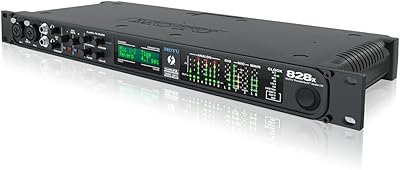
MOTU 1248 Thunderbolt Audio Interface
80%
91%
Driver Stability
89%
Latency Performance
93%
I/O Density
86%
AVB Networking
84%
Onboard DSP Mixer
More

FAQ

You will need to install MOTU's drivers to get full functionality, including the CueMix FX mixing software. It is not fully class-compliant plug-and-play on Mac the way some simpler interfaces are, so budget a bit of time for the initial setup before your first recording session.

Officially yes, but with caveats. The unit launched in 2015, and Apple has made significant iOS and iPadOS changes since then that have caused compatibility issues for some users. Before buying, check MOTU's website for the current iOS driver status and confirm it supports your specific iPad model and OS version.

It can work with condenser mics, but you should verify phantom power availability for your specific setup, as the preamp gain has been described by some users as limited. High-sensitivity condensers in a quiet room will fare better than low-output dynamics or ribbons, which may require more gain than this interface comfortably provides.

No, that is one of the more useful aspects of this compact audio interface — there is a dedicated high-impedance instrument input built right in. You can plug a standard guitar or bass cable directly into the unit and record without any additional hardware in between.

MOTU has continued to update drivers for this unit, but you should always check the official MOTU driver download page to confirm current Windows 11 support before purchasing. Driver pages are updated more frequently than product listings, so that is your most reliable source.

Only one. There is a single mic preamp input, so if you need to record two vocalists or a stereo microphone pair simultaneously, this unit will not accommodate that without extra hardware. It is genuinely a solo-musician interface in that respect.

You get CueMix FX, which handles real-time DSP mixing and monitoring within the interface itself, plus AudioDesk Workstation, which is MOTU's own DAW for multitrack recording. If you already own Pro Tools, Logic, or another DAW, those will also work with this MOTU interface since it is standard ASIO and Core Audio compatible.

It is worth understanding what is driving those scores before reading too much into the number. A fair portion of negative reviews appear to stem from driver setup frustration and iOS compatibility issues rather than hardware failure. That said, 28 reviews is a fairly small sample, so the rating is a useful signal but not a definitive verdict — read the individual reviews to get a clearer picture.

It can work well for a solo podcast setup — one host, one microphone, straightforward routing. The CueMix FX software gives you monitoring control, and the audio output is clean. Where it falls short is multi-host or interview recording, since you are limited to one mic input.

That depends on what you need. The hardware itself is still functional and MOTU has not abandoned support, but the USB-C era has passed it by and some competitors now offer more inputs at similar price points. If the input configuration fits your workflow and you find it at a fair price, it remains a capable unit from a reputable brand — just go in with realistic expectations about its age.