

Overview
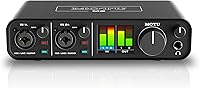
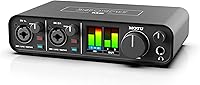
The MOTU M2 stands out in a crowded market by offering professional-grade components in a remarkably portable form factor. While most entry-level devices rely on basic indicators, this USB-C interface features a full-color LCD that provides precise, real-time visual feedback for every input and output. The all-metal chassis feels substantial on a desk, signaling a level of durability that handles the rigors of travel with ease. By integrating ESS Sabre32 technology, it bridges the gap between affordable home setups and high-end studio racks. Setting it up is a straightforward process across various platforms, making it an ideal choice for creators who need to jump straight into their projects without fighting with complex hardware configurations or power cables.
Features & Benefits
Under the hood, high-performance converters deliver a clarity that ensures your recordings capture every subtle nuance. The preamps offer plenty of clean gain for various microphones, and having individual phantom power switches for each channel is a practical touch often overlooked in compact designs. For those who stream or record tutorials, the onboard loopback channels make it incredibly simple to route computer audio alongside a live mic. Latency is virtually a non-issue here, thanks to optimized drivers that keep the round-trip time exceptionally low. If you prefer to hear your signal directly, a dedicated button allows for zero-latency monitoring. This desktop recording hub manages to pack sophisticated routing and high-fidelity sound into a simple, bus-powered box that simplifies the creative process.
Best For
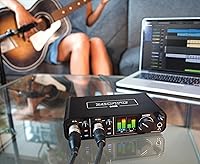
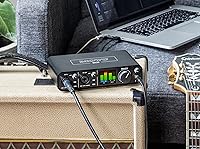
This desktop recording hub is specifically tailored for solo musicians who demand top-tier conversion without needing a dozen inputs. Singer-songwriters will appreciate how the clean preamps handle both delicate vocals and high-output instruments like electric guitars. It also serves as a powerhouse for podcasters who benefit from the clear metering and easy loopback functionality for remote interviews. Mobile producers will find it fits perfectly in a laptop bag, providing a reliable studio-quality connection wherever inspiration strikes. Even audiophile listeners can find value here, using the device as a high-quality DAC to drive studio monitors or headphones with impressive detail and transparency. It successfully balances professional specifications with a user-friendly interface that accommodates both beginners and seasoned veterans.
User Feedback
Those who use the M2 daily frequently point to the metering accuracy as a standout feature, noting how much easier it is to set levels compared to standard LED rings. The headphone output is another highlight, with users reporting it has enough headroom to drive demanding studio cans that usually require a separate amplifier. While some have mentioned the power switch on the back is slightly awkward to reach, most agree the driver stability on Windows is a massive relief compared to other interfaces in this price range. People often remark on the sturdy build, describing the knobs as smooth and resistant rather than loose. It is widely regarded as a premium upgrade that offers a noticeable jump in audio quality and hardware reliability.
Pros
- High-end ESS Sabre32 Ultra DAC technology provides professional-grade audio clarity usually found in much more expensive equipment.
- The full-color LCD screen offers exceptionally precise real-time visual monitoring for both input and output levels.
- Independently switchable 48V phantom power on each channel allows for a versatile mix of microphone types.
- Rock-solid driver stability on Windows addresses a common pain point for PC-based producers and streamers.
- Built-in loopback channels simplify the process of capturing system audio for high-quality live streaming and podcasting.
- The rugged all-metal construction feels premium and can easily withstand the typical bumps of travel.
- Bus-powered USB-C connectivity makes this desktop recording hub an ideal companion for high-quality mobile production.
- A dedicated hardware monitoring button ensures zero-latency tracking with a single touch during critical recording sessions.
- The headphone output provides enough clean power to effectively drive high-impedance studio monitors and professional cans.
Cons
- The physical power switch is located on the back panel, making it difficult to reach in many desk setups.
- With only two inputs, the MOTU M2 lacks the necessary expansion for recording full bands or complex multi-mic arrangements.
- Accessing the full software bundle and latest drivers requires a mandatory online registration process.
- The high-fidelity output can be quite revealing, potentially exposing flaws in low-quality cables or unoptimized recording environments.
- Users with legacy USB 2.0 ports may experience intermittent power issues without using a high-quality adapter or hub.
- The unit lacks a dedicated high/low gain switch for the headphone output, which can make volume steps feel large for sensitive IEMs.
- Beginners may find the initial routing of virtual loopback channels slightly confusing without consulting the manual.
- The price point is slightly higher than basic entry-level competitors, which may deter those on a strict shoestring budget.
Ratings
Our analysis of thousands of verified global reviews for the MOTU M2 identifies it as a standout for audio fidelity and visual monitoring. These scores reflect a meticulous synthesis of real-world buyer experiences, filtered by our AI to remove promotional noise and focus on authentic performance data. You will find a transparent breakdown of where this interface excels and where users encountered minor friction in their daily workflows.
Audio Conversion Quality
Visual Monitoring
Build Construction
Driver Stability
Loopback Functionality
Headphone Amp Power
Preamplifier Performance
Portability & Power
Ease of Setup
Input/Output Versatility
Value for Money
Suitable for:
The MOTU M2 is an outstanding choice for solo musicians and content creators who prioritize audio transparency and visual precision in a compact footprint. Its professional-grade ESS Sabre32 Ultra DAC makes it a favorite for audiophiles and producers who need high-end conversion without the bulk of rack-mounted gear. The built-in loopback functionality is particularly helpful for streamers and podcasters who need to blend microphone inputs with computer audio for a clean live broadcast. Since it is fully bus-powered, it serves mobile creators exceptionally well, providing a reliable studio-quality connection while working from a laptop in various environments. Anyone tired of guessing their levels will find the detailed LCD metering to be a massive functional upgrade over standard entry-level interfaces.
Not suitable for:
While the MOTU M2 excels in quality, its limited physical connectivity makes it a poor fit for bands or engineers needing to record more than two simultaneous tracks. If you plan on miking a full drum kit or conducting multi-person in-studio interviews, you will quickly find the two-input limitation restrictive. It is also not the ideal choice for budget-constrained beginners who only need basic audio and do not care about high-end technical specifications like dynamic range or low-latency drivers. Users with very old computers lacking high-speed USB ports might encounter power delivery issues, as the unit relies entirely on a stable bus-power connection. Finally, if your workspace is extremely cramped, the rear-mounted power switch might become a daily annoyance depending on how you orient your gear.
Specifications
- Audio Conversion: The unit utilizes premium ESS Sabre32 Ultra DAC technology for high-end audio performance.
- Connectivity: It connects to host devices via a high-speed USB-C port that also provides bus power.
- Analog Inputs: Two XLR/TRS combo jacks accommodate both microphones and high-impedance instruments.
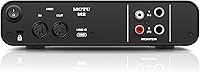
- Analog Outputs: The rear panel features two balanced 1/4-inch TRS and two unbalanced RCA mirror outputs.
- Visual Metering: A full-color LCD screen displays real-time signal levels for all incoming and outgoing audio.
- Resolution: The hardware supports professional recording resolutions up to 24-bit and 192kHz sample rates.
- MIDI Interface: Standard 5-pin MIDI In and Out ports are included for connecting external hardware controllers.
- Phantom Power: Individual +48V phantom power switches are provided for each of the two input channels.
- Form Factor: The chassis measures 7.5 x 4.25 x 1.75 inches, making it suitable for compact desktop setups.
- Weight: The device weighs 1.35 pounds, providing stability on the desk without being too heavy for travel.
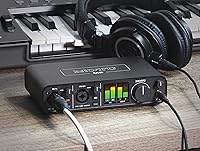
- Headphone Output: A front-mounted 1/4-inch jack with a dedicated volume knob provides high-fidelity monitoring.
- Latency Control: Optimized drivers and a hardware monitoring toggle allow for near-zero latency during tracking.
- System Support: The hardware is compatible with macOS, Windows 10/11, and iOS devices.
- Housing Material: The exterior is constructed from a rugged metal alloy designed for long-term durability.
- Streaming Support: Dedicated loopback channels allow for easy capture of system audio alongside live inputs.
Related Reviews
Ubiquiti NanoStation Loco M2 Wireless Access Point

MOTU MIDI Express 128 USB MIDI Interface
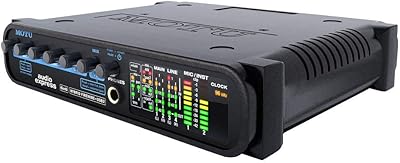
MOTU Audio Express USB Audio Interface

MOTU 8pre USB Audio Interface
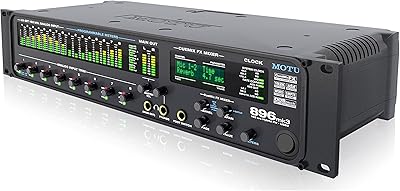
MOTU 896mk3 Hybrid USB/FireWire Audio Interface
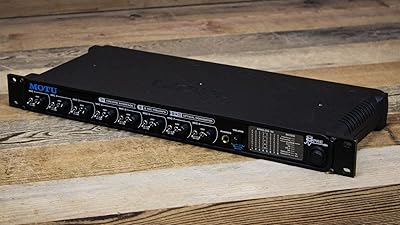
MOTU 8pre Firewire Audio Interface
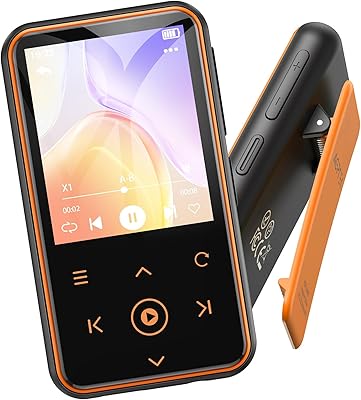
AGPTEK M2 64GB Clip MP3 Player
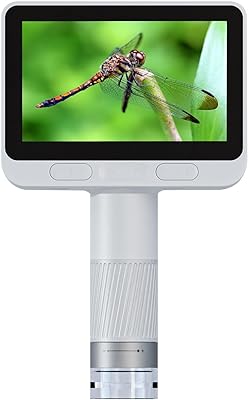
BEAVERLAB Darwin M2C Digital Pocket Microscope
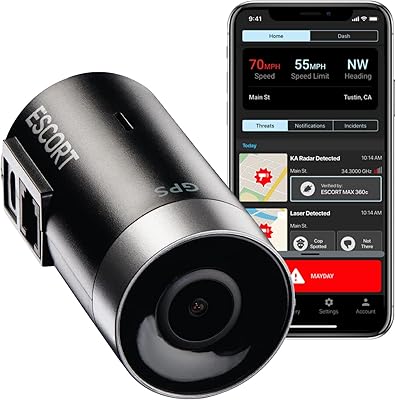
Escort M2 Smart Dash Cam