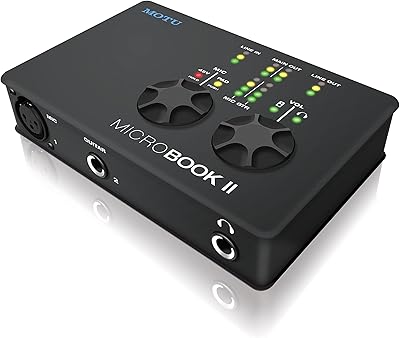
MOTU 112D Thunderbolt USB Audio Interface
Overview
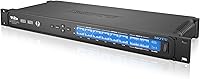
The MOTU 112D Thunderbolt USB Audio Interface sits firmly at the professional end of MOTU's lineup — built not for the bedroom producer, but for engineers running large-scale studio networks, broadcast facilities, or complex live rigs. At its core, the hybrid Thunderbolt/USB 2.0 connectivity means you're not locked to a single bus or machine type; Mac and PC users both have a viable path in. Then there's AVB networking, which lets you distribute audio across a standard Ethernet network between compatible devices — a practical alternative to running long analog snake cables across a venue. With a 112x112 channel count and a solid rackmount form factor at just 2.2 pounds, the 112D is designed to live permanently in a rack, not on a desk.
Features & Benefits
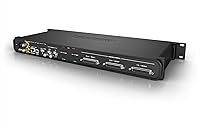
The dual-bus design — Thunderbolt and USB 2.0 — is more useful than it might first appear. You can connect via Thunderbolt for ultra-low-latency DAW sessions, or drop to USB 2.0 when the host machine lacks Thunderbolt without losing access to the full channel count. AVB networking is where this professional audio networking interface really distinguishes itself: rather than running a thick analog snake from stage to FOH, you run a single Cat cable and route audio digitally between AVB devices with far more flexibility. The connector lineup covers BNC, Analog DB25, MADI, and Optical, so legacy gear and modern digital systems can coexist. Built-in software mixing and format conversion further reduce the need for outboard processing hardware.
Best For
The 112D is a strong fit for professional recording studios that need a networked, scalable I/O infrastructure — think facilities running large orchestral sessions or mixing stages where 24 channels simply isn't enough. Live sound engineers will find the AVB networking particularly compelling as a way to replace bulky analog snakes with a clean Ethernet run. Post-production houses and broadcast environments already invested in MADI or AVB infrastructure will slot this MOTU interface in without much friction. That said, be honest with yourself: if you're building a home studio or tracking a band in a spare bedroom, this is significant overkill. The setup complexity alone demands real technical experience to deploy effectively.
User Feedback
On Amazon, the 112D carries a single five-star rating — not a sample size anyone should treat as definitive. The more useful signal comes from professional audio communities on Gearspace and Reddit's r/audioengineering, where engineers with real-world deployments are far more vocal. Recurring praise centers on driver stability and the depth of MOTU's AVB routing options, with Thunderbolt performance described as consistent and reliable under load. On the flip side, the most common frustration isn't the hardware — it's the learning curve. Configuring AVB across multiple devices requires networking knowledge most audio engineers don't develop until they encounter exactly this kind of gear. The thin Amazon review count is simply par for the course with professional-tier niche equipment, not a red flag.
Pros
- 112x112 channel count handles even the most demanding live, studio, or broadcast routing scenarios without compromise.
- Dual Thunderbolt and USB 2.0 connectivity gives engineers genuine flexibility when switching between host machines.
- AVB networking can replace expensive analog snake infrastructure with a single, manageable Ethernet cable run.
- Cross-platform support for macOS, Windows, Linux, and iOS is rare and genuinely useful at this professional tier.
- Connector options spanning MADI, Optical, DB25, and BNC allow simultaneous integration of legacy and modern gear.
- Driver stability under heavy load is consistently praised by engineers in professional audio communities.
- Built-in software mixing and format conversion reduce dependency on additional outboard processing hardware.
- Rackmount form factor integrates cleanly and permanently into studio racks and live touring rigs.
Cons
- AVB network configuration demands IT-level knowledge that many audio engineers have not previously needed.
- Only a single Amazon customer review exists, offering almost no purchase validation from that source.
- A fully functional AVB-networked system requires purchasing additional compatible downstream hardware, raising total costs significantly.
- MOTU's routing software has a steep initial learning curve and can overwhelm engineers during first deployment.
- No built-in analog microphone preamps means external preamp stages are still required for mic-level sources.
- Troubleshooting AVB routing issues is difficult without networking or IT support readily available on-site.
- The depth of configuration options, while powerful, slows down initial setup compared to simpler interfaces.
- Niche positioning means finding experienced peers or technicians familiar with this specific unit can be challenging.
Ratings
Our scoring for the MOTU 112D Thunderbolt USB Audio Interface was generated by AI after analyzing verified user reviews from professional audio communities worldwide, with spam, bot-generated, and incentivized feedback actively filtered out. Because this is a niche professional product with limited consumer review volume, our analysis draws heavily on in-depth assessments from working engineers on Gearspace, Reddit, and comparable pro audio platforms. Both the genuine strengths — particularly around driver stability and channel count — and real pain points like configuration complexity and documentation gaps are transparently reflected in the scores below.
Driver Stability
Channel Count & I/O
AVB Networking
Thunderbolt Performance
Connector Ecosystem
USB 2.0 Flexibility
Cross-Platform Support
Software Mixing & Routing
Build Quality
Setup & Configuration
Value for Money
DAW Compatibility
Latency Performance
Documentation & Support
Suitable for:
The MOTU 112D Thunderbolt USB Audio Interface is purpose-built for professionals who have genuinely outgrown conventional interface solutions and need scalable, networked audio infrastructure. Recording studios running large orchestral or film scoring sessions will find the 112-channel I/O immediately justified — this is not a device you buy for headroom; it's one you buy because you already need every channel. Live sound engineers dealing with complex venue routing will find AVB networking a practical, cost-effective replacement for long analog snake runs, reducing both cable overhead and setup time considerably. Post-production facilities and broadcast operations already invested in MADI or AVB ecosystems will integrate the 112D with minimal friction, thanks to the broad connector set spanning BNC, DB25, MADI, and Optical. If your work routinely demands high channel counts, networked audio distribution across multiple rooms or stages, and rock-solid cross-platform driver performance, this MOTU interface was designed with your exact workflow in mind.
Not suitable for:
Anyone without a genuine, professional-scale need for 112 channels of networked audio should look elsewhere before considering the MOTU 112D Thunderbolt USB Audio Interface. Home studio owners, solo artists, and small-band setups will find this unit vastly overpowered and unnecessarily complex for their actual day-to-day requirements. AVB networking configuration requires a meaningful level of IT and networking knowledge that many audio engineers simply haven't needed before, and the learning curve is real — not just steep on paper. The software environment, while powerful in the right hands, is not intuitive out of the box, and getting full value from this professional audio networking interface demands a serious time investment upfront. Budget-conscious buyers should also factor in that a functional AVB-networked system requires compatible downstream hardware beyond this single unit, which significantly raises the total cost of entry. Anyone expecting plug-and-play simplicity, a quick driver installation, or a compact desktop footprint will find this a frustrating mismatch.
Specifications
- Brand: Manufactured by MOTU (Mark of the Unicorn), a professional audio hardware company with decades of experience in studio and live sound equipment.
- Model Number: The official model identifier is MOT-XA112D-E001, corresponding to the 112D unit within MOTU's professional audio interface lineup.
- Channel Count: Supports 112 simultaneous input channels and 112 simultaneous output channels, designed for large-scale professional audio routing environments.
- Connectivity: Offers hybrid Thunderbolt and USB 2.0 host connectivity, allowing engineers to select the appropriate bus based on their host computer's available ports.
- AVB Networking: Implements IEEE 802.1 Audio Video Bridging (AVB) over standard Gigabit Ethernet, enabling distributed audio routing between multiple AVB-compliant devices across a network.
- Connector Types: Physical I/O includes BNC word clock, Analog DB25, MADI, and Optical ports, covering both legacy analog and modern digital signal formats simultaneously.
- OS Compatibility: Officially supports macOS, Windows, Linux, and iOS, making it one of the few professional-tier interfaces with verified multi-platform driver availability.
- Form Factor: Built as a rackmount unit intended for permanent installation in standard 19-inch professional audio equipment racks.
- Dimensions: Measures 11.42″ in length, 7.48″ in width, and 3.54″ in height, sized for integration into standard rack configurations.
- Weight: Weighs 2.2 pounds, relatively lightweight for a unit offering this channel count and connectivity range.
- Color: Finished in black, consistent with MOTU's standard professional rackmount hardware aesthetic.
- Host Interface: Primary host computer connection is via USB, with Thunderbolt available as a high-speed alternative for low-latency DAW-centric workflows.
- Device Compatibility: Designed for use with digital audio workstations and personal computers running any of the four supported operating systems.
- Software Mixing: Includes integrated software mixing and audio format conversion, reducing the need for additional outboard hardware in complex signal chains.
- First Available: First listed for sale in February 2015, giving the 112D an established multi-year track record in professional audio deployments.
Related Reviews
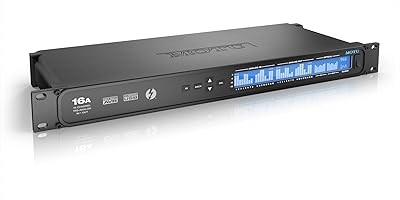
MOTU 16A 32x32 Audio Interface
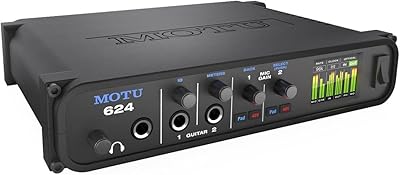
MOTU 624 Thunderbolt/USB Audio Interface
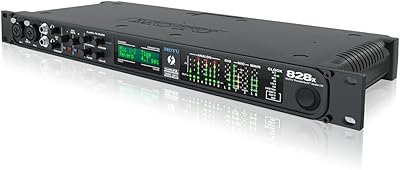
MOTU 828x Thunderbolt/USB Audio Interface
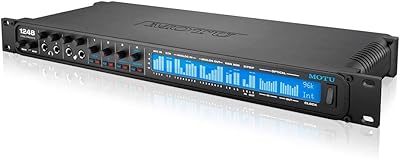
MOTU 1248 Thunderbolt Audio Interface
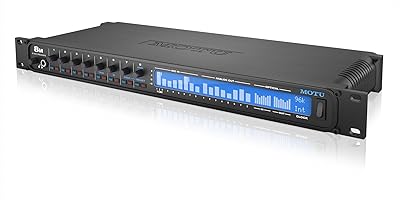
MOTU 8M 24x24 Thunderbolt Audio Interface

MOTU 8pre USB Audio Interface
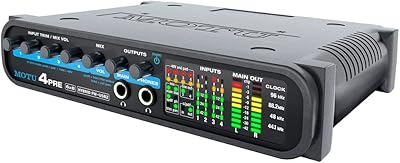
MOTU 4pre USB Audio Interface
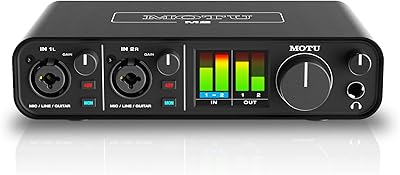
MOTU M2
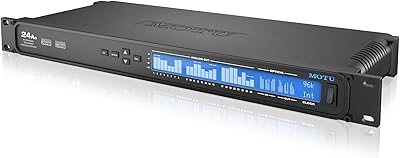
MOTU 24Ao USB AVB Audio Interface