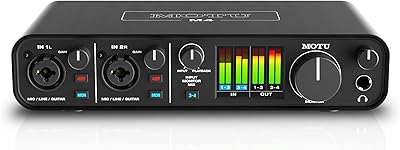
MOTU Micro Express USB MIDI Interface
Overview
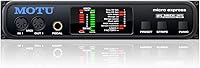
The MOTU Micro Express USB MIDI Interface has been a dependable workhorse in studios since it first appeared in 2012 — and its longevity says something real about its build and reliability. MOTU has long held a strong reputation among working musicians and engineers, and this multi-port MIDI hub reflects that pedigree well. Its 4-in/6-out configuration and built-in SMPTE timecode support set it apart from simpler, single-port options on the market. It works with both Mac and Windows, pairs with any DAW you care to name, and fits equally well in a home studio corner or a professional rack setup.
Features & Benefits
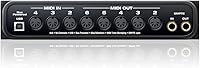
What makes this MIDI interface worth serious consideration is the routing flexibility it delivers. With four inputs and six outputs, you can connect synths, drum machines, sequencers, and outboard effects simultaneously — no constant cable-swapping required. The 96-channel capacity means you are unlikely to hit a ceiling even in a dense hardware rig. SMPTE timecode support — think of it as a universal clock signal that keeps hardware and software locked in sync — adds real value for anyone working with video or tape-based workflows. USB connectivity keeps the setup clean and approachable without a maze of proprietary drivers to wrestle with.
Best For
This multi-port MIDI hub makes the most sense for musicians and producers who have already accumulated a collection of hardware — synthesizers, drum machines, groove boxes — and need one reliable device to tie it all together. It suits producers bridging vintage and modern gear particularly well, since the SMPTE sync capability handles legacy equipment that most USB-only interfaces simply ignore. Home studio owners who have hit the wall with a single-port solution will find the jump to six outputs genuinely liberating. Live performers who depend on rock-solid MIDI routing with no dropped signals will also find it a trustworthy option.
User Feedback
Long-term owners tend to praise the MOTU Micro Express for consistent, stable performance across years of heavy use — it is the kind of hardware people hold onto rather than replace. The value for what you get in terms of port count and SMPTE capability is generally well-regarded. That said, the most common concern involves driver compatibility on newer operating system versions; as macOS evolves rapidly, some buyers report needing to verify driver support before committing. Compared to rivals from brands like iConnectivity or ESI, a few users feel the software side could use modernization, though complaints about the core hardware performance itself are rare.
Pros
- Six MIDI outputs let you control a large hardware rig without any compromises or workarounds.
- SMPTE timecode support is a rare feature at this level, invaluable for syncing with video or tape.
- Proven reliability over many years of real studio use — owners tend to keep it for the long haul.
- Universal DAW compatibility means no concern about switching software down the road.
- USB connectivity keeps the physical setup clean and avoids proprietary hardware headaches.
- The 96-channel capacity gives serious headroom for complex, multi-device MIDI routing.
- Works equally well on Mac and Windows, so platform changes do not force a hardware upgrade.
- MOTU is a well-established brand with a track record of building sturdy, dependable studio gear.
- Solid physical build makes this multi-port MIDI hub suitable for both fixed racks and touring use.
Cons
- Driver support on the latest macOS versions is not always guaranteed and may require extra troubleshooting.
- The product design and companion software feel dated compared to newer competitors.
- Buyers with only one or two MIDI devices will pay for capabilities they will never use.
- No significant hardware updates since its 2012 launch means the ecosystem around it has not evolved.
- Rival interfaces from brands like iConnectivity offer more modern software integration at comparable prices.
- Setup can require research and patience, especially for users new to multi-port MIDI hardware.
- The physical footprint is substantial, which may be a problem in tighter studio or desktop setups.
- Limited community resources and contemporary tutorials make troubleshooting harder for newer users.
Ratings
Our AI rating system analyzed verified buyer reviews from around the world for the MOTU Micro Express USB MIDI Interface, actively filtering out incentivized, spam, and bot-generated submissions to surface what real musicians and producers actually experience day to day. The scores below reflect both the genuine strengths that keep long-term owners loyal and the friction points that have frustrated buyers — nothing is glossed over. Expect an honest, transparent breakdown across every dimension that matters for this type of studio hardware.
MIDI Routing Reliability
Driver & OS Compatibility
SMPTE Sync Performance
Build Quality
Port Count & Capacity
USB Connectivity
DAW Compatibility
Value for Money
Setup Experience
Latency Performance
Size & Form Factor
Documentation & Support
Long-Term Durability
Suitable for:
The MOTU Micro Express USB MIDI Interface is built for musicians and producers who have moved beyond simple, single-device setups and need a reliable way to manage multiple pieces of hardware at once. If your studio includes a handful of synthesizers, a hardware sequencer, a drum machine, or vintage outboard gear, this multi-port MIDI hub gives you the routing headroom to connect and control them all without constant cable juggling. Producers working in hybrid setups — where modern DAWs run alongside classic hardware — will especially appreciate the SMPTE timecode support, which acts as a universal sync signal to keep everything locked together in time. Engineers doing post-production work that involves video or tape synchronization will find that capability genuinely useful rather than a niche extra. Home studio owners who have simply outgrown a single-port solution and want something with a proven track record will feel at home here too.
Not suitable for:
The MOTU Micro Express USB MIDI Interface is not the right fit for everyone, and being honest about that matters. If you only own one or two MIDI devices and connect them directly to your computer, the port count here is more than you will ever use, and a simpler, less expensive interface will serve you just as well. Buyers on the latest versions of macOS should do careful homework before purchasing — this is a product with roots going back to 2012, and driver support for rapidly evolving operating systems can lag or require extra troubleshooting. Those who want a modern, software-forward interface with a slick companion app or deep integration features may find this multi-port MIDI hub feels dated in that department. It is also not ideal for anyone expecting plug-and-play simplicity with no research required, since older hardware sometimes demands more patience during setup.
Specifications
- Brand: Manufactured by MOTU (Mark of the Unicorn), a professional audio and MIDI hardware company with decades of studio credibility.
- Model: The specific model designation is Micro Express 2, the iteration listed and sold under ASIN B002BKH02S.
- MIDI Inputs: The unit provides 4 independent MIDI input ports, allowing simultaneous data reception from up to 4 external devices.
- MIDI Outputs: Six dedicated MIDI output ports enable signal routing to up to 6 hardware devices at the same time.
- MIDI Channels: Supports a total capacity of 96 MIDI channels across all input and output ports combined.
- Interface Type: Uses a USB and serial MIDI interface architecture for connection to a host computer.
- Connectivity: Connects to Mac or Windows computers via USB, eliminating the need for dedicated MIDI hardware expansion cards.
- SMPTE Timecode: Built-in SMPTE timecode support allows the unit to generate and receive sync signals for locking with tape machines, video equipment, or legacy studio gear.
- OS Compatibility: Officially compatible with both macOS and Windows operating systems, though driver support for the latest OS versions should be verified before purchase.
- DAW Support: Works with any DAW software that supports standard MIDI on Mac or Windows, including Logic Pro, Ableton Live, Pro Tools, Cubase, and others.
- Item Weight: The unit weighs 2.2 lbs, making it sturdy enough for fixed rack installation while still manageable for transport.
- Dimensions: Physical dimensions measure 13.78″ x 11.02″ x 4.72″ (length x width x height).
- Availability: First made available in February 2012 and has not been discontinued by the manufacturer as of the latest listing data.
- Department: Categorized under music instruments and instrument accessories, intended for professional and home studio use.
- Manufacturer: MOTU (Mark of the Unicorn), based in the United States, is responsible for design, production, and driver/software support for this unit.
Related Reviews

MOTU MIDI Express XT 8x8 MIDI Interface
MOTU Micro Lite 5-Port USB MIDI Interface

MOTU MIDI Express 128 USB MIDI Interface

MOTU 8pre USB Audio Interface
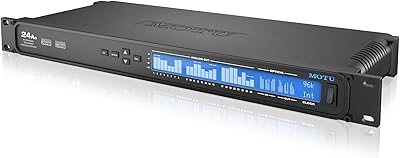
MOTU 24Ao USB AVB Audio Interface
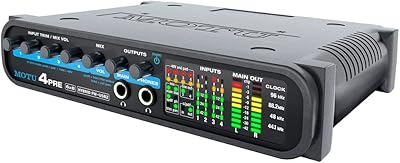
MOTU 4pre USB Audio Interface
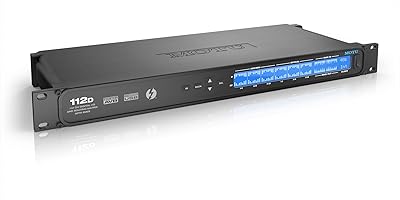
MOTU 112D Thunderbolt USB Audio Interface
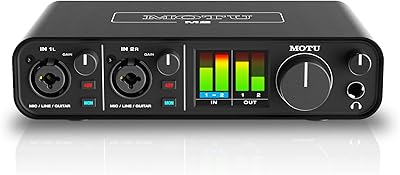
MOTU M2
MOTU UltraLite-mk5