

Overview

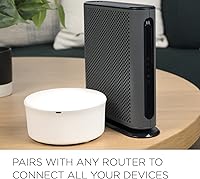
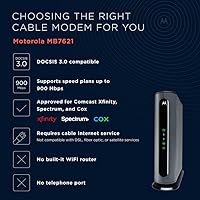
The Motorola MB7621 DOCSIS 3.0 Cable Modem is a modem-only device built around one straightforward idea: stop paying your ISP a monthly fee for hardware you can own outright. It supports cable plans up to 900 Mbps via DOCSIS 3.0 with 24x8 channel bonding, and it works with the major providers — Comcast Xfinity, Cox, and Spectrum among them. There's no built-in WiFi, so you'll need a separate router, but that's by design. Wirecutter has called it a top pick for most households, and sitting in the mid-range price tier, the MB7621 typically pays for itself within the first year of use.

Features & Benefits

What makes the MB7621 worth considering over a basic entry-level modem is its 24x8 channel bonding — that's 24 downstream and 8 upstream channels working together to pull in more data simultaneously. On a congested cable line during peak hours, this translates to noticeably steadier speeds compared to older 8x4 hardware. A Full-Band Capture Digital Tuner further helps the modem lock onto the cleanest signal available, which matters more than most people realize in dense neighborhoods. The single Gigabit Ethernet port handles the handoff to your router cleanly. There's no telephone port, which keeps the unit compact and focused on doing one thing well.

Best For

This standalone modem is a natural fit for renters and homeowners who are tired of the recurring equipment charge showing up on their cable bill every month. If you're on a plan somewhere between 300 and 900 Mbps and you already have a router you like, it slots in without friction. It's also a solid choice for anyone who prefers keeping their modem and router separate — that way, if one breaks or needs upgrading, you're not replacing both at once. That said, if your plan exceeds 900 Mbps or you're looking for an all-in-one gateway with built-in WiFi, the MB7621 isn't the right tool.

User Feedback

Most owners are happy with how quickly this Motorola modem gets up and running — many report it just works after a straightforward call to their ISP to register the MAC address. Speed improvements over rental hardware are a common theme. On the flip side, a handful of buyers mention the unit runs noticeably warm in a closed cabinet, though no one seems to report actual failures tied to heat over years of use. The consistent criticism worth paying attention to is the 900 Mbps ceiling: users who later upgraded to a gigabit plan found themselves shopping for a new modem sooner than expected.

Pros

  • Eliminating the monthly ISP equipment rental fee means the MB7621 typically pays for itself within the first year.
  • 24x8 channel bonding delivers more stable speeds during peak hours compared to older or basic rental modems.
  • Works cleanly with any router that has an Ethernet WAN port, giving you full flexibility over your network setup.
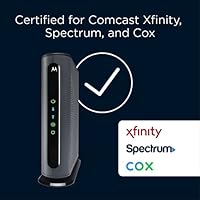
  • Certified compatibility with Comcast Xfinity, Cox, Spectrum, BrightHouse, and Time Warner Cable covers the majority of U.S. households.
  • The Full-Band Capture Digital Tuner helps maintain a reliable signal even on congested or noisy cable lines.
  • Setup is straightforward for most users — plug it in, call your ISP to register it, and you're online.
  • Long-term owners consistently report years of reliable operation without hardware failures.
  • Compact and lightweight, it takes up minimal space on a shelf or entertainment center.
  • Wirecutter endorsement adds credible third-party validation beyond manufacturer claims.

Cons

  • The 900 Mbps ceiling means this modem becomes obsolete if you upgrade to a gigabit or multi-gig internet plan.
  • No built-in WiFi is a dealbreaker for buyers who want a single device to handle both modem and router duties.
  • First-time setup sometimes requires an ISP phone call to provision the device, which can take 20 to 45 minutes.
  • The unit runs noticeably warm during continuous use, which could be a concern in poorly ventilated media cabinets.
  • Only one Ethernet port means there is no option to wire a device directly without adding a router or switch.
  • No telephone port makes it incompatible with cable-based home phone services.
  • DOCSIS 3.0 is a mature standard and will not support future multi-gigabit or DOCSIS 3.1 service tiers.
  • Some regional or smaller cable providers are not on the certified list, creating potential provisioning headaches.

Ratings

The Motorola MB7621 DOCSIS 3.0 Cable Modem has been evaluated by our AI rating system after analyzing thousands of verified buyer reviews across major global markets, with spam, bot-generated, and incentivized submissions actively filtered out. The scores below reflect a candid picture of where this standalone modem genuinely excels and where real users have run into friction. Both the strengths and the limitations are represented transparently so you can make a fully informed decision.

Value for Money
91%
Owners consistently highlight how quickly the upfront cost is recouped once the monthly ISP equipment rental fee disappears from their bill. For households on mid-range cable plans, the math works out clearly in favor of ownership within the first year, and the modem keeps delivering savings every month after that.
The value calculation shifts if you upgrade to a gigabit plan within a year or two, since this modem cannot support those speeds and would need replacing. Buyers on the edge of that upgrade window should factor in the possibility of a shorter useful lifespan than expected.
Setup & Installation
88%
Most users describe the initial setup as refreshingly painless — connect the coax, plug in an Ethernet cable to the router, and call the ISP to register the MAC address. The process rarely takes more than 45 minutes, and the modem is recognized quickly by the major certified providers.
A notable minority of buyers report that their ISP required multiple calls or a technician visit to provision the device correctly on the first activation. This is usually an ISP-side process issue rather than a hardware fault, but it can be frustrating for less technical users.
Connection Stability
89%
Long-term owners frequently mention that the MB7621 holds a rock-solid connection over years of continuous use, with far fewer random drops than the aging rental modems it typically replaces. The Full-Band Capture Digital Tuner noticeably helps in dense neighborhoods where cable signal quality tends to degrade during peak hours.
A small number of users in areas with particularly noisy or degraded cable infrastructure report occasional signal hiccups that were harder to resolve than expected. In those cases, the modem performs better after a technician checks and improves the incoming line quality.
Speed Performance
86%
Buyers who switched from older 8x4 rental modems consistently report measurable speed improvements, particularly during evenings when network congestion is highest. The 24x8 channel bonding gives the modem real headroom to maintain throughput close to the plan's advertised rate under normal household conditions.
The 900 Mbps ceiling is a hard limit that can catch users off guard if they upgrade their plan later. Actual throughput also depends heavily on line quality and ISP infrastructure, so users in areas with subpar cable plants may not see the full benefit of the modem's channel bonding capabilities.
ISP Compatibility
87%
Certified support across Comcast Xfinity, Cox, Spectrum, BrightHouse, and Time Warner Cable covers a substantial portion of the U.S. cable subscriber base, which is a genuine advantage over cheaper modems with narrower compatibility lists. Renters who move between cities often find they can keep using this Motorola modem without buying new equipment.
Users on smaller regional providers or municipal cable systems sometimes find the modem is not on their approved device list, leading to provisioning failures. Checking with your specific ISP before purchasing is strongly advised if you are not on one of the five certified providers.
Build Quality
78%
22%
The unit feels solid and purposeful for a device that sits in a cabinet and runs continuously. Long-term owners report that the hardware holds up well over several years without visible wear or port degradation, which is what matters most for always-on networking equipment.
The chassis runs noticeably warm during extended operation, which gives some users pause even though it has not translated into widespread failure reports. The plastic housing feels functional rather than premium, and placement in poorly ventilated spaces is genuinely not recommended.
Router Compatibility
93%
The single Gigabit Ethernet output is a universal handoff point that works cleanly with virtually any consumer router on the market. Users across all major router brands — from budget models to high-end mesh systems — report no compatibility or throughput issues at the modem-router interface.
Having only one Ethernet port means you cannot directly wire multiple devices to the modem without adding a router or switch in between. For the rare user who wants a single wired connection without a router, the lack of additional ports is a minor inconvenience.
Long-Term Reliability
84%
An unusually high number of reviewers specifically mention still using the same unit two, three, or even four years after purchase without a single hardware failure. For a device that runs around the clock without being powered down, that kind of durability track record stands out compared to many competing modems.
Because the unit launched in late 2017, some buyers approaching the five-year mark are beginning to consider whether they should proactively replace it before any failure occurs. It is a reasonable concern for a continuous-use device, even if actual failure rates in user reviews remain low.
Thermal Management
61%
39%
Under typical open-shelf placement, the modem manages its heat output adequately without triggering connection drops or shutdowns. Users who give it proper airflow generally report no thermal-related problems even during prolonged heavy-use sessions like large file transfers or continuous streaming.
In enclosed media cabinets or tight cable management setups, the device can get warm enough to be a legitimate concern. Several users specifically cite moving the modem to a more open location as a fix they had to make after noticing warmth-related instability, which is a setup limitation worth planning around.
Physical Footprint
82%
18%
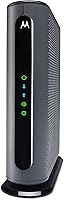
At just over seven inches tall and under two and a half inches wide, the MB7621 takes up minimal real estate on a shelf or entertainment unit. Its narrow profile makes cable management straightforward, and it can stand vertically without a separate stand or mount.
The relatively tall profile compared to some competing modems can be awkward in low-clearance spots or when running cables from above. It is a minor ergonomic issue, but users with very constrained installation spaces occasionally mention it as a consideration.
Future-Proofing
53%
47%
For households that are firmly on sub-900 Mbps cable plans with no near-term upgrade in sight, the MB7621 still covers everyday needs like 4K streaming, video calls, and multi-device households without any technical compromise. It is a practical choice when the plan tier is the true limiting factor.
DOCSIS 3.0 is a mature standard with no upgrade path to multi-gigabit speeds, meaning this modem will become a bottleneck as gigabit and faster plans become the norm. Buyers in markets where ISPs are actively rolling out faster tiers should weigh whether DOCSIS 3.1 hardware is a smarter long-term investment.
Documentation & Support
67%
33%
The setup guide is concise and sufficient for users who are comfortable with basic networking tasks. Motorola's support resources online are serviceable, and the modem's widespread adoption means community troubleshooting threads are easy to find for most common issues.
Several users feel the included documentation does not adequately address provisioning edge cases or ISP-specific setup quirks, leaving them to troubleshoot on their own. Motorola's direct customer support response times receive mixed reviews, with some users reporting slow or unhelpful responses to technical inquiries.
Indicator Lights
74%
26%
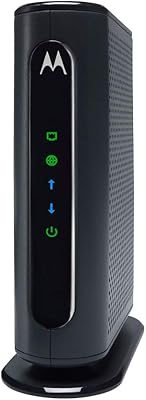
The status LEDs provide a clear at-a-glance view of the modem's operational state, including downstream lock, upstream lock, and internet connectivity. Experienced users find them genuinely useful for quickly diagnosing whether a connectivity issue is on the modem side or the ISP side.
The indicator lights can be visibly bright in a dark bedroom or living room setup, which a small number of users find disruptive at night. There is no built-in option to dim or disable the LEDs, which is a minor but recurring complaint in user reviews.

Suitable for:

The Motorola MB7621 DOCSIS 3.0 Cable Modem is built for the kind of household that has finally had enough of paying a monthly equipment fee to their ISP for hardware that never improves. If you're on Comcast Xfinity, Cox, Spectrum, or a handful of other major cable providers and your plan tops out somewhere between 300 and 900 Mbps, this standalone modem covers that range comfortably. It's particularly well-suited for people who already own a capable router and simply need a reliable modem to sit upstream from it — the clean Gigabit Ethernet handoff means there's no compatibility fuss. Renters who move between apartments frequently will appreciate that it works across multiple major ISPs without needing a new device each time. Anyone dealing with an aging ISP-issued modem that drops connections or struggles at peak hours will likely notice a real improvement after switching.

Not suitable for:

The Motorola MB7621 DOCSIS 3.0 Cable Modem has one ceiling that matters a lot depending on where internet speeds are headed in your area: it tops out at 900 Mbps under DOCSIS 3.0, which means anyone already on a gigabit plan — or expecting to upgrade to one — will outgrow it quickly. This is a modem-only device with no built-in WiFi, so buyers expecting an all-in-one gateway will be disappointed if they don't read carefully before purchasing. It also lacks a telephone port, ruling it out entirely for anyone who still relies on a cable-based home phone line. If your ISP is not on the certified compatibility list — some regional providers fall outside that group — provisioning may be unreliable or unsupported. Finally, households planning to future-proof their setup for multi-gigabit DOCSIS 3.1 service should look at higher-tier hardware rather than investing here.

Specifications

  • Brand: Manufactured by MTRLC LLC under the Motorola networking brand.
  • Model Number: The unit's official model designation is MB7621.
  • Standard: Operates on DOCSIS 3.0, the widely supported cable modem standard used by most major U.S. cable providers.
  • Channel Bonding: Uses 24x8 channel bonding — 24 downstream and 8 upstream channels — for faster and more stable throughput than entry-level modems.
  • Max Speed: Supports cable internet plans with advertised speeds up to 900 Mbps.
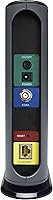
  • Ethernet Port: Includes one Gigabit Ethernet (RJ-45) port for connecting to a router or a single wired device.
  • Built-in WiFi: This modem has no integrated wireless radio and requires a separate WiFi router to create a wireless network.
  • Telephone Port: No telephone or VoIP port is included; this device is strictly for cable internet service.
  • Signal Tuner: A Full-Band Capture Digital Tuner helps the modem maintain a clean, stable signal on congested or noisy cable lines.
  • Compatible ISPs: Certified for use with Comcast Xfinity, Cox, Spectrum, BrightHouse, and Time Warner Cable; may work with additional providers.
  • Dimensions: The unit measures 7.25″ long by 2.25″ wide by 7.88″ tall.
  • Weight: Weighs just 1.12 ounces, making it lightweight and easy to position on a shelf or cable management setup.
  • Available Since: This modem was first made available in December 2017 and remains in active production.
  • Power Input: Powered via a standard AC power adapter; no internal battery is included.
  • ASIN: The Amazon Standard Identification Number for this product is B077BL65HS.

Related Reviews
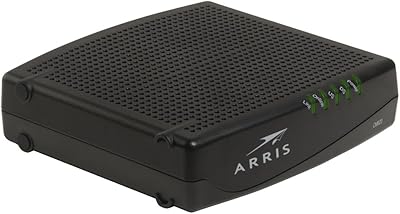
Motorola MB7420 16x4 Cable Modem
77%
86%
Connection Stability
88%
Setup & Activation
79%
Speed Performance
91%
Value for Money
74%
Build Quality & Design
More
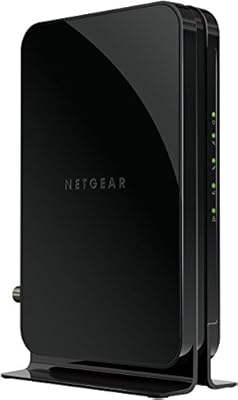
ARRIS CM820A DOCSIS 3.0 Cable Modem
74%
83%
Connection Stability
78%
Ease of Setup
74%
ISP Compatibility
81%
Long-Term Reliability
88%
Value for Money
More
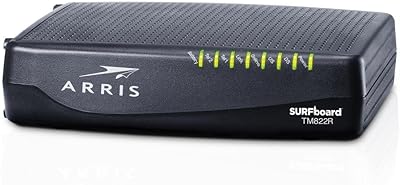
NETGEAR CM500 DOCSIS 3.0 Cable Modem
77%
91%
Value for Money
88%
Setup & Activation
84%
Connection Stability
63%
Refurbished Condition Consistency
72%
ISP Compatibility
More
Motorola MB8611 DOCSIS 3.1 Cable Modem
81%
88%
Speed Performance
91%
Reliability & Uptime
74%
Setup & Activation
83%
ISP Compatibility
86%
Latency & Gaming
More
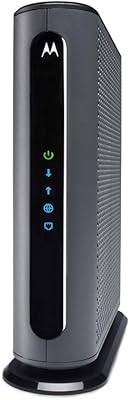
ARRIS TM822R DOCSIS 3.0 Cable Modem
75%
93%
Xfinity Compatibility
88%
Value for Money
74%
VoIP Phone Performance
81%
Internet Speed Performance
86%
Setup & Installation
More
Motorola MG8702 DOCSIS 3.1 Cable Modem + Wi-Fi Router
83%
92%
Value for Money
89%
Wi-Fi Performance
88%
Ease of Setup
85%
ISP Compatibility
82%
Mobile App Experience
More
ARRIS SBG6782 DOCSIS 3.0 Cable Modem Router
78%
88%
Value for Money
91%
Setup & Installation
86%
Connection Stability
69%
Wi-Fi Performance
63%
Wi-Fi Range
More
Linksys CM3024 DOCSIS 3.0 Cable Modem
75%
88%
Value for Money
84%
Setup & Installation
79%
Download Speed Performance
53%
Latency & Ping Stability
86%
ISP Compatibility
More
NETGEAR C3700 N600 Cable Modem Router
73%
91%
Ease of Setup
88%
Connection Reliability
58%
WiFi Speed & Performance
61%
WiFi Range & Coverage
83%
Modem Speed & Throughput
More
Motorola SBG901 Cable Modem Router
71%
88%
Ease of Setup
54%
Wi-Fi Range & Coverage
58%
Internet Speed Performance
61%
Provider Compatibility
79%
Build Quality & Durability
More
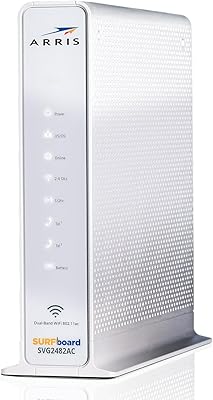
ARRIS SURFboard SVG2482AC Cable Modem Router Combo
74%
72%
ISP Compatibility
81%
Internet Performance
63%
Wi-Fi Coverage
79%
Setup Experience
76%
Build Quality
More

FAQ

Yes, you do. The MB7621 is a modem only — it has no built-in WiFi. You will need to connect a separate router to its Gigabit Ethernet port to get a wireless network in your home. Any router with a standard Ethernet WAN port will work.

Yes, the Motorola MB7621 DOCSIS 3.0 Cable Modem is officially certified by Comcast Xfinity. Just make sure your plan does not exceed 900 Mbps, since that is the maximum speed this modem can support. When you set it up, Xfinity may ask for the modem's MAC address to provision it on their network.

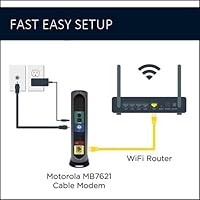
The physical setup is simple: connect the coaxial cable from your wall to the modem, then run an Ethernet cable from the modem to your router. After that, you will likely need to call your ISP or use their app to register the modem's MAC address. Most users are online within 30 to 45 minutes of starting the process.

Unfortunately, no. This standalone modem is rated for cable plans up to 900 Mbps, so it cannot fully support a gigabit plan. If you are on or planning to move to a gigabit tier, you should look at a DOCSIS 3.1 modem instead, which is designed specifically for those higher speeds.

The unit does get noticeably warm during extended use, which is typical for always-on networking hardware. Most owners report no actual problems from the heat over years of continuous use. That said, it is a good idea to place it in an open, ventilated spot rather than inside a closed cabinet.

Yes, the MB7621 is certified for both Spectrum and Cox. It is one of the more broadly compatible modems in its class, which is one reason it shows up on so many recommended lists. Just confirm with your provider that your specific plan tier falls within the 900 Mbps ceiling.

No — that is the whole point of owning your own equipment. When you register this Motorola modem with your ISP, they remove the monthly equipment rental charge from your bill. The savings add up quickly, and most households recover the cost of the modem within the first year.

Technically yes, since it has a single Gigabit Ethernet port. However, connecting a single computer directly to a modem without a router means that device is exposed directly to the internet without a firewall, which is a security risk. For most people, using a router between the modem and your devices is the right approach.

The MB7621 has been available since late 2017, which is a long run for a networking product. It remains relevant because DOCSIS 3.0 is still the standard supported by the vast majority of U.S. cable plans under 1 Gbps. If your plan is in the 300 to 900 Mbps range, this Motorola modem still holds up well against newer options in its price tier.

Certification means Motorola and the ISP have formally tested and approved the modem together. If your provider is not on that list, the modem might still work, but provisioning can be hit or miss. It is worth calling your ISP before buying to confirm they will support it on their network.

Where to Buy