Overview

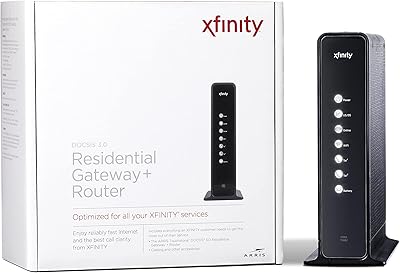
The Motorola SBG901 Cable Modem Router is a combined gateway that handles both your cable modem and wireless routing in one box — a practical setup for anyone who just needs basic home internet without spending much. It runs on DOCSIS 2.0, which caps your speeds at 38 Mbps down and 30 Mbps up. That was respectable years ago, but today it's a real ceiling to keep in mind. It works with major cable providers including Xfinity, Cox, Spectrum, and Optimum. The unit has been around since 2009, so if you're shopping secondhand, just know you're buying older hardware with a specific, limited use case.
Features & Benefits

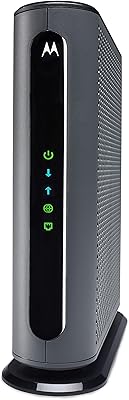
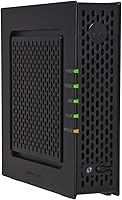
This combo gateway keeps things simple. The DOCSIS 2.0 connection handles light browsing and streaming without drama, though anyone on a plan faster than 38 Mbps will hit a hard wall the hardware simply cannot overcome. The built-in 802.11g Wi-Fi is convenient for small spaces, but don't expect modern range or throughput — it's a single-band radio by today's standards. There's one 10/100 Ethernet port for wired devices, which is handy for a desktop or a TV that benefits from a stable connection. Front-panel LEDs let you read the connection status at a glance, no login required.

Best For

The SBG901 makes the most sense for renters or low-demand users who primarily check email, scroll social media, or watch standard-definition video on one or two devices. It's also a reasonable pick for anyone trying to avoid modem rental fees and whose ISP still provisions DOCSIS 2.0 — and that second part is critical. Before buying, call your cable provider and confirm they still support it. Not all do. This all-in-one modem router is not suited for households running smart home devices, remote work video calls, or anyone paying for a high-speed broadband tier. Know your use case first.

User Feedback

Reviewers consistently praise how easy the setup is — plug it in, call your provider to activate, and you're online. Non-technical users especially appreciate that straightforward experience. The criticism, though, is worth taking seriously. Several buyers report that Wi-Fi range feels limited compared to even modestly modern routers, which isn't surprising given the 802.11g radio. Speed complaints also come up often, but those are generally tied to DOCSIS 2.0 limitations, not faulty units. On the plus side, long-term owners frequently note that the hardware just keeps running — sometimes for years. Provider compatibility, however, remains the most repeated dealbreaker in negative reviews.

Pros

  • Eliminates the monthly modem rental fee when bought secondhand, paying for itself within a few billing cycles.
  • Setup is genuinely plug-and-play — non-technical users can get online without touching any settings.
  • Compatible with major providers including Cox, Xfinity, Spectrum, and Optimum when DOCSIS 2.0 is still supported.
  • The SBG901 consolidates modem and router into one box, reducing cable clutter in small living spaces.
  • Front-panel LEDs let you diagnose basic connection issues at a glance, no admin panel required.
  • Compact footprint tucks neatly behind a TV stand or on a shelf without demanding attention.
  • Long-term owners frequently report years of continuous operation without hardware failures or reboots.
  • The single Ethernet port delivers a stable, low-latency wired connection for a desktop or smart TV.

Cons

  • DOCSIS 2.0 hard-caps download speeds at 38 Mbps, making it incompatible with modern high-speed broadband plans.
  • Many ISPs have quietly dropped DOCSIS 2.0 provisioning, turning this into an unactivatable paperweight if yours has too.
  • The 802.11g Wi-Fi radio struggles to cover more than one or two rooms reliably, with dead zones appearing quickly.
  • Only one Ethernet port means anyone needing multiple wired connections must buy a separate switch.
  • No replacement units are available new — secondhand-only availability makes post-failure recovery increasingly difficult.
  • The admin interface is dated and lacks features like guest networks, QoS controls, or meaningful traffic monitoring.
  • Single-band wireless means no 5GHz option, so interference from neighboring networks can degrade performance.
  • Hardware has not received manufacturer support since being discontinued, leaving any firmware or security issues unaddressed.

Ratings

Our AI rating system analyzed hundreds of verified owner reviews for the Motorola SBG901 Cable Modem Router from across major platforms worldwide, actively filtering out incentivized, bot-generated, and spam submissions to surface what real buyers actually experienced. The scores below reflect both the genuine strengths this aging gateway delivers for the right user and the honest limitations that matter in today's broadband environment. Nothing has been smoothed over — the pain points are just as visible as the praise.
Ease of Setup
88%
A consistent theme in positive reviews is how little effort it takes to get online. Users with zero networking experience report being connected within minutes of plugging the unit in, with provider activation over the phone being the only real step. That plug-and-play experience genuinely reduces stress for non-technical households.
A handful of users ran into activation hiccups when their cable provider required additional provisioning steps for older DOCSIS 2.0 hardware. Those edge cases added frustrating delays and required multiple calls to ISP support before the modem was recognized on the network.
Wi-Fi Range & Coverage
54%
46%
For a small apartment or a single-room setup, the built-in 802.11g radio gets the job done without needing a separate router. Users in studios or compact spaces say it covered their needs without any additional equipment, which is exactly the value proposition at this price point.
Anyone expecting to cover a medium or large home will be disappointed. Multiple reviewers specifically mention dead zones appearing just one or two rooms away from the unit, and the single-band 802.11g radio simply cannot compete with modern dual-band or tri-band routers in range or wall penetration.
Internet Speed Performance
58%
42%
Within its rated ceiling, the SBG901 delivers consistent throughput for light tasks. Users on low-tier cable plans — think basic internet packages meant for browsing and occasional streaming — report steady, reliable connections without drops or unexpected slowdowns during normal use.
The DOCSIS 2.0 standard caps downloads at 38 Mbps, and that ceiling is a hard wall. Users who upgraded to faster ISP plans were frustrated to find their speeds did not improve, because the bottleneck is the modem itself. This hardware is simply incompatible with modern high-speed broadband tiers.
Provider Compatibility
61%
39%
When it works, it works across several major cable providers including Cox, Xfinity, Spectrum, and Optimum. Users who confirmed compatibility before buying generally had no issues getting the unit activated, and some long-term owners have run it on the same provider for several years without any forced upgrades.
This is one of the most repeated concerns in negative reviews. A growing number of ISPs have phased out DOCSIS 2.0 provisioning entirely, meaning the unit simply will not activate on their network. Buyers who skipped the verification call ended up with a useless piece of hardware and no easy return path.
Build Quality & Durability
79%
21%
The physical construction earns quiet respect from long-term owners. Multiple reviewers mention running the unit continuously for three, four, even five years without any hardware failure, overheating issues, or port degradation. For a device that stays powered on around the clock, that track record is meaningful.
The plastic casing feels dated and lightweight compared to newer gateway hardware. A few users noted that the unit runs noticeably warm during extended use, which raises reasonable questions about longevity in poorly ventilated spaces like enclosed entertainment centers or cable boxes.
Value for Money
73%
27%
Buying this unit secondhand to eliminate a monthly modem rental fee is the scenario where it makes the most financial sense. For users on a low-tier cable plan who just need basic connectivity, recouping the cost in a few billing cycles is entirely realistic and a smart move for tight budgets.
At any price, the value calculation depends heavily on your ISP still supporting DOCSIS 2.0. If they do not, you have paid for something that cannot be activated. And for anyone paying for a modern internet plan, the speed ceiling makes this a poor investment regardless of the purchase price.
LED Indicator Usefulness
82%
18%
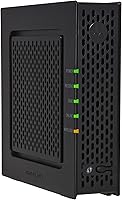
Non-technical users particularly appreciate the front-panel LED layout. Being able to glance at the unit and immediately understand whether the issue is a power problem, a signal problem, or a Wi-Fi problem removes a significant amount of guesswork and avoids unnecessary ISP support calls.
The LED labels are small and the icons are not always intuitive for first-time users. A couple of reviewers mentioned needing to look up the manual to decode exactly what specific blinking patterns meant, which somewhat undercuts the at-a-glance diagnostic promise.
Wired Connection Reliability
84%
The single Ethernet port delivers a stable, consistent wired connection that users running a desktop PC or a smart TV appreciate. Those devices benefit from the lower latency and consistent throughput of a wired link, and reviewers using the port for primary connections report no reliability issues.
Having only one Ethernet port is a genuine limitation if you want to wire more than one device simultaneously. There is no built-in switch, so anyone needing multiple wired connections must add a separate hub or switch, adding cost and complexity to what is supposed to be a simple all-in-one solution.
Size & Placement Flexibility
86%
At under ten inches long and just fifteen ounces, the SBG901 tucks neatly behind a TV stand, on a bookshelf, or inside a media cabinet without dominating the space. Reviewers in small apartments specifically mention how unobtrusive it is compared to bulkier modern gateway hardware.
The standing orientation with no rubber feet on the base can make the unit prone to sliding on smooth surfaces. A few users mention it tips over easily if the coax cable or Ethernet cord is pulled, which is a minor but recurring annoyance in tightly arranged setups.
Long-Term Reliability
81%
19%
Older reviews from buyers who have owned the SBG901 for several years paint a picture of consistent, low-maintenance operation. Many report simply setting it up and forgetting about it, with no reboots required for weeks or months at a time — a quality that matters for any always-on home device.
Because the hardware dates back to 2009, replacement units are only available secondhand, and the manufacturer no longer supports it. If the unit fails after a few years of use, finding a compatible replacement that your ISP will still provision is increasingly difficult.
Wireless Speed Throughput
47%
53%
For checking emails, loading basic web pages, or streaming a standard-definition video on a single device, the 802.11g radio is technically adequate. In that narrow context — one user, close proximity to the unit, undemanding tasks — it functions without obvious frustration.
802.11g is a two-decade-old standard that tops out far below what even budget modern routers offer. Any household trying to stream HD content wirelessly, run video calls, or connect multiple devices simultaneously will find the wireless performance genuinely inadequate, not just slightly subpar.
Admin & Configuration Interface
66%
34%
The web-based admin panel covers the basics — Wi-Fi password changes, channel selection, and connected device visibility. For users who never want to touch router settings, the defaults work well enough out of the box without requiring any configuration at all.
The interface feels like a product of its era. Advanced users looking for QoS controls, guest networks, or detailed traffic monitoring will find the options sparse. The UI design is also dated, and navigation is less intuitive than what modern gateway software typically offers.
ISP Activation Experience
67%
33%
Users who bought this unit for providers that still actively support DOCSIS 2.0 report activation calls that are quick and straightforward. Providing the MAC address from the label on the unit is typically all the ISP needs to get the modem provisioned and online within minutes.
The activation experience can go sideways quickly if the ISP representative is unfamiliar with the hardware or if the provider has unofficially deprecated DOCSIS 2.0 support without clearly communicating it to customers. Several negative reviews trace directly back to failed or refused activations.

Suitable for:

The Motorola SBG901 Cable Modem Router is a practical pick for a narrow but real group of buyers — specifically, renters or individuals living alone who primarily use the internet for email, light browsing, social media, and occasional standard-definition video streaming. If your household runs one or two connected devices at most and your cable plan sits at or below 38 Mbps, this all-in-one modem router covers your needs without unnecessary complexity. It also makes genuine financial sense for someone buying secondhand specifically to stop paying a monthly modem rental fee to their ISP — over the course of a year, those savings add up. Non-technical users will appreciate that setup requires almost no networking knowledge, and the front-panel LEDs handle basic troubleshooting without logging into any admin panel. Just confirm with your cable provider before purchasing that they still actively provision DOCSIS 2.0 hardware — that single phone call can save you a significant headache.

Not suitable for:

The Motorola SBG901 Cable Modem Router is the wrong tool for anyone whose internet needs have grown with the times. If your household streams 4K content, runs regular video calls, games online, or has more than two or three connected devices, the DOCSIS 2.0 speed ceiling and aging 802.11g wireless radio will create daily frustration that no amount of repositioning or rebooting will fix. Anyone subscribed to a broadband plan faster than 38 Mbps will find that the modem itself becomes the bottleneck — your ISP could be delivering triple the speed and this hardware would still cap your experience. Remote workers who depend on reliable, fast upload speeds for video conferencing or large file transfers should look elsewhere entirely. Buyers in households with smart home devices, multiple smartphones, tablets, and laptops running simultaneously need a modern DOCSIS 3.0 or 3.1 gateway that can handle concurrent connections without degradation. Finally, if your ISP has already phased out DOCSIS 2.0 support on their network, this unit simply will not activate — making it worthless regardless of condition.

Specifications

  • Cable Standard: The unit operates on DOCSIS 2.0, which supports download speeds up to 38 Mbps and upload speeds up to 30 Mbps depending on the cable provider plan.
  • Wi-Fi Protocol: Wireless connectivity uses 802.11g with backward compatibility for 802.11b devices, operating on the 2.4 GHz single-band frequency.
  • Ethernet Port: A single 10/100 Base-T Ethernet port is included for wired device connections such as desktop computers or smart TVs.
  • Dimensions: The unit measures 9.79″ long by 7″ wide by 3″ tall, making it compact enough for shelves or media cabinets.
  • Weight: The device weighs 15 ounces, light enough to reposition easily without tools or mounting hardware.
  • Color: The housing is finished in solid black, matching most standard home entertainment and networking equipment.
  • Model Number: The official model designation is SBG901, manufactured and originally distributed by Motorola, later under the ARRIS brand.
  • ISP Compatibility: The unit is compatible with Cox, Optimum, Spectrum, and Xfinity cable internet services, subject to each provider still supporting DOCSIS 2.0 provisioning.
  • Internet Type: This device requires a physical cable internet connection and is not compatible with DSL, fiber, or satellite internet services.
  • Status Indicators: Front-panel LED lights display real-time status for power, downstream signal, upstream signal, and Wi-Fi activity to assist with basic troubleshooting.
  • Max Download Speed: Under ideal conditions and a compatible cable plan, maximum download throughput is 38 Mbps as defined by the DOCSIS 2.0 specification.
  • Max Upload Speed: Maximum upload speed is rated at 30 Mbps, again subject to the DOCSIS 2.0 ceiling and the subscribed cable service tier.
  • First Available: The SBG901 was first made available for consumer purchase in August 2009, making it one of the longer-running budget gateway products in the Motorola lineup.
  • Manufacturer: Originally manufactured by Motorola and subsequently supported under ARRIS following the brand acquisition; the unit is no longer in active production.
  • Wireless Band: The device operates exclusively on the 2.4 GHz band with no 5 GHz radio included, limiting performance in congested wireless environments.

Related Reviews
Motorola MT7711 Cable Modem Router with Phone Ports
71%
81%
Ease of Setup
76%
Wi-Fi Performance
84%
Modem Speed & Reliability
69%
Voice Port Functionality
41%
ISP Compatibility
More
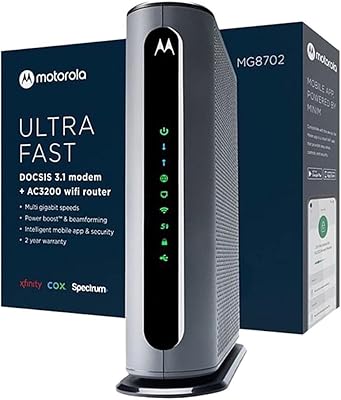
Motorola MG8702 DOCSIS 3.1 Cable Modem + Wi-Fi Router
83%
92%
Value for Money
89%
Wi-Fi Performance
88%
Ease of Setup
85%
ISP Compatibility
82%
Mobile App Experience
More
Motorola MB7621 Cable Modem
85%
88%
Performance & Speed
94%
ISP Compatibility
91%
Setup & Installation
86%
Reliability & Stability
83%
Build Quality & Design
More
Motorola B12
Motorola B12
81%
93%
Connection Speed & Throughput
88%
ISP Compatibility
91%
Installation & Setup
86%
Latency & Gaming Performance
79%
Long-Term Reliability
More
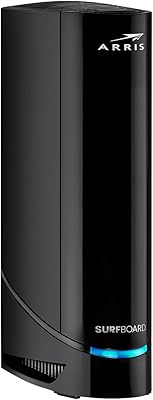
Motorola SURFboard SB6121 Cable Modem
71%
91%
Ease of Installation
88%
Connection Stability
93%
Value for Money
62%
ISP Compatibility
74%
Speed Performance
More
ARRIS G20 Cable Modem Router Combo
85%
89%
Performance
83%
Wi-Fi Coverage
91%
Ease of Setup
85%
Speed Consistency
93%
Compatibility with ISPs
More
ARRIS TG862G-CT Cable Modem Router
85%
91%
Value for Money
89%
Performance & Speed
93%
Ease of Setup
85%
Voice Service Quality
72%
Wi-Fi Range
More
NETGEAR C6230 AC1200 Cable Modem Router
73%
83%
Connection Stability
61%
WiFi Range & Coverage
78%
Setup & Activation
86%
Value for Money
69%
WiFi Speed Performance
More
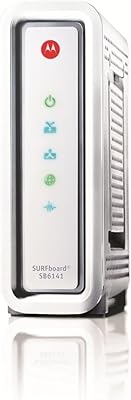
ARRIS SB6141 DOCSIS 3.0 Cable Modem
78%
91%
Value for Money
88%
Connection Stability
93%
Ease of Setup
74%
Speed Performance
86%
ISP Compatibility
More
ARRIS SBG10 Cable Modem Router Combo
76%
91%
Value for Money
86%
Setup & Activation
83%
Connection Stability
61%
Wi-Fi Coverage & Range
88%
Modem Performance
More

FAQ

It can, but you need to call Xfinity first and confirm they still provision DOCSIS 2.0 devices on their network. Xfinity has been phasing out older standards in some regions, so activation is not guaranteed even if the hardware is in perfect condition. Always verify before buying.

Only if your plan is at or below 38 Mbps. The DOCSIS 2.0 standard is a hard ceiling, so if you are paying for a 100 Mbps, 200 Mbps, or faster plan, this unit will bottleneck your speeds significantly. It simply cannot deliver what newer plans are designed to provide.

Technically yes, you can connect your own router to the single Ethernet port and let the SBG901 handle only the modem function. However, keep in mind you would then have two devices running simultaneously, and many users find that a modern DOCSIS 3.0 gateway with better built-in Wi-Fi is a cleaner solution for a similar or lower cost.

Not at all. You connect the coax cable from your wall, plug in the power adapter, and then call your cable provider with the unit's MAC address — found on the label on the bottom. They activate it remotely, usually within a few minutes. Most users are online in under half an hour with no technical knowledge required.

For a small apartment where you are mostly in the same room or one room away from the unit, it is adequate for basic use. But the 802.11g radio is significantly older technology, so if you have thick walls or need reliable coverage across multiple rooms, you may notice drop-offs. It covers light single-device use well; anything more demanding and you may want a dedicated modern router.

The SBG901 has been out of production for years and is only realistically available through secondhand marketplaces. If you are buying used, check that the seller confirms it powers on, that the coax and Ethernet ports are undamaged, and that you can verify ISP compatibility before completing the purchase.

If your plan is faster than 38 Mbps, the modem itself is the bottleneck — not your ISP, not your devices. DOCSIS 2.0 cannot physically deliver more than its rated ceiling. If your plan is within that range and speeds still feel slow, try connecting a device directly via Ethernet to rule out the Wi-Fi radio as the issue.

Spectrum has been upgrading their infrastructure and pushing customers toward newer DOCSIS 3.0 or higher equipment in many markets. Whether the SBG901 still activates on Spectrum depends heavily on your specific local network. The safest move is to call Spectrum directly with the model number before purchasing and ask whether they still support it in your area.

The 802.11g standard technically allows multiple simultaneous connections, but performance degrades noticeably as you add devices. In practice, this combo gateway works best with one to two connected devices at a time. Beyond that, you will likely notice slower response times and more frequent buffering, especially if multiple devices are active simultaneously.

The main risks are provider incompatibility and worn hardware. Units can run reliably for years, but without a manufacturer warranty or active firmware support, there is no safety net if something fails. Buy from a seller with a clear return policy, confirm ISP compatibility first, and treat any savings as a calculated tradeoff rather than a guaranteed win.

Where to Buy