Logitech MK520 Wireless Keyboard Mouse Combo


Overview
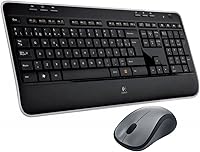
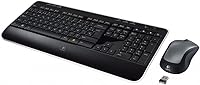
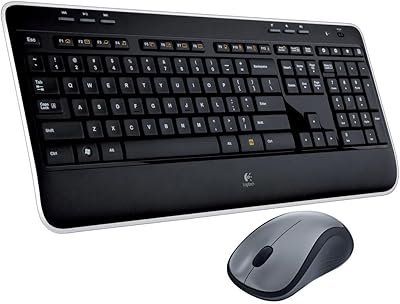
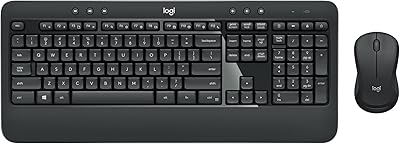
The Logitech MK520 Wireless Keyboard Mouse Combo has been a fixture in Logitech's lineup for well over a decade, and that staying power says something. This isn't a flashy gaming rig or a boutique productivity tool — it's a solid, dependable mid-range workhorse built for people who just need a keyboard and mouse that work without fuss. A single Unifying receiver handles both devices, so you're only giving up one USB port instead of two. Plug it in, and you're up and running. No software required, no pairing headaches. For everyday indoor PC use, the setup is about as uncomplicated as it gets.
Features & Benefits
The keyboard features a full-size layout with a number pad and an integrated palm rest — a small detail that makes a real difference during longer typing sessions. Two adjustable tilt positions let you dial in a comfortable angle. The mouse has a right-hand contoured shape with a rubber grip, and while it won't win design awards, it sits naturally in hand during extended use. Both devices run on standard AA batteries with automatic sleep mode built in, which translates to months of life between changes for most users. The keys are meaningfully quieter than typical membrane boards, a genuine plus in open-plan or shared workspaces.
Best For
This Logitech keyboard-and-mouse set shines in predictable, everyday contexts — and that's not a criticism. If you're working from home and want a clean, cable-free desk without overspending on a flagship combo, this is a sensible pick. It's equally practical as a secondary machine setup or a backup input pair for a spare PC. The wireless connection is stable within normal room distances, though don't expect the full 33-foot spec to hold through walls. People who share a desk or work in a quiet environment will also appreciate the subdued key noise. It's not built for gaming, heavy coding, or anyone who wants a tactile, high-response typing experience.
User Feedback
Across a wide range of long-term users, a few themes emerge consistently. Battery life draws frequent praise — people regularly report going many months between swaps on both devices. Setup is essentially frictionless; most Windows users describe plugging in the receiver and being ready to work within seconds. On the downside, the mouse tends to divide opinion by hand size. Users with larger hands find it cramped after extended sessions, and some note the scroll wheel develops looseness over time. Key legends can fade with heavy daily use over the years. Typists coming from mechanical keyboards sometimes find the membrane keys underwhelming, though for membrane boards, the travel and feedback are considered decent by most.
Pros
- A single nano receiver handles both devices, using just one USB port on your machine.
- Battery life is genuinely impressive — most users go several months between changes on both devices.
- Plug-and-play setup on Windows is effortless, with no driver installation or pairing steps required.
- The full-size layout with a dedicated number pad makes data entry and spreadsheet work far more practical.
- The built-in palm rest reduces wrist fatigue during extended typing sessions without needing a separate accessory.
- Keys run noticeably quieter than typical budget membrane boards, which matters in shared or open-plan spaces.
- Automatic sleep mode on both devices conserves battery life in the background without any user input needed.
- The wireless connection is stable and consistent at normal room distances, with no reported dropout issues for most users.
- Adjustable tilt legs give you two keyboard height options to find a more comfortable typing angle.
- Long-term durability holds up well for most buyers, with many reporting years of daily use without any hardware failure.
Cons
- The mouse is noticeably small and can feel cramped for users with larger hands during long sessions.
- Key legends are prone to fading with heavy daily use over time, affecting readability on older units.
- The scroll wheel tends to develop a loose, wobbly feel after extended periods of use.
- Real-world wireless range drops significantly through walls, falling well short of the rated 33-foot specification.
- No Bluetooth support means the combo cannot connect to tablets, modern thin laptops, or multi-device setups.
- The keyboard is Windows-centric, and Mac users will run into function key mapping frustrations out of the box.
- No backlighting makes low-light or evening use noticeably less convenient than many competing combos.
- The mouse has no left-handed version, so left-handed users are simply out of luck with this set.
- The product design has not evolved in years, and newer combos at a comparable price point now offer more.
- Membrane typing feel polarizes users — those used to even entry-level mechanical boards may find it disappointingly soft.
Ratings
The scores below for the Logitech MK520 Wireless Keyboard Mouse Combo were generated by an AI system that analyzed thousands of verified buyer reviews from global markets, actively filtering out incentivized, bot-generated, and spam submissions to surface genuine user sentiment. Each category reflects an honest synthesis of real-world usage patterns — consistent strengths are credited, recurring frustrations are not softened, and every score is grounded in what actual long-term owners have reported across years of feedback.
Battery Life
Setup & Ease of Use
Mouse Comfort & Ergonomics
Wireless Reliability
Value for Money
Typing Feel & Key Response
Keyboard Ergonomics
Build Quality & Materials
Mouse Scroll & Click Feedback
Noise Level
Software & Compatibility
Long-term Durability
Suitable for:
The Logitech MK520 Wireless Keyboard Mouse Combo is a strong fit for home office workers who want a dependable, no-drama wireless setup without paying a premium for features they will never use. If your typical day involves emails, spreadsheets, web browsing, or document editing, the full-size keyboard layout and built-in palm rest make longer sessions manageable and reasonably comfortable. People upgrading from a wired setup will immediately appreciate the single nano receiver — one USB port used, both devices connected, nothing to configure. It also works well as a secondary or guest PC input set, given how quickly it is out of the box and ready to go. Shared workspace users benefit from the quieter membrane keys, which are noticeably more subdued than many competing budget boards. If years of consistent, reliable daily use matter more to you than cutting-edge features, this wireless combo tends to deliver exactly that.
Not suitable for:
The Logitech MK520 Wireless Keyboard Mouse Combo is not the right choice for users who demand a tactile, high-response typing experience — anyone coming from a mechanical keyboard will likely find the membrane feel flat and uninspiring by comparison. Gamers should look elsewhere entirely; there is no low-latency mode, no programmable buttons, and the mouse lacks the precision sensor and grip options that serious gaming demands. Users with larger hands often find the mouse uncomfortably compact after extended sessions, and the scroll wheel's long-term durability has drawn consistent criticism from heavy users. Mac users should be aware that the keyboard is designed with Windows squarely in mind, and certain function key mappings will not translate cleanly. If you work across multiple devices and need Bluetooth multi-device switching, this combo does not offer it — the Unifying receiver ties you to a single machine. Given the product's age, buyers with a slightly higher budget may find newer Logitech models offer meaningfully better value today.
Specifications
- Connection Type: Both the keyboard and mouse connect wirelessly over 2.4 GHz radio frequency via a single Logitech Unifying nano receiver plugged into the host computer.
- Receiver: A single nano-sized USB-A Unifying receiver pairs and operates both devices simultaneously, occupying just one USB port on the connected PC.
- Keyboard Layout: The keyboard uses a full-size layout that includes a dedicated numeric keypad, a standard function row, and a complete navigation key cluster.
- Keyboard Size: The keyboard measures 17.72 x 7.48 x 0.98 inches, a standard full-size footprint suited to most conventional desktop workspaces.
- Palm Rest: An integrated cushioned wrist rest spans the full width of the keyboard base and is built directly into the unit rather than sold as a separate accessory.
- Keyboard Tilt: Two sets of fold-out tilt legs allow the user to choose between a flat profile or an elevated rear angle for a more ergonomic typing position.
- Keyboard Power: The keyboard is powered by 2 AA batteries, which are included in the retail packaging at the time of purchase.
- Mouse Power: The mouse operates on a single AA battery, also included in the box, with an automatic sleep function that extends usable battery life significantly.
- Mouse Grip: The mouse features a right-handed contoured shape with textured rubber side grips designed to reduce slippage and hand fatigue during typical desktop use.
- Scroll Wheel: A rubber-coated scroll wheel is centrally positioned between the two primary mouse buttons and supports standard vertical scrolling input.
- Wireless Range: Logitech rates the maximum wireless range at up to 33 feet, approximately 10 meters, measured under open-air line-of-sight conditions.
- OS Support: The combo is optimized for Windows-based personal computers and operates as a plug-and-play device without requiring dedicated driver installation on supported operating systems.
- Color: Both the keyboard and mouse are finished in a matte black colorway suitable for standard home and office desktop environments.
- Sleep Mode: Both devices independently enter an automatic low-power sleep state after a defined period of inactivity to conserve battery charge without requiring manual input.
- Model Number: The official Logitech model number for this combo is 920-002554, listed under the product identifier B003Y3M93Q on major retail platforms.
Related Reviews
Logitech MK520 Wireless Keyboard and Mouse Combo
Logitech MK270 Wireless Keyboard and Mouse Combo
Logitech MK335 Wireless Keyboard and Mouse Combo
Logitech MK320 Wireless Keyboard and Mouse Combo
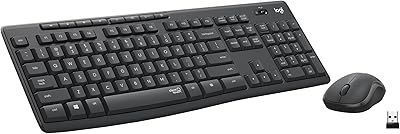
Logitech MK295
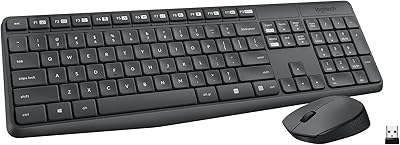
Logitech MK235
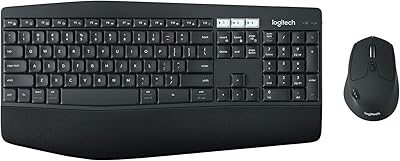
Logitech MK850 Wireless Keyboard and Mouse Combo
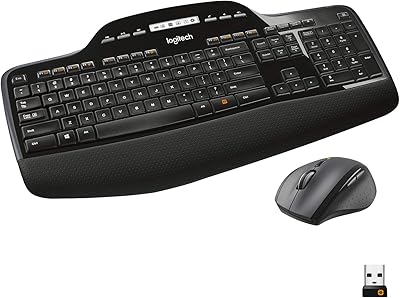
Logitech MK710 Wireless Keyboard Mouse Combo
Logitech MK540 Advanced

Logitech MK250