Logitech MK270 Wireless Keyboard and Mouse Combo






Overview
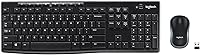
The Logitech MK270 Wireless Keyboard and Mouse Combo has long been a go-to choice for those needing a dependable workspace without a high price tag. Setting up this wireless desktop duo is about as straightforward as it gets; you just plug the tiny USB receiver into a port and start typing immediately. This single dongle handles both devices, which is a huge plus if you are short on ports. The connection relies on a 2.4 GHz signal that stays remarkably steady, effectively cutting out the lag or dropped inputs that often plague cheaper wireless gear. You get a full-size layout here, complete with a dedicated number pad, making it a practical tool for spreadsheets or data entry. While it feels lightweight, the functionality is surprisingly robust for a no-frills entry-level option.
Features & Benefits
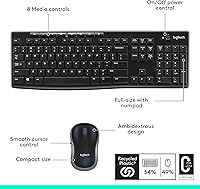
One of the standout perks of using this peripheral combo is the incredible battery efficiency, where the keyboard can actually last up to three full years on a single set. It simplifies your routine since you aren't constantly hunting for spares. Across the top, you will find eight multimedia hotkeys that provide quick shortcuts for volume and playback, which is a nice touch for a value set. The keys themselves have a low-profile, quiet action that feels soft under the fingers, though they lack the clicky feedback of premium mechanical boards. If you tend to keep a coffee nearby, the spill-resistant design offers a bit of extra security against accidental splashes. You can also flip out the sturdy tilt legs to find a more natural angle for your wrists during long writing sessions.
Best For
We recommend this budget-friendly set primarily for home office workers and students who need a reliable, clutter-free setup on a tight budget. It is a workhorse for standard productivity tasks like drafting emails or writing papers where a complex, high-end feature set isn't necessary. Since it works instantly with both Windows and Chrome OS, it is a versatile pick for anyone switching between a desktop and a Chromebook. Those who prefer a traditional, spacious typing feel over the cramped layouts of modern laptops will appreciate the roomy spacing of the keys. It isn't designed for competitive gaming, but for daily administrative work, it provides a consistent experience that stays out of your way and lets you focus on the task at hand.
User Feedback
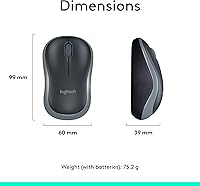
Long-term owners frequently praise this wireless desktop duo for its sheer value, noting that it often outlasts much more expensive alternatives. While the keyboard is a crowd-pleaser, some users find the included optical mouse a bit too small for larger hands, as it leans toward a more portable, compact size. The all-plastic construction is clearly built for utility rather than luxury, so do not expect a premium, heavy-duty feel. However, the wireless range is quite impressive, often reaching across a living room without any stuttering. People also appreciate that it actually includes the necessary AA batteries right in the box. While you won't find extras like a Caps Lock indicator light, it is a solid, functional kit that trades fancy aesthetics for reliable performance, making it a very safe bet for the average user.
Pros
- The keyboard offers exceptional battery life that can last up to three years before needing fresh AA cells.
- A single tiny USB receiver connects both devices instantly, saving valuable port space on modern laptops.
- Eight dedicated multimedia hotkeys provide one-touch control over volume, mute, and media playback functions.
- The 2.4 GHz wireless signal is remarkably consistent, maintaining a lag-free connection even across medium-sized rooms.
- Built-in drainage holes and a spill-resistant design offer a safety net against accidental liquid splashes on the desk.
- Adjustable tilt legs allow you to customize the typing angle to better suit your personal wrist comfort.
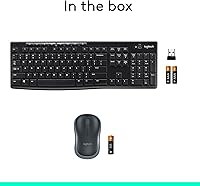
- The Logitech MK270 Wireless Keyboard and Mouse Combo includes all necessary batteries in the box for immediate use.
- Low-profile keys provide a quiet typing experience that is ideal for open offices or late-night study sessions.
Cons
- The included mouse is quite small and often feels undersized for users with average to large hands.
- A lightweight, all-plastic frame results in noticeable keyboard flex when typing with a heavy hand.
- There is no dedicated LED indicator for Caps Lock, which can lead to frustrating password entry errors.
- The keys have a slightly mushy bottom-out feel compared to the crisp feedback of higher-end office peripherals.
- The lack of an integrated palm rest can contribute to wrist fatigue during long, uninterrupted typing marathons.
- The USB receiver is not compatible with Logitech"s Unifying technology, making it harder to replace if lost.
- A hollow internal design can make the space bar sound significantly louder and more clackier than other keys.
- The compact mouse lacks side-scrolling or programmable thumb buttons found on more sophisticated productivity models.
Ratings
To help you understand the real-world performance of the Logitech MK270 Wireless Keyboard and Mouse Combo, our AI synthesized thousands of verified global buyer reviews while filtering out bot-generated spam and incentivized feedback. This data-driven rating reflects both the reliable highlights and the common pain points reported by actual users to ensure you get a transparent view of this budget-friendly set.
Battery Endurance
Wireless Reliability
Value for Money
Typing Comfort
Mouse Ergonomics
Setup Simplicity
Build Quality
Multimedia Control
Spill Resistance
Key Noise Level
Portability
Suitable for:
The Logitech MK270 Wireless Keyboard and Mouse Combo is a practical choice for home office workers and students who need a reliable, no-fuss setup for daily administrative tasks. It is particularly beneficial for those who prefer a traditional, full-sized keyboard layout with a dedicated number pad for data entry or spreadsheet management. If your priority is clearing cable clutter while sticking to a strict budget, this peripheral combo provides a stable 2.4 GHz connection that avoids the connectivity headaches often found in generic alternatives. It also fits perfectly in educational environments or shared workspaces where the quiet, low-profile keys help maintain a focused atmosphere without loud typing distractions.
Not suitable for:
This budget-friendly set is likely to disappoint power users or creative professionals who require advanced ergonomic support or a premium, heavy-duty build for eight-hour shifts. Because the Logitech MK270 Wireless Keyboard and Mouse Combo relies on a basic plastic construction, it lacks the rigidity and tactile precision demanded by competitive gamers or mechanical keyboard enthusiasts. Furthermore, the included mouse is notably compact, making it a poor match for anyone with larger hands who needs a full-sized, contoured grip to avoid palm cramping. If you frequently work in low-light settings, the absence of backlit keys and a visible Caps Lock indicator might also prove to be a significant workflow hurdle.
Specifications
- Connectivity: The set uses a 2.4 GHz wireless connection via a single USB-A nano receiver.
- Wireless Range: It provides a reliable operating range of up to 33 feet (10 meters) from the receiver.
- Keyboard Layout: This is a full-size keyboard featuring a standard 10-key number pad and 8 multimedia hotkeys.
- Keyboard Battery: The keyboard is powered by two AAA batteries with an estimated life of up to 36 months.
- Mouse Battery: The compact mouse requires one AA battery and lasts for approximately 12 months.
- Typing Feel: The keys feature a low-profile, deep-travel design intended for a quiet typing experience.
- Durability: The keyboard includes a spill-resistant design with drainage holes to protect against liquid accidents.
- Adjustability: Sturdy tilt legs on the underside allow the keyboard height to be adjusted for a better typing angle.
- Compatibility: The system is fully compatible with Windows 10, 11, or later, and Chrome OS.
- Mouse Sensor: The included mouse utilizes smooth optical tracking for consistent cursor control on most surfaces.
- Receiver Storage: A dedicated slot inside the mouse allows for secure storage of the USB nano receiver during travel.
- Power Management: Both the keyboard and mouse feature dedicated on/off switches to preserve battery life when not in use.
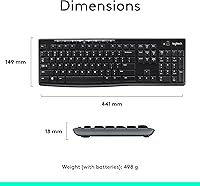
- Total Weight: The combined weight of the desktop set is approximately 1.05 pounds (476 grams).
- Dimensions: The keyboard measures roughly 17.4″ by 5.9″ with a slim 0.7″ profile.
Related Reviews
Logitech MK335 Wireless Keyboard and Mouse Combo
Logitech MK235
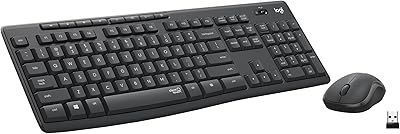
Logitech MK295
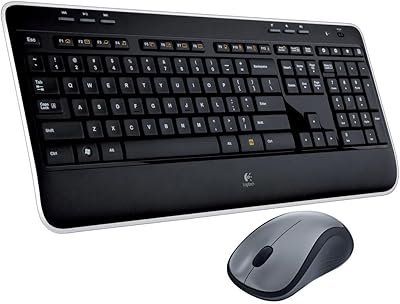
Logitech MK520 Wireless Keyboard and Mouse Combo
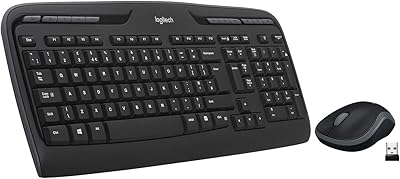
Logitech MK320 Wireless Keyboard and Mouse Combo
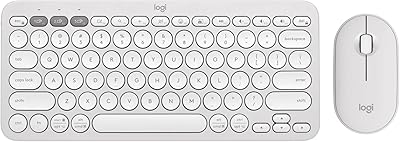
Logitech Pebble 2 Combo Wireless Keyboard Mouse
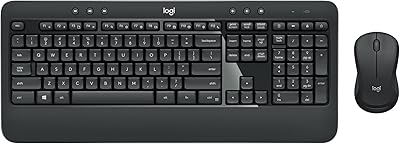
Logitech MK540 Advanced
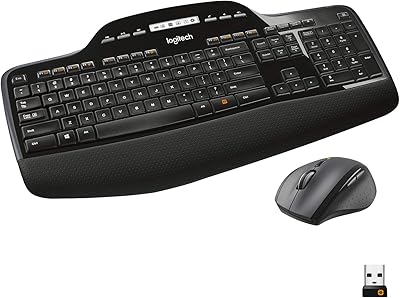
Logitech MK710 Wireless Keyboard Mouse Combo
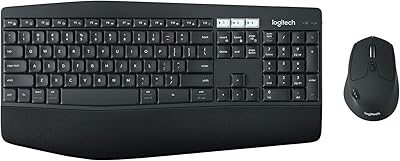
Logitech MK850 Wireless Keyboard and Mouse Combo
