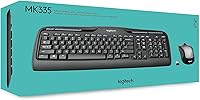
Logitech MK335 Wireless Keyboard and Mouse Combo




Overview
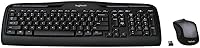
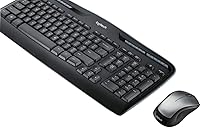
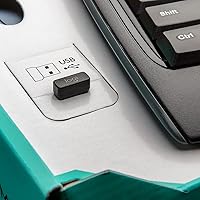
The Logitech MK335 Wireless Keyboard and Mouse Combo has been a steady fixture in the budget wireless space since 2017, and it's not hard to see why. It centers on a low-profile quiet keyboard that genuinely cuts down on the clatter most membrane keyboards produce — not silent, but noticeably softer. The black and silver look is understated enough to fit on almost any desk without demanding attention. Setup takes about thirty seconds: plug the nano USB receiver into a port, and you're typing. It runs on standard AA and AAA batteries, which means no proprietary charging cables to hunt down.
Features & Benefits
The 2.4 GHz connection holds up reliably across a normal desk-to-PC distance without the occasional dropout you get from cheaper combos. The quiet key mechanism is the real draw here — people in shared offices or anyone who types late at night will appreciate how much less intrusive each keystroke sounds. Eleven dedicated hotkeys and four programmable F-keys cover media playback, volume, and quick app shortcuts without needing third-party software. The nano receiver stores inside the mouse, which is a small but genuinely useful detail when packing up a bag. Battery life is rated up to 24 months on the keyboard and 18 on the mouse — far longer than most rechargeable alternatives require between charges.
Best For
This wireless combo makes the most sense for home office workers who want to cut cable clutter without overspending. If you share a desk with a partner, work from a bedroom, or sit near colleagues in an open-plan office, the quieter keys alone justify choosing it over a noisier alternative. Students and light users will find the plug-and-play setup refreshingly straightforward — no drivers, no Bluetooth pairing headaches. Left-handed users will also find the ambidextrous mouse functional, though people with larger hands may feel the size is a bit compact after a few hours. It's also a solid first step for anyone making the jump from a wired setup.
User Feedback
Across nearly 9,400 ratings, the MK335 holds a 4.4 out of 5 average — a strong signal that it delivers on its core promise for most buyers. Battery longevity comes up repeatedly as a genuine highlight, with users confirming it actually matches the rated figures rather than falling short. The quieter keys also earn consistent praise, particularly from people in shared spaces. On the downside, a handful of users find the mouse slightly small for all-day use, and the absence of a palm rest is a recurring frustration for those doing extended typing. A few buyers also struggled to locate the nano receiver inside the mouse at first. Minor gripes, but worth knowing.
Pros
- Keys are noticeably quieter than standard membrane keyboards, making shared workspaces more bearable for everyone nearby.
- Battery life on the keyboard routinely exceeds a year in real-world use, matching the rated figures rather than falling short.
- Plug-and-play setup via nano USB receiver requires zero software installation and works within seconds.
- The ambidextrous mouse design is a genuine advantage for left-handed users who are often ignored at this price tier.
- Wireless connection holds steady across typical desk-to-PC distances without frustrating dropouts during everyday tasks.
- Nano receiver stores neatly inside the mouse body, so nothing gets lost when packing up or tidying the desk.
- Eleven dedicated hotkeys cover media and volume controls without any configuration needed out of the box.
- The neutral black and silver design fits most desk setups without clashing or looking out of place.
- At its price point, the overall package offers solid reliability that would cost significantly more from competing brands.
Cons
- No palm rest included, which becomes a noticeable comfort issue during long typing sessions.
- The mouse chassis feels lighter and cheaper than the keyboard, creating a mismatched quality impression.
- macOS and Chromebook compatibility is unreliable, making this a Windows-only purchase in practical terms.
- Nano receiver location inside the mouse battery compartment is not clearly communicated and confuses some buyers on first setup.
- Mouse sensor lacks the precision needed for design work, photo editing, or any task requiring fine cursor control.
- Scroll wheel can develop a subtle wobble after extended use, which is a durability concern for long-term owners.
- Programmable F-keys require Logitech Options software to customize, adding a setup step that undercuts the plug-and-play appeal.
- No Bluetooth option means one USB port is permanently occupied, which matters on laptops with limited ports.
Ratings
The Logitech MK335 Wireless Keyboard and Mouse Combo earns its place near the top of its category based on AI analysis of thousands of verified global buyer reviews, with spam, bot-generated, and incentivized feedback actively filtered out. The scores below reflect a balanced picture — genuine strengths acknowledged, recurring pain points included without softening.
Typing Noise Level
Wireless Reliability
Battery Life
Mouse Comfort & Ergonomics
Keyboard Comfort & Layout
Setup & Ease of Use
Build Quality & Durability
Value for Money
Hotkeys & Programmable Keys
Mouse Tracking Accuracy
Portability & Storage
Compatibility
Aesthetics & Desk Presence
Suitable for:
The Logitech MK335 Wireless Keyboard and Mouse Combo is a strong fit for anyone who spends most of their day at a Windows PC and simply wants a reliable, low-fuss setup that stays out of the way. Home office workers who share a space with a partner, roommate, or sleeping child will appreciate the quieter key action — it genuinely softens the rhythmic clatter that standard membrane keyboards produce throughout a long workday. Students and light users will find the plug-and-play setup refreshingly straightforward, with no drivers or software required to get started. Left-handed users are also well served here, since most combo mice default to right-hand-only designs; the ambidextrous shape is a practical inclusion that is rare at this price. If you are upgrading from a tangled wired setup for the first time and want the transition to feel effortless, this keyboard-and-mouse set delivers that experience without demanding much from you technically or financially.
Not suitable for:
The Logitech MK335 Wireless Keyboard and Mouse Combo has real limitations that make it a poor match for certain buyers, and it is worth being honest about those before committing. If you type for five or more hours a day, the absence of a palm rest will become a genuine ergonomic problem over time — wrist fatigue tends to set in faster than with keyboards that include even a basic integrated support. People with larger hands will likely find the compact mouse uncomfortable during extended sessions, as the shape prioritizes symmetry over comfort rather than fitting a full adult grip naturally. macOS and Chromebook users should also look elsewhere, since the hotkeys and some core functionality do not translate reliably outside of Windows. Precision-focused users — graphic designers, photo editors, or anyone who relies on accurate cursor tracking — will outgrow the entry-level optical sensor quickly. And if you prefer a rechargeable setup with a USB-C cable over disposable batteries, the maintenance model here will feel like a step backward regardless of how long those batteries actually last.
Specifications
- Wireless Technology: The combo connects via 2.4 GHz radio frequency using a nano USB receiver, with no Bluetooth option available.
- Keyboard Dimensions: The keyboard measures 17.56 inches long, 7.2 inches wide, and 0.82 inches tall.
- Product Weight: The combined package weighs approximately 1.47 pounds, keeping the setup light for a full-size keyboard and mouse pair.
- Key Type: Keys use a low-profile quiet membrane mechanism designed to reduce typing noise compared to standard membrane keyboards.
- Keyboard Battery: The keyboard runs on 2 AAA batteries with a rated battery life of up to 24 months under normal use conditions.
- Mouse Battery: The mouse runs on 1 AA battery with a rated battery life of up to 18 months under normal use conditions.
- Mouse Sensor: The mouse uses an optical sensor suited to everyday computing tasks on standard desk surfaces and mouse pads.
- Mouse Design: The mouse body is fully ambidextrous, making it physically usable by both left-handed and right-handed users.
- Nano Receiver: The USB nano receiver stores inside the mouse battery compartment when not in use, reducing the risk of misplacement.
- Hotkeys: The keyboard includes 11 dedicated hotkeys for media playback, volume, and shortcuts, plus 4 programmable F-keys.
- Compatible OS: The combo is officially supported on Windows 10 and Windows 11 or later; macOS and Chrome OS are not officially supported.
- Connection Type: The combo connects exclusively via USB wireless through the provided nano receiver; there is no Bluetooth pairing mode.
- Color: The keyboard and mouse are finished in a black and silver colorway designed to complement neutral desk environments.
- Included Batteries: The package includes the required AAA batteries for the keyboard; the AA battery for the mouse is also included in the box.
- Model Number: The official Logitech model number for this combo is 920-008478, part of the MK335 product line.
- First Available: The MK335 combo was first made available for purchase in June 2017 and remains an active, non-discontinued product.
- BSR Ranking: The combo holds a top-five ranking in the Computer Keyboard and Mouse Combos category on Amazon based on sales performance.
Related Reviews
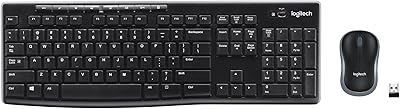
Logitech MK270 Wireless Keyboard and Mouse Combo

Logitech MK295
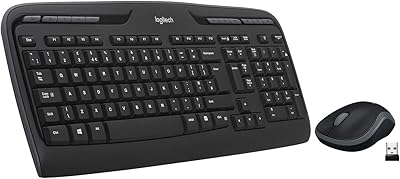
Logitech MK320 Wireless Keyboard and Mouse Combo

Logitech MK235
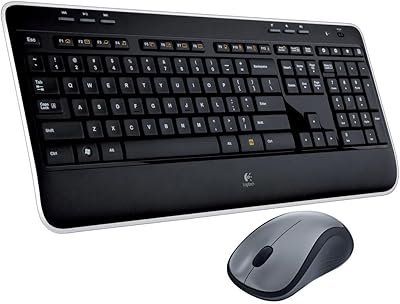
Logitech MK520 Wireless Keyboard and Mouse Combo
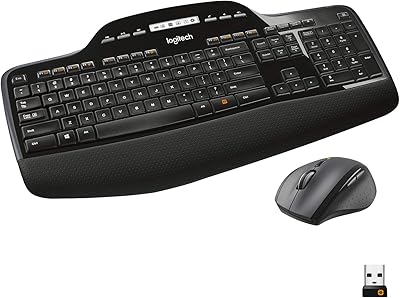
Logitech MK710 Wireless Keyboard Mouse Combo

Logitech Pebble 2 Combo Wireless Keyboard Mouse
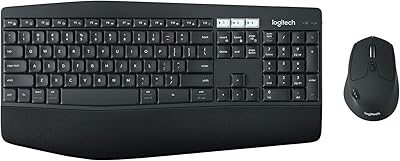
Logitech MK850 Wireless Keyboard and Mouse Combo
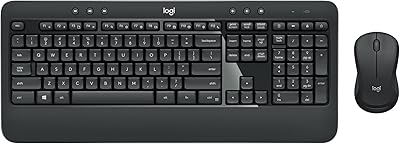
Logitech MK540 Advanced
