Logitech MK710 Wireless Keyboard Mouse Combo







Overview
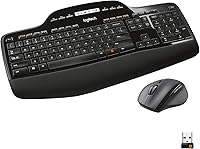
The Logitech MK710 Wireless Keyboard Mouse Combo is a full-size desktop set built for everyday home and office use — the kind of reliable, no-fuss setup that just works. Logitech has kept this wireless desktop combo in its lineup for years, and for good reason: it has earned a quiet reputation for durability and, notably, exceptional battery longevity. This particular listing covers the German (DE) layout, so buyers expecting a standard QWERTY arrangement should take note before purchasing. Priced in the mid-range, it sits comfortably between throwaway budget combos and premium productivity hardware. Think of it as a comfort-focused workhorse rather than a spec-sheet showpiece.
Features & Benefits
Both the keyboard and mouse connect through a single Unifying nano receiver — one USB port handles everything, which keeps desk clutter minimal. The battery situation is where this keyboard-and-mouse bundle genuinely stands out: the keyboard can run for up to three years on a set of AAs, while the mouse lasts around 18 months. A small LCD battery indicator on the keyboard lets you keep tabs on remaining charge without any guesswork. The full-size layout includes a numpad and a cushioned palm rest built right in, making long typing sessions noticeably less fatiguing. Setup is completely plug-and-play on both Windows and macOS, and the laser mouse tracking handles most surfaces without complaint.
Best For
This wireless desktop combo is an easy recommendation for anyone building or refreshing a home office setup who wants to drop the cables without sacrificing reliability. If battery anxiety drives you to keep a drawer full of spares, this MK710 set will largely put that habit to rest. The built-in palm rest makes it a natural fit for anyone who types for extended stretches — writers, coders, or data entry workers who need sustained comfort. It is also a sensible upgrade path for people moving off aging wired keyboards; the transition is painless. What it is not suited for is gaming, mechanical-switch enthusiasts, or anyone who prefers a compact tenkeyless layout.
User Feedback
Across a large pool of long-term owners, the keyboard earns consistent praise for its quiet, comfortable keystrokes and solid construction — not flashy, but dependably well-built. Battery life comes up again and again as the highlight that converts skeptics into repeat buyers. On the downside, the mouse is the clear weak link: the scroll wheel in particular draws complaints for feeling cheaper than the rest of the set. A smaller number of reviewers note that the design looks noticeably dated compared to Logitech's current lineup, though most concede it does not affect daily function. One longer-term gripe worth flagging: the palm rest texture can wear down and become slick after years of heavy use. With a 4.3-star average from over 2,600 ratings, the overall verdict leans strongly positive.
Pros
- Battery life is genuinely exceptional — the keyboard can last years between changes, not weeks.
- A single nano receiver handles both devices, freeing up an extra USB port.
- The built-in palm rest adds real typing comfort without needing a separate accessory.
- Plug-and-play setup works immediately on Windows and macOS with no software required.
- The LCD battery indicator removes all guesswork about when you need fresh batteries.
- Quiet keystrokes make this wireless desktop combo considerate in shared workspaces.
- Solid keyboard build quality feels durable and holds up well through years of daily use.
- Full-size layout with numpad is ideal for users who work with numbers or spreadsheets regularly.
- Laser mouse tracking performs reliably across most common desk surfaces.
- Long-term owners consistently rate overall satisfaction highly across a large review base.
Cons
- The mouse scroll wheel feels noticeably cheaper than the quality of the keyboard it ships with.
- Aesthetic design is dated and looks out of place next to modern, slim peripherals.
- The palm rest surface can wear down and become slick after extended heavy use.
- Right-hand-only mouse design excludes left-handed users entirely.
- No Bluetooth connectivity — the combo relies solely on the USB Unifying receiver.
- Membrane keys will disappoint anyone accustomed to mechanical switch feedback.
- The MK710 set offers no customizable keys, backlighting, or software-driven features.
- Bulky full-size footprint is impractical for small desks or anyone needing a compact layout.
Ratings
The Logitech MK710 Wireless Keyboard Mouse Combo has been scored by our AI system after analyzing thousands of verified global user reviews, with spam, bot-generated, and incentivized submissions actively filtered out. The scores below reflect where this wireless desktop combo genuinely excels and where real-world owners have run into friction — no sugar-coating, no inflated averages.
Battery Life
Typing Comfort
Wireless Reliability
Mouse Quality
Build Quality
Setup Experience
Value for Money
Design & Aesthetics
Keyboard Layout
Noise Level
Ergonomics
Compatibility
Longevity
Suitable for:
The Logitech MK710 Wireless Keyboard Mouse Combo is an excellent fit for home office workers and everyday computer users who want a reliable, cable-free desk setup without the complexity of pairing multiple receivers or installing dedicated software. If you spend several hours a day typing — whether for writing, spreadsheets, or general office work — the full-size layout with its built-in palm rest will make a real difference in day-to-day comfort. It is also an ideal pick for anyone who has grown weary of swapping batteries every few weeks; the keyboard's multi-year battery life is not a marketing claim but a real-world advantage confirmed by long-term owners. Users migrating from an older wired combo will find the transition completely painless, since setup amounts to plugging in one nano receiver and getting straight to work. German-layout users specifically will appreciate that this variant ships with localized keycaps, making it one of the more straightforward options for DE-region buyers seeking a plug-and-play wireless upgrade.
Not suitable for:
The Logitech MK710 Wireless Keyboard Mouse Combo is not the right choice for everyone, and it is worth being upfront about where it falls short. Gamers, in particular, should look elsewhere — the keyboard lacks the fast actuation, programmable macro keys, and RGB lighting that gaming setups typically demand, and the mouse is not built for high-precision or rapid-response play. Enthusiasts who prefer the tactile feedback of mechanical switches will find the membrane keys underwhelming by comparison. Left-handed users should also be aware that the mouse is designed exclusively for right-hand use, with no ambidextrous option available. The overall design aesthetic is visibly dated, so if a modern, minimalist look matters for your workspace, newer alternatives will serve you better. Finally, buyers who need a compact or tenkeyless layout — whether for space reasons or travel — will find the full-size footprint too large for their needs.
Specifications
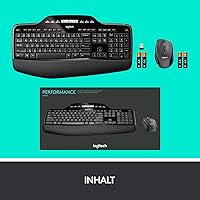
- Connectivity: Both the keyboard and mouse connect wirelessly via a single Logitech Unifying nano USB receiver, requiring no Bluetooth pairing.
- Keyboard Battery: The keyboard is powered by 2 AA batteries with a rated battery life of up to 3 years under typical use conditions.
- Mouse Battery: The mouse runs on 2 AA batteries and is rated for up to 18 months of use before a battery change is needed.
- Batteries Included: Four AA batteries are included in the box, covering both the keyboard and the mouse from first use.
- Keyboard Layout: The keyboard uses a full-size layout with a dedicated numeric keypad and is configured for the German (DE) regional standard.
- Palm Rest: A cushioned palm rest is integrated directly into the keyboard base, providing wrist support during extended typing sessions.
- Battery Indicator: An LCD display on the keyboard surface shows remaining battery levels for both the keyboard and the mouse at a glance.
- Mouse Tracking: The mouse uses laser-grade tracking technology, offering reliable cursor control on most standard desk surfaces without a mousepad.
- Mouse Ergonomics: The mouse body features a contoured, right-handed ergonomic shape designed to reduce fatigue during prolonged use.
- OS Compatibility: The combo is compatible with Windows and macOS operating systems and requires no additional driver installation for standard functionality.
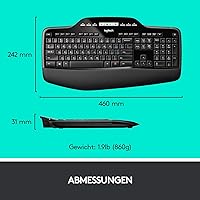
- Dimensions: The keyboard measures 9.53 x 18.11 x 1.22 inches, reflecting a full-size desktop footprint suitable for stationary desk setups.
- Weight: The total keyboard weight is approximately 1.9 pounds, not including the mouse, batteries, or receiver.
- USB Ports Used: The Unifying receiver occupies a single USB 2.0 port and manages the wireless connection for both devices simultaneously.
- Setup Method: Setup is fully plug-and-play; inserting the nano receiver into any available USB port is sufficient to begin using both devices.
- Manufacturer: This combo is designed and manufactured by Logitech, a Swiss-American company with an established reputation in PC peripherals.
- Model Number: The official Logitech model number for this unit is 920-002420, corresponding to the German-layout black variant.
- Product Age: This product was first made available in April 2012 and has not been discontinued by the manufacturer as of the latest listing data.
- Key Mechanism: The keyboard uses membrane-style keys, prioritizing quiet operation and low actuation noise over tactile mechanical feedback.
Related Reviews
Logitech MK295
Logitech MK270 Wireless Keyboard and Mouse Combo
Logitech MK335 Wireless Keyboard and Mouse Combo
Logitech MK235
Logitech MK320 Wireless Keyboard and Mouse Combo
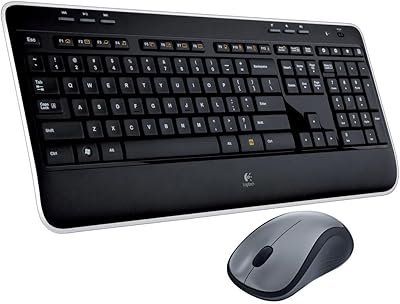
Logitech MK520 Wireless Keyboard and Mouse Combo
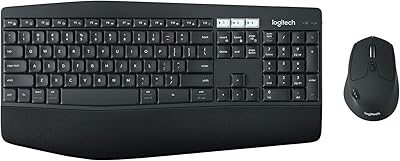
Logitech MK850 Wireless Keyboard and Mouse Combo
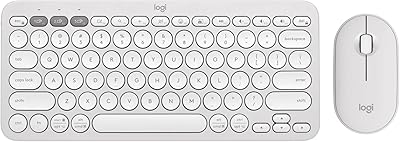
Logitech Pebble 2 Combo Wireless Keyboard Mouse
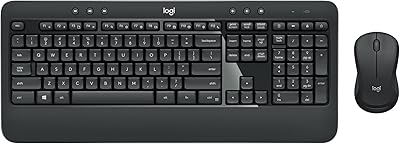
Logitech MK540 Advanced
