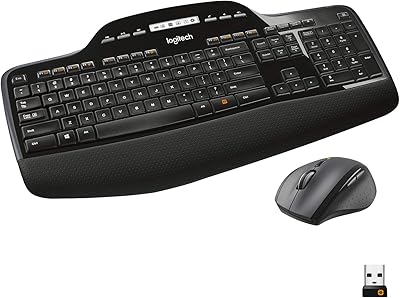
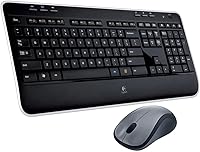
Logitech MK520 Wireless Keyboard and Mouse Combo
Overview
The Logitech MK520 Wireless Keyboard and Mouse Combo has been a steady fixture in the home and office peripherals market since 2012 — which, in tech years, is a long time. Yet it keeps selling, and that staying power says something real. This is a full-size keyboard paired with a contoured mouse, connected to your PC through a single nano-receiver plugged into one USB port. No driver installation drama, no pairing headaches. Logitech built this set for people who just want things to work, and by that measure, the MK520 largely delivers without asking much in return.
Features & Benefits
The single USB nano-receiver handles both the keyboard and mouse simultaneously, which is a small but genuinely appreciated detail when your laptop only has two ports to spare. The keyboard itself runs full-size, complete with a number pad — useful if you work with spreadsheets or do a lot of data entry. Battery life is one of the MK520's quiet strengths; you can go months without swapping cells, which beats hunting for AAs every few weeks. The 2.4 GHz RF connection holds steady at normal desk distances without the occasional dropout issues that plagued early wireless peripherals. It's a straightforward, well-executed package.
Best For
This wireless combo makes the most sense for home office users who need a dependable daily driver without fussing over software ecosystems or advanced features. If you're coming from a wired setup and want to clear the cables off your desk, the plug-and-play setup here is about as simple as it gets. Students and remote workers setting up secondary desks will find the familiar full-size layout comfortable from day one. One genuine caveat: the mouse is designed exclusively for right-handed users, so left-handed buyers should look elsewhere. For everyone else who values reliable everyday performance over cutting-edge specs, this Logitech set is a solid, low-maintenance choice.
User Feedback
Across its 668 ratings, the MK520 sits at 4.5 stars — and that's not inflated by a wave of early adopters. Long-term owners consistently mention durability and reliability as standout qualities, with keyboards still performing well after years of daily use. Setup gets praised often, with buyers noting they were typing within minutes of opening the box. On the critical side, some users find the mouse feels a bit dated next to modern ergonomic alternatives, and the lack of software customization frustrates those who want programmable keys or adjustable DPI. A few reviewers also note that battery life, while solid, doesn't quite match Logitech's more optimistic estimates. Overall, the feedback paints a picture of a product that does what it promises.
Pros
- Single nano-receiver connects both keyboard and mouse through one USB port, keeping your desk tidy.
- Full-size layout with a number pad makes data entry and spreadsheet work genuinely comfortable.
- Setup takes under a minute — plug in the receiver and both devices work immediately.
- Battery life is impressively long in practice, reducing how often you need to swap cells.
- The 2.4 GHz RF connection stays stable without the lag or dropout issues common in older wireless gear.
- Logitech's build quality means the MK520 holds up well over years of daily use.
- Familiar key placement means there is virtually no adjustment period for new users.
- Over 668 buyer ratings averaging 4.5 stars reflect consistently positive long-term ownership experience.
- Backed by Logitech's warranty and support infrastructure, which smaller brands often cannot match.
Cons
- Mouse design is right-hand only, making this combo a non-starter for left-handed users.
- No software customization means you cannot remap keys or adjust mouse sensitivity beyond hardware defaults.
- The keyboard's typing feel is soft and membrane-based, which will disappoint anyone used to mechanical switches.
- Design aesthetics are dated — the bulkier profile looks out of place next to modern slim peripherals.
- Windows-only optimization creates friction for users working in mixed Mac and Windows environments.
- Real-world battery life, while decent, tends to fall short of Logitech's more optimistic published estimates.
- No backlit keys, which is a genuine inconvenience in dim or low-light working environments.
- The mouse scroll wheel and button feedback feel noticeably basic compared to newer mid-range options.
- No USB-C or Bluetooth option means you are locked into the nano-receiver and one dedicated USB-A port.
Ratings
The scores below for the Logitech MK520 Wireless Keyboard and Mouse Combo were generated by our AI after analyzing hundreds of verified global buyer reviews, with spam, bot-submitted, and incentivized feedback actively filtered out. Each category reflects the honest balance of what real users praised and where they ran into friction over months and years of daily use. Nothing has been glossed over — the strengths and the frustrations are both represented here as transparently as possible.
Ease of Setup
Wireless Reliability
Typing Comfort
Battery Life
Mouse Ergonomics
Build Quality
Value for Money
Software & Customization
Noise Level
Design & Aesthetics
Compatibility
Portability
Longevity
Suitable for:
The Logitech MK520 Wireless Keyboard and Mouse Combo is a strong fit for home office workers and everyday PC users who want a reliable, clutter-free desk setup without spending time on configuration. If your daily work involves spreadsheets, data entry, or long stretches of document editing, the full-size layout with a dedicated number pad will feel immediately comfortable and familiar. Students outfitting a study desk or secondary workstation will appreciate how little effort the setup demands — plug in the nano-receiver and you are ready to go. It also suits anyone upgrading from a wired keyboard and mouse who wants the freedom of wireless without dealing with Bluetooth pairing or per-device dongles. For buyers who value a proven brand with a long track record over flashy new features, this Logitech set remains a sensible, dependable choice.
Not suitable for:
The Logitech MK520 Wireless Keyboard and Mouse Combo is not the right pick for left-handed users, as the included mouse is shaped exclusively for right-hand use with no ambidextrous alternative in the box. Power users who rely on programmable keys, adjustable DPI settings, or deep software customization will quickly find this combo limiting — it was built for simplicity, not configurability. Gamers should look elsewhere entirely; the keyboard lacks anti-ghosting and the mouse offers none of the precision controls that even entry-level gaming peripherals provide. If you work across Mac and Windows environments, be aware this set is optimized for Windows and may require workarounds on other operating systems. Finally, buyers drawn to modern slim keyboard profiles or near-silent key switches will find the MK520 feels noticeably traditional by today's standards.
Specifications
- Brand: Manufactured by Logitech, a Swiss-American peripheral brand with decades of input device experience.
- Model Number: The official model number is 920-002606, used for warranty and support identification.
- Wireless Technology: Both devices connect via RF 2.4 GHz frequency using a single unified nano-receiver.
- USB Receiver: One nano-receiver handles both the keyboard and mouse simultaneously through a single USB-A port.
- Keyboard Layout: Full-size layout includes a dedicated numeric keypad, function row, and standard navigation cluster.
- Compatible OS: Officially compatible with Windows operating systems; Mac and Linux compatibility is not officially supported.
- Keyboard Power: The keyboard is powered by 2 AA batteries, which are required but may not be included in all retail packages.
- Dimensions: The keyboard measures 17.87 x 7.95 x 2.68 inches, fitting comfortably on a standard desk with wrist room to spare.
- Weight: The combined package weighs approximately 1.3 pounds, making it light enough to reposition without effort.
- Mouse Design: The included mouse features a contoured right-handed shape; it is not suitable for left-handed use.
- Color: Both keyboard and mouse are finished in black, with subtle grey accent detailing on the keyboard surface.
- Connectivity Range: The RF wireless connection operates reliably at typical desktop distances, generally up to approximately 33 feet in open conditions.
- Key Type: The keyboard uses membrane key switches, offering a soft, quiet keystroke suited to office and home environments.
- Plug-and-Play: No driver installation is required; the combo becomes functional as soon as the nano-receiver is inserted into a USB port.
- First Available: The MK520 was first listed for sale in May 2012 and has remained in continuous production since.
- Ratings: The product holds an average rating of 4.5 out of 5 stars based on 668 verified customer ratings on Amazon.
- BSR: Ranked #1,014 in the Computer Keyboard and Mouse Combos category on Amazon at the time of data capture.
- Discontinued: As of the latest available data, the MK520 has not been discontinued by the manufacturer.
Related Reviews
Logitech MK335 Wireless Keyboard and Mouse Combo
Logitech MK270 Wireless Keyboard and Mouse Combo
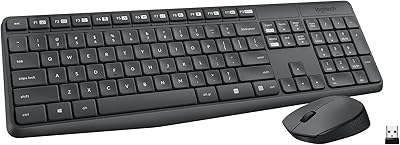
Logitech MK235
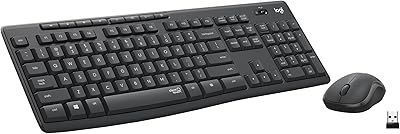
Logitech MK295
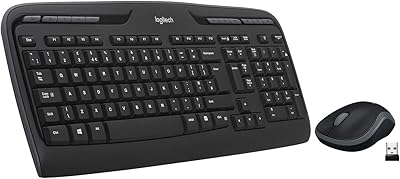
Logitech MK320 Wireless Keyboard and Mouse Combo

Logitech MK250
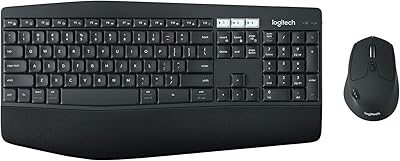
Logitech MK850 Wireless Keyboard and Mouse Combo
Logitech Pebble 2 Combo Wireless Keyboard Mouse
Logitech MK540 Advanced