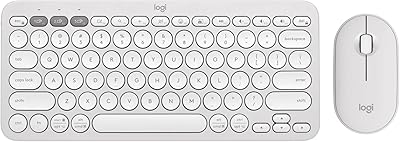
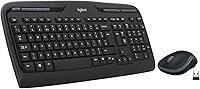
Logitech MK320 Wireless Keyboard and Mouse Combo
Overview
The Logitech MK320 Wireless Keyboard and Mouse Combo has been around long enough that its staying power alone says something. Plug in the tiny USB receiver and you are up and running in seconds — no software, no fuss. Logitech built this for people who just need things to work: browsing, emailing, the occasional spreadsheet. It is not trying to impress anyone with backlit keys or braided cables. What it offers instead is honest, dependable utility at a price that does not ask much of your wallet. Go in with the right expectations, and this wireless combo will rarely let you down.
Features & Benefits
The 2.4GHz wireless connection covers a solid 30 feet or so — enough for a living room setup or a desk well away from the tower. What really stands out is the battery life: the keyboard can run for over a year on a single set of batteries, and the mouse holds on for roughly five months. That kind of longevity is unusual at this price point. The keyboard is full-size with flat, low-profile keys and a row of media hotkeys for volume, playback, and app launching. The nano USB receiver tucks right into the mouse when you travel, which is a small but genuinely useful detail.
Best For
This Logitech set makes the most sense for home office users who want to cut the cord without spending a lot. It is also a natural fit for students setting up their first wireless desk, or anyone adding a secondary computer to the house — a shared family PC, a basement workstation, that kind of thing. If you need backlighting, programmable keys, or Mac compatibility, look elsewhere; this wireless combo does not offer any of those. But if your priorities are a clean desk, reliable daily typing, and long battery life without constant replacements, the MK320 checks every one of those boxes without overcomplicating things.
User Feedback
Buyers consistently point to easy setup and a stable signal as the biggest wins — most say they plugged in the receiver and never thought about the connection again. The keyboard gets decent marks for a budget option, though nobody is mistaking it for a premium board. The mouse draws more mixed reactions: functional and comfortable enough, but noticeably light and basic. A recurring complaint involves inconsistent hotkey behavior depending on the Windows version in use. There is also zero Mac support, which catches some buyers off guard. That said, people who buy this with realistic expectations tend to hold onto it for years.
Pros
- Setup takes under a minute — plug in the nano receiver and the combo works immediately with no drivers needed.
- The keyboard battery life is genuinely exceptional, often lasting well over a year before needing a swap.
- A wireless range of roughly 30 feet means it handles large desks and living room setups without signal issues.
- Full-size layout with a proper numpad makes it practical for data entry and everyday office tasks.
- One-touch media hotkeys let you control volume and playback without alt-tabbing or hunting through apps.
- The nano receiver stores inside the mouse body, which is a handy detail for anyone who moves the set around.
- Logitech's long track record with this combo suggests build quality holds up well over one to three years of regular use.
- Batteries are included in the box, so you can use it straight away without a separate purchase.
Cons
- The mouse feels noticeably light and plasticky, which undermines comfort during longer work sessions.
- No macOS support at all — Windows-only, which the listing does not always make obvious upfront.
- The keyboard design looks dated compared to more modern slim combos available at a similar price.
- Media hotkeys can behave inconsistently depending on the Windows version and application in use.
- The mouse is sculpted exclusively for right-handed users, leaving left-handed buyers without options.
- No backlit keys makes typing in dim environments unnecessarily frustrating.
- The MK320 uses an older proprietary nano receiver rather than Logitech's newer unified or Bolt receivers.
- Optical tracking on the mouse is basic and struggles on glossy or very dark surfaces.
- No on-off switch on the keyboard means battery drain can occur if it gets jostled in transit.
Ratings
The scores below reflect an AI-driven analysis of thousands of verified global user reviews for the Logitech MK320 Wireless Keyboard and Mouse Combo, with spam, bot activity, and incentivized feedback actively filtered out before any score was calculated. The result is an honest, balanced breakdown that captures both what this wireless combo genuinely gets right and where real buyers have run into frustration. Nothing is glossed over.
Value for Money
Battery Life
Ease of Setup
Wireless Reliability
Keyboard Comfort
Mouse Comfort
Build Quality
Hotkey Performance
Typing Accuracy
Mouse Tracking
OS Compatibility
Portability
Aesthetics & Design
Long-Term Durability
Suitable for:
The Logitech MK320 Wireless Keyboard and Mouse Combo is a natural fit for anyone who needs a dependable, low-maintenance desktop setup without a lot of complexity or cost. Home office workers who spend their days writing emails, browsing, and working in spreadsheets will find it covers every base without getting in the way. Students setting up their first real desk will appreciate how little thought it demands — plug in the receiver, and you are done. It also works well as a secondary input set for a shared family computer or a spare workstation where nobody needs anything fancy. If your priority is simply cutting the cable clutter and getting a keyboard and mouse that last a long time on a single set of batteries, this wireless combo is genuinely hard to argue with at its price point.
Not suitable for:
The Logitech MK320 Wireless Keyboard and Mouse Combo is not the right call for Mac users — it simply does not support macOS, and no amount of workarounds will change that. Enthusiast typists who care about key travel, tactile feedback, or actuation force will find the flat membrane keyboard underwhelming by design. Gamers should look elsewhere entirely; there is no polling rate worth mentioning, no precision tracking for fast movements, and the mouse offers nothing beyond basic point-and-click functionality. People who work in low-light environments will quickly notice the lack of any backlighting on the keys. And if you are already invested in a unified Logitech Bolt or multi-device receiver ecosystem, this older 2.4GHz dongle setup sits outside that world entirely.
Specifications
- Manufacturer: This combo is designed and manufactured by Logitech, one of the most established names in consumer peripherals.
- Model Number: The full model number is 920-002836, comprising the K330 keyboard and M185 mouse.
- Wireless Technology: Connection runs over a 2.4GHz radio frequency with AES encryption built into the signal.
- Wireless Range: The combo maintains a reliable connection at distances of up to 10 meters between the receiver and the devices.
- USB Receiver: A single nano USB receiver handles both the keyboard and mouse simultaneously via plug-and-play with no drivers required.
- Keyboard Type: The K330 is a full-size keyboard with low-profile membrane keys and a standard layout including a numpad.
- Hotkeys: The keyboard includes a dedicated row of one-touch media and application hotkeys for functions like volume control, playback, and email launch.
- Mouse Type: The M185 is a sculpted optical mouse designed for right-handed use with a contoured grip suited to extended daily sessions.
- Keyboard Battery: The keyboard runs on 2 AA batteries and is rated for up to 15 months of use before replacement is needed under typical conditions.
- Mouse Battery: The mouse uses 1 AA battery and is rated for up to 5 months of life depending on usage patterns.
- Batteries Included: Three AA batteries are included in the box, covering the initial battery requirements of both devices out of the package.
- OS Compatibility: This combo is compatible with Windows XP, Vista, 7, 8, and 10; it does not support macOS or Linux.
- Color: Both the keyboard and mouse are finished in black.
- Connectivity: The combo connects via USB Type-A, making it compatible with any desktop or laptop that has a standard USB port.
- Receiver Storage: The nano USB receiver can be stored inside the mouse body when not in use, reducing the risk of losing it during transport.
Related Reviews
Logitech MK270 Wireless Keyboard and Mouse Combo
Logitech MK335 Wireless Keyboard and Mouse Combo
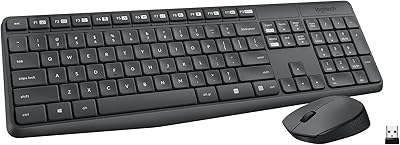
Logitech MK235
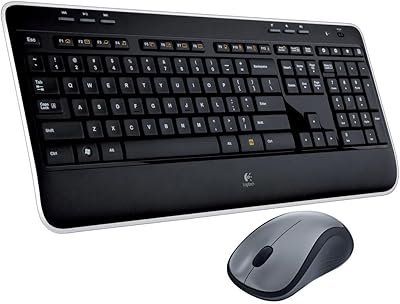
Logitech MK520 Wireless Keyboard and Mouse Combo
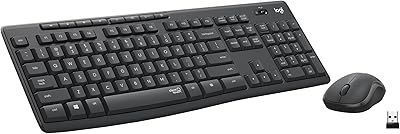
Logitech MK295
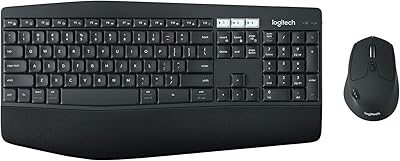
Logitech MK850 Wireless Keyboard and Mouse Combo

Logitech MK250
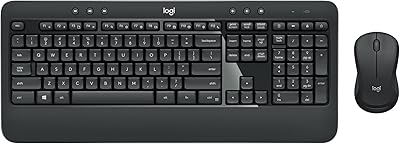
Logitech MK540 Advanced
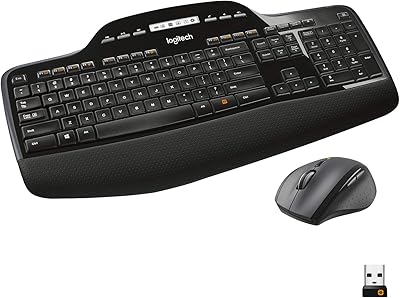
Logitech MK710 Wireless Keyboard Mouse Combo