Overview

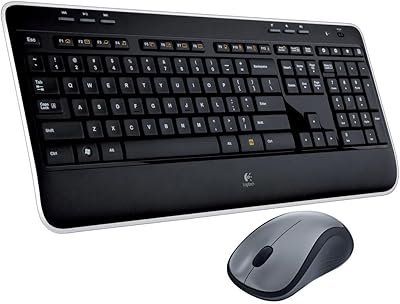
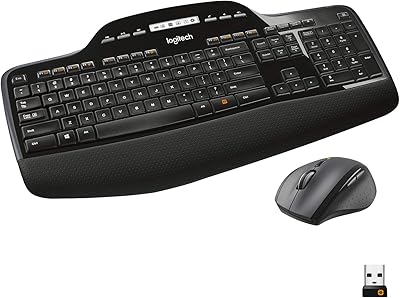
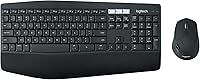
The Logitech MK850 Wireless Keyboard and Mouse Combo occupies a sensible middle ground — priced above no-name bundles but well short of buying a premium standalone keyboard and mouse separately. What you get is a full-size layout with a built-in palm rest, a contoured mouse, and broad platform support across Windows, macOS, ChromeOS, Android, and iOS. Connectivity runs two ways: a USB Unifying receiver or Bluetooth LE, so you are not locked into one approach. Set expectations correctly, though. This wireless combo is built for desk-based productivity, not mechanical typing enthusiasts or anyone chasing gaming performance.
Features & Benefits

The Easy-Switch buttons along the top of the keyboard let you bounce between up to three paired devices — a laptop, desktop, and tablet, say — without re-pairing anything. In practice, it takes about a second to redirect both the keyboard and mouse to a different machine. The keys themselves are low-profile and noticeably quiet, which makes this keyboard-and-mouse set an easy fit for shared or open-plan spaces. The mouse leans on the same ergonomic principles as Logitech's higher-end MX line; the contoured shape and hyper-fast scroll wheel hold up well in daily document and browser work, even if it does not quite match those pricier standalone models. Battery life on both pieces is measured in months, not days.

Best For

This keyboard-and-mouse set really earns its keep for anyone who splits their day across multiple machines. The person who types on a MacBook in the morning, then switches to a Windows desktop after lunch, and checks a tablet in the evening will get tangible daily value out of the multi-device switching. It is also a strong pick for home-office workers who want a clean desk and all-day comfort without spending on separates. If you currently use the keyboard that shipped with your PC, the step up in comfort here is obvious. One caveat: if you are a committed mechanical keyboard user, the membrane keys may feel like a step backward, not forward.

User Feedback

Across nearly 5,000 ratings, the MK850 holds a 4.3-out-of-5 average, which reflects real satisfaction rather than just early enthusiasm — the combo has been on the market since 2017 and buyers keep coming back. The mouse ergonomics and the device-switching experience draw consistent praise. Where criticism lands, it tends to center on shallow key travel — touch-typists who live on mechanical boards often find the feedback underwhelming. A secondary gripe is the Unifying receiver: it occupies a USB port, and losing it means a trip to Logitech's website for a replacement. That said, long-term durability gets strong marks, with many owners reporting two or more years of daily use without connectivity issues.

Pros

  • Switching between up to three paired devices takes a single button press and roughly one second in practice.
  • Both Bluetooth LE and a USB Unifying receiver are included, so you are not locked into one connectivity method.
  • The integrated palm rest reduces wrist fatigue during long typing sessions without needing a separate accessory.
  • Quiet low-profile keys make this keyboard-and-mouse set genuinely office-friendly in shared or open-plan environments.
  • The ergonomic mouse shape holds up well across full workdays, with a contoured grip that eases hand strain.
  • Battery life on both the keyboard and mouse is measured in months, not days, cutting down on maintenance interruptions.
  • Broad platform support spans Windows, macOS, ChromeOS, Android, and iOS, covering nearly any device combination a buyer might own.
  • A 4.3-out-of-5 average across nearly 5,000 ratings reflects consistent real-world satisfaction built over several years on the market.

Cons

  • Membrane keys offer shallow travel and minimal tactile feedback, a real drawback for faster or more experienced typists.
  • The Unifying USB receiver is easy to misplace, and losing it means sourcing a Logitech-specific replacement rather than swapping in any standard dongle.
  • The mouse is designed for right-handed use only, leaving left-handed buyers without any ergonomic accommodation.
  • A full-size layout with numpad is noticeably wide and will crowd compact or minimalist desk setups.
  • The mouse is comfortable but falls short of the precision and build quality found in Logitech's dedicated MX Master line.
  • The USB receiver occupies a port on a permanent basis, which creates friction for laptop users already low on available ports.
  • There is no keyboard backlighting, making the MK850 less practical in dim or low-light workspaces.
  • The core hardware design dates back to 2017 and has seen little revision, meaning buyers are paying current prices for a largely unchanged platform.

Ratings

The scores below were generated by AI after analyzing thousands of verified buyer reviews for the Logitech MK850 Wireless Keyboard and Mouse Combo, with spam, bot activity, and incentivized feedback actively filtered out to ensure every rating reflects genuine ownership experience. Each category captures both what buyers consistently praise and the friction points that surface repeatedly across long-term use. Nothing has been softened — the scores and commentary reflect the full picture, including the trade-offs that matter most before you commit.

Typing Comfort
74%
26%
The integrated palm rest makes a genuine difference during back-to-back writing sessions — your wrist sits at a natural angle instead of hovering over the desk edge. The full-size layout provides proper key spacing, which reduces misfires for people who type without looking at the keys.
The low-profile membrane keys have limited travel, and that becomes noticeable after hours at the keyboard — not painful, but lacking the push-through feel that keeps fast typists in a rhythm. Users transitioning from any mechanical board consistently report a frustrating adjustment period.
Mouse Ergonomics
88%
The contoured right-hand grip reduces palm and wrist fatigue noticeably over a full workday, and most users report being able to work longer without the hand strain that comes with flatter, symmetrical mice. The overall shape clearly draws from Logitech's MX Master design language and benefits from it.
The ergonomic benefits are strictly for right-handed users — left-handers get no accommodation whatsoever. The grip, while genuinely comfortable, does not feel quite as precisely sculpted as Logitech's standalone MX Master, which some informed buyers find underwhelming given the price tier of this keyboard-and-mouse set.
Multi-Device Switching
91%
The Easy-Switch buttons are where the MK850 earns its keep for multi-device professionals. Bouncing between a laptop, a desktop, and a tablet throughout the workday takes a single button press and about one second of actual latency — it works exactly as described in daily real-world use.
Initial pairing of all three devices requires patience, and if a paired device goes to sleep, re-establishing the connection can occasionally need a second button press rather than the first. It is a minor friction point, but it does interrupt the otherwise smooth experience for some users.
Wireless Connectivity
87%
Long-term owners consistently report zero dropout issues over one to two years of daily use across both Bluetooth and Unifying receiver connections. The dual-mode approach means you are never fully reliant on a single technology, adding a practical reliability cushion for work-critical desk setups.
The Unifying nano receiver permanently occupies a USB port, which is a real inconvenience on slim laptops with only two ports available. Losing the receiver is also a genuine risk — it cannot be replaced with any generic dongle and requires sourcing a Logitech-specific solution.
Build Quality
78%
22%
The keyboard body resists flex noticeably during heavy typing, and keycap legends hold up well under normal office conditions without fading. The graphite finish also does a better job resisting visible smudging than lighter-colored peripherals at similar price points.
Neither the keyboard nor the mouse carries the premium heft or material finish of higher-end separates at a comparable combined price. The mouse body in particular feels slightly hollow when tapped, which some buyers interpret as a signal of cost-cutting on internal construction.
Battery Life
89%
Getting well over a year out of the keyboard batteries under heavy daily use is genuinely low-maintenance, and even the mouse stretches close to a year before needing fresh AAs. For most buyers, battery changes simply drop off the mental checklist for months at a stretch.
There is no battery indicator or low-charge warning on either device, so the first signal that power is running low is often a missed keypress or erratic cursor movement mid-task. A simple LED status light would solve this almost entirely and feels like an obvious omission.
Keyboard Noise Level
86%
The quiet membrane mechanism is genuinely unobtrusive in shared environments — keystroke sounds stay below ambient background noise in most home and open-plan office settings. Colleagues and video call participants consistently report not being disturbed by audible typing from this wireless combo.
The quietness is achieved partly by reducing key travel, which is a trade-off not everyone is willing to accept. Buyers who specifically want both silence and satisfying tactile feedback will find this keyboard unable to deliver on both simultaneously.
Value for Money
82%
18%
Relative to sourcing a quality standalone wireless keyboard and an ergonomic mouse separately, this keyboard-and-mouse set represents a genuine saving without falling to a cheap no-name bundle. The multi-device switching and broad platform support add functional value that lower-priced combos simply cannot match.
Some buyers feel the keyboard's tactile quality does not justify the price tier, particularly when serviceable membrane keyboards exist for considerably less. If multi-device switching is not part of your workflow, the value argument weakens — you are paying partly for a feature you may never use.
Platform Compatibility
93%
Running the MK850 across Windows, macOS, ChromeOS, Android, and iOS from a single combo is about as broad as wireless peripheral support realistically gets. Buyers who split time between a Mac and a Windows machine, with a tablet in the mix, report the combo handles all three without any issues.
A small number of users have found that certain function-key shortcuts do not translate correctly between operating systems and require manual remapping via Logitech software. The cross-platform experience is strong overall, but not entirely frictionless out of the box for every possible OS pairing.
Setup & Installation
84%
Plugging in the Unifying receiver and having both devices connect automatically takes under two minutes for most users. Bluetooth pairing via Easy-Switch adds a few extra steps per device, but the process is well-documented and requires no software download for basic day-to-day operation.
Pairing three separate devices over Bluetooth requires going through the setup routine individually on each machine, which some users find repetitive. A small portion of buyers encountered Bluetooth pairing hiccups on macOS specifically and needed to restart the process once before it stabilized.
Scroll Wheel Performance
83%
The dual-mode scroll wheel — toggling between hyper-fast free-spinning and click-to-click precision — is a practically useful feature for navigating long documents, dense spreadsheets, or stacked browser tabs. Power users managing lengthy content files report that hyper-fast mode meaningfully reduces scrolling time.
The scroll wheel does not match the smooth, weighted feel of Logitech's standalone MX Master, and the toggle can feel slightly stiff compared to that higher-end model. It is a clear step above budget-tier combos, but the gap to dedicated premium mice is noticeable to experienced users.
Desk Footprint
61%
39%
The full-size layout with a dedicated numpad is the right call for anyone who depends on numeric entry in spreadsheets, financial tools, or data work. Having the palm rest built into the keyboard body rather than added separately keeps the total footprint at least consolidated into a single piece.
At over 20 inches wide, the keyboard dominates a meaningful chunk of desk real estate, particularly on compact home-office surfaces. Users who prefer a tenkeyless layout for tighter mouse positioning will find the MK850 pushes their mouse uncomfortably far to the right during extended sessions.
Key Feedback (Tactile)
57%
43%
For users stepping up from a basic bundled keyboard, the actuation feels smooth and consistent across all keys, which reduces double-strikes and misfires during general correspondence. Most non-mechanical users find the key feel entirely adequate for standard office writing and email tasks.
Touch-typists who depend on clear tactile feedback to maintain speed and accuracy find the shallow travel and soft bottom-out genuinely limiting over long sessions. The mushy landing quality is difficult to overlook for experienced typists, and no amount of use time tends to fully reconcile this audience with the feel.
Long-Term Durability
81%
19%
Multiple verified long-term owners report daily use for two or more years without key failures, connectivity degradation, or mouse button issues. The keyboard body holds its structural integrity well, and the scroll wheel continues functioning reliably well beyond the first year of heavy regular use.
Some users report gradual surface shine developing on the most-used keycaps after extended daily use — a common membrane keyboard issue but still a cosmetic letdown at this price point. A small number of buyers noted minor wobble in the mouse side buttons developing after roughly 18 months of use.
Portability
53%
47%
The wireless design eliminates cables entirely, and packing both pieces into a bag for an occasional office-to-home move is at least physically feasible. The 2.11-pound combined weight is reasonable enough that some remote workers carry the set between locations a few times per week.
At over 20 inches long with no included sleeve or case, the keyboard is impractical for daily commuting or regular hot-desking. The nano receiver is also easy to misplace in transit, and the full-size form factor competes for laptop bag space in a way that compact travel keyboards simply do not.

Suitable for:

The Logitech MK850 Wireless Keyboard and Mouse Combo is a strong fit for desk-based professionals who regularly bounce between two or three devices — think someone who has a work laptop, a personal desktop, and a tablet all within arm's reach. The Easy-Switch functionality means redirecting both the keyboard and mouse to a different machine takes a single button press rather than a plug-and-play scramble. Home-office workers who care about desk tidiness and all-day typing comfort will appreciate the cable-free setup and the built-in palm rest, which genuinely reduces wrist fatigue during long sessions. Cross-platform users — particularly those who split time between macOS and Windows — will find the broad compatibility a real convenience rather than an afterthought. If you are stepping up from a basic OEM bundle and want a meaningful improvement in day-to-day comfort without buying a separate keyboard and mouse, this keyboard-and-mouse set delivers that upgrade in a single, well-integrated package.

Not suitable for:

The Logitech MK850 Wireless Keyboard and Mouse Combo is not the right call for anyone who demands tactile, mechanical key feedback — the low-profile membrane keys are quiet and adequate, but they will disappoint touch-typists who rely on that distinct bump and bottom-out feel to maintain speed and accuracy. Gamers should look elsewhere entirely, as the response characteristics and input design here are built squarely around productivity, not precision or low-latency performance. The single Unifying USB receiver is also a genuine concern for laptop users already short on ports, or for frequent travelers who risk misplacing that small dongle far from home. The mouse is a right-hand-only design, offering no ergonomic accommodation for left-handed buyers. Buyers with compact desks may also find the full-size keyboard footprint — numpad included — takes up more surface area than they can comfortably spare.

Specifications

  • Connectivity: The combo connects via both Bluetooth LE and a 2.4 GHz USB Unifying nano receiver, providing two independent pairing methods on the same set of devices.
  • Device Pairing: Easy-Switch technology supports simultaneous pairing with up to three devices, switchable via dedicated numbered buttons on the keyboard.
  • Keyboard Layout: The keyboard is full-size with a dedicated numpad, full function row, and a cushioned palm rest built directly into the keyboard body.
  • Key Type: Keys are low-profile membrane switches engineered for quiet, soft actuation suited to open-plan or shared office environments.
  • Mouse Design: The mouse features a right-handed asymmetric ergonomic contour with a sculpted grip profile inspired by Logitech's higher-end MX series.
  • Scroll Wheel: The mouse scroll wheel supports both hyper-fast free-spinning and click-to-click modes, togglable to suit precise or rapid document navigation.
  • Platform Support: Supported operating systems include Windows 10 or later, macOS 10.15 or later, ChromeOS, Linux with kernel 2.6 or higher, Android, and iOS.
  • Power Source: Both the keyboard and mouse run on AA batteries; a set of batteries is included in the box at time of purchase.
  • Keyboard Battery: Logitech rates the keyboard at up to 24 months of use on a single set of AA batteries under standard operating conditions.
  • Mouse Battery: The mouse is rated for up to 12 months of use on a single AA battery under standard operating conditions.
  • Combined Weight: The keyboard and mouse together weigh 2.11 pounds as a combined unit.
  • Keyboard Dimensions: The keyboard measures 20.71 inches long, 8.7 inches wide, and 1.93 inches tall.
  • Wireless Range: The Unifying receiver supports a wireless range of up to 10 meters (approximately 33 feet) under typical line-of-sight conditions.
  • USB Receiver: A single nano Unifying USB receiver handles 2.4 GHz pairing and permanently occupies one USB-A port on the connected host device.
  • Color: The set ships exclusively in Graphite, a dark charcoal finish applied to both the keyboard and mouse.
  • Model Number: The official Logitech model number is 920-008219, which is required for warranty registration and sourcing Logitech-specific replacement accessories.
  • Market Standing: The combo holds a 4.3-out-of-5 average rating across approximately 4,976 customer ratings and ranks #160 in the Computer Keyboard and Mouse Combos category.

Related Reviews
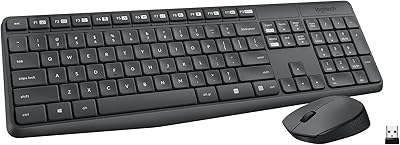
Logitech MK270 Wireless Keyboard and Mouse Combo
82%
96%
Battery Endurance
89%
Wireless Reliability
92%
Value for Money
81%
Typing Comfort
59%
Mouse Ergonomics
More
Logitech MK320 Wireless Keyboard and Mouse Combo
73%
88%
Value for Money
91%
Battery Life
93%
Ease of Setup
84%
Wireless Reliability
76%
Keyboard Comfort
More
Logitech MK235
Logitech MK235
77%
93%
Value for Money
91%
Battery Life
94%
Ease of Setup
78%
Typing Experience
61%
Mouse Comfort & Ergonomics
More
Logitech MK295
Logitech MK295
78%
88%
Noise Reduction
91%
Value for Money
79%
Keyboard Typing Experience
63%
Mouse Comfort & Ergonomics
93%
Battery Life
More
Logitech MK335 Wireless Keyboard and Mouse Combo
79%
83%
Typing Noise Level
88%
Wireless Reliability
91%
Battery Life
61%
Mouse Comfort & Ergonomics
76%
Keyboard Comfort & Layout
More
Logitech MK520 Wireless Keyboard and Mouse Combo
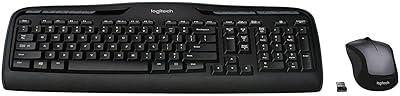
73%
96%
Ease of Setup
88%
Wireless Reliability
79%
Typing Comfort
83%
Battery Life
67%
Mouse Ergonomics
More
Logitech MK250
Logitech MK250
75%
91%
Value for Money
78%
Bluetooth Connectivity
69%
Keyboard Typing Feel
61%
Mouse Comfort & Fit
88%
Battery Life
More
Logitech MK710 Wireless Keyboard Mouse Combo

83%
96%
Battery Life
88%
Typing Comfort
91%
Wireless Reliability
63%
Mouse Quality
83%
Build Quality
More
Logitech MK540 Advanced
81%
88%
Typing Comfort
94%
Battery Life
67%
Mouse Quality
86%
Palm Rest & Ergonomics
91%
Wireless Reliability
More
Logitech Pebble 2 Combo Wireless Keyboard Mouse
83%
93%
Noise Level
91%
Multi-Device Switching
94%
Battery Life
89%
Portability & Form Factor
78%
Typing Experience
More

FAQ

Yes, Bluetooth LE works entirely independently of the Unifying receiver. You can pair the MK850 to a Bluetooth-capable laptop, desktop, or tablet without using any USB ports at all. The receiver is simply an alternative connection method, not a requirement.

Both Android and iOS are on the official compatibility list, and Bluetooth pairing on tablets works the same way as on a laptop or desktop. Keep in mind that some function-key shortcuts are designed with desktop operating systems in mind and may not behave identically on a tablet, but general typing, cursor control, and device-switching all work without issues.

There are numbered Easy-Switch buttons along the top of the keyboard. Press the button assigned to a different device and both the keyboard and mouse redirect to that machine within about a second. You do need to pair each device in advance, which takes a few minutes per device the first time around, but after that the switching itself is instant and reliable.

This is worth thinking about before you buy. The nano receiver is specific to Logitech's Unifying platform, so a generic Bluetooth dongle will not replace it. Logitech sells replacement Unifying receivers separately, and if you already own another Unifying-compatible Logitech device, you may be able to pair this combo to that existing receiver instead — the Unifying platform supports up to six devices per receiver. That said, losing the receiver while traveling means you are stuck until a replacement arrives.

The Logitech MK850 Wireless Keyboard and Mouse Combo is genuinely comfortable for extended typing sessions — the built-in palm rest helps noticeably, and the keys are well-spaced. The main caveat is key travel: these are low-profile membrane switches, so if you are accustomed to mechanical keys with a pronounced click or tactile bump, the feedback here will feel shallow by comparison. For moderate to heavy typists who have not used a mechanical keyboard, most find it quite satisfactory over long sessions.

Unfortunately not. The mouse has an asymmetric right-handed ergonomic shape — the thumb rest and overall contour are molded specifically for a right-handed grip. Left-handed buyers would have to hold it in an awkward position, which defeats the ergonomic purpose entirely. If left-hand use matters to you, this keyboard-and-mouse set is not the right fit.

Yes, ChromeOS is officially supported. Both Bluetooth pairing and the Unifying receiver work with Chromebooks without any additional software. A handful of keys labeled for Windows or macOS functions may behave differently on ChromeOS, but typing, scrolling, and device-switching all work as expected.

Logitech rates the keyboard at up to 24 months and the mouse at up to 12 months per charge of AA batteries. In practice, daily heavy users typically see somewhat less than the rated maximum, but battery life is consistently measured in many months rather than weeks. The keyboard includes an auto-off feature that kicks in during idle periods to help extend life further.

It is not suited to gaming in any meaningful way. The membrane keys have no anti-ghosting capability designed for simultaneous multi-key inputs, and the mouse lacks the high-DPI precision, programmable buttons, and low-latency response that gaming peripherals provide. This set is built entirely around productivity and all-day comfort, so for gaming you would be better served by dedicated gaming peripherals.

No, the Easy-Switch system keeps the keyboard and mouse linked as a pair to whichever device channel is currently active. When you press a switch button, both the keyboard and mouse redirect to the same device together. Splitting the keyboard and mouse to separate machines simultaneously is not a supported feature of this set.

Where to Buy