Logitech Pebble 2 Combo Wireless Keyboard Mouse






Overview
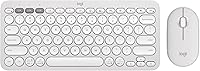
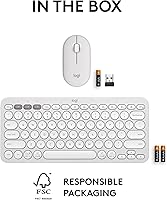
The Logitech Pebble 2 Combo Wireless Keyboard Mouse is a slim, quiet peripheral set built for people who want practical multi-device functionality without cluttering their desk or their budget. Both pieces are designed to look and feel like a matched pair — available in several colorways including Tonal White — and the plastic housing uses certified post-consumer recycled materials, a detail worth noting without overstating. This is a mid-range combo that sits comfortably between budget no-names and premium mechanical options. What you get is a laptop-style typing experience — flat, quiet, and responsive — so if deep key travel or clicky feedback is what you are after, recalibrate before buying.
Features & Benefits
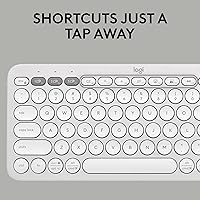
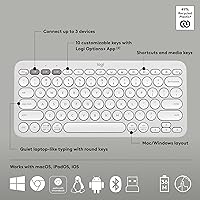
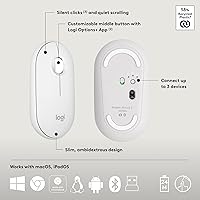
The standout here is the Easy-Switch button, which lets you hop between up to three paired devices — say, your work laptop, a personal MacBook, and an iPad — with a single press. It works over both Bluetooth 5.1 and the Logi Bolt USB receiver, so compatibility is rarely an issue. Both keyboard keystrokes and mouse clicks are genuinely quiet; the difference versus a standard set in a shared office is noticeable. Battery life is remarkable: the keyboard runs up to three years and the mouse up to two, both on AAA batteries. Through the Logi Options+ app, you can remap all 10 function keys — handy for assigning mute, screenshot, or app-launch shortcuts — plus the mouse middle button.
Best For
This wireless combo is an easy recommendation for anyone who regularly switches between multiple devices — especially people juggling a Mac at home, a Windows machine at work, and an iPad in between. The quiet operation makes it a natural fit for open-plan offices or coffee shops where audible keystrokes feel inconsiderate. Minimalists will appreciate that the keyboard and mouse look intentionally paired rather than thrown together. That said, the mouse is compact and suits small to medium hands best; larger hands logging full workdays may find it tiring over time. Anyone who depends on a numpad for data entry should look elsewhere — this minimalist layout simply does not include one.
User Feedback
With over 3,500 ratings averaging 4.5 out of 5 stars, the Pebble 2 set has clearly earned its following. Reviewers consistently highlight the noise reduction as a genuine real-world benefit, not just a marketing claim. On the critical side, the compact layout frustrates users who depend on a numpad, and this comes up often enough to be worth flagging before you buy. The mouse draws mixed reactions: travelers love the small footprint, but people logging full eight-hour sessions sometimes report hand fatigue. Battery life, however, is almost universally validated — many buyers mention going months without swapping batteries, which matches the rated specs closely and is not something you can say about every peripheral in this category.
Pros
- One-press switching across three paired devices works reliably and removes real daily friction for multi-device users.
- Keyboard and mouse noise reduction is genuinely noticeable in shared workspaces, not just marginal.
- Keyboard battery life stretches up to three years on standard AAA batteries — no charging cables required.
- The Logi Options+ app lets you remap function keys to practical shortcuts like mute, screenshot, or app launch.
- Cross-platform support covers Mac, Windows, iPad, Chrome OS, Linux, and Android without compatibility headaches.
- The slim, matched design looks intentional on a desk rather than like a mismatched bundle.
- Both Bluetooth and the Logi Bolt USB receiver are included, giving you flexibility depending on your setup.
- This keyboard-and-mouse bundle is packaged light enough to carry daily in a backpack alongside a laptop.
- Mac users get correct shortcut mapping out of the box, which is not a given in this category.
- Over 3,500 verified buyers rate this combo at 4.5 out of 5 stars, signaling broad and consistent satisfaction.
Cons
- No numpad is included, which is a hard dealbreaker for anyone doing regular data entry or accounting work.
- The mouse is too small for comfortable extended use by people with medium-to-large hands.
- No low-battery indicator means the first sign of a dying mouse is often an unresponsive device mid-task.
- Logi Options+ customizations do not sync to new machines automatically, requiring manual reconfiguration on each device.
- The scroll wheel lacks free-spin capability, making long document or spreadsheet navigation more effortful than it should be.
- In dense Bluetooth environments like co-working spaces, occasional connection stutters have been reported on the wireless channel.
- The plastic housing, while made with recycled materials, can feel hollow and picks up fingerprints and smudges visibly.
- Android and Linux users lose access to most Logi Options+ features, making customization effectively unavailable on those platforms.
- The mouse shape is symmetrical with minimal palm support, which limits comfort during long uninterrupted work sessions.
- Buyers seeking a premium typing feel will find the shallow scissor-switch keys adequate but not satisfying.
Ratings
The Logitech Pebble 2 Combo Wireless Keyboard Mouse has been scored by our AI system after analyzing thousands of verified global purchases, with spam, bot-generated, and incentivized reviews actively filtered out before scoring. Ratings reflect what real everyday users — remote workers, students, hybrid commuters, and multi-device power users — actually reported across extended periods of use. Both the strengths that keep buyers loyal and the friction points that led to returns or complaints are transparently built into every score below.
Noise Level
Multi-Device Switching
Battery Life
Portability & Form Factor
Typing Experience
Mouse Ergonomics
Build Quality
Software & Customization
Cross-Platform Compatibility
Value for Money
Aesthetic & Design Cohesion
Connectivity Reliability
Setup & Ease of Use
Sustainability & Materials
Scroll Wheel Performance
Suitable for:
The Logitech Pebble 2 Combo Wireless Keyboard Mouse was built for the kind of person whose workday does not happen in one place or on one device. If you regularly jump between a work laptop, a personal computer, and a tablet, the one-press device switching alone is worth the price of entry — it removes the daily friction of unplugging, re-pairing, or keeping separate peripherals for each machine. People who work in open offices, coffee shops, or shared home spaces will particularly appreciate how genuinely quiet both the keyboard and mouse are in practice; this is not a marginal improvement over a standard set, it is a noticeable one that your coworkers will notice too. Mac and iPad users are well served here, since the keyboard maps correctly to Apple shortcuts out of the box rather than requiring workarounds. Students and hybrid workers who need a capable, lightweight set that fits alongside a laptop in a backpack without adding meaningful weight will find this bundle hits a sweet spot that few combos at this price manage.
Not suitable for:
The Logitech Pebble 2 Combo Wireless Keyboard Mouse is not the right choice if a numpad is part of your daily workflow — the minimalist layout simply omits it, and there is no workaround short of adding a separate number pad. Anyone coming from a mechanical keyboard expecting tactile click feedback or deep key travel will find the flat, laptop-style keys underwhelming regardless of how quiet they are. The mouse, while well-suited to travel and smaller hands, is compact enough that users with larger hands or those spending eight or more hours a day at a desk often report hand fatigue over time — this is not a flaw in the design so much as a fundamental size trade-off worth knowing about before buying. Power users who rely heavily on free-spin scroll wheels for navigating long codebases or dense spreadsheets will find the standard line-by-line scroll wheel limiting. If you work primarily on a single device and have no need for multi-device switching, you would be paying for a feature you will never use, and there are better-typing or better-ergonomics options available at similar prices.
Specifications
- Connectivity: Connects via Bluetooth 5.1 or the included Logi Bolt USB receiver, giving users a choice between wireless protocols depending on their device setup.
- Device Switching: The Easy-Switch button supports pairing and switching across up to 3 devices simultaneously, compatible across different operating systems.
- Keyboard Battery: The keyboard is rated for up to 3 years of use on a single AAA battery under typical daily conditions.
- Mouse Battery: The mouse is rated for up to 2 years on a single AAA battery, with actual longevity varying based on scroll and click frequency.
- Batteries Included: Both AAA batteries for the keyboard and mouse are included in the box, so the combo is ready to use immediately out of packaging.
- Keyboard Layout: The keyboard uses a minimalist layout without a dedicated numpad, optimized for compact desk footprints and portable use.
- Key Mechanism: Keys use low-profile scissor switches designed to replicate the flat, quiet feel of a modern laptop keyboard.
- Mouse Type: The mouse is a compact optical model featuring Silent Touch Technology to reduce audible click noise during operation.
- Packaged Weight: The combined packaged weight of the keyboard and mouse is 1.08 pounds, making it practical for daily commuting and travel.
- Package Dimensions: The retail packaging measures 14.21 x 5.28 x 1.46 inches, sized to accommodate both peripherals in a single compact box.
- OS Compatibility: Fully compatible with Windows, macOS, iPadOS, Chrome OS, Linux, and Android operating systems.
- Customization: The Logi Options+ desktop app supports remapping of 10 function keys on the keyboard and the middle button on the mouse.
- Keyboard Material: The keyboard housing is made from plastic containing a minimum of 65% certified post-consumer recycled content.
- Mouse Material: The mouse housing uses plastic with a minimum of 76% certified post-consumer recycled content by weight.
- Color Options: Available in multiple colorways, including Tonal White, designed so the keyboard and mouse match visually as a cohesive set.
- Wireless Range: Both the Bluetooth and Logi Bolt connections are rated for standard wireless peripheral operating distances, typically up to 10 meters in open environments.
- USB Receiver: The Logi Bolt USB receiver is a compact nano-sized dongle that occupies a single USB-A port and supports encrypted wireless communication.
- Model Number: The official Logitech model number for this combo is 920-012198, corresponding to the Pebble 2 Combo product line.
Related Reviews
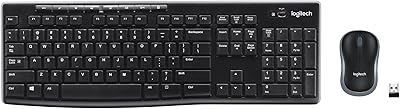
Logitech MK270 Wireless Keyboard and Mouse Combo
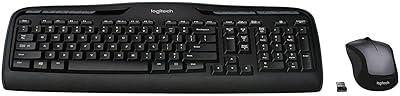
Logitech MK335 Wireless Keyboard and Mouse Combo
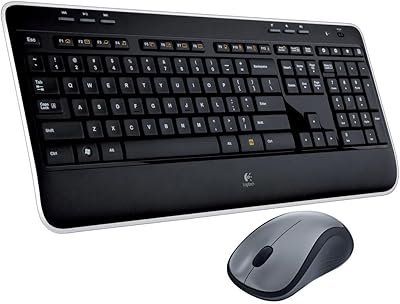
Logitech MK520 Wireless Keyboard and Mouse Combo
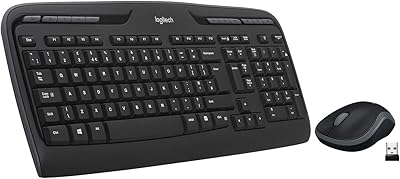
Logitech MK320 Wireless Keyboard and Mouse Combo
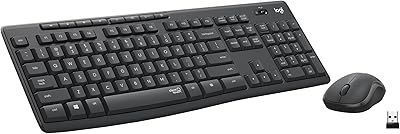
Logitech MK295
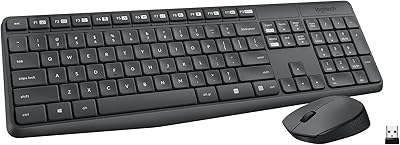
Logitech MK235
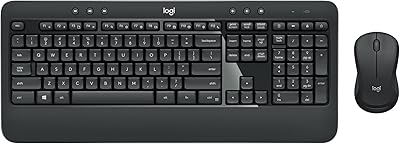
Logitech MK540 Advanced
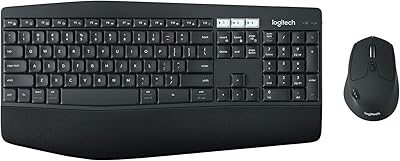
Logitech MK850 Wireless Keyboard and Mouse Combo
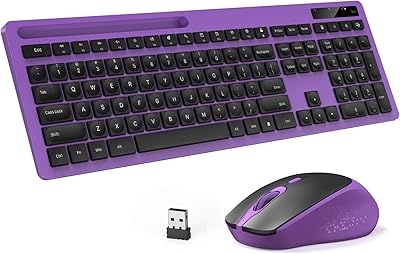
Vivefox MKTBA Wireless Keyboard and Mouse Combo
