Overview
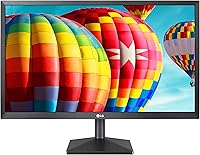
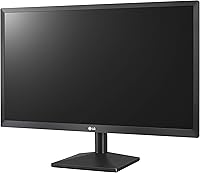
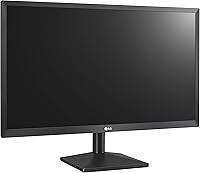
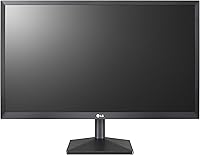
The LG 22MK430H 22-inch FHD IPS Monitor is LG's answer to the question every budget-conscious buyer eventually asks: can you get a genuinely decent screen without spending a fortune? Launched in late 2018, it has aged well enough to remain a practical choice for everyday use. The 21.5-inch panel delivers 1080p resolution in a 16:9 format, which covers the basics comfortably. Design-wise, this LG monitor keeps things simple — thin bezels, matte black plastic, nothing flashy. One thing worth noting upfront: the glossy screen surface can pick up reflections in bright or sunlit rooms, so your lighting setup matters more than you might expect.
Features & Benefits
What sets the 22MK430H apart from similarly priced TN panels is the IPS panel technology, which delivers noticeably wider viewing angles and more consistent color across the screen. Colors don't wash out when you shift your seat, which matters for anyone sharing a screen or doing light photo work. AMD FreeSync is included, though it's best treated as a small bonus rather than a headline feature — it smooths out tearing in casual gaming without demanding a high-end GPU. Dynamic Action Sync trims input lag, and the Black Stabilizer helps in darker scenes. The OnScreen Control software lets you tweak settings from your desktop, and both HDMI and VGA ports mean older hardware isn't left behind.
Best For
This IPS display fits neatly into a few specific use cases. It's a strong pick for home office setups where you need a reliable, easy-on-the-eyes screen for spreadsheets, documents, or video calls. Students upgrading from an aging monitor will appreciate the color improvement without the budget strain. Casual gamers playing indie titles or slower-paced games will find FreeSync a welcome touch, though this isn't built for competitive play. The compact footprint makes it practical for tighter desks, and the VGA port is a genuine lifesaver for anyone running older systems. One ergonomic note: the stand only tilts, with no height adjustment or pivot, so factor that in if you have specific posture needs.
User Feedback
Across well over a thousand verified ratings, this LG monitor earns strong marks — most buyers are clearly satisfied with what they got at this price point. Picture quality and easy plug-and-play setup come up repeatedly as highlights, especially among first-time IPS buyers who notice an immediate improvement over their previous screens. That said, criticism does surface. The glossy panel draws complaints from users in bright rooms where glare becomes a real nuisance, and the stand's limited adjustability frustrates those with specific ergonomic needs. Long-term durability reports are generally positive, though a small number mention backlight concerns after extended use. Productivity users tend to rate it higher than gamers, who often wish for more from the stand and refresh rate.
Pros
- The IPS panel delivers noticeably better color consistency than TN monitors in the same price range.
- Wide viewing angles mean the image stays accurate even when you shift position or share the screen.
- AMD FreeSync reduces screen tearing during casual gaming without requiring a high-end graphics card.
- Both HDMI and VGA ports make this IPS display compatible with older and newer hardware alike.
- The OnScreen Control software lets you adjust monitor settings from your desktop without hunting for buttons.
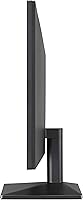
- The 22MK430H has a slim, clean design that fits well in minimalist or compact desk setups.
- Setup is straightforward — most users report being up and running within minutes of unboxing.
- Dynamic Action Sync and Black Stabilizer add practical value for everyday content and casual gaming.
- LG's brand reliability means firmware and build quality hold up better than off-brand alternatives at this tier.
- A strong track record across thousands of verified ratings points to consistent, predictable performance.
Cons
- The glossy screen surface causes noticeable glare in bright rooms or near windows.
- The stand offers tilt only — no height adjustment, pivot, or swivel of any kind.
- Refresh rate and response time specs make this IPS display unsuitable for competitive or fast-paced gaming.
- Color accuracy is decent for the price but falls short of what creative professionals genuinely need.
- The 21.5-inch actual screen size is slightly smaller than the marketed 22-inch figure.
- No built-in speakers, so audio requires a separate solution.
- A small number of long-term owners have reported backlight issues after extended use.
- The plastic build feels lightweight in hand, which may concern buyers looking for a sturdier premium feel.
- There is no USB hub or modern convenience ports, which limits desk cable management options.
- Productivity-focused buyers who need screen real estate will find the 1080p resolution limiting on a single display.
Ratings
The scores below reflect an AI-driven analysis of thousands of verified global reviews for the LG 22MK430H 22-inch FHD IPS Monitor, with spam, bot-generated, and incentivized feedback actively filtered out to ensure accuracy. Our model weighs both enthusiastic praise and recurring frustrations equally, so what you see here is an honest cross-section of real ownership experiences. Strengths are acknowledged where they genuinely exist, and pain points are called out without softening.
Image Quality
Viewing Angles
Screen Glare & Surface
Build Quality
Stand & Ergonomics
Gaming Performance
Value for Money
Connectivity
Setup & Usability
Color Accuracy
OnScreen Control Software
Long-term Durability
Design & Aesthetics
Suitable for:
The LG 22MK430H 22-inch FHD IPS Monitor is a smart pick for anyone who needs a dependable everyday display without stretching their budget thin. Home office workers who spend hours on documents, spreadsheets, or video calls will appreciate the IPS panel's consistent color and comfortable viewing angles across a full workday. Students setting up a first desk are a natural fit too — the step up in image quality over budget TN panels is noticeable, and the compact footprint works well in tighter rooms or shared living spaces. Casual gamers who enjoy indie titles or slower-paced games will find the FreeSync support a quiet but welcome perk that smooths out the experience without needing a powerful GPU. Anyone still running a machine with only a VGA output will also find the dual-port connectivity genuinely useful, since HDMI and D-Sub are both on board.
Not suitable for:
Buyers with more demanding needs should think carefully before committing to the LG 22MK430H 22-inch FHD IPS Monitor. If your workspace gets a lot of natural light or overhead glare, the glossy panel will become a frustration quickly — reflections are a real issue, not a minor inconvenience. Competitive or fast-paced gamers will find the specs underwhelming; this display was never built for high refresh rates or the kind of pixel-fast response times that serious gaming demands. Anyone who relies on ergonomic adjustability — height settings, pivot rotation, or a wide swivel range — will be let down by the basic stand, which only offers tilt. Creative professionals doing color-critical work like photo editing or video grading should also look elsewhere, since a monitor at this price tier cannot deliver the color accuracy or calibration headroom those tasks require.
Specifications
- Screen Size: The panel measures 21.5 inches diagonally, marketed as a 22-inch display with a 16:9 aspect ratio.
- Resolution: Native resolution is 1920 x 1080 pixels, delivering standard Full HD 1080p image quality.
- Panel Type: Uses an IPS (In-Plane Switching) panel, which provides wider viewing angles and more consistent color reproduction than TN alternatives.
- Screen Surface: The display has a glossy surface finish, which can enhance color vibrancy but may reflect ambient light in bright environments.
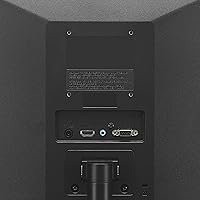
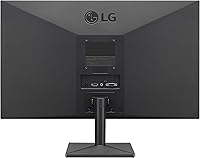
- Connectivity: Includes one HDMI port and one D-Sub (VGA) port, supporting both modern and legacy device connections.
- FreeSync: AMD FreeSync technology is supported, reducing screen tearing and stuttering when used with compatible AMD graphics hardware.
- Action Sync: Dynamic Action Sync minimizes input lag, keeping on-screen motion more responsive during fast-moving content.
- Black Stabilizer: The Black Stabilizer feature improves visibility in dark scenes by brightening shadowed areas without overexposing brighter parts of the image.
- OnScreen Control: LG's OnScreen Control software allows users to adjust display settings, split screen layouts, and input sources directly from their desktop.
- Dimensions: The monitor measures 20.1 x 7.2 x 15.6 inches (L x W x H) including the stand.
- Weight: The unit weighs approximately 6.16 pounds, making it lightweight and easy to reposition on a desk.
- Stand Adjustments: The included stand supports tilt adjustment only; height, pivot, and swivel adjustments are not available.
- VESA Mounting: The monitor supports standard VESA mounting, allowing it to be used with compatible third-party monitor arms or wall mounts.
- Voltage: Rated at 240 volts, compatible with standard international power configurations using an appropriate adapter where needed.
- Color: Available in matte black, consistent with LG's minimalist design aesthetic across its value monitor lineup.
- Availability: First made available in November 2018 and remains in active production with no discontinuation announced by the manufacturer.
- Ratings: Holds a 4.6 out of 5 star average rating based on over 1,600 verified customer reviews on Amazon.
Related Reviews
LG 27MP450 27-inch FHD IPS Monitor
LG 24MP400-B 24-inch IPS Monitor
LG 24BK430H-B 24-Inch FHD IPS Monitor
SANSUI ES-22X3 22-inch IPS Monitor
LG 24GN60R-B 24-inch FHD Gaming Monitor
Samsung S22R350FHN 22-inch IPS Monitor
Dell P2214H 22-Inch IPS Monitor
KOORUI P01 24-inch FHD Monitor
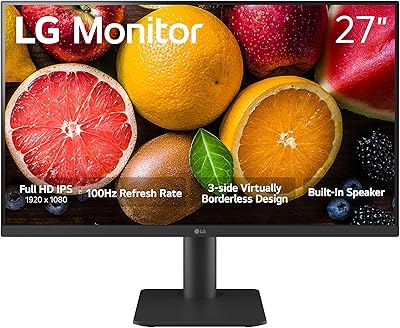
LG 27MS550-B 27-inch IPS Monitor

HP Series 5 524sf 24-inch Monitor