
Overview

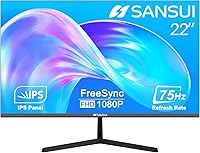
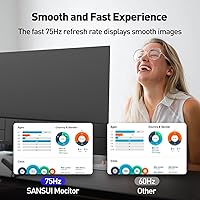
The SANSUI ES-22X3 22-inch IPS Monitor sits in a sweet spot for buyers who want more than the bare minimum without stretching their budget. It brings Full HD 1080p resolution and a 75Hz refresh rate to a price range where many displays still top out at 60Hz, giving it a quiet edge over comparable options. The ultra-thin frame and borderless design look noticeably cleaner on a desk than you might expect at this tier. VESA mount support adds real long-term flexibility, and the included HDMI cable means you can plug in and get going without a separate trip to the store.

Features & Benefits

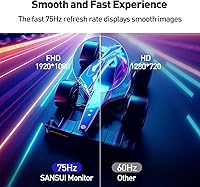
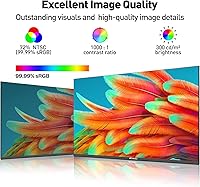
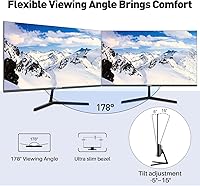
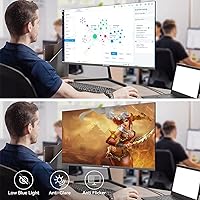
The IPS panel is arguably where this SANSUI monitor earns its keep. With a 178-degree viewing angle and near-full sRGB color coverage, images stay accurate and consistent whether you are looking straight on or from the side — genuinely useful for shared workspaces. The 75Hz refresh rate with FreeSync support keeps motion noticeably smoother than a standard 60Hz panel, which casual gamers will appreciate without needing to spend more on a dedicated gaming display. Both HDMI and VGA ports handle connectivity for modern and legacy machines alike, and the eye-care features — low blue light, anti-flicker, anti-glare — make long work sessions considerably more comfortable.

Best For

The ES-22X3 is a strong fit for students, remote workers, and anyone building a home office on a sensible budget. If you are coming from an older machine with only a VGA output, the dual-port setup means you do not need to buy new hardware just to get a decent screen. Casual gamers will find the 75Hz refresh rate satisfying for slower-paced or indie titles, though this is not built for competitive play at high frame rates. The slim profile and tight bezels also make it a natural choice as a second monitor in a multi-display arrangement where desk space is at a premium.

User Feedback

Sitting at 4.2 out of 5 stars across 58 ratings, this 22-inch IPS display lands in solid territory for its category. Buyers frequently highlight the clean aesthetics and how accurate the image looks for everyday tasks like spreadsheets, video calls, and casual browsing. Where things get more mixed is ergonomics — the stand only tilts, with no height adjustment or pivot, which frustrates users who sit at a desk for long stretches. The glossy screen surface is also worth knowing about upfront; in a room with windows or bright overhead lights, reflections can become a real nuisance, though it is much less of an issue in controlled lighting environments.

Pros

  • IPS panel delivers accurate, vibrant colors that hold up well across everyday tasks like browsing, documents, and video calls.
  • The 75Hz refresh rate with FreeSync makes motion visibly smoother than standard 60Hz budget monitors.
  • Wide 178-degree viewing angle means image quality stays consistent even when viewed from the side.
  • Built-in eye-care features — low blue light, anti-flicker, and anti-glare — help reduce fatigue during long sessions.
  • Dual HDMI and VGA ports make it compatible with both modern and older machines without adapters.
  • The slim, three-sided borderless design looks considerably more polished than the price tag suggests.
  • VESA mount support gives you the option to upgrade to a monitor arm down the line.
  • Assembly is quick and straightforward, and the included HDMI cable means less hassle right out of the box.
  • Compact footprint and thin profile make it easy to fit into smaller desks or multi-monitor arrangements.

Cons

  • The tilt-only stand offers no height adjustment or pivot, which can strain your neck during extended work sessions.
  • The glossy screen surface reflects ambient light noticeably in bright rooms or near windows.
  • At 22 inches, the screen size may feel limiting for users accustomed to 24-inch or larger displays.
  • The 72% NTSC color gamut is adequate for general use but too narrow for photo editing or color-critical work.
  • With only 58 ratings at the time of review, there is limited long-term reliability data available for this display.
  • No built-in speakers, so audio requires a separate solution like headphones or external speakers.
  • The stand feels basic compared to more established budget monitor brands at a similar price point.
  • 75Hz is entry-level for gaming; fast-paced or competitive titles will expose its refresh rate ceiling quickly.

Ratings

The scores below reflect an AI-driven analysis of verified global user reviews for the SANSUI ES-22X3 22-inch IPS Monitor, with spam, bot-generated, and incentivized feedback actively filtered out to ensure the results represent genuine buyer experiences. Every category is scored based on what real users actually praised and complained about — not what the spec sheet promises. Both the standout strengths and the honest frustrations are reflected transparently so you can make a confident, informed decision.

Value for Money
88%
Buyers consistently feel this display punches above its weight for the price, citing the IPS panel, borderless design, and included HDMI cable as features they did not expect at this tier. For students and budget-conscious home workers, the overall package feels like a genuinely fair deal.
A small portion of reviewers feel the tilt-only stand and glossy surface are corners cut to hit the price point, and note that spending slightly more opens up ergonomic options that many office workers will eventually wish they had.
Image Quality
83%
The IPS panel earns consistent praise for producing natural, accurate colors during everyday tasks like video calls, document work, and casual streaming. The wide 178-degree viewing angle means the image holds up well even when the monitor is positioned off to the side or shared with someone nearby.
At 72% NTSC color gamut, the display is not well-suited for photo editing or any work requiring precise color matching. A handful of users also note the brightness ceiling feels limiting in very well-lit rooms, particularly combined with the reflective glossy surface.
Refresh Rate & Gaming
74%
26%
Casual gamers upgrading from a 60Hz display find the 75Hz refresh rate with FreeSync a noticeable improvement — slower-paced games, RPGs, and indie titles feel considerably smoother, and tearing is largely eliminated during normal gaming sessions.
Anyone who plays fast-paced shooters or competitive titles will find 75Hz falls well short of what modern gaming demands. This is an entry-level gaming experience at best, and buyers expecting high frame rate smoothness will be disappointed.
Eye Comfort
81%
19%
Remote workers who log long hours in front of screens report that the low blue light filter and anti-flicker technology make a genuine difference in reducing end-of-day eye fatigue. The wide viewing angle also helps reduce the need to constantly reposition the screen during extended sessions.
The glossy panel surface works against the anti-glare claim in practice — in brighter workspaces, light reflections can create real strain that partially offsets the benefits of the eye-care features. Users in sunlit rooms may find this frustrating despite the built-in protections.
Build Quality
76%
24%
The two-part metal stand feels sturdier than many competitors at this price point, and the ultra-thin panel has a clean, polished finish that users frequently describe as looking more expensive than it is. The three-sided borderless design contributes to a more refined desk presence.
The overall construction is functional rather than premium — there is some flex in the panel at the edges, and the stand base, while stable, feels lighter than what you would find on more established monitor brands. Long-term durability is harder to assess given the relatively limited review pool.
Ergonomics
52%
48%
The tilt adjustment between -5° and 15° covers the basics, and users who happen to sit at a height that lines up naturally with the fixed stand position report no issues. VESA mount compatibility at least provides a practical escape route for those who need more control.
The lack of height adjustment, swivel, and pivot is this monitor's most consistently cited frustration, particularly among buyers who spend six or more hours a day at their desk. Several reviewers noted neck and shoulder discomfort after extended sessions that a height-adjustable stand would have prevented.
Connectivity
82%
18%
The combination of HDMI and VGA ports is a smart practical choice — it covers the vast majority of home and office setups without requiring adapters, and older machines with legacy VGA outputs connect without any hassle. The included HDMI cable removes one small barrier from the unboxing experience.
There is no DisplayPort, USB hub, or audio output on the panel, which limits flexibility for users with more complex setups. Those connecting via USB-C laptops will need an adapter, and the absence of a headphone jack means audio routing must go entirely through the connected device.
Screen Glare & Reflections
58%
42%
In dim or controlled lighting environments, the glossy surface actually makes colors appear more saturated and visually appealing compared to matte alternatives. Users working in darker home office setups or evening environments report few complaints about reflections.
In brightly lit rooms, near windows, or under overhead fluorescent lighting, the glossy screen becomes a noticeable problem. Multiple reviewers specifically flagged this as something they wish had been clearer before purchase, with some saying it significantly affects their daily usability.
Setup & Assembly
91%
Almost universally praised for being fast and painless — the two-piece stand snaps together without tools, the monitor attaches in seconds, and the included HDMI cable means most buyers are up and running within five minutes of opening the box. This is a genuine strength for non-technical users.
The instruction sheet is minimal, and while most people find the assembly intuitive, a small number of reviewers noted minor confusion about the stand attachment before figuring it out. There are no extra connectivity cables beyond HDMI, so VGA users need to source their own.
Design & Aesthetics
86%
The slim profile and borderless bezel design are consistently highlighted as a standout visual feature — buyers frequently note that the ES-22X3 looks considerably more premium than its price tier suggests. It sits cleanly on a desk without drawing attention to itself in the way bulkier budget monitors do.
The design is available only in black, which suits most setups but limits customization options for users with light-colored or stylized desk environments. The glossy finish, while visually appealing when clean, picks up fingerprints and smudges easily and requires regular wiping.
Color Accuracy
73%
27%
For typical home and office use — web browsing, document work, Netflix, and casual photo viewing — the color reproduction is warm and pleasing, with users noting that whites look clean and skin tones appear natural during video calls. The 99.99% sRGB coverage holds up well for non-professional tasks.
Photo editors and designers will hit the ceiling of this panel's capabilities quickly. The 72% NTSC coverage means colors are not as vivid or accurate as wider-gamut alternatives, and subtle color distinctions that matter in creative work can be harder to distinguish on this display.
Brightness & Contrast
69%
31%
In moderately lit rooms, the brightness level is sufficient for comfortable all-day use, and most users working in typical indoor conditions report no issues with visibility or washed-out images during standard tasks.
The panel does not get particularly bright, which compounds the glare issue in well-lit environments and makes the display feel flat when used alongside naturally brighter screens. There is no HDR support, and contrast performance is average for an IPS panel at this price level.
Desk Footprint
84%
The compact dimensions and slim stand make this a genuinely space-efficient choice for smaller desks, dorm setups, or multi-monitor arrangements where every inch counts. Buyers frequently cite how little space it occupies as a meaningful practical advantage.
The stand cannot be folded or compacted for storage or transport, and while the monitor itself is light at under 7 pounds, the combined package is not particularly travel-friendly if you regularly need to move your setup between locations.

Suitable for:

The SANSUI ES-22X3 22-inch IPS Monitor is a genuinely smart pick for students, remote workers, and budget-conscious home office setups where reliable image quality matters more than cutting-edge specs. If you spend most of your screen time on documents, video calls, spreadsheets, or light content consumption, the IPS panel's color accuracy and wide viewing angles deliver noticeably better results than cheaper TN alternatives at a similar price. Casual gamers who play slower-paced titles or indie games will appreciate the step up to 75Hz with FreeSync — it is a real improvement over 60Hz without requiring a significant investment. The dual HDMI and VGA ports make this a practical choice if you are hooking up an older laptop or desktop that lacks modern outputs, saving you from buying additional adapters. The slim, borderless design and VESA mount compatibility also make it an excellent candidate as a second monitor in a compact multi-display setup.

Not suitable for:

The SANSUI ES-22X3 22-inch IPS Monitor is not the right tool for buyers who need serious ergonomic flexibility. The stand only tilts — there is no height adjustment, swivel, or pivot, which becomes a genuine problem during long work sessions if your eye level does not align naturally with the fixed screen position. Competitive or fast-paced gamers should look elsewhere; 75Hz is a floor for smoother gaming, not a ceiling, and anyone playing shooters or action titles at high frame rates will quickly feel the limitations. Color professionals, photographers, or designers who rely on precise color grading should also pass — the panel covers 72% NTSC, which is acceptable for general use but falls short of the accuracy standards required for serious creative work. Finally, if your workspace gets a lot of natural light or has bright overhead fixtures, the glossy screen surface will produce distracting reflections that a matte panel would handle far better.

Specifications

  • Screen Size: The display measures 22 inches diagonally, providing a comfortable viewing area for home office and casual use without occupying excessive desk space.
  • Panel Type: Uses an IPS (In-Plane Switching) panel, which offers more consistent color reproduction and wider viewing angles compared to TN panels at a similar price.
  • Resolution: Native resolution is 1920x1080 Full HD, delivering sharp, clear imagery suitable for everyday productivity, video streaming, and light gaming.
  • Refresh Rate: Runs at 75Hz, which produces noticeably smoother motion than standard 60Hz displays and supports AMD FreeSync to reduce screen tearing.
  • Color Coverage: Covers 99.99% sRGB (approximately 72% NTSC), which is well-suited for general use but not intended for professional color-critical workflows.
  • Color Depth: Supports 16.7 million colors, enabling smooth gradients and natural-looking imagery across a wide range of content types.
  • Viewing Angle: Rated at 178 degrees both horizontally and vertically, maintaining accurate color and contrast when viewed from wide off-axis positions.
  • Connectivity: Equipped with one HDMI port and one VGA port, making it compatible with both modern laptops and desktops as well as older legacy machines.
  • Eye Care: Incorporates low blue light filtering, anti-flicker technology, and an anti-glare coating to help reduce eye fatigue during extended screen sessions.
  • Tilt Adjustment: The stand supports a tilt range of -5° to 15°, allowing basic screen angle customization, though height and pivot adjustments are not available.
  • VESA Compatibility: Supports a 75x75mm VESA mounting pattern using M4 x 8mm screws, enabling compatibility with most third-party monitor arms and wall mounts.
  • Screen Surface: Features a glossy panel surface, which can enhance color vibrancy but may produce visible reflections in brightly lit environments.
  • Design: Three-sided virtually borderless design minimizes distracting bezels on the top and both sides, giving the monitor a cleaner, more modern appearance.
  • Dimensions: The assembled monitor measures approximately 19.39 x 14.14 x 6.8 inches (W x H x D), offering a relatively compact footprint for its screen size.
  • Weight: Weighs 6.78 pounds fully assembled, making it easy to reposition on a desk or transport if needed.
  • Included Accessories: Ships with one HDMI cable in the box, so most users can connect and start using the monitor immediately without purchasing additional cables.
  • Stand Assembly: The metal stand is a two-part design that attaches to the monitor base without tools, simplifying the initial setup process significantly.

Related Reviews
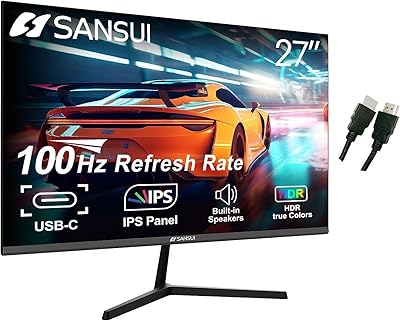
SANSUI ES-27X3 27-inch 100Hz IPS Monitor
84%
89%
Display Quality
92%
Value for Money
85%
Ease of Setup
88%
Gaming Performance
86%
Color Accuracy
More
Samsung S22R350FHN 22-inch IPS Monitor
76%
84%
Image Clarity
71%
Color Accuracy
88%
Viewing Angles
74%
Refresh Rate & Smoothness
86%
Eye Comfort
More
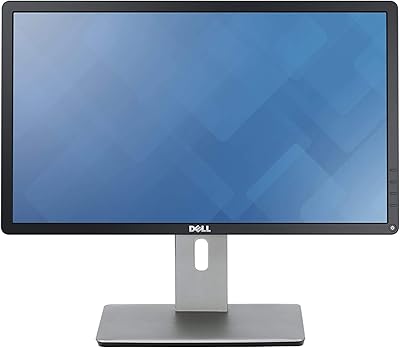
Dell P2214H 22-Inch IPS Monitor
78%
88%
Image Clarity
79%
Color Accuracy
54%
Glare & Reflections
91%
Ergonomics
86%
Build Quality
More
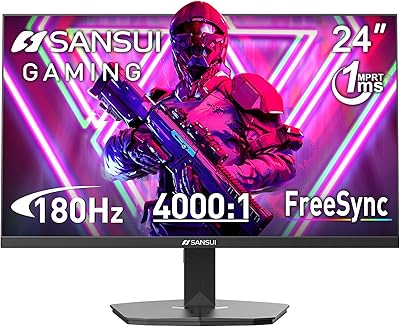
SANSUI ES-G24F4L 24-inch Gaming Monitor
71%
88%
Refresh Rate Performance
91%
Value for Money
74%
Image Clarity
67%
Color Accuracy
41%
HDR Quality
More
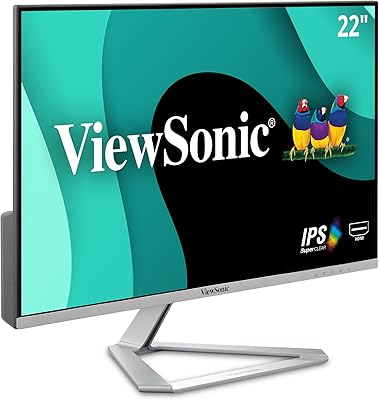
ViewSonic VX2276-SMHD 22-Inch 1080p IPS Monitor
83%
92%
Value for Money
88%
Display Quality
85%
Design & Build Quality
90%
Ease of Setup
84%
Eye Care Features
More
SANSUI ES-G24C1 24-inch Curved Gaming Monitor
74%
91%
Value for Money
86%
Gaming Performance
83%
Color & Image Quality
88%
Contrast & Black Levels
47%
Stand & Ergonomics
More
SANSUI ES-27F2 27-Inch 120Hz Monitor
71%
88%
Value for Money
79%
Image Quality
91%
Refresh Rate & Smoothness
52%
Glare & Reflections
83%
FreeSync Performance
More
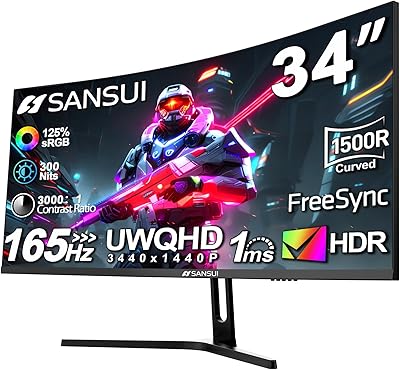
SANSUI ES-G34C5 34-inch Curved Gaming Monitor
73%
91%
Value for Money
84%
Image Quality & Color Accuracy
83%
Refresh Rate & Smoothness
47%
HDR Performance
41%
Ergonomics & Stand Adjustability
More
SANSUI ES-G27C1 27″ Curved Gaming Monitor
73%
91%
Value for Money
88%
Refresh Rate Performance
84%
Color & Image Quality
72%
Motion Clarity & Response
76%
Build Quality & Aesthetics
More
ViewSonic VA2256-MHD 22-inch IPS 1080p Monitor
85%
89%
Value for Money
93%
Display Quality
88%
Ease of Setup
91%
Eye Comfort
85%
Connectivity Options
More

FAQ

Not directly. The ES-22X3 has HDMI and VGA ports only, so if your laptop just has USB-C or Thunderbolt, you will need a USB-C to HDMI adapter to connect it. Those adapters are widely available and inexpensive, so it is not a dealbreaker — just something to factor in before buying.

Yes, most people can perceive the difference, especially when scrolling through documents, moving windows around, or playing games. It is not a dramatic leap, but everything feels a bit smoother and more responsive. If you are upgrading from an older 60Hz display, you will likely notice it within the first few minutes of use.

Absolutely. The monitor includes a VGA port specifically for this purpose, so you can connect legacy machines without any adapters. The image quality over VGA is still solid for everyday tasks, though HDMI will give you a sharper 1080p signal if your machine supports it.

Unfortunately, no. The stand only tilts between -5° and 15°, which covers basic screen angle changes but does not offer height, swivel, or pivot adjustment. If you need more ergonomic flexibility, your best option is to use the 75x75mm VESA mount and pair it with a third-party monitor arm.

It depends heavily on your room setup. In a darker or controlled-light environment, the glossy surface actually makes colors look a bit more vivid. But if you sit near a window or under bright overhead lighting, reflections can be distracting and hard to avoid. If glare is a concern in your space, a matte-screen monitor might be a safer choice.

For casual photo browsing or light editing, it is fine. But if accurate color work is important to you, the 72% NTSC color gamut falls short of the wider coverage that serious photo editing requires. Professionals or enthusiasts who depend on precise color matching should look at displays with broader DCI-P3 or AdobeRGB coverage instead.

It is genuinely straightforward. The stand comes in two metal pieces that click or bolt together, and the monitor attaches to the base without needing any tools. Most people have it ready to go in under five minutes. The instructions are clear enough that you will not need to look anything up.

No, there are no built-in speakers. You will need to rely on your computer's audio output, a separate speaker system, or headphones. This is fairly common for monitors in this price range, but it is worth knowing ahead of time if audio is part of your setup.

It helps more than people might expect. FreeSync works by syncing the monitor's refresh rate with your GPU's frame output, which eliminates the screen tearing that can happen when frame rates fluctuate. At 75Hz, it is most effective for games running between roughly 40 and 75 fps — casual or slower-paced titles will benefit noticeably, while high-frame-rate competitive gaming is really outside this monitor's intended range.

The 22-inch measurement refers to the diagonal of the active display area, which is the standard way screen sizes are measured. The three-sided borderless design keeps the bezels quite thin on the top and sides, so the visible screen takes up most of the panel's physical footprint, which makes the display feel slightly larger than older bordered designs of the same diagonal size.