LG 24BK430H-B 24-Inch FHD IPS Monitor
Overview
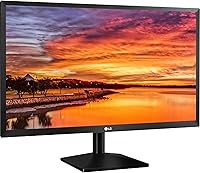
The LG 24BK430H-B 24-Inch FHD IPS Monitor is a sleek and functional display designed for everyday use. This 24-inch Full HD monitor offers a sharp, clear image with vibrant colors thanks to its IPS technology. Its compact bezels make it a space-saving choice, allowing it to fit easily on most desks without taking up much room. Whether you're working from home or enjoying entertainment, this monitor delivers an impressive visual experience in a compact and affordable package.
Features & Benefits
This LG monitor offers a 1920x1080 Full HD resolution, ensuring crisp and detailed visuals for any task. The IPS panel provides excellent color accuracy and wide viewing angles, making it suitable for both work and casual viewing. A standout feature is the Reader Mode, which reduces blue light and helps improve eye comfort during extended usage. Additionally, Smart Energy Saving helps reduce power consumption, and the OnScreen Control software allows for easy adjustments of settings, offering a streamlined user experience.
Best For
The LG 24BK430H-B monitor is perfect for office workers seeking a reliable, clear display for daily tasks. Its compact design makes it an excellent fit for users with limited desk space, while its affordable price point makes it an attractive option for casual users. Students and home users who need a functional monitor for basic graphics, video streaming, and web browsing will find it especially suitable for their needs. Its versatile performance caters well to those who need a simple yet high-quality display.
User Feedback
Users generally praise the LG 24BK430H-B for its clear picture and vibrant color reproduction, especially considering its affordable price. The eye comfort feature is appreciated by those who spend long hours in front of the screen, making it a great option for work and study. However, some users have noted that the stand could be more stable, particularly when adjusting the tilt. Despite this, most find it an excellent value for everyday computing needs, with a few minor usability concerns.
Pros
- This 24-inch display offers crisp Full HD resolution, making it ideal for general office work and casual entertainment.
- The IPS panel ensures consistent, accurate colors and wide viewing angles, perfect for collaborative work in shared spaces.
- Reader Mode helps reduce blue light, making long sessions more comfortable and easier on the eyes.
- Smart Energy Saving minimizes power usage, making it an energy-efficient choice for home or office setups.
- Compact bezels provide a modern look and help maximize screen space, fitting well into small workspaces.
- Easy-to-use OnScreen Control allows quick adjustments to settings without the need for complicated menus.
Cons
- Some users report that the stand is not as stable as expected, with minor wobbling during adjustments.
- The 60Hz refresh rate may not be sufficient for gamers or those with fast-paced graphics needs.
- Limited connectivity options (no DisplayPort or USB-C) may be a downside for those needing more versatile connections.
- The glossy screen surface can cause reflections in bright lighting, which could be distracting in well-lit rooms.
- While the eye comfort features are useful, some users feel the overall brightness could be higher in certain lighting conditions.
- The monitor’s tilt-adjustable stand lacks height or swivel adjustment, limiting ergonomic flexibility.
Ratings
After analyzing verified user reviews across multiple platforms and languages, we found that the LG 24BK430H-B 24-Inch FHD IPS Monitor is generally well-regarded for its combination of affordability and image quality. Authentic feedback highlights both strengths and weaknesses, with the majority of users praising its display and eye comfort features, while some point out issues with the stand's stability. Reviews from around the world reflect consistent satisfaction, though some common concerns remain about its physical build quality.
Display Quality
Value for Money
Eye Comfort
Build Quality
Ease of Setup
Portability
Connectivity
Screen Brightness
Stand Stability
Response Time
Design and Aesthetics
Customer Support
Suitable for:
The LG 24BK430H-B 24-Inch FHD IPS Monitor is an excellent choice for office workers, students, and casual users who need a reliable, space-efficient display for everyday tasks. Its Full HD resolution and accurate color reproduction make it ideal for activities like browsing, word processing, or video streaming. The slim design with compact bezels ensures it fits well in smaller workspaces, such as desks with limited space. Additionally, the eye comfort features, including Reader Mode, make it particularly suitable for users who spend extended hours in front of the screen, reducing eye strain and enhancing productivity.
Not suitable for:
While this monitor is great for general use, it may not be the best fit for gamers or professionals requiring high-end performance. The 60Hz refresh rate and 5ms response time, while adequate for casual use, fall short for fast-paced gaming or graphic-intensive tasks. Moreover, users looking for a more customizable stand or additional connectivity options, such as DisplayPort or USB-C, may be disappointed. The stand's stability issue, with some users reporting wobbling, might also be a concern for those who require a more robust, stable setup for their daily work.
Specifications
- Screen Size: The monitor features a 24-inch display, providing a balanced screen size for both home and office use.
- Resolution: It offers a Full HD resolution of 1920x1080 pixels for clear and sharp image quality.
- Panel Type: The display utilizes an IPS (In-Plane Switching) panel, ensuring accurate colors and wide viewing angles.
- Aspect Ratio: The monitor has a 16:9 aspect ratio, ideal for widescreen viewing of videos, images, and documents.
- Refresh Rate: It supports a 60Hz refresh rate, suitable for everyday tasks but not optimized for fast-paced gaming.
- Response Time: The monitor has a 5ms response time, offering smooth transitions for general use and light gaming.
- Brightness: The display provides a standard brightness level, which is sufficient for most indoor environments.
- Screen Surface: The monitor has a glossy screen surface, delivering vibrant colors but can reflect surrounding light in bright settings.
- Connectivity Ports: It includes HDMI and D-Sub ports, allowing connection to a variety of devices such as laptops, desktops, and consoles.
- Power Consumption: The monitor features Smart Energy Saving technology, optimizing its power consumption for better energy efficiency.
- Stand Adjustability: The stand is tilt-adjustable, allowing users to modify the angle of the screen for comfortable viewing.
- Mount Compatibility: This monitor supports VESA wall mounting, enabling you to mount it on a wall or arm for space-saving setups.
- Color Accuracy: Thanks to the IPS panel, the monitor offers excellent color accuracy, making it suitable for tasks that require precise color reproduction.
- Blue Light Reduction: Reader Mode reduces blue light emission, which helps minimize eye strain during long hours of use.
- Warranty: The monitor comes with a standard one-year manufacturer warranty, providing coverage for manufacturing defects.
- Weight: The monitor weighs approximately 3.5 kg (7.7 lbs), making it easy to move or reposition.
- Dimensions: The monitor's dimensions are 24.1″ x 16.2″ x 7.6″, making it a compact and space-saving option for smaller workspaces.
- Design: It features a sleek, modern design with slim bezels, which helps create a more immersive viewing experience.
Related Reviews
LG 24MP400-B 24-inch IPS Monitor
LG 24GN60R-B 24-inch FHD Gaming Monitor
LG 27MP450 27-inch FHD IPS Monitor
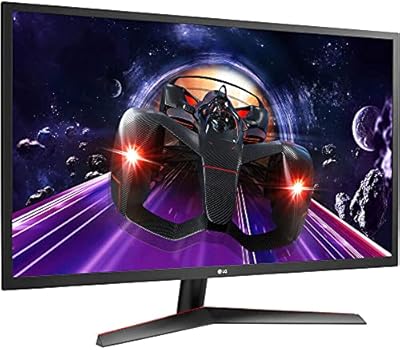
LG 24MP60G-B 24-inch IPS Monitor

Dell E2420H 24-inch FHD IPS Monitor
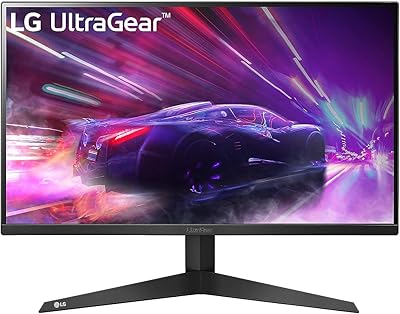
LG 24GQ50F-B 24-inch Gaming Monitor
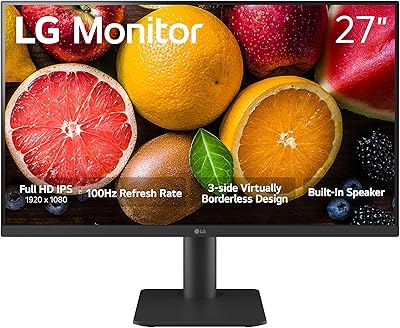
LG 27MS550-B 27-inch IPS Monitor

Dell P2419H 24-Inch IPS Monitor

HP Series 5 524sf 24-inch Monitor
